

.png?width=690&height=400&name=G2CM_FI706_Learn_Article_Images-%5BKnowledge_base%5D_V1a%20(1).png "best knowledge base software")
"Wait, didn’t we already document that?"
If I had a dollar for every time I’ve heard or said that, I’d have enough to build my own support team. Instead, I’ve spent the past few years helping others build theirs with the best knowledge base software I could find.
From solo support agents buried in tickets to product marketers chasing consistent messaging, I’ve seen how messy things get when knowledge is scattered.
Product managers asking for the same doc three times because it’s lost in a maze of folders? I’ve heard that story more than once. Same with onboarding managers writing FAQs in Slack, or founders piecing together help centers at 2 a.m.
Everyone wants the same thing: fewer repeat questions, faster answers, and one place to find what you need without asking around. Basically, a knowledge base. But finding the right software to host it? That’s its own headache.
Some tools are great for internal wikis but fall short on customer-facing portals. Others have powerful features buried under clunky editors. And then there’s the never-ending struggle between customization and ease of use.
I explored over 10+ platforms to understand what really works for growing teams, whether you’re building an internal resource hub, a customer help center, or both.
In this guide, I’ll walk through the ones that stood out, where they shine, and what to watch out for. You’ll see tools like Slack, Confluence, Notion, ClickUp, and Guru in the mix, each one bringing something different to the table depending on how your team captures, organizes, and shares knowledge.
If you’re tired of knowledge being tribal, duplicated, or just plain lost, this one’s for you.
*These are the top-rated products in the knowledge base software category, according to G2 Spring 2026 Grid Report. I have mentioned the starting price of their monthly paid plans and their standout feature for easy comparison.
So what exactly is a knowledge base, anyway? To me, it’s the digital version of that one person on the team who just knows everything, but without the risk of them being out sick or leaving the company. It’s a centralized place where all the how-tos, FAQs, process docs, and product details live.
Whether it’s for customers looking for quick answers or teammates trying to get up to speed, a good knowledge base keeps the whole org running smoother. And the impact is pretty real, according to G2 Data, teams see an average adoption rate of 69% for knowledge base tools, with most reporting ROI in about 10 months. That tells me it’s something teams actually rely on.
But software is where things get tricky. I’ve learned the hard way that just having a place to write stuff down isn’t enough. The best knowledge base tools don’t just store information — they make it easy to find, update, and trust.
What really separates the good from the great, though, is how well the tool adapts to your team’s needs. Some teams need deep integrations with ticketing systems or Slack. Others care more about permissions, analytics, or making the help center feel like a true extension of their brand. The best tools meet you where you are and grow with you, without forcing you to hire a full-time admin just to manage it. Modern knowledge bases increasingly rely on video-based documentation as well.
In short, the right knowledge base software should make things feel less like a scavenger hunt and more like a well-organized library. One where people actually want to contribute, and where answers are just a search away. That’s the bar I’ve been using on every platform I explored, and you’ll see how each one stacks up in the sections ahead.
To figure out which knowledge base tools were actually worth your time (and budget), I started where I usually do — on G2. I dug into the knowledge base software category, filtering for platforms with consistently high satisfaction scores, strong user momentum, and a healthy volume of reviews from real teams using them day to day.
From there, I rolled up my sleeves and got into the details. I looked for tools that struck the right balance between internal and external use cases, because let’s face it, most teams don’t want to juggle two separate systems.
I prioritized intuitive editors, fast and accurate search, smart permissions, and solid integrations with the usual suspects: Slack, Zendesk, HubSpot, Intercom, Notion, and even Zapier for those sneaky automation wins. Bonus points if they offered built-in analytics, branding options, or AI features to make writing and organizing easier.
Here’s what I looked for while testing and researching each tool. These were my must-haves, based on real-world frustrations I’ve seen teams deal with when their knowledge base just doesn’t cut it
After researching 20+ tools, I narrowed it down to the 5 best knowledge base software. While none check every single box, each one stands out for what it does best and offers a strong, well-rounded feature set.
The list below contains genuine user reviews from the Digital Adoption Platform software category. To be included in this category, a solution must:
*This data was pulled from G2 in 2026. Some reviews may have been edited for clarity.
Learn everything about AI-based knowledge bases and how you can use them to improve your customer experience.
Slack wasn’t originally built to be a knowledge base tool, and I went into testing it with that in mind. But after digging through G2 reviews and using it more intentionally, I started to see why so many teams lean on it as a “living knowledge layer.” It’s where conversations happen, decisions get made, and quick answers live long before they’re formally documented anywhere else.
What stood out to me most is how naturally knowledge gets captured in Slack without forcing people into a rigid structure. Channels, threads, pins, and integrations all work together to create a searchable stream of context. It’s not a traditional knowledge base, but for fast-moving teams, it often becomes the first place people go to find answers.
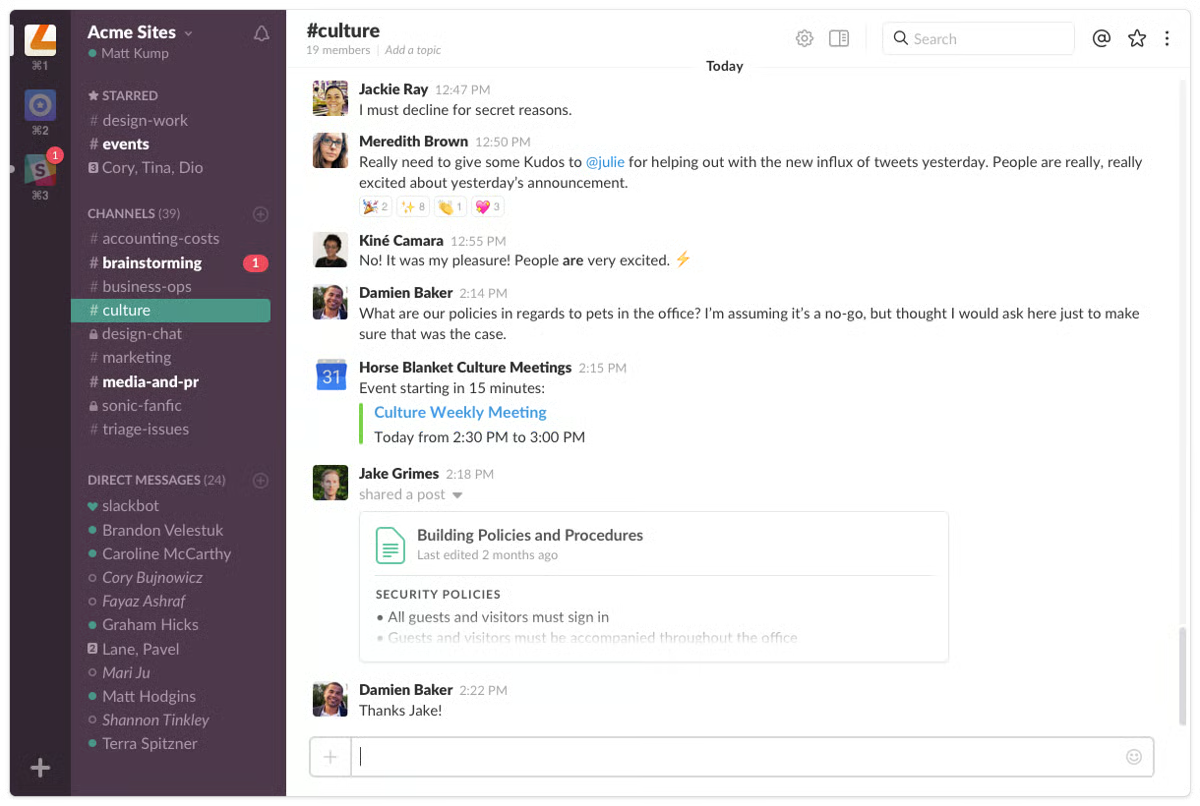
And the numbers back that up. On G2, Slack scores high across the board with 91% for knowledge sharing, 90% for notifications, and 88% for permissions. It also stands out with 93% for both ease of use and meeting requirements, alongside a strong overall rating of 4.5 out of 5.
One thing I really liked was how effortlessly knowledge sharing happens in real time. Whether it’s a quick answer in a thread or a detailed explanation in a channel, information gets documented as work happens. I noticed this reduces the friction of “formal documentation” because people are already contributing just by communicating.
Another standout for me was Slack’s search. It’s surprisingly powerful when you know how to use it. I could pull up past conversations, files, and links quickly, which makes it feel like a dynamic, searchable memory bank rather than a static repository.
I also appreciated how Slack integrates with other tools. From Notion and Google Drive to Zendesk and ClickUp, it acts like a central hub where knowledge from different platforms surfaces naturally. This makes it easier to connect scattered information without forcing everything into one tool.
The way Slack organizes information through channels is another big plus. Teams can segment knowledge by projects, departments, or topics, which helps keep conversations and information relatively structured without needing a complex setup.
I found the collaboration aspect especially strong. Threads, mentions, and reactions make it easy to clarify information, validate answers, and build on ideas. It feels less like documenting and more like continuous knowledge exchange.
It was also very easy to get started. There’s almost no onboarding required since most teams already use Slack daily. That familiarity makes adoption of “knowledge sharing” feel natural rather than forced.
That said, I did notice that Slack isn’t built for structured documentation, which can make long-term knowledge organization a bit tricky. But I’ve seen teams work around this by pairing it with tools like Notion or Confluence, using Slack as the capture layer and a dedicated tool as the source of truth.
I also came across feedback around information getting buried over time, especially in busy channels. It’s a fair point, but features like pinning messages, saving threads, and using integrations help surface important knowledge when it matters most.
Overall, I’d think of Slack less as a traditional knowledge base and more as the front door to your team’s knowledge. It’s best for teams that value speed, collaboration, and real-time information sharing, and who are okay pairing it with a more structured tool for long-term documentation.
"I use Slack daily for team communication, and I love how most of our discussions happen in channels, making it easy to keep track of updates without getting lost like in emails. I appreciate how fast and simple it is to send files or screenshots during work, and the search feature is really helpful for finding old messages or links. Slack has made collaboration much easier and faster, especially when working with a team remotely or on multiple tasks. Its channel-based structure helps keep conversations focused, allowing me to follow discussions without confusion. The quick messaging feature compared to emails helps me get instant responses and solve issues quickly. Overall, Slack makes daily work smoother and more efficient, and when used together with other tools, it streamlines my workflow by keeping everything in one place."
- Slack review, Mamta P.
"While the messaging is top-notch, Slack calls (Huddles) can still be poor in terms of connection stability and audio quality compared to dedicated video conferencing tools. I occasionally experience lag or dropped connections during calls. Additionally, because I haven't used the AI/Intelligence features yet, I feel like some of the newer interface updates focused on AI can feel a bit cluttered or unnecessary for my current workflow."
- Slack review, Kalpesh B
On a budget? Explore the top free knowledge base tools.
Confluence is kind of the OG when it comes to knowledge base software. It’s been around forever, and if you’ve worked in tech or anything adjacent, you’ve probably used it at some point, whether you wanted to or not.
It’s owned by Atlassian (the same folks behind Jira), which means it comes with that unmistakable "enterprise-y but reliable" energy.
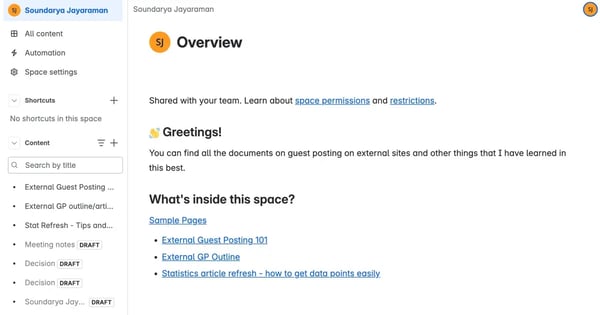
When I went through recent reviews and explored the platform, one thing stood out loud and clear: Confluence is really good at what it was built to do — document stuff at scale. It’s where your team’s processes, project notes, technical specs, and onboarding docs go to live and evolve. The structure it offers — Spaces, Pages, and subpages — makes it easy to build a living, breathing internal wiki.
Another thing I really liked is how well Confluence supports collaboration across teams. Features like inline comments, mentions, and version history make it easy to keep discussions tied directly to documentation, which helps content stay accurate and up to date over time.
I also found its template library pretty useful. Whether you're creating onboarding docs, meeting notes, or technical specs, having pre-built templates makes it easier to maintain consistency without starting from scratch every time.
And according to G2 Data, users really value its knowledge sharing (93%), comments (91%), and link sharing tools (90%), which are all core to how teams collaborate on internal knowledge.
That said, there are a couple of areas where it takes some getting used to. Some users mentioned that formatting and editing can feel a bit limited compared to more modern editors, but once you’re familiar with the tools available, it becomes easier to work within that structure.
I also came across feedback that initial setup can take a bit of planning, especially when organizing spaces and permissions. But with a clear structure in place early on, it becomes a strong, scalable system that’s easy to maintain as your team grows.
But what I found interesting is that even with its quirks, users keep coming back. G2 gives it a solid 4.1 out of 5 stars with nearly 3,800+ reviews. That kind of volume doesn’t happen unless a tool is deeply embedded in how companies operate. And the fact that it integrates so seamlessly with Jira and the rest of the Atlassian suite is a big plus, especially for dev teams.
If your team is already in the Atlassian ecosystem, or if you're building a structured knowledge hub that multiple departments can contribute to, Confluence is a safe bet. It might not be flashy, and it definitely has a learning curve, but once it’s set up, it runs like a dependable backend for your brain.
I’d recommend it to mid-size and enterprise teams who care more about scale and structure than design flair
"What I like best about Confluence is that it gives teams a shared space to document knowledge, collaborate, and keep information accessible over time. It is especially useful for organizing project notes, meeting recaps, technical documentation, and internal processes in one place. The overall experience is fairly easy to understand, even for new users, and the integration with other Atlassian products makes it more valuable in day-to-day work. From a ROI perspective, it brings value by reducing duplicated information and making it easier for teams to find and reuse existing knowledge instead of starting from scratch each time.”
- Confluence review, Arthur H.
"The interface can feel a bit overwhelming for first-time users, particularly when you’re managing spaces and permissions. It also takes some time to get familiar with where everything is and how to navigate it."
- Confluence review, Omkar M.
Teams building larger documentation ecosystems may also want to explore component content management systems, especially for managing reusable content across help centers, technical docs, and multi-channel publishing work.
Notion’s one of those tools that comes up in every conversation about productivity and for good reason. It’s everywhere. I’ve seen teams use it for project management, personal task tracking, even as a lightweight CRM.
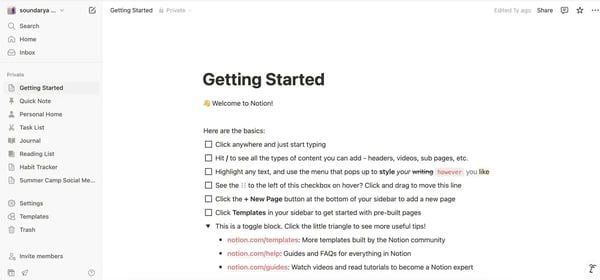
But when I focused on how it performs as a knowledge base, I found something pretty unique: it’s flexible enough to build exactly what you need, but that flexibility can also be a double-edged sword.
What I loved most while testing Notion is how easy it is to organize information your way. You’re not locked into rigid templates or hierarchies. If your team thinks in tables, tags, or nested pages, Notion handles it.
It also nails the collaborative side of documentation. Multiple reviewers mentioned how great it is to co-edit pages, tag teammates, and keep discussions tied to specific content. That alone helps reduce Slack pings and repeat questions.
With everything searchable across workspaces, Notion quickly becomes a source of truth for teams. I especially liked how easy it is to create a new document from scratch or turn meeting notes into a team wiki page on the fly.
And users on G2 agree: features like knowledge sharing (89%), link sharing (90%), and upload (88%) are among its highest-rated strengths.
But I also get why some folks feel overwhelmed. Multiple reviews mentioned how even simple things can feel overly complicated at first. There’s definitely a learning curve, especially for teams new to structured documentation. I typically start with templates on Notion to make it easy for me to create the kind of documentation I want.
One thing I ran into and also echoed in several G2 reviews is the limited formatting options. It’s clean and minimal, which I like, but if you need more granular control over layout, sidebars, or interactive elements, you might feel boxed in.
And while Notion AI has come a long way (and is a standout for things like meeting notes and content drafting), some users still wish it were smarter or more deeply integrated with LLMs.
Still, Notion’s satisfaction rating sits at an impressive 4.6 out of 5 on G2, with 98% of users rating it 4 or 5 stars. That’s not just hype. It reflects how versatile and beloved it is, even if it takes some effort to unlock its full potential.
If you’re a startup, a remote team, or even a fast-growing org that wants a highly customizable internal knowledge base (and maybe an all-in-one workspace on top), Notion is a no-brainer.
I’d recommend it to anyone who likes building their own structure and doesn’t mind investing a little time upfront to get it just right. Think of it like giving your team digital Lego blocks. With the right setup, you can build almost anything.
"I really like the fact that all the pages can be connected. I like the database aspect and the different filtered views. Notion works like a big binder, so I can easily switch from one page to another and find the information I need. The filtered views allow me to manage the data either day by day or on a specific date. Moreover, Notion has made the transfer from Trello easier and has allowed us to greatly improve our system. I also use it in a personal capacity to organize trips or as a bullet journal."
- Notion review, Celine D.
"What I dislike about Notion is that it can sometimes feel slow, especially when working with large databases or complex pages. The offline functionality is also limited, which can be frustrating if you don’t have a stable internet connection. Additionally, while its flexibility is a strength, it can become overwhelming for new users due to the lack of structure out of the box. There are also some limitations in advanced automation and integrations compared to more specialized tools."
- Notion review, Datha S.
Related: Learn how AI enhances customer self-service, support, and retention.
ClickUp is one of those SaaS tools everyone knows about. I’ve always thought of it as a go-to for project management, but lately, it’s been positioning itself as “the everything app for work.”
So when I saw it show up on G2’s Grid Report for knowledge base software, I got curious. I wanted to see how well it actually holds up as a knowledge base, not just a task manager. And it didn't disappoint.
The biggest standout? Flexibility. Based on user reviews I saw, people love that you can customize nearly every part of your workflow — views, permissions, automations, docs, you name it. That’s especially useful if your knowledge base needs to tie directly into tasks, goals, or sprints.
And the G2 Data also shows that, with standout scores for ease of doing business (92%) and ease of use (87%), ClickUp shines when it comes to customization. Users rate features like comments (93%), tagging (91%), and organization (91%) the highest.
Several reviewers even said ClickUp helped them replace multiple tools by centralizing everything in one place. You’re not just creating docs — you’re building a full-on operating system for your team.
My first impression matched with what users say. As I signed up, ClickUp asked which tools I already used and made it surprisingly easy to connect them right from the start.
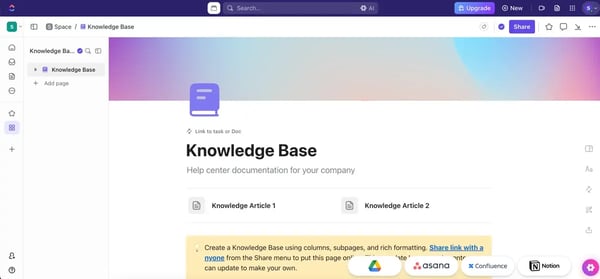
The knowledge base setup is simple but flexible. I started working with an existing template on the app. You can create structured documentation with nested pages, link to tasks, or other docs. The visual layout is clean, and there’s enough room to customize things like columns, formatting, and embeds.
Several G2 reviewers mentioned how powerful it feels to manage SOPs, internal guides, and process docs directly inside the same place where the work happens.
That said, there are a few aspects to be aware of. With so many features packed in, the platform can take a little time to fully get comfortable with, especially if your workspace isn’t set up thoughtfully from the start. But once things are structured well, that same depth becomes a big advantage.
I also came across mentions of slight lag in larger, more complex workspaces. It’s not something that comes up constantly, and for most teams, it’s a small trade-off for the level of functionality ClickUp offers.
Still, ClickUp holds a 4.7 out of 5 rating on G2, with praise across the board for ease of use, customization, and overall functionality. Its ability to connect documentation with task management is a huge win if your team prefers to keep everything in one ecosystem.
If you’re a growing team that already uses ClickUp or one looking to streamline everything into a single workspace, I’d definitely say give it a shot. It’s best for teams that want their knowledge base to live inside their day-to-day work, not separate from it.
"I’ve been using ClickUp and found it really helpful. It has a lot of useful features, and it’s easy to keep track of assigned tasks. I like that everything like tasks, updates, and chat is available in one place, so there’s no need to switch between tools. It makes managing work much simpler and more organized. Overall, it’s easy to use and works well for day-to-day task tracking."
- ClickUp review, Ambuj N.
"Sometimes ClickUp feels a bit complex due to the number of features, and it can take time to get used to. The interface can also be slightly slow at times.."
- ClickUp review, Wajji K.
A knowledge base is only as good as its search. Compare the best enterprise search software to help teams find verified answers across tools, not just within one system.
Guru was a bit of a hidden gem for me. I found it through the G2 Grid Report and saw their demo. What stood out right away is how focused it is on one thing: making internal knowledge ridiculously easy to find and use. And honestly? It looks like does a solid job of it.
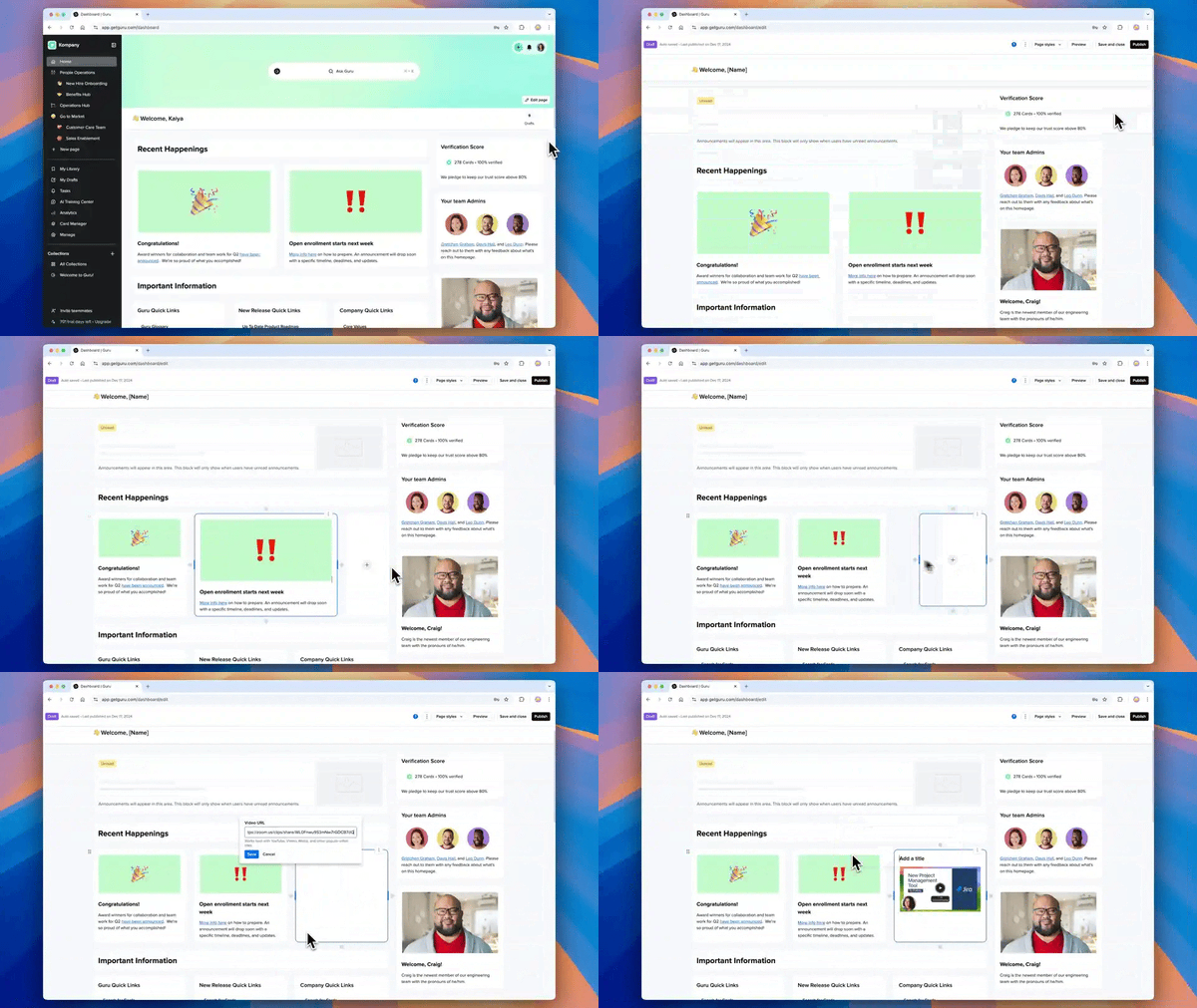
Even without hands-on time, just watching how it worked and reading through G2 user reviews gave me a good feel for what it’s like in action.
Guru organizes everything into bite-sized “cards,” which are super useful when you just want quick, verified answers. Teams love how it keeps information up-to-date with nudges to verify content, so you don’t end up with outdated wikis collecting dust. Its ratings for knowledge sharing (95%), natural language Interaction(94%), and searchable (94%) are some of the best I’ve seen in the space, and that tells me users genuinely find it helpful for centralizing team knowledge.
What also impressed me is how well Guru plays with fast-paced teams. The ease of use score sits at 93%, and ease of setup is 93% so it’s clear most teams get value quickly. Users consistently mentioned how intuitive it is, even for non-technical folks.
I could see that it’s designed with frontline teams in mind: support reps, sales folks, anyone who needs to answer questions quickly without digging through layers of folders or docs.
That said, there are some things to keep in mind. A number of G2 users pointed out that search can be inefficient at times. Finding the right card can sometimes take longer than it should, especially if the content isn't well-tagged or named. For a tool that’s supposed to be your single source of truth, that’s something I’d want to see improved.
A few folks also mentioned clunky import options and wished the AI suggestions were a bit more polished or context-aware.
Still, Guru has 4.7 stars on G2, and 97% of users rate it 4 or 5 stars. It clearly delivers on its promise for most teams, especially those looking for lightweight, structured, and verifiable internal knowledge sharing.
If your team is drowning in Slack threads and tribal knowledge, Guru could be the fix. I’d recommend it for support, success, or enablement teams that need quick answers and consistent messaging but aren’t looking for deep customization or heavy formatting. It is also a good choice for teams that want a knowledge base software for contact centers.
"Guru is its clean, modern interface and smooth user experience everything feel well organized and easy to navigate, so you don't waste time to figuring things out. its fast, responsive and gives a premium feel to user. overall style simplicity and performance perfectly - which makes using Guru enjoyable and hassle free."
- Guru review, Ashish G.
"Guru is a great tool, but there are a few areas where it can feel limited. Sometimes the options and search results don’t always bring up the most relevant cards, especially when content isn’t tagged properly or when there are many similar cards. For more detailed or long‑form documentation, Guru’s card format can also feel a bit restrictive compared to tools like Confluence or Notion. Guru works best when everyone on the team is consistent about updating and verifying cards. When some teammates don’t maintain their information, it affects the overall accuracy and usefulness for everyone."
- Guru review, Kushboo S.
Explore the best customer success software to drive retention, boost adoption, and support your users at every stage of their journey.
A knowledge base is a centralized digital repository where organizations store information like FAQs, how-to guides, documentation, and troubleshooting content. It can be internal (for employees) or external (for customers).
The best knowledge base software depends on your specific needs. Based on user reviews and performance data:
While used interchangeably, there’s a distinction:
For instance, knowledge management system software is more appropriate for tech startups or enterprises needing advanced governance and workflow features.
If you’re building a knowledge database from scratch, Notion is one of the best places to start because it’s flexible, beginner-friendly, and easy to customize. Guru is another strong option if you want something lightweight and structured, while Confluence works well if you already know you’ll need more scale and governance later on.
For small businesses, the top-rated knowledge base apps in this list are:
These tools are especially appealing because they’re easy to adopt, flexible enough for growing teams, and don’t require a huge admin lift to maintain.
For support teams, the most recommended knowledge management software from this list would be Guru, Slack, and Notion.
Startups and entrepreneurs usually get the most value from tools that are flexible, affordable, and easy to set up. From this list, the most cost-effective knowledge base solutions are:
These tools give smaller teams a strong starting point without requiring a big upfront investment.
For teams on a budget, the best free knowledge base software from this list includes:
These are strong options for smaller teams or early-stage companies that want to start documenting knowledge without adding another major expense.
Yes, Notion knowledge base templates make it a flexible, lightweight, and visually appealing choice. It’s especially useful for internal wikis, customer support playbooks, project documentation, and remote team collaboration.
There are also Notion knowledge base templates available to speed up the setup.
If ease of use is your top priority, Slack, Notion, and Guru are some of the most user-friendly knowledge base services in this list. Slack feels familiar right away, Notion makes it easy to build and organize pages visually, and Guru is especially simple for teams that want quick, bite-sized knowledge sharing.
For tech startups, the best knowledge management system usually depends on whether you prioritize speed, collaboration, or governance. Notion is a strong fit for flexible documentation, Guru works well for fast-moving teams that need quick knowledge capture, and Confluence is a solid option for startups that want more structure as they scale.
Based on user reviews, Confluence and Guru are the most trusted at the enterprise scale. Confluence is known for knowledge sharing and deep Atlassian integration for structured documentation, and Guru is also known for knowledge sharing with verified, always-current cards, both dependable for teams centralizing knowledge across a large organization.
For growing mid-sized teams optimizing workflows, Confluence and ClickUp stand out. Confluence structures documentation through Spaces and nested pages that scale across departments, and ClickUp ties knowledge directly to tasks and projects, so documentation lives where the work happens.
Guru and ClickUp rate highly on both. Reviewers note even non-technical teammates adopt it quickly, while ClickUp has smooth onboarding that connects existing tools from the start, pointing to dependable rollouts.
Confluence and Slack are built for enterprise-scale use. Confluence is described as a dependable backend that runs reliably once configured across multiple contributing departments, and Slack is known for meeting requirements with a searchable, integration-rich hub, though reviewers note large workspaces benefit from pinning and saved threads to keep knowledge surfaced.
Notion and Slack deliver value without heavy customization work. Notion offers a flexible free plan and template-driven setup that startups run without a dedicated admin, and Slack requires almost no onboarding since teams already use it daily, letting knowledge sharing start immediately without paid implementation services.
Guru and Slack are the most approachable for non-technical teams. Guru is repeatedly described as easy for non-technical teammates to pick up, and Slack feels familiar from day one, with almost no onboarding, so both get teams sharing knowledge quickly with minimal training.
Slack and Confluence lead on integration. Slack acts as a central hub connecting Notion, Google Drive, Zendesk, and ClickUp so knowledge surfaces across platforms, and Confluence integrates seamlessly with Jira and the wider Atlassian suite, making it a natural fit for teams already in that ecosystem.
For fast time-to-value, Slack, Notion, and Guru stand out. Slack requires almost no onboarding since teams already use it, Notion's templates get documentation started quickly, and Guru's ease of setup means teams get value fast. Broader knowledge-base ROI typically lands around ten months, so early value depends on adoption and scope.
Guru, Slack, and ClickUp cut manual work most directly. Guru surfaces verified answers in context through browser and Slack/Teams integration so reps stop re-answering the same questions, Slack captures knowledge as work happens, and ClickUp keeps docs beside tasks to reduce switching between tools.
Notion and ClickUp handle complex workflows without dedicated IT. Notion lets teams build custom databases, linked docs, and wikis without developer support, and ClickUp combines documentation with project management and automations in one customizable workspace, both manageable by the team itself rather than an admin.
After testing, researching, and digging through hundreds of G2 reviews, one thing became clear to me: the best knowledge base software isn’t the flashiest — it’s the one your team will actually use. It’s the one that makes documenting feel less like a chore and more like a habit.
Whether that means the ultra-customizability of Notion, the structured reliability of Confluence, or the integration-first focus of Guru really depends on your team’s size, tools, and chaos tolerance.
You know what surprised me most? How much do these tools reflect the culture of the teams that use them? A good knowledge base isn’t just about search bars and card layouts — it’s about consistency.
Most platforms give you the features you need, but keeping it clean, relevant, and clutter-free often comes down to one dedicated person who quietly becomes the keeper of all things documented.
You might not have that person right now, and that’s okay. But what helps more than anything is setting a clear baseline from day one. Decide what goes in, how it’s structured, and who’s responsible for maintaining it. Set a few simple rules, and start small. Every page you write today is one less Slack ping, one less repeated question, and one more person unblocked tomorrow.
The magic isn’t just in the software, it’s in the habit. One page at a time.
Check out G2’s guide on how to build a knowledge base that benefits your employees and your customers.


The best enterprise search software becomes critical when teams know the information exists...
 by Disha G

Have you ever shied away from asking a question due to the vanity of it? Or ever dreaded...
.png) by Shreya Mattoo
by Shreya Mattoo

To find the best free knowledge base software for tech startups in 2026, I looked at G2...
 by Sudipto Paul