


To find the best free knowledge base software for tech startups in 2026, I looked at G2 reviews from software and IT professionals and focused on the tools startup teams consistently recommend. The list includes tools like ClickUp, Confluence, Document360, Helpjuice, Hudu, Notion, Slab, and Slack.
In a fast-moving tech startup, knowledge rarely lives where you'd look for it. It's buried in Slack threads, half-finished product docs, closed support tickets, and the heads of the two or three people who've been there since the beginning. That works right up until it doesn't. The new engineer burns their first week asking questions instead of shipping, support fields the same setup problem for the tenth time, and the one person who knows the deploy process becomes a single point of failure every time they take a day off. Undocumented knowledge feels free, but a growing team pays for it in slower onboarding, repeated work, and decisions no one can trace back.
That's what the tools below are built to fix. The good ones give a lean team searchable docs that stay current, a home for product and API references, and answers that surface inside the tools you already work in, without an enterprise budget or a full-time owner. Several offer free plans or trials more than capable of carrying an early-stage startup.
Here's what tech startup reviewers on G2 had to say about the strengths, limitations, and ideal use cases for each platform in 2026.
*Tools are listed alphabetically. These tools offer free trials, free forever options, or freemium models.
Here's a side-by-side look at free plan limits and pricing before diving into the full reviews.
| Tool | G2 Rating | What the free plan covers | Paid Starts At |
| ClickUp | 4.6/5 ⭐ |
|
$10/user/month |
| Confluence | 4.1/5 ⭐ |
|
$5.42/user/month |
| Document360 | 4.7/5 ⭐ |
|
Custom pricing |
| Helpjuice | 4.7/5 ⭐ |
|
$249/30 users/month |
| Hudu | 4.7/5 ⭐ |
|
$30/user/month |
| Notion | 4.6/5 ⭐ |
|
$12/seat/month |
| Slab | 4.6/5 ⭐ |
|
$8/user/month |
| Slack | 4.5/5 ⭐ |
|
$4.38/user/month |
*All pricing details are based on publicly available data at the time of publication and are subject to change.
Across G2 reviews, knowledge sharing earns a 92% satisfaction rating, one of the highest-rated features in the category, which tells you that when these tools work, they really do solve the scattered-knowledge problem startups feel most acutely. The harder figure is adoption: the average user adoption rate sits at 68%, a reminder that buying the software is the easy part and getting the team to actually use it is the real battle, exactly the thing the best free plans are built to win before you spend a cent. And for teams weighing the upgrade, the average reported payback period is around 9 months, which makes the eventual move off free easier to justify once the knowledge base becomes something the company genuinely runs on.
I started with G2's free knowledge base software category page, which lists tools that offer free plans, free trials, or freemium models. From there, I took the top products as they appear on the page and worked through the free plan or trial on each one, specifically looking at how well each holds up for a tech startup: how the knowledge actually gets organized, what the search and writing experience feels like, which features you get without paying, and exactly where the free tier runs out.
Along with this, I cross-referenced verified G2 reviews for each tool to understand real-world patterns beyond my own impressions, and I narrowed that review data to the audience this article is for: small-business and mid-market companies in the software and IT space. That filter is why the praise and gripes here lean toward startup reality, like onboarding engineers, fielding repeat questions, and keeping docs from going stale, rather than enterprise rollouts.
I focused on what teams consistently love, what quietly wears on them over time, and how the free plan behaves in practice, all of which come from that slice. G2 review data referenced throughout was pulled in 2026, and some reviews have been lightly edited for clarity.
The screenshots featured in this article may be a mix of those taken from the vendor's G2 page or from publicly available materials.
Reading through how software and IT startups actually use these tools, the same handful of things decide whether a knowledge base sticks or quietly dies. Here's what I paid attention to:
To be included on this list, a tool must:
*This data was pulled from G2 in 2026. Some reviews may have been edited for clarity.
Before you pick a wiki, align your team on how information should move internally with an internal communication plan.
While exploring ClickUp, what struck me first is how much its Free Forever plan hands a startup: unlimited members, unlimited tasks, collaborative Docs, and sprint management, all before any paywall. For small tech teams, that means everyone can be in the workspace from day one, which is rare on this list.
What stood out to me in the G2 reviews is that documentation never feels like a separate destination. Docs and wikis sit right next to tasks and projects, so knowledge stays connected to the work it describes. Reviewers from software and IT teams keep praising that flexibility, spaces, folders, and a basic custom field manager that bend to fit everything from engineering sprints to customer onboarding. The one number worth noting up front is storage: the free plan caps at 60MB, so files move to a paid tier fast.
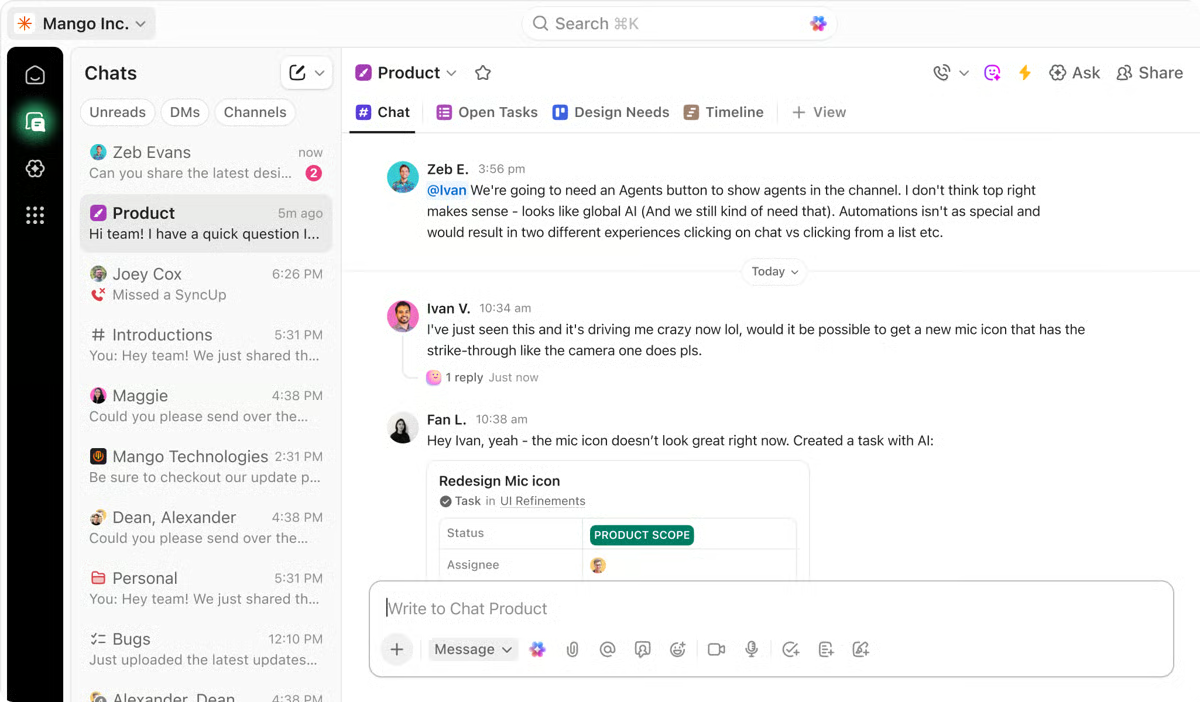
The free plan is generous on people and tasks, so the trigger is usually capability or storage rather than headcount, the 60MB cap comes quickly once you attach files. The Unlimited plan, at around $10 per user each month, adds storage, more dashboards, and advanced features as your workspace grows.
"What I like the most is the inbox and the centralization of notifications. Instead of going crazy checking Slack, emails, and different boards to see what has changed, ClickUp efficiently clears the noise, allowing me to see updates grouped by Date or by Project. If I receive a notification that I can't attend to at the moment, I hit 'Snooze' to have it reappear later. I clear my inbox in seconds by marking as Read what is only informational, leaving only what requires my direct action."
- ClickUp review, Esteban S.
Best for: Teams that want their docs and knowledge inseparable from project execution.
Not ideal for: Teams that want a focused, lightweight wiki, or anyone sensitive to a busy interface.
"The learning curve is brutal at first and overwhelms new team members. It has so many options, buttons, and menus that the interface feels overloaded, causing visual fatigue."
- ClickUp review, Antonio M.
While exploring Confluence, I noticed it isn't trying to win you over with polish, it's the documentation workhorse for teams already in the Atlassian world, and it behaves like one. The free plan runs forever for up to 10 users, with unlimited pages and spaces, templates, and version history, which is often enough for IT startups to document a whole product before anyone pays. For an engineering-led startup already living in Jira, that native link is what makes docs something devs keep current instead of a chore off to the side.
What kept coming up in the G2 reviews from software and IT teams was how central it becomes once it's the system of record. Architecture decisions, runbooks, and onboarding guides all land here, and the native Jira link is what elevates it above a plain wiki; a ticket connects to its spec, which connects to its release notes. Reviewers do flag the free-tier ceilings worth planning around: 2GB of file storage, three active whiteboards, and just 10 automation rule runs a month.
The 10-user ceiling is the wall most tech startups hit first. Once you cross it, the Standard plan, around $5.42 per user each month, adds storage, permissions, and more automation, with Premium layering on analytics and governance. If you're growing or leaning on Marketplace add-ons, the free plan won't last long.
"We are using Confluence as our central knowledge repository, where all project-related information is documented and easily accessible to the team. It helps us keep everything structured, transparent, and aligned across different stakeholders. What I appreciate most about Confluence is its ability to centralize documentation, facilitate real-time collaboration, and maintain a clear history of updates. It also integrates well with tools like Jira, which makes it very effective for managing requirements, tracking progress, and ensuring consistency across projects."
- Confluence review, Elina S.
Best for: Engineering-heavy teams already running Jira who want documentation wired directly into their work.
Not ideal for: Early, non-technical, or design-led teams who will find it heavier and less intuitive than the lighter wikis on this list.
"For new users, organizing spaces and pages can take some time to understand. Large workspaces can also feel slightly cluttered if documentation is not maintained properly."
- Confluence review, Rehan A.
Engineering teams documenting tickets, specs, and sprint work may also want to compare the best service desk software for IT workflows.
While exploring Document360, what stood out to me is how squarely it's built for one job: standing up a polished, customer-facing help center without managing infrastructure. The free tier centers on a single knowledge base with the core editor and search, which is enough for a startup to publish real docs and get them in front of customers. For an early-stage software team without a technical writer, that means shipping a credible, branded help center in days rather than building one from scratch.
In the G2 reviews, the recurring praise is about simplifying publishing. Software teams describe moving off fragmented Word, PDF, or wiki setups and gaining a branded help center that's genuinely easier to maintain, with strong search and responsive support. The heavier capabilities, the custom workflow builder, PDF import, the Pro analytics dashboard, API support, and AI, sit on paid plans, so the free tier reads best as a capable starting point rather than the whole platform.
The free tier suits a single, simple knowledge base. You'll move to paid when you need multiple workspaces, AI search and writing, the custom workflow builder, PDF import, the Pro analytics dashboard, or 30+ integrations and API support. Pricing is custom, so confirm current tiers before planning around them.
"We've been using Document360 as our documentation platform, and it has significantly improved how we manage and deliver our product documentation. The AI-enabled search functionality makes it much easier for end users to quickly find the most relevant information, which in turn supports better self-service."
- Document360 review, Vignesh S.
Best for: Tech startups that need customer-facing product docs, API references, or a polished help center.
Not ideal for: IT teams looking for an internal all-in-one workspace, since it's documentation-focused rather than a tasks-and-notes hub.
"Sorting and ordering pages is clunky. The learning curve is high for new editors on our team, meaning they don't edit or contribute to our documentation. Understanding the different types of pages/folders available is not straightforward."
- Document360 review, Joanna W.
While exploring Helpjuice, what stood out to me is how focused it is on one outcome that matters to a software or SaaS startup: a branded, no-code help center that deflects repeat product questions fast, so a small support team isn't answering the same ticket all day. It runs on a trial rather than a free-forever plan (no credit card required to start), so the free window is for evaluation, but the upside reviewers point to is flat-rate pricing instead of per-seat once you commit, which suits a startup budget as the team grows.
In the G2 reviews, speed to launch is the standout. One reviewer described building an entire help center from scratch in a few weeks without writing code, which is exactly what a lean startup without engineering to spare needs, and teams repeatedly credit a responsive support team for getting them there. Reviewers also value the unlimited articles and live collaboration, plus the ability to keep one article serving both customers and internal staff, so a small tech team documents something once instead of twice.
Helpjuice runs on a trial rather than a free-forever plan, so commitment comes early. The upside is flat-rate pricing rather than per-seat, which keeps costs predictable as you add authors. It is better to confirm current tiers before you plan around them.
"As one of the main contributors to our knowledge base, I really appreciate how intuitive and user-friendly the Helpjuice editor is. It's straightforward, easy to navigate, and makes creating and organizing content simple. Another standout feature is their customer support, especially the live chat option. Whenever I've needed assistance, the support team has been responsive and helpful, which makes a big difference when managing a large internal knowledge base."
- Helpjuice review, Michelle H.
Best for: Startups that need a customer-facing help center and ticket deflection up fast.
Not ideal for: Teams wanting a free-forever internal wiki, or anyone needing SSO-gated private docs out of the box.
"Sometimes, while managing larger knowledge base content, article formatting and category arrangement can take a little extra manual effort, especially when updating multiple topics together. Apart from that, the overall experience has been smooth and useful for regular documentation work."
- Helpjuice review, Ishan S.
While exploring Hudu, I noticed it's purpose-built in a way the general wikis here aren't, it centralizes IT documentation, systems, assets, SOPs, and credentials, with deep customization at its core. There's no free-forever plan, only a trial, so for a tech startup the real question is fit rather than the free window: Hudu pays off when documenting systems and credentials is genuinely core to how you work.
What the G2 reviews emphasize is exactly that purpose-built depth. Reviewers describe building custom asset layouts tailored to their environment, storing credentials securely with access controls, and leaning on a clean API and fast development cycles to wire Hudu into their automation. For IT and services teams, those are capabilities a general knowledge base simply doesn't offer.
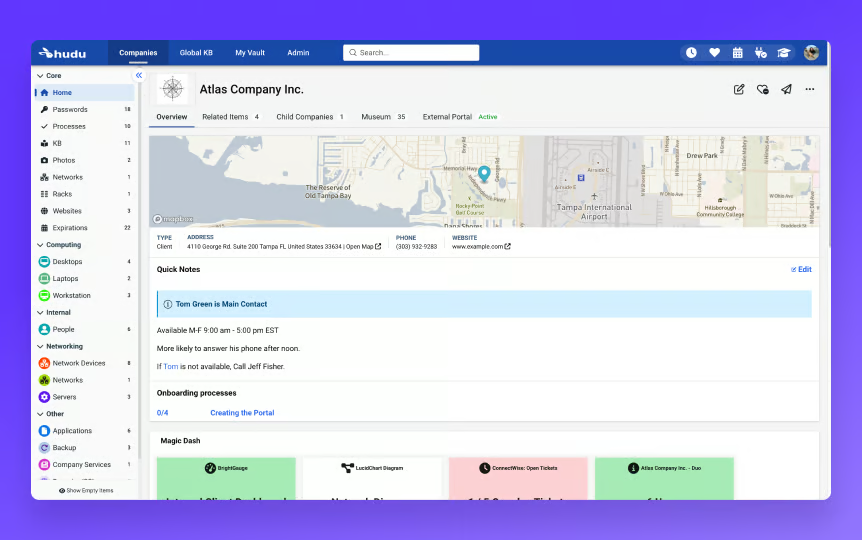
Hudu offers a trial rather than a free-forever plan, with paid pricing starting around $30 per user per month. The real question isn't when to upgrade but whether asset and credential documentation is core to how you work. If it is, it tends to pay for itself quickly.
"Self-hosted control and ownership of documentation data, combined with a clean API that makes it straightforward to integrate with automation platforms like n8n."
- Hudu review, Mark H.
Best for: IT and services teams where documenting systems, assets, SOPs, and credentials is core to the work.
Not ideal for: Teams wanting a free-forever general wiki or a customer-facing help center, which other tools here handle better.
"The only thing that I dislike about Hudu is that it is not free. No really, in all honesty, there is really not much to dislike. It works and works well for a documentation software. Support is extremely helpful and very responsive to issues that arise. The integrations work as expected."
- Hudu review, David S.
While exploring Notion, what struck me was how far the free plan stretches before it breaks, unlimited pages and blocks, a collaborative workspace, basic Notion AI, and the full database system, which is enough to run a tech startup's whole knowledge base for free. That range is why it fits a lean team: a startup can run its wiki, roadmap, and tasks on one canvas instead of paying for three separate tools before it has revenue.
In the G2 reviews from small software and IT teams, a pattern repeats: people start with a few notes and quietly end up running their whole operation inside it. The database is the hook, since the same data can appear as a board, table, calendar, or timeline. Reviewers say that once it's set up thoughtfully, it becomes the one place the team trusts, though the free tier's edges (5MB file uploads, 7-day page history, and 10 external guests) are worth knowing before you lean on it hard.
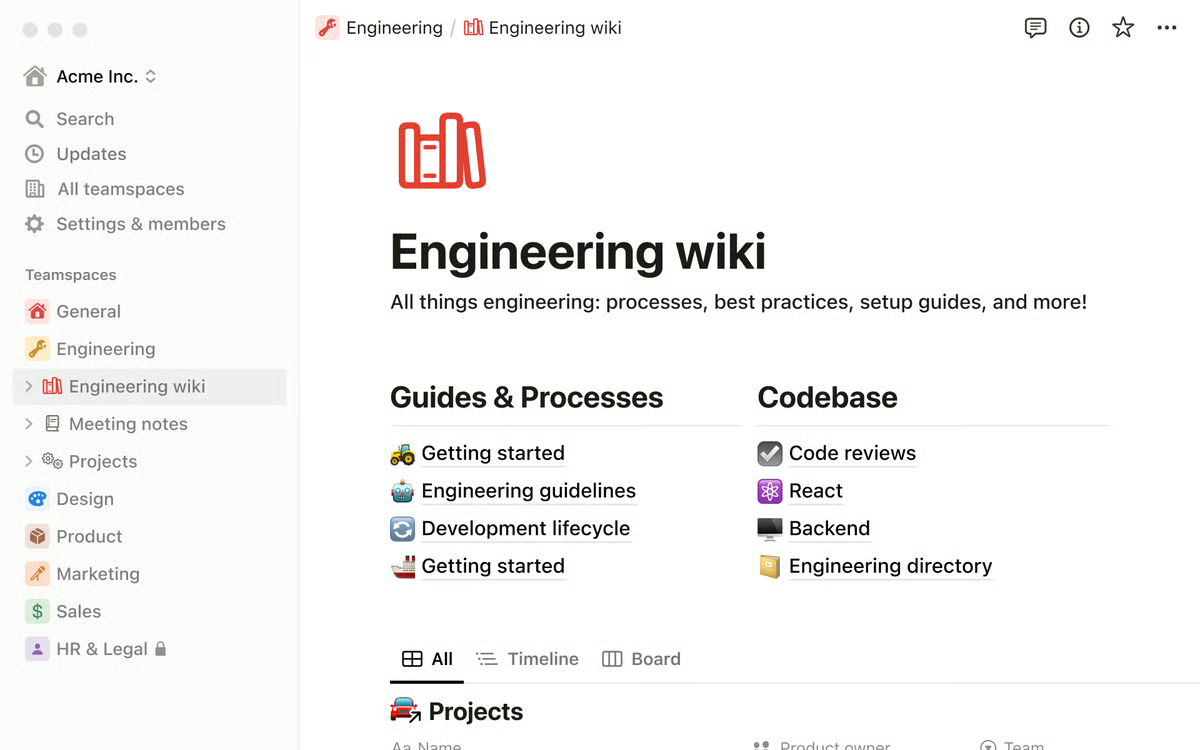
The free plan is generous for individual use, but starts to pinch once a team leans on it, the 7-day history and 10-guest limit show up first. The Plus plan, around $12 per seat each month, unlocks fuller team collaboration, deeper history, and more guests. For most startups, the trigger is the moment three or four people are editing daily and you need proper permissions.
"What I like best about Notion is how it lets me combine all my work in one place instead of switching between different apps. I can write notes, organize assignments, and also include coding snippets with proper formatting, which is really helpful since my work involves both programming and written content. It also makes it easy to structure everything by topic, so my notes don't feel scattered and are easier to revise later. Overall, it helps me stay organized and keeps both my technical and written work connected in a simple, customizable way."
- Notion review, Aarohi K.
Best for: Teams that want docs, wiki, and lightweight project management in one place and will invest the setup time to make it stick.
Not ideal for: Teams that need a polished customer-facing help center, reliable offline access, or guardrails against documents piling up.
"It also tries to do everything at once, notes, databases, wikis, project management, which makes simple tasks feel unnecessarily complicated. The learning curve is real too, with terms like 'rollups' and 'database views' feeling overwhelming for new users."
- Notion review, Vinay Y.
Check out the best free project management software my team tested and scale up your productivity for free.
While exploring Slab, I noticed it wins people over on interface, both technical and non-technical reviewers describe a fast editor that gets out of the way and a clear topic-and-subtopic structure. The free plan runs forever for up to 10 users and includes the editor, version history, templates, and the unified search reviewers prize, which lines up neatly with the size where a clean internal wiki matters most. For a small dev team, that 10-user free ceiling covers the whole company through its earliest stage, so the wiki grows with the team rather than forcing a paid call on day one.
What the G2 reviews keep returning to is that unified search: it reaches across connected apps, so an answer surfaces whether it lives in Slab or somewhere else, sparing a startup from hunting tool by tool. Reviewers also describe new hires getting up to speed on their own, exactly the self-serve that keeps a tech startup from answering the same question twice. Worth noting on the free tier: 10MB per attachment, 90-day version history, and 30 days of usage analytics.
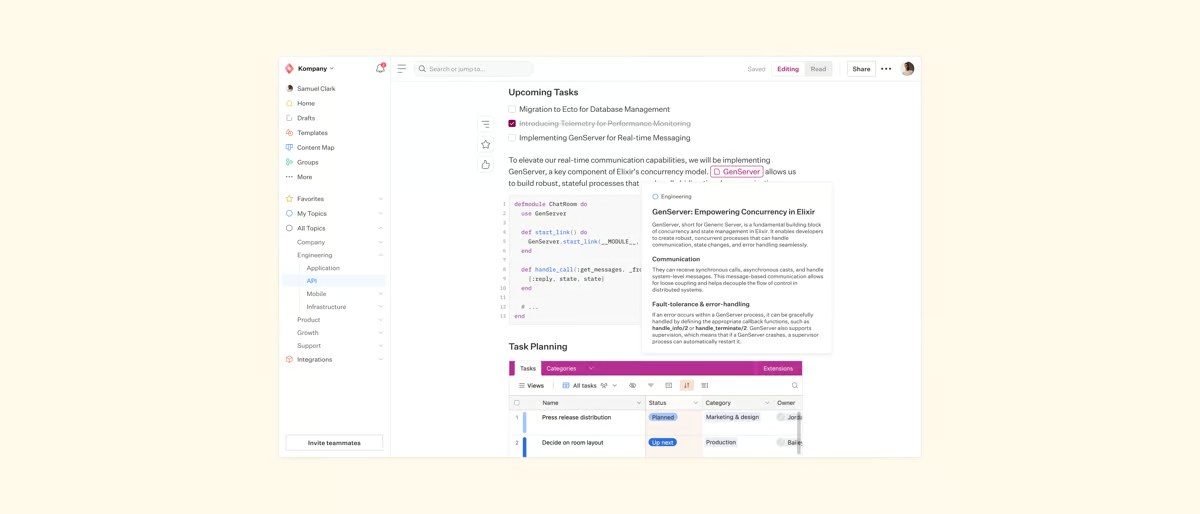
The free tier comfortably covers a real internal wiki, so the wall most teams hit first is the 10-user cap. Once you cross it, or need granular permissions and admin controls, the Startup plan, around $8 per user each month, lifts the user limit and adds the advanced administration that matters as more people contribute.
"I am using Slab for a long time for my company. I like that it stores all company knowledge in one place and creates clean, easy-to-read documentation. It also provides me powerful search which is easy to find inside the document. It is easy to implement and provides templates."
- Slab review, Sourabh C.
Best for: Small, remote dev teams that want a clean, focused internal wiki with search that reaches across their stack.
Not ideal for: Teams needing rich media handling, complex tables, or a customer-facing help center.
"It's based on Markdown, and there are several limitations to it, such as advanced image handling and complex table support. Also, a lot of topics and multiple subtopics sometimes make it really overwhelming."
- Slab review, Sajan B.
A caveat up front, because it matters: Slack is messaging-first, not a purpose-built knowledge base. While exploring it for this list, what stood out to me is that it's here because, for most tech startups, the knowledge already lives in Slack. And its searchable channels, huddles, and integrations make that history at least partly retrievable.
In the G2 reviews, software and IT teams describe Slack becoming the hub almost by default, Jira, GitHub, and Google Workspace alerts flow into channels, and the team is already there. Reviewers consistently say it kills the slow back-and-forth of email, where important things get buried. With the free plan offering 10 integrations and a 90-day history window, it lets tech teams capture knowledge when necessary.
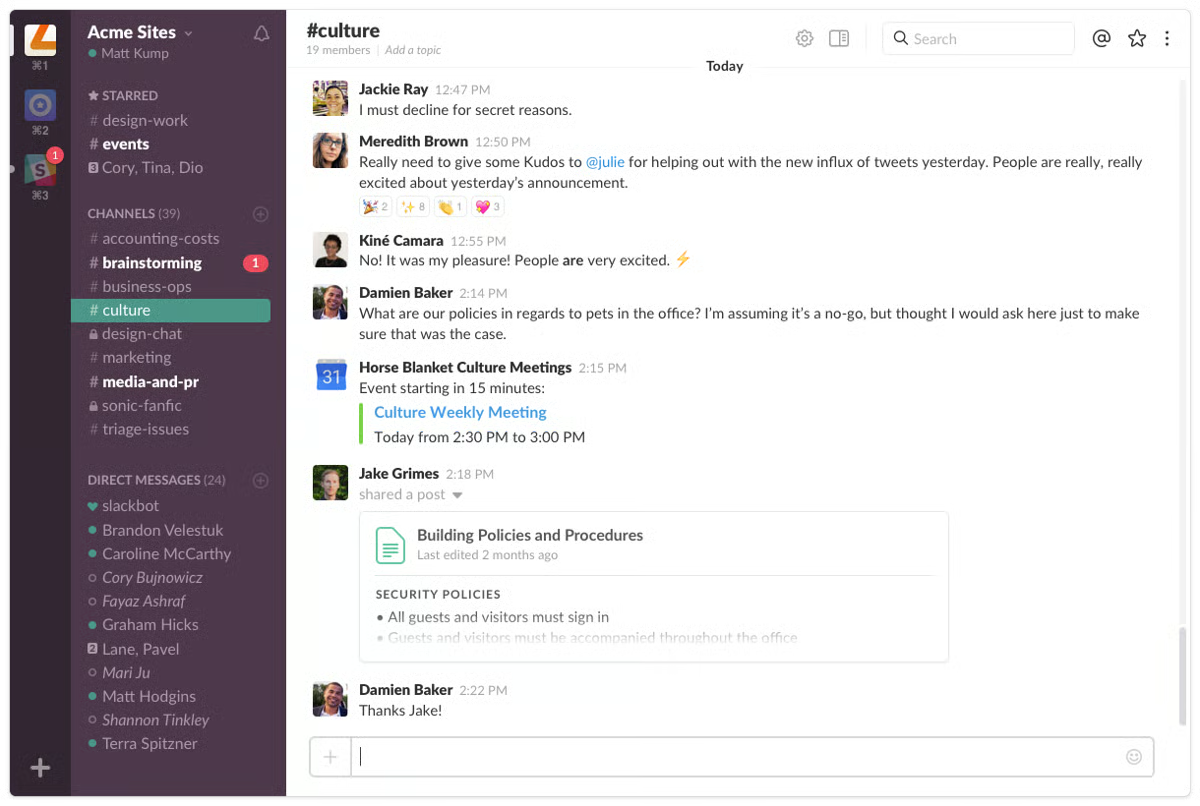
The limited history on the free plan is the real constraint on using Slack as a knowledge store, since older decisions drop out of reach. Once that starts hiding context, or you need full search, compliance, and unlimited integrations, paid plans start around $8.75 per user each month.
"What I like most about Slack is how it brings communication, collaboration, and information together in one place. Rather than dealing with long email chains, conversations happen in real time and stay organized in channels, making it easier to find the right context and stay aligned with the team. I also appreciate its integrations with other tools, since they help streamline workflows and cut down on the need to constantly switch between multiple applications throughout the day."
- Slack review, Ashish B.
Best for: A supplement that captures knowledge in the flow of work, paired with a real wiki for anything durable.
Not ideal for: Structured, lasting documentation, since important decisions get buried, and free-tier search is limited.
"One thing I don't like is that it can get a bit overwhelming when there are too many channels and constant notifications. Sometimes important messages get buried, especially in active teams. Also, if not managed properly, it can become a distraction rather than helping productivity. A bit more control over noise and better prioritization of messages would make it even better."
- Slack review, Nishchay P.
If Slack is already your team's default workspace, these Slack tips can help reduce noise and surface important context.
Honestly, most tech startups should start free. When you're small, the hard part isn't picking the most powerful platform; it's getting engineers and founders to write anything down at all. A free tier is the right fit if you're:
Where it gets thin is when the knowledge base stops being a shared scratchpad and becomes the thing the company runs on. The moment you're onboarding engineers at scale, gating access to sensitive docs by role, or keeping information trustworthy across dozens of contributors, the free version starts quietly holding you back, usually right when you can least afford the friction.
For a tech startup, the wall usually shows up in one of three ways:
The upgrade costs are reasonable for what you get: Confluence and Slab in the $5 to $8 per user range, ClickUp around $10, Notion around $12 per seat, and Hudu from roughly $30 a month, while Helpjuice, and Document360 run on contact-sales pricing. After testing the free tier properly, you'll know within a week or two of real use whether it's worth paying to keep.
Have more questions? Find more answers below.
It depends on where your knowledge lives. For an all-in-one internal hub, Notion and ClickUp are the most common picks, since they combine docs, wiki, and tasks in one place. Engineering teams already on Jira gravitate to Confluence. If you need a customer-facing help center, Document360 or Helpjuice fit better. There is no single winner, but for a small, general-purpose startup, Notion is the most frequent starting point.
Document360's AI search ("Eddy") is the standout for product docs, surfacing the right article fast rather than just generating text. Notion has capable built-in AI on its free plan too, and ClickUp's AI can summarize and search across docs that sit next to your tasks. The catch is that the deepest AI features on most of these sit behind paid tiers, so the free version gives you a taste rather than the full capability.
Yes, with a caveat. Filtered reviews from software and IT teams consistently describe Notion becoming a reliable single source of truth once it is set up thoughtfully, and the free plan is generous enough to run a tech team's knowledge base. The recurring downside is that its flexibility cuts both ways: without some structure and discipline, workspaces get messy and search slows down as content grows. It rewards teams willing to invest a little setup time.
Teams that find Confluence too heavy or Notion too sprawling often move to lighter, more focused tools. Slab comes up most often, praised in reviews for clean editors and fast adoption. ClickUp suits teams that want knowledge tied directly to project work, and for a customer-facing help center, startups tend to reach for Document360 or Helpjuice instead of a general wiki.
Document360 is purpose-built for this, with one-click publishing to a branded help center, API documentation support, and AI search. Helpjuice is the other strong option, especially for customer-facing FAQs and ticket deflection, with a no-code editor and flat-rate pricing. Both are documentation-specialized rather than internal-wiki tools, which is exactly why they handle public-facing docs better than Notion or Confluence.
Most tools here integrate with at least one. Confluence has the deepest Jira integration, since both are Atlassian products. Slab connects to Slack and GitHub and searches across them. Notion integrates with Slack, Jira, and GitHub. If integrations are your priority, confirm the specific connectors you need on each tool's site, since some are richer than others.
For a solo founder or early entrepreneur, the most cost-effective options are the ones with genuine free-forever plans: Notion and ClickUp both run a small operation's docs and wiki for free, and Slab and Confluence are free for up to 10 users. If you expect to pay eventually, Slack ($4.38/user/month) and Confluence ($5.42/user/month) have the lowest entry prices, while Notion (around $12/seat) and ClickUp (around $10/user) cost a bit more but replace several tools at once. The cheapest choice depends on whether you need an internal wiki (Notion, Slab) or a customer-facing help center, where Document360 and Helpjuice run on custom or flat-rate pricing instead.
For support teams, the answer leans toward tools built for customer-facing self-service. Document360 and Helpjuice are the strongest fits, since both publish branded help centers with AI search that deflect repeat tickets, though both run on trials rather than free-forever plans. For an internal support knowledge base on a true free plan, Notion or Slab can hold your macros and process docs at no cost, and Slack keeps the answers searchable where your team already works.
Ease of use comes up most often in reviews for the lighter, cleaner tools. Slab is repeatedly praised for a fast editor and a tidy topic-and-subtopic structure that new hires pick up on their own. Notion is highly flexible and approachable once set up, though reviewers note it rewards a little structure upfront. By contrast, the most powerful platforms here, ClickUp and Confluence, trade some simplicity for depth, so the "friendliest" choice depends on whether you value a low learning curve or maximum capability.
If you're here, you've already decided you need a knowledge base and you'd rather not pay for it yet. Fair. So here's the honest shortcut.
If your knowledge lives across docs, projects, and tasks, Notion or ClickUp can be a strong starting point. If your team already runs on Jira, Confluence will likely feel like the easiest next step. If you are building a customer-facing help center, Document360 or Helpjuice may be a better fit. For IT teams or service providers, Hudu is worth a closer look. And if you are a small, remote tech team that just needs a simple place to document and share answers, Slab keeps things straightforward.
Once you have a shortlist, do not overthink it. Test the tool with real work. Move in your onboarding guide, the last few answers your team keeps repeating in Slack, and the process only one senior teammate seems to know. Give it a week.
If people start using it without being reminded, you have found your knowledge base. If it stays empty, that is useful feedback too. The right tool should make knowledge easier to find, easier to update, and easier to trust, not just another place for information to disappear.
Knowledge bases often support customer success teams too. Compare customer success software built to reduce churn and improve retention.


Agentforce Service (formerly Salesforce Service Cloud), Guru, and Zoho Desk are the best...
/DarshayitaThakur-OrangeBG.webp) by Darshayita Thakur
by Darshayita Thakur

If you are comparing for the best standard operating procedures software, process breakdowns...
 by Disha C

"Wait, didn’t we already document that?" If I had a dollar for every time I’ve heard or said...
 by Soundarya Jayaraman