


I often see organizations and individuals questioning whether their networks are truly secure. Protecting digital assets from increasingly sophisticated cyberattacks is an ongoing challenge, especially when malware, data breaches, and limited budgets stand in the way of implementing advanced security measures.
In situations like these, I believe free firewall software can be a game-changer. It helps defend data against unauthorized access while offering real-time visibility and faster incident response, without adding to overall costs. With the right firewall in place, control stays in your hands.
In this guide, I have compiled seven of the best free firewall software solutions to support network security and compliance needs. The list highlights key features, pros and cons, and verified reviews from G2 users to help you make an informed choice.
*The software list is arranged alphabetically. These tools offer free trials, free forever options, or freemium models.
If you feel overwhelmed by the wealth of information about free firewalls, this comparison table will help you with the most important aspects:
| Best free firewall software name | G2 Rating | Free plan | Paid plan |
| Avast Endpoint Protection | 4.4/5 ⭐ | A free 30-day trial is available | Starting at $36.99/device/year |
| Check Point Next Generation Firewalls (NGFWs) | 4.5/5 ⭐ | Available with limited features | Available upon request |
| Cloudflare SSE & SASE Platform | 4.6/5 ⭐ | Available with limited features | Starting at $7/user/month |
| CrowdSec | 4.7/5 ⭐ | Available with limited features | Starting at $900/month (per individual blocklist) |
| FortiGate-VM NGFW | 4.7/5 ⭐ | Available with limited features | Available upon request |
| Netgate pfSense | 4.8/5 ⭐ | Available for free download | Starting at $129/year |
| Palo Alto Networks Cloud NGFW | 4.3/5 ⭐ | A free 30-day trial is available | Base NGFW: $1.5/unit |
*All pricing details mentioned in the article are based on publicly available data at the time of publication and are subject to change.
Firewall software has become a critical line of defense as cyber threats grow more frequent and sophisticated. From blocking unauthorized access to monitoring network traffic, firewalls play a key role in protecting systems, data, and users across organizations of all sizes.
The importance of firewall solutions is reflected in market growth. The firewall market is expected to grow at a CAGR of 11.4%, increasing from $5 billion in 2023 to $8.6 billion by 2028. This growth highlights the increasing importance of network security tools in today’s threat landscape.
Whether it’s securing business networks, protecting sensitive data, or meeting compliance requirements, firewall software is now a foundational component of security across industries.
From what I have seen, strong network protection doesn’t always require a paid solution. Several free firewall software options I have evaluated offer reliable core features, allowing users to control traffic, detect threats, and enhance security without incurring upfront costs.
That’s why I have put together this list of the best free firewall software I recommend. These tools are well-suited for getting started, understanding firewall capabilities, and determining when, or if, an upgrade is necessary as security demands evolve.
To build this list, I started with G2 Data, shortlisting firewall tools that consistently rank well in the network security and firewall software category and offer a free version or free trial.
Next, I reviewed product capabilities and recent, verified user feedback to understand how effectively these tools protect networks in real-world environments. I focused on core firewall essentials, including traffic filtering, intrusion detection, ease of configuration, performance impact, and visibility into network activity.
Since this list centers on free firewall software, I also evaluated how usable the no-cost plans are in practice, looking closely at limits around throughput, rules, reporting, support, and scalability, so it’s clear what level of protection you can expect before committing to a paid upgrade.
The screenshots featured in this article may be a mix of those taken from the vendor’s G2 page or from publicly available materials.
The list below contains real user reviews from our free firewall category page. Please note that in the context of this list, software that offers a free trial is also considered free.
To be included in this category, a solution must:
This data was pulled from G2 in 2025. Some reviews may have been edited for clarity and accuracy.
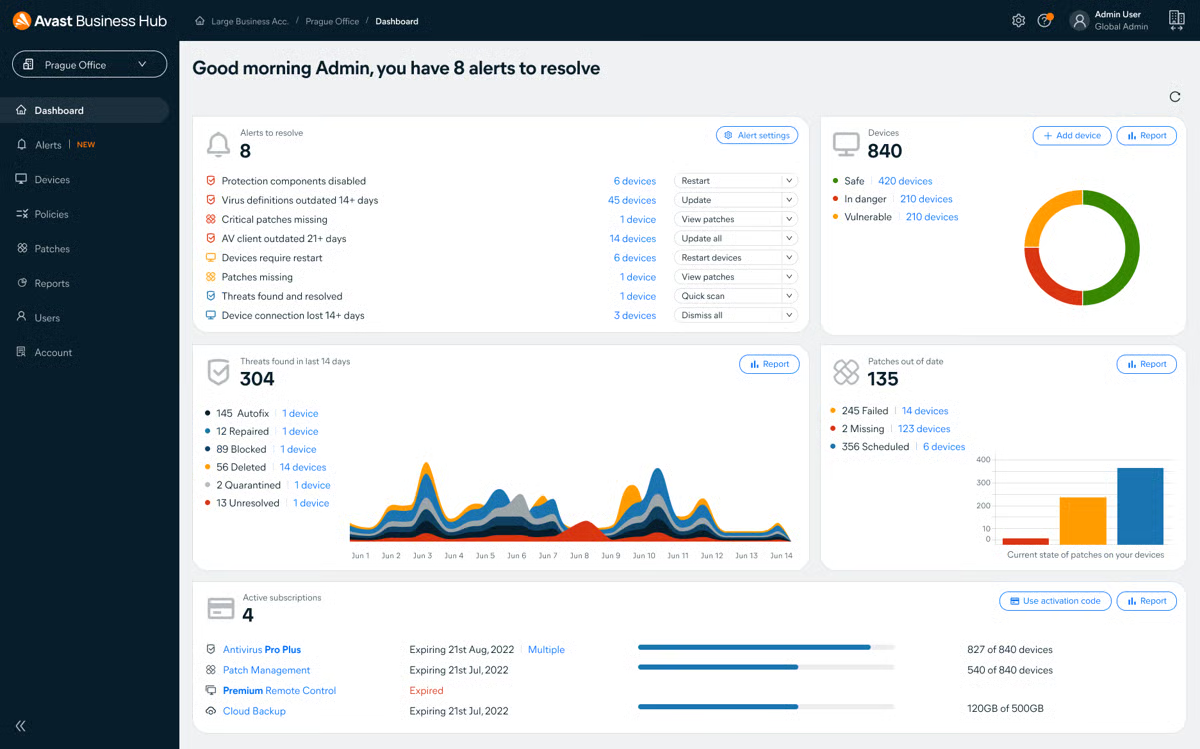
Avast Endpoint Protection defends against a wide spectrum of cyber threats with its comprehensive security solution. While primarily known for its antivirus capabilities, Avast also features a powerful firewall component that adds an extra layer of protection for endpoint devices. This tool suits small to medium-sized businesses seeking robust protection without significant financial investment.
All new users can take advantage of the 30-day free trial to test the tool’s capabilities.
|
Pros of Avast Endpoint Protection
|
Cons of Avast Endpoint Protection
|
|
Combines antivirus, firewall, and other security features in a single solution
|
Large-scale deployment can take up a lot of time
|
|
Operates with minimal impact on system performance
|
Steep learning curve when it comes to complex configurations
|
|
Provides comprehensive threat protection, from malware to phishing attacks
|
Additional cost for some advanced features
|
“I have used this software for over five years, and I can say it never disappoints. First, it is easy to use and comes with the best features to fight all manner of online threats, including malware and viruses. It is also an excellent firewall. The software receives regular updates, which help it deal with all emerging threats. With this software, we have confidence that we never have to deal with threats that would otherwise hinder our business or cost as highly in terms of data recovery.”
- Avast Endpoint Protection review, Ruth H.
“The Avast installation process and the time consumed are worrying; this needs improvement, as well as report generation and dashboards. Other than these, there are no other concerns.”
- Avast Endpoint Protection review, Erika R.
Check Point Next Generation Firewalls (NGFWs) provide enterprise-grade network security designed to protect modern hybrid environments across on-premises infrastructure, cloud, SaaS applications, and remote users. Built on Check Point’s Hybrid Mesh Network Security architecture, these firewalls combine advanced threat prevention, real-time global threat intelligence, and unified policy management in a single platform.
AI-powered detection helps identify and block threats in real-time, while flexible deployment options, including on-premises, cloud-native, and SASE, enable organizations to adapt their security to complex network architectures. According to G2 Data, it ranks as the 2nd easiest to use tool.
With centralized management and consistent zero-trust enforcement, Check Point NGFWs help organizations secure users, applications, and data without sacrificing performance or control.
.png?width=600&height=329&name=Check%20Point%20Next%20Generation%20Firewalls%20(NGFWs).png)
| Pros of Check Point Next Generation Firewalls | Cons of Check Point Next Generation Firewalls |
| Advanced threat prevention with real-time protection | Complex licensing structure |
| Strong network security against external and internal threats | Steep learning curve for new users |
| Intuitive management with helpful customer support | Performance may slow during high-traffic scenarios |
"I’m highly satisfied with the Check Point Next Generation Firewall (NGFW), particularly its robust functionality and seamless integration. The product delivers exceptional performance in terms of operability, and its intuitive interface makes configuration and management remarkably efficient. Our monitoring capabilities are comprehensive, providing real-time visibility and control over our security posture, which is crucial for maintaining compliance and operational resilience.
The NGFW also strikes an excellent balance between cost and effectiveness — offering enterprise-grade protection without compromising affordability. Its layered security features, combined with centralized management and reporting, make it a reliable cornerstone of our infrastructure".
- Check Point Next Generation Firewalls (NGFWs) review, Martin A.
Its licenses, support contracts, and security subscriptions are significantly more expensive than those of its competitors in the industry. Its configuration is a bit complex. Its technical support sometimes takes time to resolve tickets. The VPN Client is sometimes unstable or slow".
- Check Point Next Generation Firewalls (NGFWs) review, Aditya T.
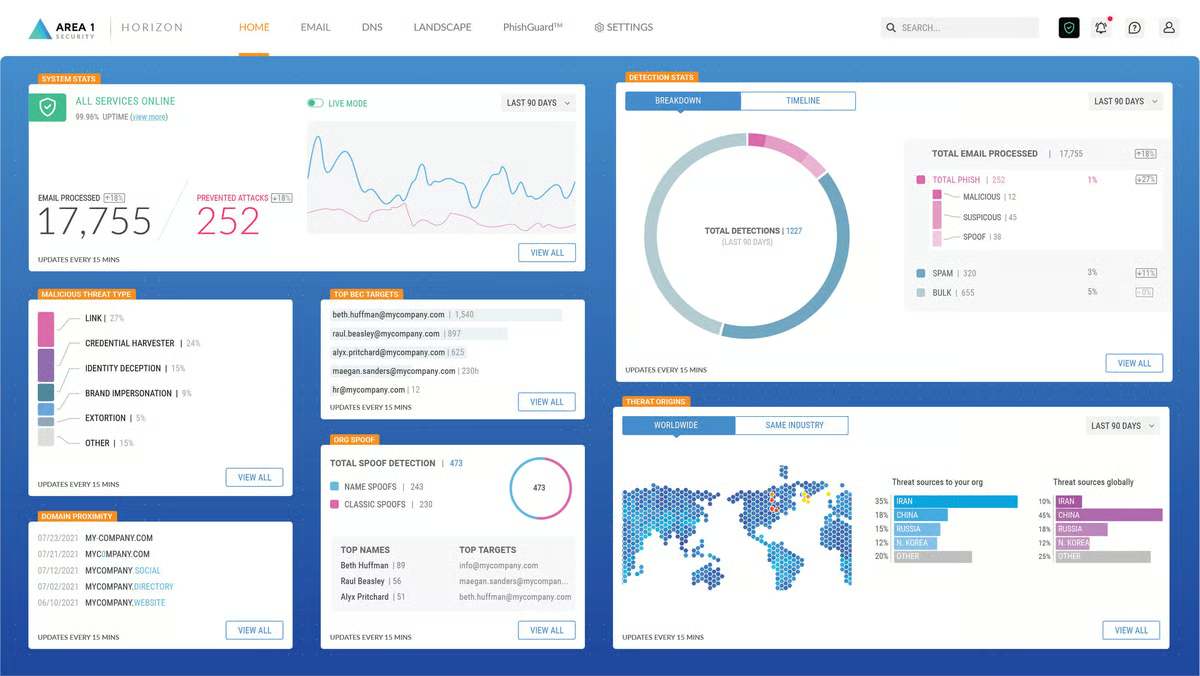
Cloudflare SSE & SASE platform offers a holistic approach to modern network security. By integrating advanced firewall capabilities within a comprehensive security framework, Cloudflare delivers a refined solution that enhances network defense and simplifies security management.
The free protection plan is suitable for personal use or businesses with non-critical infrastructures.
|
Pros of Cloudflare
|
Cons of Cloudflare
|
|
Provides a unified security framework by combining multiple security layers
|
Has a complicated setup
|
|
Enables remote protection for workers and branch offices
|
Highly dependent on the internet and cloud services
|
|
Adapts to changing network sizes and requirements
|
Limited advanced features at the free tier
|
“I love the advanced DNS management tools Cloudflare provides; they are straightforward to learn and use. It also stands out as a premier security service edge solution due to its comprehensive suite of features. We use its DDoS protection, web application firewall, and zero-trust access controls for all our products daily. Cloudflare gives us reliable and scalable protection for our digital assets while ensuring fast and secure access for our remote employee base.”
- Cloudflare SSE & SASE Platform review, Marcus T.
“Cloudflare is a good solution, but the initial setup is time-consuming and complex, and plug-and-play integration is limited compared to other solutions.”
- Cloudflare SSE & SASE Platform review, Sahil G.
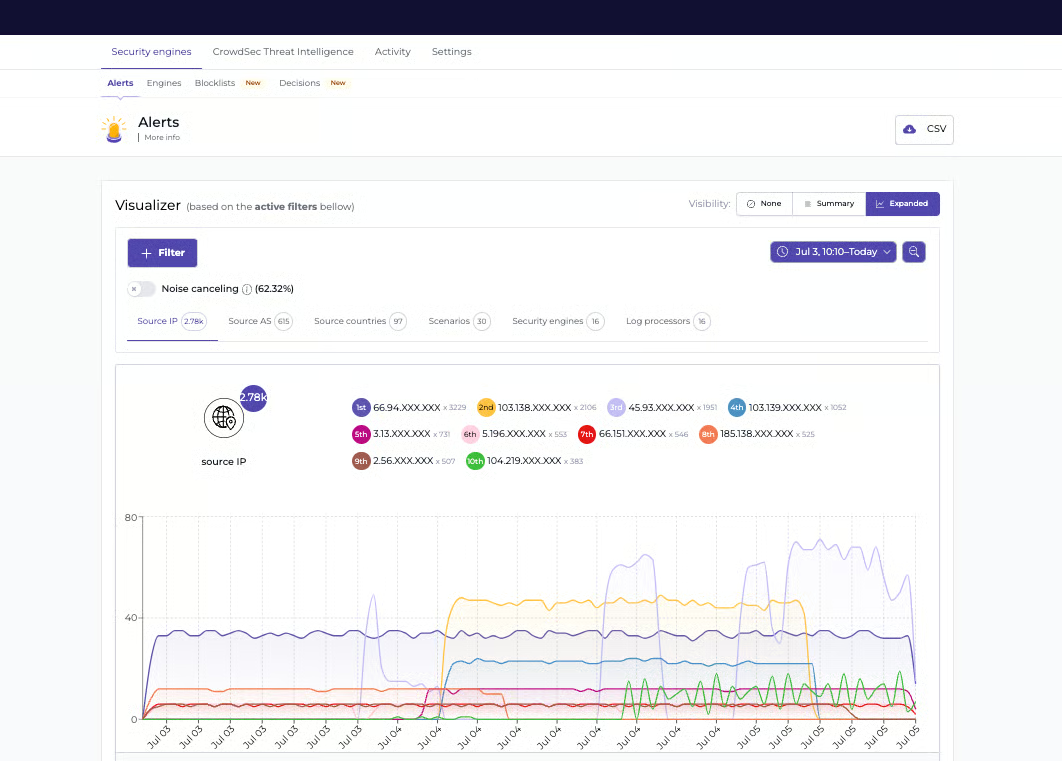
CrowdSec’s innovative, open-source security automation tool supplies a formidable firewall solution and intrusion detection and prevention systems (IDPS). It’s uniquely built around a community-driven approach that encourages users to share and benefit from collective intelligence in order to enhance the ability to identify and protect against new threats.
The community plan is free to download and use, but you may need some of the advanced features in the paid tiers.
|
Pros of CrowdSec
|
Cons of CrowdSec
|
|
Can be deployed on various systems
|
Partially dependent on community participation
|
|
Strong community support
|
Doesn't function as a standalone firewall (requires integrations)
|
|
Flexible configurations for changing needs
|
Time-consuming setup
|
“The main advantage of this tool is that it feeds on different sources to create a good combination of firewall and intrusion detection systems. It can monitor any threat that may reach your network in the form of an attack or malware using techniques based on threat intelligence.”
- CrowdSec review, Jose Manuel O.
“The user interface is really nice, but things can get a bit hairy when you start deploying more complicated bouncers. It's no longer a click-and-deploy experience, and many bouncers I use are community-submitted, so documentation is hit or miss.”
- CrowdSec review, Samuel L.
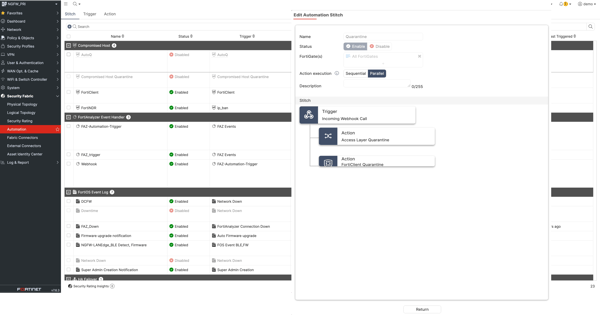
FortiGate-VM NGFW is a virtual next-generation firewall designed to secure workloads across public and private cloud environments. It delivers the same core security capabilities as Fortinet’s hardware FortiGate appliances, while offering the flexibility required for cloud-based deployments. Powered by AI-driven threat intelligence from FortiGuard Labs, FortiGate-VM provides real-time protection against emerging threats using machine learning and behavioral analysis.
By detecting anomalous activity and scaling security controls across cloud infrastructure, FortiGate-VM helps organizations protect cloud workloads without compromising performance or visibility. According to G2 Data, it ranks as the 3rd easiest to use tool.
| Pros of FortiGate-VM NGFW | Cons of FortiGate-VM NGFW |
| User-friendly and intuitive GUI for easy configuration | Limited features in lower-tier models |
| Strong multilayer security and threat detection | Occasional bugs and firmware instability |
| Fast and secure firewall performance | Customer support quality can be inconsistent |
"I use the FortiGate-VM NGFW in my Azure infrastructure, and the equipment works very well. It meets all my demands, and it has never crashed or needed to be restarted for something to work again.
Additionally, the graphical interface is very user-friendly and easy to use".
- FortiGate-VM NGFW review, Janquiel K.
"Customer support- Directly connecting support by using global call support will take more time to reach the technical team, and most of the time they ask to wait for a callback. In most cases, after a few days, they will reply to the case by asking to clarify some details, and then verify all the shared details& logs. Only after this will they connect via remote support.
Fortinet has many security products to integrate with FortiGate, but cost-wise, some products(Forti Token, EMS) are too high compared to other OEMs".
- FortiGate-VM NGFW review, PRAVEEN P.
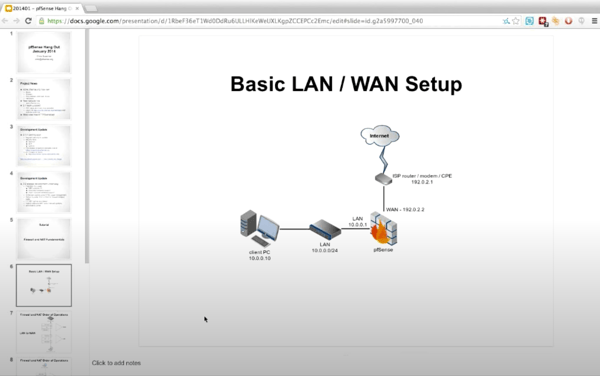
Netgate pfSense’s powerful and versatile open-source firewall solution is engineered to provide robust network security. It offers a comprehensive suite of features that caters to small and enterprise-level organizations. It’s built on FreeBSD to guarantee a reliable and stable platform that can easily handle various networking tasks.
The open-source platform is free to download and supports multiple platforms, including virtual machines and hardware appliances.
|
Pros of Netgate PfSense
|
Cons of Netgate PfSense
|
|
Provides granular control over network traffic
|
Not suitable for beginners and has a steep learning curve
|
|
Offers deep customization and community support
|
May require more additional hardware depending on network size and usage
|
|
Has extensive add-ons and plugins to enhance functionality
|
Offers limited technical support for its free version
|
“PfSense has helped me and the companies I've worked with in many ways, such as general firewall solutions as specific requirements. From complex data center applications to simple on-premises firewalls at branch offices, it consistently delivers and is simply the best value for the money. Ready-to-use PfSense+ appliances have improved over the years and are my preferred choice over the Community Edition. Community Edition is still a good choice for specific needs or low-budget requirements.”
- Netgate PfSense review, Demis V.
“For less experienced administrators, it can be a frustrating experience and may be a steep learning curve. While pfSense is a powerful and flexible firewall solution, it may not be the best fit for those lacking advanced networking skills."
- Netgate PfSense review, Craig P.
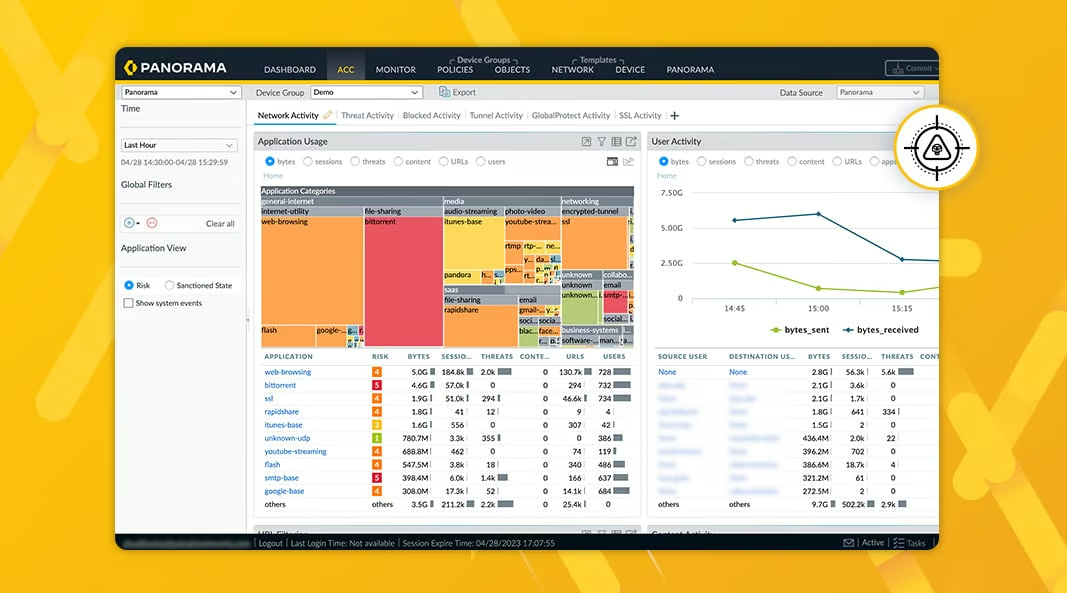
Palo Alto Networks Cloud Next-Generation Firewall (Cloud NGFW) performs well for modern cloud environments due to its robust security. It combines advanced threat prevention capabilities with ease of deployment, making it an excellent choice for securing cloud infrastructures. This firewall integrates deeply with cloud platforms to deliver comprehensive protection against a multitude of cyber threats.
|
Pros of Palo Alto Networks Cloud NGFW
|
Cons of Palo Alto Networks Cloud NGFW
|
|
Ensures seamless security for cloud-native applications
|
Can consume significant network resources, slowing performance
|
|
Allows fine-tuned control over user activities and application access
|
Costly, regular updates and maintenance may become for small-scale businesses
|
|
Provides instant threat defense when connecting to web-based services
|
May occasionally flag legitimate traffic as malicious, causing disruptions
|
“I like the number of features available in the product and ease of integration of the firewall for automation and people with Palo Firewall knowledge, compared to other firewalls. The product is also easy to use when compared to other firewalls.”
- Palo Alto Networks Cloud NGFW review, Surya K.
“Deploying Palo Alto Networks Cloud NGFW may require dedicated hardware or virtual resources, depending on the scale of deployment and the desired performance. This can add to the overall cost and complexity, especially for organizations with limited IT resources.”
- Palo Alto Networks Cloud NGFW review, Dipak K.
Have more questions? Find your answers below.
Yes, depending on its efficiency and the resources required. While most modern solutions are designed to minimize performance overhead, it is essential to evaluate the software's impact during deployment to ensure it doesn't significantly slow down your network.
Free firewall software can block many common threats, including:
Tools like Netgate pfSense (Community Edition) and CrowdSec are effective at blocking malicious traffic patterns, while enterprise platforms like Check Point NGFWs and FortiGate-VM NGFW provide broader protection mainly through trials or limited deployments.
Yes, but with different expectations.
Small businesses often start with free tools and upgrade as security needs grow.
For small businesses, the best free options are:
Enterprise-grade tools like FortiGate-VM NGFW and Check Point NGFWs are powerful but typically require paid licenses beyond trials.
User trust often reflects long-term reliability and transparency.
Yes, this is a core capability of most free firewall tools.
pfSense, CrowdSec, and FortiGate-VM NGFW all support inbound and outbound filtering. However, more granular application-level controls are typically part of paid tiers.
Yes, most free firewalls offer real-time traffic monitoring, logs, and alerts.
pfSense provides detailed dashboards and logs, while Cloudflare SSE offers real-time insights for traffic passing through its network. Advanced analytics and historical reporting are usually paid features.
For home users:
These tools provide strong security without licensing costs.
I believe taking proactive steps to protect against hackers is essential. Once your network security requirements are clear, it becomes easier to identify the right solution to strengthen your defenses.
I recommend starting by downloading and testing a few free firewall options that stand out to you. It’s also worth considering whether the free version meets your long-term security needs or if upgrading to a premium plan could offer added value.
I hope this list brings you one step closer to finding the right firewall solution.
Explore the best network monitoring solutions to get real-time insights and enhanced protection for your infrastructure.
This article was originally published in 2024. It has been updated with new information


Choosing the best firewall software isn't just about finding the most recognized name in the...
 by Soundarya Jayaraman
TL;DR Prisma Access is the best cloud edge security software with the highest G2 Score of 95...
 by Preksha Buttan

APIs are now at the center of most modern applications, which makes securing them a lot more...
 by Gunisha