.png?width=400&height=150&name=Untitled%20design%20(56).png)


To find the best free online form builders for small businesses in 2026, I worked through G2 reviews and tested 10 tools to finalize: ActiveCampaign, ClickUp, Forms.app, Formstack Forms, Intuit Mailchimp, Jotform, SurveyMonkey, SurveySparrow, Typeform, and Wrike.
As a marketer at a small business, I've built more forms than I can count. Between lead capture, event signups, and customer feedback, I've learned that the form builder you choose decides whether collecting data feels effortless or like a second job.
When you're running lean, the form builder isn't just a tool for collecting answers, it's how you understand your audience without hiring a developer or blowing the budget. Most free plans sound generous until you hit a submission cap mid-campaign, or discover the feature you actually need sits behind an upgrade.
For this guide, I went through the top products in G2's free online form builder category and evaluated each on what it actually offers for free, how it holds up for a small business, and where each nudges you toward paying. Here's what I found about the best free online form builders for small businesses in 2026.
*Tools are listed alphabetically. These tools offer free trials, free forever options, or freemium models.

Here's a side-by-side look at free plan limits and pricing before diving into the full reviews.
| Tool | G2 Rating | What the free plan covers | Paid plan starts at |
| ActiveCampaign | 4.4/5 ⭐ |
|
Starter from $15/user/month |
| ClickUp | 4.6/5 ⭐ |
|
Unlimited from $7/user/month |
| Forms.app | 4.5/5 ⭐ |
|
Basic from $19/month |
| Formstack Forms | 4.3/5 ⭐ |
|
Forms plan from $83/month |
| Intuit Mailchimp | 4.4/5 ⭐ |
|
Essentials from $13/month |
| Jotform | 4.7/5 ⭐ |
|
Bronze from $34/month |
| SurveyMonkey | 4.4/5 ⭐ |
|
From $39/month (annual) |
| SurveySparrow | 4.4/5 ⭐ |
|
Basic from $19/month |
| Typeform | 4.5/5 ⭐ |
|
Basic from $28/month |
| Wrike | 4.2/5 ⭐ |
|
Team from $10/user/month |
*All pricing details mentioned in this article are based on publicly available data at the time of publication and are subject to change. Verify exact free-plan limits on each tool's pricing page.
Online forms have become a core part of how small businesses collect leads, run surveys, take registrations, and gather feedback, and demand keeps climbing. In fact, the online form builder software market is projected to reach $9.48 billion by 2032, registering a CAGR of 11.18% from 2026 to 2032. The good news for a small business is that you don't need an expensive platform to collect data well; several of these tools give you real form-building for free.
I started with G2's online form builder category page, which lists tools that offer free plans, free trials, or freemium models. From there, I took the top products as they appear on the page and worked through the free plan or trial on each one, paying attention to what a small business actually cares about: how fast you can build and publish a form, what you can do without paying, how cleanly responses flow into your other tools, and exactly where the free tier runs out.
Then I went to the G2 reviews. I narrowed the review data to the audience this article is for. That filter is why the praise and the gripes here lean toward small-business reality, like solo marketers building lead forms and lean teams collecting feedback, rather than enterprise rollouts. G2 review data referenced throughout was pulled in 2026, and some reviews have been lightly edited for clarity.
The screenshots featured in this article may be a mix of those taken from the vendor's G2 page or from publicly available materials.
Working through ten form builders back to back makes certain things obvious that a feature list won't tell you. Here's what I actually paid attention to:
To be included on this list, a tool must:
*This data was pulled from G2 in 2026. Some reviews may have been edited for clarity.
ActiveCampaign caught my attention because it isn't really a dedicated form builder; it's a marketing automation platform with form building wired in. While evaluating it for small businesses, I realized a form here isn't just collecting data; it's the trigger for an email sequence, a CRM update, or a tagged segment, so a lead nurtures itself without anyone lifting a finger.
What stood out to me in the reviews is how much automation does the moment a form is submitted. Users consistently admire the clean interface and the best-in-class automation builder, and I kept seeing segmentation and conditional content described as what let a smaller team behave like a much bigger marketing operation. Reading further, what impressed me was the scale behind each submission with automatic tagging and more than 900 integrations, enough for a two-person team to run lead capture that punches well above its weight.
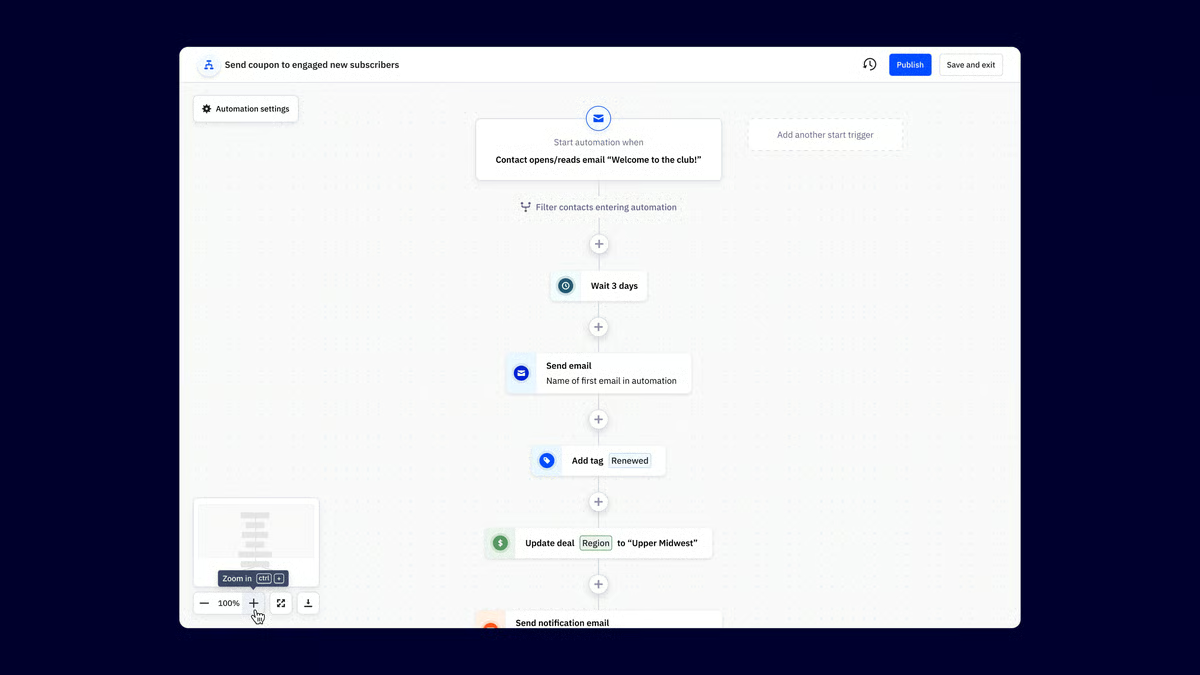
ActiveCampaign runs on a 14-day trial rather than a free plan, so you commit once it ends. The Starter plan begins at $15 per user each month, and the real thing to watch is contact tiers: pricing scales as your list grows, so a small business should size its list before committing. Verify current tiers on the pricing page.
"By far, the best features of ActiveCampaign are its ability to target and segment users with an incredible level of detail. On top of that, the number of integrations with other services, especially, for me, the crucial Stripe integration, makes ActiveCampaign the obvious choice. Combined with the form-building tools that I can easily paste into my websites, it really feels like there's no competition."
- ActiveCampaign review, Verified User in Marketing and Advertising
Best for: Small businesses that want lead-capture forms wired directly into email automation, CRM, and segmentation rather than a standalone form tool.
Not ideal for: Anyone who just needs simple standalone forms or surveys, or a team wanting a free-forever plan rather than a trial.
"Pricing scales aggressively once you cross contact tiers, which can make it a harder sell for small service-based clients just getting started. The reporting dashboards are functional but feel a step behind competitors, exporting campaign data for client-facing reports usually means pulling into a separate tool."
- ActiveCampaign review, Lila S.
ClickUp caught my attention because it's a work-management platform with form-building as one of its many features, and evaluating it, that's exactly why I think it earns a place here. For a small business, what won me over is that a ClickUp form isn't a dead end, a submission becomes a task with an assignee, priority, and status, which makes it ideal for intake, internal requests, and anything that needs to turn into action.
Picture a contact form that doesn't just email you, it spins up a task. That's the ClickUp angle I kept coming back to, its form view turns every submission into a trackable work item inside the same workspace where your team already lives.
What stood out to me in the small-business reviews is how much you get on the free plan and how cleanly forms connect to the rest of your work. Users praise the custom dashboards, the breadth of integrations (Slack, GitHub, Google Calendar), and the all-in-one setup that means form responses live right next to the tasks they create.
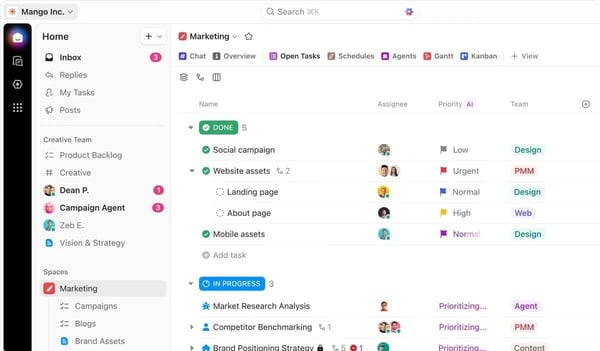
The Free Forever plan is generous for a small team getting organized, but it includes only 1 form and 60MB of storage, so the usual triggers are needing more than one intake form, more storage, or advanced views and automations. ClickUp's paid plans start with Unlimited, which adds more storage, unlimited integrations, and additional form and dashboard capabilities as your intake grows.
"I also really appreciate how customizable the experience is, especially with options like custom fields. Information used to be fragmented before. Having custom fields keeps things tidy and details easy to find. Automation is another feature I enjoy. It cuts out lots of busy work I'd normally be doing day to day. I use it heavily to fill in custom fields when people submit a project request form."
- ClickUp review, Alyssa H.
Best for: Small teams that want intake or request forms that convert straight into tasks inside the tool where they already manage work.
Not ideal for: Marketers who mainly need polished, public-facing lead or survey forms, where a dedicated form builder will feel more natural.
"It is too complex for users who are not advanced in digital knowledge."
- ClickUp review, Felipe C.
If your forms generate leads, you'll need a system to manage them. Learn about the different types of CRM software.
What drew me to Forms.app is that it leads with an AI form generator: describe the form you need in a sentence and it drafts the fields, logic, and layout for you to refine. Evaluating it, you then get a clean drag-and-drop editor with a deep set of field types, conditional logic, calculation fields, and even payment collection, plus a template gallery to start from. The free plan covers five forms and 100 responses a month, which I found is enough for a small business to run a contact form, a registration, and a quick survey at once.
What stood out to me in the reviews is that the rest of the picture, like native integrations and webhooks, push submissions straight into the tools you already use, and the built-in AI Insights feature summarizes responses so you're reading takeaways instead of raw rows.
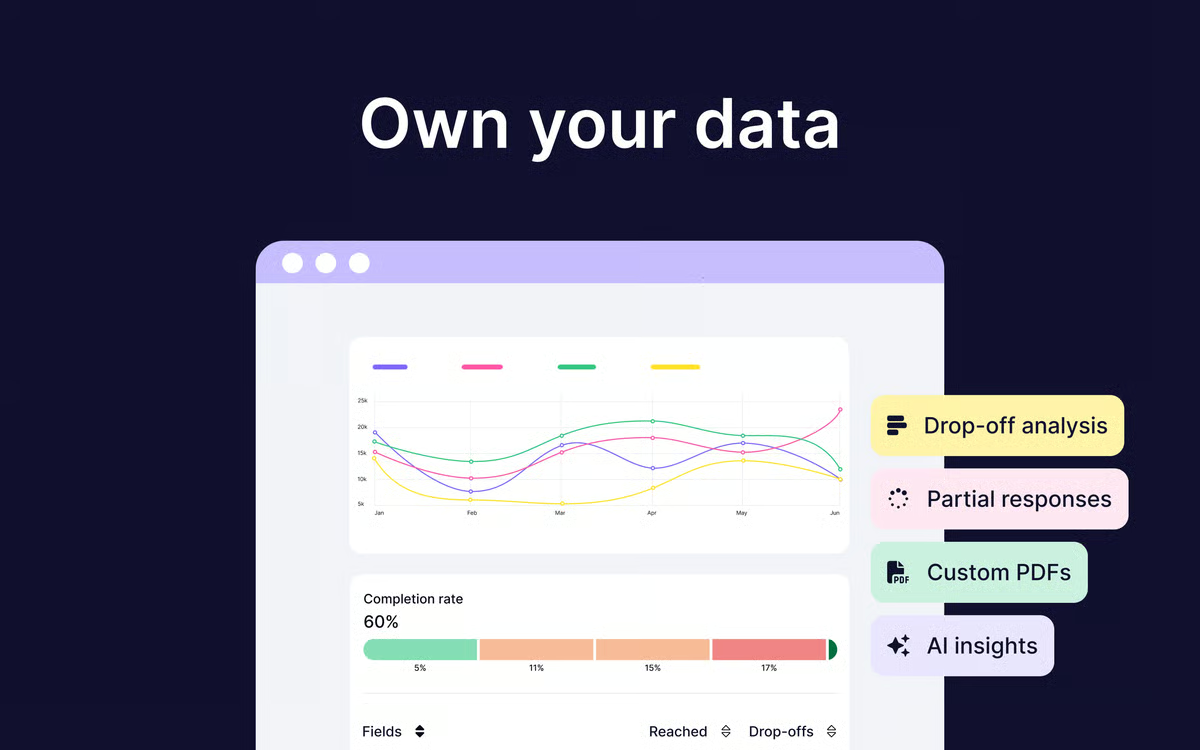
The free plan is genuinely usable, since every core feature is included, until you hit the 5-form or 100-response monthly cap. Once a campaign pushes past that, or you need more file storage and branding control, the Basic plan starts around $19 per month (billed annually). For a small business with steady form volume, that monthly response limit is the usual trigger.
"The forms look really good, and you can create them relatively quickly. It's nice that there are many native integrations and a webhook option for custom workflows. We automatically transfer the data to our own systems but also use forms.app's own reporting for form summaries."
- Forms.app review, Jerry H.
Best for: Small businesses that want to spin up professional, on-brand forms fast, with AI help and a free plan that includes the core features.
Not ideal for: Teams needing very deep design control or complex enterprise data workflows, where a heavier platform fits better.
"Downloading responses feels a bit cumbersome. Rather than letting me download the responses directly from the website, the tool sends an email with a download link instead."
- Forms.app review, Verified User in Fine Art
Collecting large volumes of responses? Compare the best survey tools for feedback collection and response analysis.
While exploring Formstack Forms, I noticed it's built for businesses that need more than a basic form, with strong conditional logic, calculations, and deep integrations. What stood out to me on the free side is how much room the trial gives you to test that properly: up to 100 forms, 5,000 submissions per form, 10GB of storage, and unlimited eSignatures and document senders across 3 builder users. For a small business with structured data collection, that's plenty to see whether it fits before committing.
What the reviews kept coming back to is the workflow depth. Approval routing sends a submission to the right person before anything moves forward, and the form analytics show you where people abandon. Connections to Salesforce, Stripe, Zapier, and custom webhooks mean a completed form can update a record, take a payment, or kick off a process without manual handling, which is a huge advantage for small teams.
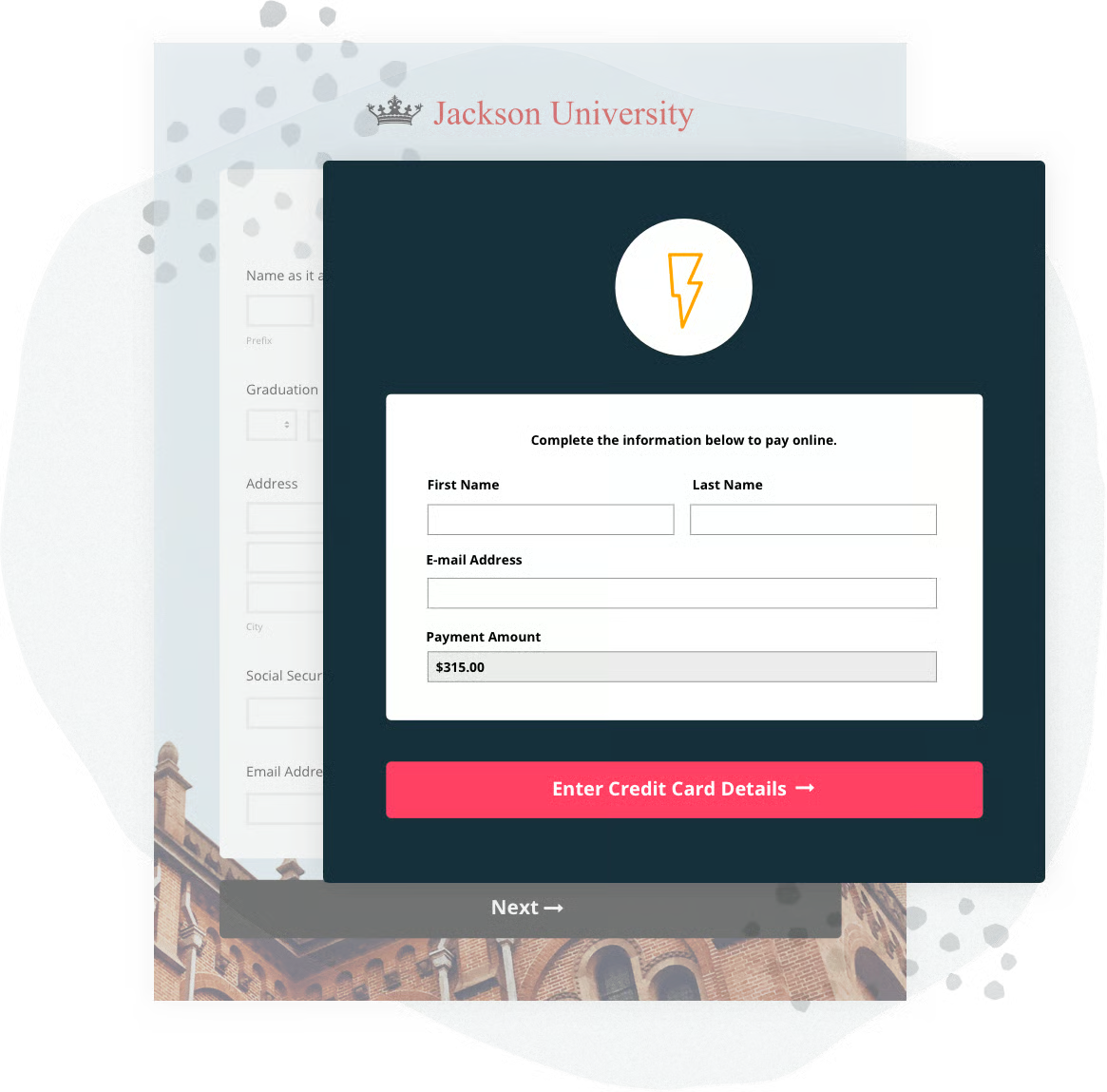
Formstack offers a free trial rather than a free-forever plan, so you commit once it ends. The standalone Forms plan starts around $83 per month, and the advanced capabilities, including compliance options like HIPAA, sit on higher tiers rather than in the trial. For a small business, it's worth paying when conditional logic, integrations, or compliance are genuine requirements rather than nice-to-haves.
"I have complete confidence in its security, since protecting confidential data is vital to us. In addition, its automatic integration with the CRM makes it easier to close deals and manage contracts within a single workflow, without unnecessary manual steps."
- Formstack Forms review, Sheila R.
Best for: Small businesses with structured or regulated data collection that need strong conditional logic, integrations, and compliance options.
Not ideal for: Budget-conscious teams with simple form needs, where the entry price is hard to justify against free alternatives.
"Making a form look truly flawless is difficult because of design limitations, and the customization process ends up feeling tedious and time-consuming."
- Formstack Forms review, David J.
Forms aren't just for marketing; they power support, too. See which help desk tools streamline ticket intake and customer communication after a form is submitted.
While exploring Intuit Mailchimp All-in-One Marketing Platform, I noticed its forms are built to do one job exceptionally well: turn a visitor into a subscriber and feed them straight into your email marketing. The reviews describe building embedded signup forms, popups, and hosted landing pages, then mapping the fields to audience tags so every contact arrives already segmented. Because the form and the email engine are the same product, I saw users point out that a signup can kick off a welcome series on its own, with no handoff.
What stood out to me in the reviews is how naturally it slots into a small business's stack. The free plan covers up to 250 contacts, integrations with Shopify and Canva let you wire lead capture into the rest of your tools, and AI-assisted subject lines and send-time suggestions take over once the form is filled. For a small team, that means a form isn't where the work ends. It's where the marketing begins.
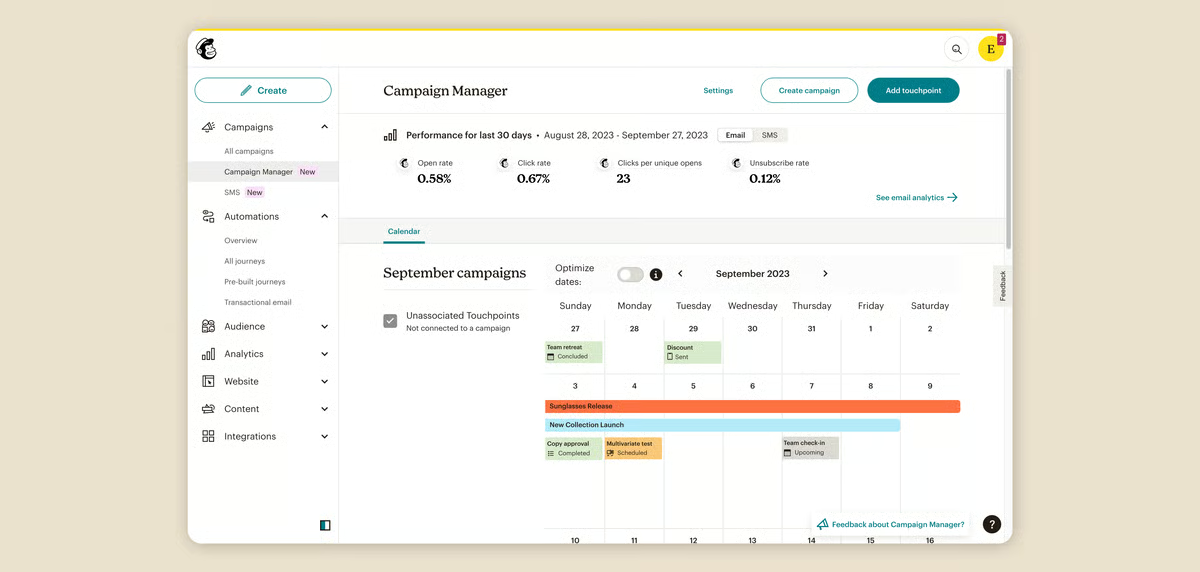
Mailchimp's free plan works for testing and a very small list, but the 250-contact and 500-send caps come fast. The Essentials plan starts around $13 per month, and pricing scales with your contact count, so size your list first. Advanced automation and optimized send times sit on higher tiers.
"The UI is very clean and looks great. Mailchimp helps me manage my email campaigns, and I can easily connect everything to Shopify, Canva, and more. It provides AI features, which I mostly use for email subject recommendations. Everything is very responsive and works really well. The detailed analytics and campaign insights make it easier to track ROI."
- Intuit Mailchimp All-in-One Marketing Platform review, Chinmay P.
Best for: Small businesses that want lead-capture forms tied directly to email marketing and automated audience journeys.
Not ideal for: Teams needing complex standalone forms, surveys, or deep conditional logic, which dedicated builders handle better.
"I wish some of the features weren't locked behind a higher paid tier. I understand that's how business works, if you want more, you usually have to pay more, but I really wish optimized send time were available at the lowest tier. I also feel that unless you're paying for the highest tier, support is lacking."
- Intuit Mailchimp All-in-One Marketing Platform review, Kato M.
Building complex forms? Learn how better content workflows can reduce manual work and improve data collection.
While exploring Jotform, what struck me first is the sheer breadth, and the reviews back that up fast. There's a lot of praise for the 10,000-plus ready-made templates and the 100 fields you can put on a single form, which together cover nearly any kind of form a small business needs to build. Even on the free plan, the drag-and-drop builder and that template library make it easy to put together a polished contact, registration, or order form without starting from scratch.
What stood out to me in the G2 reviews is how much stays free. An AI builder can assemble a form from a prompt, and submissions flow straight into Google Sheets, Drive, Salesforce, and hundreds of other apps. The free plan covers five forms and 100 monthly submissions, and unlike many rivals, it keeps the strongest features unlocked rather than behind a paywall.
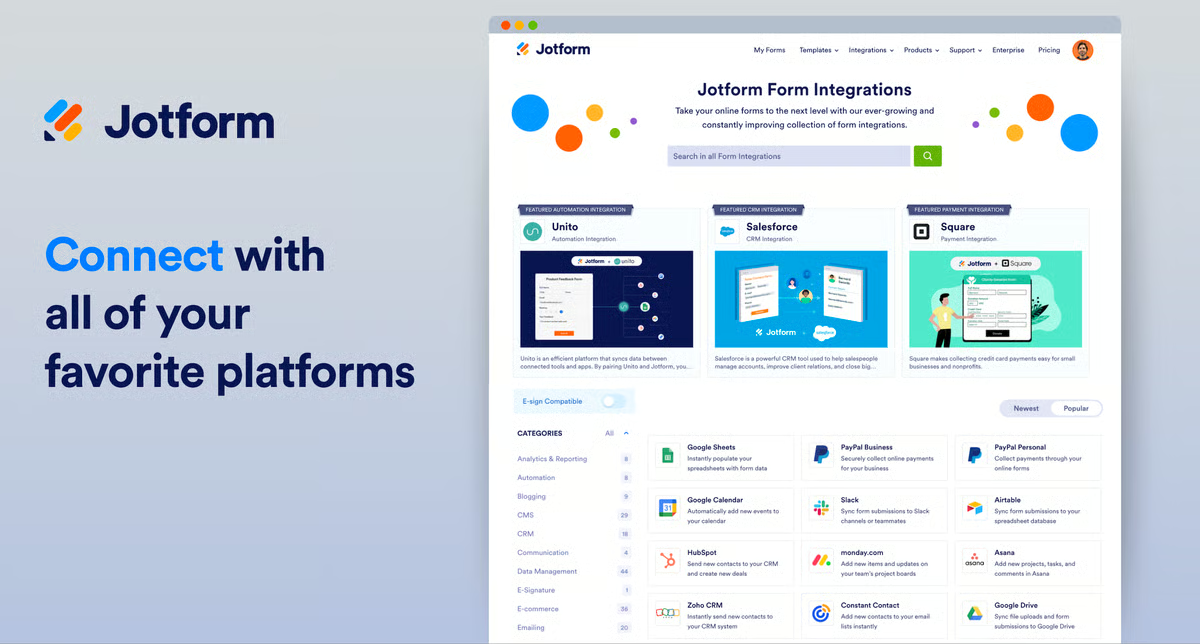
Jotform's free plan is one of the most capable here, since features aren't gated, so the wall you hit is volume: 5 forms and 100 submissions per month. When a campaign pushes past that, the Bronze plan at $34 per month lifts the caps to 25 forms and 1,000 submissions and removes Jotform branding.
"I use Jotform to manage signups for various events and I love the auto email feature, which sends notifications to me as the admin and also sends a custom message to the form filler. The auto responses are great for including important information like a waiver. I also love the AI form builder, which took my prompt and built the form template in seconds."
- Jotform review, Jimmy K.
Best for: Small businesses that want one versatile, genuinely free-featured form builder for everything from lead capture to registrations and payments.
Not ideal for: High-volume teams that will quickly blow past 100 submissions a month, where the free cap forces a relatively pricey upgrade.
"I wanted to be able to build a workflow that involved a step from within the Approval Inbox. I wish Jotform had that feature. I also wish that the email edit is more robust. And, Jotform is more expensive than most tools and it only allows 100 submissions/month for the free plans. Other tools allow up to 500 submissions. But I guess the AI assistant makes up for that."
- Jotform review, Tara L.
SurveyMonkey shows its survey roots, and that's a strength. You can go from an idea to a clean, well-structured questionnaire in minutes. It offers a wide range of question types, logic branching that routes people based on their answers, and a Build with AI option that drafts a survey from a short prompt.
What I like most, and what the G2 reviews echo, is what happens after responses arrive. A clear dashboard turns them into charts and trends with no exporting, and a mobile app lets you check results anywhere. For feedback, market research, or event registration, it's a fast and familiar way to ask and read the answers.
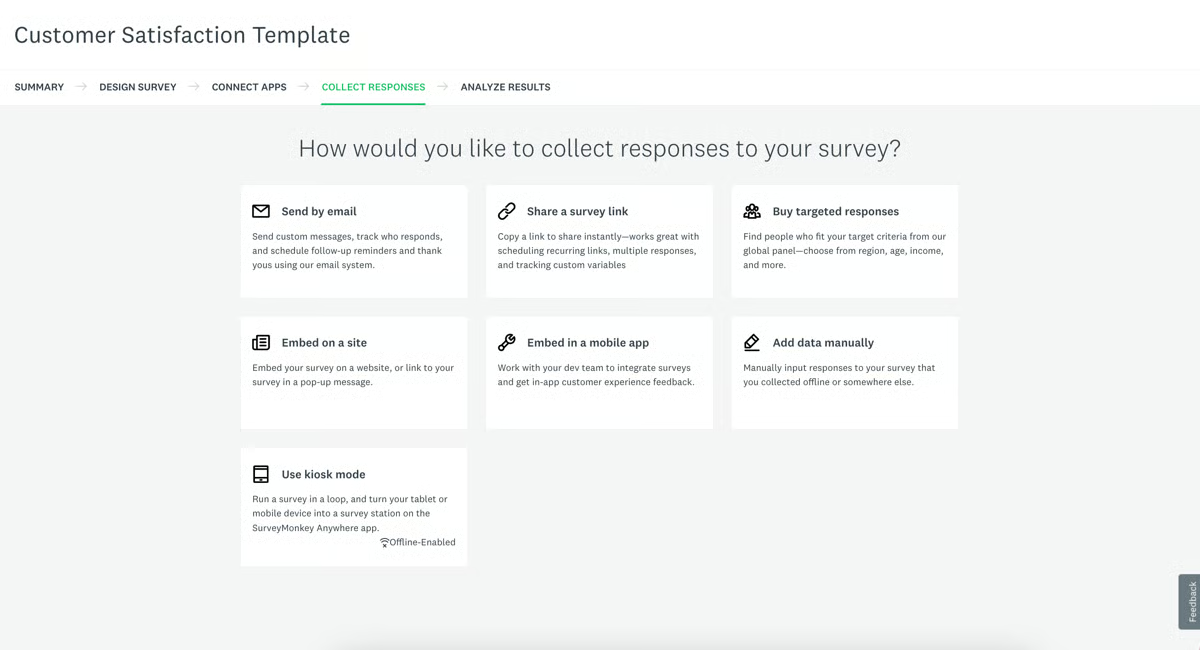
The free Basic plan is really for testing the waters. The 10-question and 25-response per-survey caps limit real research fast, and you can't export data, so the question is which paid track fits. For one person, the Individual plans raise those limits and unlock exports and more question types. For a team that needs shared access, the Team plans add collaborative editing, shared asset libraries, and admin controls. So size it by who's using it: solo work points to an Individual plan, while multiple people building and analyzing surveys together points to a Team plan.
"What stands out most is how fast you can go from idea to live survey. The logic branching feature is genuinely useful, I can route respondents to different questions based on their answers, which keeps surveys short and relevant instead of making everyone answer everything. The response dashboard is also clean enough that I don't need to export to Excel just to get a basic read on the data."
- SurveyMonkey review, Felipe C.
Best for: Small businesses focused on structured surveys, market research, and customer feedback with solid analytics built in.
Not ideal for: Teams needing general-purpose or payment forms, or anyone wanting a generous free tier, since SurveyMonkey's free plan is limited.
"As a new user, I found the account linking process for Google and LinkedIn a bit glitchy. It took me a couple of tries and I still couldn't get it to connect perfectly."
- SurveyMonkey review, Chandra K.
While exploring SurveySparrow, I noticed it does one thing differently, and it matters. Instead of a wall of fields, questions arrive one at a time in a chat-style flow. It feels like a conversation, and the reviews say that tends to lift completion rates. You can build conversational and classic forms, run them in multiple languages, and choose from more than 1,000 templates to start fast.
What stood out to me in the G2 reviews is how usable it is for steady, light feedback. The free-forever plan covers 10 questions per survey, 75 responses per quarter, and up to 1,000 contacts, and you can send surveys by email, link, Slack, and Microsoft Teams. There's even limited automation, like self-notifications, respondent email notifications, and scheduled surveys, so a small team can keep feedback coming without much manual effort. The reviewers make the case that the conversational format does a lot of the heavy lifting on its own.
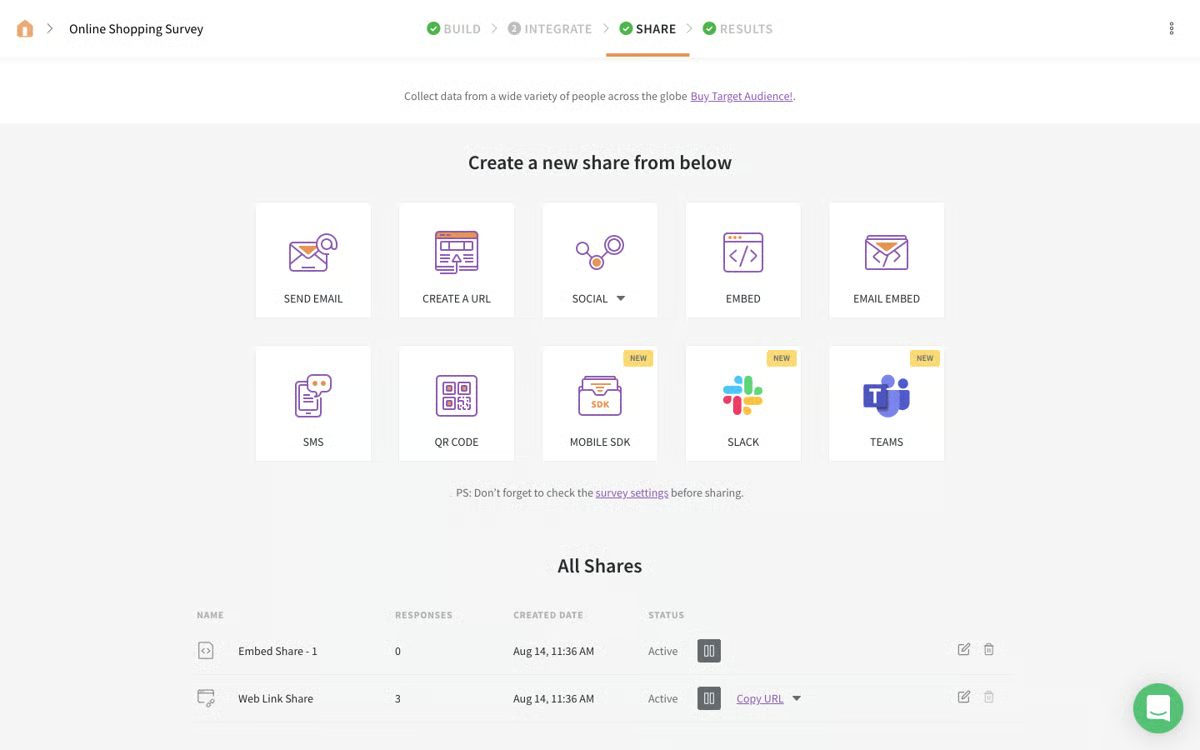
SurveySparrow's free plan covers basic survey needs, but response limits and advanced features come at a cost. The Basic plan starts around $19 per month, with higher tiers adding more responses, branding, and workflows. For a small business, the response cap is usually the first wall you hit.
"I like how easy SurveySparrow is to use and set up. The interface is clean and straightforward, and creating surveys feels simple even for first-time users. It also provides solid customization options and makes it easy to collect and manage responses in an organized way."
- SurveySparrow review, Muhammad O.
Best for: Small businesses that want engaging, mobile-first surveys with high completion rates for customer or employee feedback.
Not ideal for: Teams needing complex general-purpose forms or lead generation, or those wanting the most generous free response limits.
"One thing I don't like about SurveySparrow is that some features are only available in higher plans, which can feel a bit expensive for small teams or individuals. Also, sometimes the customization options feel limited if you want very specific designs or logic."
- SurveySparrow review, Rishi S.
While exploring Typeform, what struck me is how good it makes a form feel to fill out. Its one-question-at-a-time flow and polished, on-brand design turn a chore into something that feels intentional, and in the G2 reviews, that craftsmanship is consistently the reason small businesses pick it for customer-facing lead-gen and feedback forms.
What I liked is that the polish still does real work for a small team. Logic jumps adapt the form to each answer, so people only see what's relevant, and templates with image and video support keep it engaging. The free plan covers up to 10 questions and 10 responses a month, enough for a small business to test a sharp lead magnet or feedback form before committing, and integrations connect submissions to the rest of your stack.
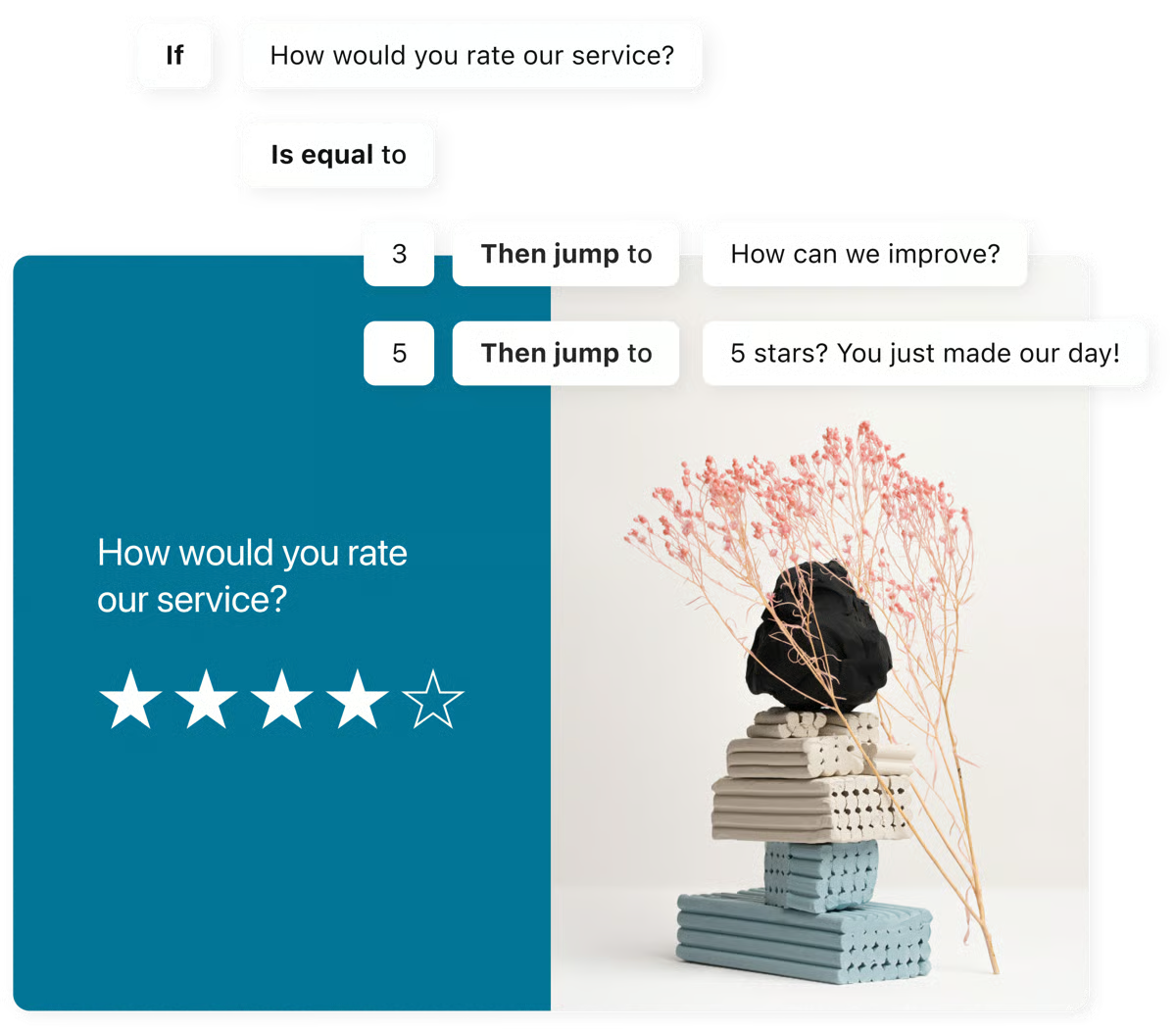
For a small team, the free plan is great for a first test, but you'll outgrow it fast. The 10-response monthly cap is the wall you hit first, since even a modest campaign blows past 10 responses in a day, and the 10-questions-per-form limit gets tight once you need more than the basics. The Basic plan, starting around $28 per month, lifts those limits enough for real use, and a small team that cares about Typeform's signature polish will likely want branding removal and deeper analytics, which sit on the higher tiers. In practice, the monthly response cap is what pushes most small teams to upgrade.
"It has a great blend of flexibility and ease-of-use. I needed something simple for a feedback mechanism, but I had a few unusual project requirements that required a somewhat robust platform. Typeform fit the bill. It performed exactly the way I needed, it was easy for me to onboard, and it did it all for a price that fit my budget."
- Typeform review, Dustin F.
Best for: Small businesses that want beautiful, on-brand lead-gen and feedback forms where the experience itself lifts completion rates.
Not ideal for: High-volume data collection on a budget, since the free plan's 10-response cap and feature gating push you to paid quickly.
"One thing I dislike about Typeform is that some of the more advanced features, along with higher response limits, are only available on the more expensive plans. We've also found that the reporting and analytics could be more detailed for workplace reporting needs, particularly when you're dealing with larger volumes of response data."
- Typeform review, Shoaib K.
While exploring Wrike, I noticed it's less of a traditional form builder and more of a work-management platform that handles intake really well, which is exactly why it's worth a look for a small business. What stood out to me is how much its free plan gives a small team to get organized at no cost: unlimited users, unlimited task and subtask management, and an unlimited folder hierarchy, so work and requests live somewhere structured instead of scattered across inboxes.
Reading the G2 reviews, I kept seeing how usable that free tier is day to day. You get custom Table and Kanban views plus a chart view for status at a glance, account-wide work schedules to keep a small team aligned, email integration and notifications, and even AI Essentials like an onboarding assistant. For a lean team, the open API, cloud storage integrations, Google single sign-on, and enterprise-grade security mean intake can be tracked as work without paying or adding headcount.
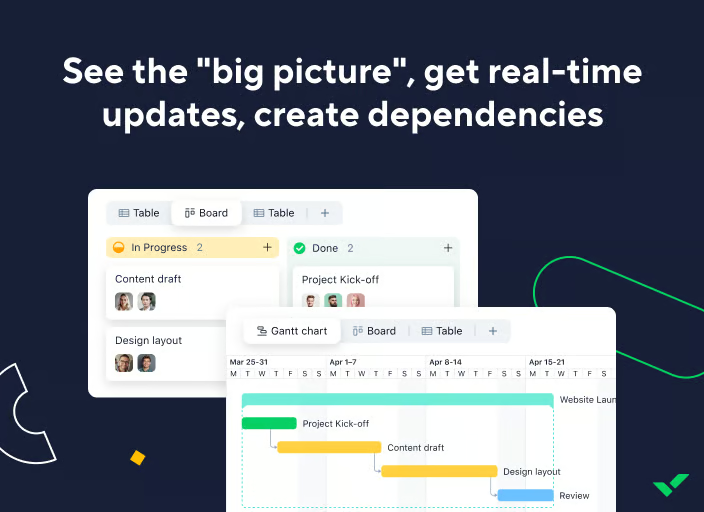
The free plan is a capable starting point for organizing a small team's work, but it covers task and project management rather than form-driven intake. The catch for this list is that request forms and dynamic request forms aren't included free, they start on the Business plan ($25 per user per month), with the Team plan ($10 per user per month) in between, adding dashboards, calendars, Gantt charts, and automation. There's also a 14-day Business trial if you want to test the form features first.
"My favorite thing about Wrike is the customizable workflows. It made the proofing process so much smoother because various team members could bounce projects back and forth to each other in the review process without there having to be a central person doing all the hand-offs."
- Wrike review, Katie T.
Best for: Small businesses that want intake or request forms feeding directly into project management, dashboards, and approval workflows.
Not ideal for: Marketers who mainly need public-facing lead or survey forms, where a dedicated form builder is simpler and cheaper.
"What I dislike most is that some views and automations feel less intuitive than I'd expect, especially when I'm managing multiple spaces or trying to centralize control."
- Wrike review, Dresler Z.
Honestly, most small businesses should start with a free plan or trial before paying. When you're lean, the priority is getting a professional form live and collecting data, not buying the most powerful platform. A free tier is the right fit if you're:
Jotform, Forms.app, ClickUp, and Wrike all offer genuine free plans, while SurveyMonkey and Typeform lean more toward limited free tiers that work mainly for testing.
Where it gets thin is when form-building stops being occasional and becomes core to how you run marketing or operations. Once you're collecting real submission volume, removing branding, or needing deeper analytics and automation, the free plan's wall shows up, usually right when a campaign is working.
For a small business, the wall usually shows up in one of three ways:
The good news is the paid jump is manageable for a small business. ClickUp starts at $7 per user, Wrike at $10 per user, Mailchimp around $13, Forms.app and SurveySparrow around $19, Typeform around $28, and Jotform at $34, while ActiveCampaign and Formstack are pricier and quote-driven at the top. Run real forms through the free option first, and the right moment to pay will make itself obvious.
Have more questions? Find more answers below.
Jotform is the strongest all-around pick for most small businesses because its free plan is genuinely full-featured, with conditional logic, payments, and 10,000+ templates not hidden behind a paywall. Forms.app is a close second for speed and design, with a free-forever plan that includes its AI form generator. If your forms are really surveys, SurveyMonkey or Typeform are better fits.
Jotform, Forms.app, ClickUp, Wrike, Mailchimp, SurveyMonkey, SurveySparrow, and Typeform all offer free-forever plans, though limits vary widely. ActiveCampaign and Formstack Forms offer free trials rather than free plans. The most generous free tiers for actual form-building come from Jotform and Forms.app.
Yes, within limits. Jotform (5 forms, 100 submissions/mo), Forms.app (5 forms, 100 responses/mo), and the free plans for ClickUp and Wrike can all run long term for low-volume needs. The constraint is volume and features, once you exceed submission caps or need branding removal and deeper analytics, you'll move to a paid plan.
It depends on your stack. ActiveCampaign and Mailchimp are strongest if you want lead forms wired directly into email automation and audiences. Typeform is best for polished, conversational lead forms that lift completion rates. Jotform is the best all-rounder, with lead-capture templates and integrations on a capable free plan.
ActiveCampaign and Mailchimp are the strongest since forms feed directly into their built-in CRM and audiences with no handoff. If you need to push submissions into a dedicated CRM like Salesforce, Formstack Forms and Jotform are the better picks, with native Salesforce connections (Formstack's is a core strength, though it sits on paid tiers). For routing form data into HubSpot or other systems, Forms.app's native integrations and webhooks also do the job on its free plan.
Jotform and Forms.app both include conditional logic on their free plans, letting fields appear or change based on earlier answers. Typeform's logic jumps are available free and route respondents based on their responses. Formstack Forms has the deepest logic engine (conditional fields, calculations, and validation), though that depth lives on its paid plans. SurveyMonkey's free tier is the most limited here, offering mainly answer randomization rather than full branching.
Sometimes, on the form itself. Jotform and Forms.app support payment fields even on their free plans (you still pay standard gateway fees through Stripe, PayPal, or Square). Most tools that collect payments charge only the processor's fees rather than a platform surcharge, but confirm this on the pricing page, since limits on payment submissions often apply.
A form builder like Jotform or Forms.app is general-purpose, handling contact forms, registrations, payments, and lead capture. A survey tool like SurveyMonkey or SurveySparrow specializes in structured questionnaires with response analytics and logic branching. There's overlap, but for market research or feedback, a survey tool is purpose-built, while for varied data collection, a form builder is more flexible.
Forms.app is among the fastest, with an AI form generator that builds a form from a short prompt and a clean interface that needs no technical work. Jotform is similarly approachable thanks to its template library and drag-and-drop builder. Both let a small business go from sign-up to a live, professional form in minutes.
Start with your main use. For general forms and the best free plan, Jotform or Forms.app. For surveys and research, SurveyMonkey or SurveySparrow. For branded lead forms, Typeform. For forms tied to email marketing, Mailchimp or ActiveCampaign. For intake feeding project work, ClickUp or Wrike. Then use the free plan or trial to build a real form before committing.
Jotform leads on sheer template volume, with more than 10,000 templates spanning contact forms, registrations, and order forms, all editable on the free plan. Typeform offers fewer templates but the most design-forward, on-brand customization, and Forms.app pairs a solid template gallery with an AI generator that drafts a starting form for you. For surveys specifically, SurveySparrow's 1,000-plus templates are the most tailored to feedback and research.
SurveyMonkey stands out here: its free plan turns responses into a clean dashboard of charts and trends without exporting anything. Typeform includes basic reports and metrics on its free plan, and ClickUp lets you build live dashboards from form-generated tasks. Most tools cap their deepest analytics behind paid tiers, so for free real-time reading of results, SurveyMonkey and ClickUp are the most useful starting points.
SurveySparrow is built mobile-first, with a conversational, one-question-at-a-time flow designed to feel native on a phone and lift completion on mobile audiences. Typeform takes a similar one-question-per-screen approach that displays cleanly on any device. Jotform and Forms.app both produce responsive forms that adapt to mobile automatically, and Jotform adds dedicated mobile apps for managing submissions on the go.
Conversion depends on your audience, but the conversational, one-question-at-a-time formats tend to convert best, which points to Typeform and SurveySparrow, whose reviewers consistently credit the chat-style flow with higher completion. Typeform leans on polished, on-brand design to keep people engaged, while SurveySparrow's mobile-first experience suits feedback and survey audiences. For lead forms tied to follow-up, ActiveCampaign and Mailchimp help conversion continue after submission through automated nurture.
SurveySparrow includes survey translation and multi-language surveys, useful if you collect feedback across regions. Jotform and Forms.app both support building forms in multiple languages as well. Typeform and SurveyMonkey offer language options too, though the most complete multilingual controls often sit on paid tiers, so confirm the specific languages you need on each tool's plan details.
Choosing the right free form builder isn't about the one with the longest feature list. It's the one that gets a professional form live and the data into your hands with the least friction.
If you need versatile general-purpose forms, that points to Jotform or Forms.app. If you're running structured research, that's SurveyMonkey or SurveySparrow. If forms are part of your marketing engine, look at Mailchimp or ActiveCampaign, and if they feed project work, ClickUp or Wrike. The free plan or trial exists so you can figure out which problem you actually have before you pay to solve it.
Pick one. Build a real form and run it for a week. You'll know faster than any comparison guide can tell you.
Online forms are just the starting point for capturing leads. If you want to turn form submissions into qualified opportunities, explore the best free lead generation tools that help.
.png)

The best free survey software solutions for small businesses are Constant Contact, Google...
 by Sagar Joshi

I have noticed that most teams don't struggle to create forms. They struggle with what happens...
 by Yashwathy Marudhachalam

Most lead generation campaigns do not fail because of weak traffic. They fail because the...
 by Aishwarya Pillai