

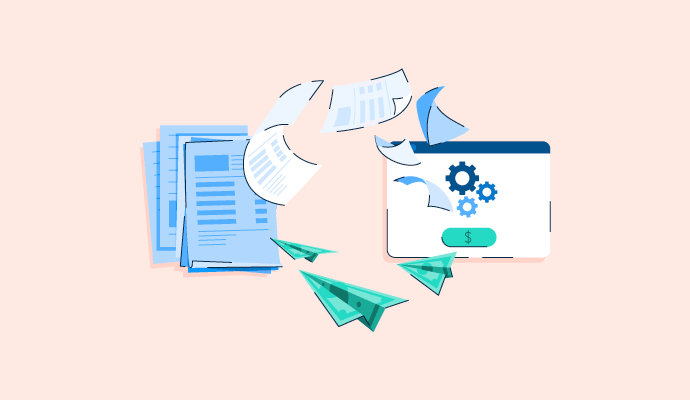
To automate accounts payable, set up a centralized invoice intake channel, apply AI (Artificial Intelligence) or OCR (Optical Character Recognition) to capture and extract invoice data without manual entry, configure two-way or three-way PO (Purchase Order) matching rules, activate approval workflows that route invoices based on amount and vendor rules, and connect your ERP (Enterprise Resource Planning) to execute and reconcile payments automatically.
Tools like BILL AP/AR, Sage Intacct, Stampli, Ramp, and SAP Concur handle the full cycle from invoice receipt to payment confirmation, with human review reserved for exceptions, new vendors, and invoices that fall outside matching tolerances.
Manual invoice processing slows down accounts payable teams at three predictable places: data entry, approvals that stall in email inboxes for days, and payment runs that require human intervention at every stage. According to IOFM's research across more than 150 AP leaders, the consequences are measurable: the share of organizations processing invoices in under a week dropped from 80% to just 52% in the second half of 2025, while invoices taking longer than 15 days to process surged from 5% to 25% over the same period.
Nearly 30% of all reviews in G2's AP Automation category mention automation directly. In likes and business-problems responses, ERP and integration features appear in 37% of reviews, approval routing appears in 34%, and ease of use in 29%. Data entry elimination is cited in 9% of those same responses. Controllers, CFOs, and accounting managers account for the largest share of those mentions.
This guide covers the five steps to automate accounts payable, which tasks to prioritize first, how AI changes what's possible, and which platforms G2 reviewers rate highest in the AP automation software category in 2026, so you can build a process that runs without manual intervention at every stage.
The accounts payable tasks most teams automate are invoice capture, approval routing, two- and three-way PO matching, payment execution, duplicate detection, and vendor onboarding, ranging from fully touchless to mostly automated depending on workflow complexity and ERP maturity.
Most finance teams assume AP automation is primarily about invoice scanning. The reality is that automation can cover the full AP cycle, from the moment a vendor sends an invoice through to payment confirmation and reconciliation, with human review reserved for exceptions only, not routine processing.
| Task | Automation level | What software handles | What humans handle |
| Invoice capture and data extraction | Fully automated | AI/OCR reads vendor name, invoice number, line items, totals, and due dates from PDFs and emails | Reviews exceptions where fields are missing, ambiguous, or in non-standard formats |
| PO matching (two- and three-way) | Fully automated | Matches invoice against purchase order and goods receipt; flags discrepancies automatically | Resolves flagged mismatches and approves exceptions |
| Approval routing | Fully to mostly automated | Routes invoices to the correct approver based on amount, vendor, department, or entity rules; sends reminders | Sets up initial routing rules; approves invoices above the threshold or outside the policy |
| Duplicate detection | Fully automated | Cross-references invoice number, vendor, amount, and date against prior invoices | Reviews and clears any flagged duplicates requiring manual judgment |
| Payment execution | Mostly automated | Schedules and executes ACH, virtual card, wire, or check payments based on vendor terms | Confirms payment method setup for new vendors; handles exceptions |
| GL coding and categorization | Mostly automated | Learns from prior coding history to suggest or auto-apply GL accounts, cost centers, and entities | Reviews new vendor invoices and corrects miscoded line items |
| Vendor onboarding | Mostly automated | Collects banking details, tax forms, and contact information via self-service supplier portal | Verifies identity, reviews tax documentation, and approves new vendor records |
| Reconciliation and ERP sync | Mostly automated | Pushes approved invoices and payment records to the ERP; reconciles against bank statements | Reviews sync errors and resolves discrepancies flagged between systems |
Source: G2 AP Automation Reviews (2026)
To automate accounts payable, start by centralizing invoice intake and applying AI/OCR to capture and extract data. Then configure automated matching rules, activate approval workflows that route invoices to the right approver without manual intervention, and connect your ERP for payment execution and reconciliation, covering everything from the moment a vendor sends an invoice to the point payment clears and the ledger updates.
Here is an in-depth look at each of these steps:
Create a single dedicated channel where every vendor invoice lands, typically a dedicated AP email address (such as ap@yourcompany.com) that feeds directly into your AP automation platform. Most platforms also support vendor portals and EDI feeds for suppliers that prefer structured digital formats. Without a unified intake point, even the best OCR and matching engine is working against fragmented inputs.
Action steps:
Why it matters:
A centralized intake channel is the prerequisite for every automation step that follows. Without it, even the best OCR and matching engine is working against fragmented inputs. Mid-market reviewers in the G2 dataset consistently cite having invoices, approvals, and payments centralized in one platform as a core reason for switching. They cite scattered inboxes and email-based approval chains as the manual process they most wanted to leave behind.
The AP automation platform uses OCR combined with AI to read each incoming invoice and extract vendor name, invoice number, line items, amounts, tax, and due date, pre-populating those fields without anyone typing a single value. Modern platforms go further. They apply learned coding patterns from your invoice history to suggest or auto-apply general ledger (GL) accounts, cost centers, and entity codes on the first pass, turning a multi-hour data entry task into a review task measured in minutes.
Action steps:
Why it matters:
G2 reviewers cite AI-assisted invoice capture as one of the most frequently mentioned automation benefits in their AP workflow, with mid-market finance teams reporting time savings on invoice processing after switching from manual data entry. AI is mentioned in 12% of reviews in this dataset. Approval routing is mentioned in 36% and reduced manual work in 23%. One reviewer also describes AI reading and coding invoice data in as little as 5 seconds per invoice. Some reviewers note that non-standard invoice layouts still require a human review step.
Once invoice data is extracted, the platform automatically cross-references each invoice against its purchase order. Two-way matching confirms price and quantity align with the PO; three-way matching adds a check against the goods receipt, confirming delivery before payment is approved. Invoices that fall within your defined tolerance thresholds proceed automatically; those outside trigger an exception flag and route to the appropriate reviewer.
Action steps:
Why it matters:
Automated matching is where duplicate payments and overpayments are flagged before invoices are paid. G2's Summer 2026 feature comparison shows invoice matching averaging an 88% satisfaction rating across all rated AP automation vendors, the highest of any invoice processing sub-feature evaluated in the report.
Map your delegation of authority into the platform, who approves at what dollar threshold, which vendors or cost centers require additional sign-off, and what escalation path applies when an approver is unavailable. Once configured, the platform routes each invoice to the right approver automatically, sends reminders on a defined cadence, and escalates to a backup if no action is taken within a set window.
Action steps:
Why it matters:
Workflow automation is the highest-rated feature category in G2's Summer 2026 AP Automation report, averaging 90% satisfaction across all rated vendors. G2 reviewers at mid-market firms consistently cite approval routing as the change that moved invoice close timing from days to hours.
Once an invoice is approved, the platform pushes data to your ERP, schedules payment based on vendor terms, executes the transaction through your chosen payment rail (ACH, virtual card, wire, or check), and syncs the payment record back for reconciliation, all without manual re-entry. Payment scheduling also creates the conditions for capturing early payment discounts that manual processes routinely miss.
Action steps:
Why it matters:
ERP integration satisfaction averages 86% in G2's AP Automation category. G2 reviews at mid-market firms consistently report that a properly configured ERP integration is what transforms AP automation from a faster process into a fully closed loop, with teams citing the ability to scale invoice volume without adding headcount as the standout operational benefit.
Recommended reading: Explore invoice processing; everything you need to know about how invoices move from receipt to payment, where automation plugs in, and what the fastest-moving finance teams do differently at each stage.
The best accounts payable automation software in 2026 includes BILL AP/AR, Sage Intacct, Stampli, Ramp, and SAP Concur, the top five platforms in G2's Summer 2026 Grid Report ranked by reviewer satisfaction and market presence. Which one is right for your team depends on how well it handles your invoice volume, approval complexity, ERP, and payment methods, not just headline features.
Quick picks:
The table below compares each platform based on G2 review data.
| Tool | G2 rating | Pricing | G2 reviewer sentiment |
| BILL AP/AR | 4.4/5, 1,000+ reviews | From $49/user/month (Essentials); $65/user/month (Team); $89/user/month (Corporate); pricing on request (Enterprise) | Leads this set in review volume with 1,000+. Reviewers consistently single out end-to-end bill payment automation as the standout capability: email a bill in, and the platform captures, codes, routes, and pays it without anyone touching a second system. The one constraint reviewers call out is the occasional sync drop with QuickBooks that requires a quick manual correction to get back on track. Payback around 8 months. |
| Sage Intacct | 4.3/5, 900+ reviews | Pricing available on request | Favored by small and mid-market accounting teams for AP automation, real-time reporting, and flexible dimensional accounting. Some reviewers have expressed concern about the pricing, with costs noted to increase significantly year on year. G2's Summer 2026 ROI data puts payback at 20 months. |
| Stampli | 4.6/5, 1,000+ reviews | Pricing available on request | Mid-market AP teams consistently cite Stampli's invoice-level communication and notes as the feature that eliminates approval email chains entirely. Reporting depth is where some teams feel it falls short. G2's Summer 2026 ROI data puts payback at 10 months. |
| Ramp | 4.8/5, 200+ reviews | $0/user/month (Free); $15/user/month + platform fee (Plus); pricing available on request (Enterprise) | Ramp stands out in this set for ease of use, with reviewers citing how intuitive the platform is, particularly for non-accounting staff managing expenses and receipts. Sync with certain platforms like Sage Intacct is an area reviewers most want to see improved. Payback comes in at 5 months per G2's Summer 2026 ROI data, the fastest in this set. |
| SAP Concur | 4.0/5, 200+ reviews | Pricing available on request | Used by mid-market (43%) and enterprise (38%) reviewers. Travel, expense, and invoice coverage on one platform is the most praised feature. UI complaints appear in 52% of dislike responses. Pricing is raised in 32% of reviews. Payback period of 13 months per G2's Summer 2026 ROI data. |
Choosing the right AP automation tool will depend on how well it handles your invoice volume, approval complexity, ERP, and payment methods, along with headline features. In this dataset, pricing complaints appear in 8.7% of all reviews, UI/UX complaints in 8.3%, and reporting limitations in 8.2%. These three themes appear more often in dislike responses, followed by sync failures (6.1%) and automation gaps (6.3%).
Source: G2 AP Automation Reviews (Jan–June 2026)
AI improves accounts payable automation by moving from rule-based execution, where the system fails when inputs deviate, to adaptive learning, where accuracy improves with every invoice processed and every correction made. The difference is not speed but coverage: AI handles the edge cases that rule-based systems route to a human by default, without manual reconfiguration every time a new vendor or format appears.
The four areas where AI makes the most measurable difference are:
AI does not eliminate human judgment from accounts payable. It eliminates human involvement in the routine, high-volume, predictable work, freeing the AP team to focus on exception resolution, vendor relationships, and strategic cash flow decisions.
Recommended reading: Find the best vendor management software to streamline stakeholder management and align vendor deliverables with business goals.
Accounts payable automation is working when routine invoices move without manual intervention, approval cycles shorten, and exceptions become the minority. G2 reviewers across mid-market finance teams cite shorter approval cycles and eliminated check runs as the first signs that the investment is paying off.
According to G2's Summer 2026 Grid Report, the average payback period across the AP Automation category is 12 months, with average user adoption at 76%. Among the five tools rated highest in G2's Summer 2026 Grid Report, payback ranges from 5 months (Ramp) to 20 months (Sage Intacct), reflecting meaningful differences in implementation scope and organizational complexity. Use those as benchmarks, then track the following signals against your own baseline.
Source: G2 AP Automation Reviews (Jan–June 2026)
A failing signal looks like cycle times that have not moved, exception rates that remain at manual-process levels, or a close cycle that is unchanged despite AP automation being live. Reporting limitations appear in 8.2% of all dislike responses in this dataset, the third most common complaint after pricing (8.7%) and UI/UX (8.3%). If teams find it hard to report on AP performance after go-live, the issue is often limited native reporting rather than a process failure. When that happens, the fix is almost always in the configuration, intake rules, matching thresholds, approval routing, or ERP sync setup, not in the tooling itself.
The seven practices that make AP automation effective are standardizing processes before configuring automation, mapping your full approval hierarchy before go-live, setting exception handling rules from day one, integrating your ERP bidirectionally, starting with your highest-volume vendors, training approvers before launch, and measuring cycle time from week one.
Reviews that mention time savings most often also mention payment automation (51% of those reviews) and ERP/sync (49%). Approval routing appears in 42% of those same reviews and manual work reduction in 40%.
Source: G2 AP Automation Reviews (Jan–June 2026)
Recommended reading: Browse the best procure-to-pay software, G2's ranked list of the top platforms covering purchasing, invoice management, and payment execution. Each is rated and reviewed by professionals that regularly use these.
Got more questions? Find the answers below.
Set up a centralized invoice intake channel, apply AI/OCR to capture invoice data, configure matching rules, activate approval workflows, and connect your ERP for payment execution. Most mid-market teams complete this in four to eight weeks. The top five platforms in G2's Summer 2026 Grid Report are BILL AP/AR, Sage Intacct, Stampli, Ramp, and SAP Concur.
AI can process the majority of AP invoices automatically. Routine invoices from known vendors move touchlessly from capture to payment. The 20 to 40% requiring human review in the first 90 days typically involve non-standard formats, missing PO references, or new vendors. G2's Summer 2026 data shows invoice workflow automation averaging 90% feature satisfaction across the category.
Map your delegation of authority into the platform: who approves at which threshold, which entities need additional sign-off, and escalation rules for non-responses. The platform routes every invoice automatically from that point. Approval workflow automation averages 90% feature satisfaction in G2's Summer 2026 report, the highest-rated category in AP automation.
QuickBooks Online covers basic AP, bill entry, payment scheduling, and vendor management, but lacks AI invoice capture, automated PO matching, and configurable approval workflows. Teams needing full AP automation typically connect QuickBooks to BILL AP/AR, Stampli, or Ramp, which integrate natively and add the intake, matching, and workflow layers that QuickBooks does not provide.
Connect your AP platform to your ERP so invoices are matched against purchase order price and quantity automatically at the line-item level, with tolerance thresholds that clear routine matches without human review and exception routing that sends mismatches directly to the buyer who raised the PO. G2's Summer 2026 feature comparison shows invoice matching averaging 88% satisfaction across all rated AP automation vendors.
Start with the lightest tool that covers the current volume and approval structure. Ramp's free plan or BILL AP/AR's Essentials tier handles AI capture, approval routing, and accounting sync for teams processing fewer than 50 invoices per month. Connect to your accounting system from day one and set up a dedicated AP email address. Ramp's 5-month payback in G2's Summer 2026 ROI data makes it the most efficient starting point for startups.
Microsoft Dynamics SL supports AP automation through native workflow tools and third-party integrations. Dedicated platforms such as Stampli and SAP Concur offer pre-built connectors that add AI invoice capture, automated matching, and approval routing on top of Dynamics SL without replacing the ERP. Confirm the two-way sync covers both invoice posting and payment reconciliation before go-live.
Accounts payable automation is not a simple tool upgrade; it is a process overhaul. The teams that get the most out of it are the ones that standardized their data, mapped their approval rules, and integrated their ERP before expecting the system to deliver.
The five steps in this guide, centralize intake, automate capture, configure matching, activate approvals, and close the loop with your ERP, represent the full arc from manual to touchless. Each step builds on the last, and the compounding effect is what makes the return measurable: faster close cycles, fewer exceptions, no manual check runs, and finance teams freed to focus on work that requires judgment rather than repetition.
The technology is mature enough in 2026 that the question is no longer whether AP automation works, but how quickly your team can configure it correctly. The teams that reach their payback period fastest are the ones that treat implementation as a process discipline problem, not a software problem. When the process is right, the software performs. When it is not, no platform compensates for it.
If you are ready to compare the tools that G2 reviewers rate highest for accounts payable automation, explore G2's full breakdown of the best accounts payable automation software.

Holding a Master’s degree in Business Administration, Somya Jain enjoys exploring how products evolve and simplifying complex ideas. She works on B2B content with a strong focus on software evaluation, helping readers make informed technology and business decisions. She often spends her time reading books and exploring ideas that refine her craft.

Supplier crossovers are the new business order.
 by Adam Miller
Recently updatedSummer 2026 Grid® Report · published May 26, 2026 This guide was last...
/DarshayitaThakur-OrangeBG.webp) by Darshayita Thakur
by Darshayita Thakur

TL;DR: How do I automate financial reporting? To automate financial reporting, centralize and...
 by Gunisha
Supplier crossovers are the new business order.
by Adam Miller
Recently updatedSummer 2026 Grid® Report · published May 26, 2026 This guide was last...
by Darshayita Thakur