


I have noticed that most teams don't struggle to create forms. They struggle with what happens after someone clicks "submit." Missing integrations, messy data exports, limited customization, and scaling limits are where the real friction shows up.
So I put together this guide to the best online form builder software by evaluating 20 platforms, not just based on feature lists, but on what real users consistently praise and complain about on G2. I analyzed Grid positioning, satisfaction data, and review patterns to narrow this list to tools that stand out for usability, automation, integrations, and reliability. What separates the strongest platforms from the rest is how well they handle what comes after submission, whether that's routing data into a CRM, triggering an approval workflow, or syncing responses into a project.
The 10 tools I landed on differ meaningfully in their strengths. Jotform and Typeform lead in customization and user experience. ActiveCampaign is built around marketing automation and CRM pipelines. SurveyMonkey and Microsoft Forms handle structured feedback and analytics cleanly. ClickUp and Wrike turn submissions directly into trackable project workflows. Laserfiche and PandaDoc go deeper into document governance and sales execution. And Tally stands out for creators who want powerful forms without the complexity.
If you're actively comparing options and trying to decide which form builder you won't outgrow in six months, this breakdown will help you shortlist the top online form builder software tools for 2026 with confidence.
| Best online form builder software | G2 Ratings | Best for | Standout feature | Pricing | Free plans |
| Jotform | 4.7/5 | Best for teams that want deep form customization with built-in automation | Advanced conditional logic and built-in automation that turn fully customized forms into instantly routed workflows. | $39/ Month | Free plan available |
| ActiveCampaign | 4.5/5 | Best for advanced marketing automation | Behavior-based automation that instantly pushes form submissions into dynamic marketing and CRM journeys. | Starting at $15/month | 14-day trial available |
| SurveyMonkey | 4.5/5 | Best for teams running structured surveys with built-in analytics | Built-in analytics dashboards that transform structured surveys into immediately actionable insights. | $99/user/month | Free plan available |
| Microsoft Forms | 4.4/5 | Best for teams working inside the Microsoft 365 ecosystem | Automatic Excel syncing inside Microsoft 365 that makes response analysis seamless and frictionless. | $11.41/month | Free plan available |
| ClickUp | 4.7/5 | Best for workflow-driven task management | Form submissions automatically convert into fully trackable tasks within customizable project workflows. | $7/user/month | Free plan available |
| Typeform | 4.5/5 | Best for conversational, design-led forms | Conversational, one-question-at-a-time design that boosts engagement and completion rates. | Starting at $28/month | Free plan available |
| Laserfiche | 4.7/5 | Best for document-driven workflow automation | Forms that trigger secure, document-driven approval workflows inside a governed automation system. | $53/user/month | Demo available |
| PandaDoc | 4.7/5 | Best for interactive sales proposals | Interactive proposals with built-in e-signatures and dynamic pricing that move deals forward from a single document. | $19/month | Free plan available |
| Tally | 4.8/5 | Best for creators who want powerful forms without complexity | Unlimited forms and responses on the free plan with powerful conditional logic in a minimalist editor. | $29/month | Free plan with limitation |
| Wrike | 4.2/5 | Best for structured intake that flows directly into project execution | Structured intake forms that automatically feed into customizable project timelines and approval workflows. | $10/user/month | Free plan available |
*These online form builder software tools are top-rated in their category, according to G2's Winter 2026 Grid Report. I’ve also added their monthly pricing to make comparisons easier for you.
Looking for form builders that won’t stretch your budget? Explore the 10 free form builder tools that offer powerful features without requiring a paid plan.
Online forms are no longer just simple contact pages. They now support everything from lead generation and customer feedback to internal requests, event registrations, onboarding flows, and even sales documents.
What I have noticed while researching this space is how differently teams use form builders. Marketing teams care about design and conversion. Operations teams focus on structure and routing. Sales teams look for proposal and payment capabilities. HR teams prioritize clarity and ease of completion. The tools that stand out are the ones that support these use cases without becoming unnecessarily complicated.
The category itself is expanding quickly. The global online form builder software market was valued at $696.3 million in 2026 and is projected to reach $1.95 billion by 2035, growing at a CAGR of 9.8%. As adoption spreads across departments, expectations around flexibility, reliability, and scalability continue to rise. That growth reflects what teams are already seeing in practice: according to G2 Data, online form builder software sees 67% user adoption and an average ROI payback period of 9 months, showing that these tools are not only widely adopted but also capable of delivering value relatively quickly.
The platforms in this list represent the tools that consistently perform well across a range of real-world business scenarios.
To build this list, I analyzed leading products in G2’s Online Form Builder category, focusing on overall ratings, category positioning, and consistency in verified user feedback.
Rather than relying only on star scores, I used AI-assisted analysis to review recurring themes across thousands of G2 reviews. I looked for patterns around customization, conditional logic, integrations, automation capabilities, reporting, ease of setup, and long-term scalability. Tools were shortlisted based on repeated strengths and clearly defined trade-offs, not isolated praise.
Because form builders serve different teams, I also evaluated platforms across real-world use cases like lead capture, structured surveys, internal intake workflows, and sales processes. This ensured the final list reflects practical business performance, not just feature lists.
Screenshots included in this article are vendor-provided G2 images or publicly available UI visuals to illustrate user experience without implying hands-on testing.
After reviewing dozens of platforms and narrowing the list down to 10 finalists, I kept seeing the same decision factors surface across teams. Not every tool approaches form building the same way, but the strongest ones consistently perform in a few key areas.
Here’s what mattered most when finalizing my recommendations:
In total, I analyzed over 20 solutions in the category and finalized 10 platforms that consistently demonstrated strong performance across these areas. Not every tool excels in every factor, but each one stands out for a specific type of team or use case.
The list above contains genuine user reviews from G2’s Online Form Builder category. To qualify for inclusion in this category, a product must:
*This data was pulled from G2 in 2026. Some reviews may have been edited for clarity.
What immediately stands out to me about Jotform is how much control it gives over form customization. This isn’t just about adjusting colors or adding a logo; it’s about building forms that behave exactly the way your workflow demands. From custom fields to advanced conditional logic and structured multi-page layouts, the platform is clearly built for teams that need precision in how data is collected and processed.
Customization depth is one of the most consistently praised capabilities in the G2 reviews. Users frequently highlight the flexibility around custom fields, branding, and layout control, and the feature comparison data on G2 supports that sentiment, with 91% satisfaction for custom fields and 89% for design. Conditional logic is another standout, enabling dynamic experiences where fields appear or change based on responses.
Multi-page forms are also repeatedly mentioned, particularly for longer applications, registrations, and structured onboarding flows where breaking the form into steps improves clarity and completion rates.
Beyond design flexibility, integrations are a major strength. Reviewers consistently mention connecting Jotform with CRMs, marketing tools, payment gateways, and internal systems. Embedded forms are widely used and well received, with 90% satisfaction in that category according to G2, suggesting teams are comfortably placing forms directly into websites and digital properties. Submissions don’t stay isolated; they flow into broader workflows.
Automation is another area where Jotform shows maturity. Notifications, approval routing, and triggered follow-ups are frequently cited in reviews. Instead of manually checking submissions, teams can configure automated responses and internal alerts that move processes forward immediately. This makes it particularly useful for HR intake, service requests, and operational workflows.
Payments are also a core capability. Many reviewers mention using Jotform for order forms, event registrations, donations, and service payments. With 83% satisfaction for payment functionality, it’s clearly reliable for transactional use cases, not just data collection.
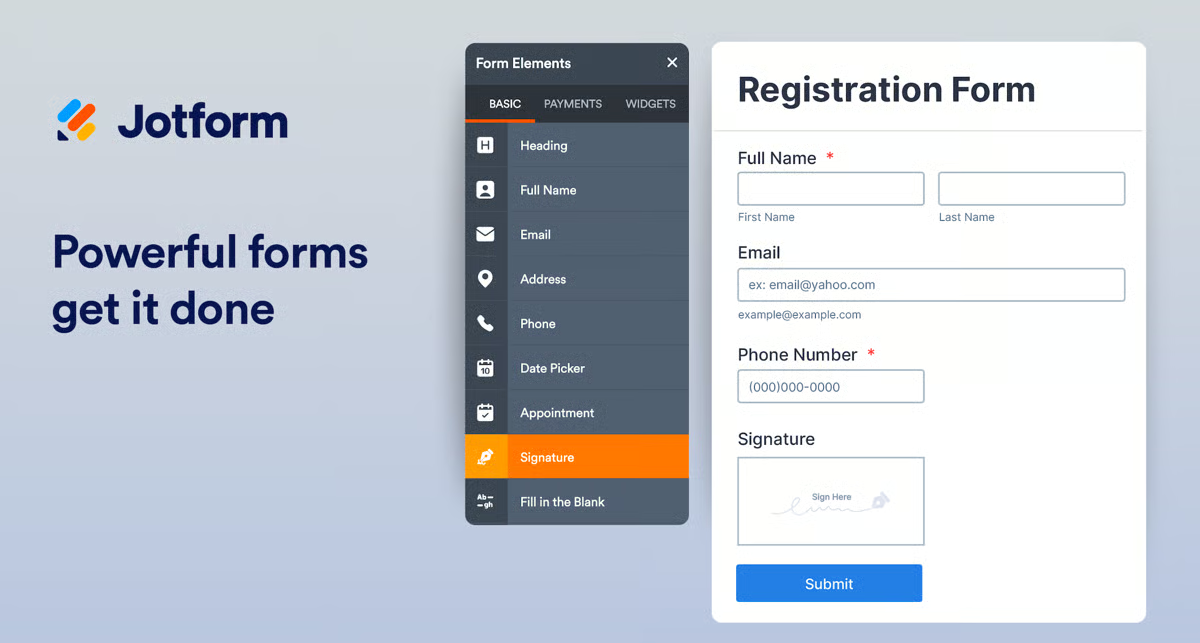
One capability that often gets overlooked but appears repeatedly in reviews is mobile form functionality and offline support. Jotform maintains 90% satisfaction for mobile forms and 80% for offline capabilities, which makes it practical for field teams collecting data on-site or in environments with limited connectivity. For organizations running events, inspections, or community outreach programs, that flexibility matters.
On top of that, users frequently praise how easily responses can be exported and routed into spreadsheets or external systems. Whether through automated exports, integrations, or direct downloads, the data doesn’t feel locked in. This reinforces Jotform’s role as a data collection hub rather than a closed ecosystem.
Based on G2 reviews I looked at, users generally appreciate how accessible Jotform’s entry-level plans are, but several reviewers mention that costs can increase noticeably once submission limits are reached or when advanced capabilities are needed. Organizations handling high monthly submission traffic or relying heavily on premium features may want to review plan limits carefully before scaling, although teams collecting moderate volumes of responses tend to find the structure manageable.
Reviewers also highlight that Jotform does a solid job collecting, organizing, and exporting responses. Several users mention that the built-in reporting and analytics are relatively basic, especially for teams that need advanced filtering, deeper data segmentation, or highly customizable dashboards. For everyday response tracking and simple summaries, though, many users still find the reporting tools useful and sufficient for standard form workflows.
Overall, if your goal is to build tailored forms that plug directly into your processes, automate follow-up actions, and handle payments or mobile collection smoothly, Jotform delivers that flexibility with confidence.
I love the wide range of things I can do with Jotform, such as creating Forms, AI Agents, Apps, E-sign documents, Workflows, Tables, and Reports. It provides me with an easy way to collect information, take payments, and make sales while tracking data. I can also create client engagement and get feedback easily. The platform allows me to collect signatures for contracts and has great workflows that make things speed along faster. I appreciate the numerous integrations with tools like Canva, Zoom, Microsoft Teams, Slack, Salesforce, and more, which offer countless possibilities to link and manage different apps. Jotform Academy is super helpful for learning what the platform can do, even if it requires some technical understanding initially.
- Jotform review, Amie L.
While Jotform is very feature-rich, some advanced settings and logic options can feel slightly overwhelming at first, especially for new users. As forms become more complex, managing logic rules can require extra care to keep everything organised. Pricing tiers can also feel restrictive for teams with high submission volumes, but that’s fairly common with form platforms at this level.
- Jotform review, Harrison T.
If your team is deciding between a simple form tool and a more flexible builder, this Google Forms vs. Jotform comparison can help clarify when each platform makes sense.
The heart of ActiveCampaign is its marketing automation engine. Everything else in the platform seems to orbit around that. The reviews repeatedly highlight how powerful the automation workflows are, especially when it comes to behavior-based triggers, multi-step sequences, and mapping out full customer journeys from first touch to conversion.
Automation depth is easily its most talked-about strength, with hundreds of reviewers referencing the flexibility of the workflow builder. Users frequently mention creating branching paths based on email engagement, site visits, tags, or purchase behavior. It’s not just about sending timed emails; it’s about building conditional journeys that adapt in real time. That sophistication is a big reason why 89% of G2 users say it meets requirements and 89% say they would recommend it, reinforcing that the automation engine delivers on expectations.
Email campaign management is another consistently praised capability. Reviewers often talk about segmentation, tagging, dynamic lists, and personalization tools that make campaigns feel targeted rather than generic. The ability to group contacts based on behavior and attributes allows for highly relevant outreach. Instead of blasting the same message to everyone, teams can tailor communication based on where a contact is in the funnel.
The built-in CRM and sales pipeline management also stand out in the reviews. Many users appreciate that marketing and sales data live in the same system, reducing the need for separate tools. Deals, contact records, and campaign activity are connected, making handoffs between marketing and sales smoother. That alignment makes ActiveCampaign feel less like just an email tool and more like a unified growth platform.
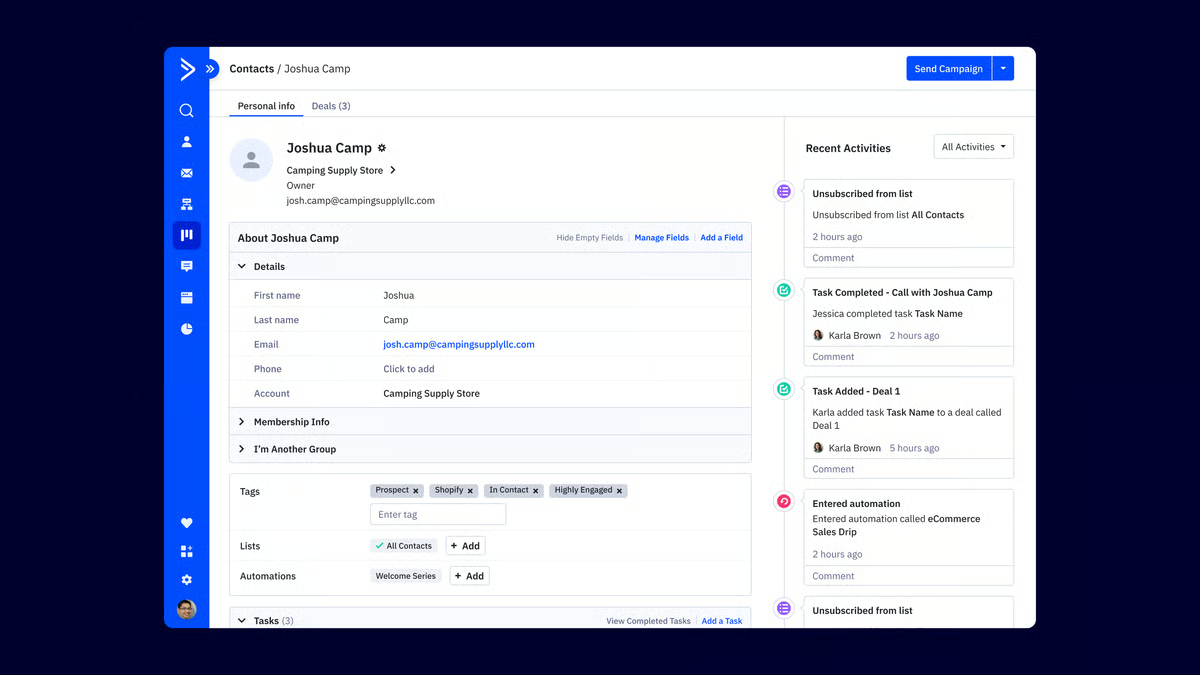
Integrations are another strong theme in the G2 feedback. Users frequently reference connections with e-commerce platforms, payment systems, and third-party applications. These integrations allow marketing automations to trigger based on purchase behavior or external activity, extending automation beyond just email engagement. For teams running online stores or multi-tool stacks, this connectivity becomes a key advantage.
Lead capture forms are also repeatedly mentioned as a practical entry point into automation. Reviewers highlight embedded forms, customizable fields, and the ability to automatically route new leads into sequences the moment they submit. Instead of manually importing contacts, form submissions can instantly trigger tags, campaigns, and CRM updates, which keeps everything flowing without added effort.
Reporting and campaign analytics round out the feature set. Users often mention tracking open rates, click-throughs, and automation performance metrics directly inside the platform. While the reporting tools aren’t positioned as enterprise-level BI dashboards, they provide enough visibility to measure campaign health and adjust strategy accordingly. For most marketing teams, that level of insight supports ongoing optimization without overcomplicating analysis.
Based on G2 reviews I looked at, users consistently praise how powerful and flexible ActiveCampaign’s automation engine is, but that same depth means teams should expect a learning curve when building more advanced workflows or configuring the CRM properly. Reviewers often mention that teams looking for a quick plug-and-play email tool may need to plan extra onboarding time, but the platform tends to feel much easier and more rewarding to use once users get familiar with it.
And while the visual automation builder makes it possible to design highly detailed, multi-step customer journeys, reviewers note that larger workflows can become harder to navigate as they grow more complex. While businesses that only need simple autoresponders or basic newsletters may find the builder more sophisticated than necessary, teams running advanced lifecycle campaigns tend to value that depth of control.
Overall, ActiveCampaign shines when an automation strategy is central to growth. With strong satisfaction across core capabilities and widespread validation around its automation engine, it’s clearly built for teams that want to orchestrate customer journeys rather than send standalone emails.
At Active Campaign, we appreciate order and immediacy, always available assistance (we have had requests promptly handled by the team), and the simplicity in managing contacts and creating emails. The ability to obtain the HTML copy of the email or parts of it is priceless: in this way, even when we forget to create templates, we can replicate any part of the emails that have worked in just a few clicks.
- ActiveCampaign reviews, Giuseppe L.
“Basic users like me, some of the advanced automation and campaign tools feel a little complicated at first. It takes some time to understand which features are really needed. Also, for small-scale use, like in a clinic or for simple educational updates, the pricing could be a bit more affordable or offer a lighter plan. But once you get used to it, the core features work smoothly.”
- ActiveCampaign reviews, Ishan S.
Once your forms collect contacts, email marketing keeps the conversation going. Compare top email marketing platforms to nurture subscribers and drive conversions.
The core strength of SurveyMonkey is structured survey creation. It’s built specifically for designing questionnaires, collecting feedback at scale, and turning responses into usable insights. That focus shows up clearly in the reviews, where users repeatedly highlight how quickly they can build and launch surveys without needing technical skills.
Ease of use stands out clearly in the G2 Dataset, showing 92% satisfaction and 91% for ease of setup, which aligns with reviewer feedback about how simple and quick the survey builder feels. Creating questions, organizing sections, and launching surveys is straightforward, which makes it accessible for HR teams, marketers, educators, and operations managers alike. That simplicity doesn’t come at the expense of capability either, 91% of users say it meets requirements, reinforcing that it balances usability with functionality.
The template library and range of question types are another major strength. Reviewers consistently mention pre-built templates for customer satisfaction, employee engagement, market research, and event feedback. Beyond templates, the variety of question formats, including multiple choice, rating scales, matrices, and logic-based questions, gives surveys structure and depth. This flexibility allows teams to design surveys that go beyond basic forms and collect meaningful, segmented data.
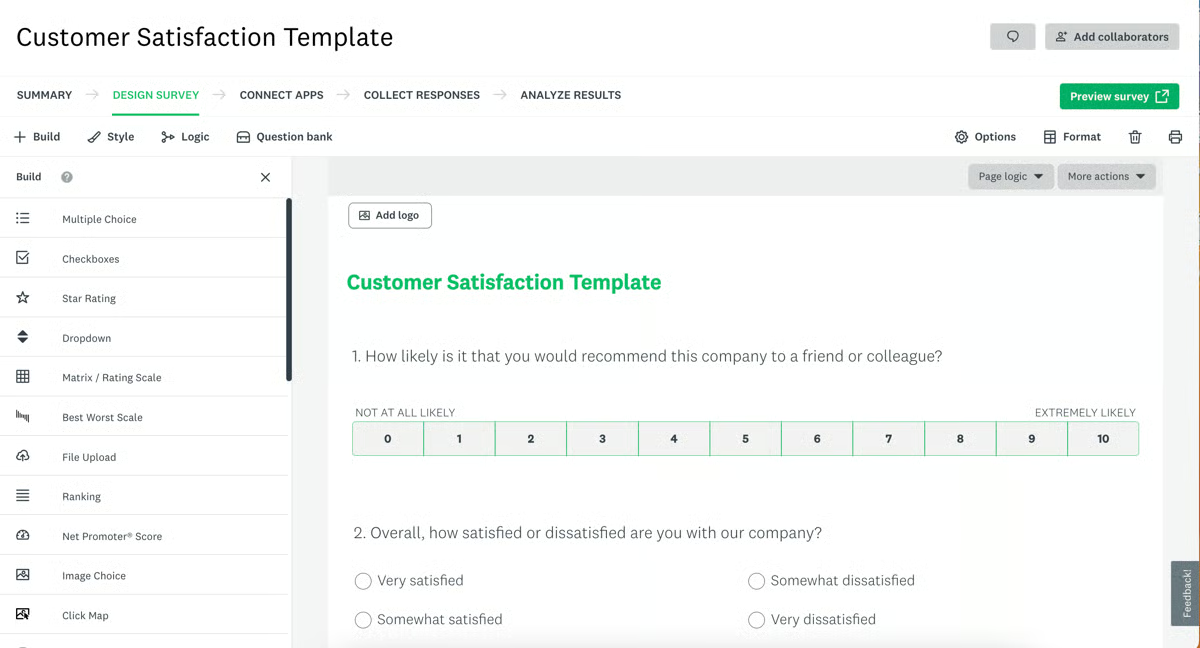
Response management is also a strong point. Many users reference how easy it is to collect, filter, and export responses. The ability to organize submissions, review them in real time, and download datasets for further analysis is repeatedly cited as a practical advantage. For teams running recurring surveys or collecting feedback across departments, this centralization simplifies ongoing tracking.
Reporting and visualization tools are another widely praised feature. SurveyMonkey provides built-in charts, summaries, and dashboards that make results easy to interpret. Instead of exporting raw data immediately, users can see response trends visually inside the platform. That built-in visibility is part of what makes it attractive for teams that want insights without setting up separate analytics systems.
Distribution options further strengthen its position. Reviewers frequently mention sending surveys via email, sharing public links, embedding them into websites, and distributing them across multiple channels. This flexibility makes it easier to reach different audience segments without needing additional tools.
Customization and branding controls round out the experience. While SurveyMonkey is structured, users still mention the ability to adjust themes, apply branding elements, and personalize surveys. This ensures that feedback collection aligns with the company's identity rather than feeling generic.
SurveyMonkey’s structured plans make it easy for teams to get started, but several reviewers mention that response caps and advanced capabilities like deeper logic or expanded analytics are tied to higher-priced tiers. Organizations conducting high-volume research may want to review pricing tiers early, while smaller teams running occasional surveys can often manage well with the lower plans.
And while SurveyMonkey’s logic tools work well for standard branching and conditional survey flows, some reviewers note that building highly complex, multi-layered logic paths can be more restrictive. For deeply nested research models, some teams may prefer platforms with more advanced logic flexibility, but for straightforward feedback surveys or moderately segmented questionnaires, this setup works well.
Looking at it from end to end, SurveyMonkey stands out as a purpose-built survey platform that emphasizes structure, reporting clarity, and distribution flexibility.
“What I like most about SurveyMonkey is how simple it makes creating, sharing, and analyzing surveys, even without technical expertise. The wide range of ready-made templates and question types helps you get started quickly, while still giving enough flexibility to customize surveys for specific needs. The reporting and analytics are clear and practical too, making it easy to turn responses into actionable insights, whether you’re gathering customer feedback, running research, or measuring satisfaction.”
- SurveyMonkey reviews, Tiwari S.
“1. The trial plan comes with a limited number of questions, responses, and advanced features, so it’s better to choose a paid plan if you want to get the most out of it.
2. Priority or live support is mostly reserved for higher-tier subscribers. If you’re on a lower-level or free plan, don’t expect the same level of support.”
- SurveyMonkey reviews, Vibhor J.
Forms aren’t just for marketing; they power support, too. See which help desk tools streamline ticket intake and customer communication after a form is submitted.
The real power of Microsoft Forms isn’t flashy design or advanced logic; it’s how naturally it fits inside the Microsoft 365 ecosystem. If your team already lives in Excel, Teams, and SharePoint, Forms feels less like a separate tool and more like a built-in extension of the workflow you’re already using.
What stands out immediately is how straightforward it is to create and distribute forms. The builder is clean, minimal, and focused, which aligns with its strong G2 satisfaction scores, 95% for ease of setup and 93% for ease of use. There’s very little friction between idea and execution. You can spin up a feedback form, quiz, or internal survey quickly, share it with a link, and start collecting responses almost instantly.
The Microsoft 365 integration is where the platform really differentiates itself. Responses automatically sync into Excel, which is a major advantage for teams that already rely on spreadsheets for reporting and analysis. Instead of exporting CSV files or setting up connectors, the data flows directly into familiar tools. That automatic export functionality is consistently highlighted in G2 reviews, and it pairs naturally with the platform’s 91% satisfaction score for ease of doing business. For organizations standardizing around Microsoft, this integration reduces tool sprawl and manual work.
Real-time response collection is another strength. As submissions come in, results update immediately, making it practical for live feedback sessions, classroom quizzes, internal polls, or event forms. Combined with strong collaboration capabilities, 93% satisfaction for ease of admin, teams can co-edit forms and review results together without version confusion. Sharing forms across departments through Teams or SharePoint feels seamless rather than bolted on.
Customization is solid within its intended scope. Microsoft Forms supports custom fields, conditional logic, multi-page forms, and basic design control, with feature comparison data showing strong satisfaction across those areas. While it doesn’t aim to be a highly visual branding tool, it covers the essentials well for internal and structured business use cases.
The clean interface also deserves credit. The layout is uncluttered and consistent across devices, and mobile form performance holds up well, reflected in strong mobile satisfaction data. This makes it dependable for both desktop users and employees responding on the go.
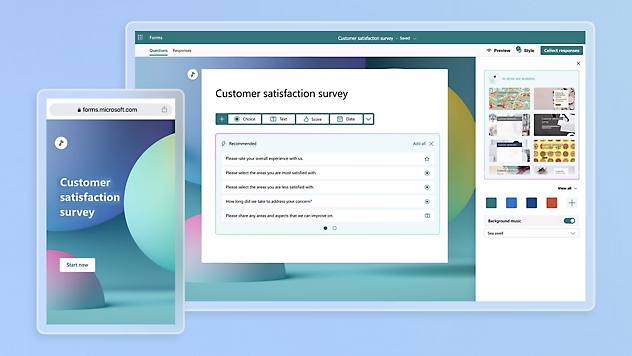
Microsoft Forms keeps customization intentionally streamlined, which helps teams build forms quickly and maintain consistency across departments. At the same time, reviewers mention that advanced branding controls, layout flexibility, and deeper visual design options are fairly limited. While organizations looking for highly branded or visually customized forms may find the design options somewhat restrictive, this simplicity works well for internal surveys, classroom quizzes, and operational forms.
The platform’s conditional logic tools handle standard branching and structured workflows clearly, which makes form setup easy for most teams. However, reviewers note that building deeply layered logic paths or highly intricate survey flows can become challenging within the platform’s structure. For more complex research surveys, some teams may want more advanced logic capabilities, but for straightforward feedback collection and internal workflows, the platform works well.
Ultimately, Microsoft Forms feels purpose-built for organizations that value speed, clarity, and tight ecosystem integration. It’s not trying to be the most customizable or complex form builder on the market. Instead, it focuses on reliability, collaboration, and seamless data flow inside Microsoft 365. For teams already operating in that environment, it fits naturally and performs consistently.
“What I like best about Microsoft Forms is how simple and intuitive it is to create surveys, quizzes, and feedback forms without any technical knowledge. The interface is clean and easy to navigate, which saves time and makes the whole process smooth. I also appreciate how quickly responses are collected and displayed in real time with clear charts and automatic summaries. It integrates well with other Microsoft tools, making it convenient to share forms, export data to Excel, and collaborate with teams efficiently.”
- Microsoft Forms review, Shreya G.
“While excellent for basic to intermediate surveys, it lacks the deep analytical and branding features of a dedicated platform like Qualtrics. The customisation options for fonts and themes are limited, which can be a minor drawback for customer-facing surveys where you want a fully branded experience. It's a tool for gathering data efficiently, not for complex customer experience (CX) program management.”
- Microsoft Forms review, Krisztián T.
If your campaigns depend on forms for capture, qualification, payments, or follow-up, this list of online form builders for lead generation campaigns is a useful next read.
What stands out to me about ClickUp in the online form builder space isn’t just the form itself; it’s what happens after someone hits submit. ClickUp Forms don’t sit in a separate response dashboard; they convert directly into tasks inside your workspace. That tight connection between data collection and project execution is where the real value shows up.
At its core, ClickUp is a task and project management platform, and that foundation is obvious in how forms function. Submissions automatically create actionable tasks that drop into lists, boards, or other views without any manual handoff. Given that ClickUp scores 95% for likelihood to recommend and 96% in the G2 satisfaction Data, it’s clear that users see long-term value in that unified workflow approach. Instead of collecting information and then transferring it somewhere else, the work starts immediately.
Customization is another major strength. The platform’s flexibility shows up through custom fields, adaptable statuses, and configurable workflows that allow teams to shape their workspace around their exact process. According to G2 Data clickUp scores 91% for Custom Fields, reinforcing how central structured data capture is to the experience. Whether I’m routing intake forms for client requests or internal ticketing, I can map responses directly into fields that power dashboards, reporting, and automations downstream.
The all-in-one nature of ClickUp also plays a big role. Forms are not isolated tools, they sit inside a larger ecosystem that includes Docs, Goals, task tracking, and automation engines. Instead of stitching together separate tools for forms, task management, and collaboration, everything lives inside one environment. That consolidation is part of why many teams adopt ClickUp as a central workspace rather than just a project tracker.
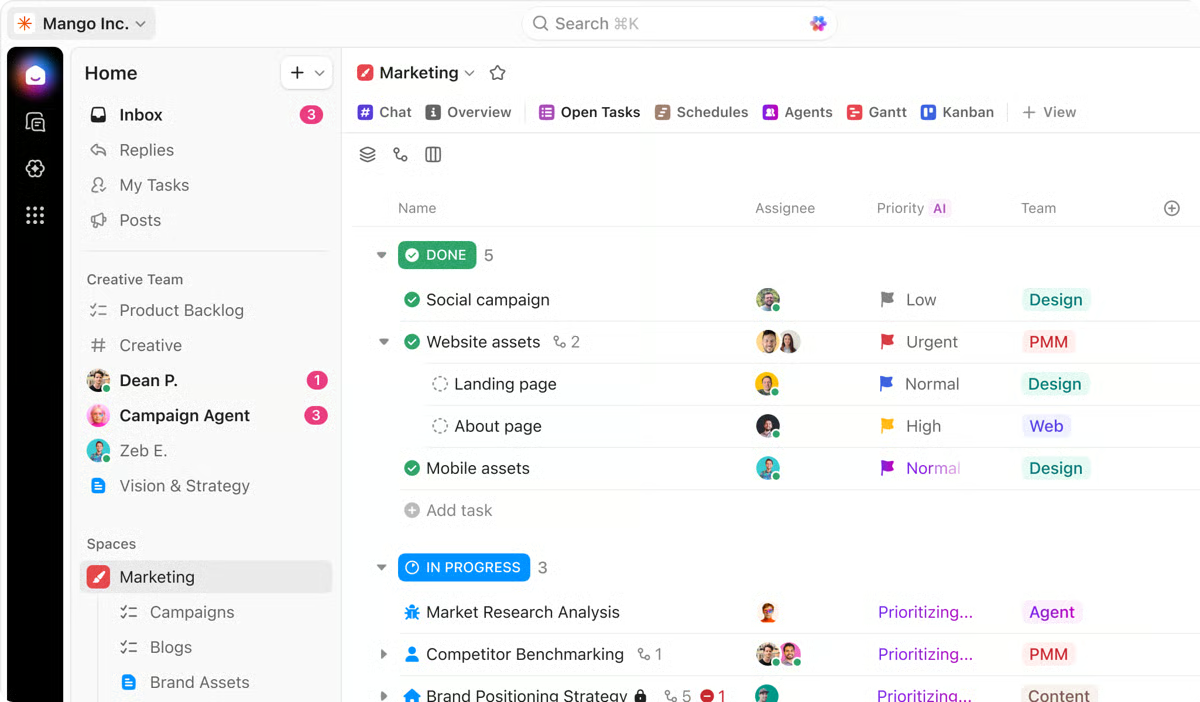
Automation further strengthens the form-to-task pipeline. Once a submission becomes a task, it can trigger rules, assign owners, update statuses, or move across workflows automatically. This isn’t just about collecting data; it’s about orchestrating what happens next. For teams handling high volumes of requests, those automation capabilities reduce manual triage and keep processes moving.
Integrations add another layer of flexibility. ClickUp connects with tools like Slack, Google Drive, and GitHub, allowing form-driven tasks to fit into broader tech stacks. If a form submission needs to notify a channel, link to documentation, or sync with development workflows, the integrations make that possible without leaving the ecosystem.
Collaboration also feels built-in rather than bolted on. Forms feed into shared spaces where teams can comment, attach files, assign responsibilities, and track progress collectively. According to G2 Data, clickUp shows strong adoption among small businesses at 77%, with additional mid-market usage at 20%, suggesting it resonates with growing teams that need structure without enterprise-level rigidity.
ClickUp’s depth and feature richness give teams extensive control over how workflows and tasks are structured, but reviewers mention that the interface can sometimes feel crowded. Some users also report occasional lag in larger or heavily customized workspaces. Organizations managing complex, multi-layered workflows often see that flexibility as a worthwhile trade-off.
Its real-time notifications and activity updates help keep teams aligned on incoming requests and task changes, but some reviewers mention that the volume of alerts can become overwhelming without adjusting settings. For highly collaborative teams, that visibility is often a real advantage.
On the whole, ClickUp’s form builder makes the most sense when forms are part of a larger operational engine. It’s less about standalone surveys and more about structured intake that immediately turns into trackable, automated work.
“What I like best about ClickUp is that it brings everything into one place. Tasks, timelines, notes, and updates all live in the same system, which reduces the back and forth between tools.
I also value the flexibility. We can customize statuses, fields, and views to match how our team actually works. That makes it easier to stay organized and gives clear visibility into who is responsible for what and where projects stand at any given time.”
- ClickUp reviews, Kirsti H.
“One of the things I don’t like as much about ClickUp is that it’s not always as intuitive as some other platforms. The user experience could be improved in certain areas. Since it’s a tool built for organization, I believe it would benefit from being even more intuitive and easier to customize.
Personally, I like to have everything visually organized, and at times, my dashboard or task list can feel a bit overwhelming or cluttered. I would appreciate having more flexibility to customize the layout and visual structure so it fits my workflow better.
That said, it’s still a very powerful tool. I just think improving the UX and visual customization options would make it even better.”
- ClickUp reviews, Martin R.
Need a deeper look at ClickUp before deciding? Explore the full ClickUp review to see how it stacks up for project management and workflow automation.
Typeform changes the feel of a form entirely by turning it into a conversation. Each question appears on its own screen, creating a paced, interactive flow that keeps respondents focused instead of overloaded. Rather than asking people to scan a dense list of fields, it walks them through one step at a time, which reviewers consistently credit for higher engagement and smoother completion experiences.
The visual design is another standout strength. Typeform forms feel modern, clean, and intentionally crafted rather than purely functional. According to G2 Data, Typeform scores 91% for multi-page forms and 91% for design, reinforcing how strongly users rate its balance between structure and aesthetics. Whether I’m building a lead capture form, customer feedback survey, or onboarding questionnaire, the final result looks polished without requiring design expertise.
Ease of use also comes through clearly. The builder is intuitive, and creating flows doesn’t require technical knowledge. G2 Data holds 92% for ease of setup and 94% for ease of use, which matches how often reviewers describe getting forms live quickly without technical friction. The simplicity feels streamlined rather than restrictive, especially for teams that want speed without sacrificing presentation.
Customization and branding controls add another layer of flexibility. Themes, fonts, and layouts can be adjusted to align with brand identity, and logic jumps allow the form to dynamically adapt based on answers. In G2’s customization metrics, Typeform scores 88% for custom fields and 90% for Conditional Logic, reinforcing how capable it is when building tailored user journeys. That logic functionality strengthens the conversational format because questions can shift in real time based on previous responses, creating a more personalized flow.

Integrations further extend its value. Typeform integrates with CRMs, marketing tools, and other third-party apps, so submissions don’t live in isolation. Instead of being just a survey tool, it becomes part of a broader marketing or operational workflow.
Distribution is straightforward as well. Sharing via links, embedding on websites, or connecting to campaigns happens seamlessly. Combined with its 91% likelihood to recommend in the G2 satisfaction data, it’s clear that users consistently trust it for external-facing forms where presentation and engagement matter.
Typeform’s design-led experience and strong logic capabilities make it appealing for external-facing forms, but reviewers frequently mention that pricing tiers and response limits scale closely with plan levels. This ensures organizations only pay for the capacity they require, while still having the option to scale as demand increases.
The platform’s logic tools make it easy to build dynamic, conversational flows, but some users note that creating highly complex or enterprise-level workflows can be more limiting within Typeform itself. For deeply layered automation, some organizations may need additional systems for greater flexibility, but for marketing surveys, lead capture, and interactive feedback forms, Typeform’s logic works smoothly.
Overall, Typeform excels when the experience matters as much as the data. It’s not just about collecting responses; it’s about how people feel while responding.
“The interface is incredibly user-friendly and visually appealing, which makes creating surveys simple. The conversational style of forms helps increase engagement, encouraging more customers to complete surveys. We also love the customisation options: branding, question types, and logic jumps make it easy to create surveys that feel personal and professional.”
- Typeform reviews, Maisie F.
“The free plan is basically useless unless you're collecting like 10 responses total. Once you need any real functionality (branding removal, logic jumps, more than 100 responses per month), you're looking at $25/month minimum. And if you want things like payment collection or file uploads, you need the $50/month plan.”
- Typeform reviews, Nitin M.What I notice first about Laserfiche isn’t the form builder itself, but what it unlocks behind the scenes. Every submission becomes part of a controlled document workflow, automatically triggering approvals, routing files, and updating records within a larger process framework. Instead of acting as a standalone data collection tool, the form functions as an entry point into a governed, automation-driven system built for operational rigor.
Workflow automation and business process management are clearly the backbone here. Laserfiche allows teams to design multi-step approval paths, trigger document actions, and automate repetitive administrative processes. In the satisfaction data, Laserfiche holds 97% for product going in the right direction and 94% for likelihood to recommend according to G2, which reinforces how strongly users value its long-term workflow capabilities. This isn’t a lightweight form tool; it’s an operational platform where forms activate structured processes.
Document management is another major strength. Laserfiche centralizes storage, indexing, version control, and secure retrieval of files. Instead of forms existing separately from documentation, submissions become part of a controlled repository. In the additional functionality metrics, Laserfiche scores 90% for embedded forms and 92% for notifications on G2, reflecting how documents and workflows remain tightly connected across the system.
Security and permissions controls are frequently highlighted as well. Granular user permissions allow administrators to control who can view, edit, approve, or archive documents and form submissions. For organizations in regulated industries, this level of control is critical. It also aligns with Laserfiche’s strong presence among mid-market and enterprise teams, where governance and access management are non-negotiable requirements.
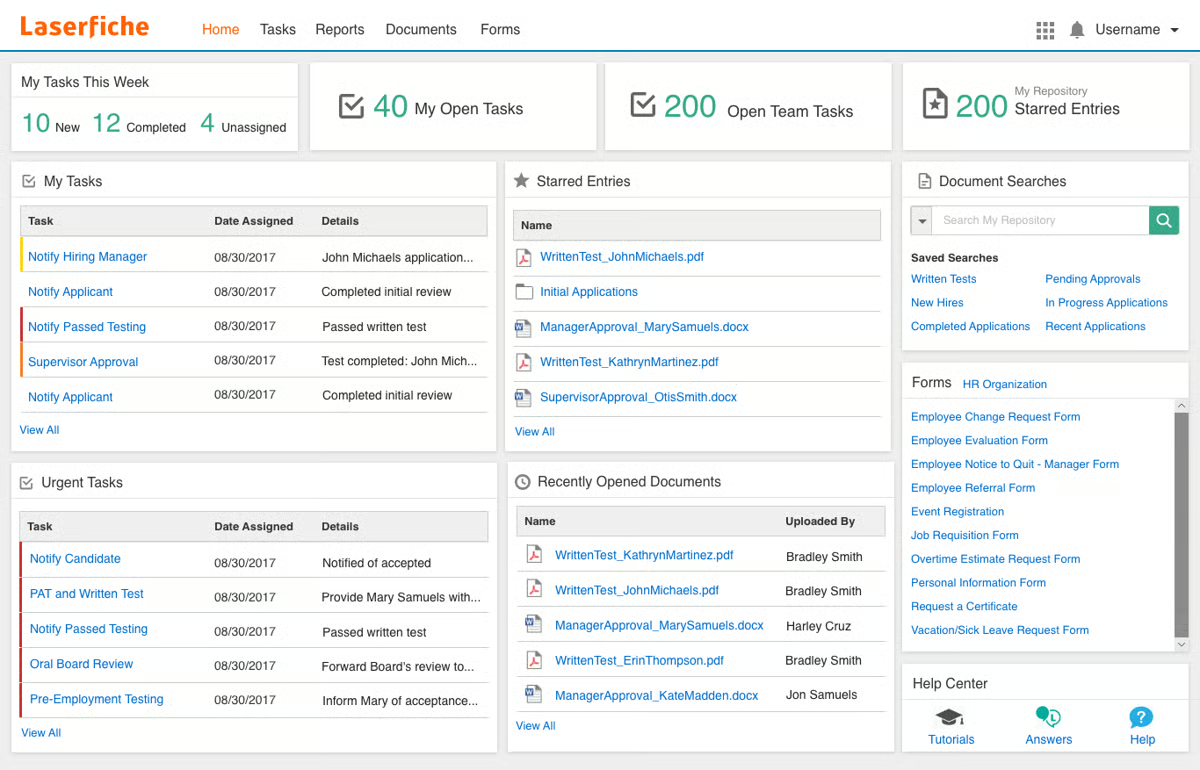
Customization and configuration flexibility further strengthen the platform. Workflows, metadata fields, and form behavior can be tailored to match organizational processes rather than forcing teams into rigid templates. In the customization data, Laserfiche holds 93% for custom fields and 92% for conditional logic according to G2, demonstrating how adaptable it is for structured, rule-driven environments.
Records management and compliance support add another layer of depth. Laserfiche goes beyond storing documents by enabling retention schedules, audit trails, and formal records governance. For public sector teams, healthcare organizations, and enterprises managing sensitive documentation, this compliance orientation is a major advantage.
Looking at customer distribution data on G2, Laserfiche shows strong mid-market adoption at 61% and enterprise usage at 27%, reinforcing that it is most commonly deployed in larger, process-driven organizations.
Laserfiche’s deep workflow configuration and document governance capabilities give teams extensive control over how processes are structured, but reviewers often mention that the initial setup and workflow design require training and technical familiarity. Smaller teams looking for a quick, plug-and-play form builder may find implementation heavier, while organizations with IT support or process specialists typically benefit from that flexibility.
The platform’s interface is stable and functional for managing documents and configuring workflows. Some users note that the visual design feels less modern compared to newer, design-focused platforms, though the current approach prioritizes usability and reliability over frequent visual changes.
Overall, Laserfiche excels when forms are only one piece of a larger document and workflow ecosystem. It is less about collecting responses quickly and more about orchestrating compliant, automated business processes.
“I like how smooth Laserfiche makes digitizing our content and content management. I like the scalable cloud storage and the security features are top notch. With Laserfiche, document scanning for digitization is easy, and it also makes form building easy. From sharing content to document management and AP automation, Laserfiche has it all. Using the platform is easy and it features top of the range ECM features.”
- Laserfiche review, Gerald S.
“Setting up process automation can be tricky, but worthwhile because it does exactly what you tell it to do.”
- Laserfiche review, Nick M.PandaDoc feels less like a basic document tool and more like a sales execution platform built around proposals. From drag-and-drop content blocks to dynamic pricing tables and embedded e-signatures, everything is designed to move a deal forward inside a single document flow. Instead of creating a file and sending it off, you’re building an interactive proposal that tracks engagement and drives the next step in the sales process.
Document creation is clearly the core strength. The drag-and-drop builder makes it easy to assemble proposals, contracts, and quotes using structured content blocks rather than starting from scratch every time. According to G2 Data, PandaDoc holds 96% for likelihood to recommend and 95% for product going in the right direction, reinforcing how strongly users value its evolution as a document workflow platform. Instead of juggling separate tools for drafting, pricing, and signatures, everything is centralized.
Templates and content libraries are another major advantage. Reusable templates and saved content blocks allow teams to standardize messaging while still customizing documents for each deal. In the customization metrics, PandaDoc scores 92% for custom fields and 93% for design on G2, which reflects how flexible and polished documents can be without requiring design expertise. For sales teams producing high volumes of proposals, this structure significantly reduces turnaround time.
E-signature functionality is tightly integrated into the experience rather than added on as an afterthought. Legally binding signatures flow directly into the proposal workflow, keeping everything in one system. Combined with 94% for ease of setup and 94% for ease of use on G2, it’s clear that users appreciate how smoothly signatures and document approvals operate within the same environment.
Pricing tables and interactive quotes are another differentiator. PandaDoc allows dynamic pricing sections where quantities, discounts, and optional add-ons can be configured directly inside the document. This makes proposals feel more interactive and tailored, rather than static PDFs.
Tracking and document analytics further enhance visibility. Sales teams can see when a document is opened, viewed, or signed, giving insight into buyer engagement. That level of tracking helps teams follow up strategically rather than guessing where a deal stands.
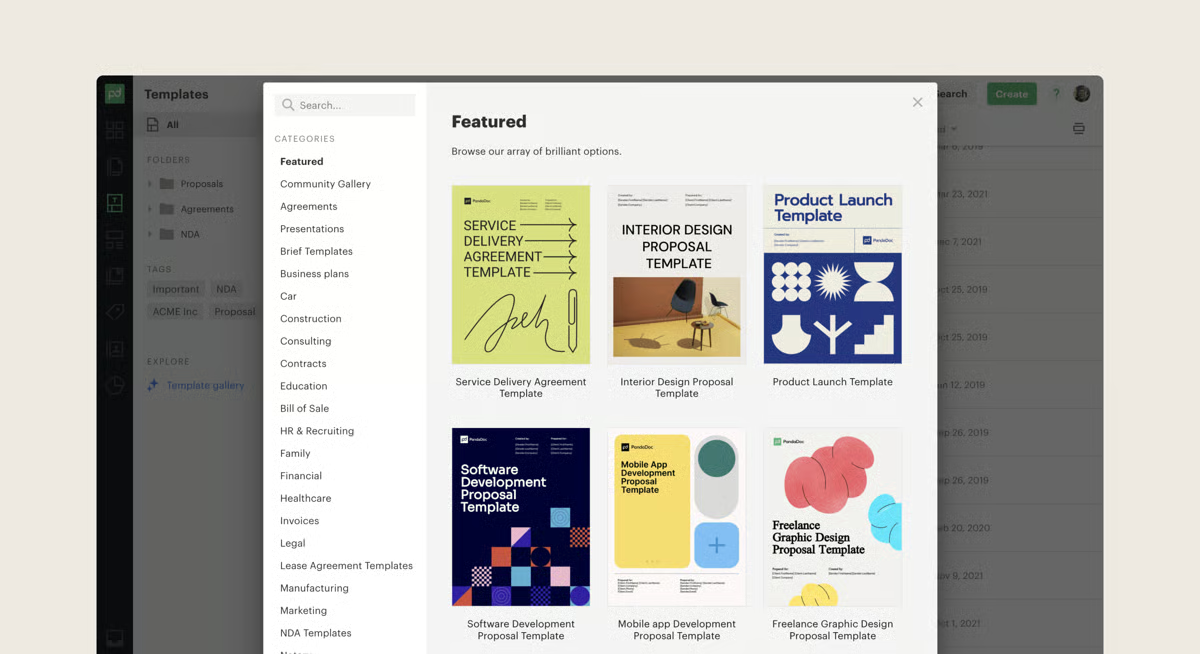
Integrations strengthen PandaDoc’s role inside the sales stack. It connects with CRMs like Salesforce and HubSpot, allowing proposals and quotes to sync directly with pipeline data instead of living separately. That alignment is especially relevant for small and mid-sized businesses, which make up the majority of its user base according to G2. The platform also shows a 9-month estimated payback period on G2, suggesting that teams are able to integrate it into their sales workflow and start seeing operational value within the first year.
The platform’s advanced automation rules and workflow customization give teams significant control over document processes, but reviewers often mention that mastering these capabilities takes time and hands-on configuration. Teams focused on templates, pricing tables, and e-signatures will likely find the core experience straightforward.
PandaDoc also provides a comprehensive environment for creating, sending, and tracking revenue documents, but some users report occasional lag or minor glitches when working with larger or heavily customized files. Occasional slowdowns may surface in high-volume environments, but day-to-day proposal workflows generally run reliably.
Overall, PandaDoc excels when documents are part of a revenue engine rather than isolated files. It connects creation, pricing, tracking, and signatures into a single process that supports sales velocity.
“What I like best about Pandadoc is its ease of use and clean interface, which makes creating and sending documents very simple. The ease of implementation was impressive because we were able to start using it without a long training period. I also appreciate the strong customer support, which is responsive and helpful whenever we have questions. The platform offers a great number of features, from templates to automated workflows, and the ease of integration with CRM and payment tools makes our process smooth. Because of its efficiency my frequency of use is almost daily especially for proposals and cotracts.”
-PandaDoc reviews, Piyush P.
“The only downside we’ve experienced is the annual billing structure. Plans are billed for the full year upfront, and seat counts are locked in for that period. A monthly billing option or more flexible seat adjustment policy would make PandaDoc even better for small businesses.”
- PandaDoc reviews, Jamie B.Tally approaches form building from a different angle. Instead of feeling like you’re configuring software, it feels like you’re writing. The editor is text-first and distraction-free, so building a form resembles drafting a document rather than assembling blocks inside a complex dashboard. That stripped-back experience is one of the most consistent themes in G2 reviews, and it’s reflected in performance data as well, with Tally earning 92% for ease of setup and 92% for ease of use on G2. Getting a form live doesn’t require technical setup or design decisions upfront; you simply write, format, and publish.
Another major differentiator is its free plan structure. G2 reviewers repeatedly point out that Tally allows unlimited forms and unlimited responses without forcing early upgrades. In a category where response caps are common, that flexibility changes how teams experiment with surveys, lead capture, or feedback collection. According to G2’s customer distribution data, 89% of users come from small businesses, which aligns with how attractive that model is for startups, creators, and lean teams.
The interface itself earns separate praise beyond ease of use. Many G2 reviewers describe it as clean and similar to Notion, with a minimal layout that keeps attention on the questions rather than visual controls. This design choice makes longer forms feel lighter and easier to navigate for respondents. While simple on the surface, it doesn’t sacrifice functional depth.
Under the hood, Tally includes strong conditional logic, calculations, hidden fields, and dynamic question flows. Users frequently highlight logic jumps and the ability to build adaptive forms without external plugins. In G2’s customization category, Tally holds 94% for conditional logic and 94% for multi-page forms, reinforcing that it supports structured, multi-step experiences rather than just basic surveys. That balance between simplicity and capability is a recurring strength in reviews.
Integrations are another practical advantage. Tally connects with tools like Zapier, Slack, and Notion, and supports webhooks for more advanced automation scenarios. Submissions can trigger follow-up workflows, update databases, or sync into collaboration tools without manual exports. In G2’s additional functionality data, Tally scores 91% for Notifications and 91% for Mobile Forms, reflecting how well it fits into ongoing operational processes rather than functioning as an isolated form tool.
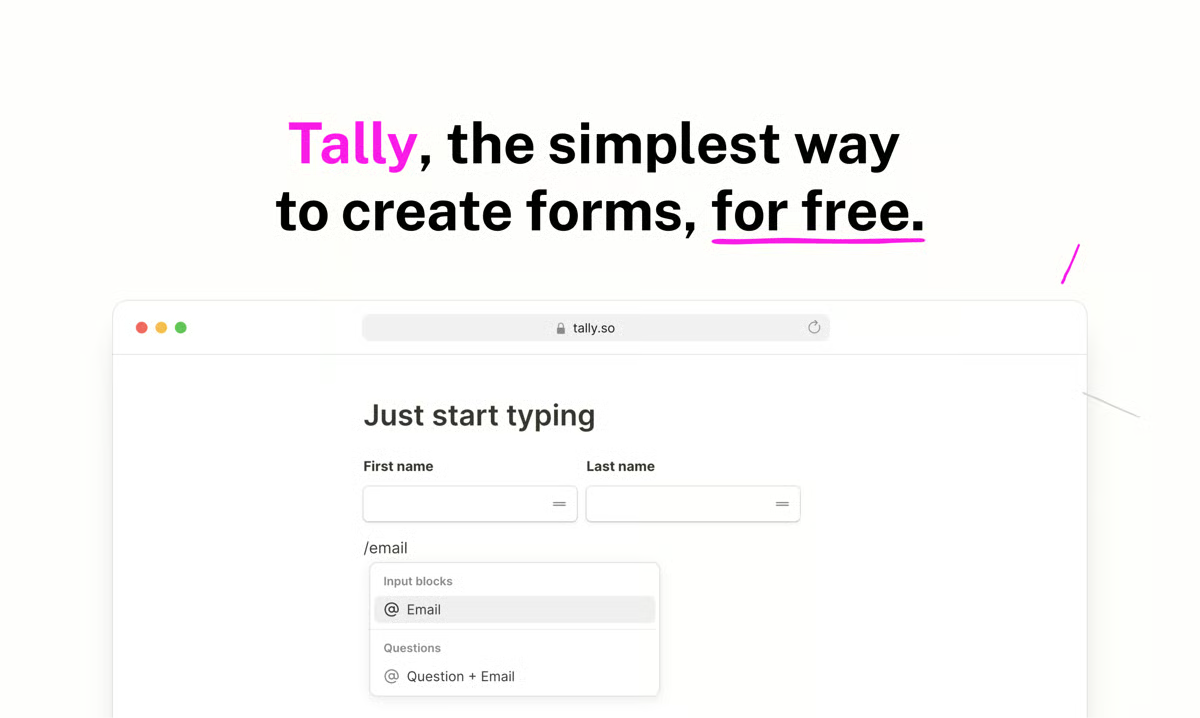
Embedding flexibility adds to that adaptability. Users regularly mention how easily forms can be embedded into websites or shared through direct links without complicated setup. G2 Data shows 92% for embedded forms, supporting its reputation for seamless deployment across landing pages, product sites, and internal portals. This makes it particularly useful for teams who need forms to live inside existing digital environments rather than on standalone pages.
Tally’s clean, text-first design makes forms quick to launch and easy to read, but reviewers note that advanced visual customization and deep branding controls are more limited than in design-focused platforms. For highly stylized, brand-heavy forms, some marketing teams may want more design flexibility, whereas creators and small teams focused on clarity and speed will likely find this setup effective.
The platform’s lightweight logic and integrations keep workflows simple and fast to manage, but some users mention that it lacks the depth of enterprise-grade workflow management and complex automation frameworks. Enterprise-grade approval layers and compliance demands may push some larger organizations toward additional tools, while startups, educators, and small teams will likely find the current feature set sufficient.
Overall, Tally combines unlimited usage, strong built-in logic, seamless embedding, and practical integrations inside a clean, text-driven builder. For individuals and growing teams who want power without complexity, it delivers a streamlined yet capable form experience that scales naturally with everyday needs.
“I like Tally because it is so easy to use and requires no setup. I can create forms in minutes, and the integration with CRM systems is straightforward. I also appreciate that no special training is needed to start working with it. The support is good, and I particularly enjoy the data capturing feature, which even captures partially filled data. Using Tally with n8n and Zoho CRM for automation has been seamless. We use Tally. So almost daily for our events, internal workflows, etc.”
- Tally review, Ashutosh J.
“There's a bit of complexity in some of the logic and calculation things, which can be overwhelming from a novice point of view.”
- Tally review, Amanda M.
Online forms are just the starting point for capturing leads. Explore the best free lead generation tools that help turn form submissions into qualified opportunities.
In Wrike, a form submission is never just a response sitting in a dashboard. The moment a request comes in, it turns into a fully trackable task with owners, deadlines, and workflow stages already defined. Forms feel less like surveys and more like structured intake pipelines that immediately feed into active project execution.
Project and task management are clearly at the core of Wrike’s value. G2 reviewers consistently highlight its structured task tracking, multiple work views like List, Board, and Gantt, and the visibility it provides across projects. That depth is reflected in its performance metrics, with 95% likelihood to recommend and 96% product going in the right direction on G2. Instead of treating forms as isolated submissions, Wrike ties them directly into timelines, dependencies, and ownership, which is particularly valuable for cross-functional teams managing complex initiatives.
Workflow customization is another major strength. Users frequently mention configurable workflows, status controls, automation rules, and approval processes that can be tailored to specific operational needs. In G2’s customization category, Wrike holds 93% for custom fields and 92% for conditional logic, supporting how adaptable it is when structuring intake processes. This flexibility allows organizations to build standardized intake pipelines where each submission follows a predefined path without manual coordination.
Reporting and dashboards add another layer of control. Reviewers often reference customizable dashboards, workload visibility, and performance reporting tools that help managers track progress in real time. Instead of relying on static exports, teams can monitor task volume, deadlines, and resource allocation directly within the platform. That reporting capability supports Wrike’s strong mid-market and enterprise presence, with G2 customer data showing 20% mid-market and 3% enterprise usage, indicating adoption beyond small-team use cases.
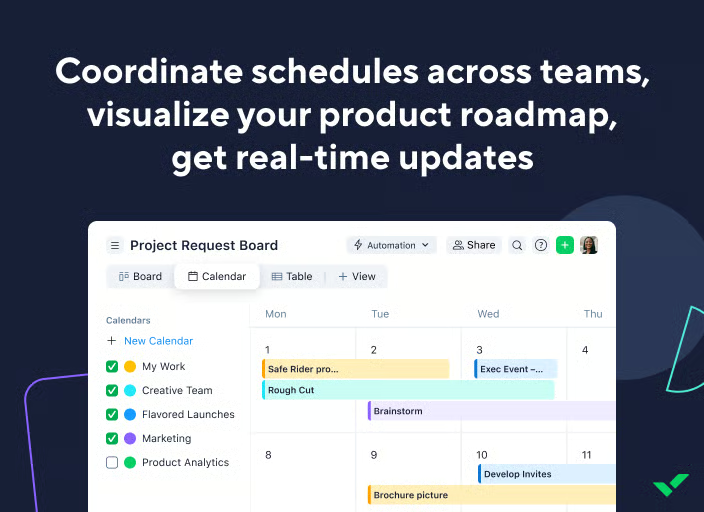
Collaboration tools are deeply embedded in the workflow. Comments, file attachments, real-time updates, and cross-team visibility are repeatedly mentioned in G2 reviews as strengths. Wrike centralizes conversations around tasks, reducing reliance on scattered email threads. In G2’s additional functionality data, it scores 91% for Notifications and 92% for Mobile Forms, reinforcing that teams can stay aligned across devices and in real time.
Enterprise integrations further expand its reach. Users frequently reference integrations with Salesforce, Adobe, Microsoft tools, and other business systems, allowing intake forms and project data to sync across departments. With a 76% user adoption rate and a 10-month estimated payback period on G2, Wrike demonstrates that organizations not only implement it at scale but also integrate it into long-term operational workflows.
Wrike delivers deep workflow configuration, layered project structures, and advanced reporting capabilities that give teams significant operational control. However, G2 reviewers frequently note that fully mastering these features takes time and training, especially for users new to structured project management systems. For smaller teams seeking a simple, standalone form tool without broader project infrastructure, the platform may feel more complex than necessary during onboarding. For organizations that rely on standardized processes and automation across departments, that depth becomes a long-term advantage.
The platform also supports large-scale collaboration with multi-project visibility and detailed data tracking. At the same time, some G2 users mention occasional lag or slower load times, particularly in expansive workspaces with high data volume. Some performance variability may surface in highly complex enterprise environments, but for most teams managing standard workflows, the platform continues to perform reliably.
Taken together, Wrike positions forms as the starting point of structured work rather than standalone submissions. It combines intake automation, project management depth, reporting visibility, and cross-team collaboration inside one connected environment.
“Wrike feels like a complete package when it comes to project management and work collaboration tools. On top of that, it’s by far one of the most leading-edge options in terms of AI and innovation, helping revolutionize how we work every day.”
-Wrike review, Sherrie B.
“The onboarding experience can feel a bit overwhelming at first. Wrike is extremely powerful, but that comes with a learning curve, especially when working with complex automations, custom fields, and advanced workflows. It takes some time (and trial and error) to understand how everything connects. The mobile app is another area for improvement. It handles basic task management well, but doesn’t offer the full depth of desktop features. For teams that rely heavily on mobile, better feature parity would help. That said, once you get past the initial setup, Wrike becomes a highly robust and flexible project management tool.”
- Wrike review, Jagan Kumar T.Have more questions? Find more answers below.
Online form builders are software platforms that let you create digital forms for collecting data, feedback, payments, or requests without writing code. Most tools use drag-and-drop editors and include features like conditional logic, templates, integrations, and response analytics.
The best online form builder depends on your use case:
There isn’t a single “best” tool, the right choice depends on whether you prioritize design, automation, reporting, integrations, or workflow execution.
If your goal is quick and flexible form creation, Jotform, Tally, and Microsoft Forms are strong starting points. If you need marketing automation connected to forms, ActiveCampaign is more suitable. For structured business processes where submissions become tasks or approvals, ClickUp, Wrike, or Laserfiche may be better aligned.
A great online form builder typically offers:
The strongest platforms balance ease of use with long-term flexibility.
Start by defining your primary goal:
Then evaluate pricing tiers, submission limits, and integration compatibility with your existing tech stack.
When comparing tools, focus on:
Different teams will prioritize these differently, so alignment with internal workflows matters more than feature volume.
Yes. Many platforms offer free plans:
Free plans are ideal for low-volume usage, but growing teams may need paid tiers for advanced features and higher response limits.
There are open-source web form builder tools available, typically used by developers who want full control over customization and hosting. However, most businesses prefer SaaS platforms like Jotform, Typeform, or Microsoft Forms because they provide built-in hosting, analytics, integrations, and security without requiring development resources.
Several platforms support signatures:
If signature collection is central to your workflow, prioritize tools with native signature functionality rather than third-party add-ons.
Most modern form builders store submissions in built-in databases or allow exports to spreadsheets and CRMs.
The best choice depends on whether you need simple storage, CRM syncing, or structured workflow databases.
To create a free form online:
Free plans typically include limits on submissions, branding removal, or advanced features.
When I evaluate the best online form builder software, I’m not looking for the most recognizable name or the highest rating alone. I’m looking for clarity on how the tool fits into the way a team collects information, where that data flows next, and what actions it triggers.
Across the 10 platforms in this guide, I saw meaningful differences. Some lean heavily into customization and logic. Others are built for structured surveys, document workflows, or task-driven intake. A few shine in marketing automation, while others are stronger in operational routing and control. Each one solves a specific type of problem.
From my perspective, the real value comes down to alignment. When a form builder matches your workflow, submissions don’t pile up in dashboards, reporting feels more natural, and growth doesn’t force you into a platform switch a year later.
If your focus is primarily on surveys and feedback collection, you can also explore our guide to the best survey tools for a deeper look at analytics, question logic, and research-focused features.


To find the best free online form builders for small businesses in 2026, I worked through G2...
.png) by Devyani Mehta
by Devyani Mehta

If you own event operations, marketing execution, or venue coordination, the best event...
 by Gunisha

I evaluated 15+ tools using G2 data and reviews to finalize the six best marketing calendar...
.png) by Tanuja Bahirat
by Tanuja Bahirat