


I know how critical consistent lead flow is once you’re past the experimentation phase and focused on growth. At that point, the challenge isn’t whether you need lead generation software; it’s finding a solution that actually works without forcing you into an expensive long-term commitment.
For teams operating with tight budgets or scaling gradually, I see free lead generation tools as a practical way to generate, manage, and nurture leads without sacrificing functionality. Many of these tools still offer essentials like contact management, email outreach, and performance tracking, enough to support real sales efforts.
In this list, I break down the ten best free lead generation tools based on real user experiences, covering their features, strengths, and limitations to help you confidently choose the right tool for your next stage of growth.
*The software list is arranged alphabetically. These tools offer free trials, free forever options, or freemium models.
Need help comparing the best free lead generation solutions? This table gives you a quick overview.
|
Best free lead generation
|
G2 Rating
|
Free plan
|
Paid plan
|
| ActiveCampaign | 4.5/5 ⭐️ | 14-day free trial | Starting at $15.00 |
| Apollo.io | 4.7/5 ⭐️ | Yes, feature-limited | $49/user/month |
| CUFinder | 4.8/5 ⭐️ | Yes, feature-limited | $49/user/month |
| Freshsales | 4.5/5 ⭐️ | 14-day free trial | Starting at $9.00 |
| Lusha | 4.3/5 ⭐️ | Free-trial available | Starting at $29.90 |
| Mr. E by EasyLeadz | 4.6/5 ⭐️ | Free-trial available | Starting at $60/month |
| Salesforce Sales Cloud | 4.4/5 ⭐️ | Free-trial available | $25/user/month |
| Seamless.AI | 4.4/5 ⭐️ | Yes, feature-limited | Available on request |
| Popl | 4.6/5 ⭐️ | Free-trial available | Available on request |
| ZoomInfo Sales | 4.5/5 ⭐️ | 7-day free trial available | Available on request |
*All pricing details mentioned in the article are based on publicly available data at the time of publication and are subject to change.
Lead generation has become a top priority for businesses looking to attract, engage, and convert potential customers in an increasingly competitive digital landscape. As more companies invest in data-driven marketing and sales strategies, demand for lead-generation tools continues to rise. In fact, the lead generation software market reached $5.39 billion in 2024 and is expected to grow to $8.3 billion by 2029, expanding at a CAGR of 9%.
What stood out to me while reviewing this category is that effective lead generation doesn’t always require a large budget. Many tools offer free plans or trials that support core activities like lead capture, form creation, email outreach, landing pages, and basic automation, making them especially useful for startups, small businesses, and growing teams.
In this list, I’ve rounded up the 10 best free lead generation tools based on real user feedback, ease of use, and the practical value of their free offerings. I’ll break down what each tool does best, where it has limitations, and which types of teams it’s best suited for, so you can start generating leads without upfront costs.
To build this list, I started with G2 data, shortlisting top-rated tools based on their G2 scores and consistent performance in the lead generation software category.
From there, I reviewed product features and recent, verified user feedback to confirm that these tools deliver real value and to understand where each one excels, whether that’s lead capture methods, form and landing page capabilities, contact enrichment, or CRM integrations.
The goal was simple: to see whether these lead generation tools live up to their claims, what each one is best for, and whether there’s a free version or free trial you can try with minimal risk. Since this is a free-focused list, I paid close attention to what you can actually do without paying, such as lead or contact limits, access to core capture features, automation restrictions, and any caps that might encourage teams to upgrade.
The screenshots featured in this article may be a mix of those taken from the vendor’s G2 page or from publicly available materials.
Lead generation solutions simplify finding and attracting potential customers. They capture contact information through forms and landing pages, manage and nurture leads, and track interactions with prospective clients.
The following free lead generation software list features genuine user reviews. It’s important to note that vendors offering free trials are also classified as free in this context. To be included in this category, a solution must:
*This data was pulled from G2 in 2025. Some reviews may have been edited for clarity.
ActiveCampaign is an AI-powered marketing automation platform designed to help businesses create personalized, cross-channel customer experiences. It enables marketers to run goal-aware automations across email, SMS, WhatsApp, and other channels using AI-driven insights and agents. With built-in CRM capabilities, creative tools for on-brand content, and integrations with over 1,000 apps, ActiveCampaign helps teams automate campaigns, optimize workflows, and manage customer relationships from a single platform.
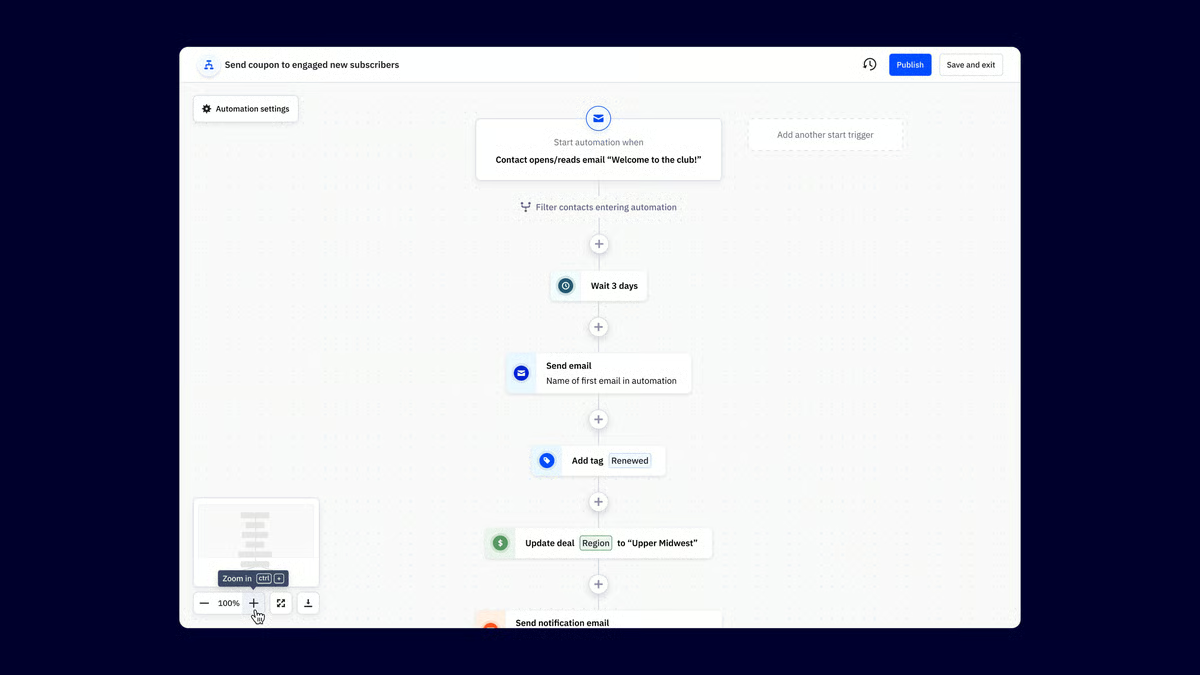
| Pros of ActiveCampaign | Cons of ActiveCampaign |
| Powerful automation for email marketing and customer journeys | Steep learning curve during setup and onboarding |
| Scales well for advanced marketing automation needs | Pricing is higher than many competitors |
| Strong personalization and audience targeting capabilities | Some features require higher-tier plans |
"ActiveCampaign is a solid automation builder, something that facilitates the creation of complex customer journeys. The program consists of an inbuilt CRM system, something that makes it efficient to track all leads. ActiveCampaign is credible in handling strong segmentation, and this guides specific messages to share. The outreach process from this app is supported by diverse channels, and this ensures easy follow up. ActiveCampaign has fundamentally integrated with diverse tools, including analytics and CRMs, among others."
- ActiveCampaign review, Samantha L.
"Nothing to complain about so far. It’s been great thus far and has everything I need."
- ActiveCampaign review, Christian K.
Generating leads is only half the equation, capturing them effectively matters just as much. Compare the best online form builders to create high-converting forms for your website and campaigns.
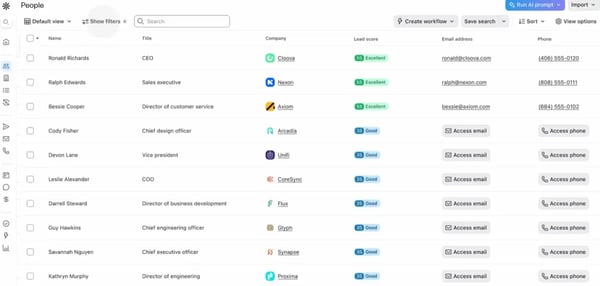
Apollo.io is a powerful sales intelligence platform that enhances your lead-generation efforts. It offers a solid contact database, website visitor tracking, and handy search filters to help you find the right leads. Plus, it integrates with your customer relationship management (CRM) tool, making it easier to manage your outreach. According to G2 Data, Apollo.io ranks #2 for ease of use among lead scoring software tools.
|
Pros of Apollo.io
|
Cons of Apollo.io
|
|
Comprehensive contact and account database
|
Limited features in the free plan
|
|
Easy to create sequences and build touchpoints
|
A few instances of incorrect mobile information
|
|
Clean, organized, and user-friendly dashboard
|
The plugin is only available for Chrome
|
“Apollo has been a game changer in my sales strategy. From identifying prospects and leads, ease of LinkedIn integration, and accuracy and relevancy of information, this platform is the first thing that gets opened in my browser every day. Apollo is the easiest tool I use day in and out to keep me organized and on top of my pipeline.”
- Apollo.io review, Carl M.
“One thing I dislike about Apollo.io is that the data accuracy can sometimes be hit or miss. Occasionally, the contact information is outdated or incorrect, which can be frustrating when trying to reach out to potential leads.”
- Apollo.io review, Laura C.
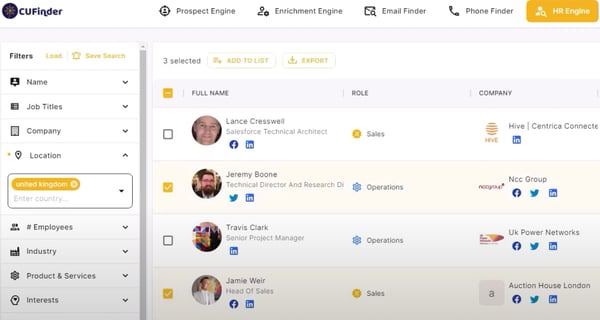
CUFinder is a versatile tool that helps you connect with leads, partners, and collaborators. Its extensive database and customizable search options make it easy to find and reach key contacts across various industries. With CRM and marketing automation platforms (MAP) integrations and fast application programming interfaces (APIs), CUFinder facilitates lead generation and keeps your data organized. According to G2 Data, CUFinder ranks #6 for ease of use among lead mining software tools.
|
Pros of CUFinder
|
Cons of CUFinder
|
|
Eliminates irrelevant prospects
|
Missing robust analytics functionality
|
|
Fresh and up-to-date data
|
Limited integrations
|
|
Bulk search and individual search
|
Data inconsistencies
|
“I love the CUFinder prospecting engine. It has so many filters, and the fact that you can search companies and individuals is so beneficial for me and my marketing team. Also, I have a small business, so I have a limited budget, and CUFinder has the most budget-friendly prices in this field. That is their strongest point for me.”
- CUFinder review, Elena A.
“CUFinder has its own set of notable shortcomings. The platform lacks fundamental features, such as the ability to rename lists or filter saved leads, resulting in frustration. Furthermore, CUFinder suffers from significant data inaccuracies every once in a while, including numerous incorrect and missing phone numbers, prompting me to consider a more costly plan. Additionally, we quickly finish our credits, highlighting the need for a more generous credit allocation.”
- CUFinder review, Kayvon O.
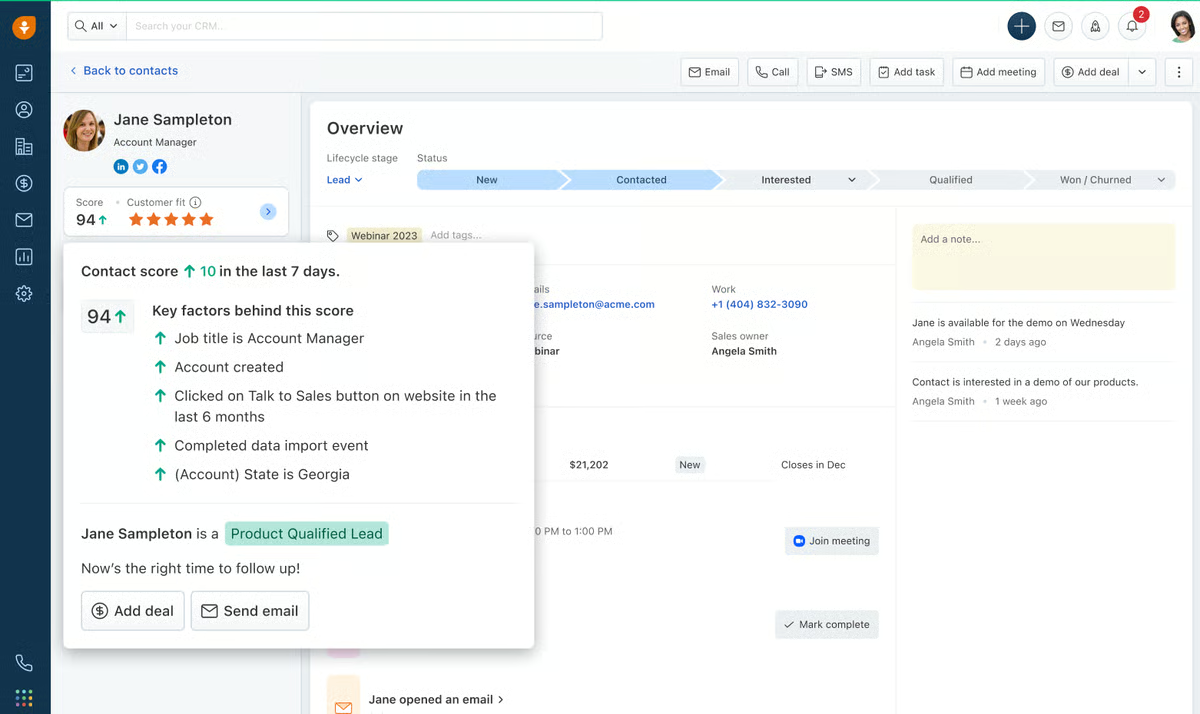
Freshsales is an AI-powered sales CRM designed to help sales teams manage leads, build pipelines, and close deals more efficiently. It provides a 360-degree view of contacts and accounts, allowing sellers to engage prospects with better context through built-in phone, email, and chat tools. With pipeline management, sales automation, and AI-driven insights from Freddy AI, Freshsales helps teams improve productivity, track performance, and boost conversions across the sales cycle.
| Pros of Freshsales | Cons of Freshsales |
| Easy-to-use and intuitive interface | Limited customization and data access in some modules |
| Quick setup with smooth onboarding | Missing features for advanced sales use cases |
| Responsive and supportive customer service | Performance issues such as bugs and slowdowns |
"I like how cost-effective Freshsales is; for the cost, you're getting an entire suite with many features like sequences and email bulk facility. It was really easy to set up everything as it provides step-by-step guidance. We created account fields and a company, and Freshsales provides templates for other things. We tested email health without connecting the inboxes, then tested it with DKIM, SPF & DMARC setup on Freshsales. You can use Sequences for sending emails using certain logic, like sending follow-ups to clients who opened emails. It allows you to send automated email campaigns, and with bulk email, we can send a single email as a campaign and personalize every aspect of each email."
- Freshsales review, Mannu
"Freshsales overall is quite a good product, but sometimes the advanced automation and reporting features seem a bit complex, especially for new users. If there were simpler tutorials or guided setups for these features, onboarding could be even easier. The mobile app performance could also be improved a bit more."
- Freshsales review, Dheeraj K.
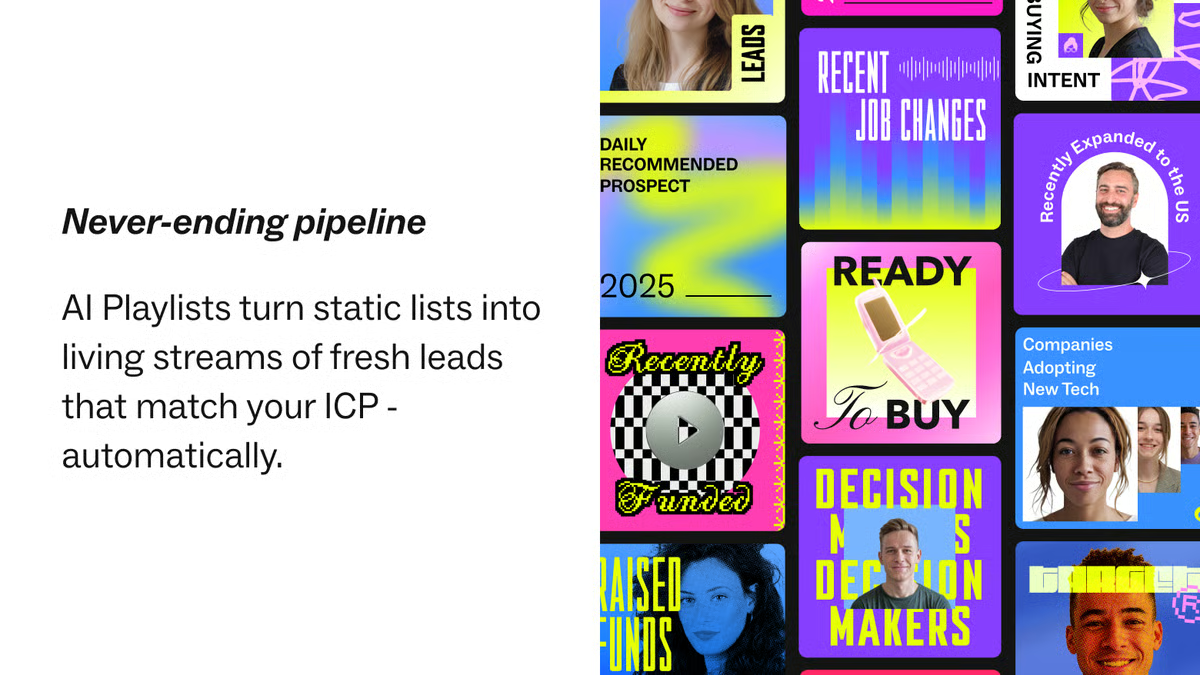
Lusha is another powerful sales intelligence tool that makes ‘hitting your revenue goals’ easier. Whether you are an account executive, sales rep, or team lead, Lusha has something for everyone. It offers features like prospect search for generating leads, automated data enrichment, and intent data for personalized outreach to engage with the right prospects more effectively.
|
Pros of Lusha
|
Cons of Lusha
|
|
Helpful Chrome extension for extracting data
|
Limited free credits
|
|
Reduces time for research with easy and fast contact search
|
Restricted filter choices
|
|
Offers high security and privacy standards
|
Instances of inaccurate data
|
“Lusha definitely takes the win due to its ease of usage, the time it takes to mass download tons of leads, and also data enrichment.”
- Lusha review, Tarun S.
“The only drawback is that you only get 5 credits with its free version, and the cost to upgrade is a little expensive.”
- Lusha review, Mahidhar A.
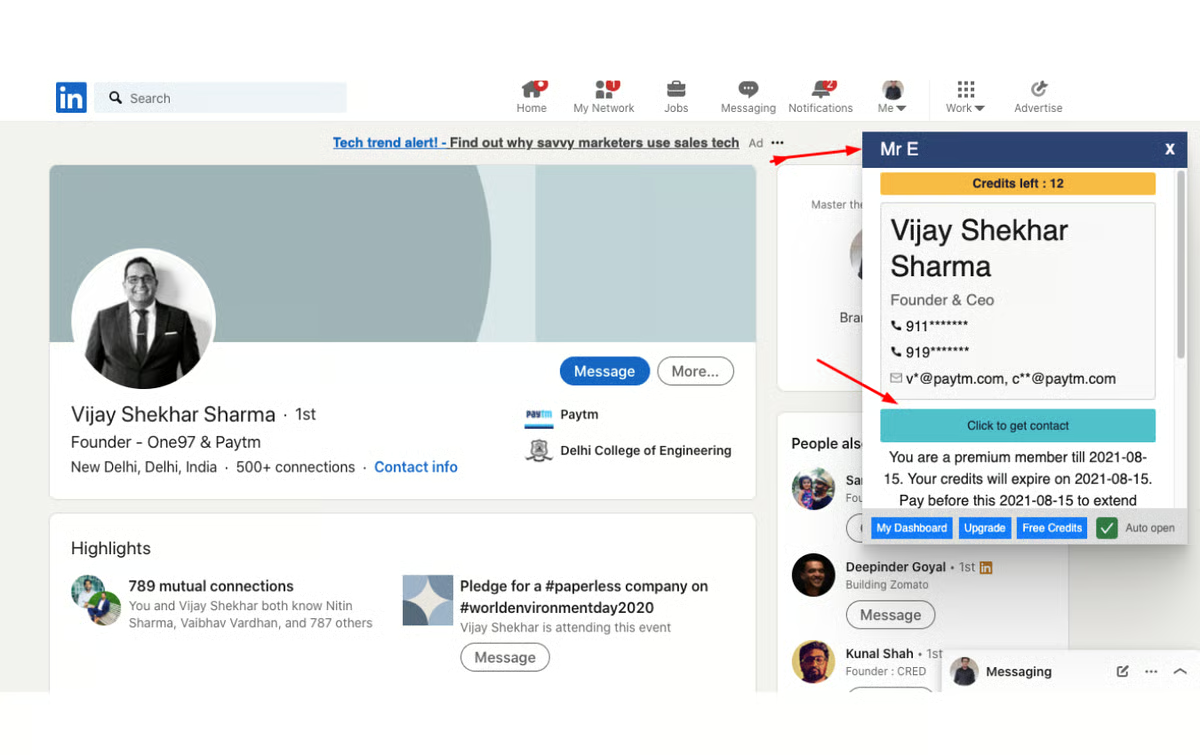
Mr. E by EasyLeadz helps you quickly find potential customers, whether you're a marketer, startup, or established business. It shortens the process by providing direct contact numbers for your ideal prospects. By extracting information from LinkedIn profiles and other sources, Mr. E lets you bypass gatekeepers and connect directly with decision-makers.
|
Pros of Mr. E by EasyLeadz
|
Cons of Mr. E by EasyLeadz
|
|
Direct access to verified contact information
|
UI is outdated
|
|
Straightforward to operate
|
Upgrading can be costly
|
|
Very convenient to get the contact numbers
|
The data accuracy is lower in markets outside India
|
“EasyLead is an exceptionally user-friendly platform for finding new leads and accessing their contact information. They verify the contact details, which boosts confidence when using the platform to connect with the right people. One unique feature they offer is the opportunity to contribute to their database and earn credits in return, which sets them apart from similar platforms. EasyLead can also be easily integrated with Google Chrome and LinkedIn, allowing hassle-free searches at any time.”
- Mr. E by EasyLeadz review, Shashwat S.
“The free credits are limited, and you have to spend credits to view the repeated contacts as well.”
- Mr. E by EasyLeadz review, Rahul R.
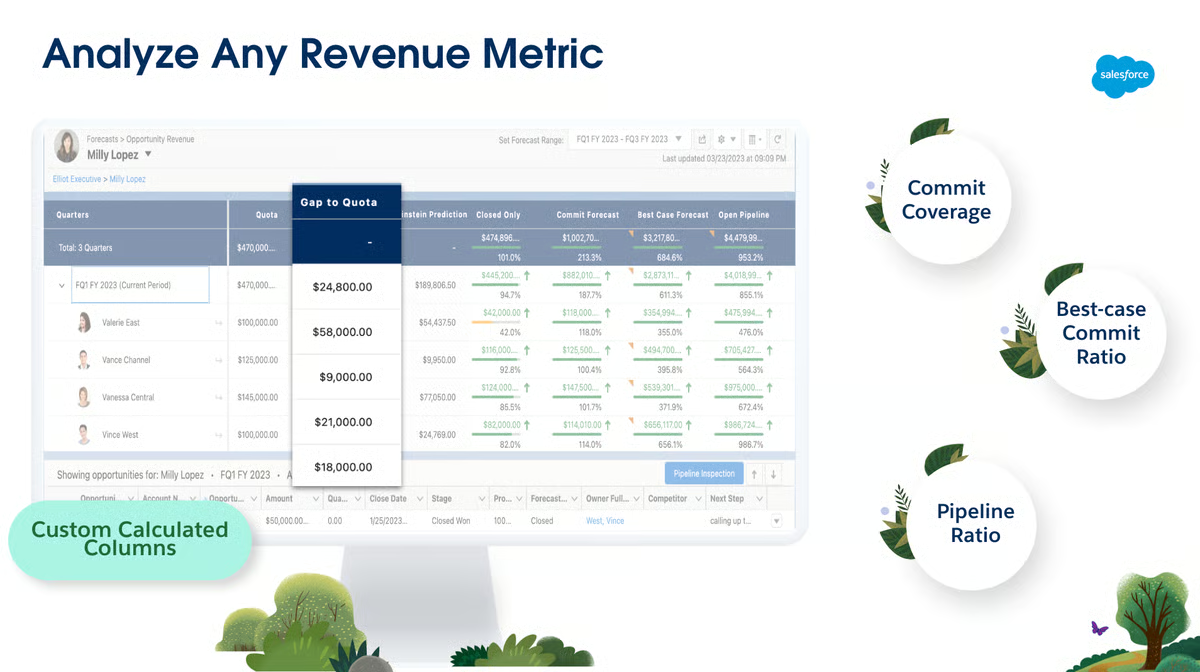
Salesforce Sales Cloud is your all-in-one solution for managing and growing your sales pipeline. This CRM offers powerful tools for tracking and nurturing leads, automating sales workflows, and gaining deep insights into sales metrics. With features like AI-powered predictions, data-driven automation, and seamless integration with other Salesforce products, Sales Cloud helps sales teams accelerate their pipeline and drive revenue growth. According to G2 Data, Salesforce Sales Cloud ranks #1 for ease of use among lead scoring software tools.
|
Pros of Salesforce Sales Cloud
|
Cons of Salesforce Sales Cloud
|
|
Sufficient customizing options
|
Steeper learning curve
|
|
Ample integrations with third-party tools
|
Advanced features can be expensive
|
|
Ability to automate routine tasks
|
Time-consuming setup
|
“It's highly customizable, and I use it every single day. I don't believe my company could achieve what we have achieved without this tool. It seamlessly integrates with most tools in the market, allowing for a one-of-a-kind experience in sales and pipelines. You need just a little practice to soon become a pro using this tool for all your sales needs. Never had any issues with it. But, whenever you need help the team has a quick SLA, and soon you're back on track.”
- Salesforce Sales Cloud review, Rafael T.
“It can be expensive to gain access to advanced features, and the "customer support" team is highly focused on upselling, which can be frustrating. There is a steep learning curve, and the base platform needs a lot of customization to be user-friendly.”
- Salesforce Sales Cloud review, Travis W.
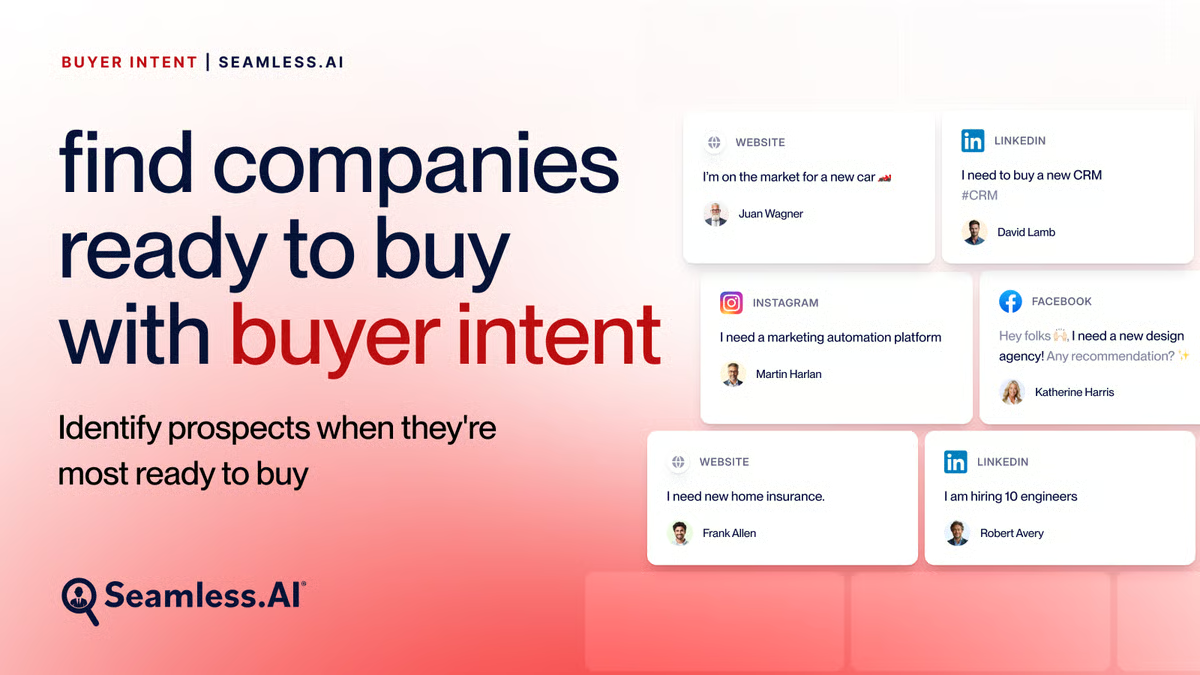
Seamless.AI takes sales intelligence to the next level by skipping the traditional database approach. This B2B lead generation tool uses AI-powered web crawling to find, verify, and validate contact details in real time. Instead of relying on outdated, pre-loaded data, Seamless.AI ensures you’re reaching the right decision-makers with the most up-to-date info out there.
|
Pros of Seamless.AI
|
Cons of Seamless.AI
|
|
AI-powered features
|
Unresolved bugs in the program
|
|
Easy LinkedIn and CRM integration
|
Takes longer to download the contact list
|
|
Helpful customer support team
|
Real-time data retrieval can lead to slower response times
|
“I am in B2B Sales. Oftentimes, I can find the name or department of the person that I need to contact, but I do not have the contact information for that person. Seamless.AI has that information. I've been able to dramatically increase the number of contacts at my leads and accounts by using Seamless.”
- Seamless.AI review, Doug F.
“There are occasional glitches with Seamless.AI where it gets stuck while trying to find contact information for a specific individual. This can prevent me from accessing the information for up to 30 minutes. Additionally, there are times when Seamless doesn't allow me to upload a new email into my CRM, even after I have confirmed its validity.”
- Seamless.AI review, Mattie S.
Popl is an in-person go-to-market platform built for teams that generate revenue from conferences and events. It enables users to scan badges, capture and enrich lead data, and sync contacts directly to their CRM in real time. Powered by AI, Popl eliminates manual data entry by automatically pulling contact details such as job titles, emails, and LinkedIn profiles. With customizable lead qualifiers, automated follow-ups, ROI tracking, and native CRM integrations, Popl helps teams measure event performance and turn in-person interactions into measurable revenue.
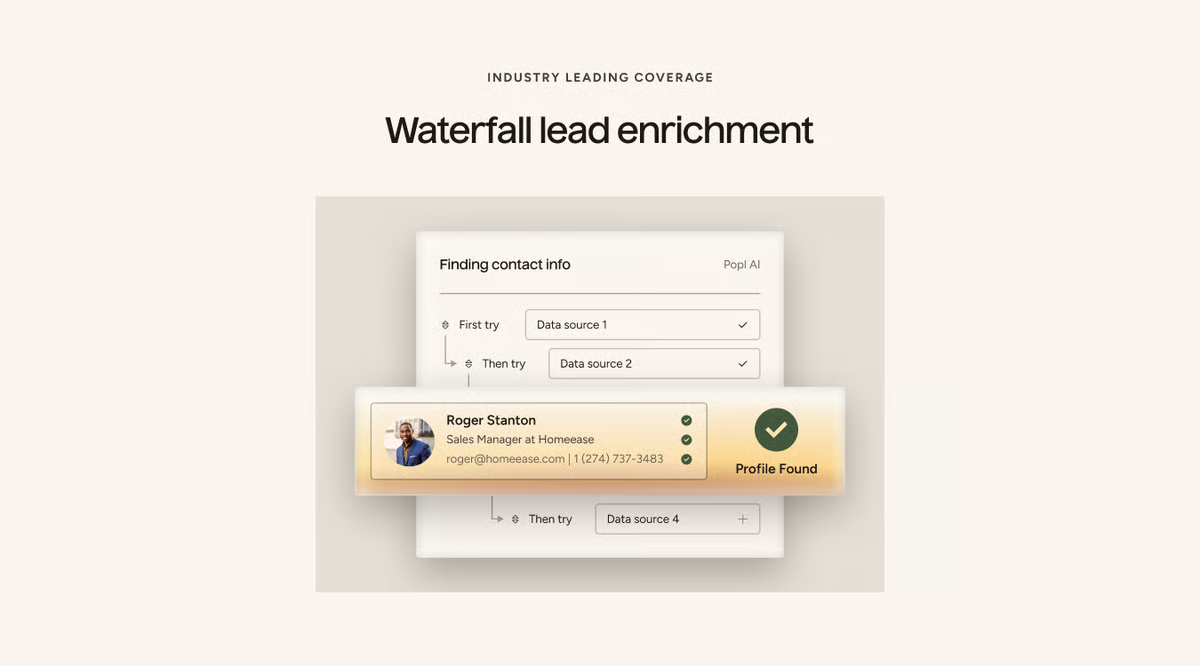
| Pros of Popl | Cons of Popl |
| Extremely easy to use for sharing contact information | The cost of tap cards and subscriptions can feel high |
| Fast, tap-based data sharing saves time at events | Premium features require additional paid plans |
| Handy widgets make sharing effortless on mobile devices | Limited customization for card design and branding |
"I received a Popl digital business card as a gift, and honestly, it’s way cooler than I expected. It’s such a smart, modern way to share your info, and no more digging for paper cards or hoping someone actually keeps them. With one tap, all my links, contact info, and socials are right there on their phone.
I love how customizable it is and how easy it makes networking feel, especially at events. It feels professional but also very “now.” Definitely one of those gifts you don’t realize you need until you have it."
- Popl review, LaDonna D.
"I wish the card page were more configurable so I could make my card look unique."
- Popl review, Ariana B.
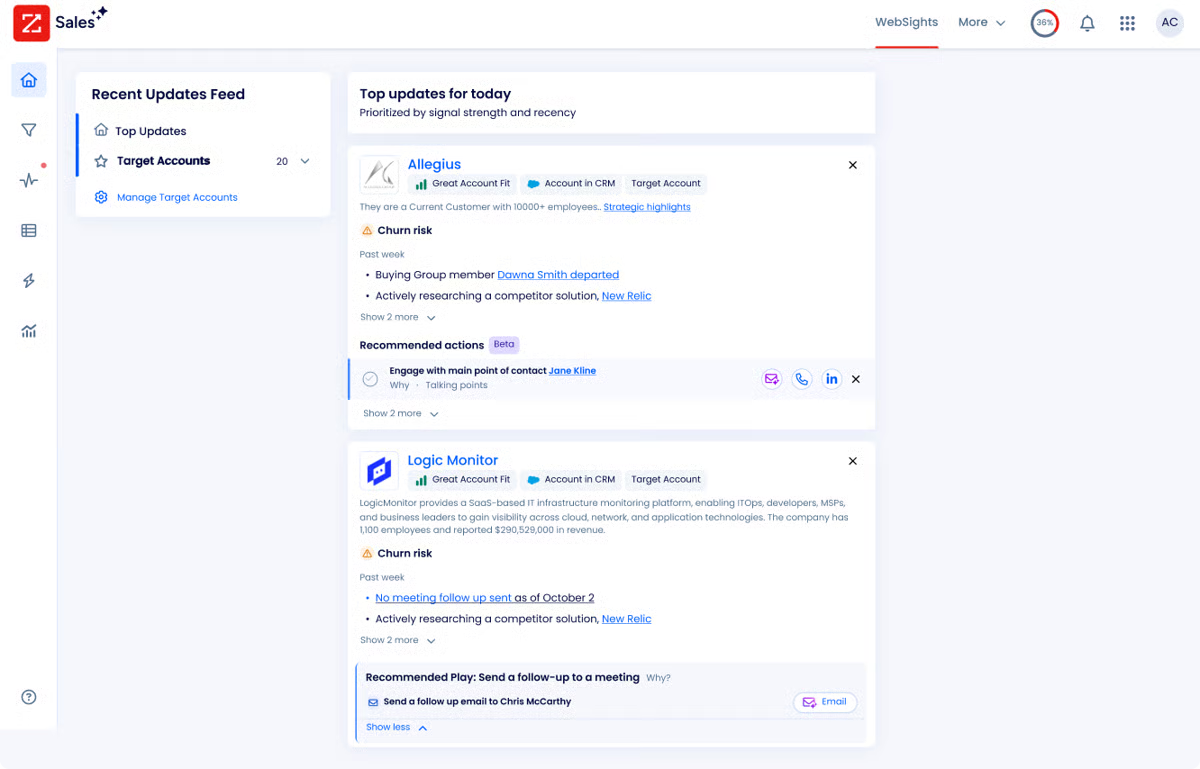
ZoomInfo Sales provides a strong foundation for lead gen by offering a wealth of business and contact data. It lets you build a comprehensive profile of potential customers, identify key decision-makers, and understand their buying behavior. By using buyer intent signals and automating tasks, ZoomInfo Sales simplifies your sales process and increases your chances of closing deals.
|
Pros of ZoomInfo Sales
|
Cons of ZoomInfo Sales
|
|
Helpful in stakeholder mapping
|
Occasional inaccuracies in contact information
|
|
Chrome extension collects prospect info without switching tabs
|
Onboarding can be cumbersome
|
|
Easy to implement and integrate into daily business practices
|
Paid plans may be less viable for smaller businesses
|
“I like that I can get contact information for any prospect right from my browser using their Chrome extension. I never have to leave the company's page or LinkedIn. My company has it set up to directly sync to Salesforce, so I don't have to do any sort of manual input.”
- ZoomInfo Sales review, Matthew B.
“Obviously, all of the data isn't perfect, and there can be time lags or incorrect organization charts. I'd also like an easier way to pass saved search results directly to my CRM for flagging.”
- ZoomInfo Sales review, Glen C.
While free tools might have limitations, they can still be highly effective in identifying and nurturing qualified leads. By focusing on your target audience, crafting compelling content, and utilizing lead scoring features, you can significantly improve the quality of leads generated.
Free lead gen software typically offers:
The specific features offered can vary between different free tools.
The frequency of data updates varies by tool. Always check the data update policies of your chosen tool to ensure it meets your needs.
Yes, you can use free tools to nurture leads, although the core features might be limited. These tools often allow you to segment your leads and send basic nurture campaigns.
Free tools often have limited lead credits, fewer search filters, restricted access to premium features, and reduced customer support options. Evaluate these limitations to see if the free version meets your business needs or if a paid plan might be necessary.
Compared to spreadsheets or manual research, lead generation tools offer speed, accuracy, and scale.
Manual methods are time-consuming and prone to errors. Tools like Apollo.io, ZoomInfo Sales, and Seamless.AI automate prospect discovery and enrichment, while Freshsales and Salesforce Sales Cloud centralize and track leads more efficiently.
Many inbound-focused tools do.
Inbound tools attract leads through content, forms, and engagement, while outbound tools proactively identify and contact prospects.
Many teams use both approaches together.
Yes, CRM integration is a core feature.
Most tools integrate with platforms like Salesforce Sales Cloud and Freshsales, allowing seamless lead sync, enrichment, and follow-up. ActiveCampaign, Apollo.io, ZoomInfo Sales, and Seamless.AI all support CRM integrations.
Yes, automation is a major benefit.
Yes, especially inbound-focused tools.
ActiveCampaign works well for e-commerce lead capture, segmentation, and email nurturing. Popl can also support in-person eCommerce brands at events. Outbound tools like ZoomInfo Sales are less common in B2C eCommerce but useful for wholesale or partnerships.
Lead generation software is essential for businesses seeking to expand their customer base. They help you find new customers, keep track of potential clients, and figure out who’s most likely to buy. While there are fancy, big-ticket options out there, the free tools we’ve listed offer a solid starting point with access to core features like contact databases, CRM integration, and search functionalities.
We hope this compilation helps you select the ideal free lead generation software to propel your sales efforts forward.
If you’ve already got a lead generation engine in place and are looking for a solution that can help you qualify those leads, check out lead scoring software.
This article was originally published in 2024. It has been updated with new information


Lead scoring plays a central role in ranking prospects consistently, helping replace intuition...
 by Somya Jain

If you’re evaluating the best lead capture software, chances are something isn’t working as...
 by Sagar Joshi

Early in my career, I worked with a small D2C company with a great product and a motivated...
.png) by Devyani Mehta
by Devyani Mehta