


Are you an HR generalist struggling to manage your rapidly growing team and drowning in paperwork?
I know how overwhelming it can be to juggle employee records, payroll, and benefits while keeping everything accurate and compliant. Manual processes, endless documentation, and the constant risk of errors can quickly drain time and resources.
Free HR management (HRM) software offers a solution by centralizing employee data, simplifying complex tasks, and providing valuable insights at no expense. It is like a virtual assistant that handles everything from recruitment and employee onboarding and training to employee records, time-off requests, and performance reviews. The best part? You don't need a big budget to implement it.
These systems are essentially modular in nature, allowing organizations to scale up and customize as they grow.
Whether you're an HR manager managing a fast-expanding team or a small business owner seeking efficiency, we've got the best free HR management software listed for you. The list features the top performers in the HRM category that offer either a free version or a free trial, along with their key features, pros, cons, and detailed reviews from verified G2 users who have tried these products.
*The software list is arranged alphabetically. These tools offer free trials, free forever options, or freemium models.
If you feel overwhelmed by the wealth of information about free HR management software, this comparison table will help you with all the important aspects:
| Best free HR management software | G2 Rating | Free plan | Paid plan |
| Access PeopleHR | 4.1/5 ⭐ | 14-day free trial | $4.04/month/user |
| Asanify | 4.9/5 ⭐ | 14-day free trial | $24.90/month/user |
| BambooHR | 4.4/5 ⭐ | 7-day free trial available | Available on request |
| Breathe | 4.4/5 ⭐ | Free trial available | From $22/ month for a team of 1-10 employees |
| greytHR | 4.5/5 ⭐ | Free plan available | From $38.98/month |
| GoCo | 4.6/5 ⭐ | 30-day free trial available | Available on request |
| Keka | 4.5/5 ⭐ | Free plan available | Available on request |
| Leapsome | 4.8/5 ⭐ | 14-day free trial | Available on request |
| Odoo ERP | 4.3/5 ⭐ | Yes, for one module. Free trial of other plans available | $24.90/user/month |
| Paycor | 3.9/5 ⭐ | Free plan available | Available on request |
| Paylocity | 4.5/5 ⭐ | Free plan available | Available on request |
| Personio | 4.4/5 ⭐ | 14-day free plan available | Available on request |
*All pricing details mentioned in the article are based on publicly available data at the time of publication and are subject to change.
HR teams today are managing far more than just employee records. From onboarding and time-off tracking to performance reviews and compliance, the role of HR software continues to expand, and so does its adoption. The global HR software market was valued at $16.43 billion in 2023 and is projected to reach $36.62 billion by 2030, growing at a CAGR of 12.2%. This rapid growth is largely driven by the widespread shift toward cloud-based HR solutions.
What stood out to me while reviewing this space is that powerful HR management tools are no longer limited to enterprises with big budgets. Many platforms now offer free plans or free trials that cover essential HR functions, making them accessible to startups, small businesses, and growing teams.
In this list, I’ve rounded up the top 13 best free HR management software options based on real user feedback, ease of use, and the practical value of their free offerings. I’ll break down what each tool does best, where it falls short, and which types of organizations they’re best suited for, so you can choose an HR system that supports your team today and scales as you grow.
To build this list, I started with G2 data, shortlisting top-rated tools based on their G2 scores and consistent performance in the HR management software category.
From there, I reviewed product features and recent, verified user feedback to confirm that these tools deliver real-world value and to understand where each one stands out, whether that’s team member records management, onboarding and offboarding workflows, time-off tracking, performance management, or reporting capabilities.
My focus was on identifying which platforms offer meaningful HR functionality without requiring an upfront investment. Since this is a free-focused list, I closely evaluated what’s included in each free plan or trial, such as employee limits, access to core HR modules, automation availability, and any usage caps or restrictions that could influence when teams need to upgrade.
The screenshots featured in this article may be a mix of those taken from the vendor’s G2 page or from publicly available materials.
The list below contains real user reviews from the best free HR management and human capital management software in the market. It’s important to note that in the context of this list, vendors that offer a free trial are also considered free. To be included in this category, a solution must:
*This list is based on G2 data collected in 2025. Some reviews may have been edited for clarity.
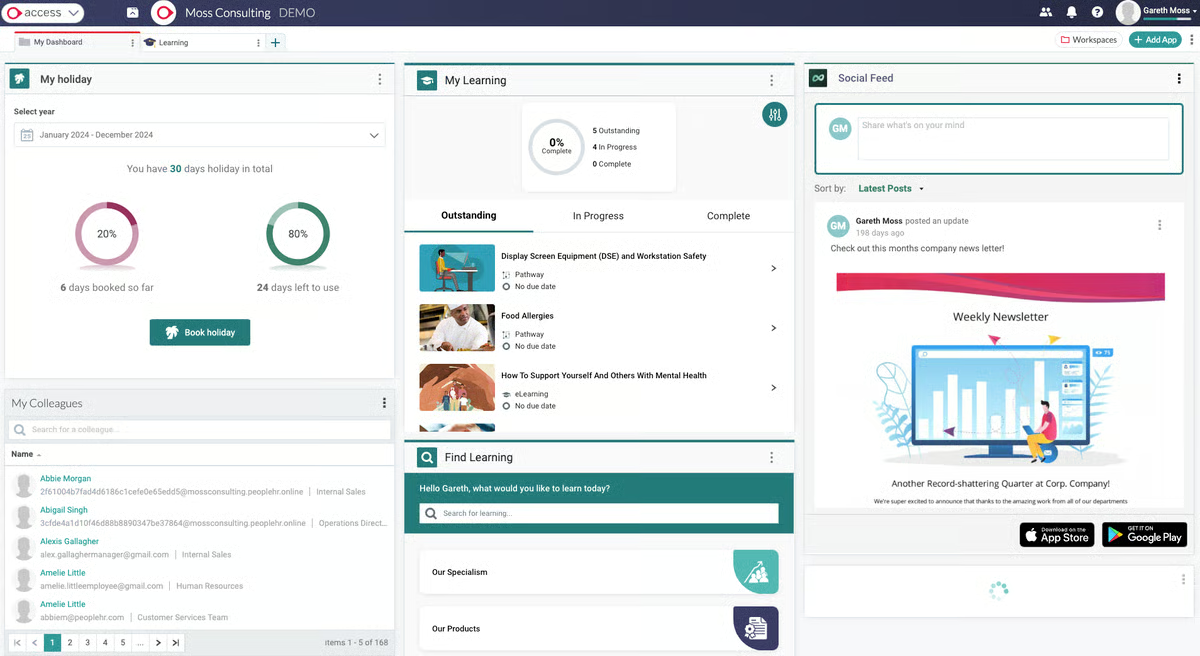
AccessPeople HR is designed for small and medium-sized businesses as a platform for various HR functionalities like applicant tracking, personnel tracking, and performance review. It eases managing new job profiles and creating custom pages for job descriptions matching the company’s branding.
|
Pros of AccessPeople HR
|
Cons of AccessPeople HR
|
|
User-friendly interface
|
Advanced features can be complicated for some users
|
|
Impressive employee self-service portal
|
Limited integrations with other systems
|
|
Comprehensive document management
|
Customer support response times can be slow
|
"It's an effective HRIS that can be integrated with a number of their other platforms, so we hope to find new efficiencies over the coming year (integrating with payroll, LMS, etc). PeopleHR has a really straightforward interface that was quick to roll out across the organization. We're pleased that they've recently improved their customer support, with lots of guides available (eg, for creating custom reports, workflows) and with quick response times to any inquiries that need further investigation."
- Access People HR Review, Graham H.
"The user experience is not engaging or intuitive; if you need documents signed, they aren't where users think they should be. For example, they aren't in the 'tasks' tab but in the 'about me' tab, which is counterintuitive"
- Access People HR Review, Peter E.
Need more than basic HR admin? Explore the best employee scheduling software to connect staffing, shift planning, attendance, and payroll in one workflow.
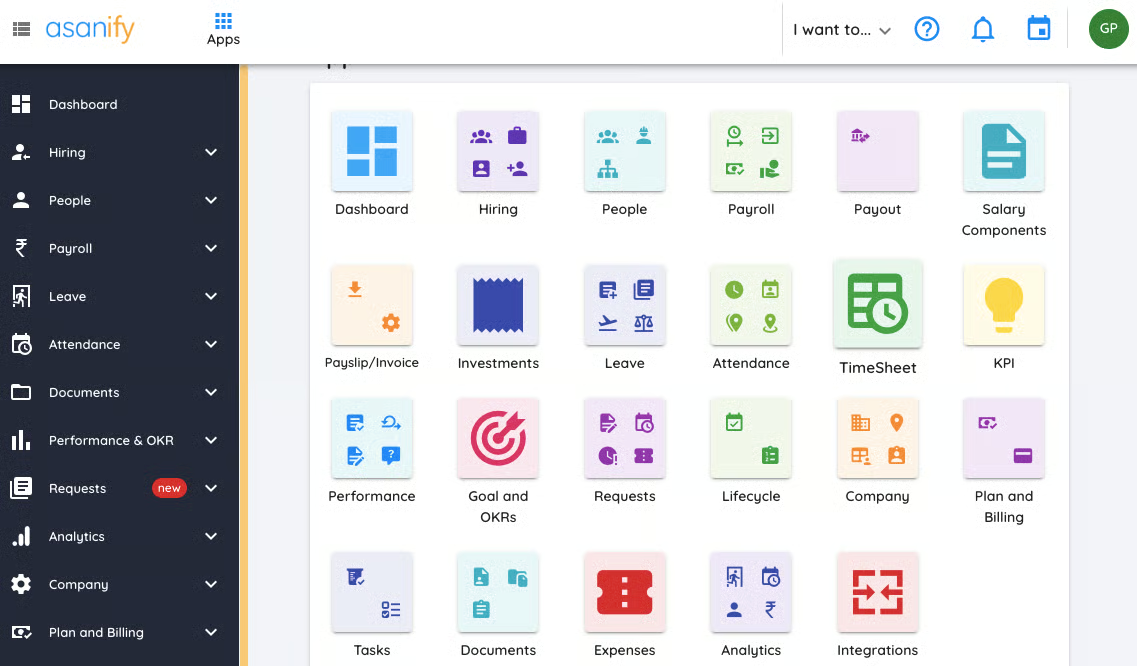
Asanify is a cloud-based HR platform tailored for small, mid-sized, and large businesses. It automates HR operations, ensures compliance, and gamifies employee experiences. Users are extremely fond of its comprehensive yet user-friendly portal and the simplicity it offers to manage attendance, leaves, etc. Asanify has very few negative reviews. Only a few raise concerns about the limited customization it provides.
|
Pros of Asanify
|
Cons of Asanify
|
|
A unified HRM platform with a plethora of features
|
Limited customizations
|
|
Great employee self-service platform for HR issues
|
Weekoffs need to be updated manually
|
|
Highly responsive customer success team
|
Assisted employee onboarding is not there
|
“I appreciate how Asanify's ideology of keeping things simple resonates throughout the functionality of its platform. Every feature comes under dedicated modules such as leave management, OKRs and KPIs, documents, payslips, attendance, timesheets, and so on. The employee self-service tool is quite innovative and efficient. Works in a miraculously good way!”
- Asanify Review, Ashwani P.
“(I need) more flexibility to create fields on my own and add the employee profile pictures. Recruitment management system could be made more robust.”
- Asanify Review, Neetu S.
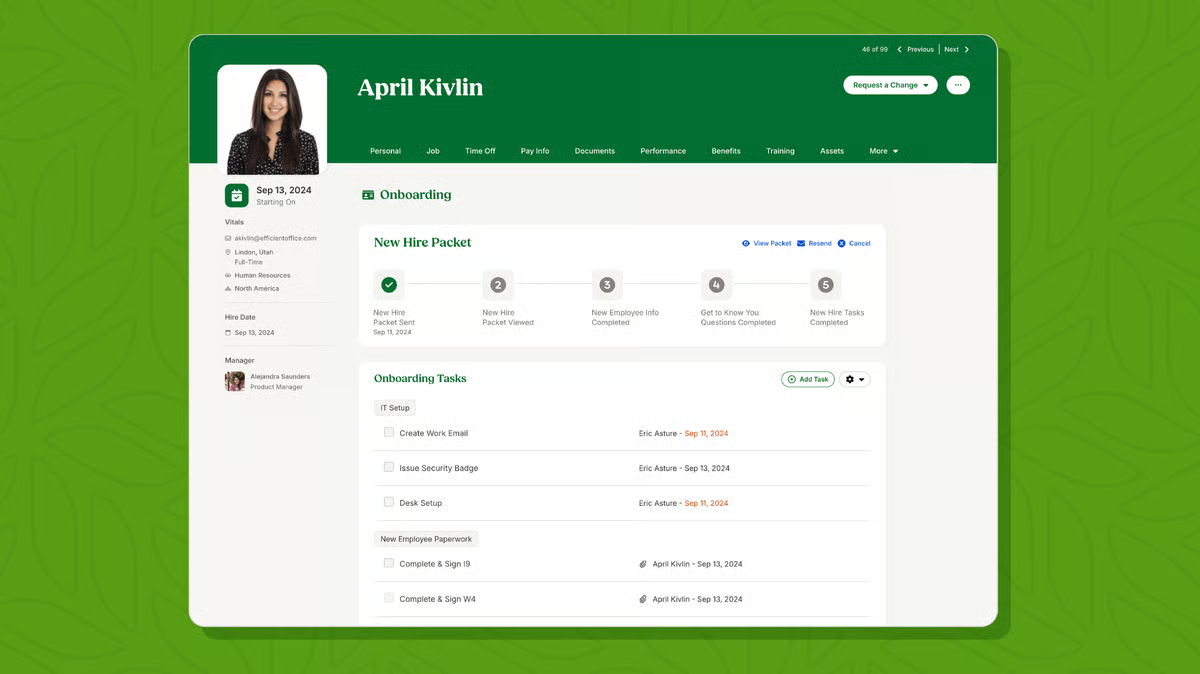
BambooHR provides small and medium-sized businesses with an affordable cloud-based system to track and manage essential employee information in a personalized human resource information system. It provides an affordable way for efficient HR functionalities like leave management and applicant tracking system (ATS) with a mobile application option as well.
Users are highly appreciative of the user-friendly design and note that the tool is extremely easy to navigate and offers excellent customer support. However, some users complain that the tool’s features are more tailored towards users in the United States, a drawback for users from other countries.
|
Pros of BambooHR
|
Cons of BambooHR
|
| Easy to set up and use |
Very limited as an application tracking system (ATS)
|
| Responsive and helpful customer support |
Limited time clock feature
|
| A centralized database for all employees to access |
Limited customization with several features like performance review template, e-signature, and inflexible features in the basic package
|
"Right from onboarding BambooHR right through to day-to-day usage, the system has been a breath of fresh air, especially compared to systems used in the past (including some of the top-most rated systems with all the bells and whistles). The support team is fantastic, and the regular updates that are added to the system keep it exciting."
- BambooHR Review, Pulak T.
“The performance module is not ideal for us. We are a municipal government organization and use it only for our City Manager and City Attorney, who both report to our 7-member City Commission. It is not flexible enough to use it for their actual evaluations, but we use it for them to keep track of their own performance factors."
- BambooHR Review, Jennifer L.
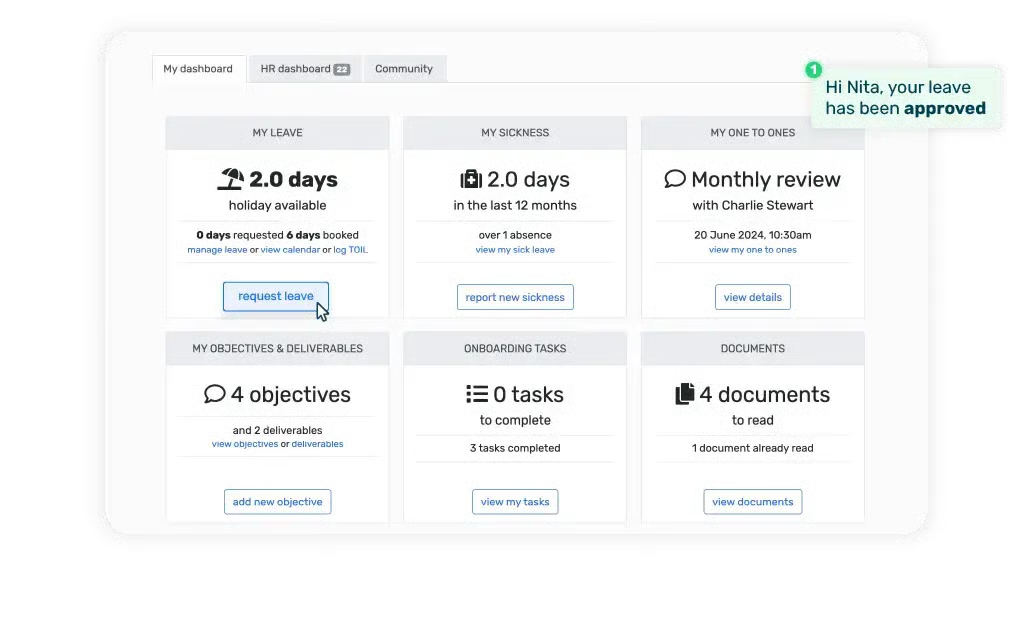
Breathe is the go-to HR management solution for UK and Australian SMEs for moving their HR processes online. It offers an easy-to-use online system that allows HR professionals to save time and manage all operations on one platform.
|
Pros of Breathe
|
Cons of Breathe
|
|
Straightforward to use
|
Offers only basic features
|
|
Integration with payroll software like Xero
|
Limited customization
|
|
Prompt customer support
|
No way of automating notifications
|
“I like that it's extremely easy to use and clear. The notifications are very helpful. For example, when an employee is leaving, it emails you with key information, such as annual leave remaining. You can save a whole host of information about employees, and it's brilliant value for money for a small business like ours! (5 employees!) It also has an app that can manage employee absence on the go if needed. It was really easy to set employees up and roll out across the company. The help section is great, and I get a reply from customer support very quickly if I ever have a question."
- Breathe Review, Sonia C.
"There's no way of automating notifications to non-HR users of other staff absences. It would be great if line managers could be notified in advance and on the day of their staff absences. We're a small company, so it's not too difficult to email and let staff know, but it wastes time when it could be an automated process."
- Breathe Review, Gaby C.
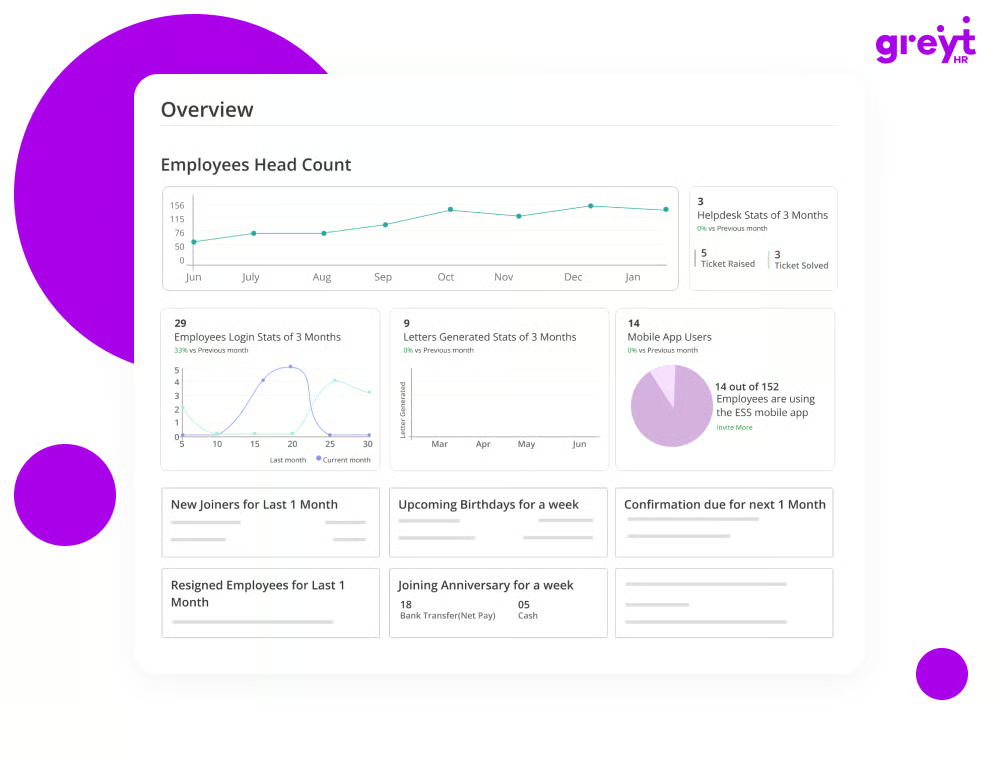
greytHR’s cloud-based payroll software and HR solution provide productivity tools to small and midsize businesses for better people management, simplified HR procedures, and professional HR service delivery. The employee portal for managers and employee self-service increases staff engagement and helps save time overall.
|
Pros of greytHR
|
Cons of greytHR
|
|
Easy to navigate for both HR professionals and employees
|
May not fully adapt to unique business requirements
|
|
Provides reliable assistance and support
|
Integration challenges with other software
|
|
Helps businesses stay updated with labor laws and regulations
|
Might struggle to handle large-scale HR operations
|
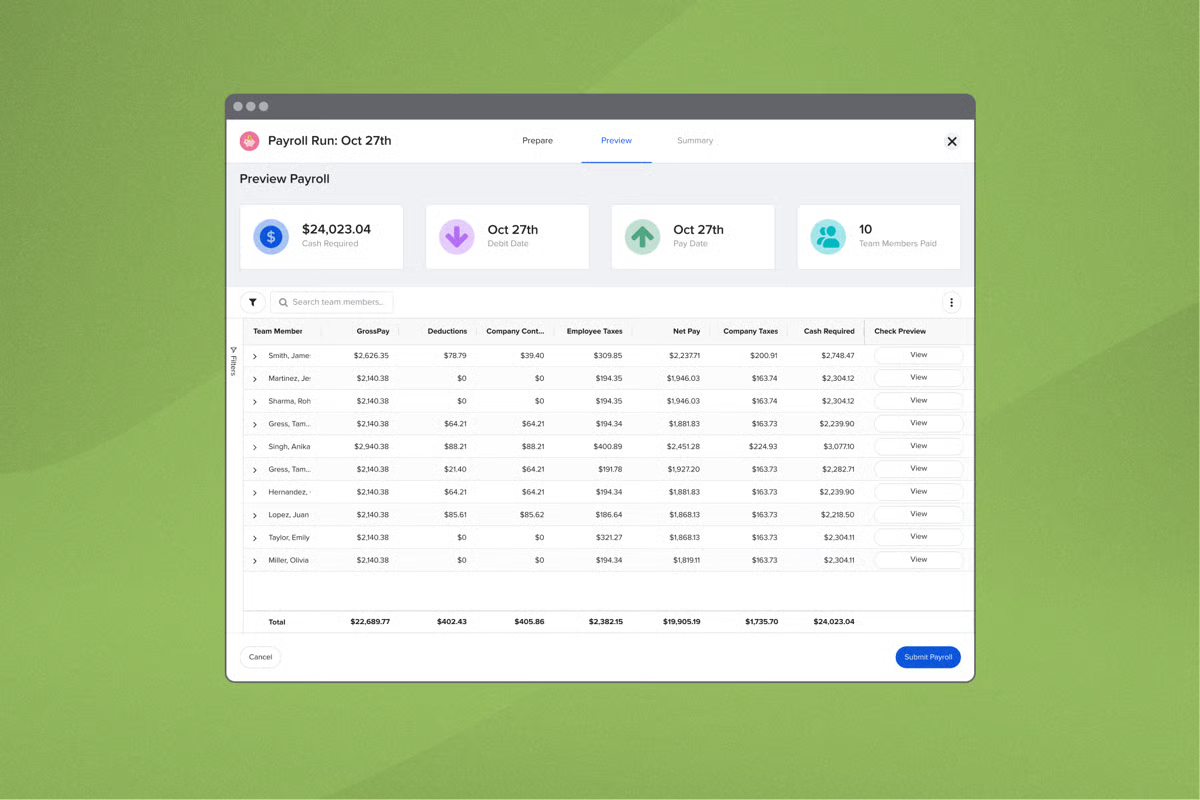
GoCo is an easy-to-use, modern management system that can be used to automate HR processes like payroll delivery, employee onboarding, PTO, and benefits administration. It’s also a highly secure platform used to store and send confidential HR documents.
|
Pros of GoCo
|
Cons of GoCo
|
|
The platform is easy to navigate
|
Lacks robust reporting feature
|
|
Effortless to automate HR processes like onboarding with workflows
|
|
|
Continuous feature enhancements by the GoCo team
|
Limited features with the basic price plan
|
“GoCo is a user-friendly platform with clear instructions for onboarding. I really like the onboarding workflow that it provides for our new employees. In addition, GoCo has many partners they can recommend to you for benefits and other lines of coverage. It's a versatile tool without becoming too robust or confusing to navigate and administer, making it a perfect fit for our small team. The cost compared to other HRIS is not as risky, allowing you to see if it is indeed a good fit for your organization. GoCo also provides great resources outside of the HRIS platform itself with HR-focused webinars and a blog that stays relevant to the times.”
- GoCo Review, Michelle L.O.
“Some of the advanced features are complicated and take a decent amount of time and effort to learn and become comfortable enough to be useful. We have had several issues with API integrations with benefit carriers. There were a decent amount of set-up parameters that were not discussed in detail during implementation, which created some headaches later down the line. Not all the features work as pristinely as marketed, but well enough for the cost of GoCo.”
- GoCo Review , Angie H.
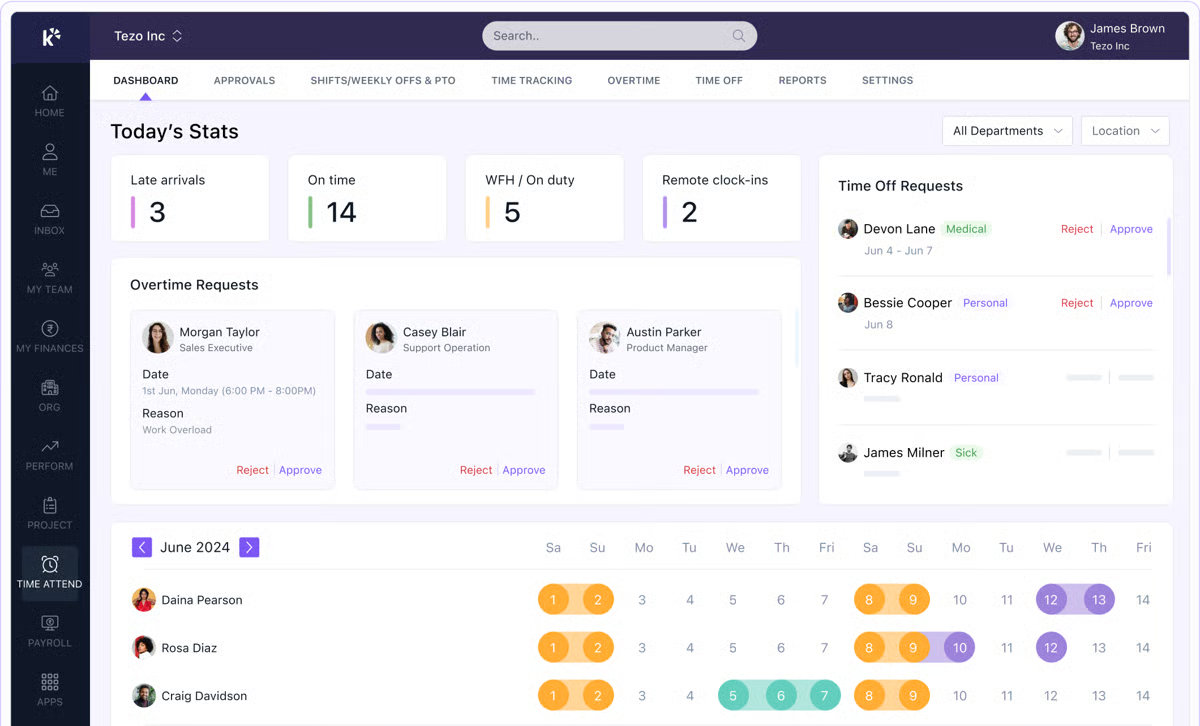
Keka is modern HR and payroll software designed for SMBs. It offers a comprehensive suite of tools to manage employee engagement, time tracking, attendance management, leave management, payroll, and expenses. Keka provides new users with a free trial of its plans.
|
Pros of Keka
|
Cons of Keka
|
|
Intuitive user interface
|
Inconsistencies between the app and the web version of the tool
|
|
Feature-rich tool
|
Occasionally, slow page loading
|
|
The finance module offers easy tax computation
|
Improper integration between the clock-in feature and attendance tracking at times
|
“It is very easy to implement and use, and the customer support team is ready to provide support via a call. As an admin user, we are required to access it on a daily basis for almost all functions like office time management, finances, Reviews, etc. Attendance is integrated with our biometric attendance machines and users can easily check their real-time in and out timings and manage any irregularity very easily.”
- Keka Review, Alok U.“There's a discrepancy with report sorting. When sorting columns within the report interface, the downloaded Excel or PDF file doesn't reflect the same order, and secondly, clock-in and out features are also not synced properly with the Integrated program for attendance. Many times, the employee is swiping the card, but KEKA shows them as missing swipes.”
- Keka Review, Manika V.
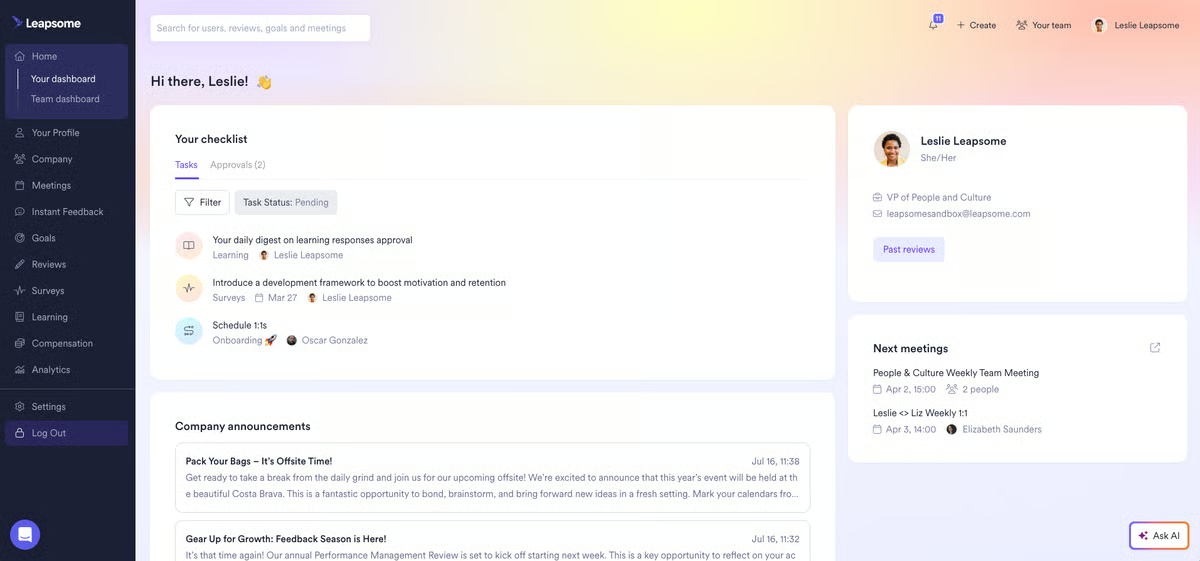
Leapsome is an AI-powered people management platform that combines core HRIS functionality with performance management, employee engagement, learning, and compensation tools in one system. It helps organizations manage the entire employee lifecycle, from onboarding and reviews to surveys, development, and growth, through automated workflows and built-in best practices.
With interconnected people analytics and AI-driven insights, Leapsome enables HR teams and leaders to reduce administrative work, make better people decisions, and build high-performing teams at scale.
| Pros of Leapsome | Cons of Leapsome |
| Intuitive, easy-to-use interface for performance management | Steep learning curve during initial setup |
| Effective for aligning employees and managers | Missing features such as advanced data exports |
| Transparent goal and performance tracking | Limited customization for feedback and reporting |
"What I like best about Leapsome is how structured and user-friendly it is for setting goals, tracking progress, and supporting regular feedback. It makes performance reviews and check-ins more transparent and meaningful, rather than feeling like a one-off exercise".
- Leapsome Review, Agatha M.
"The flow of finding the reviews was not as obvious. I think we had a lot of people who didn't know where to find their actual review. I think there's simplicity that could be added to the flow or the summary pages to help people find their reviews, because I thought it was kind of confusing to, like, click a few pages. The other thing is that there were two glitches that happened. But outside of that, it was perfect".
- Leapsome Review, Erik M.
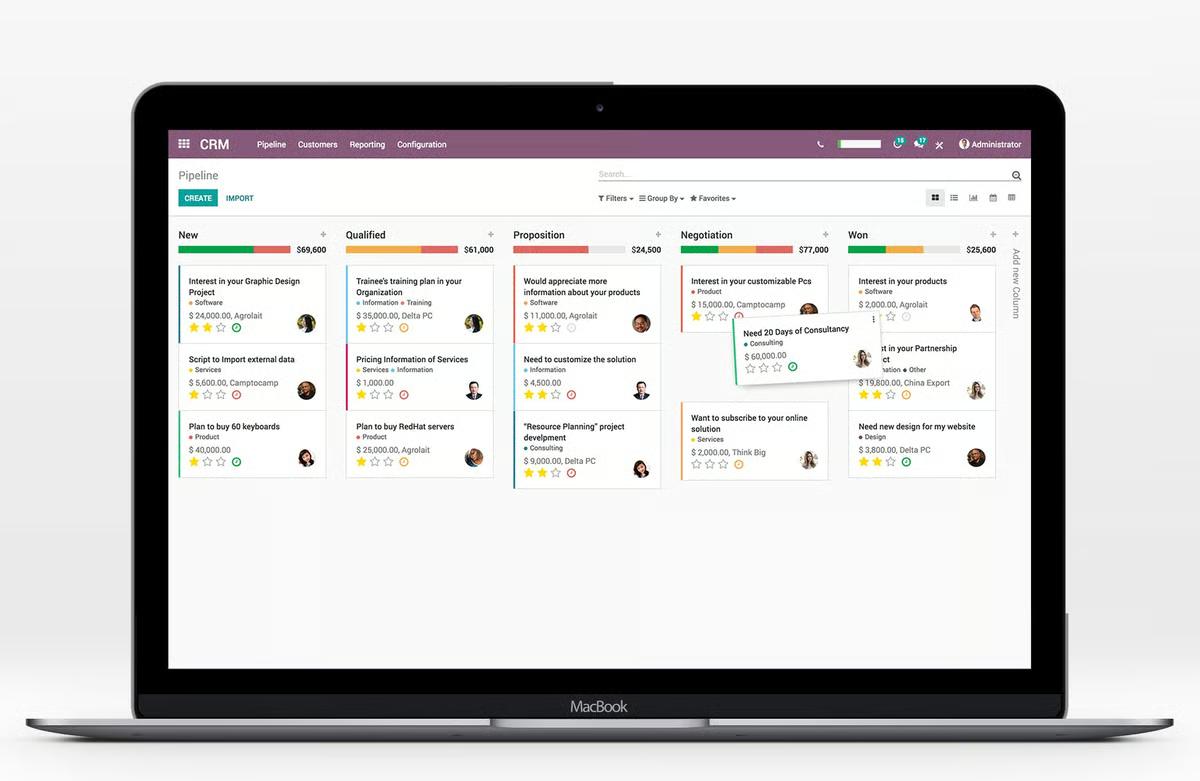
Odoo ERP is an all-in-one customizable solution for different business applications. The software is modular and integrated seamlessly to reduce manual effort and processes by automating input methodologies. Regardless of the company size and budget, Odoo helps keep all business functions in one place for better collaboration between teams.
|
Pros of Odoo ERP
|
Cons of Odoo ERP
|
|
Simple no-code application
|
Needs constant updates
|
|
Cost is based on each module added, reducing the overall cost
|
Excessive customization offered makes it difficult to maintain
|
|
Easy to customize
|
Implementation is a bit difficult
|
"Odoo has a variety of modules that effectively make it a powerful tool in managing your small business from end to end. From HR to Accounting, to Sales, and even Purchasing, Logistics, EDM, you name it. Odoo probably has it."
- Odoo ERP Review, Ranee Beatrix B.
"Because it is open source, Odoo is supposed to be easier to modify. Despite this, it is complicated to find accurate information for programmers on how to do it. There is a lot of data. However, it is not well organized. Some of the landing pages within the system are not manipulable/changeable by the user."
- Odoo ERP Review, Gerardo H.
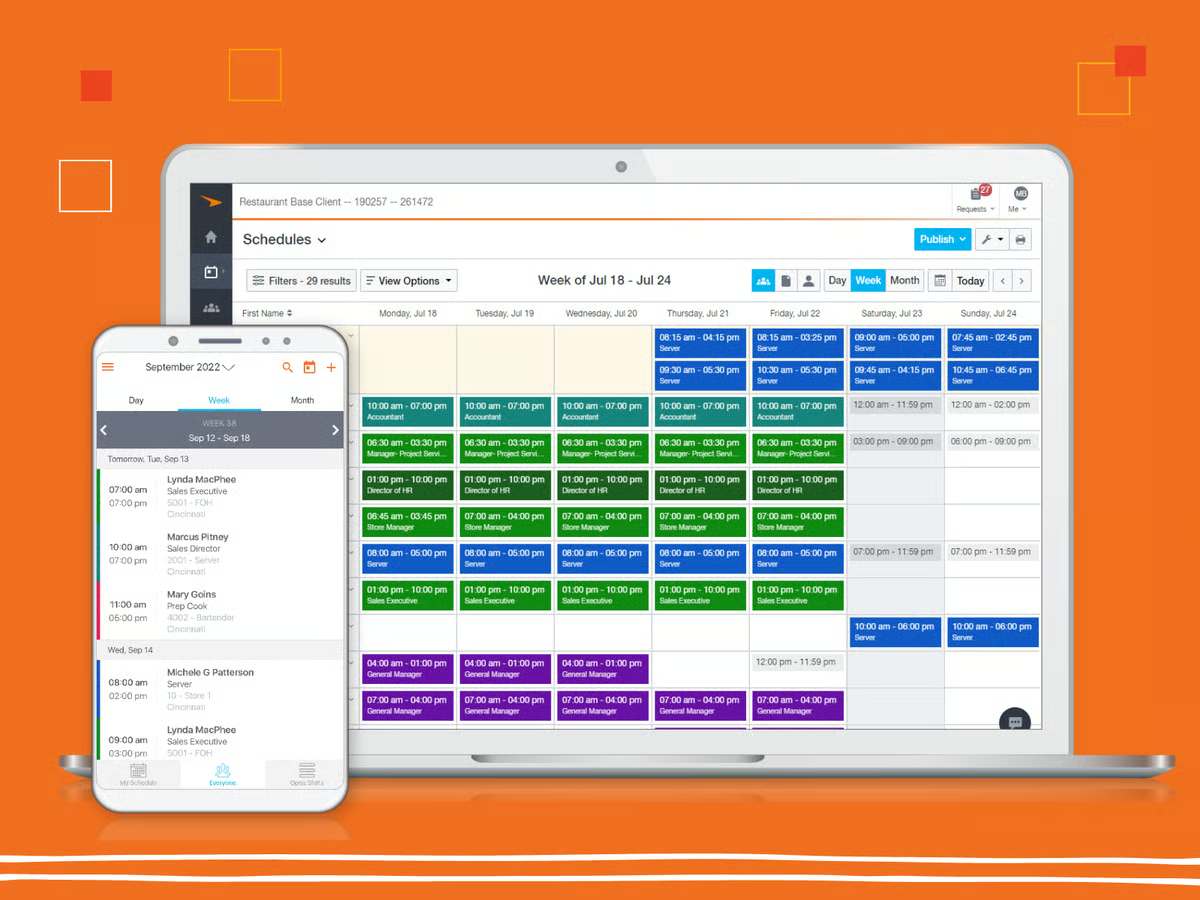
Paycor modernizes your people's operations with features like automated payroll processing, intuitive time and attendance tracking, and seamless benefits administration. It simplifies complex HR tasks. Plus, its commitment to compliance and data security ensures your business stays protected and focused on growth.
|
Pros of Paycor
|
Cons of Paycor
|
|
Smooth integration with other HR systems and business applications
|
May not fully adapt to unique business requirements
|
|
Automated HR tasks
|
Inadequate reporting functionalities
|
|
Helps businesses stay compliant with labor laws and regulations
|
Inconsistent customer support and delays
|
"With Paycor, I can view every aspect of what my paycheck goes to with summaries over a period of time. I can change my direct deposit myself - no form to sign and send to HR - at any time, including directing different amounts to different accounts. It's simple enough, I could realistically make changes as frequently as every pay period if I needed to. Paycor is even integrated into other products that will walk me through adding a portion of direct deposit in order to pay them automatically, and so easy that I never have to worry about those payments being on time."
- Paycor Reviews, Brian B.
"My biggest dislikes would just be the lack of customization. Being able to curate your dashboard would definitely encourage individualism and even a more pleasing display, which could potentially bump up usage. If the goal is uniformity, it accomplishes that well. This is simply a future suggestion".
- Paycor Reviews, Zahria D.
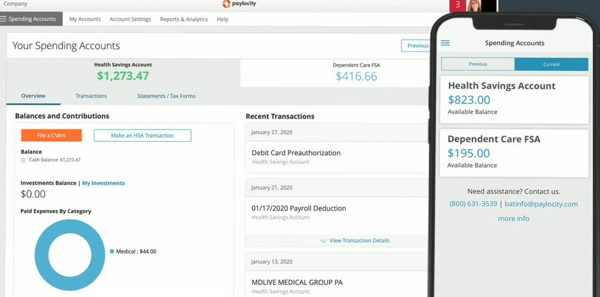
Paylocity is an all-in-one workforce management platform that brings HR, payroll, finance, and IT processes together in a single system. It helps organizations manage payroll, benefits, talent, and workforce operations while also handling non-payroll spend such as expenses, accounts payable, corporate cards, and procurement. Built around a unified employee record, Paylocity keeps policies, approvals, and limits aligned as employees join, change roles, and grow.
By centralizing people and spend management, Paylocity helps teams simplify operations and make more informed decisions.
| Pros of Paylocity | Cons of Paylocity: |
| Easy-to-use platform that simplifies HR and payroll tasks | Missing or limited features in some modules |
| Strong payroll automation and expense management features | Advanced features feel limited in LMS and reporting |
| Helpful and responsive customer support | Dashboard can feel cluttered for multi-department use |
"I really like Paylocity for its ease of use for both admins and employees. It is simplistic and not complicated for either party to use. Things are pretty straightforward to find. It's less expensive than other systems, which is great. The customer service is also a plus since it's easy to get a hold of someone, which reduces frustrations for my team".
- Paylocity Reviews, Angie E.
"The most challenging part of using Paylocity has been the time clock kiosk feature on iPads, which has not performed as well as we had hoped. This has led to difficulties for employees when clocking in and out. To address these timekeeping problems and enhance reliability for our staff, we have decided to order a kiosk directly from Paylocity in hopes that it will provide a better solution".
- Paylocity Reviews, Carla H.
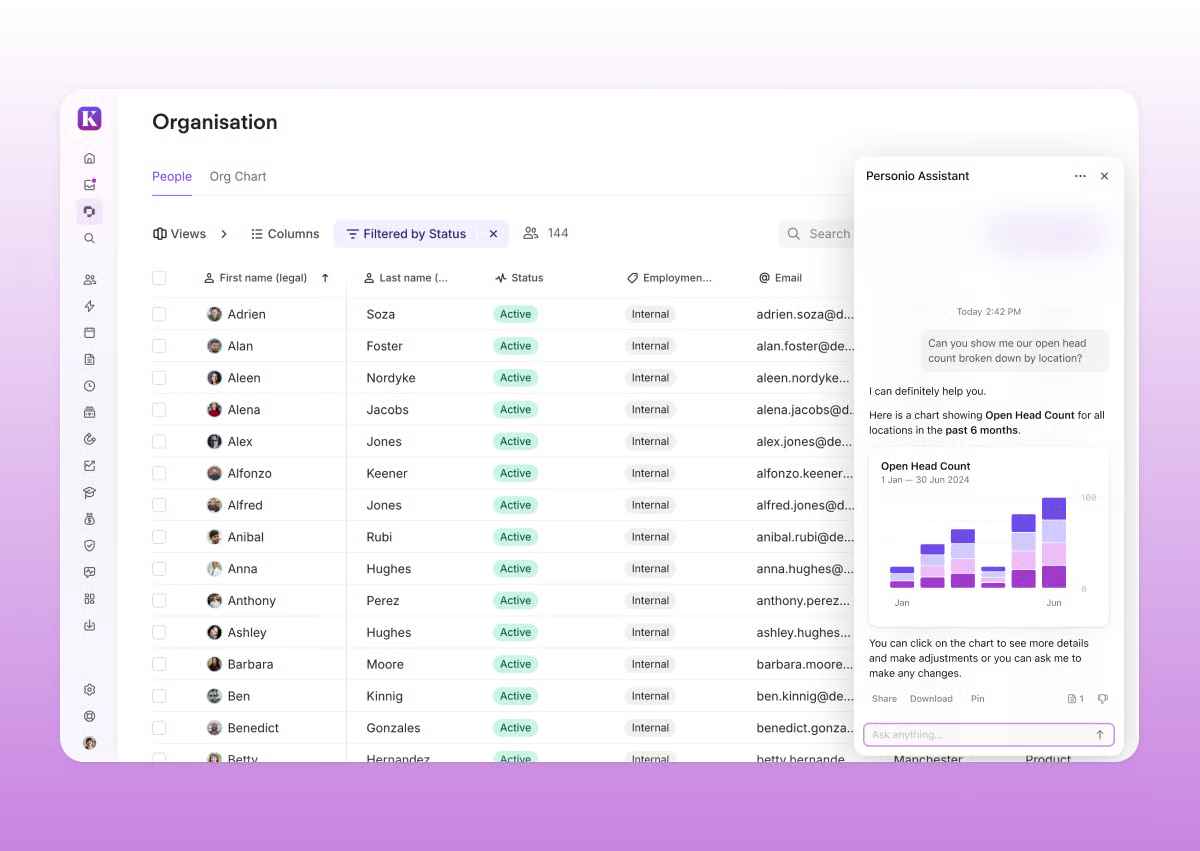
Personio is an all-in-one HR management software platform that upgrades HR tasks like payroll, benefits, talent, and workforce management. It's built for small and medium-sized companies with 10 to 2,000 employees and makes HR processes transparent and efficient.
|
Pros of Personio
|
Cons of Personio
|
|
Simple to use
|
Occasionally takes a long time to load
|
|
Rich in features
|
Mediocre mobile app
|
|
Friendly and convenient for employees and HR specialists alike
|
Limited customization with the time-tracking feature
|
"Our employees enjoy using Personio as it is intuitive and modern, with a pleasant look and feel. As Head of People, I use the platform for all things HR and Recruitment, which has worked well for us as a company of around 45-50 employees. The ability to create multiple workflows and automate emails and processes saves a huge amount of manual time. Customer support is also very responsive and helpful."
- Personio Review, Jules F.
"Difficulties in adding bulk data from multiple resources are the only bottleneck of Personio and need to be quickly addressed for improved functionality of the product in this regard."
- Personio Review, Olivia T.
Look for features like employee database management, payroll processing, time and attendance tracking, performance evaluation, benefits administration, and reporting and analytics.
Yes, many HR management software solutions offer integrations with other business tools, such as payroll systems, accounting software, and time-tracking apps, to provide a seamless workflow.
Free trials are typically time-limited and may have restricted access to certain features. They are designed to give you a taste of the software's capabilities before committing to a paid plan.
Cloud-based HR management solutions offer flexibility, scalability, and remote access, making them ideal for most businesses. On-premise solutions provide more control over data but require more maintenance and upfront costs.
Upgrading to a paid plan unlocks advanced features, removes trial limitations, provides enhanced support, and ensures you have access to the latest updates and integrations, helping you fully optimize your HR processes.
We hope this list of the best free HRM software takes you one step closer to finding the right solution!
Free HR management software is well-suited for handling core HR tasks like employee records, leave tracking, and basic onboarding. However, compared to paid platforms, free tools usually lack advanced features such as performance management, deep analytics, compliance automation, and dedicated customer support.
For example, tools like Breathe, greytHR, and Keka offer strong foundational HR features in their entry-level or free tiers. In contrast, paid platforms like BambooHR, Paycor, Paylocity, Personio, and Leapsome provide more comprehensive capabilities across the employee lifecycle, often with stronger automation and reporting.
The best free HR management software for small businesses depends on location, team size, and feature needs.
Yes, many free HR management tools are cloud-based and support remote and hybrid teams effectively.
Tools like Breathe, BambooHR, Personio, and Keka allow employees to access profiles, submit time-off requests, and complete onboarding remotely. However, advanced remote workforce analytics, engagement tracking, and performance management features, commonly found in tools like Leapsome, usually require paid plans.
In most cases, yes, data migration is straightforward, especially when upgrading within the same platform.
Most HR tools allow exporting employee data, documents, and leave records via CSV or built-in migration tools. Platforms such as BambooHR, Personio, Paycor, and Paylocity provide structured upgrade paths with migration support. Open-source tools like Odoo ERP offer flexibility but may require more manual setup during migration.
I see these highly scalable and modular HR management software solutions as a simple way to streamline everyday HR processes. With the right tool, it becomes easier to automate repetitive tasks, securely store and manage employee information, and access a centralized employee database.
Carefully evaluate your organization's specific needs to choose the perfect fit from our list and take control of your HR processes.
Take the next step towards HR efficiency. Explore G2’s buyer’s guide for HRM software for in-depth insights on selecting the right software for your needs.
This article was originally published in 2024. It has been updated with new information


I know managing payroll, recruitment, and employee records can feel like herding cats. HR...
by Yashwathy Marudhachalam

I recently celebrated my second anniversary at G2, and it got me thinking back to my first few...
 by Harshita Tewari
After watching an HR team juggle onboarding paperwork, payroll runs, performance reviews, and...
.png) by Shreya Mattoo
by Shreya Mattoo