


I know managing payroll, recruitment, and employee records can feel like herding cats. HR teams often juggle unpredictable variables, growing demands, and limited resources simultaneously.
With tight budgets, investing in expensive human resource software can feel out of reach. That’s why I see free HR software as a practical alternative for teams that still need to run efficient, people-first operations.
These tools offer a surprisingly broad set of features, from applicant tracking to performance management, without the high price tag. Whether you’re part of a startup or a growing business, free HR platforms can simplify day-to-day HR processes and support better employee experiences.
In this list, I break down the seven best free HR software solutions for 2026, highlighting their strengths, limitations, and ideal use cases to help you choose the right tool for tasks like onboarding, time tracking, and benefits administration.
*The software list is arranged alphabetically. These tools offer free trials, free forever options, or freemium models.
If you feel overwhelmed by the wealth of information about free HR software, this comparison table will help you with all the important aspects:
|
Best free HR software
|
G2 Rating
|
Free plan
|
Paid plan
|
|
BambooHR
|
4.4/5
|
Free trial available
|
Available on request
|
|
Breathe
|
4.4/5
|
Free trial available
|
From $22/ month for a team of 1-10 employees
|
| greytHR |
4.5/5
|
Free plan available
|
From $38.98/month
|
| Keka |
4.5/5
|
Free trial available
|
Available on request |
|
Paycor
|
3.9/5
|
Free trial available
|
Available on request
|
|
Paylocity
|
4.5/5
|
Free trial available
|
Available on request
|
|
Personio
|
4.4/5
|
Free trial available
|
Available on request
|
*Pricing details mentioned in the article are based on publicly available data at the time of publication and are subject to change.
Managing people, payroll, and performance has become increasingly digital, even for small teams. As more organizations move away from spreadsheets and manual processes, HR software adoption continues to rise. In fact, the global HR software market was valued at $16.43 billion in 2023 and is projected to reach $36.62 billion by 2030, growing at a CAGR of 12.2%. Much of this growth is driven by the widespread shift toward cloud-based HR solutions.
What stood out to me while exploring this category is that you don’t always need an expensive platform to get started. Several HR tools offer generous free plans or trials that cover core needs like employee records, time-off tracking, onboarding, and basic reporting, making them especially useful for startups and growing teams.
In this list, I’ve rounded up the seven best free HR software options based on real user feedback, ease of use, and the practical value of their free offerings. I’ll walk through what each tool does best, where it falls short, and which types of teams are most likely to benefit, so you can choose an HR solution that scales with you without stretching your budget.
To build this list, I started with G2 data, shortlisting top-rated tools based on their G2 scores and consistent performance in the HR software category.
From there, I reviewed product features and recent, verified user feedback to confirm that these tools deliver real-world value and to understand where each one stands out, whether that’s employee records management, onboarding workflows, time-off tracking, payroll integrations, or reporting capabilities.
I wanted to understand how practical these HR tools really are, not just on paper, but in everyday use. That meant looking at which teams they work best for and how far you can go without paying, including employee limits, access to essential HR workflows, automation restrictions, and the point at which upgrading becomes necessary.
The screenshots featured in this article may be a mix of those taken from the vendor’s G2 page or from publicly available materials.
To be included in this category, a solution must:
This data was pulled from G2 in 2025. Some reviews may have been edited for clarity and accuracy.
BambooHR brings all your employee, payroll, time, and benefit information together to give you the data accuracy, security, and coordination you need. With a single data source, you can automate key functions. You can also collect and track signatures electronically to simplify your people operations in a fast, organized, environmentally conscious, and painless way for everyone involved. According to G2 Data, BambooHR experiences the strongest adoption in the mid-market, with 65% of its users originating from this segment.
This talent management tool helps you tap into workflows at every stage of the employee lifecycle to keep your organization running smoothly.
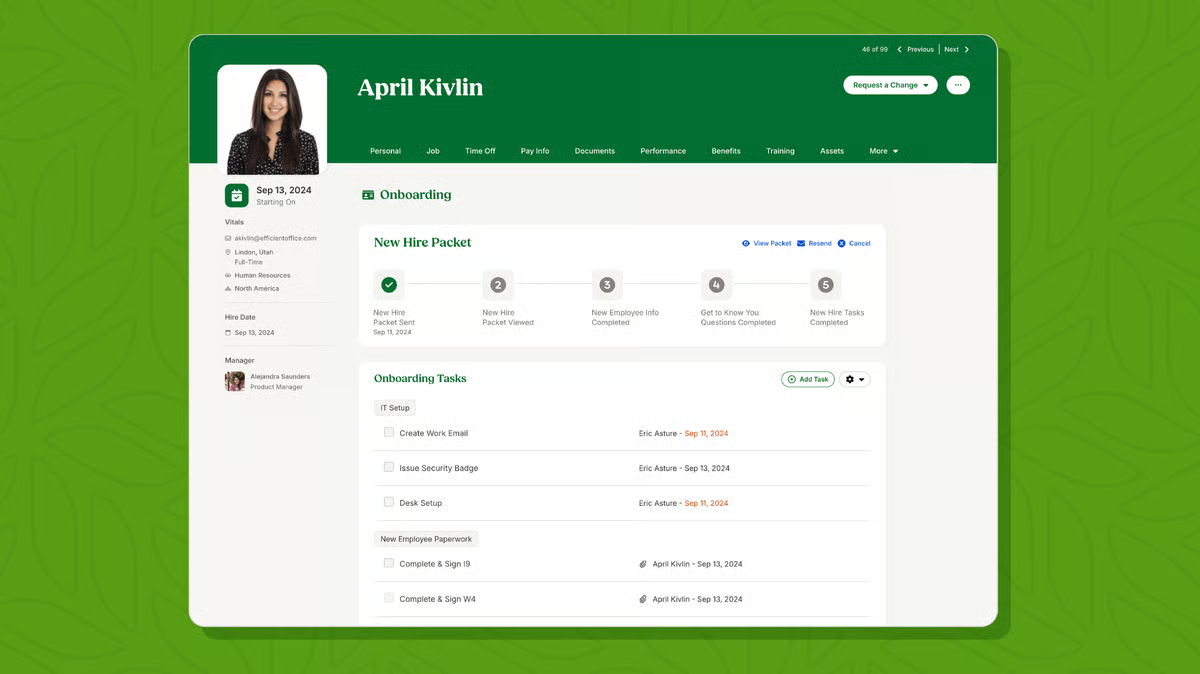
| Pros of BambooHR | Cons of BambooHR |
| Easy to set up and use | US-centric features |
| Responsive and helpful customer support | Limited time clock feature |
| Centralized database for all employees to access | Limited customization with a performance review template and e-signatures |
“Ability to make notes on employees that are not viewable by the employee, a place to access all necessary documents about an employee, easily track time off requests, see important information like contact info and birthday info, provide an org chart to see how everyone interacts across the org, and so much more. I do like the product! It's also all so easy to use.”
- Bamboo HR review, Rachel W.
“The documents are not as easy to use as expected and can be repetitive for less tech-savvy users. The advanced programming interface (API) would benefit from a little more effort in temporality monitoring. It could use the ability to generate default startup settings for new employees. This would default certain rights and time off for employees. “
- Bamboo HR review, Alexander A.
Looking for tools that offer comprehensive HR analytics? Check out our list of the best HR analytics software.
Breathe is the go-to HR management solution for UK and Australian SMEs to move their HR processes online. It helps manage employee data, absences, recruitment, performance, and time and attendance. Its intuitive interface simplifies HR tasks, making it a popular choice for businesses seeking efficiency.
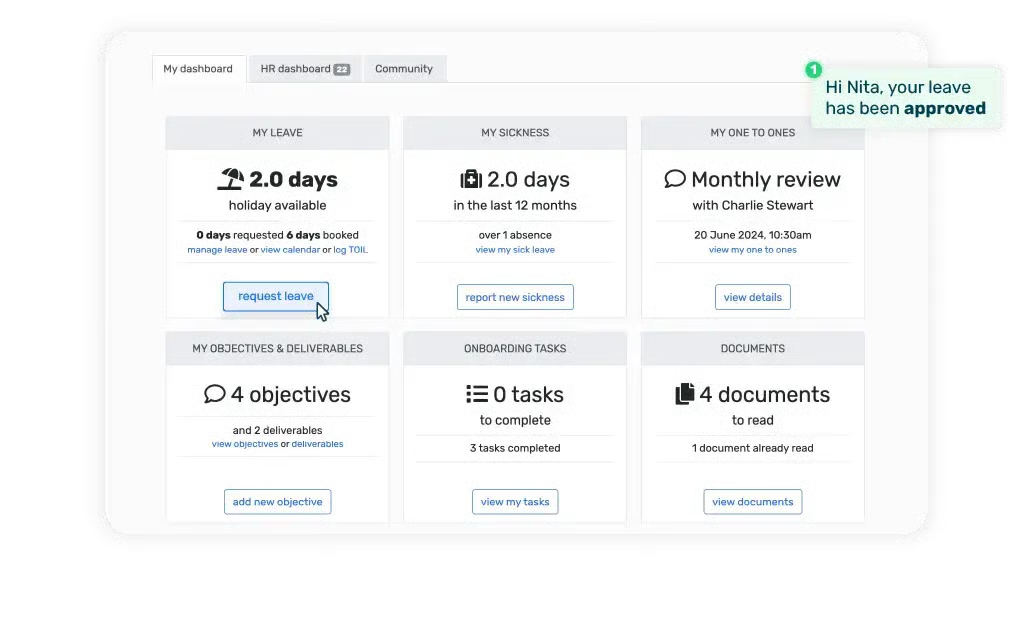
| Pros of Breathe | Cons of Breathe |
|
Straightforward to use
|
Offers only basic features |
|
Integration with payroll software like Xero
|
Limited customization |
|
Prompt customer support
|
No automated notifications |
“I like that it's extremely easy to use and clear. The notifications are very helpful. For example, when an employee is leaving, it emails you with key information, such as annual leave remaining. You can save a whole host of information about employees, and it's brilliant value for money for a small business like ours! (5 employees!) It also has an app that can manage employee absence on the go if needed. Setting employees up and rolling out across the company was easy. The help section is great, and I get a reply from customer support very quickly if I ever have a question."
- Breathe review, Sonia C.
"There's no way of automating notifications to non-HR users of other staff absences. It would be great if line managers could be notified in advance and on the day of their staff absences. We're a small company, so it's not too difficult to email and let staff know, but it wastes time when it could be an automated process."
- Breathe review, Gabi C.
greytHR’s cloud-based payroll software and HR solution provide productivity tools to small and midsize businesses for better people management, simplified HR procedures, and professional HR service delivery. The employee portal for managers and employee self-service increases staff engagement and helps save time overall.
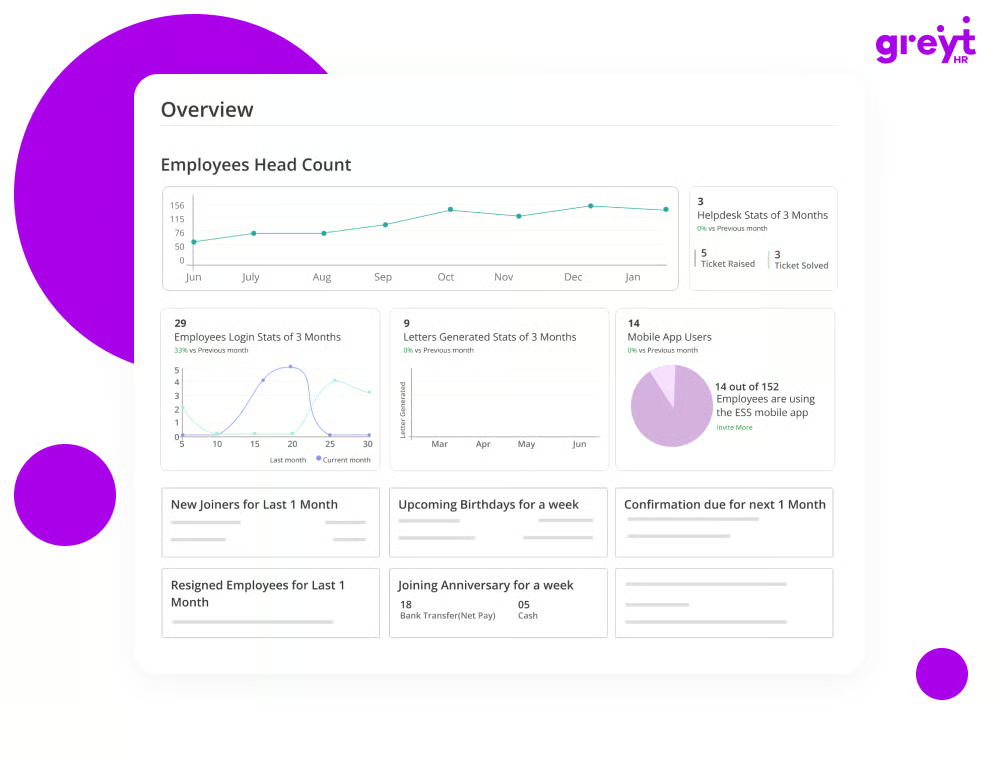
| Pros of greytHR | Cons of greytHR |
| Easy to navigate for both HR professionals and employees | May not fully adapt to unique business requirements |
| Provides reliable assistance and support | Integration challenges with other software |
| Helps businesses stay updated with labor laws and regulations | Might struggle to handle large-scale HR operations |
“greytHR is a far-reaching HR and finance-the-board programming intended to work on HR processes for organizations, on average. The product offers a scope of elements, including leave management, worker self-administration, finance handling, and consistency on the board.”
- greytHR review, Sonu M.
“The page logs out automatically if it is unused for some time. It will look the same, and we won’t know the page is timed out until we try to check it. We will then have to refresh the page to log in again. This could be improved.”
- greytHR review, Madhuri M.
Keka facilitates people. From automating your personnel procedures to cultivating an involved, motivated company culture, it becomes possible using Keka. It transforms your business from excellent to exceptional through accurate payroll calculations, well-defined salary structures, and employee data management. By working more effectively, you and your team can create a high-performance culture by adapting, evolving, and scaling. Suitable for small or medium organizations, Keka leads the HR tech industry.
According to G2 Data, Keka is most widely adopted in the mid-market, which accounts for 74% of its user base.
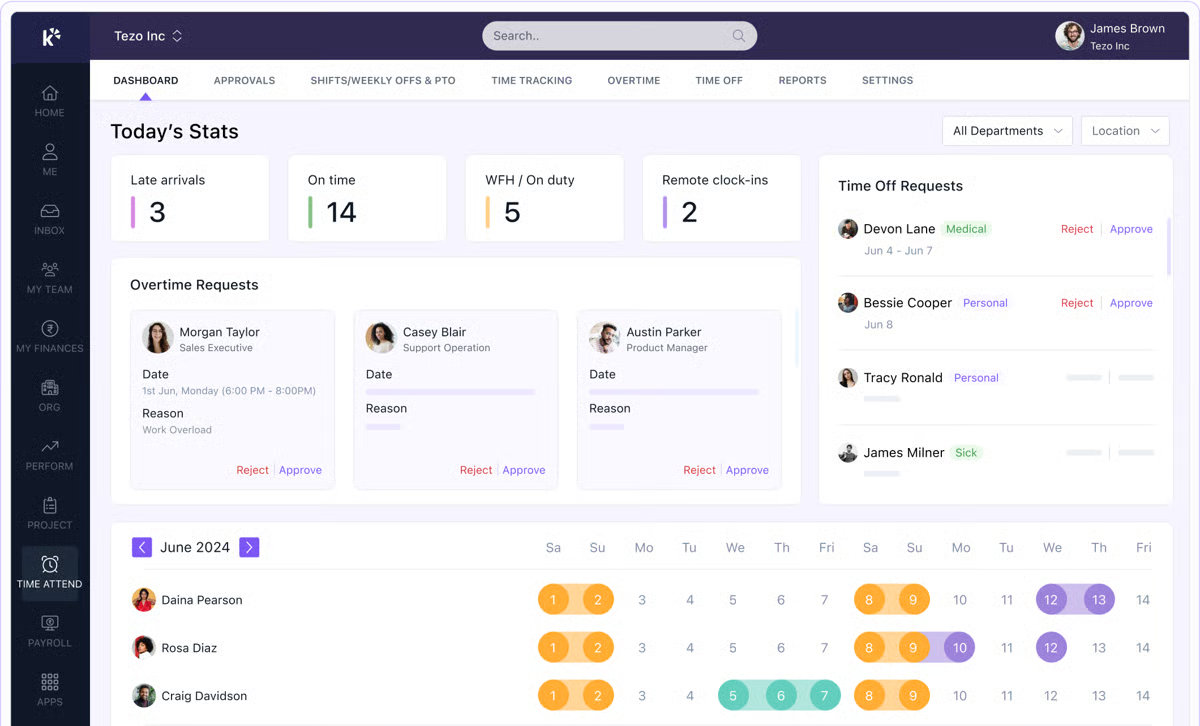
| Pros of Keka | Cons of Keka |
| Clean and intuitive user interface | Inconsistencies between the app and web versions |
| Feature-rich HR app | Occasional slow page loading |
| Easy tax computation | Improper integration between the clock-in feature and attendance tracking at times |
“Keka is an all-in-one platform for managing HR and payroll-related information. All the employees' information is stored here, making it easy and hassle-free to navigate and use. It has information about the organization, such as the organization tree and employee- and team-related information. It's best for automated salary slips and tracking attendance and leaves.”
- Keka review, Aishwarya J.
“The only thing I don't like about Keka is its user interface; its website has some bugs. When I try to view a document, it doesn't allow me to zoom in.”
- Keka review, Rohit T.
Paycor modernizes your people's operations with features like automated payroll processing, intuitive time and attendance tracking, and seamless benefits administration. It simplifies complex HR tasks. Plus, its commitment to compliance and data security ensures your business stays protected and focused on growth.
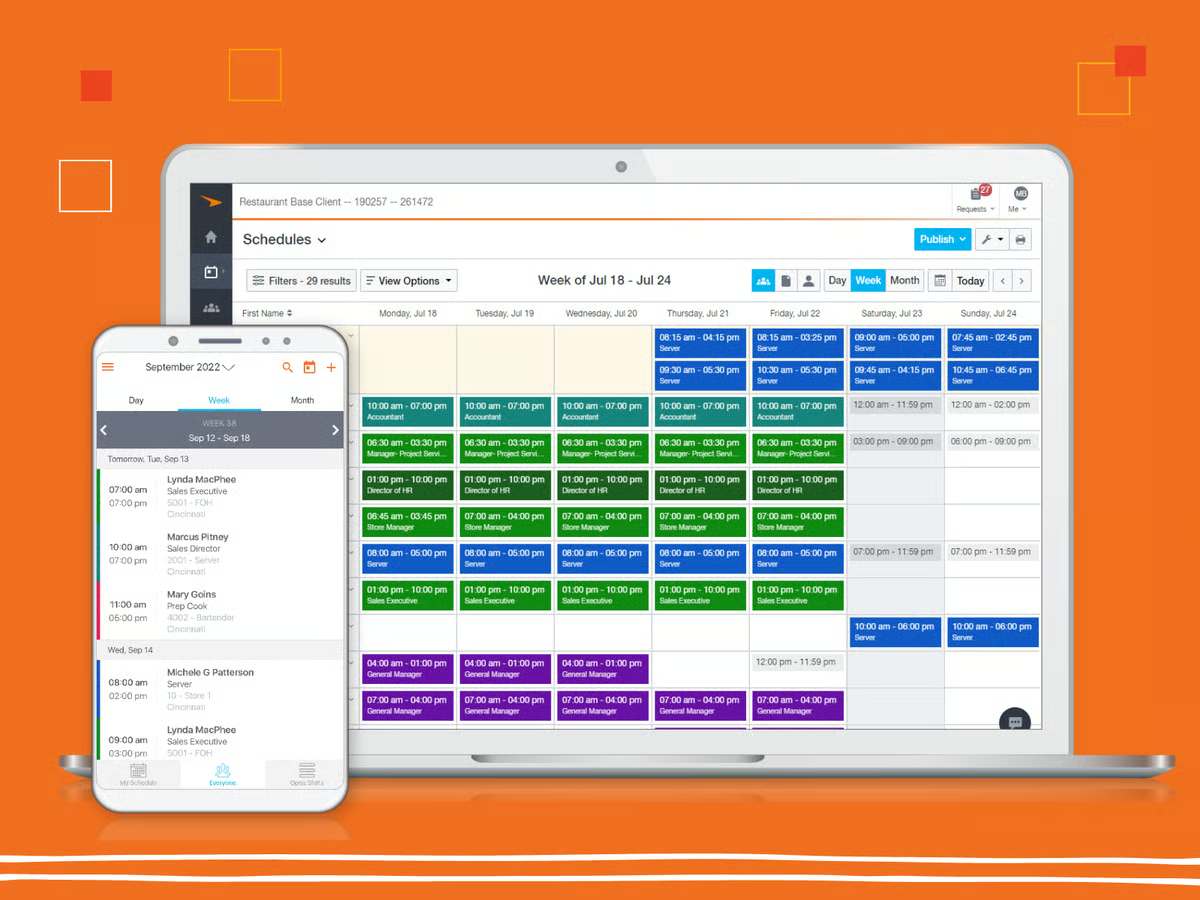
| Pros of Paycor | Cons of Paycor |
| Smooth integration with other HR systems and business applications | May not fully adapt to unique business requirements |
| Automated HR tasks | Inadequate reporting functionalities |
| Helps businesses stay compliant with labor laws and regulations | Inconsistent customer support and delays |
“It is much more user-friendly than other payroll systems I have used. I have more options and can utilize more features. On another payroll system, we had to enter everything manually; in this one, it remembers things, and you can set recurring bonuses and other payments, so you don't have to add them every time you run payroll manually.”
- Paycor review, Jackie K.
“We were forced to switch to Paycor after they acquired our previous payroll provider. The implementation process was rushed, and we had limited input during that time, which did not meet our needs. Now, our payroll processing takes longer, our G/L upload is still not functional after six months, and our Workers Comp reports and provider feeds are also incomplete. For every error Paycor has made regarding our employees, they refuse to take responsibility. Their support staff often lacked understanding of our system configuration, leading to frustration and a lack of progress. We are highly dissatisfied and seeking a new payroll provider.”
- Paycor review, Yvonne C.
Paylocity is an all-in-one workforce management platform that brings HR, payroll, finance, and IT processes together in a single system. It helps organizations manage payroll, benefits, talent, and workforce operations while also handling non-payroll spend such as expenses, accounts payable, corporate cards, and procurement. Built around a unified employee record, Paylocity keeps policies, approvals, and limits aligned as employees join, change roles, and grow.
By centralizing people and spend management, Paylocity helps teams simplify operations and make more informed decisions.
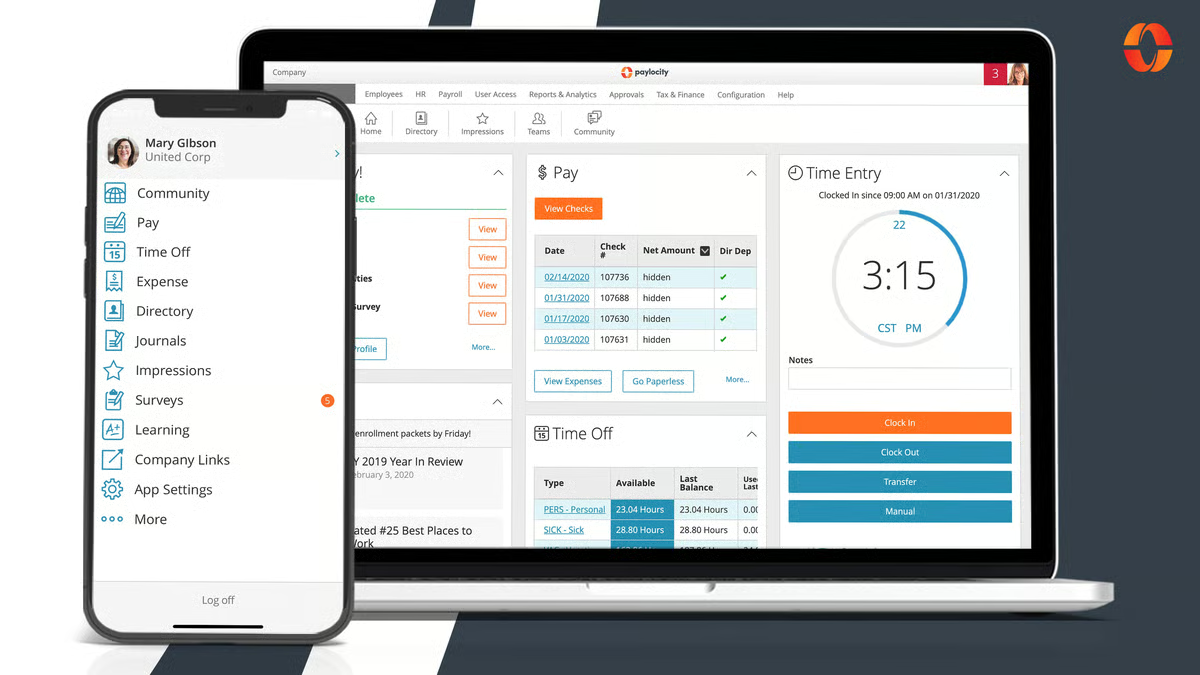
| Pros of Paylocity | Cons of Paylocity |
| Easy-to-use platform that simplifies HR and payroll tasks | Missing or limited features in some modules |
| Strong payroll automation and expense management features | Advanced features feel limited in LMS and reporting |
| Helpful and responsive customer support | Dashboard can feel cluttered for multi-department use |
"The ability for employees to update their own information, like address, direct deposit, tax forms, check stubs, edit and approve timecards, and benefits. The home page is easier to read and get things done".
- Paylocity review, Jagaira B.
"In the Timecards, it would be great if the team member's supervisor was listed there so we weren't constantly going to other places to get that information. I wish we could control how long we are logged in as Time & Labor kicks us out at very consistent intervals".
- Paylocity review, Lana B.
Personio is an all-in-one HR management software platform that upgrades HR tasks like payroll, benefits, talent, and workforce management. With its focus on automation and integration, Personio helps businesses improve efficiency and reduce administrative burdens. It's built for small and medium-sized companies with 10 to 2,000 employees and makes HR processes transparent and effective.
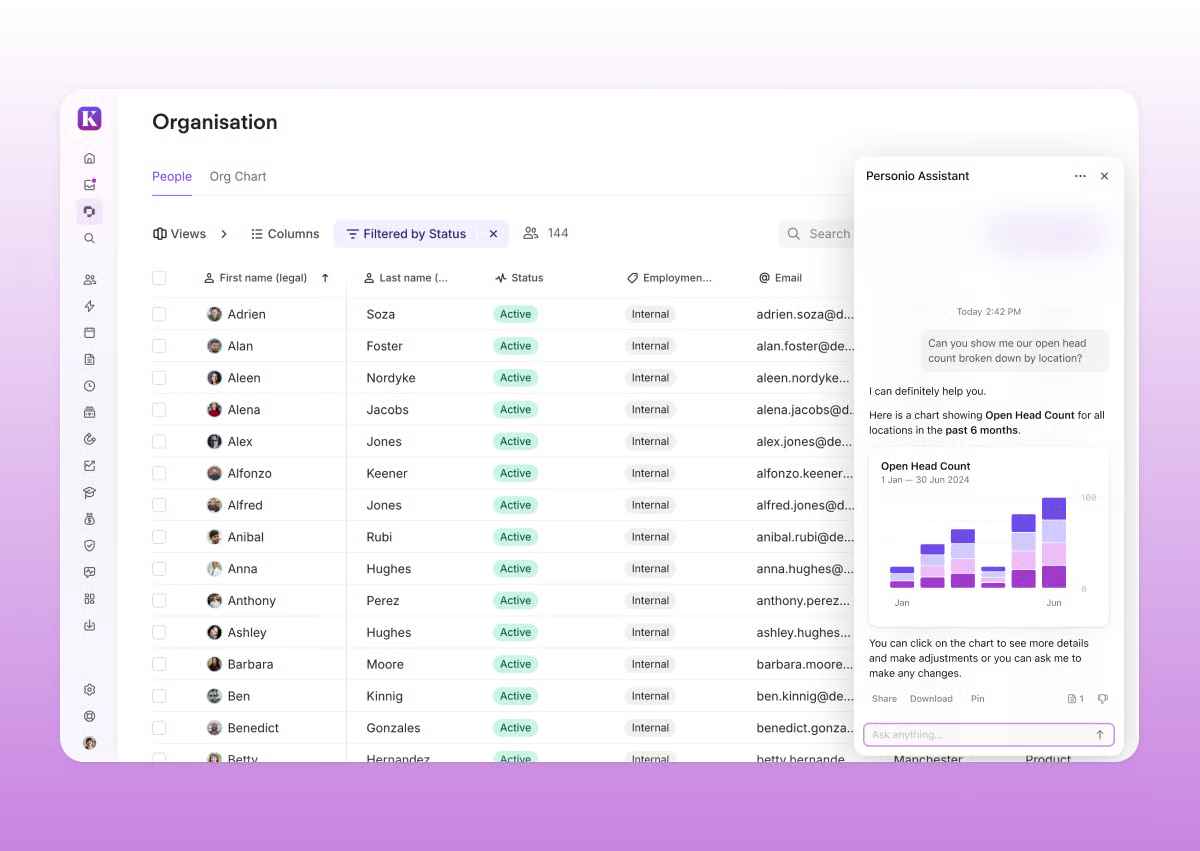
| Pros of Personio | Cons of Personio |
| Simple and easy to use | Occasionally can take longer load times |
| Rich in features | The mobile app is mediocre |
| Friendly and convenient for employees and HR specialists alike | Limited customization with the time-tracking feature |
"Our employees enjoy using Personio as it is intuitive and modern, with a pleasant look and feel. As Head of People, I use the platform for all things HR and Recruitment, which has worked well for us as a company of around 45-50 employees. Creating multiple workflows and automating emails and processes saves much manual time. Customer support is also very responsive and helpful."
- Personio review, Jules F.
"Difficulties in adding bulk data from multiple resources are the only bottleneck of Personio and need to be quickly addressed for improved product functionality in this regard."
- Personio review, Olivia T.
Security should be a top priority when you’re looking for HR software. While some free options offer basic security measures, research the provider's security protocols and data protection practices.
Free HR software is generally designed to be user-friendly and easy to implement. However, the complexity might vary depending on the size of your organization and the specific features you need.
When selecting free HR software, consider factors like your company's size, your specific HR needs, the software's features, user reviews, and data security
Free HR software typically can have limitations with user capacity and data storage. Payroll, benefits administration, performance management, and other advanced functionalities might be restricted or unavailable.
Most free HR tools cover essential HR tasks such as:
Tools like Breathe, greytHR, and Keka handle day-to-day HR operations well in their free or entry-level tiers, making them suitable for small teams.
For small businesses, the best free HR software balances ease of use with core HR functionality.
Yes, this is one of the most common features included in free HR software.
Most tools allow you to store employee profiles, contracts, IDs, and policy documents. BambooHR, Personio, Breathe, and greytHR all support centralized employee records, though storage limits may apply in free versions.
Many free HR tools include basic time-off and attendance tracking.
Some free HR tools offer light onboarding features, such as checklists, document sharing, and employee self-service access.
BambooHR, Personio, and Paylocity are known for strong onboarding workflows, but these features are often restricted to paid tiers or trials. Free versions typically support basic onboarding only.
Generally, no, payroll and benefits are rarely fully included in free HR software.
Tools like Paycor, Paylocity, greytHR, and Keka offer payroll and benefits management, but these features are almost always part of paid plans due to compliance and regulatory requirements.
Free plans usually focus on HR administration rather than payroll execution.
I recommend exploring the market thoroughly if you’re considering an HR management suite or combining tools for payroll, compensation, or workforce management. Don’t hesitate to test platforms that offer free trials or demos, many HR systems today deliver robust functionality at little to no cost without sacrificing quality.
And even if you decide to invest in a paid solution, I believe the right HR software is well worth it for the value it brings to your team.
I hope this list of the best free HR software helps you find the solution that fits your needs.
Manage your workforce better: explore some of the best workforce management software.
This article was originally published in 2024. It has been updated with new information.


Are you an HR generalist struggling to manage your rapidly growing team and drowning in...
by Yashwathy Marudhachalam

When I started researching the best workforce management software, I realized the challenge...
 by Harshita Tewari

Let AI shortlist the best tool for your use case Ask AI 1 Click on the button below2...
 by Soundarya Jayaraman