

I’ve been glued to ChatGPT since the day it launched in November 2022.
From the innocent days of asking “tell me a joke” to now commanding “help me automate this entire workflow,” we’ve come a long way in three years, and so has the AI chatbot ecosystem.
Now it feels like we’re drowning in new AI chatbot options. But despite the noise, I’ve kept coming back to ChatGPT to see if it can still hold its crown.
Maybe it’s because, for many of us, ChatGPT feels personal at this point, less like a tool, more like a daily work companion. I’ve watched it grow up, evolving from the clumsy GPT-3.5 into today’s reasoning powerhouse, GPT-5.2. I've seen features like web search and "Deep Research" go from experiments to daily necessities. I’ve tested every button OpenAI has thrown at us, not in polished demos, but in the messy reality of everyday work.
I’ve used the free version. I’ve paid the $20 for ChatGPT Plus. And I’ve formed some strong opinions. Here’s my honest ChatGPT review after 3 years of daily use, supported by 1,000+ G2 reviews.
ChatGPT still earns its place at the top as the most versatile AI assistant on the market with a 4.7/5 G2 rating. It has evolved into a powerhouse for writing, coding, and deep research, with the paid version’s advanced reasoning capabilities (GPT-5) offering a massive upgrade for professional workflows. While hallucinations, privacy concerns, and performance hiccups remain, it’s still the most dependable AI chatbot in 2026.
ChatGPT is an AI chatbot developed by OpenAI that uses large language models to understand prompts and generate human-like responses. In practice, it acts as a general-purpose assistant that can help with writing, research, problem-solving, coding support, and everyday productivity tasks.
As of 2026, ChatGPT supports text, image, and voice interactions, allowing users to analyze information, summarize content, and handle complex requests in a conversational format across a wide range of use cases across industries.
| Metrics | G2 score | Insight |
| G2 rating | ⭐4.7/5 | Consistently ranked as a top AI chatbot based on verified user reviews |
| User adoption | 66% | Higher adoption rate than category average, indicating strong day-to-day usage |
| Time to ROI | 6 months | Most users report seeing measurable productivity gains within half a year |
| Customer segment | SMB: 64% Mid-market: 25% Enterprise: 11% |
Strongest traction among small businesses, with growing adoption in mid-market and enterprise teams |
| Ease of use | 96% satisfaction | Users consistently praise the intuitive chat interface and minimal learning curve |
When ChatGPT launched in 2022, it was a simple text box: I typed a prompt, and it typed back. But now, it can now see, hear, speak, analyze files, and browse the live internet.
Here’s a breakdown of the core engine and features that define the ChatGPT experience in 2026.
This ChatGPT review is based on three years of daily use across both the free plan and ChatGPT Plus. I evaluated ChatGPT by integrating it into my actual workflow, using it for live writing projects, deep research, coding support, and automation, rather than relying on isolated, theoretical "prompt tests."
To ensure my experience wasn't an outlier, I also analyzed patterns in hundreds of user reviews on G2 and community forums to understand where my experience aligned with the broader consensus and where it didn’t.
My evaluation focused on three key metrics:
Here’s how ChatGPT actually performs when you use it for real work, not just one-off prompts or demos.
This is where I get the most value from ChatGPT. Before AI, staring at a blank Google Doc was often the hardest part of my day. But ChatGPT gets me started easily.
If I need to write a difficult email to a client, draft a project proposal, or come up with 10 headline ideas, ChatGPT is incredible. It provides structure, tone, and a starting point.
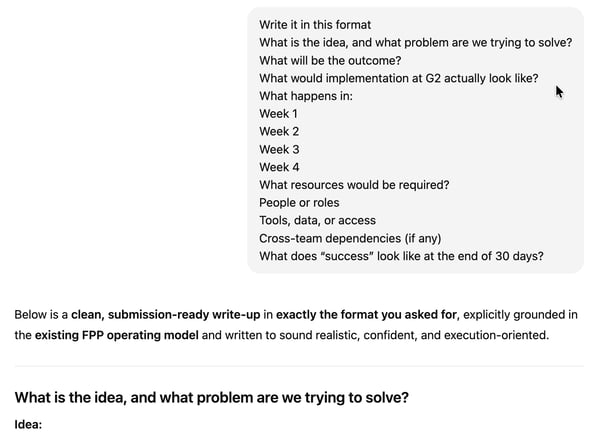
The only catch is the "default AI voice" I sometimes encounter. It tends to overuse words like "unleash," "delve," and "tapestry," making the output sound stiff and robotic.
However, when I started providing clear instructions on tone, asking for "conversational" or "direct" language, and mentioning the words to avoid, the output was often ready to use on the first pass. I could even add this to my personalization and memory tab so that I don’t have to repeat it for every conversation.
/Personalization%20on%20ChatGPT.webp?width=600&height=527&name=Personalization%20on%20ChatGPT.webp)
Even when it requires editing, treating ChatGPT as a rough-draft machine still cuts my writing time in half.
Of course, there’s Claude, which nails the human voice much better, and Gemini, which has improved a lot. But nonetheless, I keep defaulting to ChatGPT as my AI writing assistant.
I am a no-coder. But ChatGPT has helped me create tools and write code that I could have never written in my life. If I ask it to write a Python script to scrape headers from a URL list and save them to a CSV, debug a tricky JavaScript loop, or create a responsive CSS layout, it nails it.
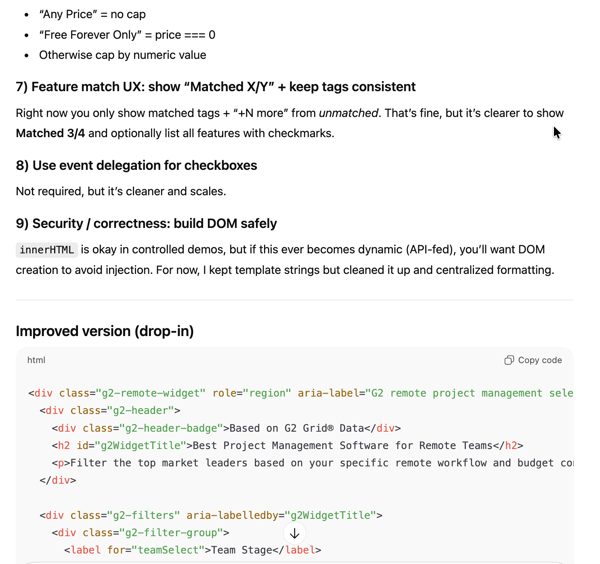
I've asked it to build games, a reading app for my toddler, and full code for websites, landing pages, and it delivers exactly what I need every time.
The biggest beneficiaries I believe are often non-technical folks like product managers, designers, founders, and entrepreneurs. If you have an idea for a simple web tool or a landing page but lack the skills to build it from scratch, ChatGPT is your buddy.
That said, it’s not perfect. ChatGPT can sometimes generate responses that sound highly certain but aren’t fully accurate. I’ve had cases where it insisted broken code was fixed when it wasn’t, and I had to use another tool to pinpoint the issue before feeding that correction back into ChatGPT.
And when I compare it with other AI code generators like Claude Code, the competition is stiff. Even then, the value is undeniable. ChatGPT turns me from someone with an idea into someone with a working prototype. For a non-developer, that shift alone is worthy.
Summarizing remains this tool's absolute superpower. I can paste a 2,000-word article and ask for the gist in 100 words, and it delivers instantly. But it’s more than just shrinking text. Even before the big updates, ChatGPT was my go-to for learning complex concepts. I have learned more about AI architecture and LLM utility from asking it conceptual questions than from any other source.
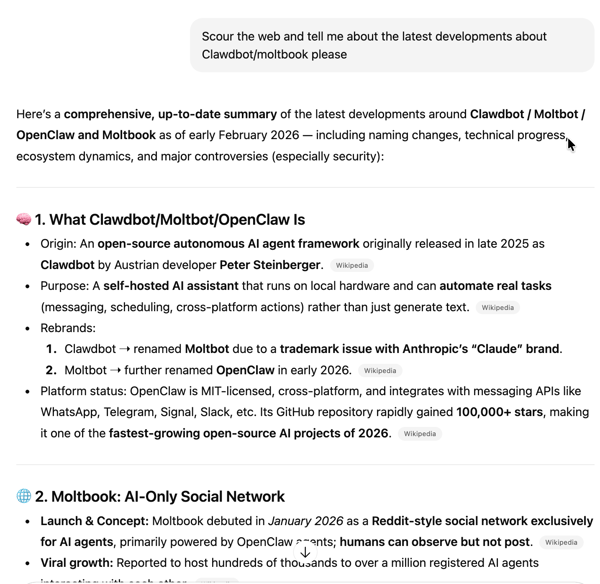
When SearchGPT arrived, it was a massive upgrade — finally, real-time data. But if I’m honest, it hasn't completely replaced Google or Perplexity for me. It isn't always as up-to-the-minute or comprehensive as a Google search for breaking news, and it can't match Grok’s ability to pull instant, raw reactions from X. For quick facts, it’s decent. But I still find myself switching to other tools when I need absolute real-time verification.
Now, if you drown in open browser tabs, whether you're a student doing a lit review or an analyst needing market trends by 2 PM, this is where ChatGPT pays for itself.
Deep Research, which dropped back in February 2025, moved ChatGPT from being a smart reader to an active researcher. I can give it a vague topic, answer its follow up questions, and step away while it browses the web, reads multiple sources, and compiles a comprehensive, McKinsey-style report. It does the heavy lifting, turning what used to be a two-day manual slog into a 20-minute task.
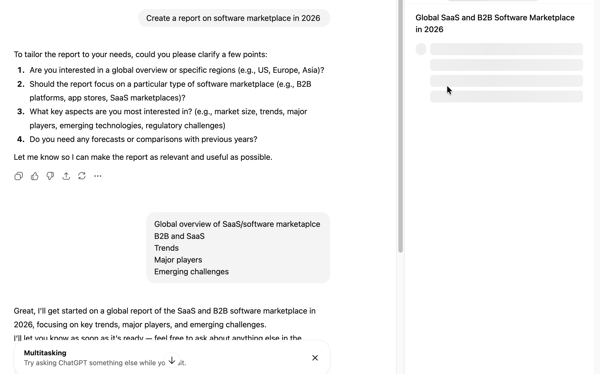
A few months into the GPT-5 era, I’ve noticed a trade-off: speed over depth. The newer models deliver faster, more polished answers, but they can feel slightly shallower unless you deliberately slow them down with more specific prompts and the output you need.
Even with that extra friction, though, the math is simple: I would rather spend five minutes refining a prompt than two days drowning in tabs. It’s not perfect, but it is still the most powerful research assistant I have ever used.
With the integration of GPT-4o Native (replacing the old DALL-E framework), ChatGPT became one of the best image generators in the market, and with GPT Image 1.5, it's become even better, in my view. Honestly, instead of hunting for stock photos, I now ask ChatGPT to generate those for me.
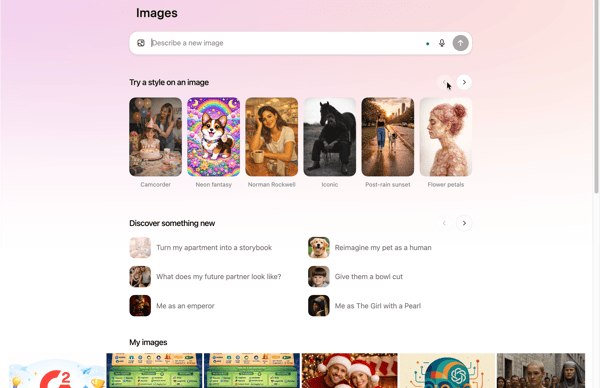
The biggest shift is that the images are actually usable. Three years back, if you asked for a logo that said "shop," the AI would spit out "sop." Today, I can ask ChatGPT to "mock up a landing page for a coffee shop called 'The Daily Grind' with a 'Buy Now' button, and the spelling is perfect. I use this constantly for quick slide deck assets, simple infographics, social media pictures, and of course, memes.
Editing is equally frictionless. If something looks off, I just say “change the background” or “add a CTA,” and it updates the image without reworking the entire prompt.
This feature is a particular goldmine for marketers and small business owners. It effectively unlocks a "zero-budget" photoshoot. You can upload a boring photo of your product, like a candle or a coffee bag, and tell ChatGPT to place it on a rustic table with morning sunlight.
If you have ever spent an hour fighting with an Excel formula only to get a #VALUE! error, this is for you. ChatGPT changed that equation overnight by turning "data analysis" into a plain English conversation.
The workflow is deceptively simple: I upload a messy CSV file, say, a year’s worth of traffic data or a chaotic export from a survey tool, and simply ask, "Clean this up and tell me what the main trends are." In seconds, it writes and runs its own Python code to scrub the data, handle missing values, and output a clean summary. It handles the grunt work of data cleaning that usually eats up half my morning.
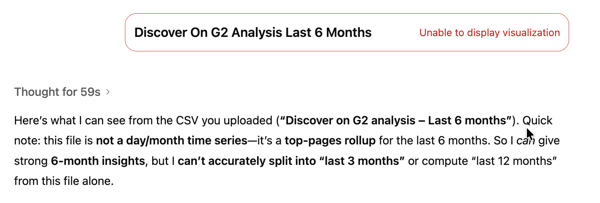
This is super-helpful for managers, consultants, and operations leads who need answers, not just spreadsheets. You can upload your raw data and ask specific, strategic questions like, "Which region had the highest profit margin variance in Q4?" or "Graph the relationship between team headcount and output." It doesn't just give you a table; it generates actual charts, bar graphs, scatter plots, and heatmaps.
I might not drop the chart directly in my deck or something, but it's definitely my starting point, and for 90% of ad hoc data tasks, ChatGPT does the job.
Voice assistants have been around for years, but they were never something I relied on for real work. ChatGPT’s Voice Mode is the first time that’s changed.
Now I don’t use Voice Mode every day, but it’s carved out a specific, high-value niche in my workflow: rehearsal. It’s especially effective for preparing for high-stakes conversations like practicing a salary negotiation, warming up for an interview, or pressure-testing how to get project buy-in from skeptical leadership. I’ve even found it useful for personal situations, acting as a private sounding board when I need to vent or untangle complex thoughts out loud.
That said, it can be overly agreeable by default and tends to jump in the moment I pause when I use the Advanced Voice Mode. Unless I explicitly tell it to “be critical,” “play devil’s advocate,” or “push back,” it can feel more like a cheerleader than a challenger. Once you set those ground rules, though, it becomes a powerful way to stress-test arguments in a safe, low-risk environment before having the real conversation.
Here are the other tasks I have explored on ChatGPT.
To balance my own long-term experience, I looked at recurring themes in G2 reviews. Here’s how ChatGPT stacks up in practice, pros and cons included.
The following are the areas where ChatGPT delivers continuous value according to 1000+ users.
“I use ChatGPT for a lot of things like research, emails, rephrasing content, generating files, coding, and integrating with tools. I find it incredibly helpful for generating C# and JS code as per my requirements. ChatGPT assists me with research related to complex topics, and not just from a developer's perspective—it guides me on health and anything I ask like a friend. I appreciate that its responses are simple, structured, and friendly. The voice mode is particularly special since we can talk with it in any language, making it incredibly versatile. For example, if I don't know English but want to communicate with someone whose native language is English, the voice mode can help. It allows me to speak and ask questions without needing to type. The initial setup is easy as it's already set up, and the API is available for use in any tool.”
- ChatGPT review, Shashank S.
That said, both my experience and G2 feedback point to a few recurring limitations worth keeping in mind.
“While ChatGPT is very effective, responses can occasionally require manual verification, especially for highly specific or sensitive information. Complex or niche queries sometimes need clearer prompts to get optimal results. Advanced features are dependent on subscription tiers, which may not suit all users. However, these limitations are manageable with proper usage.”
- ChatGPT review, Manish B.
OpenAI’s pricing structure has gotten a lot more crowded in 2026. What used to be a simple 'Free vs. Paid' choice has expanded into four distinct tiers, with the biggest differences showing up in model access, reasoning strength, and usage limits.
| Plan | Starting price | Who it’s best for | What it includes |
| Free | $0/month | Casual use, basic tasks | Basic access to GPT-5.2, limited messages/uploads, slower image generation, limited memory and context, and deep research. Include ads (currently in test in the US) |
| Go | $8/month | Frequent users who want more than free | Expanded GPT-5.2 access, more messages/uploads, longer memory. May include ads. |
| Plus | $20/month | Regular users and creators | Advanced reasoning models, expanded messages/uploads, better image + deep research tools, projects, tasks, and custom GPTs, Codex agent and Sora video generation and early access to new features |
| Pro | ~$200/month | Power users for expert workflows | Pro-level GPT-5.2 models, unlimited interactions, deeper reasoning, faster processing |
| Business | ~$25/user/month (billed annually) | Teams and growing businesses | Secure workspace, admin controls, 60+ apps & data integrations, compliance features |
| Enterprise | Custom pricing | Large organizations | Enterprise security, extended context, admin tools, dedicated support |
I’ve spent some time digging through the new tiers, and I think the best choice really depends on how you plan to use it every day. Here’s my recommendation:
If you are on the fence about getting the ChatGPT subscription, read my in-depth review on whether ChatGPT Plus is worth it.
My experience points to a clear "sweet spot" for who gets the most value out of this tool. Interestingly, my personal observations align almost perfectly with G2 Data from thousands of verified reviews.
According to the numbers, the heaviest users come from information Ttechnology, software, and marketing industries. Here is who should be using ChatGPT right now:
| Who should use ChatGPT? | Why | G2 insight |
| Writers and marketers | Speeds up drafting, editing, headlines, and content planning across formats | Reviews often highlight time saved on content creation and idea generation as a core benefit |
| Software developers and engineers | Helps generate code, explain logic, troubleshoot bugs, and prototype scripts | Many reviewers use ChatGPT for C#/JS, research help, and coding support — cited as a productivity booster. |
| Product managers and non-technical builders | Allows turning ideas into prototypes or automation without deep technical skills | G2 reviewers mention using it to generate structured outputs (like specs, plans, scripts) when they don’t code daily. |
| Consultants, analysts, and researchers | Synthesizes reports, summarizes docs, and turns messy data/notes into structured outputs | Deep Research and summarization are repeatedly called out as differentiators in reviews. |
| Business Ops and knowledge workers | Useful for quick answers, templates, planning, and everyday productivity tasks | Many reviewers cite ease of use and task breadth (emails, summaries, planning) as reasons they rely on ChatGPT daily. |
| Teams looking for an all-in-one AI assistant | Reduces the need for multiple specialized tools, centralizing AI support | G2 sentiment shows people appreciate not having to switch between separate writing, search, code, and research tools. |
It’s clear that while almost anyone can use ChatGPT, the real winners are the professionals who use it as a 'force multiplier' to skip the blank-page phase and get straight to the final polish."
Check out these head-to-head battles:
Got more questions? G2 has the answers.
ChatGPT offers a free plan with basic functionality, along with paid plans like Go ($8/month), Plus ($20/month), Pro (~$200/month), and business-focused tiers. Paid plans unlock more advanced models, higher limits, and additional features.
Yes. ChatGPT has a 4.7/5 rating on G2 and is rated #1 AI chatbot based on the latest grid report. It is one of the most capable and versatile AI assistants available and excels at writing, research, coding help, and everyday productivity — especially in paid tiers.
ChatGPT is generally safe for everyday tasks, but it shouldn’t be treated as a source of absolute truth or used to handle highly sensitive data without caution. Outputs should be reviewed, especially for critical or regulated work.
The main risks are over-reliance, occasional hallucinations, and privacy concerns related to memory and data handling. These risks are manageable with verification, clear prompts, and mindful use of sensitive information.
ChatGPT Go for $8 per month makes sense if you’ve outgrown the free plan but don’t need Plus-level features yet. It’s best for frequent users who want higher limits and better performance without paying $20 a month.
For personal use, no. ChatGPT Pro is designed for power users and teams running heavy, advanced workflows that require maximum performance and unlimited access. For everyday professional use, Plus is usually sufficient.
ChatGPT can hallucinate, provide shallow answers without careful prompting, slow down during peak usage, and raise privacy questions around memory and ads in lower tiers. It’s powerful — but not flawless.
ChatGPT is my default AI assistant — and that hasn’t happened by accident. Despite an increasingly crowded AI landscape, it continues to stand out for one simple reason: it does more things well than almost any other tool I’ve tried.
ChatGPT isn’t perfect, and there are other AI chatbots that are better at specific tasks, for example, MidJourney and Nano Banana Pro with images, Perplexity with sources, Gemini with up-to-date information, and Claude for coding. But ChatGPT is the only tool that does all of those things well enough to be indispensable.
For casual users, the free plan is a solid starting point. For anyone using ChatGPT regularly for professional work, ChatGPT Plus is where the tool truly shines. The higher tiers make sense only for power users or teams with demanding, large-scale workflows.
The bottom line: ChatGPT may not be the best tool for every single task, but it’s still the most reliable, versatile AI assistant available in 2026. And for me, that’s what keeps it open in a browser tab every single day.
Still exploring your options? Check out G2’s breakdown of free AI chatbots to see how ChatGPT compares to free tools based on real user reviews.

Let AI pick the right tool for your use case Decide with AI 1 Click on the button below
 by Harshita Tewari

Let AI pick the right tool for your use case Decide with AI 1 Click on the button below
by Soundarya Jayaraman
I typed a request into Google Gemini that would normally mean opening three tabs and running...
by Soundarya Jayaraman