


Managing video content today isn’t as simple as uploading a file and hoping it plays smoothly. As I started digging into how teams actually use video hosting platforms, whether it’s SaaS companies managing massive libraries, course creators protecting premium lessons, or sales teams delivering on-demand demos, I realized just how messy the workflow can get. Between buffering issues, scattered repositories, piracy risks, and shallow analytics, most tools simply don’t scale with growing video demands.
Heading into 2026, companies across marketing, sales, customer education, and product teams are doubling down on more efficient and secure ways to deliver video. And the more G2 feedback I analyzed, the clearer it became: modern teams need far more than a basic uploader. They need video hosting platforms that extend their workflow, support personalized demos, enable secure course delivery, optimize playback globally, and provide real insight into how audiences engage.
That’s what motivated me to take a closer look at today’s top video hosting platforms. After reviewing thousands of G2 insights across more than 20 products, I compared each one on hosting quality, playback stability, security features, integrations, and real-world usability. In this guide, I’m sharing my top picks for the best video hosting platforms and the strengths that set each one apart.
*These best video hosting platform solutions are top-rated in their category, according to G2's Winter 2026 Grid Reports. I've also added their monthly or annual pricing to make comparisons easier for you.
Video hosting platforms have become essential for teams that rely on video to communicate, educate, and sell. For me, these tools do far more than store files; they’re the backbone of how teams deliver demos, run training programs, publish marketing content, and give viewers a clean, reliable playback experience across devices.
And it’s no surprise this space is expanding so quickly. The global enterprise video platform market is expected to reach $76.08 billion by 2032, growing at a CAGR of 17.2%. As more businesses rely on video across their sales, marketing, training, and customer education workflows, choosing the right platform matters more than ever.
I spent hours reading through G2 feedback, everything from how smoothly videos load, to how easily teams embed content into LMSs or CRMs, to how platforms support secure DRM or automated demos. Some tools made publishing and managing videos feel effortless, while others required more hands-on setup or lacked the features modern teams expect.
For me, the best video hosting platforms are the ones that not only deliver smooth, reliable playback but also help teams scale, whether that means automating sales demos, protecting paid course content, optimizing video delivery globally, or giving marketers more control over brand presentation. When a platform helps you save time, reduce manual work, and deliver a polished viewing experience, it becomes an integral part of your workflow.
I started by using G2 Grid Reports to narrow down the top video hosting platforms and then spent weeks digging through detailed reviews across marketing teams, sales engineers, educators, and product organizations. I wanted to understand how each tool performs in real-world scenarios, everything from video playback quality and security to demo automation, analytics, integrations, and how easily teams could embed content into their existing systems.
Beyond the feature lists, I paid close attention to how different teams actually use these platforms. I evaluated use cases like secure course delivery, high-quality marketing playback, global video delivery, interactive demos, and customer education workflows to see where each product excelled or fell short. This helped me form a clearer picture of what truly matters when you rely on video as part of your day-to-day operations.
After reviewing these use cases, I validated every insight against verified G2 reviews. The screenshots featured in this article may include materials sourced from vendor G2 pages or publicly available product visuals, provided they are used only where appropriate and accurate.
When I started comparing video hosting platforms, I wanted to understand not just what each tool claimed to offer, but how well it actually supported modern teams that rely on video every day. With so many options available and each one promises smooth playback, better security, or smarter analytics. I needed a clear set of criteria to distinguish between marketing jargon and real, practical value.
Here are the core factors I used while evaluating all the platforms I tested:
After evaluating these factors, I narrowed my recommendations to the video hosting platforms that consistently stood out in terms of performance, usability, security, and real-world workflows.
The list below contains genuine user reviews of the best video hosting platforms.
To be included in this category, a solution must:
*This data was pulled from G2 in 2025. Some reviews may have been edited for clarity.
When I look at Wistia through the lens of G2 reviewer feedback, the first thing that consistently stands out is how strong its core video playback and hosting experience is. Reviewers lean heavily on Wistia’s video player as a defining feature, and it’s easy to see why. The player is one of the highest-rated elements in the dataset, performing well above category averages. The same pattern shows up in how people talk about distribution and video management.
These aren’t secondary benefits for Wistia users; they’re central to why teams choose the platform. Whether it’s marketers embedding videos on a website, product teams hosting walkthroughs, or entire organizations managing large libraries, the theme remains the same: the platform excels in handling the fundamentals exceptionally well. As I sifted through the reviews, the data reinforces this strength across the board. According to G2, Wistia scores 95% for ease of use, 94% for ease of setup, and 92% for meeting requirements, which aligns with reviewers who repeatedly mention how intuitive the interface is and how smooth the experience feels on a day-to-day basis.
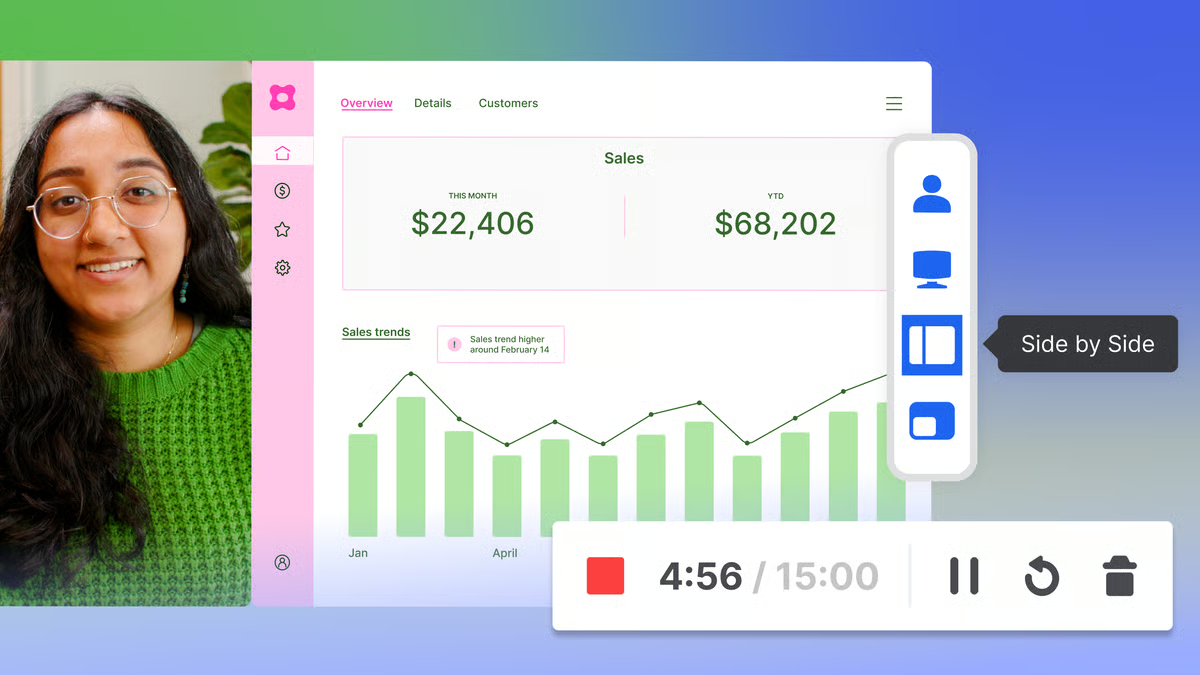
What I found particularly compelling is how reviewers describe Wistia’s value as a marketing-centric platform. Many G2 users talk about using Wistia to support branding, run webinars, manage libraries of customer-facing content, or even replace several other tools. The consistent praise for organization, hosting reliability, and playback quality makes Wistia feel purpose-built for teams that care deeply about how their video content is presented and distributed. And if you’ve ever wondered what platform integrates video hosting with marketing automation tools, Wistia is one of the few in this list that aligns naturally with that need, thanks to its strong focus on brand presentation and marketing workflows.
Some G2 reviewers noted that Wistia’s content structure and taxonomy can feel limiting for organizations with extremely large or complex video libraries. While the platform works smoothly for small to midsize teams with straightforward content needs, teams managing thousands of assets or relying on deeply nested folder structures may find the organization system less flexible than they’d prefer. For companies with heavy video workloads or intricate archival requirements, Wistia may work best as a distribution tool rather than the central hub for long-term content management.
Other reviewers have mentioned that Wistia’s editing capabilities aren’t as advanced as those of full-scale video editing software. The built-in tools cover essential adjustments, but they’re not designed for teams that require detailed, production-level editing. For marketing departments running high-end video campaigns or creative teams that need granular control over cuts, effects, and audio mixing, Wistia fits best as a hosting and analytics platform, used alongside a dedicated editing tool rather than replacing one.
Overall, reviewers describe Wistia as a reliable and easy-to-use platform that excels in high-quality video hosting, polished playback, and controlled distribution. Its strong ratings for video performance, management features, and usability make it a natural fit for marketing, brand, and creative teams that want a stable, professional video experience without unnecessary complexity.
“I genuinely appreciate Wistia for its incredible ease of use; it is so intuitive that I was able to grasp its functionalities without any formal training or courses. I love the analytics feature that lets me understand my viewers, including seeing where they are viewing from and knowing the drop-off rates, all accessible with a few clicks. It's fantastic how I can effortlessly upload videos, add thumbnails, edit scripts, use free transcript generation, and insert call-to-action links quickly. The editing capabilities stand out for accommodating quick edits and enabling smooth video storage and movement, allowing me to organize them efficiently within our marketing department's professional learning section. I really value how seamlessly Wistia integrates with WeVideo, making the upload of MP4 files flawless and saving me time with its overwrite feature for existing videos, ensuring swift updates. Wistia's sharing features make embedding and linking videos to our website, learning community, and emails a breeze, contributing to an overall outstanding experience that I would highly recommend to anyone looking to host their videos”.
- Wistia reviews, Heather R.
“I find the lack of scheduling options for recurring webinars in Wistia's webinar platform problematic. Since I host the same webinar weekly, the inability to schedule multiple webinars in a row is inconvenient. This limitation forces me to stick with Zoom for scheduling recurring webinars, which is not ideal”.
- Wistia reviews, Ryan H.
Before choosing a hosting platform, get the full picture. These 65+ Video Marketing Statistics show exactly how teams are using video to drive engagement, conversions, and brand visibility.
The thing I personally connect with and what reviewers consistently echo is how quickly Loom lets you move from idea to explanation. There’s no prep, no setup, no second-guessing whether you have the correct settings turned on. You just hit record, talk through your screen, and send the link.
That instant capture-and-share flow is the core feature reviewers keep coming back to.
It’s the one thing Loom seems built around, and honestly, it’s the exact reason I rely on it too: sometimes typing out a long explanation feels impossible, and a 45-second walkthrough does the job better than five paragraphs.
According to G2 Data, Loom holds a 96% ease-of-use rating and a 98% ease-of-setup score, which tracks with how reviewers describe their day-to-day workflow. People often talk about how seamless it feels to record, trim, and share a link without interrupting their momentum. Teams use it to give design feedback, explain bugs, hand off tasks asynchronously, or create onboarding snippets that are easier to follow than a written doc.
Another theme I noticed in the reviews is the reliability of the videos playing back. Whether it's a screen walkthrough, a camera-only update, or a mix of both, users highlight how consistent the quality is and how easy it is for recipients to watch without downloading anything. That clarity is a big part of why Loom has become a central tool for distributed teams. It reduces meetings, keeps workflows moving, and gives people room to respond on their own schedule.
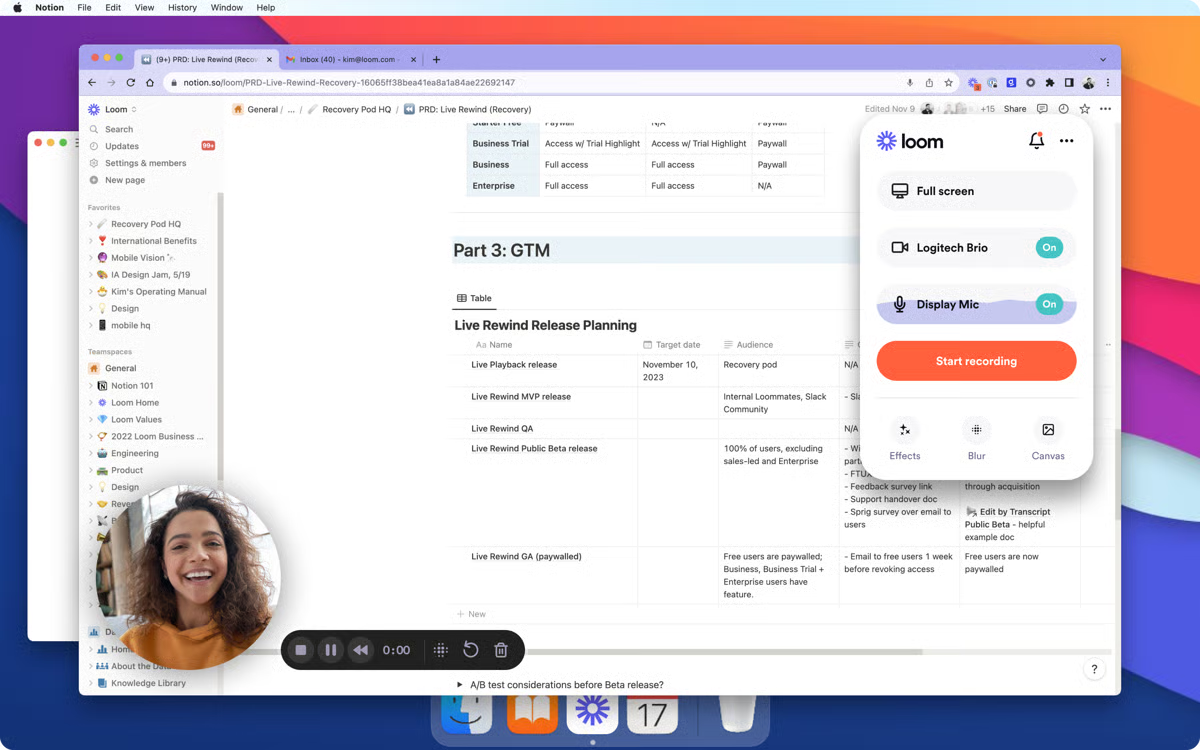
Some G2 reviewers noted that keeping videos organized can become challenging as the library grows. Loom works extremely well for quick, one-off recordings, but once teams accumulate dozens or hundreds of clips, its folder structure can feel limiting. Users who rely on long-term storage or need more detailed categorization often mention creating workarounds or pairing Loom with external organization tools to keep everything manageable.
Reviewers also pointed out occasional instability with the Chrome extension or desktop recorder. These issues aren’t constant, but they appear frequently enough to matter for teams that record often. Reports of the camera not being detected right away, the extension requiring a refresh, or the recorder stalling before capture can disrupt workflows, especially for high-volume creators or distributed teams that use Loom for continuous, back-to-back recordings. For these users, even small interruptions can add friction to an otherwise smooth workflow.
On the whole, reviewers agree that Loom delivers meaningful time savings and makes async communication easier across teams. With strong G2 ratings for ease of use, fast setup, and smooth playback, it’s a reliable choice for product collaboration, customer education, and any workflow where a quick visual explanation can replace a meeting.
“Loom is a software that help us in recording our mobile screen, and after recording the screen, it generates an automated link that can be shared through email or WhatsApp to all of our employees so that they can access the video without even downloading. This software makes the video detailing process much easier for us”.
- Loom review, Abhijeet K.
“A few of our field-team folks have said the buffered video stalls, which interrupt the “watch on the go” benefit we were hoping for. Additionally, because it’s built for speed over deep editing, if I need fine-grained video editing (such as cutting between multiple scenes or layering graphics), I still end up switching to a dedicated video editor. So for “quick and clear” it’s excellent; for “studio-grade polished”, less so".
- Loom review, Avyan S.
Ready to create videos your audience actually learns from? Check out how to make instructional videos: A complete 8-step guide for a clear, actionable workflow.
One of the features reviewers consistently highlight is Vimeo’s strong video hosting quality. A lot of teams say they choose it specifically because videos look clean, professional, and reliable once uploaded, whether they’re embedding content into training courses, sharing internal communications, or publishing polished creative work. That emphasis on high-quality playback shows up in almost every positive review. I often see users asking, “Which tool supports multi-language subtitles and closed captions?” Vimeo is one of the more flexible platforms in this area.
Beyond playback quality, reviewers frequently praise Vimeo for the level of control it gives them over how videos appear and how viewers interact with them. Customizing player colors, hiding controls, restricting domains, and configuring privacy settings are all areas where Vimeo stands out. According to G2 Data, it holds a 91% ease-of-setup rating, which aligns with feedback about how straightforward it feels to upload content, adjust player settings, and embed videos across different channels.
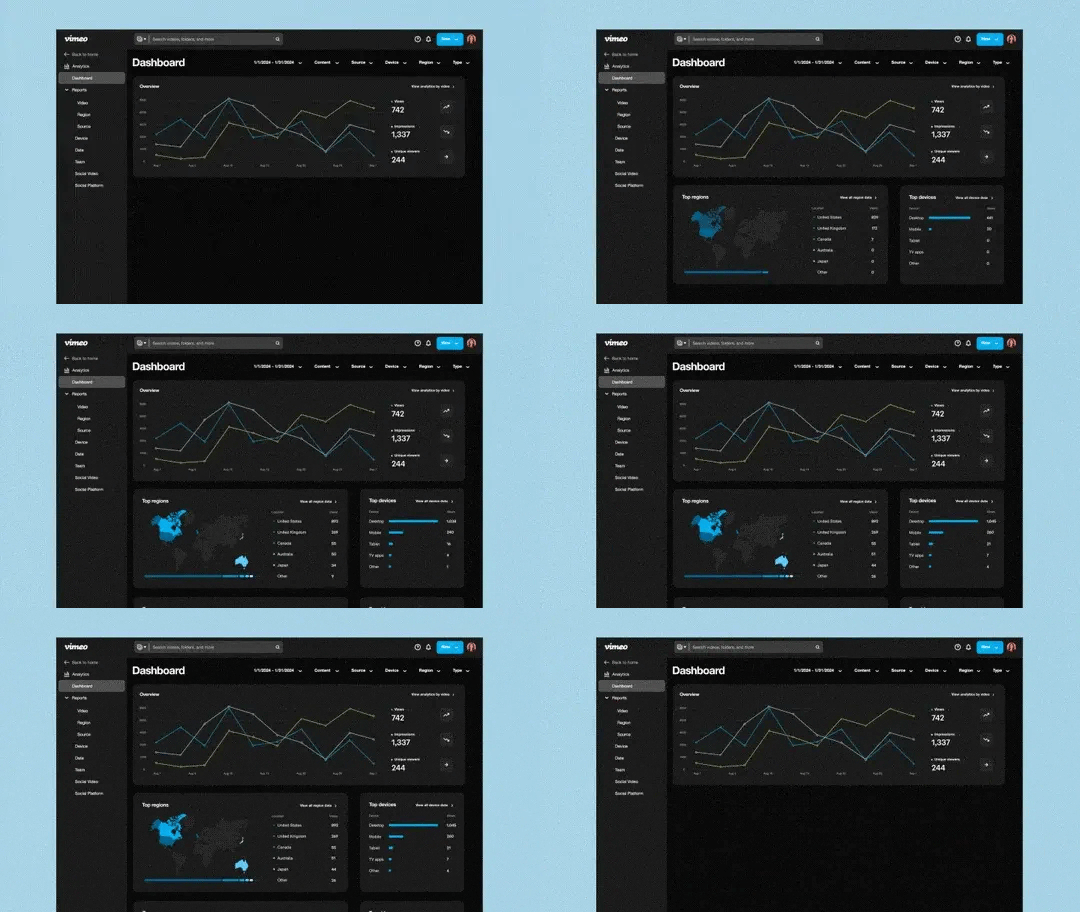
Another strength reviewers often highlight is how well Vimeo handles content organization and library management. Users mention that maintaining structured folders, updating existing videos without breaking links, and keeping large media libraries manageable feels straightforward. For teams with ongoing training programs, recurring creative projects, or multi-department workflows, this organizational clarity helps keep video operations running smoothly without added complexity.
Several G2 reviewers noted that video load times or buffering can feel slow on certain networks or when using larger files. It’s not a universal issue, but it’s something that affects teams delivering training sessions or client-facing presentations where smooth, uninterrupted playback is essential. For organizations that rely on real-time viewing or long-form content, this lag can disrupt the flow of their sessions.
Another pattern I noticed is that Vimeo’s upload settings require a good amount of manual adjustment. Reviewers say the platform offers a lot of control, which is a strength, but it also means that creators often have to configure privacy, embedding, and playback options individually with each upload. This becomes more noticeable for high-volume teams or content creators who publish frequently, since the extra steps can slow down fast-paced workflows. For users who prioritize speed over granular control, this setup may feel a bit rigid.
If your team values polished playback, creative control, and a reliable place to host videos across multiple channels, Vimeo is a strong choice. Reviewers consistently point to its high-quality output and flexible player settings as reasons it fits so well into training programs, client-facing content, and professional creative workflows. It’s a platform built for teams that want their videos to look great and feel consistent everywhere they’re shared.
“Vimeo made sharing of videos easy and painless for educational purposes, though I know it can be used much further than that. Implementing it into my daily routine for projects was quick and easy, and I'm grateful that a free option is available. Fm
For a short period, I did use this on a weekly basis. Now, it is an excellent resource that I keep "in my pocket" for when I need it again.
The share feature makes it easy to integrate into regular life and to share with other locations, such as a forum on Sakai.
Customer service is the only feature I haven't use and haven't needed to use, yet”.
- Vimeo review, Mandy H.
“The price increases have been a little too rapid, and I wish that the review features would be integrated with NLEs like Adobe Premiere, so that actual editing workflows could integrate better with cloud collaboration - especially since Frame.io has been such a disappointment after Adobe acquired them for a billion dollars”.
- Vimeo review, Paul M.
Want to polish your videos before you upload them? Check out the 10 best video editing software to find the right tool for creating professional, high-quality content.
As I went through Gumlet’s G2 reviews, one thing became impossible to miss: people really trust this platform for its speed. Not the vague “it loads fast” kind of speed, reviewers talk about videos starting instantly, streaming smoothly, and adapting quickly to whatever device the viewer is on. A lot of them mention that Gumlet “just works” the moment you plug it in, which is why, if you’re asking which video hosting platform offers the fastest streaming speeds, Gumlet consistently comes up as the top performer in real-world G2 feedback. That focus on fast, reliable delivery is clearly the core feature users depend on most.
Digging deeper, I found that hosting and playback performance show up as recurring strengths. Reviewers consistently talk about how stable the player feels, how clean the streaming looks, and how it handles even large libraries without slowing down. When I cross-checked that with G2’s feature comparison, where the video player scores 97% and video management scores 96%. People aren’t just impressed with the speed; they appreciate that it performs well day after day without needing extra intervention. Many users also mention how easy it is to embed Gumlet-hosted videos into their websites or client platforms, which aligns with its strong distribution capabilities.
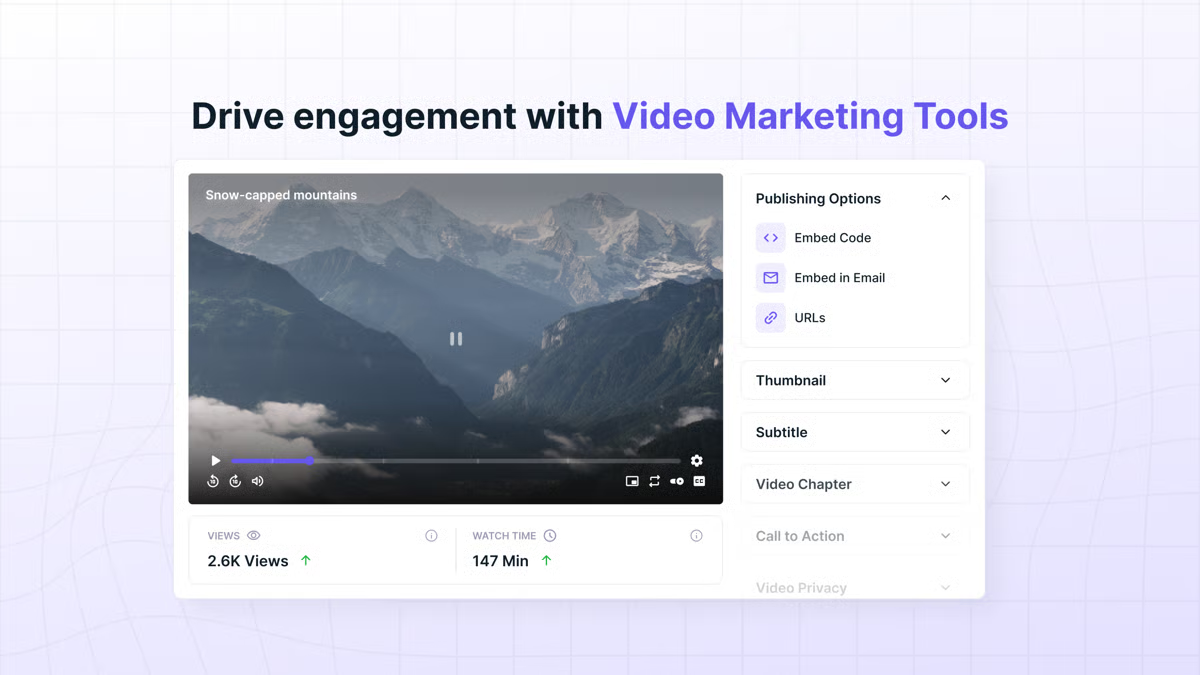
Many G2 reviewers describe the user interface as clean, appealing, and easy to navigate, which makes everyday tasks like uploading, organizing, or adjusting video settings feel pretty effortless. According to G2 Data, Gumlet earns a solid 93% rating for the quality of support, which reflects the kind of quick, helpful responses reviewers mention when they reach out with questions. It’s the kind of platform where the tech does its job quietly in the background, without weighing you down.
I noticed that some reviewers have pointed out that they’d like more learning resources or documentation for advanced formats, especially when it comes to 3D videos or more technical playback setups. Gumlet already handles everyday hosting really well, but teams working on immersive or specialized video projects may need a little more guidance to get everything dialed in.
I also came across reviewers who wished for more flexibility around private channels or subscription-based access. The current setup works perfectly well for most small teams, but creators managing paid communities or private video hubs sometimes want a bit more control over how their gated content is organized and delivered.
All things considered, Gumlet is a great fit for anyone seeking fast, dependable playback and a hosting platform that keeps things simple while delivering high-quality performance across devices and regions.
“Ran Gumlet and Bunny trials the same day. Gumlet won in 15 minutes.
The dashboard is clean, fast, and actually built for video — not a general CDN with video features bolted on. Upload once → auto AI subtitles + per-title encoding + adaptive streaming → real Widevine/FairPlay DRM → signed URLs. Everything just works. Had my first protected stream live globally faster than ever.
Support is insane — live chat answers in under 2 minutes, even at 2 a.m. Docs and short tutorial videos are some of the clearest I’ve seen. Already moving all my courses and SaaS demos here”.
- Gumlet review, Jeeva P.
“Nothing really, though there may be an occasional small learning curve when exploring lesser-used features”.
- Gumlet review, Ken B.
VdoCipher feels like the kind of tool you turn to when protecting your content becomes non-negotiable. Its foundation is rock-solid DRM security, ensuring that your paid courses, workshops, and premium videos stay exactly where they belong: with the people who paid for them.
The core feature reviewers praise over and over is its DRM protection. G2 users talk about how confidently they can host paid courses, workshops, and premium content without worrying about unauthorized downloads or screen captures. That focus on security is the biggest reason people choose VdoCipher in the first place. According to G2 Data, the platform holds a 95% meets-requirements rating, which aligns with how reviewers describe finally having a reliable, purpose-built way to protect their videos after struggling with mainstream hosting tools that weren’t designed with piracy prevention in mind.
As I read further, playback stability came up repeatedly as another major strength. G2 reviewers highlight how smoothly videos run across devices and bandwidths, even when DRM layers are added. For creators offering paid programs or cohort-based learning, that stability matters to students to get a clean watching experience without interruptions, and creators know their content isn’t being compromised. VdoCipher’s watermarking tools also get a lot of attention. Users appreciate being able to apply dynamic, user-level watermarks tied to their email address, IP address, or device. It’s a practical feature that adds another layer of visibility and discourages content sharing.
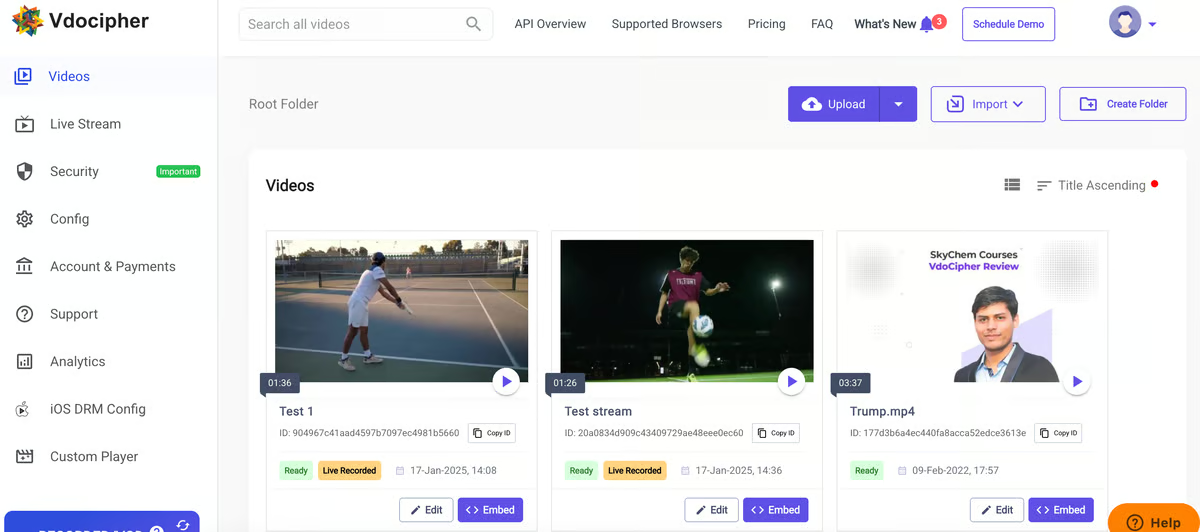
VdoCipher also stands out for its offline DRM capabilities. Several G2 reviewers say it’s one of the few platforms that offer true offline protection while still preventing screen recording. That makes it especially useful for ed-tech companies, training programs, and content creators who need their videos to be accessible in low-bandwidth regions without sacrificing security. Once implemented, reviewers mention that the system consistently works as promised.
Some users do mention that the dashboard can feel a bit technical the first time you interact with it. The tools are powerful, but they require configuration steps that may take longer for solo creators or small teams that don’t have dedicated technical support. This isn’t a dealbreaker for most users, but it's something to expect if your team prefers plug-and-play simplicity over detailed control.
Another theme I noticed relates to pricing flexibility. A few reviewers felt the tiers could be better tailored for small creators, especially those hosting just a handful of paid videos or early-stage training content. For large institutions or educational businesses with a steady viewer volume, the pricing structure works well; however, smaller operators may find themselves wishing for more modular or usage-based options.
If your business depends on protecting paid content, VdoCipher is a strong, purpose-built solution. It combines secure DRM, smooth playback, and flexible watermarking to keep your videos safe without compromising accessibility. For educators, training companies, and creators who rely on secure video for revenue, it remains one of the most reliable platforms in its category.
“We use a custom LMS for our online courses, and VdoCipher’s API and embed options made integration smooth. The player loads quickly, the DRM is rock-solid, and their support team actually understands e-learning workflows. The login-based watermark with a dynamic user ID is a great deterrent. We also liked that it works well across mobile and desktop”.
- VdoCipher review, Debraj S.
“Setting up the iOS SDK was slightly more complex compared to Android, especially getting FairPlay working with offline content. It required a few manual configurations and wasn’t fully covered in the initial documentation”.
- VdoCipher review, Preeti T.
Consensus makes it incredibly easy to give prospects the freedom to explore product demos on their own terms. The whole experience is built around letting prospects explore at their own pace, jumping between sections, revisiting key features, and engaging with the content at the pace that makes sense for them. For teams selling complex or multi-layered products, this kind of flexibility can make early education feel much lighter and far less repetitive.
As I evaluated G2 reviews, it became clear that scalability is another one of Consensus’ core strengths. Many reviewers talk about how the platform streamlines early-stage discovery by automating a lot of the repetitive demo work that sales engineers usually handle. According to G2 Data, Consensus scores 93% for ease of use and 92% for meeting requirements, which aligns with how teams describe building repeatable demo flows without sacrificing personalization. The personalization engine itself gets a lot of positive attention. Each viewer receives a demo path tailored to their interests, which helps sales teams understand buying intent well before the first call.
Analytics also play a big role in why teams rely on Consensus. As I reviewed the dataset, I noticed multiple references to the value to seeing exactly what prospects watch, skip, or replay. For sales and SE teams, knowing which parts of the product resonate most gives them a stronger starting point for live conversations. This becomes even more valuable for companies with longer buying cycles or multiple decision-makers, where visibility into engagement helps guide follow-ups more strategically.

Some G2 users did point out that demo boards need to be created manually. The tools are flexible, but they still require sales or SE teams to build and publish each board themselves. For organizations that send out a high volume of demos every week, having a bit more automation in this process would make the workflow even smoother and help streamline repetitive outreach.
I also came across G2 feedback about searching older demo boards as libraries expand. When teams manage dozens or even hundreds of demos, locating past boards can take more steps than expected. Smaller teams won’t feel this as much, but fast-growing sales groups with large content libraries may find themselves wanting quicker filtering or easier ways to surface older materials.
When you weigh it all up, Consensus brings together interactive demos, meaningful personalization, and strong analytics to help sales teams scale product education without adding more manual work. For companies selling technical, feature-rich products or anyone who wants to qualify interest earlier in the sales cycle, the platform offers a thoughtful and efficient way to let prospects drive their own learning experience.
“Consensus makes it easy to deliver personalized demos at scale. The automated demo flows save our team hours every week, and the engagement analytics give us clear insights into what prospects care about most. It’s intuitive, efficient, and a huge help for qualifying leads faster”.
- Consensu reviews, Sabarri R.
“Sometimes the video library can be tricky to navigate. Unsure if that's how my organization set it up, but when I left some navigation feedback to my internal team, it was sorted out quickly.
From a prospect standpoint, when multiple demo videos are sent, I think it can be confusing for the viewer to know that they've been sent a playlist. It would be nice if there were a navigation board that showed the entire list of what they've been sent”.
- Consensus reviews, Taylor R.
Have more questions? Find more answers below.
For monetized video (courses, training, paid libraries), VdoCipher is the strongest choice. Its DRM encryption, dynamic watermarking, and anti-download protection keep premium content secure, far beyond what general hosting platforms offer.
Gumlet, Loom, and Wistia offer the best value for SMBs. Gumlet’s free plan includes CDN-backed delivery and adaptive streaming, while Loom and Wistia provide generous free tiers for lightweight hosting, walkthroughs, and training content.
Enterprise teams typically lean on Wistia, Vimeo, or Gumlet. Wistia excels in branded marketing playback, Vimeo supports polished creatives and client-facing content, and Gumlet provides global performance and flexible integrations at scale.
VdoCipher is best for organizations prioritizing strict security. Its DRM stack, dynamic watermarking, and anti-screen-capture protection fit training teams, ed-tech providers, and companies handling sensitive or paid content.
Gumlet leads in adaptive bitrate streaming. It automatically encodes multiple renditions and serves them through a global CDN, ensuring smooth playback even on low-bandwidth connections.
For marketing analytics, Wistia delivers detailed viewer heatmaps and engagement data. For sales teams, Consensus goes deeper by tracking how prospects interact with each demo section.
Vimeo excels in providing granular access controls, including domain restrictions, embed limits, and password locks. For even stronger protection, VdoCipher adds full DRM and forensic watermarking.
Gumlet or Vimeo are both cloud-based video hosting platforms, best for video streaming. They use global CDNs, adaptive streaming, and automatic encoding to deliver fast, smooth playback across devices and bandwidth conditions.
The four main types of hosting are:
Choosing the right video hosting platform comes down to the kind of experience you want to deliver, whether that’s polished marketing playback, lightning-fast global streaming, secure training libraries, or automated product demos that scale your sales engine.
Every tool in this analysis performs well in its category, but the best fit ultimately depends on your team’s goals, content volume, security needs, and how deeply video is woven into your workflows.
As you evaluate your options, consider the trade-offs around customization, DRM security, analytics depth, integration flexibility, and long-term scalability. And remember, your final choice goes beyond hosting; it’s about finding a platform that strengthens every stage of your communication, education, and customer engagement processes. Feel free to circle back to this list whenever you need a quick comparison or want to explore a new platform as your video strategy evolves.
If you're looking to enhance your video workflow even further, check out my peer’s breakdown of the best video editing software, a perfect complement to the hosting platforms listed here.


The best VPS hosting providers in 2026 include DigitalOcean, ScalaHosting, Cloudways, GoDaddy,...
 by Hasitha Varre

Video hosting may seem simple until a team actually relies on it. What starts as “we just need...
 by Washija Kazim

You know the drill: marketing has its videos in one place, sales has theirs somewhere else,...
 by Disha G