


I evaluated eight of the best service desk software platforms to identify the solutions that consistently stood out across G2 reviews, user satisfaction data, adoption insights, and service desk workflows. These are ServiceNow IT Service Management, Jira Service Management, Atera, Freshservice, Autotask PSA, SolarWinds Service Desk, SysAid, and Splashtop Remote Support.
Choosing the best service desk software isn't just about finding a platform that can manage tickets. As I analyzed G2 reviews, I found that IT teams are expected to handle incident management, service requests, approvals, asset tracking, SLA compliance, automation, and end-user support without creating operational bottlenecks. The right platform can simplify those responsibilities, while the wrong one can create additional complexity for both agents and employees.
As I analyzed G2 reviews and supporting product data, I found that different platforms excelled for different reasons. Some focused on enterprise-scale service management and governance. Others prioritized technician productivity, remote support, automation, or integrated asset management. That variation made direct feature comparisons less useful than understanding which tools performed best for specific IT environments and business needs.
To evaluate these products fairly, I examined how each platform supports common IT workflows, from ticket intake and escalation management to asset visibility and service performance tracking. In this guide, I'll break down where each platform performed best, the considerations that surfaced during my evaluation, and which teams are most likely to benefit from each solution.
ServiceNow IT Service Management: Best for enterprise IT teams managing complex service operations
Workflow automation, change management, service catalogs, governance controls, and enterprise-scale process orchestration. (Custom pricing)
Jira Service Management: Best for connecting IT support with software development workflows
Ticket management, incident response, change tracking, automation rules, and native Jira integration. ($19.04/agent/month)
Atera: Best for MSPs that need remote monitoring and service desk management in one platform
Remote monitoring, patch management, AI-powered troubleshooting, ticketing, and technician-based pricing. ($149/technician/month)
Freshservice: Best for IT teams automating service requests without heavy implementation overhead
AI-powered workflows, service catalogs, asset discovery, ticket automation, and no-code workflow creation. ($19/agent/month)
Autotask: Best for managing contracts, projects, and support across multiple clients
Contract management, project tracking, service delivery workflows, billing oversight, and MSP-focused reporting. (Custom pricing)
SolarWinds Service Desk: Best for organizations prioritizing IT compliance and service visibility
Compliance tracking, asset management, incident management, service analytics, and AI-assisted automation. ($39/technician/month)
SysAid: Best for consolidating help desk and asset management workflows
Integrated ITSM, asset tracking, workflow automation, self-service tools, and service performance reporting. (Custom pricing)
Splashtop Remote Support: Best for secure remote troubleshooting across distributed endpoints
Remote access, unattended support, endpoint management, session monitoring, and security-focused controls. ($22/month)
*These service desk software are top-rated in their category, according to the latest G2 Summer 2026 Grid Report. I’ve added their standout features and pricing information for easy comparison. To maintain review quality and consistency, products with fewer than 100 G2 reviews were excluded from this evaluation.
As I analyzed G2 reviews for these platforms, I found that the best service desk software does far more than manage tickets. IT teams are expected to handle service requests, incidents, approvals, asset visibility, and service-level commitments while keeping support efficient for both employees and technicians.
That growing responsibility is reflected in the market itself. The IT service desk market is projected to grow from $3.69 billion in 2025 to $18.04 billion by 2035, expanding at a 17.2% CAGR. As organizations invest more in IT operations, service desk platforms are evolving into broader systems for automation, asset management, reporting, and service delivery.
During my evaluation, I focused on the themes that appeared consistently across G2 reviews. Some products stood out for managing complex enterprise environments, while others excelled at supporting MSPs, streamlining remote support, or connecting IT and development workflows. I also compared how effectively each platform handled automation, self-service capabilities, and operational visibility.
The tools on this list earned their place by solving different service management challenges exceptionally well. Whether you're evaluating IT service management software, exploring solutions with integrated IT asset management, or improving incident management processes, these recommendations reflect where each product delivered the strongest value based on my research and analysis.
I started by reviewing G2 Grid Reports to identify service desk platforms with strong market presence, user satisfaction, and consistent review volume. Since service desk software serves a wide range of IT environments, from enterprise IT departments to managed service providers (MSPs), I focused on products that demonstrated sustained performance across the category.
As I evaluated each platform, I looked beyond ticket management capabilities. I examined how effectively the software supports incident resolution, service request management, workflow automation, asset visibility, self-service experiences, reporting, and SLA management. I also considered how well each product adapts to different operational requirements, including enterprise service delivery, remote IT support, and MSP workflows.
To identify the best service desk software for different use cases, I analyzed verified G2 reviews at scale using AI-assisted review analysis. This helped me uncover recurring patterns in user feedback, including the capabilities customers value most, the challenges teams encounter during implementation and daily use, and the features that have the greatest impact on long-term satisfaction.
I paid particular attention to comments about automation, ease of administration, reporting, integrations, asset management, and overall service desk efficiency. The final recommendations reflect a combination of G2 review insights, market data, product capabilities, and real-world workflow alignment.
The screenshots featured in this article come from G2 vendor profiles and publicly available product documentation.
After analyzing G2 reviews, I found that most service desk platforms can handle basic ticket management. The real differences emerge when IT teams need to manage service requests, asset inventories, approvals, service-level commitments, and employee support at scale. That's the perspective I used to identify the best service desk software for different IT environments and operational needs.
The eight products that made this list performed well across the following evaluation areas:
The list below contains genuine user reviews from the Service Desk software category page. To qualify for inclusion in this category, a solution must:
*This data was pulled from G2 in 2026. Some reviews may have been edited for clarity.
Not sure if a service desk is the right fit? Read G2's full breakdown on help desk vs. service desk for more clarity.
When I analyzed G2 reviews for ServiceNow IT Service Management, I expected enterprise scale to be its defining advantage. What stood out instead was how often reviewers described it as the system that connects their entire service operation. Rather than managing incidents, requests, approvals, and assets separately, teams use ServiceNow to bring those processes together within a single platform.
That positioning is reflected in the data. ServiceNow holds the largest market presence in the Service Desk category and earned a Leader designation in the latest G2 Grid Report. It also received the highest satisfaction score in the category. According to G2 data, 93% of users rated it 4 or 5 stars, and roughly 75% of its customers are from enterprise organizations.
Workflow automation emerged as one of the platform's strongest differentiators. ServiceNow earned 92% for automated ticket routing and 91% for ticket prioritization, and I found repeated mentions of automated approvals, escalations, and request handling throughout the reviews I analyzed. For large IT organizations, those capabilities help reduce manual work while maintaining service consistency.
Another theme that surfaced frequently was centralized service management. Reviewers consistently described using ServiceNow to manage incidents, service requests, change processes, and approvals from a single environment. That unified approach gives teams greater visibility into work ownership and helps reduce operational silos.
As I reviewed customer feedback, I also found strong praise for reporting and governance capabilities. Users frequently referenced dashboards, audit trails, and workflow visibility as important tools for tracking performance and supporting decision-making. Those capabilities are particularly valuable in organizations with formal service delivery requirements.
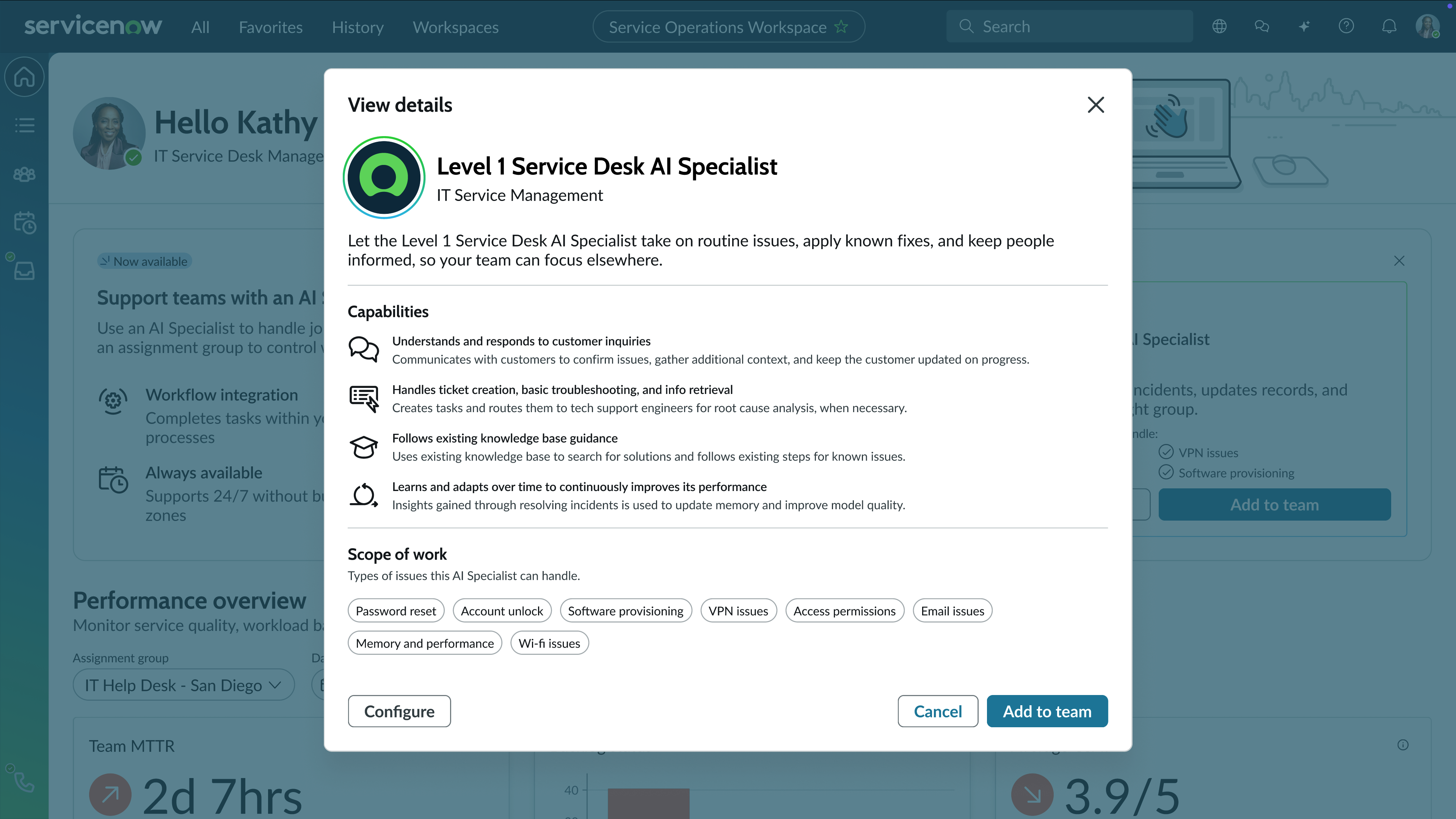
Integrations appeared throughout the reviews as well. Users highlighted connections with Jira, Microsoft tools, GitHub, and other business applications that help support collaboration across IT, development, and business teams without creating disconnected workflows.
Asset visibility was another recurring strength. Several reviewers mentioned the ability to connect tickets with infrastructure, applications, and related services, giving technicians additional context during troubleshooting and change planning.
While reviewing G2 customer feedback, I found that ServiceNow delivers its greatest value in organizations that need extensive process control and customization. Teams adopting the platform should be prepared for a more involved implementation and configuration effort than they might encounter with simpler service desk products. For enterprise environments, that additional investment often supports greater flexibility over time.
I also came across recurring feedback on G2 around licensing and administration costs. ServiceNow is built for organizations managing large-scale service operations, and its breadth is a major advantage in those environments. Teams with more straightforward support requirements may find that they don't need the same level of operational depth.
ServiceNow IT Service Management is best suited for enterprises that need automation, governance, and standardized service delivery across complex IT environments. Based on the G2 reviews I analyzed, its strongest value lies in helping organizations manage large-scale service operations through a centralized, highly structured platform.
“What I like best about ServiceNow IT Service Management is how seamlessly it brings all IT processes together in one place. The platform makes it incredibly easy to track incidents, manage requests, and automate workflows without needing constant manual intervention. The interface is clean and intuitive, and the level of customization means it can adapt to almost any team’s needs. The real standout for me is the automation and workflow engine — it saves time, reduces errors, and keeps everything moving efficiently. Plus, the reporting and dashboards give clear visibility into performance and trends, which helps with smarter decision‑making.”
- ServiceNow IT Service Management review, Ramkumar H.
“It can feel heavy and somewhat slow sometimes, particularly when I’m handling complex workflows. There are also tasks that take more clicks than they should, which turns otherwise simple actions into something that feels unnecessarily complicated. On top of that, customization isn’t always intuitive, so even minor tweaks can end up taking more time and effort than I anticipate.”
- ServiceNow IT Service Management review, Youssef B.
ServiceNow's structured workflows are most effective when support processes are clearly documented. Learn how a well-organized help desk manual can improve consistency, accountability, and service delivery across IT teams.
While reviewing G2 feedback for Jira Service Management, I found that users rarely frame it as just another service desk tool. They describe it as a bridge between IT support, operations, and engineering teams. That connection gives organizations a shared place to manage service requests, incidents, ownership, and follow-up work without separating technical teams from the workflows they already use.
Jira Service Management earned a Leader designation in the latest G2 Grid Report, and its adoption is supported by strong user sentiment. According to G2 data, 90% of users rated it four or five stars, while 85% said they would recommend it. I also found that organizations typically go live in about 1.9 months, which makes their implementation timeline especially notable for teams adopting a structured service management platform.
Ticket visibility was the clearest strength in the reviews I analyzed. Jira Service Management received 90% for ticket notifications, 89% for ticket prioritization, and 89% for automated ticket routing. Reviewers repeatedly mentioned tracking ownership, status, and progress from submission through resolution, which makes Jira a strong fit for teams comparing the best service desk software for ticket management.
Automation also surfaced often in customer feedback. I found repeated praise for routing rules, SLA tracking, alerts, and workflow automation that help teams reduce manual coordination. For support organizations handling growing request volumes, those capabilities can keep work moving without requiring every update to be managed manually.
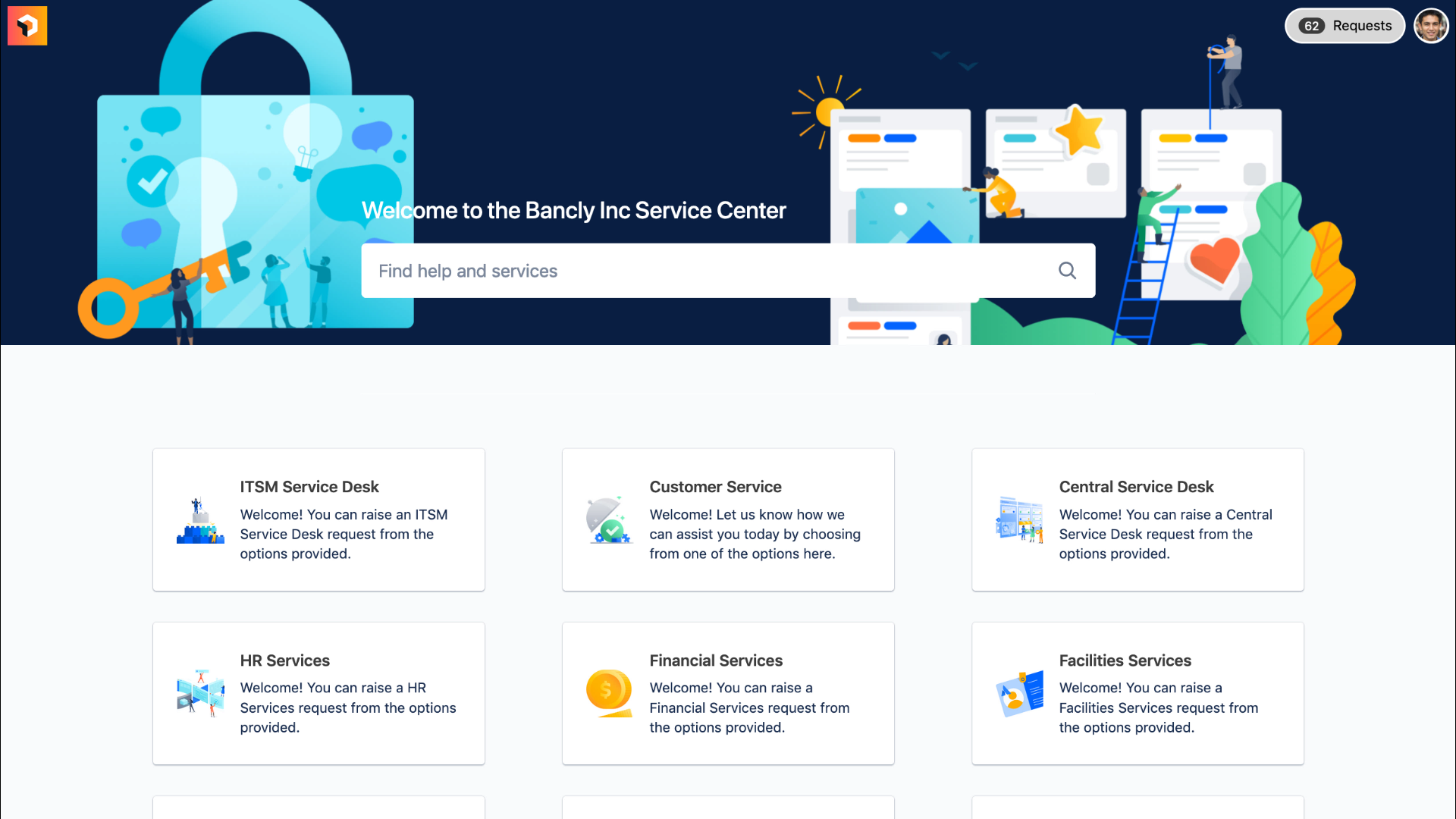
The platform’s collaboration story is equally important. Reviewers frequently described how Jira Service Management helps IT and development teams work from the same information during incidents and service requests. That shared visibility is valuable for organizations managing formal incident management processes, where support, engineering, and business stakeholders need consistent updates.
Integrations added to that value. I saw frequent mentions of Slack, Jira Software, Confluence, and third-party tools in the reviews I examined. Those connections help teams reduce context switching while keeping service activity tied to the systems where related technical work happens.
Knowledge sharing was another recurring theme. Several reviewers highlighted how Jira centralizes service history, requests, and operational context. For teams already managing help desk workflows, that continuity can make it easier to preserve context and reduce duplicated effort.
The main consideration I found on G2 is that Jira Service Management works best when teams invest time in workflow design. Organizations building highly customized request types, permissions, and automation rules may need more planning during setup. For teams that need flexibility across IT and engineering processes, that configuration effort can support stronger alignment over time.
I also saw some G2 feedback that navigation can take adjustment in heavily customized environments. Occasional users may need guidance when workflows, queues, and request structures become more advanced. Once teams understand how information is organized, Jira’s flexibility becomes a clearer advantage.
The value of Jira Service Management is strongest when IT and engineering teams need a shared operating model. Based on the G2 reviews I analyzed, its mix of ticket visibility, automation, integrations, and workflow flexibility helps teams coordinate service delivery without disconnecting support from development work.
"What I like best about Jira Service Management is how it brings requests, workflows, and tracking together in one place. It makes it easier to manage work from submission to resolution without losing visibility. I also like its automation and SLA features because they help teams respond faster and stay organized. The collaboration and reporting capabilities are useful too, especially when multiple teams need to stay aligned on support or service issues.”
- Jira Service Management review, Priyanka B.
"It's really hard to make Jira Service Management tailored to our company because it requires a lot of research and education. It's not so intuitive when trying to create something customized for the company."
- Jira Service Management review, Rosario T.
Jira Service Management helps teams coordinate incidents across support, operations, and engineering functions. Explore the best incident response tools to see how organizations streamline response workflows and reduce resolution times.
As I analyzed G2 reviews for Atera, I found that users rarely view it as just a service desk platform. Instead, reviewers consistently described it as a central workspace for managing remote monitoring, ticketing, patch management, automation, and support operations. That consolidation is a major reason MSPs and lean IT teams choose Atera over maintaining multiple tools for the same workflows.
Atera's adoption metrics reinforce that value proposition. The platform holds a 4.6 out of 5 rating across more than 1,100 reviews and earned a Leader designation in the latest G2 Grid Report. According to G2 data, 97% of users rated it four or five stars, while 93% said they would recommend it. I also found that organizations reach an average adoption rate of 87% and typically realize ROI within eight months.
One theme that surfaced repeatedly throughout the reviews I examined was operational efficiency. Users frequently highlighted how Atera combines remote monitoring, ticketing, automation, and endpoint management within a single platform. For MSPs supporting multiple clients, that centralized approach reduces administrative overhead and minimizes the need to switch between disconnected systems.
Remote support emerged as another major differentiator. Several reviewers described using Atera to access devices, troubleshoot issues, and support distributed users without leaving the platform. I also noticed frequent references to managing remote endpoints across multiple locations, making Atera particularly effective for hybrid support environments. Teams comparing solutions with integrated remote desktop software capabilities may find this combination especially valuable. For organizations evaluating the best service desk software, built-in connectivity can eliminate the need for additional remote support tools.

Automation appeared throughout the feedback I analyzed as well. Users frequently mentioned automated ticket creation, patch deployment, scripting, and alerting capabilities that help reduce repetitive work. These features allow technicians to spend more time resolving issues and less time managing routine maintenance tasks.
Ease of use is another area where Atera excelled. The platform earned 94% for Ease of Use, 93% for Ease of Setup, and 92% for Ease of Admin. Reviewers consistently described onboarding as straightforward and highlighted how quickly technicians could begin managing devices, endpoints, and service requests.
I also found recurring praise for Atera's technician-based pricing model. Several MSPs noted that predictable pricing enables them to scale endpoint management without increasing costs per additional device. Combined with its broader IT management capabilities, this structure contributes significantly to the platform's appeal.
While reviewing customer feedback on G2, I found that Atera helps teams with prioritizing simplicity and operational efficiency. Organizations that require highly customized reporting and advanced dashboard segmentation may occasionally seek deeper analytics capabilities. For most MSPs and IT teams, however, the reporting features provide sufficient visibility into day-to-day operations.
I also came across feedback from G2 users managing more specialized environments. Teams with advanced workflow requirements or highly customized PSA processes may eventually seek additional flexibility in certain areas. For small and midsize organizations, the platform's balance of usability and functionality remains one of its strongest advantages.
Atera's value becomes most apparent when MSPs need to manage more devices, tickets, and client environments without increasing operational complexity. Based on the G2 reviews I analyzed, its combination of remote support, automation, endpoint management, and technician-focused pricing helps teams scale efficiently while keeping day-to-day administration manageable.
"I work remotely from South Africa for a U.S.-based MSP, and Atera is part of my daily workflow. The platform is reliable, fast, and makes it easy to manage tickets, monitor devices, and support clients across different time zones. Remote access, automation, and reporting all work smoothly, which is essential when supporting a distributed team and international clients. Atera has definitely helped streamline our operations and keep productivity high."
- Atera review, Thomas C.
"What I dislike most about Atera is that some of its more advanced features still feel less mature than those in larger, enterprise-focused RMM platforms. Reporting and analytics have improved over time, but they can still feel limiting when you need highly customized dashboards or deeper business insights. The PSA module is convenient because everything is integrated, but certain workflows and automations aren’t as flexible as they are in dedicated PSA solutions. Ticketing can also become cumbersome in more structured service desk environments. Patch management is another area that could use improvement, particularly around visibility and consistency in larger or more complex environments. At times, troubleshooting automation failures or agent-related issues requires more manual intervention than I would expect. Mac management also lags well behind the Windows experience. Feature parity isn’t there yet: monitoring, scripting, patching, and device management for macOS feel more limited and less reliable than on Windows endpoints. For MSPs supporting mixed environments, this creates operational inconsistencies and often means relying on additional tools to properly manage Apple devices. Finally, while the platform evolves quickly, some UI changes and new features can feel like they’re released before being fully refined. "
- Atera review, Riccardo T.
Atera's technician-focused pricing model makes operational performance especially important for MSPs. Learn which MSP KPIs help service providers measure efficiency, profitability, and long-term client success.
Many service desk platforms become more difficult to manage as new capabilities are added. What stood out in the G2 reviews I analyzed for Freshservice was how often users described receiving advanced ITSM functionality without the complexity typically associated with larger enterprise platforms. Reviewers frequently highlighted automation, asset visibility, and ease of administration as reasons they adopted the platform.
Freshservice holds a 4.6 out of 5 rating across more than 1,300 reviews and earned a Leader designation in the latest G2 Grid Report. According to G2 data, 98% of users rated it four or five stars, while 92% would recommend it. The platform also earned 93% for ease of use, 91% for ease of admin, and 90% for ease of setup. Those numbers align closely with the feedback I reviewed, particularly among mid-market organizations, which account for 61% of Freshservice customers.
One of the strongest themes that surfaced throughout the G2 reviews I examined was automation. Freshservice received 92% for automated ticket routing, 91% for ticket notifications, and 90% for ticket prioritization. Reviewers frequently referenced automated approvals, escalations, and service request workflows that reduce manual effort while maintaining service consistency. Several users also highlighted Freddy AI when discussing intelligent ticket routing and workflow efficiency, making Freshservice a strong example of which vendor provides AI-powered ticket routing.
Asset management appeared almost as frequently as automation. As I reviewed customer feedback, I found repeated praise for the way Freshservice combines service management and asset visibility in a single platform. Users consistently highlighted inventory management, asset discovery, and CMDB functionality as major advantages.
For organizations evaluating which platform integrates service desk tools with asset management, Freshservice was among the strongest options I encountered. Its built-in asset management capabilities help teams understand relationships between devices, services, and infrastructure without relying on separate systems.
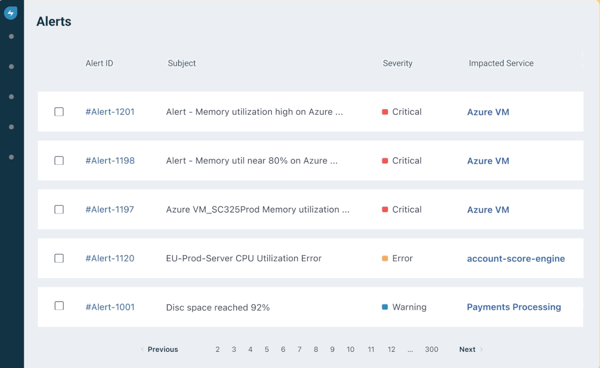
Another pattern I noticed in the G2 reviews was how quickly teams became productive after implementation. Users frequently described onboarding as straightforward and highlighted the platform's clean interface, organized workflows, and minimal training requirements. Self-service capabilities received similar praise, with reviewers often mentioning service portals, knowledge resources, and request automation. Organizations exploring customer self-service software may appreciate how naturally these features fit into Freshservice's broader service management experience.
Integration flexibility was another recurring strength. Reviewers referenced connections with Microsoft products, collaboration tools, APIs, and internal business systems that help centralize operational information and improve service delivery. The most common limitation I found involved reporting flexibility. Teams requiring highly customized analytics, dashboard segmentation, or specialized reporting structures occasionally wanted more control than the platform currently provides. I also noticed that organizations managing highly specialized workflows may spend additional time tailoring approval chains, service catalogs, and process structures during implementation.
What stood out most in my review was how often users described Freshservice as an approachable alternative to more complex ITSM platforms. Based on the G2 reviews I analyzed, it delivers a strong combination of automation, asset visibility, self-service functionality, and usability without introducing significant administrative overhead.
“I’ve been using Freshservice for a while now in a risk and compliance-heavy lending environment, and the biggest win for me is visibility. We manage a mix of internal service requests, incident tracking, and asset oversight, and having everything tied together in one system makes a real difference. The CMDB is actually useful once it’s set up properly—it helps us understand downstream impact when something breaks, which matters a lot when you’re thinking about operational risk. I also like how structured the incident and change management workflows are. There’s enough flexibility to map them to how we operate without feeling like we’re forcing our process into a rigid tool. The automation side, especially with Freddy AI, is helpful for handling repetitive tickets and routing requests. It’s not perfect, but it cuts down manual effort and response time in a noticeable way.”
- Freshservice review, Brooks A.
“It could be a little faster on the loading times for pages/modules Pricing can be steep the more agents onboard, also for Ai tools. Analitycs module can be VERY lacking in customizations sometimes, compared to Power BI for example. Visuals can be cluttered sometimes.”
- Freshservice review, Davi A.
Freshservice's automation and self-service capabilities help teams reduce ticket volume and improve response times. Explore the best conversational support platforms for customer service to see how organizations streamline support interactions at scale.
One thing that became clear as I reviewed G2 feedback for Autotask is that users rarely discuss it as a standalone ticketing platform. Instead, most reviewers evaluate it through the lens of running an MSP. Conversations frequently centered around technician utilization, project delivery, recurring billing, contract management, and maintaining visibility across multiple client environments. That broader operational focus is what separates Autotask from many traditional service desk tools.
Autotask holds a 4.3 out of 5 rating across more than 550 reviews and earned a Leader designation in the latest G2 Grid Report. According to G2 data, 94% of users rated it four or five stars, while 88% said they would recommend it. I also found that 75% of Autotask users come from small businesses, which aligns closely with the MSP-focused use cases that surfaced throughout the reviews I analyzed.
The strongest theme in customer feedback was centralization. G2 reviewers frequently described managing tickets, projects, contracts, recurring services, technician workloads, and client information from a single platform. Rather than moving between separate systems, users often highlighted how Autotask helps connect operational data across service delivery workflows.
Visibility into business performance emerged as another major strength. Autotask earned 90% for time tracking and 89% for dashboards, making reporting one of its most highly rated capabilities. As I worked through the reviews, I repeatedly found references to technician utilization, profitability tracking, service performance metrics, and operational reporting. For organizations evaluating what platform provides analytics on service desk performance, Autotask consistently stood out because of the depth of operational data available within the platform.
Ticketing also received strong feedback. Users frequently described having access to client history, contract details, service records, and related activities directly within tickets. That additional context helps technicians resolve issues without having to constantly search across multiple systems.

Another pattern I noticed throughout the G2 reviews was the platform's integration ecosystem. Reviewers repeatedly referenced connections with remote monitoring and management (RMM) tools, documentation platforms, and business systems that help automate service delivery. Those integrations allow MSPs to create workflows that connect monitoring, ticketing, and remediation activities.
Autotask's broader business management capabilities also surfaced frequently. Several reviewers highlighted the value of combining service delivery with billing, project tracking, contract management, and customer relationship management (CRM) functions inside the same platform. For MSPs supporting multiple clients, that level of operational visibility can simplify day-to-day management considerably.
While reviewing customer feedback on G2, I found teams looking for highly simplified workflows or minimal configuration requirements may occasionally find reporting structures, workflow customization, and administration more involved than expected. For MSPs that rely on detailed service and business metrics, however, that complexity often supports greater control.
I also noticed recurring feedback around the user experience. Autotask provides extensive functionality across service management, reporting, contracts, and projects, but some reviewers felt navigation could require more clicks than they would prefer. Organizations that depend on its broad feature set are most likely to benefit from that additional depth.
What stood out most in my G2 review was how often users described Autotask as a business operations platform rather than a service desk. Based on the G2 reviews I analyzed, it is particularly well-suited for MSPs that need visibility into contracts, projects, profitability, and service delivery across multiple client accounts while maintaining everything within a centralized system.
"Autotask is resourceful in connecting all IT services together, from the time tracking, ticketing, CRM, among many. The program is remarkable in supporting automation, where it works efficiently for ticket routing, recurring billing, alerts, among many. The integration support with Autotask is versatile, enabling different tools like accounting software, Microsoft services, RMM platforms among others The reporting mechanisms from the software are outstanding and the app issues detailed customer support metrics, technicians performance and profitability The platform handles diverse clients environments, and this brings centralized management and business operations There is magnificent accountability that the software brings, includes the ticketing history, and the metrics of service delivery"
- Autotask PSA review, Luciana S.
"The interface can feel cluttered at times, and some workflows take more clicks than they should. Reporting and customization are powerful but can have a learning curve, especially for newer users or smaller teams without dedicated administration resources."
- Autotask PSA review, Jonathan N.
Autotask helps MSPs manage service delivery, contracts, and client environments at scale. Explore the best endpoint management software to see how organizations gain greater visibility and control over distributed devices.
Some service desk platforms focus primarily on speed and simplicity. As I reviewed G2 feedback for SolarWinds Service Desk, I noticed users repeatedly emphasizing something different: visibility. Reviewers frequently described the platform as a centralized system for managing tickets, assets, workflows, and service operations with greater accountability. That emphasis on oversight and operational control appeared throughout the feedback I analyzed.
SolarWinds Service Desk holds a 4.3 out of 5 rating across more than 775 reviews and earned a Leader designation in the latest G2 Grid Report. According to G2 data, 94% of users rated it four or five stars, while 87% would recommend it. I also found that organizations achieve an average user adoption rate of 79% and typically realize ROI within 15 months. Ease of use, quality of support, and ease of doing business each earned 91%, reinforcing a trend I saw repeatedly in customer reviews.
Ticket management is one of the platform's strongest capabilities. SolarWinds Service Desk earned 90% for ticket notifications and 88% for both ticket prioritization and automated ticket routing. Throughout the G2 reviews I examined, users frequently highlighted how the platform helps teams maintain visibility across incidents, requests, approvals, and ongoing service activities. For organizations evaluating the best service desk software, that structured approach to service management was one of the most consistently praised themes.
Asset management surfaced almost as often as ticketing. G2 reviewers repeatedly referenced centralized hardware and software inventories, asset discovery, and lifecycle tracking as meaningful advantages. Several users specifically noted that having service requests and asset information connected within the same platform improves troubleshooting and operational awareness. That visibility becomes especially valuable when managing larger IT environments with multiple devices and dependencies.
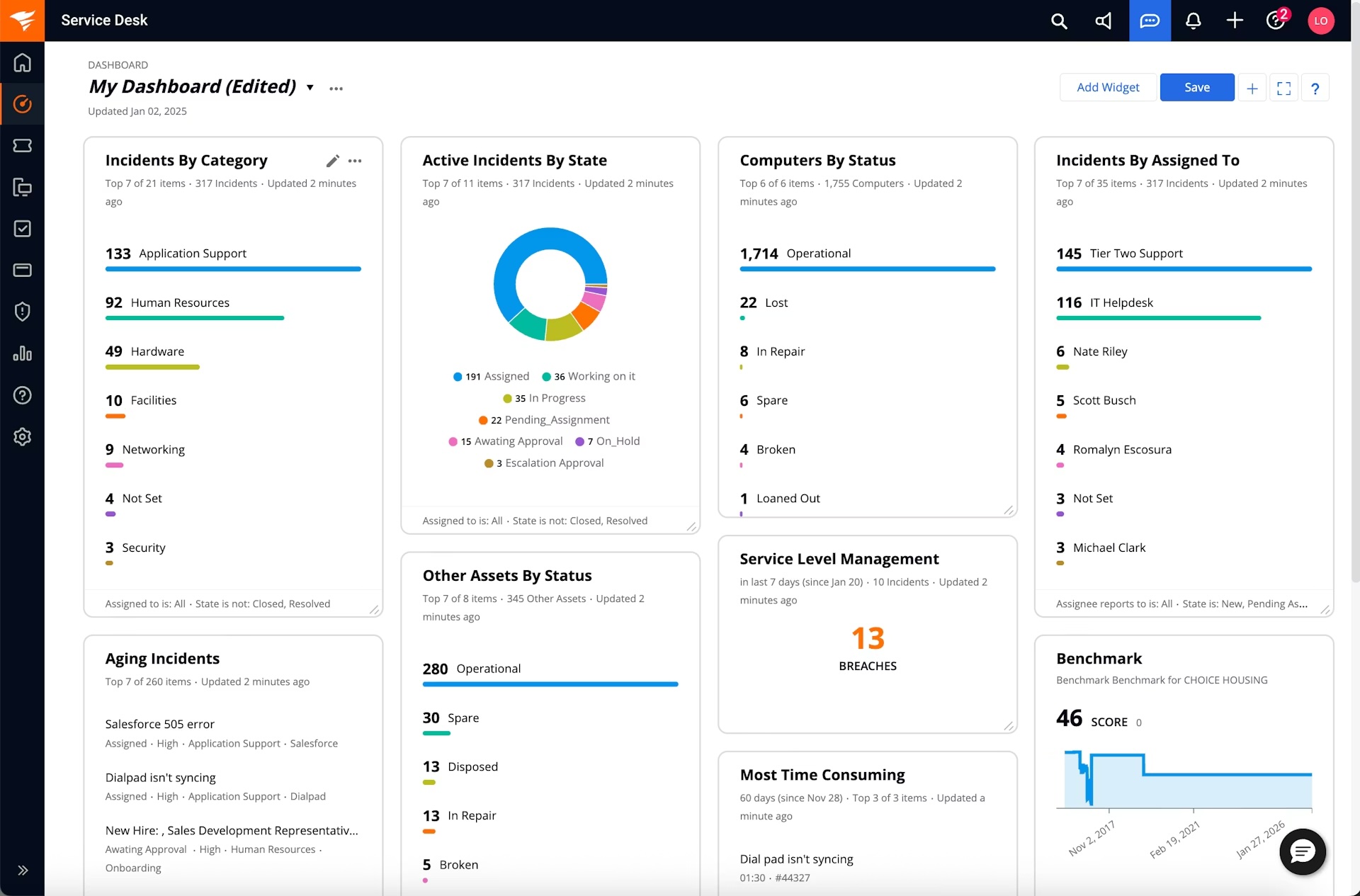
Workflow governance emerged as another recurring strength. As I worked through G2 feedback, I found repeated references to approval chains, change workflows, and structured service processes that help organizations maintain consistency. This is one reason SolarWinds stood out when evaluating which vendor offers advanced SLA management features, as reviewers frequently described using workflows and automation to maintain accountability throughout the service lifecycle.
I also noticed recurring praise for the platform's knowledge and automation capabilities. Users highlighted workflow automation, ticket categorization, and operational guidance that help reduce repetitive work. Teams exploring AI knowledge bases may appreciate how SolarWinds combines service history, documentation, and workflow context within a single environment.
Several reviewers also referenced broader operational visibility. Integrations, asset tracking, and service reporting help teams maintain a clearer understanding of infrastructure health and ongoing service performance. Organizations evaluating AIOps platforms for IT operations monitoring may find SolarWinds particularly relevant because of its emphasis on operational oversight and service accountability.
While reviewing customer feedback, I found that teams requiring highly customized reporting structures or deeper workflow customization may occasionally want greater flexibility than the platform currently provides. For most IT teams, however, the reporting and workflow capabilities offer meaningful operational insight.
I also noticed recurring feedback around asset administration in larger environments. Organizations managing extensive inventories may occasionally spend additional time refining asset searches, reporting structures, or inventory workflows. For teams that depend on centralized visibility across service operations, those considerations are often outweighed by the platform's broader management capabilities.
What stood out most during my review analysis was how frequently users described SolarWinds Service Desk as a system of record for service operations. Based on the G2 reviews I analyzed, its combination of ticket management, asset visibility, workflow governance, and service accountability makes it particularly valuable for organizations focused on operational consistency and oversight.
"SolarWinds Service Desk stands out for its intuitive interface and ease of use, which makes it simple for teams to manage tickets and service requests without extensive training. It streamlines IT service management by combining ticketing, asset management, and workflow automation in one platform, improving overall efficiency. I also appreciate how it centralizes all IT operations, allowing better visibility into incidents, assets, and performance metrics. This helps teams resolve issues faster and improves communication across departments."
- SolarWinds Service Desk review, Lakhan N.
"One of the main thing that is frustrating about SolarWinds Service desk is the search function for Asset management. For some reason you must put in the entire computer name when looking up machines."
- SolarWinds Service Desk review, Graham P.
SolarWinds Service Desk incorporates automation and knowledge-driven workflows to improve service delivery. Explore the latest findings from the AI in Customer Support Report to see how support organizations are adopting AI across service operations.
While reviewing G2 feedback for SysAid, I noticed how often users described it as a platform that connects multiple IT management functions without requiring separate tools for each. Rather than focusing solely on ticketing, reviewers repeatedly highlighted the value of managing incidents, assets, automation, self-service resources, and service workflows from a single environment. That ability to consolidate day-to-day IT operations is a major reason SysAid continues to perform well with mid-market organizations, which account for 59% of its customer base.
SysAid holds a 4.5 out of 5 rating across more than 740 reviews and earned a Leader designation in the latest G2 Grid Report. According to G2 data, 95% of users rated it four or five stars, while 90% said they would recommend it. The platform also earned 91% for Ease of Use, Quality of Support, and Meets Requirements, reinforcing a trend I saw consistently throughout the reviews I analyzed.
Ticket management and workflow automation emerged as some of SysAid's most highly rated capabilities. The platform received 92% for ticket notifications and automated ticket routing, while Active Directory functionality earned 91%. Throughout the G2 reviews I examined, users frequently highlighted automated routing, approvals, escalations, and workflow rules that help reduce repetitive work. Organizations exploring customer service automation software may appreciate how SysAid incorporates automation directly into service management processes rather than treating it as a separate capability.
Asset management surfaced just as frequently. Reviewers repeatedly referenced inventory visibility, asset tracking, software license management, and configuration management as valuable parts of the platform. Having incidents, assets, and service requests connected within the same system allows teams to investigate issues with more context and maintain better oversight of their environments.
Another theme that appeared consistently in the G2 reviews I analyzed was accessibility. Users frequently described SysAid as straightforward to navigate, highlighting its self-service portal, knowledge resources, and ticket submission experience. This is one reason SysAid stood out when evaluating which solution supports multi-channel service desk requests, as reviewers often referenced the platform's ability to centralize communication, requests, and support workflows within a single service management environment.

I also noticed recurring praise for the platform's reporting and operational visibility. Several users highlighted dashboards, SLA monitoring, service performance tracking, and ticket analytics as useful tools for managing ongoing service delivery. Combined with workflow automation, these capabilities help organizations identify bottlenecks and maintain greater control over support operations.
The most common limitation I found was related to reporting flexibility. While reviewers generally appreciated the visibility SysAid provides, some users wanted deeper customization options for advanced reports, analytics, and dashboard views. For organizations that depend on highly specialized reporting requirements, additional configuration may be necessary.
I also encountered recurring feedback around more advanced configurations. SysAid supports extensive workflow customization, but teams implementing complex processes, integrations, or automation rules may spend additional time tailoring the platform to their requirements. Organizations that need that flexibility often benefit from the additional control once configuration is complete.
What stood out most during my review analysis was how effectively SysAid combines service management, asset visibility, and automation without forcing organizations into multiple disconnected systems. Based on the G2 reviews I analyzed, it is particularly well-suited for IT teams that want centralized operational control while maintaining a relatively approachable user experience.
"SysAid is a cost effective ITSM tool compared to the most of the ITSM tools in the market. Overtime ticket logging in SysAid has been improved. I love the BI Analytics that has been implemented as it helps us track SLA's. I like the Copilot introduced, as it makes it ease to integrate with available knowledge sources to help user resolve issues quickly. SysAid has a lovely customer support base. You receive good response on the chat and mails and when the level 1 cannot assist you are redirected to level2. The business managers we have engaged so far have also been wonderful. I like the asset inventory of SysAid, you can at least also monitor the availability of the asset. And am excited about the current progress of developing the copilot to integrate with the Asset Inventory. SysAid is easy to use and workflows are easy to customize with the help of the professional services."
- SysAid review, Peter A.
"Creation of advanced reports are nearly impossible making one resort to the use of Power BI for such reports. There is a need to move from the usual raw data spooled from SysAid to a more advanced reporting that gives breakdown of data, trends and attractive displays."
- SysAid review, Benjamin A.
SysAid's automation and self-service capabilities help teams handle support requests more efficiently. Explore the best customer service software for small businesses to see how organizations improve service delivery while maintaining operational efficiency.
Unlike most products on this list, Splashtop Remote Support isn't trying to become a full ITSM platform. As I worked through G2 reviews, I found that users value it for a much more focused reason: helping technicians reach devices quickly, securely, and reliably, regardless of location. Rather than managing broad service management workflows, Splashtop concentrates on removing the barriers between support teams and the endpoints they need to access.
Splashtop Remote Support holds a 4.7 out of 5 rating across more than 250 reviews and earned a Leader designation in the latest G2 Grid Report. According to G2 data, 97% of users rated it four or five stars, while 94% said they would recommend it. I also found that organizations achieve an average adoption rate of 82% and typically realize ROI within five months. Those results align closely with the feedback I reviewed, which highlighted ease of deployment and day-to-day usability as recurring themes.
Ease of use emerged as one of Splashtop's biggest strengths. The platform earned 95% for Ease of Use, Meets Requirements, and Ease of Doing Business, while Ease of Setup reached 96%. Throughout the G2 reviews I analyzed, users consistently described deployments as straightforward and highlighted how quickly they could begin supporting remote systems without lengthy onboarding or complex configuration.
Remote access performance was another recurring theme. Reviewers frequently referenced fast connection speeds, unattended access, multi-monitor support, file transfer capabilities, and reliable remote control sessions. Several users specifically described troubleshooting systems, deploying updates, and resolving issues without needing to travel onsite. This is one reason Splashtop stood out when evaluating which tool supports service desk operations in hybrid environments, as reviewers repeatedly highlighted their ability to support distributed users and endpoints from virtually anywhere.
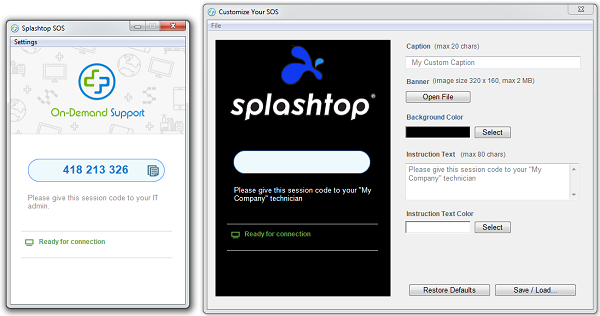
Security also surfaced throughout the reviews I examined. Users frequently mentioned encrypted connections, device controls, authentication options, and secure access capabilities that help support teams manage remote devices confidently. For organizations evaluating affordable remote desktop software for SMBs, Splashtop's combination of security and usability was one of the most commonly praised advantages.
Another observation I found in G2 feedback was how well Splashtop fits alongside broader endpoint management strategies. Several reviewers described integrating remote access workflows into larger support operations that include monitoring, maintenance, and device administration. Teams researching RMM software may find Splashtop particularly useful as a remote support layer that complements broader endpoint management initiatives.
The most common limitation I encountered was related to operational depth rather than remote access itself. Teams seeking advanced reporting, workflow automation, proactive monitoring, or governance features occasionally wanted functionality beyond the platform's primary focus. For organizations prioritizing remote troubleshooting and endpoint access, however, that narrower focus is often part of the appeal.
I also noticed recurring feedback around certain administrative and advanced capabilities. Some reviewers noted occasional connectivity interruptions, differences in feature availability across plans, and limitations in specific remote workflows. Organizations that depend on highly specialized support requirements may occasionally need additional tooling around Splashtop's core functionality.
G2 users described Splashtop as a tool that simply gets them connected when they need it most. Based on the G2 reviews I analyzed, it is particularly well-suited for organizations that prioritize secure, dependable remote support without the complexity of a broader service management platform. For teams evaluating the best service desk software, Splashtop works best as a specialized remote support solution that complements broader IT operations.
"Splashtop Remote Support is widely praised for its high-performance technology, delivering 4K resolution and 60fps streaming with low latency, which makes remote troubleshooting feel almost like being physically present. It also stands out for its versatility, thanks to strong cross-platform compatibility and "unattended access," letting you manage and patch devices across Windows, Mac, and Android without requiring an end user to be there. In addition, it offers enterprise-grade security with AES 256-bit encryption and multi-factor authentication, helping ensure a safe, reliable connection when managing sensitive infrastructure. I love its fast connectivity & ease of use interface design."
- Splashtop Remote Support, Pawan D.
"I think the file transfer utility could be a little less clunky. I would like to see a file transfer window open up on the remote desktop (if we elected that) and we could easier walk clients through tasks associated with the file transfers and better watch the progress of their PC's."
- Splashtop Remote Support, Mitchell M.
Splashtop Remote Support helps teams access and troubleshoot devices remotely, but many organizations also need broader visibility across distributed endpoints. Explore modern approaches to remote device management to see how IT teams maintain control over growing device fleets.
Have more questions? G2 has the answers!
ServiceNow IT Service Management is the strongest option for enterprise IT teams. It combines workflow automation, governance, service management, and scalability, making it well-suited for organizations managing complex processes, large user bases, and strict compliance requirements.
Atera is one of the most affordable service desk software options for SMBs because of its per-technician pricing model. It combines ticketing, remote monitoring, automation, and endpoint management without requiring separate tools or large upfront investments.
Based on the latest G2 data, ServiceNow IT Service Management remains one of the top-rated platforms for large enterprises. Organizations choose it for its automation capabilities, service governance features, and ability to support large-scale IT operations.
Freshservice stands out for combining service desk capabilities with asset management in a single platform. Its CMDB, asset discovery, inventory management, and ticketing features help IT teams maintain visibility across devices, services, and infrastructure.
Autotask PSA offers strong analytics and operational reporting capabilities for service organizations. Dashboards, technician utilization metrics, service delivery insights, profitability tracking, and time reporting help teams measure and improve service desk performance.
Jira Service Management is one of the strongest ticket management platforms available today. Its automation, prioritization, routing, notifications, and workflow customization capabilities help teams manage incidents, requests, and support operations efficiently.
SysAid supports multi-channel service desk requests through ticketing, self-service portals, automation, and integrated communication workflows. Organizations can centralize support requests while giving employees multiple ways to submit and track issues.
Splashtop Remote Support is particularly effective for hybrid environments because it allows technicians to securely access and troubleshoot devices regardless of location. Remote access, unattended support, and cross-platform compatibility simplify distributed IT support.
SolarWinds Service Desk provides advanced SLA management through automated workflows, ticket prioritization, escalation rules, and service tracking capabilities. These features help organizations maintain accountability and ensure requests are resolved within defined service targets.
Freshservice is one of the leading options for AI-powered ticket routing. Freddy AI helps automate ticket categorization, assignment, prioritization, and workflow execution, allowing IT teams to reduce manual effort and improve response times.
The best service desk software depends on your team size, support requirements, budget, and operational complexity. Evaluate automation, reporting, asset management, integrations, self-service capabilities, and scalability before selecting a platform that aligns with your workflows.
AI helps automate ticket routing, suggest knowledge base content, prioritize requests, and identify service trends. Modern service desk software uses AI to reduce repetitive work, improve response times, and help support teams operate more efficiently.
Yes. Most service desk software platforms support data migration through import tools, APIs, or professional services. The migration process typically includes tickets, users, assets, knowledge base content, and historical service records.
As I analyzed G2 reviews for these platforms, one theme surfaced repeatedly: the best service desk software isn't necessarily the one with the most features. It's the one that solves the operational problem slowing your team down today.
Some organizations need stronger governance and SLA management. Others prioritize automation, asset visibility, remote support, or MSP operations. That's why products like ServiceNow, Jira Service Management, Freshservice, Atera, and SysAid all excel for different reasons.
I'd start by looking at your ticket queue. The bottlenecks usually reveal the answer. Once you identify what's creating the most friction, whether that's incident management, workflow automation, service visibility, or remote support, narrowing your shortlist becomes much easier.
If your focus extends beyond internal IT support, explore the best customer service software to see how organizations manage customer interactions, automate service workflows, and improve support experiences across multiple communication channels.


Information technology is at the forefront of modern businesses.It’s the core element that...
 by Sagar Joshi

When I started evaluating the best help desk software, I wasn’t just looking for tools that...
 by Sudipto Paul

Recently updatedSummer 2026 Grid® Report · Published May 26, 2026 This guide was last...
 by Soundarya Jayaraman