


To find the best free chatbots for startups, I tested 12 tools to identify the five best free chatbots for startups. These are Birdeye, Fin, Smartsupp, Tidio, and Zendesk for Customer Service. Beyond these, I've also included five bonus tools (Botpress, Jotform AI Agents, LiveChat, SendPulse, and Wati) that are worth exploring if you're comparing more free chatbot options.
As someone who evaluates software for buyer-focused comparisons, I've found that chatbots are easy to judge after a few conversations but much harder to evaluate in the context of a real startup. Answering common questions is one thing. Supporting customers, capturing leads, routing conversations, and reducing the workload for a small team is where the free experience either proves its value or quickly reaches its limits.
That's where many free chatbot platforms begin to differ. Some offer enough functionality to support day-to-day customer interactions, while others are better suited for evaluating the product before upgrading. For this guide, I tested each platform's free plan or trial, reviewed official pricing and product documentation, and analyzed recent G2 feedback to understand what startups can realistically accomplish without paying.
One thing became clear during my evaluation: the best free chatbot isn't necessarily the one with the most AI features. It's the one that helps startups respond faster, stay available beyond business hours, and confidently decide whether the platform is worth investing in as the business grows.
1. Birdeye: Best for AI-powered reputation management and customer messaging
Brings reviews, customer conversations, and messaging into one centralized engagement workflow for growing startups.
2. Fin: Best for resolving support tickets with AI before they reach your team
Helps startups answer repetitive support questions with AI while keeping human agents focused on more complex conversations.
3. Smartsupp: Best for combining AI chatbots with live customer conversations
Balances AI automation with live chat, making it easy for startups to step into conversations whenever customers need personal assistance.
4. Tidio: Best for automating customer support and lead capture from one inbox
Combines customer support, lead capture, and multichannel conversations in one inbox with minimal setup.
5. Zendesk for Customer Service: Best for AI customer service that scales with your startup
Built for startups that want a customer support platform capable of scaling alongside growing ticket volumes, automation needs, and customer expectations.
*Tools are listed alphabetically. These tools offer free plans, free trials, or freemium models.
Here's a side-by-side look at free plan limits and pricing before diving into the full reviews.
| Tool | G2 rating | What the free plan covers | Paid starts at |
| Birdeye | 4.7/5 ⭐ |
|
Custom pricing |
| Fin | 4.5/5 ⭐ |
|
$0.99/outcome |
| Smartsupp | 4.7/5 ⭐ |
|
$17/month |
| Tidio | 4.6/5 ⭐ |
|
$24.17/month |
| Zendesk for Customer Service | 4.3/5 ⭐ |
|
$19/agent/month |
*All pricing details mentioned in this article are based on publicly available data at the time of publication and are subject to change.
Across G2 reviews, chatbot platforms show strong user confidence, with average satisfaction ratings of 92% for likelihood to recommend and 91% for meeting requirements. At the same time, the category itself is expanding rapidly. The global chatbot market is projected to reach $11.8 billion in 2026 and grow to $41.2 billion by 2033. For startups, that growth comes with a clear tradeoff: more capable tools are becoming available, but free plans are also more deliberately limited, making it important to understand what you can realistically achieve before committing to a paid solution.
I evaluated each chatbot based on how quickly a startup team could put it to work. That meant looking beyond features and focusing on what actually happens after sign-up: how quickly you can launch a chatbot, how well it handles real conversations, and how far the free version takes you before limitations start to affect daily use.
Instead of treating all chatbots the same, I assessed them against common startup workflows. I also considered how easily non-technical teams can train the chatbot, connect it to existing tools, and maintain it without ongoing setup overhead.
To validate those observations, I analyzed recent G2 reviews from small businesses and software teams and cross-checked them against the G2 Summer 2026 Grid Report for Small Businesses. This helped me identify consistent usage patterns, understand where each chatbot performs well, and assess how reliably it supports day-to-day startup workflows.
The screenshots featured in this article may be a mix of those taken from the vendor’s G2 page or from publicly available materials.
*Tools included in this list were selected based on their presence in the free category page at the time of writing and may change over time.
Testing the best free chatbots for startups quickly shows that not all “free” options are built for real use. Some are flexible enough to support early customer conversations, while others are closer to product demos. Here’s what I paid the most attention to during my evaluation:
To qualify for inclusion in the Chatbots category, a product must:
*This data was pulled from G2 in 2026. Some reviews may have been edited for clarity.
Birdeye isn’t a chatbot; I had to test it by building flows from scratch. The 30-day trial gave me access to a system where reviews, messages, and customer feedback were already driving conversations. I connected messaging channels, tried AI-generated replies, and saw how quickly it could respond without much setup. That ease shows up in G2 Data from small business users too, with 94% for ease of use and 93% for ease of setup, which you feel right away.
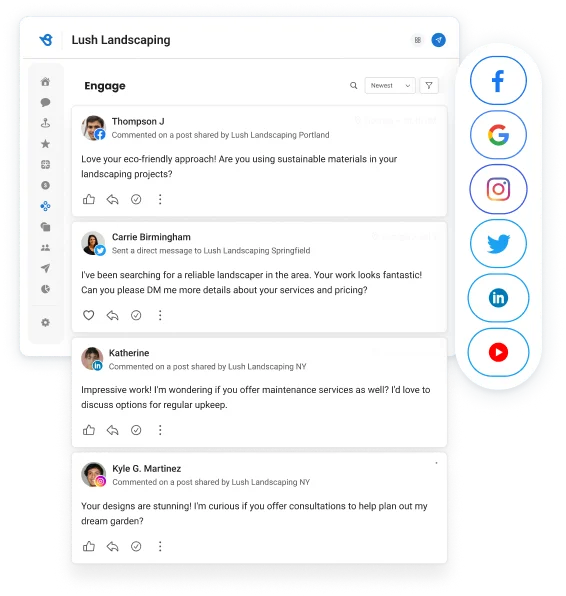
Once I started using it, the difference became apparent in context. Responses weren’t generic because they pulled from real customer interactions, something you usually see in online reputation management software rather than standalone chatbots. That same behavior overlaps with conversational marketing software, where responses are tied to ongoing conversations instead of predefined scripts. The trial doesn’t last long enough for daily use, but it gives a clear sense of how this kind of workflow would fit as your startup grows.
I would upgrade once my startup manages customer conversations across multiple channels or relies on reviews for growth. Birdeye uses custom, location-based pricing, so I’d request a quote when ongoing messaging, reputation management, and AI-powered responses justify the investment.
"What I like most about Birdeye is how easy the platform is to use. It is user-friendly and makes managing our online presence much more efficient. Our account representative is always friendly, responsive, and willing to help whenever we have questions or need assistance. I also appreciate that Birdeye is constantly making enhancements and adding new features to improve the platform. It is great to work with a company that values customer feedback and continues to find ways to make its services better."
- Birdeye review, Madison L.
“The biggest pushback that I get from clients is the social media aspect. It's great to be able to bulk post across the portfolio, but some of the features that you get in the app haven't been translated well to the Birdeye platform. It would be great if Instagram stories could be posted more easily, and also, it would be great if we could pin different posts on Instagram.”
- Birdeye review, Nicole W.
If you’re evaluating tools like Birdeye, you’re likely looking beyond chatbots into broader customer engagement. Explore the best social media management tools to see how messaging, publishing, and customer interactions connect as your startup scales.
Fin felt different from the moment I tried it because I wasn’t building a chatbot from scratch. I connected it to a help center and tested how it handled incoming customer questions. It pulled answers directly from existing documentation and responded almost instantly, which made it useful right away. That behavior reflects what G2 Data shows: live chat (95%) and “route to human” (92%) highlight how well it handles real support workflows rather than scripted conversations.
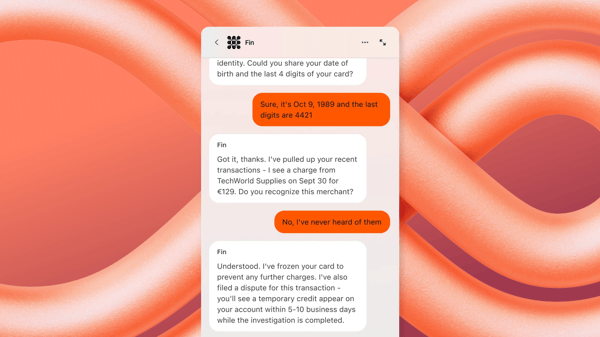
After spending more time with it, I noticed how much it reduces repetitive support work. It answers common questions first and escalates when needed, which keeps conversations moving without overwhelming a small team. That experience is exactly what I'd expect from AI customer support agents category on G2, while still feeling like a natural extension of the conversational support platforms for customer service that many teams already use. Free access is limited to a trial, but it's enough to see how much time it can save once your support volume increases.
I would upgrade once my support team handles recurring customer questions daily or needs AI to resolve more conversations automatically. Fin costs $0.99 per outcome, making the upgrade easier to assess as the volume of AI-resolved support grows.
“It helps with the initial conversations with our customers. He has access to our help center and can answer basic “how-to” questions, which leaves us more time to deal with the more complicated tasks that he can’t currently resolve. In terms of performance, Fin's response time is very good, giving our customers the feeling that they can receive help and answers even when the team is preoccupied with other things.”
- Fin review, Adira W.
“It is for some reason relatively hard to convince my non-techy support team to make drafts with it on the regular since "copilot is somewhat hidden."
- Fin review, Peter M.
If Fin’s approach resonates with you, explore the best customer self-service software to see how help centers and automation work together to reduce support volume.
Smartsupp was one of the few tools where I could actually start using the free version right away. I installed it on a site, opened the chat widget, and tested how it handled both live conversations and automated replies. It felt more immediate than most tools in this list. Notifications came in even when I wasn’t online, and I could see visitors browsing in real time, which made the chat feel active rather than passive. That lines up with G2 Data, where ease of use sits around 93% and setup around 92%, which matches how quickly I was able to get it running.
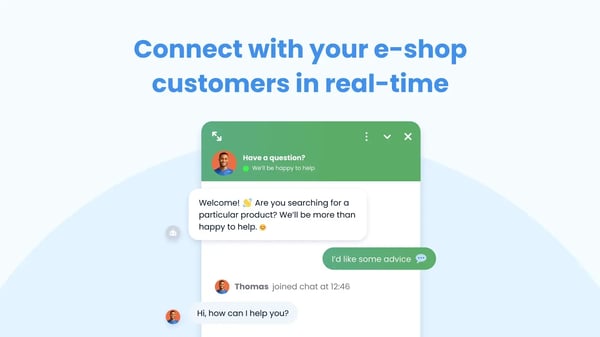
After using it for a bit, what stood out was how it balances automation and human interaction. The chatbot can handle basic questions, but it doesn’t try to replace live chat entirely. Instead, it works alongside it. That’s where it feels closer to practical AI chatbots rather than fully automated systems. For startups exploring the best free chatbots, this kind of setup makes sense. You can automate simple queries while still stepping in when conversations need a human touch.
I would upgrade once website traffic grows or I need richer chatbot automation and customer insights. Paid plans start at $17/month, making it easier to assess the move as conversation history, reporting, and automation become more important.
“What I like most about Smartsupp is how it combines live chat, chatbots, and visitor tracking in one intuitive platform. It allows us to engage customers in real time, understand their behavior on the website, and respond quickly, which significantly improves conversion rates and customer satisfaction. The ease of use and the ability to automate conversations while keeping a human touch are a big advantage.”
- Smartsupp review, Andrea P.
“I think Smartsupp should be free for everybody, not just a limited trial. The setup wasn't easy; I had to use YouTube to learn how to connect it.”
- Smartsupp review, Mikel N.
Tidio was one of the easiest tools to get started with. I signed up, installed the widget, and had both live chat and a basic chatbot running within minutes. I tested how it handled incoming questions, how quickly I could set up automation, and how everything flows into a shared inbox. That ease shows up in G2 scores too, with ease of setup at 93% and ease of use at 94%, which matches how quickly I was able to get from signup to a working setup.
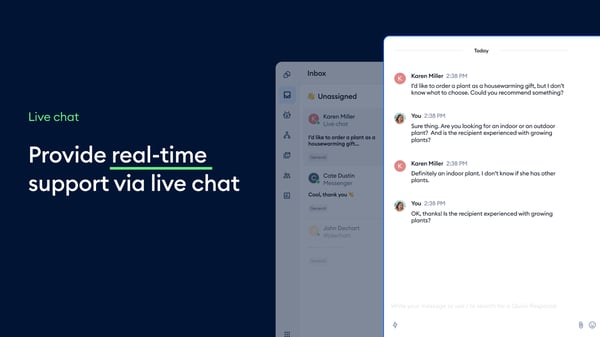
After using it more, the value came from the fact that everything stays in one place. Conversations, chatbot responses, and follow-ups all run through a single inbox, so I didn’t have to switch between tools. I also tried Lyro AI for handling repetitive queries, and it worked well for simple questions, especially when I wasn’t available. For startups looking for the best free chatbots, this setup makes it easy to start small and layer in automation over time without rebuilding everything.
I would upgrade once customer conversations become more frequent or when I want AI to handle more repetitive questions. Paid plans start at $24.17/month, adding greater Lyro AI capacity, advanced automation, and higher usage limits.
“The setup is fast. I had the widget live and a basic bot flow running in under an hour, without touching code. The visual flow builder is the strongest part for me: I can build qualification and FAQ automations myself instead of routing everything to a developer. The unified inbox for live chat, email, and Messenger in one place also saves real time, and the mobile app means I don't miss leads outside working hours.”
- Tidio review, MilanG.
“I don’t like how restrictive the free and lower-tier plans feel, especially the cap on monthly chatbot conversations. On top of that, the pricing ramps up quickly once you start adding multiple operators, which can get expensive for a growing small business, particularly when there are more affordable competitors out there.”
- Tidio review, Andrea C.
Zendesk felt more like stepping into a full support system than trying a chatbot. I used the free trial to explore how conversations flow through tickets, live chat, and automation rather than setting up a simple bot. I tested how incoming queries are handled, how workflows are triggered, and how everything is tracked in one place. It didn’t take long to see why Zendesk has such a strong market presence. Once I was inside the platform, the entire support workflow felt structured, connected, and easy to follow.
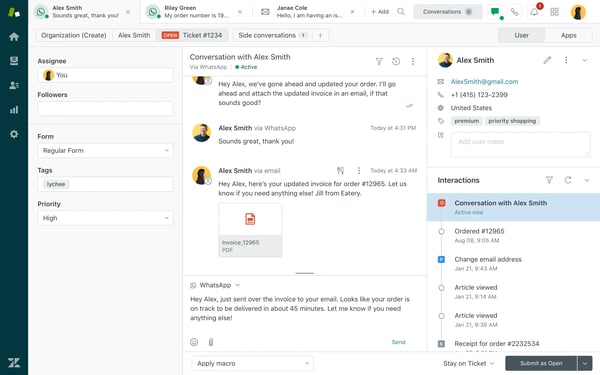
What stood out after spending time with it is how everything connects. Conversations don’t just get answered. They’re organized, tracked, and routed with clear visibility. That’s where Zendesk separates itself from simpler tools. It’s not just handling queries; it’s managing the entire support process. For startups exploring the best free chatbots for startups, the trial helps you understand what a more scalable setup looks like, even if it’s more than you need early on.
I would upgrade once my startup needs structured ticket management, automation, and omnichannel support, beyond the trial period. Paid plans start at $19 per agent/month, providing ongoing access to those workflows as support operations grow.
“Zendesk excels in organizing and streamlining workflows within my organization. Its ticketing system, automation capabilities, and clear reporting tools make it easy to manage response times, track performance, and maintain consistency across the team.”
- Zendesk for Customer Service review, Jaclyn H.
“Admin learning curve is steep; building filters, business rules, macros, SLAs, conditional triggers, etc. can take a long time to implement. On an enterprise level, it requires even deeper knowledge. Difficult to know when adding or removing an action in the configuration "breaks" an existing part of a workflow.”
- Zendesk for Customer Service review, Emily I.G.
If Zendesk’s structured approach stands out, explore the customer communications management category to understand how businesses manage conversations across channels at scale.
If you're exploring beyond the best free chatbots for startups already covered above, these additional tools are also worth considering. Some offer generous free plans, while others let you experience their core workflows before deciding whether they're the right long-term fit.
The free plan includes 100 AI conversations per month, one bot, three seats, three AI agents, Botpress Studio, a free monthly AI credit, and community support, giving developers everything they need to prototype and test conversational experiences. G2 reviewers consistently mention that the included AI credits make it easy to evaluate the platform before investing. As your chatbot begins handling more production traffic or multiple projects, upgrading expands collaboration, AI usage, and deployment capacity. (paid plan starts at $150/month)
Jotform AI Agents offers a generous free tier with 100 conversations, 10,000 monthly sessions, knowledge base training, voice capabilities, and AI agent creation, making it easy to launch an AI agent without writing code. G2 reviewers repeatedly describe the free plan as one of the product's biggest strengths because core AI capabilities are available from the start. As customer interactions increase, upgrading provides additional conversations, AI capacity, and room for larger deployments. (paid plan starts at $34/month)
LiveChat offers a 14-day free trial with access to its live chat platform, AI assistance, reporting, integrations, and customization features, making it easy to experience a complete customer communication workflow before purchasing. Once live chat becomes part of your everyday customer support process, continuing on a paid plan gives your team uninterrupted access to those collaboration and automation capabilities. (paid plan starts at $19/month)
SendPulse's free plan lets you connect up to three chatbots and send 10,000 chatbot messages per month, making it a practical option for startups experimenting with Facebook Messenger, Telegram, Instagram, or WhatsApp automation. G2 users appreciate the ability to explore the platform before committing, while the paid plans expand messaging capacity and enable advanced automation as audience engagement grows. (paid plan starts at $9.60/month)
Wati offers a free trial that lets businesses experience shared inboxes, chatbot automation, broadcasts, and CRM integrations before subscribing. G2 reviewers generally evaluate it as a strong paid platform once WhatsApp becomes a primary customer channel. As conversation volume grows and automation becomes central to daily operations, moving to a paid plan unlocks higher chatbot capacity and broader workflow automation. (paid plan starts at $59/month)
The best free chatbots for startups work best for founders and small teams handling customer queries without a dedicated support team. They’re useful when you need to respond faster, capture leads, or stay available outside working hours without adding headcount. Tools like Tidio and Smartsupp can handle real conversations early, while options like Fin or Zendesk help you understand how structured support will scale.
The limits show up once conversations become consistent. For free-first tools, caps on chatbot automation, AI usage, or history start getting in the way. For trial-based tools, the constraint is time. You can test the workflow, but not run it long-term. As soon as support volume increases or you need better routing and reporting, the free version becomes impractical.
Got more questions? G2 has the answers!
Based on G2 reviews, Tidio (4.6/5), Smartsupp (4.7/5), and Zendesk for Customer Service (4.3/5) are among the most trusted chatbots for small teams. All three are named Leaders in G2’s Fall 2026 Small Business Grid Report. Tidio and Smartsupp score 94% and 93% for ease of use, and Zendesk has the largest market presence among chatbots on G2. Founders highlight ease of use, reliable performance, and the ability to handle real customer conversations effectively, even on free plans.
Tidio and Smartsupp are highly rated for quick setup and minimal cost. Their free plans let founders launch live chat and basic automation quickly, making them ideal for startups that need immediate value without complex onboarding or upfront investment.
Tools like Tidio and Fin stand out for fast adoption and visible impact. They reduce repetitive queries and improve response times, helping small teams measure ROI by saving support time and improving customer engagement without hiring additional staff.
Smartsupp and Tidio make onboarding simple with intuitive interfaces and minimal configuration. Based on G2 reviews, non-technical users can quickly set up chat widgets and automation, allowing teams to start handling conversations without relying on developers.
Zendesk and Fin are frequently trusted by software companies for reliability. G2 reviews highlight consistent uptime, structured workflows, and dependable automation, especially when handling larger volumes of customer queries or support tickets.
Tidio, Zendesk, and Fin offer strong integrations with CRM, help desk, and e-commerce tools without requiring custom development. Their free trials or plans allow startups to test compatibility and readiness for compliance before committing to a paid solution.
Tidio and Smartsupp show strong adoption due to their ease of use and quick setup. G2 feedback highlights a minimal learning curve, allowing teams to start using it immediately while still meeting basic operational and compliance expectations.
Smartsupp and Tidio help avoid vendor lock-in by offering flexible, lightweight setups that integrate easily with existing workflows. Their free plans allow startups to experiment without heavy implementation commitments or long-term platform dependency.
Zendesk and Birdeye are known for reliable support and consistent product updates. G2 reviewers highlight stable performance and ongoing improvements, making them suitable for startups that want dependable tools without frequent workflow disruptions.
Tidio (4.6/5) and Smartsupp (4.7/5) are highly rated for quick deployment, scoring 93% and 92% for ease of setup on G2, above the 90% category average. Founders consistently mention being able to set up live chat and basic automation within minutes, making them strong options when speed is critical and resources are limited.
After testing these tools, I found that the best free chatbots for startups aren’t the ones with the most features. They’re the ones that fit how you actually handle conversations, whether that’s answering customer questions, capturing leads, or managing support without adding headcount.
The real value of free chatbots shows up when they support real work, not just experimentation. Tools like Tidio and Smartsupp can handle day-to-day conversations early, while platforms like Fin and Zendesk help you understand how structured support will scale as your startup grows.
My takeaway is simple: use the free version to test how the chatbot fits your workflow, not just what it can do. The strongest tools prove their value within a few real conversations, making it easier to decide what’s worth investing in next.
Ready to explore more advanced options? Check out the AI chatbots category to compare tools based on features, reviews, and use cases.