

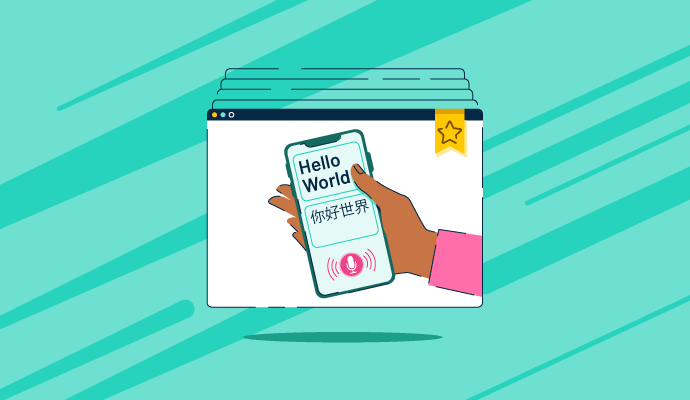
Written content doesn't always serve the purpose; people are switching more to voice recognition to automate routine tasks.
Whether it is transcribing documents, strengthening data privacy, and building a home automation workflow, free voice recognition software allows users to take control in their hands and simplify content generation and task management.
For different demographics, languages, and accents, voice recognition software has room for accommodation. Let's look at the top free voice recognition software, which can optimize content interoperability and give you centralized functionality.

*The software list is arranged alphabetically. These tools offer free trials, free forever options, or freemium models.
With so many free voice recognition software to explore, it’s easy to feel overwhelmed. This comparison table breaks down the key features to simplify your decision.
| Best free voice recognition software | G2 Rating | Free plan | Paid plan |
| Assembly AI-Speech-to-Text API | 4.6/5 | Free trial available | $0.15/hr |
| Deepgram | 4.6/5 | Free trial available | Available on request |
| Google Cloud Speech-to-Text | 4.6/5 | Free trial available | Custom pricing |
| Krisp | 4.7/5 | Free trial available | $8/user/month |
| Mihup | 4.6/5 | Free trial available | Available on request |
| Notta | 4.4/5 | Free trial available | $13.49/user/month |
| Otter.ai | 4.4/5 | Free trial available | $16.99/user/month |
| Speechmatics | 4.8/5 | Free trial available | Custom pricing |
*All pricing details mentioned in the article are based on publicly available data at the time of publication and are subject to change.
Voice technology is becoming a core part of how people interact with software, from dictation and accessibility tools to customer support and AI assistants. This rapid adoption is reflected in market growth. The global speech and voice recognition market is expected to grow from $9.66 billion in 2025 to approximately $23.11 billion by 2030, expanding at a strong CAGR of 19.1% between 2025 and 2030.
What stood out to me while exploring this category is that you don’t always need an enterprise-grade solution to get started. Several voice recognition tools offer free plans or built-in capabilities that handle core use cases, such as speech-to-text, voice commands, and basic transcription, making them accessible to students, creators, developers, and everyday users.
In this list, I’ve rounded up the eight best free voice recognition software options based on real user feedback, accuracy, ease of use, and the practical value of their free offerings. I’ll break down what each tool does best, its limitations, and who it’s most suitable for, so you can choose a voice recognition solution that fits your needs without incurring upfront costs.
To build this list, I started with G2 data, shortlisting top-rated tools based on their G2 scores and consistent performance in the voice recognition software category.
From there, I reviewed product capabilities and recent, verified user feedback to confirm that these tools deliver reliable performance and to understand where each one stands out, whether that’s speech-to-text accuracy, language support, real-time transcription, or accessibility features.
The goal was simple: to determine whether these voice recognition tools live up to their claims, identify what each one is best suited for, and whether there’s a free plan or built-in free access available for use with minimal risk. Since this is a free-focused list, I paid close attention to what you can actually do without paying, such as usage or transcription limits, supported languages, feature availability, and any restrictions that might require an upgrade.
The screenshots featured in this article may be a mix of those taken from the vendor’s G2 page or from publicly available materials.
The list below of free AI voice recognition software contains real user reviews from the Best Voice Recognition Software category page. It’s important to note that in the context of this list, software that requires payment after a free trial is considered free. To be included in this category, a solution must:
This data was pulled from G2 in 2025. Some reviews may have been edited for clarity.
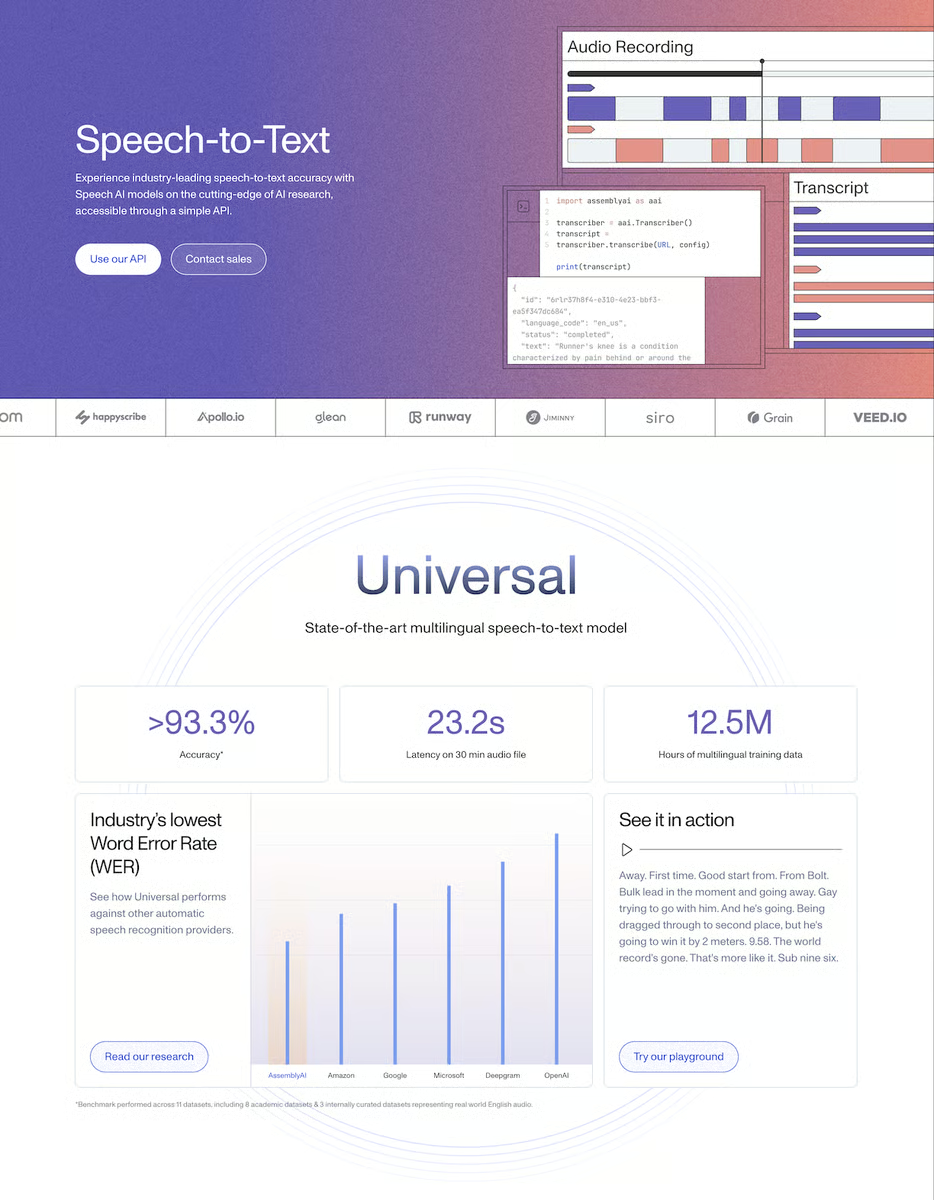
AssemblyAI is a powerful speech-to-text application programming interface (API) that goes beyond voice recognition. It offers advanced features like speaker diarization, sentiment analysis, and custom vocabulary, enabling deep insights from audio data. With its robust API and focus on accuracy, AssemblyAI empowers developers to build intelligent voice-enabled applications.
According to G2 Data, it ranks as the 3rd easiest to use tool.
|
Pros of AssemblyAI
|
Cons of AssemblyAI
|
|
High accuracy in speech-to-text conversion
|
Occasional latency in real-time transcription
|
|
Well-documented APIs for easy integration
|
A stable internet connection is needed for optimal performance
|
|
Speaker diarization, sentiment analysis, and custom vocabulary features
|
Steeper learning curve for non-technical users
|
“AssemblyAI is truly focused on product development as its core customer within organizations. Their APIs are well-defined and consistently updated. The accuracy and error rate of their speech-to-text model are industry-leading. Our customers appreciate the transcriptions and other intelligent features we can offer. AssemblyAI makes their APIs easy to use and integrate into our products.”
- AssemblyAI review, Ryan J.
“I believe they could explore generative AI capabilities more deeply and introduce additional features beyond traditional Q&A to enhance usability and product differentiation.”
- AssemblyAI review, Avijit C.
Voice recognition is often the first step in automating customer conversations. See the top customer service automation tools teams use to handle calls, requests, and follow-ups at scale.
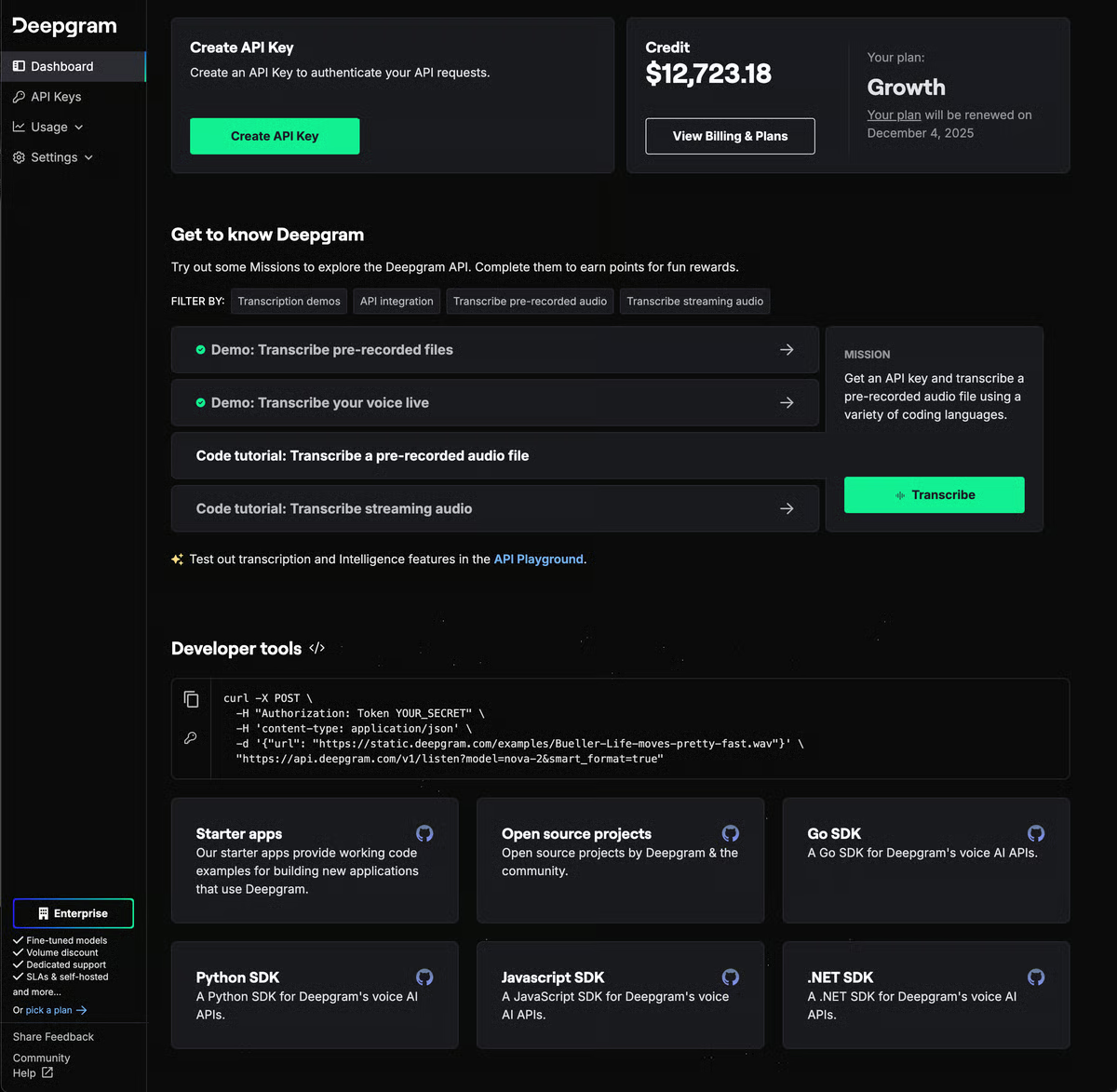
Deepgram is an AI-powered speech-to-text platform that delivers lightning-fast, highly accurate transcriptions. Unlike traditional speech recognition, Deepgram specializes in understanding conversational language, making it ideal for transcribing calls, meetings, and other real-world audio. Its advanced features, like speaker diarization, sentiment analysis, and entity extraction, provide valuable insights beyond simple text conversion.
According to G2 Data, it ranks as the 2nd easiest to use tool.
|
Pros of Deepgram
|
Cons of Deepgram
|
| Accurate transcriptions, even in noisy environments or with multiple speakers | Relies on a stable internet connection |
| Real-time speech-to-text capabilities | Limited language support |
| Speaker diarization: effectively identifies and separates different speakers in audio recordings | Lacks some advanced features like advanced sentiment analysis or speaker verification |
“I have been using their product for over two years. It is very good, and they consistently introduce improvements. We develop video and audio accessibility products, so accurate transcripts and SRT files are crucial. Their support and sales teams are highly responsive and helpful. The pricing is very competitive, and they offer excellent programs for startups. Their integration points are well-documented, and the customer dashboard is user-friendly. We can easily experiment with new options without extensive programming.”
- Deepgram review, Jeffery P.
“One area for improvement is their logging and troubleshooting capabilities. Currently, the logging is somewhat limited, making diagnosing and resolving issues challenging. Enhancing the logging features would greatly aid in troubleshooting during issues.”
- Deepgram review, Saran S.
Voice recognition plays a huge role in modern contact centers from transcription to smart routing. See which contact center platforms actually put it to work.
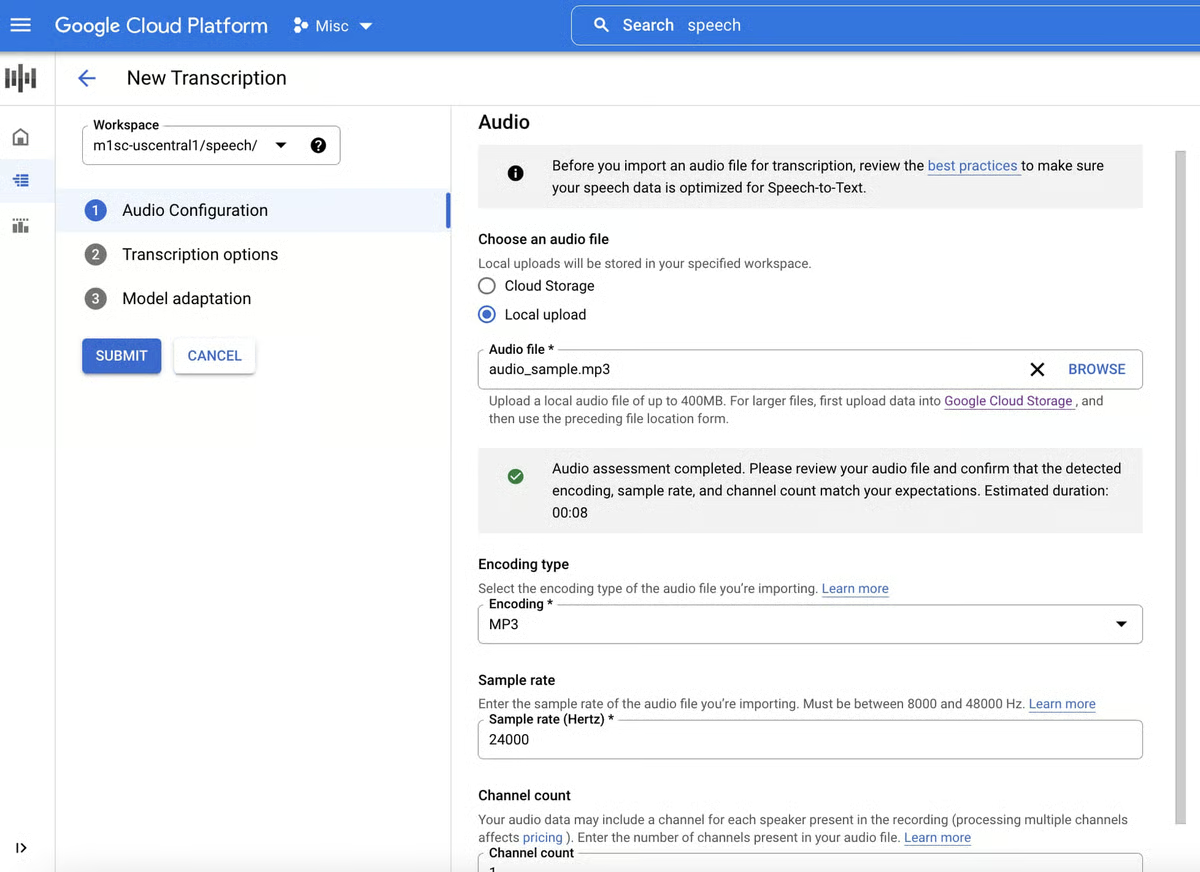
Google Cloud Speech-to-Text is a powerful AI voice recognition tool that accurately converts audio into text. Using Google's advanced machine learning, it excels in handling diverse accents, background noise, and multiple speakers. With its ability to transcribe real-time audio and offer customization options, it's a versatile speech recognition solution for businesses and developers seeking reliable speech recognition.
According to G2 Data, it ranks as the 5th easiest to use tool.
|
Pros of Google Cloud Speech-to-Text
|
Cons of Google Cloud Speech-to-Text
|
|
Efficient real-time speech-to-text conversion
|
Data privacy issues related to cloud storage
|
|
Intelligent punctuation to transcribed text
|
Accuracy challenges with accents, background noise, or rapid speech
|
|
Easily integrates with other Google Cloud services and external applications
|
Requires a stable internet connection for optimal performance
|
“Google Cloud Speech-to-Text is exceptionally easy to use. It can be seamlessly integrated into any meeting or speech session. The text generation speed is nearly real-time, significantly accelerating content creation and saving users substantial time. A notable feature of Google Speech-to-Text is its automatic punctuation of sentences based on natural language processing (NLP) comprehension.”
- Google Cloud Speech-to-Text review, Varad V.
“Along with several strengths, Google Cloud Speech-to-Text also has some limitations. Its reliance on an internet connection prevents offline use. Additionally, concerns about data privacy and Google's data handling practices exist. While generally fast, real-time transcription can sometimes experience latency issues that require improvement.”
- Google Cloud Speech-to-Text review, Prashant G.
Want to go beyond speech-to-text? This guide explains how conversational AI combines voice, intent, and context to power smarter customer conversations.
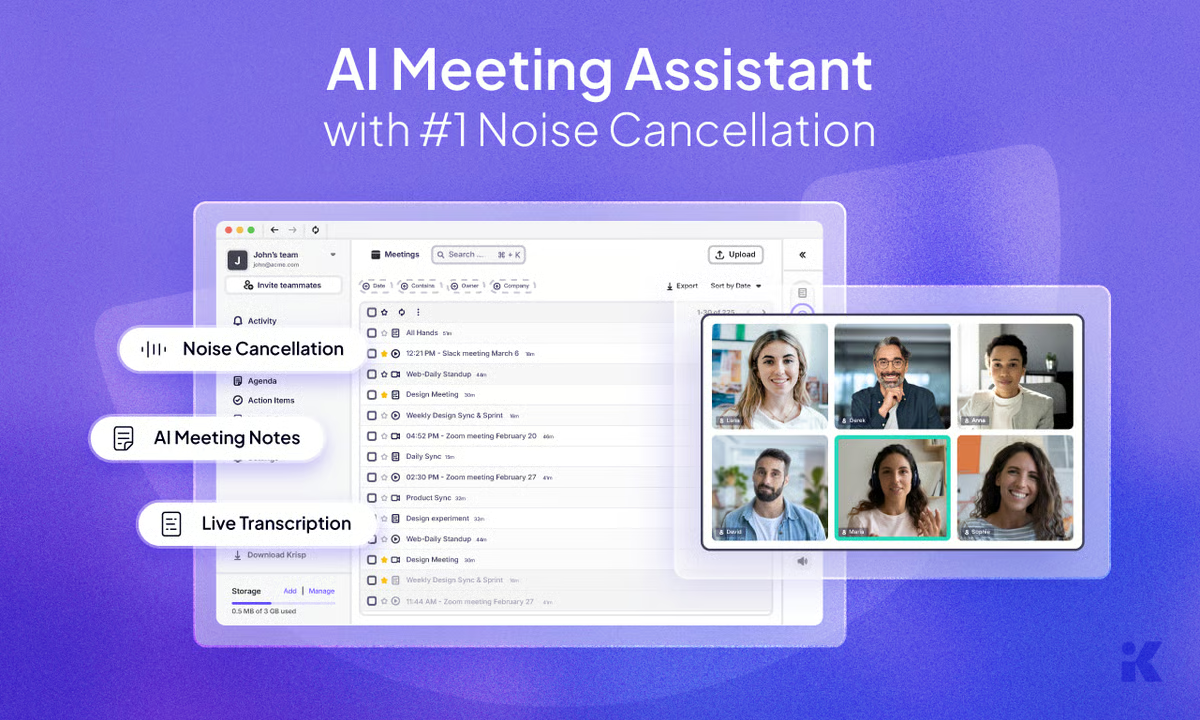
Krisp is an AI-powered noise-cancellation tool designed to enhance audio quality during calls and meetings. It intelligently filters out background noise like keyboard clicks, dog barks, and construction, ensuring clear communication. Unlike traditional noise cancellation, Krisp focuses on eliminating unwanted sounds while preserving voice clarity, enhancing overall call quality.
According to G2 Data, Krisp ranks #1 for ease of use among voice recognition tools.
|
Pros of Krisp
|
Cons of Krisp
|
|
Effective noise cancellation
|
Can experience audio quality problems like muffled voices or slight echoes
|
|
Simple interface and integration
|
Potential for voice distortion
|
|
Wide compatibility with video conferencing platforms
|
Requires an internet connection to function
|
“I love its seamless integration into any video conferencing platform. It's user-friendly and offers excellent customer support. I highly recommend this software for daily workplace use.
- Krisp review, Osbel G.
“Occasionally, the noise cancellation is inconsistent. There have been instances where it mistakenly picked up a nearby colleague's voice while I was speaking and listening to a client."
- Krisp review, James H.
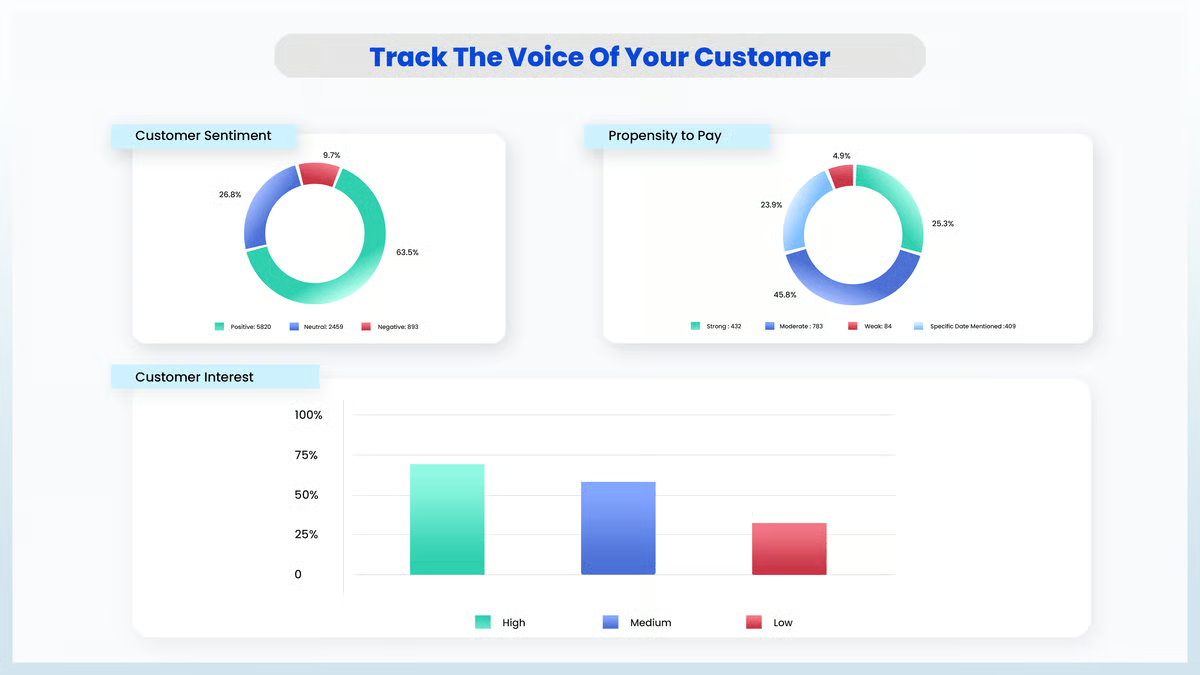
Mihup Interaction Analytics is an AI-driven conversation analytics platform built for contact center teams. It analyzes 100% of customer interactions to surface insights around sales opportunities, service quality, and compliance risks. With domain-trained AI and generative capabilities, Mihup evaluates conversations against audit parameters, flags compliance issues in real time, and tracks agent performance for targeted coaching.
By delivering automated insights, actionable recommendations, and customizable dashboards, Mihup helps organizations improve agent effectiveness, optimize processes, and respond faster across industries like BFSI, fintech, e-commerce, and travel.
| Pros of Mihup | Cons of Mihup |
| AI-powered call auditing with actionable insights | Interface and dashboard design can feel cluttered |
| Easy setup and user-friendly workflow for call analysis | Onboarding and documentation need improvement |
| Efficient automation that boosts productivity | Accuracy may drop in noisy or complex environments |
"What I like most about Mihup is its accuracy and clarity in speech analytics. The platform makes it incredibly easy to understand customer interactions at scale, with dashboards that are both clean and insightful. It’s straightforward to set up, and the AI-driven analysis delivers actionable insights almost instantly. The customer support team is proactive and knowledgeable, helping us fine-tune models to our specific use cases. Mihup also integrates well with our existing call systems and CRM tools, which keeps everything connected and consistent".
- Mihup review, andré P.
"Less mature/market wide recognition compared to global large vendors.
If workflows are highly complex or global with many languages beyond what they currently support, we will need extra effort. For non Indian languages or non dialect scenarios, it does not have very broad data/training. Pricing & other details are not transparent enough".
- Mihup review, Neha J.
Voice recognition is the foundation, but if you want platforms that handle full conversations, including call automation, intelligent routing, and multilingual voice agents, explore my colleague's review of the 6 best AI voice assistants on G2 for 2026.
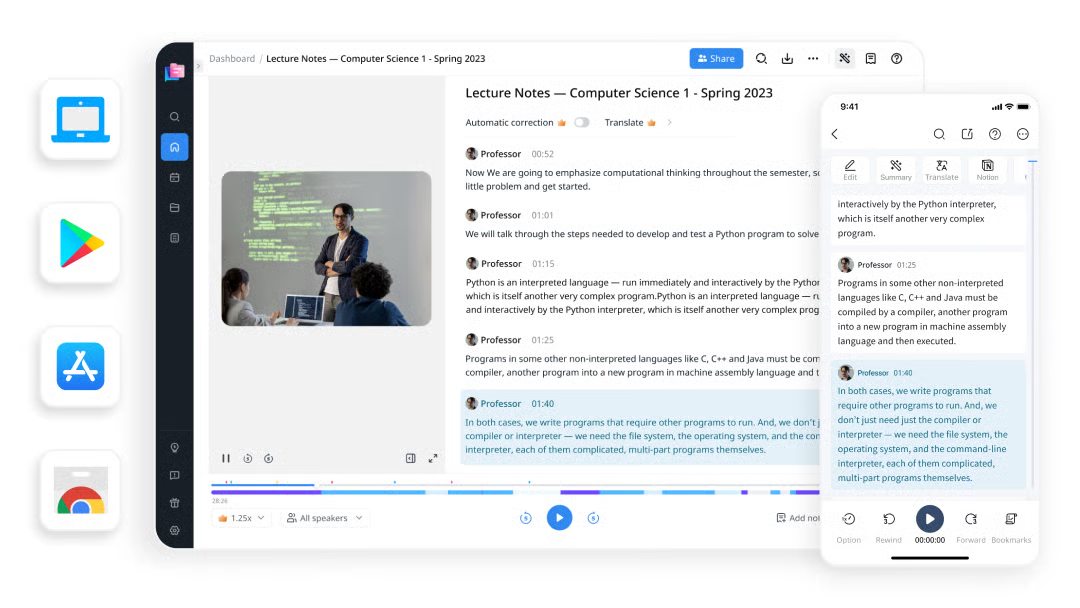
Notta is an AI-driven meeting note-taker and transcription tool that converts audio and video conversations into text, generating accurate transcripts and summaries. With features like speaker identification, search, and collaboration, Notta helps teams capture and organize meeting information efficiently, saving time and boosting productivity.
|
Pros of Notta
|
Cons of Notta
|
|
Fast and accurate transcriptions
|
Features with limited user access
|
|
Stand-out features like speaker identification and search
|
Requires a stable internet connection for optimal performance
|
|
Versatile audio and video format transcription
|
Limitations on less common languages
|
“What makes Notta the best for me is its speed and high-degree precision. It builds up streaming speed by audio and video from a few seconds to a couple of hours, even with many different but ridiculous dialogues or accents. I can save hours and hours of work by taking advantage of this feature over traditional transcription schemes.”
- Notta review, Lawrence J.
“There are certainly areas for improvement. The buttons are small, and creating clips is challenging. The user interface and user experience could be enhanced significantly. Additionally, the ability to paste a Zoom or meeting link from a mobile device to join a missed call is essential. This is the core purpose of the assistant, but it's currently impractical.”
- Notta review, Jarod T.
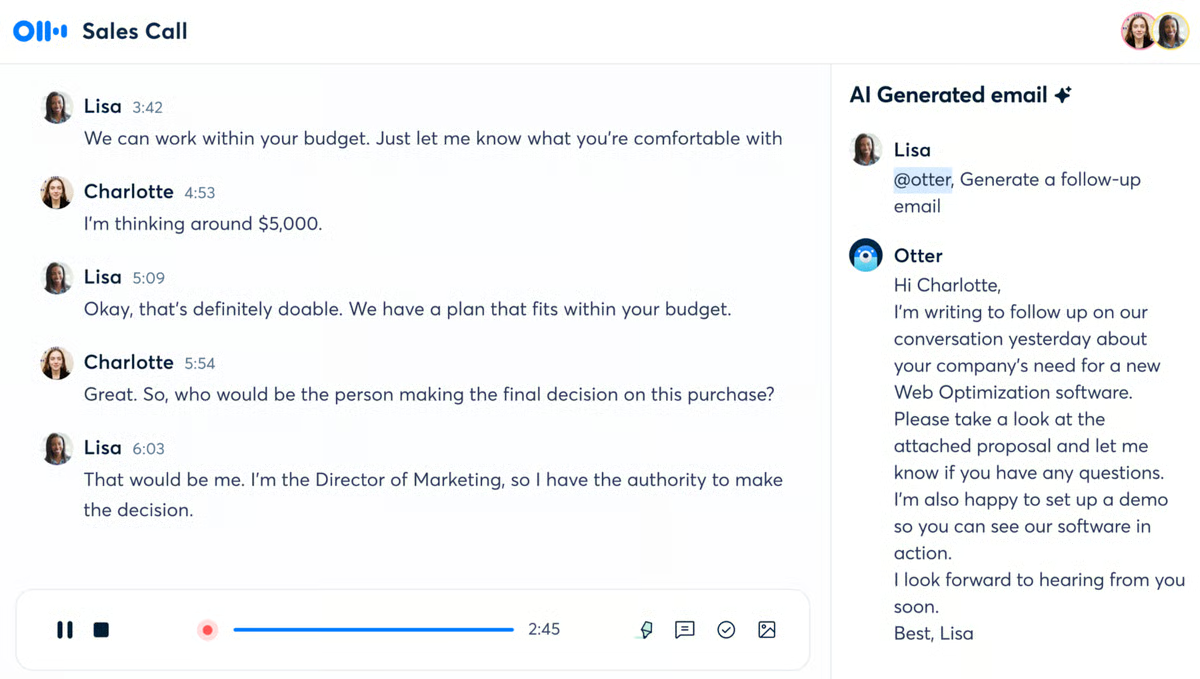
Otter.ai is an AI-powered meeting and voice recognition tool that goes beyond simple text conversion. It boasts real-time transcriptions, speaker identification, and highlights, allowing you to capture conversations and discussions as they happen. Unlike competitors, Otter.ai excels in understanding accents and integrates seamlessly with various platforms, making it a versatile solution for students, professionals, and content creators. According to G2 Data, it ranks as the 7th easiest to use tool.
|
Pros of Otter.ai
|
Cons of Otter.ai
|
|
Impressive accuracy with clear audio and standard accents
|
Privacy concerns regarding data storage and usage
|
|
Automatically identifies and labels different speakers and recordings
|
Occasional problems with automatic integration
|
|
Seamless cross-platform integration
|
Limited free plan
|
“Otter.ai emerges as a technology with an exceptional capability to transcribe accurately. This is revolutionary for real-time meetings, calls, and audio input transcription. Its user-friendly interface and compatibility with various channels like Zoom make it highly practical. Additional team-oriented features like transcript sharing, commenting, and highlighting facilitate seamless team coordination.”
- Otter.ai review, Eric H.
“Sometimes, due to variations in accents and speaking speed, it fails to capture everything accurately, and even if the system does manage to record some additional words, they are often incorrect. It is frustrating when the tool integrates automatically, and even when attempting to remove it from a meeting, it is difficult to eject, often sending disruptive reminder chat messages.”
- Otter.ai review, Saniya S.
Speechmatics is an enterprise-grade speech-to-text and voice AI platform built for organizations that require high accuracy, security, and flexibility. It delivers real-time and batch transcription across a wide range of languages, dialects, and accents through scalable APIs. With flexible deployment options including cloud, on-premises, and hybrid. Speechmatics supports mission-critical voice applications while maintaining strict data control and compliance.
Designed for industries such as media, contact centers, finance, and healthcare, it helps enterprises transcribe, analyze, and understand voice data with precision. According to G2 Data, it ranks as the 6th easiest to use tool.
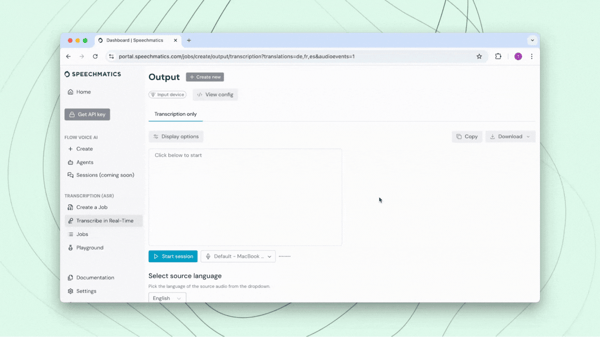
| Pros of Speechmatics | Cons of Speechmatics |
| High transcription accuracy across accents and technical terms | Lacks some advanced features like speaker separation and bulk uploads |
| Fast processing with reliable real-time transcription | Real-time transcription can lag in some scenarios |
| Easy setup and intuitive interface | Accent handling in multi-speaker environments can improve |
"As a regional media monitoring firm with modest IT resources, we appreciate the relative ease of integrating Speechmatics into our broadcast monitoring workflow. Customer support is reliable and provides quick responses. The sales team have been amazing, too, helping us create a service plan that considers both our current business volume and supports our projected growth. And we like what we're seeing with regards to service enhancements and expansion. We hope to be able to take advantage of additional language capabilities soon".
- Speechmatics review, Joe T.
"It can improve on latencies. Currently, it's around sub one second latencies, but they can improve it further to somewhere around four hundred milliseconds. Because I feel Speechmatics is losing the game of voice agent for call centers due to high latency issue. In that particular voice AI agent solutions, the market leader is Deepgram with low latency solutions. But, we trust Speechmatics can beat it".
- Speechmatics review, Saikiran P.
Most free voice-recognition software is web-based, so you only need a device with an internet connection and a web browser.
Yes, many free software offers customization options. You can often adjust voice speed, pitch, and accent to suit your preferences. Some even allow you to choose between male and female voices or different voice styles. However, the level of customization may vary between different tools.
Common output formats include MP3, WAV, and AAC.
Free versions typically come with limitations like character limits, output quality, or watermarks on the generated audio.
Yes, many free voice recognition tools support real-time transcription, though often with usage limits.
Yes, but language coverage varies.
Some can, integration depth depends on the tool.
Voice command support is limited in most free tools.
Most platforms focus on transcription rather than controlling devices or apps. Voice-command functionality is more common in OS-level assistants or paid dictation software. However, some API-based solutions can be customized to recognize commands if developers build logic on top of tools like AssemblyAI or Deepgram.
Yes, this is one of the most common use cases.
Free plans usually include enough functionality for students and light professional use.
For content creators:
Creators who publish frequently often start with free tiers and upgrade as content volume grows.
With a plethora of free voice recognition software options available, finding the perfect tool to bring your words to life has never been easier. By carefully considering factors like voice quality, customization options, and intended use, you can select the ideal generator to enhance your projects. Remember to explore the terms of service for each option to ensure it aligns with your commercial needs. Experimentation is key to discovering the best fit for your voiceover requirements.
We hope this list helps you find the right solution!
Dive deeper into AI voice recognition, its types, and applications across industries!
Edited by Monishka Agrawal
This article was originally published in 2024. It has been updated with new information.

Recently updatedSummer 2026 Grid® Report · Published May 26, 2026 The 10 best Voice...
.png) by Shreya Mattoo
by Shreya Mattoo
Recently updatedSummer 2026 Grid® Report · Published May 26, 2026 The 10 best AI...
 by Soundarya Jayaraman
Recently updatedSummer 2026 Grid® Report · Published May 26, 2026 The tools below reflect...
.png) by Tanuja Bahirat
by Tanuja Bahirat