Managing access across different apps can get complicated fast. Strong passwords help, but they’re not enough on their own, and manual access management often creates bottlenecks, security risks, and unnecessary frustration.
That’s where single sign-on (SSO) software comes in. It allows users to log in once and securely access all the resources they need, making work smoother and reducing the burden on IT teams.
To help you find the right option, I’ve put together a list of the best free SSO software available today. You’ll find each tool’s pros and cons, along with insights from G2 users, so you can choose a solution that fits your needs with confidence. Let’s dive in.
9 best free SSO software in 2026: My picks
-
1Password: Best for simple, secure SSO with password management
For teams that want easy SSO paired with strong vault-based access controls
-
Auth0 by Okta: Best for developers building custom authentication flows
For flexible SSO, APIs, and identity workflows that scale with any application
-
Cisco Duo: Best for MFA-first identity and secure single sign-on
For organizations prioritizing device verification, MFA, and zero-trust access
-
Dashlane Password Manager: Best for teams wanting SSO + password automation
For quick deployments, autofill, and passwordless authentication options
-
JumpCloud: Best for unified device, directory, and SSO management
For IT teams needing cloud directory services with built-in SSO and user lifecycle tools
-
Keeper Password Manager: Best for security-focused SSO with encrypted vaults
For organizations needing advanced access controls and secure credential sharing
-
LastPass: Best for budget-friendly SSO combined with strong password governance
For small teams looking for easy user onboarding and centralized access management
-
Microsoft Entra ID: Best for Microsoft-first businesses needing enterprise SSO
For seamless identity, conditional access, and role-based controls across apps and devices
-
OneLogin: Best for fast, reliable, and scalable SSO deployments
For simple app integrations, adaptive authentication, and centralized identity workflows
* The software list is arranged alphabetically. These tools offer free trials, free forever options, or freemium models.
Comparison of the best free SSO software
If you feel overwhelmed by the wealth of information about free SSO software, this comparison table will help you with all the essential aspects:
| Best free SSO software |
G2 rating |
Free plan |
Paid plan |
| 1Password |
4.6/5 ⭐ |
14-day free trial available |
|
| Auth0 by Okta |
4.3/5 ⭐ |
14-day free trial available |
|
| Cisco Duo |
4.5/5 ⭐ |
14-day free trial available |
Starting at $3/user/month
|
| Dashlane |
4.5/5 ⭐ |
14-day free trial available |
Starting at $6/user/month |
| JumpCloud |
4.5/5 ⭐ |
14-day free trial available |
Starting at $13/user/month
|
| Keeper Password Manager |
4.6/5 ⭐ |
14-day free trial available |
Starting at $2/user/month |
| LastPass |
4.4/5 ⭐ |
Available with a 30-day trial for the premium tier |
|
| Microsoft Entra ID |
4.5/5 ⭐ |
Free with Microsoft Cloud subscriptions |
Starting at $6/user/month
|
| OneLogin |
4.4/5 ⭐ |
30-day free trial available |
Starting at $4/user/month
|
*All pricing details mentioned in the article are based on publicly available data at the time of publication and are subject to change.
9 best SSO software I recommend
The global demand for single sign-on (SSO) and identity-access solutions continues to surge as organizations prioritize secure and seamless access across applications and digital environments.
The global SSO software market is expected to grow to over $5 billion to $ 9 billion by 2030, driven by the rapid adoption of cloud services, hybrid work, and cybersecurity-first IT strategies.
Whether it’s enabling frictionless login experiences, reducing help‑desk overhead, or enforcing secure access policies across remote and on‑prem systems, SSO tools are becoming vital parts of modern IT stacks.
And from what I’ve seen, “best” doesn’t always mean “paid.” Some free or freemium SSO platforms I’ve used deliver surprising depth, helping teams unify access, boost security, and improve productivity without breaking the budget.
How did I find and evaluate these free SSO software?
To build this list, I began with G2 data, shortlisting top-rated tools based on their G2 scores and consistent performance in the free SSO software category.
From there, I reviewed product specs and recent, verified user feedback to confirm that these products deliver real value and to understand where each one stands out.
The goal was simple: to see whether these tools are as good as they claim, what each one is best for, and whether there’s a free version or free trial you can try with minimal risk. And because this is a free-focused list, I paid extra attention to what you can actually do without paying — such as whether the free tier includes core features, how long the free trial lasts, and what limitations might prompt you to upgrade.
The screenshots featured in this article may be a mix of those taken from the vendor’s G2 page or from publicly available materials.
The product list below features genuine user reviews from the top SSO software category page. It’s important to note that in the context of this list, vendors offering a free trial are also considered free.
To be included in this category, a solution must:
- Let users access multiple applications or databases through one portal
- Automate authentication to prevent multiple logins
- Centralize authentication servers across applications
- Provide secure access to applications and data
- Integrate login access to business applications
This data was pulled from G2 in 2025. Some reviews may have been edited for clarity and accuracy.
1. 1Password
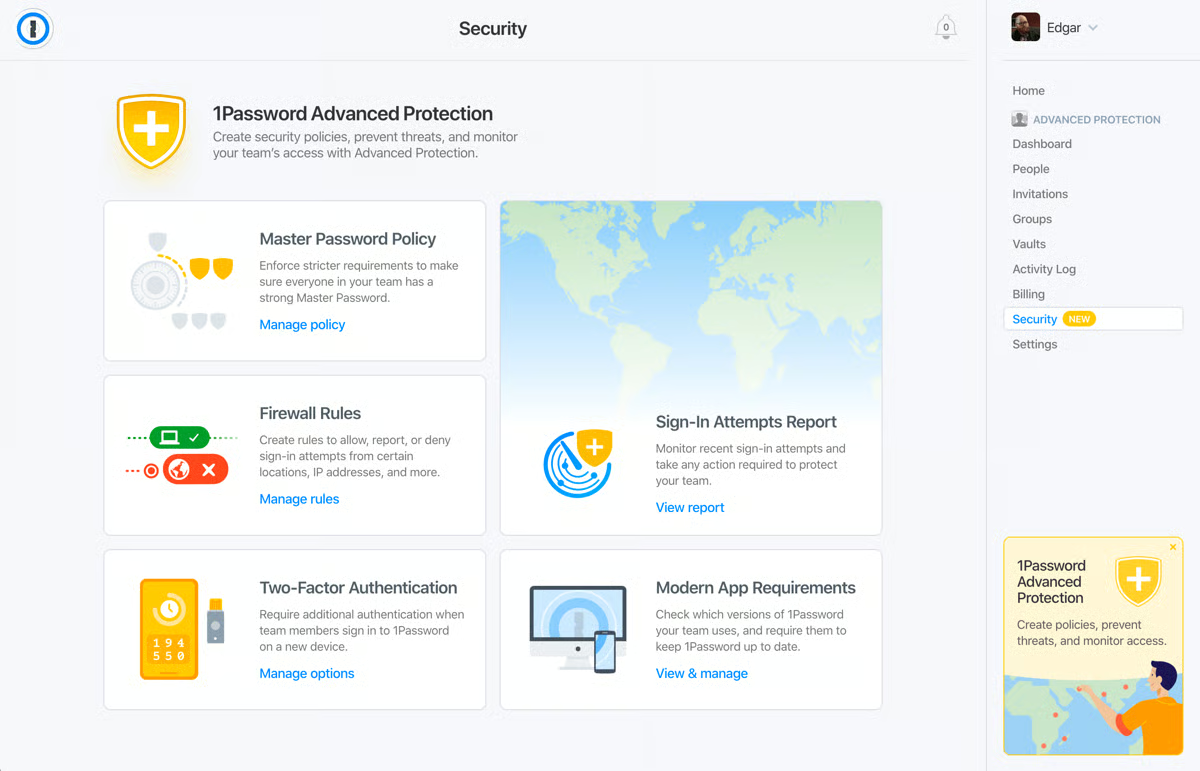
1Password combines exceptional password management capabilities with SSO features to offer a secure access management platform. With a focus on security, 1Password provides users with an uncomplicated way to manage access to multiple applications without being overwhelmed by the complexity of modern IT environments.
The 14-day free trial allows users to try all the essential features that make it a versatile addition to any IT ecosystem.
Pros and cons of 1Password: My take
| Pros of 1Password |
|
| Features an intuitive and sleek interface, easy to navigate for all users |
Technical expertise required to set up SSO and manage shared vaults
|
| Continuously monitors the health of passwords and sends vulnerability alerts |
Advanced reporting and extensive integrations are available for high tiers only
|
| Shares credentials within teams without compromising security |
The number of guest accesses is limited in the lower tiers
|
What G2 users like about 1Password:
“How easy it is to deploy to end users and to manage 1Password updates and Browser 1Password extension updates. 1Password consistently introduces new features, including SSO integration with Okta. This makes it much easier for those managing 1Password and end users who only need to remember the password to log in to the SSO provider. 1Password Business Plan offers the end user their personal accounts covered by 1Password as well, which is great.”
- 1Password Review, Rikin P.
What G2 users dislike about 1Password:
“SSO logins are still not a feature that can be saved with 1Password, and I have to share my personal login details with others offline just so they can use my SSO login to access a certain service.”
- 1Password Review, Aryan G.
2. Auth0 by Okta
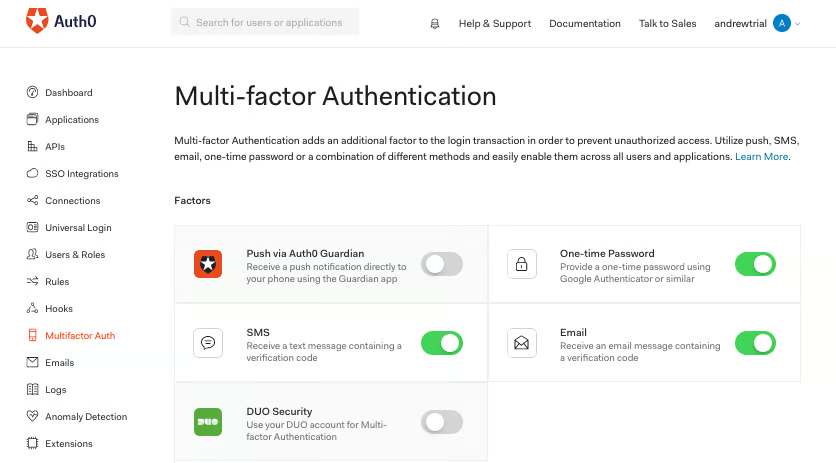
Auth0 by Okta works perfectly for small teams and developers searching for a flexible and secure authentication solution.
It enables extensive customization through powerful application programming interfaces (APIs) and software development kits (SDKs), making it a favorite among developers who need to tailor authentication workflows to specific requirements. According to G2 Data, it's also well known for its reporting capabilities. About, 25% of G2 users provided feedback on its pre-built and custom reporting tools.
The free SSO plan is available with 7000+ pre-built integrations and other amazing features.
Pros and cons of Auth0 by Okta: My take
| Pros of Auth0 by Okta |
|
| Deep customization thanks to extensive APIs and SDKs |
Lack of HTML modifications
|
| Designed to scale effortlessly with organizations |
Steep learning curve with advanced features and customized workflows
|
| Uses machine learning to adapt to user behavior and enhance security |
Access to customer support is limited for free users
|
What G2 users like about Auth0 by Okta:
“Auth0 by Okta’s multi-factor authentication and anomaly detection work pretty well. It also supports SSO, making it easy to sign up for different applications using the same credentials. It has a lot of customization potential so that you can set the level of security for yourself.”
- Auth0 by Okta Review, Mrinal G.
What G2 users dislike about Auth0 by Okta:
“Nobody responds to their emails. I have sent three emails to three different salespeople about plans so I can go live with my app. I've been waiting for weeks to hear back from any of them. The irony is that they were the ones who sent me an email asking if I had any questions in the first place.
Their support is total crap. They waste your time talking in circles instead of actually understanding your problem and trying to help you solve it. I am so disappointed I went with them, but I did because I used them nearly a decade ago for another project. They have since been acquired, and the things I like about them, such as responsiveness and competent technical support, have completely gone down the drain.”
- Auth0 by Okta Review, Mike M.
When SSO isn’t enough for admin access, compare the best PAM software for secure privileged control.
3. Cisco Duo
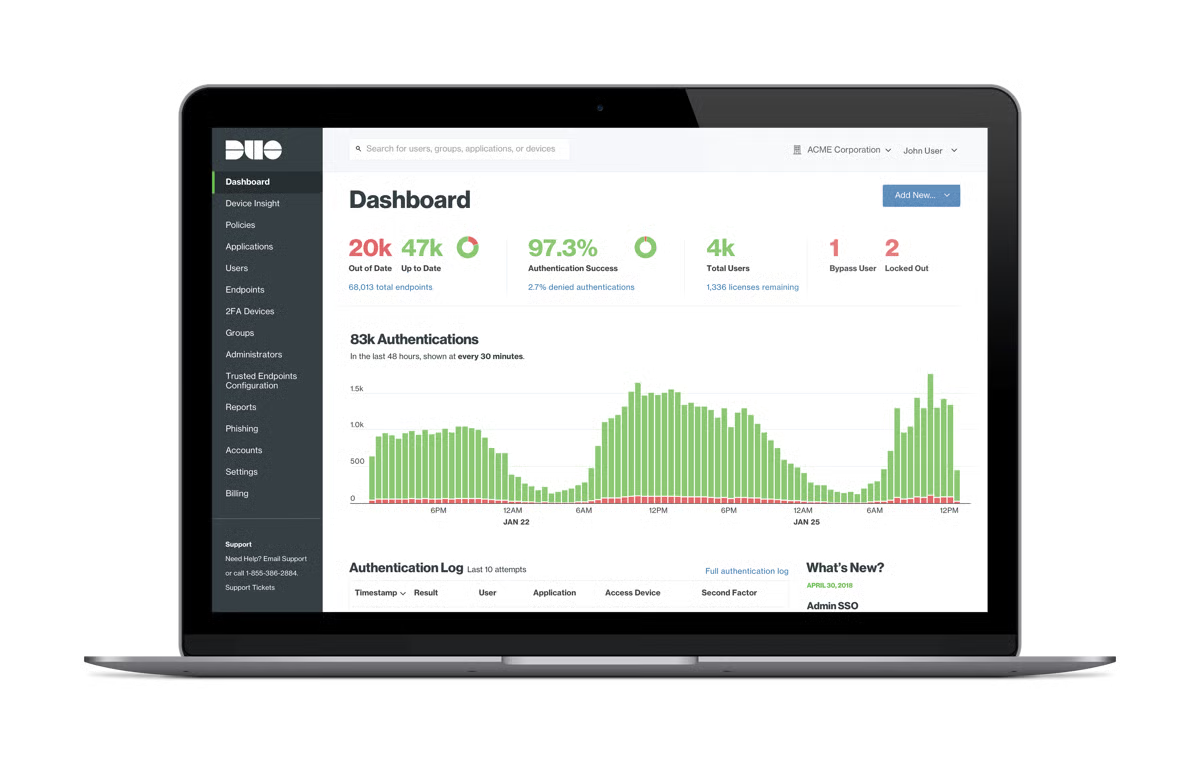
Cisco Duo presents a comprehensive SSO solution that supports a wide range of applications and services. Duo’s security-centric approach means you get features like device trust and adaptive access policies, so no one and nothing unauthorized can access your resources. A user-friendly design and centralized management console make it easy for IT teams to deploy, manage, and monitor access controls.
The free plan is available for up to 10 users and includes worry-free integrations and a complimentary authenticator app.
Pros and cons of Cisco Duo: My take
| Pros of Cisco Duo |
|
| Provides granular control so admins can set detailed policies |
Reliance on internet connectivity for authentication
|
| Ensures that only healthy, compliant devices access applications |
Lower tiers are insufficient for larger teams due to user limitations
|
| Gives you comprehensive reports on authentication events and user activity |
Initial configurations are complex for some users
|
What G2 users like about Cisco Duo:
“In our organization, we use Duo Security for SSO and multi-factor authentication. All enterprise-related access, whether on desktop or mobile apps, also requires Duo authorization Security to log in, which provides a very safe and secure logging environment and also means that I receive a notification on my mobile device whenever someone attempts to log in to the systems.”
- Cisco Duo Review, Terry D. J.
What G2 users dislike about Cisco Duo:
“It is built for push alerts, but they don't always function; I have to open the app and manually input the login code, which bothers me. From a management standpoint, there isn't much information about setup and usage. Also, the username is not established by the user; it is set by the administrator who added the user account and is difficult to communicate with the user.”
- Cisco Duo Review, Marie S.
4. Dashlane Password Manager
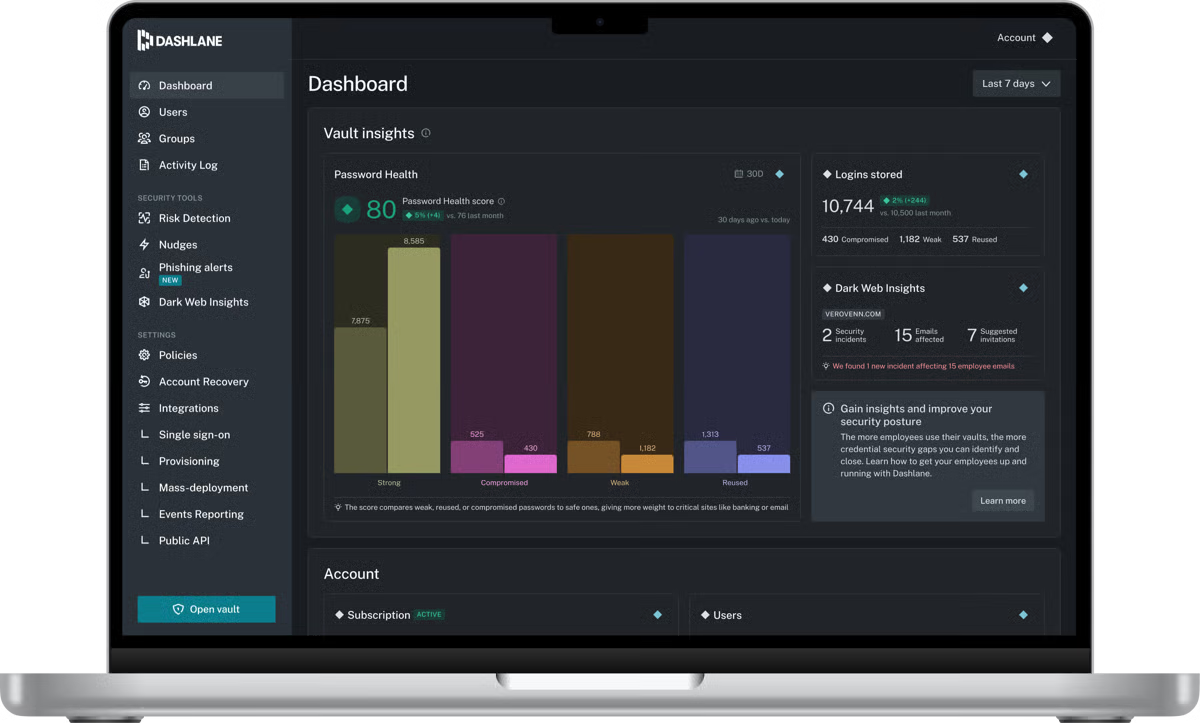
Dashlane offers comprehensive credential security designed to protect organizations from human-related risks. Its advanced platform unifies password management and access protection, giving security teams proactive insights, real-time monitoring, and secure access controls for every employee.
Trusted by over 25,000 businesses worldwide, Dashlane delivers innovative solutions, industry-leading zero-knowledge security, and a seamless user experience across devices. According to G2 Data, 77% users mention that it integrates with mobile devices for use on mobile apps.
Pros and cons of Dashlane Password Manager: My take
| Pros of Dashlane Password Manager |
Cons of Dashlane Password Manager
|
| Strong password generation |
Premium needed for full features |
| Secure storage & encryption |
Can be expensive |
| Autofill & easy login |
Occasional sync issues |
What G2 users like about Dashlane Password Manager:
"I use Dashlane in both my professional and personal life. It's so quick and easy to use to save, retrieve, and even share passwords that it's become a must-have tool for me. The phone app, as well as the browser plug-ins, are time savers. I don't think that I'd be able to get through the day without using Dashlane at least a few times."
- Dashlane Password Manager Review, Kelly A.
What G2 users dislike about Dashlane Password Manager:
"It will prompt you to create passwords for any fill-in box on webpages, which can make filling out forms or paperwork online tedious. You can pause the app, but it doesn't always stay paused, and it will only be for that web page, so you'll need to do it every time."
- Dashlane Password Manager Review, Lauren C.
5. JumpCloud
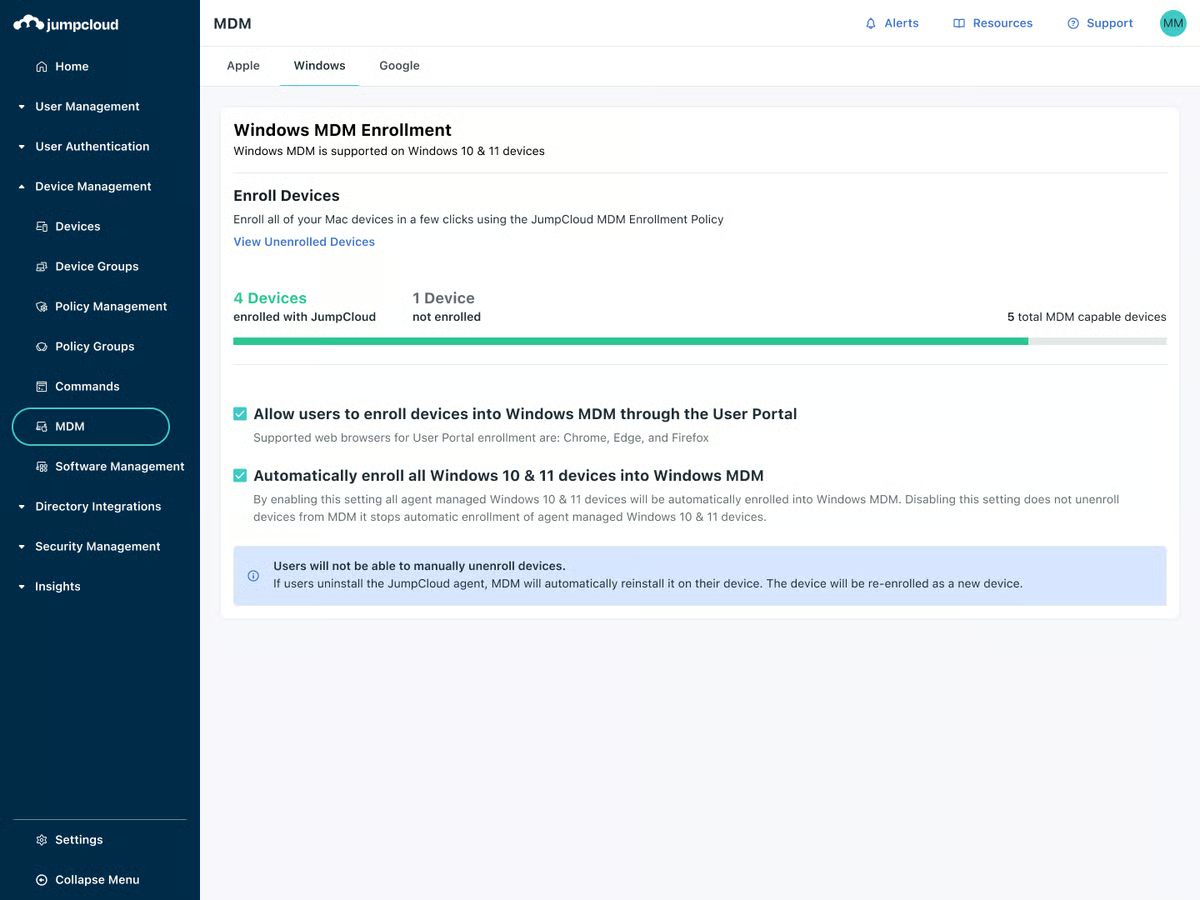
JumpCloud’s innovative SSO solution integrates identity, access, and device management. It also functions as a comprehensive directory platform that reimagines traditional directory services by combining them with cutting-edge technology for a comprehensive and scalable solution for modern enterprises.
The 30-day trial enables users to fully explore the JumpCloud platform's functionality with no restrictions.
Pros and cons of JumpCloud: My take
| Pros of JumpCloud |
|
| Supports various operating systems like macOS, Windows, and Linux |
Learning curve for a broad range of features
|
| Also offers full directory management, device management, and two-factor authentication (2FA) |
Demands significant system resources
|
| Integrated zero-trust security model for modern cybersecurity measures |
Time-consuming deployment
|
What G2 users like about JumpCloud:
“JumpCloud is easy to use and also easy to implement. It helps alleviate the burden on the IT department. We can manage all operating systems on one platform. We have implemented various policies here. There is a good option for managing an Android device. We can also manage the Chrome browser here. JumpCloud is a good platform for user identity management, device management, and SSO configuration.”
- JumpCloud Review, Rohit K.
What G2 users dislike about JumpCloud:
“I think the portion of the command could use some work on JumpCloud. I have made many scripts that work when run locally, but when run on JumpCloud, I experience errors and failures on Windows. Mac commands leave a little to be desired, but that is mostly because of the nature of Mac and not a fault to JumpCloud. It would just be cool to have some more command/scripting options.”
- JumpCloud Review, Zach L.
6. Keeper Password Manager
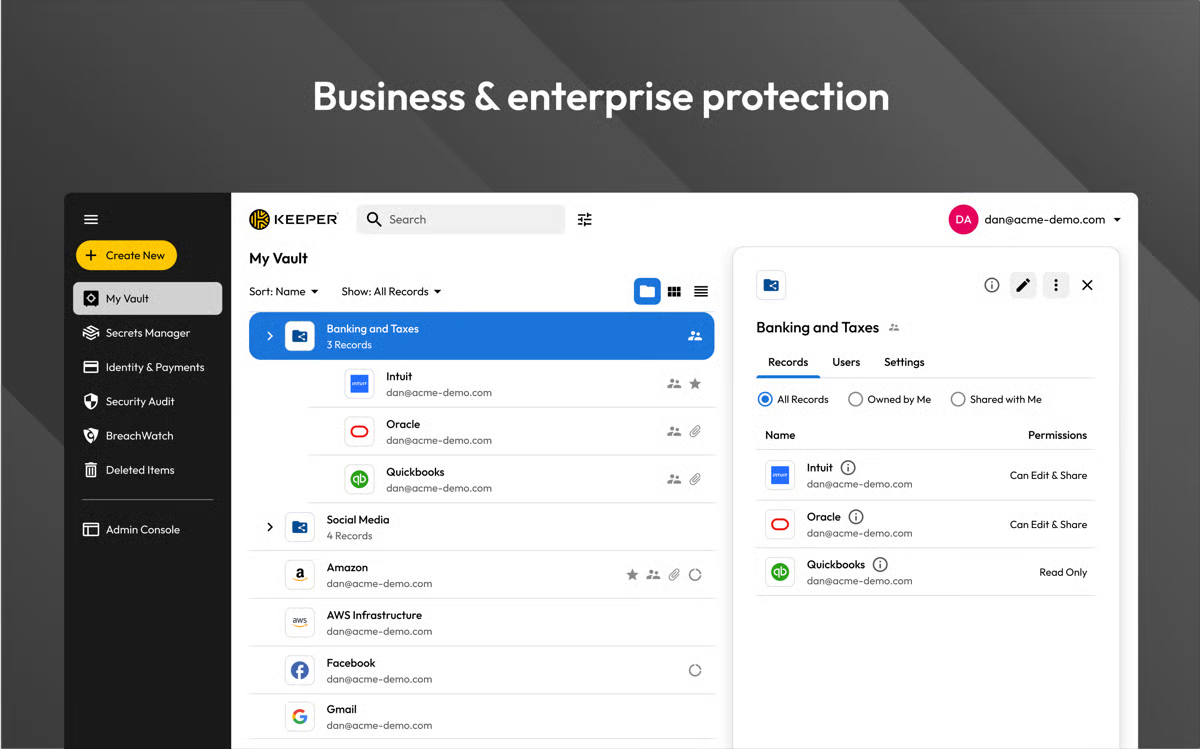
Keeper Password Manager functions as a top-tier password management tool with robust SSO capabilities. It’s a valuable asset for managing secure access across multiple applications.
According to G2 Records, it is used by 42% of small and mid-size businesses. Designed with a strong emphasis on security, Keeper provides a straightforward way to handle user authentication and identity management.
New users can try out all of Keeper's features for SSO and password protection with a 14-day free trial.
Pros and cons of Keeper Password Manager: My take
| Pros of Keeper Password Manager |
Cons of Keeper Password Manager
|
| Allows users to designate emergency contacts for vault access |
Doesn’t cover as many integrations for enterprise apps as some other SSO solutions
|
| Centralized admin console for easy management |
Large teams may find lower tiers limited
|
| Has unique features that alert users of any potential threats |
Learning curve for customizations and extensive security features earning curve
|
What G2 users like about Keeper Password Manager:
“We use Keeper in our IT department to safeguard all of our vital password data. With Enterprise integration built into Google Workspace, we are able to use SSO to log in and access all of our password data. Keeper's ability to organize passwords within the team and share them out is second to none in my opinion, and recent updates like timed link sharing and passkey capability show how on the ball they are.”
- Keeper Password Manager Review, Simon S.
What G2 users dislike about Keeper Password Manager:
“I would like to be able to reset a user's password if they forget it. Currently, the user needs to attempt this themselves, but invariably, they will have misplaced their recovery phrase. As a workaround, I transfer their vault, delete them, recreate them, and transfer their vault back to them.”
- Keeper Password Manager Review, Adam O.
7. LastPass
LastPass integrates as a powerful SSO solution, supporting a wide range of applications to provide a seamless single login experience across your digital ecosystem. According to G2 Data, it is used by 63% small businesses.
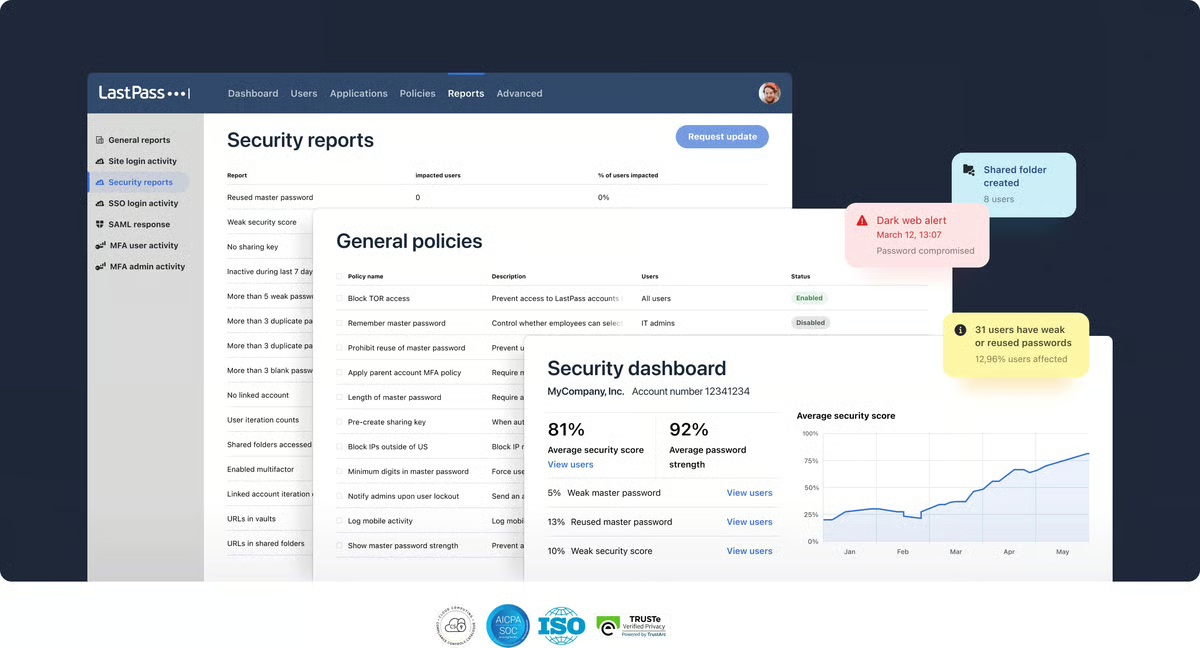
With features like multi-factor authentication (MFA), automated password generation, and detailed reporting, LastPass empowers basic users to explore their accounts while IT teams maintain control over access and security. The platform's centralized admin console streamlines user management, allowing everyone to add, remove, and monitor user activity.
The free plan also includes a 30-day free trial for the premium plan, allowing users to evaluate whether the tool is worth the upgrade.
Pros and cons of LastPass: My take
| Pros of LastPass |
|
| Generates strong, unique passwords, reducing the risk of security breaches |
Some synchronization delays between devices may occur occasionally
|
| Provides detailed logs of user activity that help identify potential security issues |
Has faced occasional security vulnerabilities in the past
|
| Supports a vast array of applications for uninterrupted, ensuring seamless access across platforms |
Limited SSO capabilities may not be enough for enterprise-level requirements
|
What G2 users like about LastPass:
“I love LastPass because I only have to remember ONE password. And that's the one who can access my account. I also love it because I plan to use LastPass on my phone, as an app on my desktop, and with an extension in my browser, which makes it super simple. I love that it's easy to generate new, complex passwords. And when you're on the computer and creating a new password, the extension for Chrome will pop up and ask if you want to save that password to your LastPass.”
- LastPass Review, Jeni H.
What G2 users dislike about LastPass:
“The mobile version of LastPass is not that great. I find it doesn't usually launch websites with user/pass that well, and I need to copy/paste the info in order to get it to actually work, which usually doesn't work that well if the client has chosen not to allow me to view this info.”
- LastPass Review, Caitlin M.
While SSO reduces password fatigue, the right password manager adds layered protection. Compare two high-rated options in LastPass vs. 1Password.
8. Microsoft Entra ID
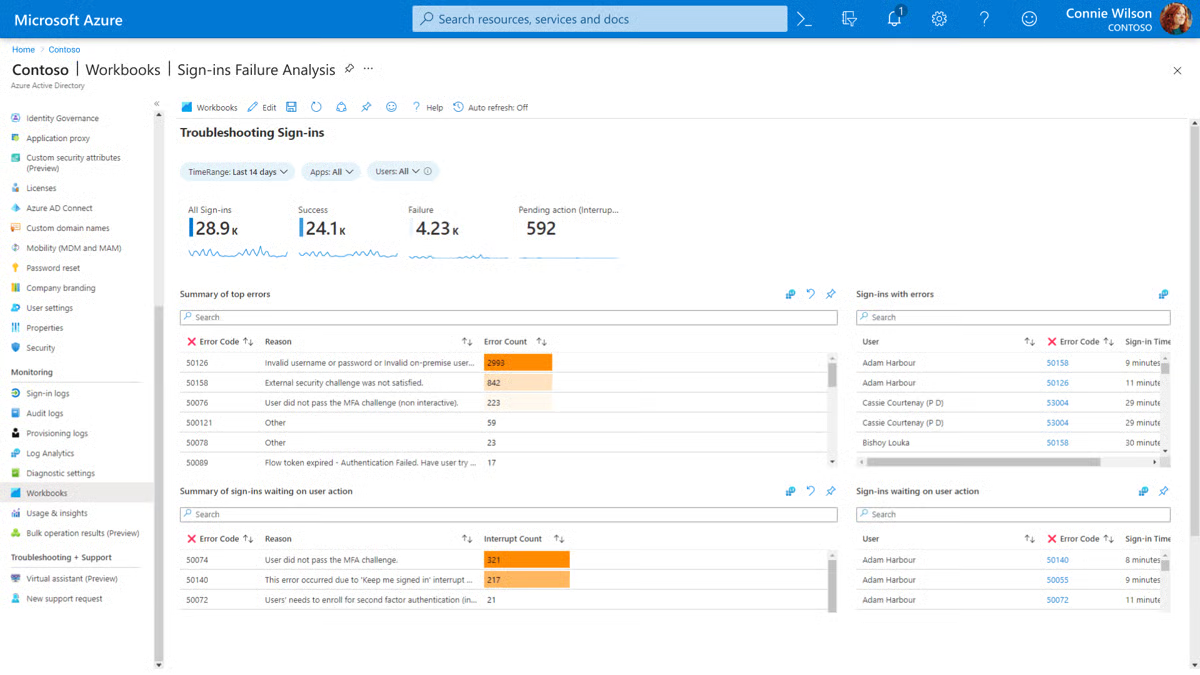
Microsoft Entra ID delivers an enterprise-grade SSO solution that integrates with thousands of applications, both on-premises and in the cloud. A centralized identity and access management (IAM) solution allows users to sign in once and access all necessary resources. The platform features advanced security measures, including conditional access policies and identity protection.
This isn’t an open-source SSO platform, but the free edition of Microsoft Entra ID is included with a subscription to Microsoft Cloud services, such as Microsoft Azure and Microsoft Dynamics 365. Best part, according to G2 Data, it is one among the top 10 easiest to use IAM tools.
Pros and cons of Microsoft Entra ID: My take
| Pros of Microsoft Entra ID |
Cons of Microsoft Entra ID
|
| Simplifies access permissions and policies for groups |
Steep learning curve to fully utilize the platform
|
| Easily scalable for supporting both small teams and large enterprises |
Complex initial configuration of SSO
|
| Ideal for hybrid environments that use on-premise and cloud-based services |
Dependent on the Microsoft ecosystem
|
What G2 users like about Microsoft Entra ID:
“Microsoft Entra is one of the best solutions Microsoft offers for verifying and identifying enterprise technology assets such as laptops and mobile phones. It ensures that only the right people have access to specific resources. What I like the most are these three features: multi-factor authentication with the Microsoft Authenticator app, identity management for each device, and its integration with BitLocker, which provides full disk encryption for the asset. This way, data is securely stored and can be recovered with a BitLocker recovery key.”
- Microsoft Entra ID Review, Erick Vincent Steve G.
What G2 users dislike about Microsoft Entra ID:
“Entra ID provides various free tiers, but some of the valuable security features require a paid subscription, so one of the points of dislike is its cost. It provides various features that can be complex to set up and manage, especially for organizations with limited IT resources. Integrating Entra ID with some non-Microsoft applications requires additional configuration.”
- Microsoft Entra ID Review, Bhupender N.
9. OneLogin
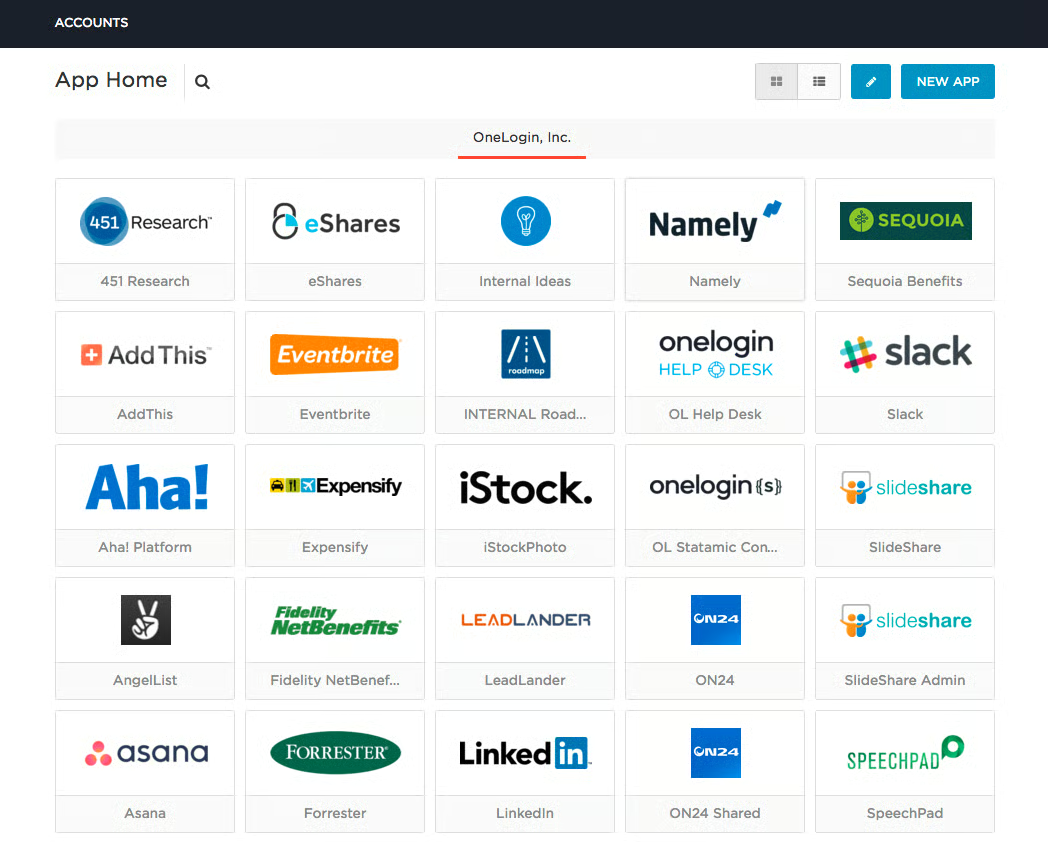
OneLogin excels at identity and access management functionality with SSO capabilities. Its centralized administration portal gives IT teams the power to manage users, enforce security policies, and monitor activity. The platform’s flexibility and comprehensive security measures make it a strong contender in the SSO market.
The 30-day free trial provides access to custom reports, security policies, VPN integrations, and more.
Pros and cons of OneLogin: My take
| Pros of OneLogin |
|
| Keeps user directories synchronized in real-time |
Reliance on cloud services challenging for on-premise setups
|
| Contains an adaptive authentication process for an extra layer of security |
Doesn’t offer sufficient resources for larger enterprises
|
| Provides a highly customizable user portal |
Delays in receiving the latest features for free users
|
What G2 users like about OneLogin:
“The user interface is easy to use, and it has all the features that can help your org to reach your SSO goals. Apart from this, it has some very neat features like SSO for desktop and smart hooks that can provide more value addition and improve end-user experience.”
- OneLogin Review, Joy D.
What G2 users dislike about OneLogin:
“Some policy configurations limit what you can do. New features released seem to be considered an ‘add-on’ and are not always included with your subscription.”
- OneLogin Review, Pete S.

Frequently asked questions on free SSO software
Have questions? Find more answers below.
1. What is the top-rated SSO platform for enterprises?
Microsoft Entra ID and Okta/Auth0 by Okta are often considered the top enterprise-grade SSO options, with JumpCloud also ranking highly for organizations that want unified device and identity management.
2. What is the best SSO solution for enterprise IT environments?
Cisco Duo and Microsoft Entra ID are strong choices for enterprise IT, while OneLogin is preferred for teams that need fast, scalable deployments with minimal friction.
3. Which SSO platform offers the most seamless user authentication?
Auth0 by Okta delivers highly customizable, seamless authentication flows, while OneLogin and 1Password provide smooth, low-friction login experiences for end users.
4. What is the most affordable SSO software for SMBs?
LastPass is one of the most budget-friendly SSO options, with Dashlane and Keeper also offering cost-effective plans tailored for smaller teams.
5. Which vendor provides AI-powered access security for SSO?
Microsoft Entra ID incorporates AI-driven risk detection, while Cisco Duo and Keeper use intelligent threat analytics to strengthen SSO access decisions.
6. Which vendor offers analytics on authentication success rates?
Auth0 by Okta provides deep authentication analytics, while JumpCloud and OneLogin also offer detailed reporting on login trends and success rates.
7. What platform provides compliance-ready SSO capabilities?
Keeper and 1Password offer strong compliance features (SOC 2, ISO, GDPR), while Cisco Duo enhances regulatory readiness with advanced MFA and policy controls.
8. Which solution supports cross-domain authentication?
Auth0 by Okta and OneLogin both support cross-domain authentication, and Microsoft Entra ID extends this across Microsoft and hybrid enterprise environments.
9. Which tool supports SSO for hybrid cloud applications?
JumpCloud is widely used for hybrid cloud setups, while Microsoft Entra ID and Cisco Duo offer robust support for combining on-prem and cloud identity.
10. What platform integrates SSO with identity and access management tools?
OneLogin provides tightly integrated IAM and SSO capabilities, while JumpCloud and Microsoft Entra ID offer full-stack identity, access, and device management in one platform.
Get out of login limbo!
Don’t settle for clunky logins that slow your team down or create security gaps.
Choosing the right single sign-on solution can transform how your organization works — boosting security, saving time, and improving user satisfaction.
Now that you’ve seen some of the best free options, take a moment to assess your needs, test the tools that stand out, and involve your key team members. Experiencing the platform firsthand will make implementation smoother and ensure it truly fits your workflow.
Get the best user provisioning and governance tools to take your access management to the next level.
This article was originally published in 2024. It has been updated with new information.





.png)