


I know how stressful it can be to finish a project only to have a computer crash erase all your files, or to accidentally delete important client data that brings business operations to a halt. Whether you’re an IT professional or a student, losing final files, critical documents, or financial records can quickly turn everything upside down.
I see free file recovery software as a dependable safety net when affordable tools are needed to retrieve or repair lost information. In this article, I compare the best free file recovery platforms, outlining their features, strengths, and limitations to help you find the right option.
*The software list is arranged alphabetically. These tools offer free trials, free forever options, or freemium models.
Still unsure which free file recovery software is best for your data backup needs? Consider comparing their free plans and pricing options before getting started.
| Best free file recovery software | G2 Rating | Free plan | Paid plan |
| Acronis Cyber Protect | 4.3/5 ⭐️ | Free trial available | Starting at $85 per year |
| Arcserve UDP | 4.2/5 ⭐️ | 30-day free trial available | Contact Arcserve UDP for pricing |
| AvePoint Multi-SaaS Cloud Backup | 4.5/5 ⭐️ | 30-day free trial available | Contact AvePoint Multi-SaaS Cloud Backup for pricing |
| Cove Data Protection | 4.5/5 ⭐️ | 30-day free trial available | Contact Cove Data Protection for pricing |
| CrashPlan | 4.4/5 ⭐️ | 14-day free trial available | Starting at $4 per month |
| HYCU | 4.7/5 ⭐️ | Free trial available | Contact HYCU for pricing |
| Tenorshare 4DDiG | 4.9/5 ⭐️ | Free trial available | $45.95/month |
| Veeam Backup for AWS | 4.5/5 ⭐️ | Yes, for up to 10 instances | Contact Veeam Backup for AWS for pricing |
| Veeam Data Platform | 4.6/5 ⭐️ | Free trial available | Contact Veeam Data Platform for pricing |
*All pricing details mentioned in the article are based on publicly available data at the time of publication and are subject to change.
Data loss is becoming increasingly common as people rely more on digital files for work, study, and everyday life. From accidental deletions to system crashes and corrupted storage devices, losing important data can disrupt productivity in seconds.
File recovery software plays a critical role in helping users retrieve lost documents, photos, videos, and other essential files without immediately turning to expensive professional services. As storage technologies evolve, so does the need for reliable recovery tools that can handle modern file systems and devices.
Several free file recovery software options available in 2026 still deliver meaningful recovery capabilities, making it possible to restore deleted files, scan damaged drives, and preview recoverable data without upfront costs. These tools can be especially useful for individuals, students, and small teams looking for a practical first line of defense against data loss.
To build this list, I started with G2 data, shortlisting top-rated tools based on their G2 scores and consistent performance in the file recovery software category.
From there, I reviewed product capabilities and recent, verified user feedback to confirm that these tools deliver real-world value and to understand where each one stands out, whether that’s recovery success rates, supported file types and devices, ease of use, or scan speed.
The goal was simple: to see whether these file recovery solutions live up to their claims, what each one is best suited for, and whether there’s a free version or free trial you can test with minimal risk. Since recovery needs can vary widely, I paid close attention to what you can actually recover without paying, such as data size limits, preview functionality, device support, and any restrictions that might prompt an upgrade.
The screenshots featured in this article may be a mix of those taken from the vendor’s G2 page or from publicly available materials.
File recovery or file repair software helps you retrieve or repair lost or damaged information by reconnecting the components of deleted files to restore them. Individuals, IT professionals, and business owners rely on these file recovery systems to retrieve data they may have accidentally deleted.
The list below has genuine user reviews from the best file recovery software category page on G2. Please note that within the context of this list, software that requires payment after a free trial is considered free.
To be included in this category, a solution must:
This data was pulled from G2 in 2025. Some reviews may have been edited for clarity.
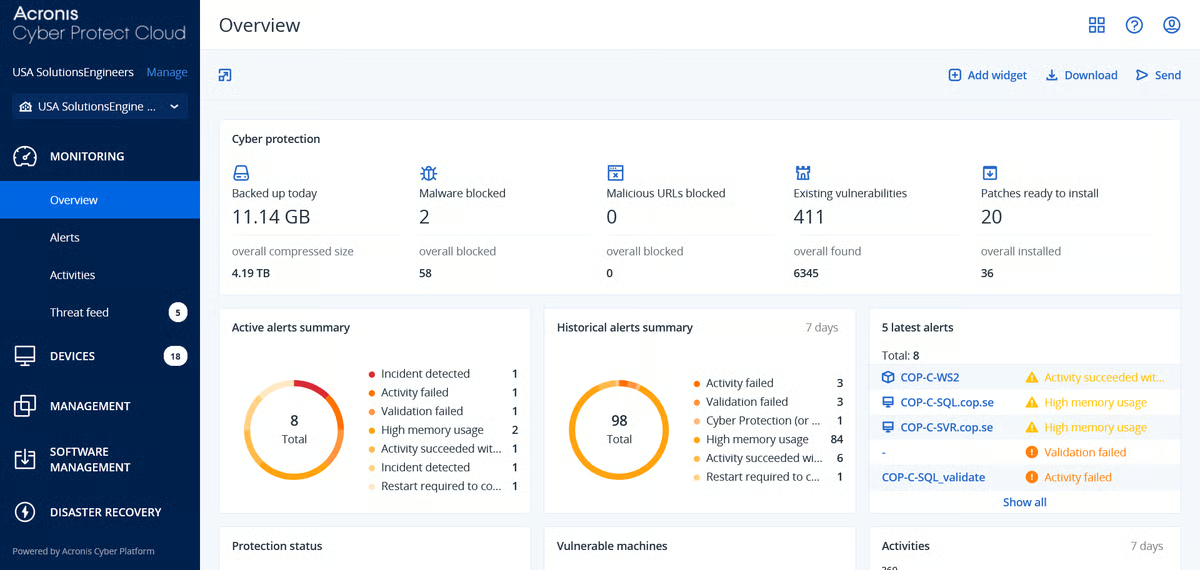
Acronis Cyber Protect offers solid backup and file recovery solutions for cloud, on-premises, and hybrid environments. Features like continuous data protection, backup notarization, and secure file sync and sharing do their part to keep user data safe. The platform’s advanced disaster recovery capabilities help companies bounce back fast from catastrophic events so operations continue uninterrupted.
|
Pros of Acronis Cyber Protect
|
Cons of Acronis Cyber Protect
|
| Supports Office 365, Azure servers, VMware, and other environments | Tricky to integrate with Google Workspace |
| Affordable pay-per-use and monthly subscriptions | May charge more for technical support |
| Minimizes downtime with efficient data recovery | Time required to learn the tool |
"We have been using Acronis Cyber Protect for multiple clients, and managing all the endpoints and servers of different clients under a single dashboard is convenient. The interface is very user-friendly, and the connectivity with the agent deployed on endpoints is pretty good regarding real-time monitoring."
- Acronis Cyber Protect Review, Raj B.
"The costing didn't make sense. If you have 500 GB of data, you need around 1.2 TB of backup storage. Otherwise, it would get stuck, and your backups would fail. The full backups would take very long."
- Acronis Cyber Protect Review, Warren S.
Pairing file recovery with reliable backup software ensures you’re never at risk of permanent data loss. Here are the top picks for 2025.
Pairing file recovery with reliable backup software ensures you’re never at risk of permanent data loss. Here are the top picks for 2025.
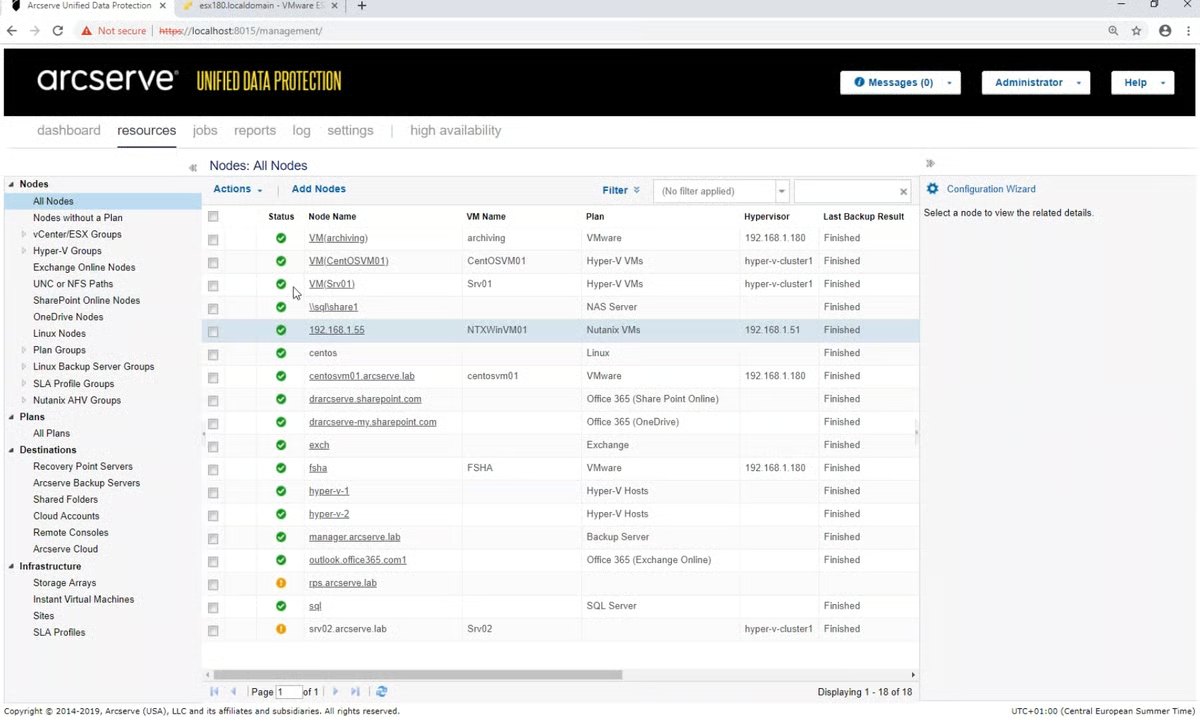
Arcserve UDP’s all-in-one data protection solution integrates backup, disaster recovery, and data management capabilities. Mid-market and enterprise businesses rely on it to protect data and minimize downtime across cloud, virtual, and physical environments. Other features include global deduplication, advanced encryption, and automatic disaster recovery testing.
|
Pros of Arcserve UDP
|
Cons of Arcserve UDP
|
| Prevents data loss from hardware failures, software issues, or cyber-attacks | Lacks helpful customer support |
| Achieves impressive data reduction rates | May have compatibility issues with specific hardware and software platforms |
| Ensures disaster recovery readiness through automated testing | Complicated licensing model and associated costs |
"Immutable backups and granular restores are among its most helpful modules. Overall, Arcserve UDP is a good choice for businesses that need a comprehensive data protection solution. It is easy to use, reliable, and provides good ransomware protection."
- Arcserve UDP Review, Felipe R.
"Arcserve UDP may not be fully compatible with all hardware and software platforms, and some organizations may need to take additional steps to ensure compatibility with their existing IT infrastructure. "
- Arcserve UDP Review, Prasanth V.
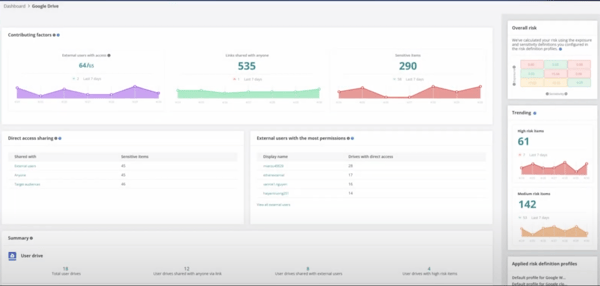
AvePoint Multi-SaaS Cloud Backup is a comprehensive backup and restore solution that supports platforms like Office 365, Exchange, Azure Virtual Machines, Google Workspace, Salesforce, and AWS Virtual Machines. It uses industry-standard encryption protocols to keep backups secure. Other features include efficient restore options, a user-friendly interface, and consistent data protection.
|
Pros of AvePoint Multi-SaaS Cloud Backup
|
Cons of AvePoint Multi-SaaS Cloud Backup
|
| Allows granular search and recovery of individual items or folders | Limited integrations with third-party applications |
| Supports a wide range of SaaS applications | Occasional slow backups or high processor memory usage |
| Easy and flexible data restoration from backups | Lacks a friendly user interface |
"Once a schedule is set up for backup, it continues backing up Microsoft 365 documents on its own, based on certain rules (if we want to), and that is the best thing about AvePoint Multi-SaaS Cloud Backup. I could even set up multiple backups in a day at different intervals to ensure that the frequency matched the updated file schedules by different remotely located teams within our organization. If there was any failure, an email alert was automatically received, along with a solution."
- AvePoint Multi-SaaS Cloud Backup Review, Anirban S.
"The built-in reporting capabilities seem to lack depth and comprehensive insights. That is not to say it is ineffective, but improvements could definitely be made to the upgrades. More integration options would also be highly appreciated."
- AvePoint Multi-SaaS Cloud Backup Review, Sankhadeep D.
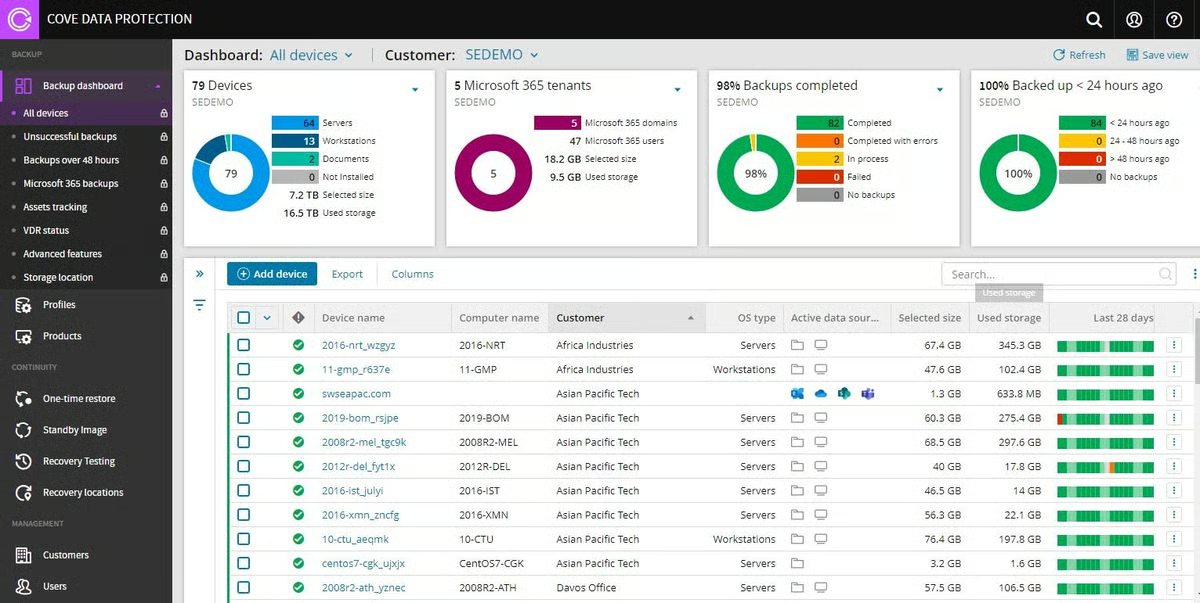
Cove Data Protection is a cloud-first backup and disaster recovery platform that protects servers, workstations, and Microsoft 365 data. It lets organizations guard critical data across multiple environments from one multi-tenant dashboard. Cove Data Protection uses data centers worldwide to isolate information from local networks and keep backups in the region. According to G2 Data, it ranks as the 2nd easiest to use tool.
|
Pros of Cove Data Protection
|
Cons of Cove Data Protection
|
|
Reliable, fast backup and restore capabilities
|
Slow performance and restoration when using a weak internet connection
|
|
Support for Office 365, servers, and workstations
|
Tricky setup for standby images
|
|
Easy configuration
|
Hard to configure data retention times
|
"The user interface is very nice and easy to use. No reboots are needed when installing the agents, and they are not limited to the storage size of a local appliance. Customer service is good as there are different options and good response times."
- Cove Data Protection Review, Darius L.
"The passphrase and security key have different names in different places. When selecting a point-in-time restore, the selection screens change (just be careful to double check before you start). I'm not a huge fan of the restore-to creating the directory structure starting with the source drive letter."
- Cove Data Protection Review, Kevin M.
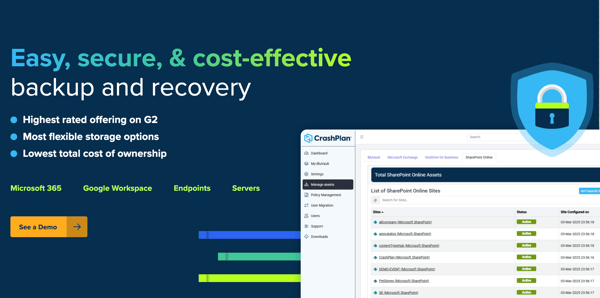
Enterprises use CrashPlan’s automatic endpoint backup solution to ensure data resilience and protection. The platform provides unlimited backup capacity so users can store sensitive information without worrying about running out of space. It also keeps data in transit and at rest safe with encryption. Other features include dashboards for monitoring backup status, custom deployment, automatic provisioning, self-service, and admin restores.
|
Pros of CrashPlan
|
Cons of CrashPlan
|
|
Works seamlessly in the background
|
Endpoint devices may take longer to connect after CrashPlan updates
|
|
Reduces the time and resources required to restore machines after a crash
|
Lacks a centralized documentation hub
|
|
User-friendly customer support
|
Limits customizable backup reports
|
“Numerous times, our users have had a device completely blue screen or crash, and even the most unusual event – a laptop falling out of a suitcase on a runway and being run over by an airplane! If CrashPlan had not been installed on those devices, we would not have been able to easily and seamlessly restore the data for lost, damaged, or stolen devices.
CrashPlan also makes it easy for our institution to do device life cycling, allowing our computer tech team to select specific data and transfer it to the new device in the same location. Before CrashPlan, lifecycles were complicated, and data transfer was painful."
- CrashPlan Review, Rebekah D.
"The documentation hub can be centralized and cleaned up, making items easier to find and better organized."
- CrashPlan Review, Adrien B.
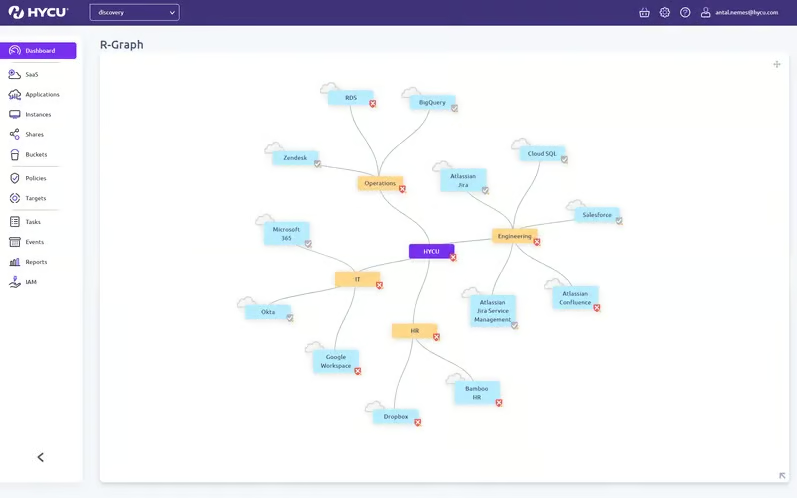
HYCU’s advanced software discovery and visualization capabilities empower businesses to design tailored backup solutions. This platform features application-consistent backup, simplifies hybrid and multi-cloud data management, and offers agentless disaster recovery. Other highlights include cross-platform data mobility, ransomware protection, and data privacy. According to G2 Data, HYCU experiences the strongest adoption in the mid-market, with 54% of its users originating from this segment.
|
Pros of HYCU
|
Cons of HYCU
|
|
Helps reach RTO targets
|
Slightly clunky physical servers
|
|
Helpful tech support
|
Doesn’t show how much storage a user uses within the Office 365 backup
|
|
Easy to implement
|
May encounter bugs and failed backups
|
"The HYCU support team knows their product and can help and resolve issues quickly. The onboarding was easy to follow and guided us through the implementation of the product to back up our Atlassian instances. The features are also interesting compared to other products on the market. Overall, it is a very easy-to-use solution that works efficiently and does what we ask."
- HYCU Review, Jonathan B.
"HYCU sometimes can encounter bugs and failed backups. HYCU support has been responsive, but sometimes, if there is a service, API, or Azure error, it is difficult to pinpoint the reason for a failure."
- HYCU Review, Will F.
Tenorshare 4DDiG is a data recovery tool designed to help users restore lost or deleted files from internal PCs and external storage devices such as USB drives, SD cards, and external hard drives. It supports recovery across multiple data loss scenarios, including accidental deletion, formatting, virus attacks, and system crashes. With support for over 1,000 file types, including photos, videos, and documents, Tenorshare 4DDiG provides a practical solution for retrieving important data from a wide range of devices and situations. According to G2 Data, it ranks as the 3rd easiest to use tool.

| Pros of Tenorshare 4DDi | Cons of Tenorshare 4DDi |
| Easy-to-use interface suitable for beginners | Licensing issues when switching or reinstalling on new systems |
| Effective recovery of lost and corrupted files | Recovery can be slow on large or faulty drives |
| Fast scan and recovery speeds in many cases | Occasional update and reinstallation issues |
"Very good software for recovery and really easy to use and understand. I have been using it for around 3 years now, and there have been very few times that the software has not recovered what I was looking for. I've used it for photo, data recovery mostly. I also have found there support team very good, who I have only ever had to contact once, which shows how reliable and good the software is, they were quick and effective in helping with the issue that I had. I would and have recommended this software to others as the go-to software to use if you're needing to find deleted or lost data".
- Tenorshare 4DDi Review, L.J.
"The only thing I did not like is that after doing a purchase of the software, there is no way to remove the license from the machine, so I could reinstall it after doing a hard drive replacement with a fresh OS install on my workstation. I contacted Tensorshare support, and thanks to their help, they reset the license for me, allowing me to reinstall the software. Bravo to them but just wish like other software packages I have you can pull the license and reactivate after a reinstall".
- Tenorshare 4DDi Review, Jay G.
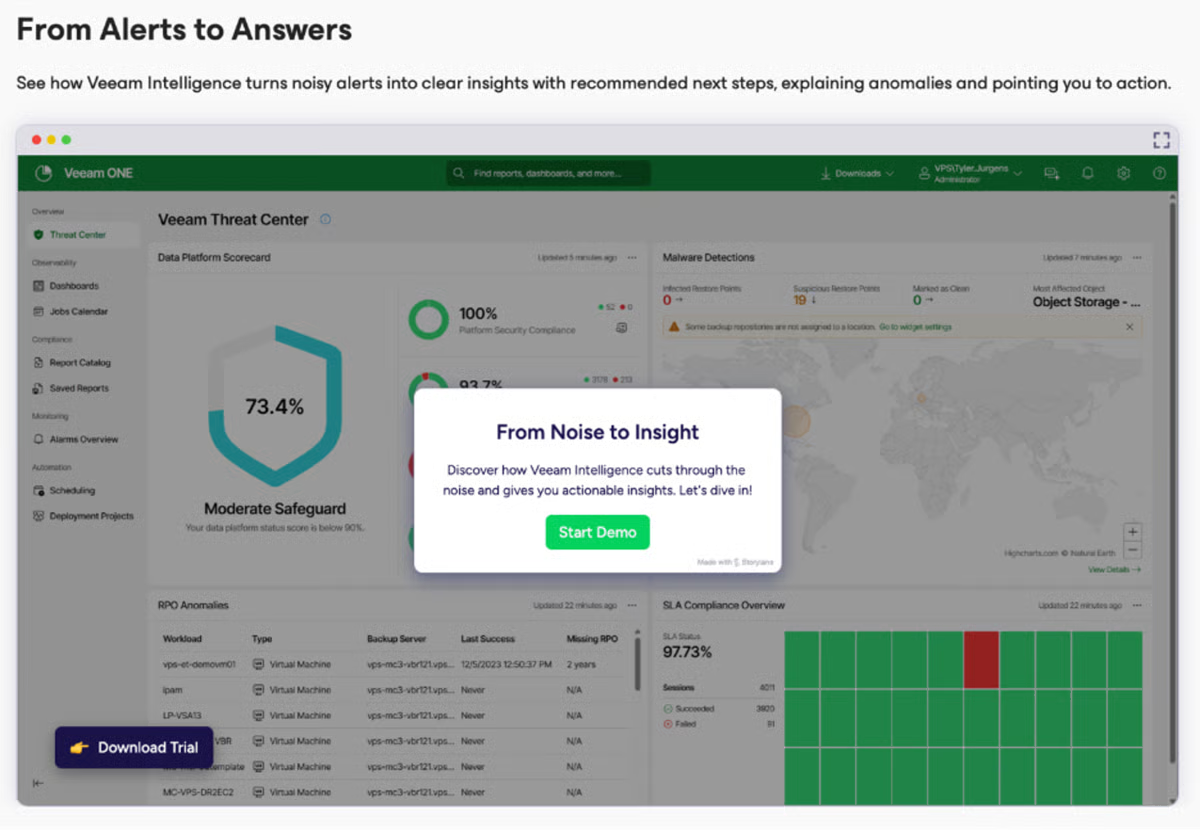
Veeam Data Platform helps businesses safeguard data across cloud, physical, and hybrid environments. This platform delivers secure data backup, which minimizes downtime in case of loss or disaster. Besides detecting harmful backup activities, it also automates data recovery with low-impact testing and tailored orchestration. According to G2 Data, it ranks as the 1st easiest to use tool.
|
Pros of Veeam Data Platform
|
Cons of Veeam Data Platform
|
|
Instant file restores and quick virtual machine rollbacks
|
Massive backup sizes at times
|
|
Completes backups in less time
|
Pricey licenses
|
|
Performs better than tape-styled backup products
|
Confusing initial setup
|
"Veeam Data Platform is simple and effective for backups and restoring stuff. As someone super into building mobile apps, I've gotten a lot of good use out of it. Setting up backups is easy, and scheduling them to run automatically is clutch since I don't have to babysit constantly. The portal makes checking on stuff smooth, too."
- Veeam Data Platform Review, Jatindra D.
"While basic functions are straightforward, mastering some more advanced features can require significant time and effort. This learning curve might be a hurdle for less experienced IT staff."
- Veeam Data Platform Review, Renaldo B.
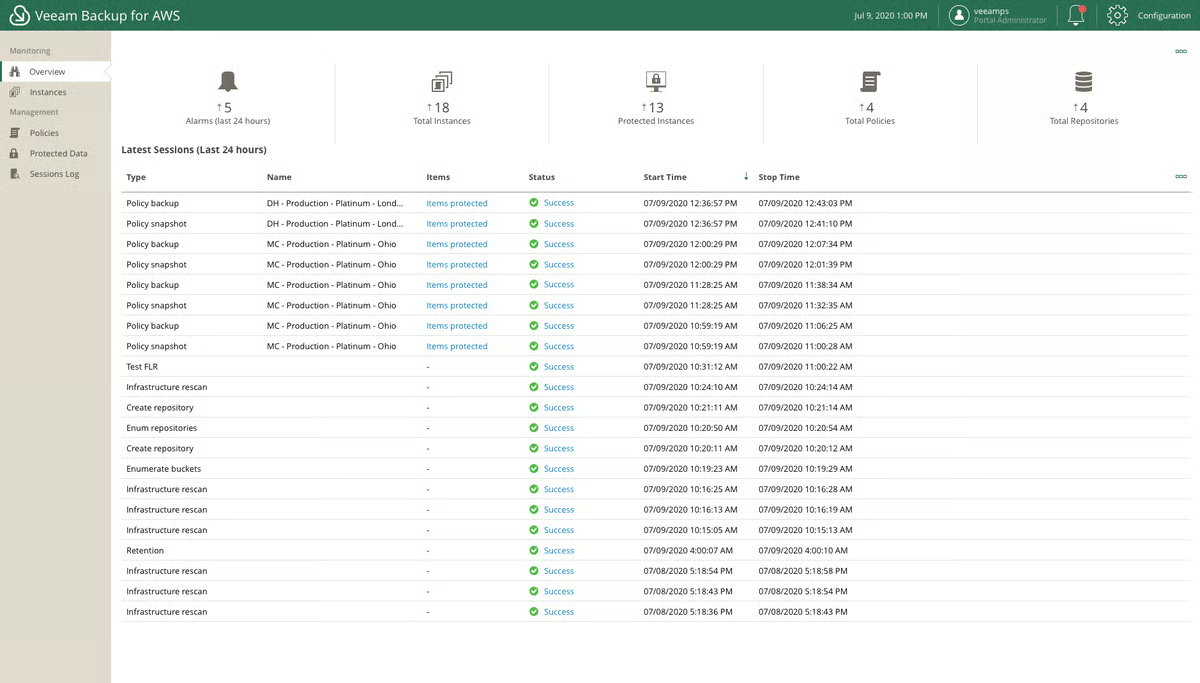
Veeam Backup for AWS offers native, policy-based protection services to help companies recover data in case of accidental deletion, data loss, and ransomware. The platform leads with application programming interfaces (APIs) to allow businesses to create immutable backups and file-level restores. Users can also use powerful options to meet near-zero recovery time objectives and service level agreements.
|
Pros of Veeam Backup for AWS
|
Cons of Veeam Backup for AWS
|
|
Saves storage costs with incremental backups and deduplication
|
Designed explicitly for AWS environments
|
|
Allows backup management across multiple Amazon Web Services (AWS) accounts
|
It can be costly for small businesses
|
|
Instant VM and file-level recovery
|
Performance issues for some during backups
|
"I have been using Veeam Backup for AWS for several months now, and I am thoroughly impressed with its performance and ease of use. The solution provides comprehensive backup and recovery capabilities for our AWS workloads, enabling us to protect our critical data and applications confidently.
I particularly appreciate the solution's flexibility and scalability, allowing us to customize our backup policies and scale our backup infrastructure as needed. Overall, I highly recommend Veeam Backup for AWS to any organization looking for a reliable and efficient cloud-native backup and disaster recovery solution."
- Veeam Backup for AWS Review, Shagun B.
"While Veeam Backup for AWS provides comprehensive backup and recovery capabilities for AWS workloads, I found its usability to be quite challenging. The interface can be complex and not very intuitive, which made it difficult for me to perform basic tasks such as configuring backup policies."
- Veeam Backup for AWS Review, Shagun B.

A. Veeam Data Platform is the best free file recovery solution based on G2 data.
A. When a file is deleted, the operating system marks the space occupied by the file as available for new data, but does not immediately erase the file's contents. The actual data remains on the disk until new data overwrites it. File recovery software searches for these marked spaces to recover the data.
A. Free file recovery software can be safe to use if you choose a reputable and well-reviewed tool. Before using it, evaluate the platform’s reputation, encryption features, and security update frequency.
Most free file recovery software can recover common file types such as documents (DOCX, PDF), photos (JPG, PNG), videos (MP4), audio files, and basic archives.
Tools like Tenorshare 4DDiG focus on traditional file recovery scenarios and support a wide range of personal and work-related file formats. Backup-centric tools such as Acronis Cyber Protect, Veeam Data Platform, and CrashPlan recover files that were previously backed up rather than scanning disks for deleted data.
Recovery success depends on how quickly you act and whether the deleted data has been overwritten.
For direct file recovery, Tenorshare 4DDiG is commonly trusted for accidental deletions and quick scans. Backup platforms like Acronis Cyber Protect, Veeam, and Cove Data Protection offer extremely high recovery reliability, but only if the files were already backed up before deletion.
In short:
Open-source tools can be powerful and transparent, but they often require technical expertise, command-line usage, or manual configuration.
Freemium tools like Tenorshare 4DDiG prioritize ease of use and guided recovery, which makes them more practical for most users. Backup solutions such as Veeam, HYCU, and Arcserve UDP are enterprise-grade but not designed for casual, ad-hoc recovery without prior setup.
When comparing free options, focus on:
If you rely on backups, evaluate platforms like CrashPlan, Acronis, or Veeam Backup for AWS based on retention policies, restore speed, and coverage rather than scan-based recovery.
Trust varies by use case:
User trust often reflects consistency and reliability, not just recovery speed.
Some tools support both operating systems, but not all.
Always check OS support before downloading.
For accidental deletion on a personal computer, Tenorshare 4DDiG is one of the most practical free options due to its guided recovery process and broad file support.
For businesses, the “best” option is often a backup-based solution like Acronis Cyber Protect, CrashPlan, or Veeam Data Platform, as these prevent data loss altogether rather than attempting recovery after the fact.
I see file recovery platforms as essential tools for recovering data lost to hardware failures, software issues, or human error. Understanding each platform’s strengths and limitations makes it easier to test different options before choosing one that fits your specific needs.
I also recommend paying close attention to regular updates and the availability of community support to avoid unexpected setbacks. Frequent updates help keep systems stable by fixing bugs and addressing security vulnerabilities, while active communities can provide guidance when official support isn’t available.
Looking to secure sensitive business information? Check out the top data loss prevention software for data protection and data leak prevention.
This article was originally published in 2024. It has been updated with new information.


Today, everything from family photos to essential work documents lives on our devices, and...
by Sudipto Paul

Remember that sinking feeling when you realize you've accidentally deleted an important file...
 by Soundarya Jayaraman
Most IT admins and MSPs don't think about SaaS backup until something breaks. By then, the...
 by Somya Jain