Are you an audio editor trying to create that dream mix without spending money?
Getting the sound right is crucial for your podcasting, music, film, or television project. However, audio editing can be expensive, especially when in-app purchases are added to the already hefty software price tag. Or, the subscription can be just too pricey. Additionally, you may want to explore audio editing solutions before purchasing a paid plan. Free audio editing software helps you do just that.

The best free audio editing solutions offer free trials or forever-free plans, allowing you to test their ability to meet professional audio quality standards. Whether you're a business owner, an audio engineer, or a content creator, our carefully curated list of free audio editors makes it easy for you to compare their features, pros, and cons.
6 best free audio editing software of 2026: My picks
-
Descript: Best for text-based audio editing and collaboration
For editing audio like a doc with automatic transcription, filler-word removal, and multitrack support.
-
FineVoice: Best for intuitive voice editing and enhancement
For quick cleanup, noise reduction, and simple adjustment tools tailored for voices.
-
Murf.ai: Best for AI-powered voice generation and editing
For transforming text to natural-sounding speech and refining audio tracks with AI tools.
-
Podcastle: Best for podcast-focused recording and editing workflows
For remote recording, multitrack editing, and built-in publishing features.
-
Riverside.fm: Best for high-quality remote audio capture and editing
For studio-level voice capture, separate track recording, and browser-based editing.
-
WavePad: Best for classic free audio editing with rich effects
For multitrack editing, audio effects, and traditional wave-based workflows.
*The software list is arranged alphabetically. These tools offer free trials, free forever options, or freemium models.
Comparison of the best free audio editing software
Still trying to decide which audio editing software to choose? Check out this detailed comparison to better understand each product’s pricing options and G2 rating.
| Best free audio editing software |
G2 rating |
Free plan |
Paid plan |
| Descript |
4.6/5 |
Yes, feature-limited |
|
| FineVoice |
3.8/5 |
Free trial available |
|
| Murf.ai |
4.7/5 |
Yes, feature-limited |
|
| Podcastle |
4.9/5 |
Yes, feature-limited |
|
| Riverside.fm |
4.8/5 |
Yes, feature-limited |
|
| WavePad |
4.3/5 |
Free for non-commercial use |
|
6 best free audio editing software I recommend
The global audio and video editing software market is expected to remain strong in 2026, with an estimated value of around $4.4 billion, as creators and businesses continue to prioritize high-quality sound for podcasts, music, and multimedia content. This steady growth reflects the increasing importance of polished audio across various industries and platforms.
Whether you’re refining a podcast episode, mixing music, or cleaning up audio for video content, editing tools are now indispensable for creators of all levels.
In practice, the right free audio editor can help you elevate sound quality, streamline your workflow, and experiment with advanced features, proving you don’t need costly software to produce professional-sounding result.
How did I find and evaluate these free audio editing software?
To build this list, I began with G2 data, shortlisting top-rated tools based on their G2 scores and consistent performance in the free audio editing software category.
From there, I reviewed product specs and recent, verified user feedback to confirm that these products deliver real value and to understand where each one stands out.
The goal was simple: to see whether these tools are as good as they claim, what each one is best for, and whether there’s a free version or free trial you can try with minimal risk. And because this is a free-focused list, I paid extra attention to what you can actually do without paying, such as whether the free tier includes core features, how long the free trial lasts, and what limitations might prompt you to upgrade.
The screenshots featured in this article may be a combination of those taken from the vendor’s G2 page and publicly available materials.
The product list below contains real user reviews from the best free audio editing software category page. It’s important to note that in the context of this list, vendors offering a free trial are also considered free.
To be included in this category, a solution must:
- Allow users to upload and/or record audio files
- Provide tools for clipping, arranging, and manipulating audio
- Save and export completed files in one or more file types
This data was pulled from G2 in 2026. Some reviews may have been edited for clarity and accuracy.
1. Descript: Best for text-based audio editing and collaboration
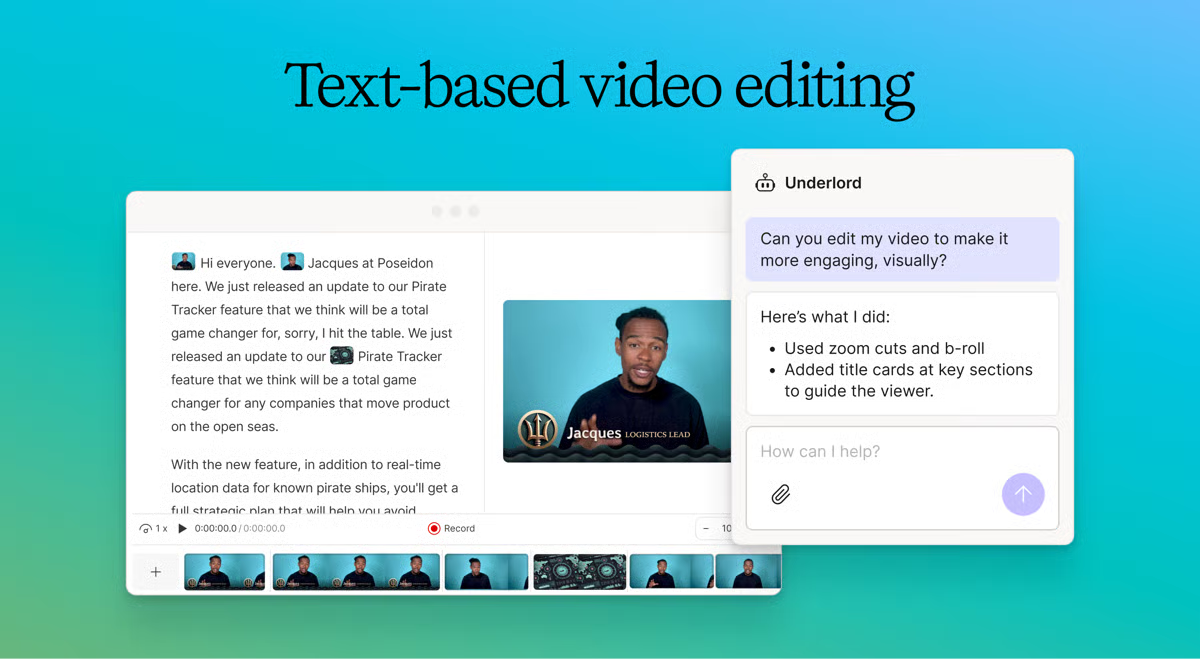
Descript is an all-in-one editor for recording, uploading, transcribing, and editing directly from the transcription. According to G2 Data, it is used by 87% small businesses. A factor that makes this possible is its ease of use. Their free plan offers a watermark-free video per month, 720p video resolution, filler word removal, multi-language transcription, unlimited editing projects, and animation capabilities.
Pros and cons of Descript: My take
| Pros of Descript |
Cons of Descript |
| Ease of use |
Requires a stable internet connection |
| Transcription accuracy |
Can be difficult to learn for beginners |
| Video element layering and green screen features |
Lacks advanced editing tools |
What G2 users like about Descript :
"Descript's ease of use and intuitive interface make it a standout tool for editing audio and video. The transcription feature is incredibly accurate and saves a lot of time. I appreciate the ability to edit media just like a text document, which streamlines the workflow significantly. The Overdub feature is also a game-changer, allowing seamless voice corrections without re-recording. It is so easy to create content with minimal clicks."
- Descript Review, Yash C.
What G2 users dislike about Descript:
"The easy text-to-video editing could just use a few more automations. For example, there is a feature to automatically remove filler words like "um" and "uh," but that also cuts out the video part as if you were deleting a word from the transcript. That's not a bad thing by any means. Still, for interviews or other natural, conversational videos, I sometimes want to just edit out the filler word from the transcript/captions instead of editing it out of the audio/video. So I'd like to have that option."
- Descript Review, Phillip B.
2. FineVoice: Best for intuitive voice editing and enhancement
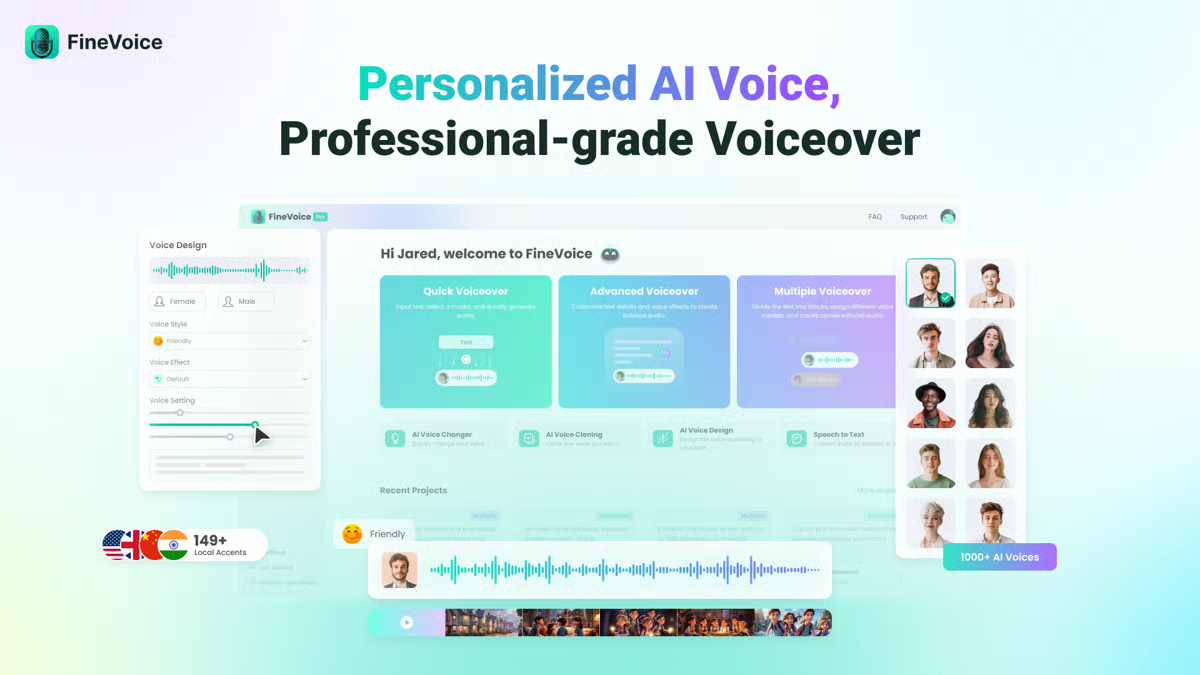
FineVoice is a versatile AI-enabled voice studio with personalized and professional voiceover capabilities. The platform features over 1,000 voices in more than 149 languages. This variety of voices allows users to create high-quality voiceovers for videos, presentations, and other audio projects. Users can also clone their voice or design custom AI voices using FineVoice.
Pros and cons of FineVoice: My take
| Pros of FineVoice |
Cons of FineVoice |
| Extensive voice library |
Limited audio features |
| Flexible creation modes |
Can be difficult to learn for beginners |
| AI voice changer |
Requires a stable internet connection |
What G2 users like about FineVoice:
"It has a large repertoire of ready-made voices, sound effects, and soundboards. They even have David Attenborough. The interface is easy to use and navigate."
- FineVoice Review, Robert T.
What G2 users dislike about FineVoice:
"Email response may be the following day. However, the folks that respond are caring and wanted me to be absolutely happy with my experience and their product."
- FineVoice Review, Robert T.
3. Murf.ai: Best for AI-powered voice generation and editing
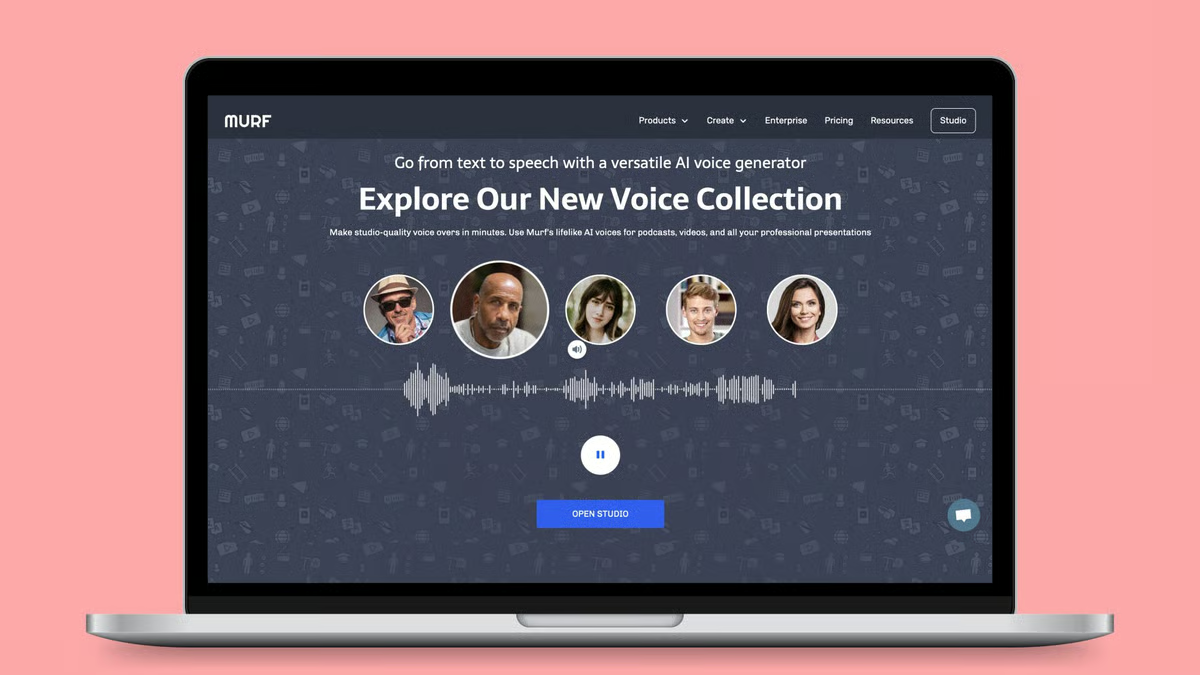
Murf.ai is a cloud-based text-to-speech program that uses artificial intelligence (AI) to create realistic voiceovers. Its free plan allows users to try out 120+ AI voices in over 20 languages, create 10 minutes of voiceover, and import existing videos for transcription. According to G2 Data, Murf.ai ranks second for the easiest-to-use audio editing software.
Pros and cons of Murf.ai: My take
| Pros of Murf.ai |
Cons of Murf.ai |
| AI voiceovers |
It can be difficult to learn for beginners |
| Ease of use |
Occasional bugs |
| Wide range of voices |
Advanced features are limited to paid plans |
What G2 users like about Murf.ai:
"What I love about Murf is more than the voices. I can download my storytelling script, make the necessary changes, and reupload it again, all for one glorious price."
- Murf.ai Review, Suzanne D.
What G2 users dislike about Murf.ai:
"Since I do not know much about how to edit pitch, emphasizing words, and pauses can convey the emotion I want, I had to play around to figure it out. It would be helpful if there were pre-sets where they suggest a combination of pitch, emphasis, etc, to see which sounds good quickly. I would like to save those settings to my own pre-sets to apply them quickly.
- Murf.ai Review, Pareena K.
4. Podcastle: Best for podcast-focused recording and editing workflows
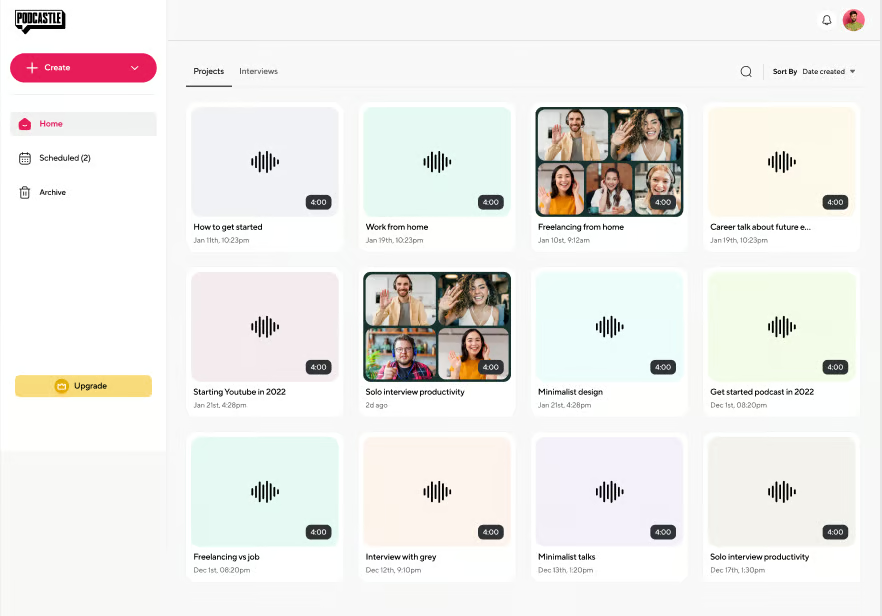
Podcastle is a web-based platform that boasts in-studio quality without all of the fancy podcast equipment. The free plan offers unlimited audio recording, 3 hours of video recording, unlimited audio editing, transcription text editing, and separate audio tracks in the recording for up to 10 participants.
Pros and cons of Podcastle: My take
| Pros of Podcastle |
Cons of Podcastle |
| Large music library |
Watermark in the free plan |
| AI-powered enhancements |
Takes time to grasp for beginners |
| Multi-track editor |
Doesn't sync-lock two tracks when editing two files with two different mics
|
What G2 users like about Podcastle:
"I love the ease with which I edit audio for the podcasts I manage. It is super user-friendly and you can edit like a pro even if you have no prior experience (my case). Besides, customer support is very helpful and quick in replying and solving issues."
- Podcastle Review, Dilyana D.
What G2 users dislike about Podcastle:
"Sometimes, when my guest and I enter a studio, we get an error message that says we are offline. It is weird. I rectify this by scheduling a new studio. This has happened three or four times this month of June."
- Podcastle Review, Matthew B.
5. Riverside.fm: Best for high-quality remote audio capture and editing
Riverside.fm is an online recording studio accessible on browsers and through its mobile app. Riverside’s free plan provides users with the tools to create unlimited single tracks, including recording and editing capabilities, as well as two hours of separate audio and visual tracks. Additionally, it offers unlimited video calls. According to G2 Data, it ranks at position 1 for the easiest to use audio editing software.
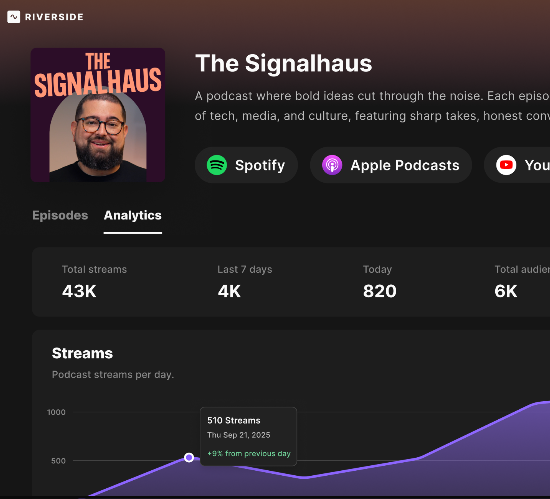
Pros and cons of Riverside.fm: My take
| Pros of Riverside.fm |
Cons of Riverside.fm |
| Remote recording |
High data usage |
| Option to record locally |
Limited customization |
| Automatic transcription creation |
Occasional glitches |
What G2 users like about Riverside.fm:
"It’s easy to use. Recording a show, emailing invites to guests, and editing is easy! The one time I reached out about my account settings, I was taken care of in less than a few hours. Now that Riverside FM has partnered with Spotify, my podcast goes right into the queue without the long wait for uploads from the past. Making Shorts for social media is easy as well. Just cut and export. All the show features are there as well. Add your logo, format the layout, and add captions and text, and your show will look professional. I record and produce a weekly show."
- Riverside.fm Review, Brian P.
What G2 users dislike about Riverside.fm:
"Riverside.fm occasionally sacrifices real-time communication to provide the highest quality recording. This means that sometimes, real-time video/audio may freeze, but the final recording looks and sounds great. This can be problematic if you are recording a podcast or interview with many back and forth between the participants. I'd recommend recording at 720p instead of using the advanced recording."
- Riverside.fm Review, Ted C.
6. WavePad: Best for classic free audio editing with rich effects
WavePad is a professional music and audio editing software with an intuitive interface for users at every level. It’s a free-to-download application with tools for recording audio tracks, adding reverb and echo, adding effects and royalty-free music, and using plugins to add even more capabilities to their program.
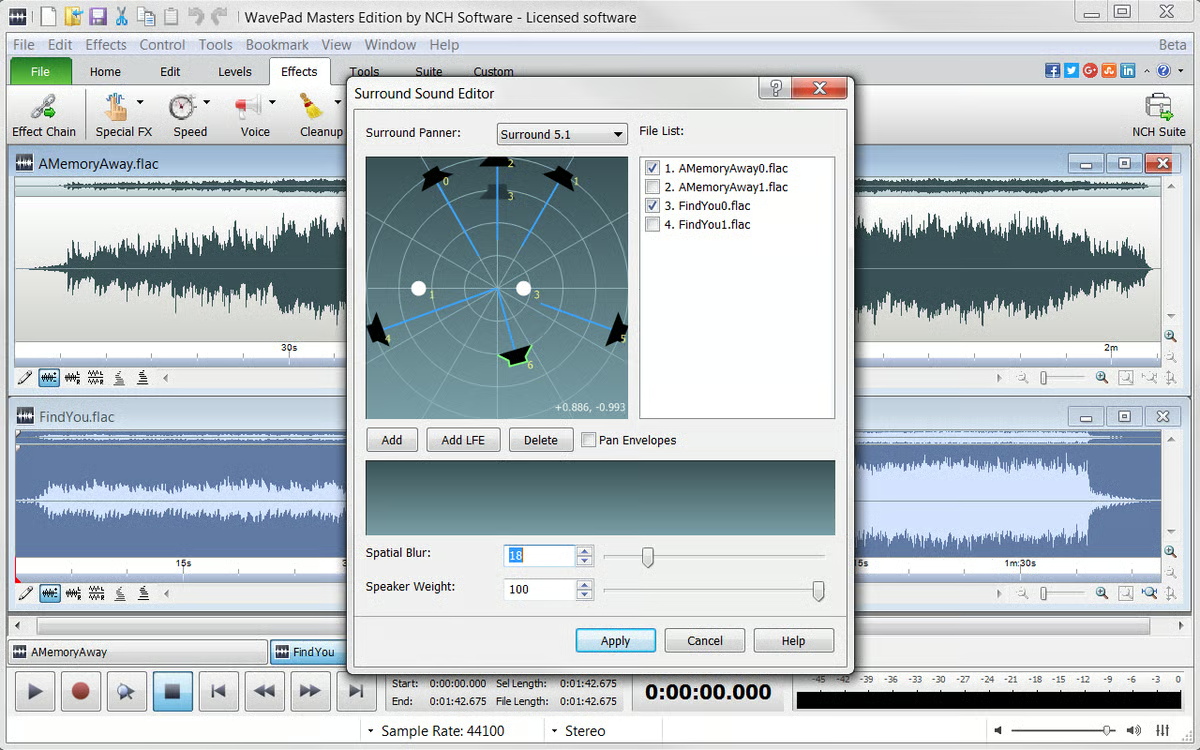
Pros and cons of WavePad: My take
| Pros of WavePad |
Cons of WavePad |
| Wide range of audio editing features |
Occasional bugs |
| User-friendly interface |
Changes reflect slow for large files |
| Audio merging capabilities |
Audio lag issues |
What G2 users like about WavePad:
"Wavepad helps to merge audios seamlessly. You can merge any number of audio using this software. It has a bridge and white noise reduction tool as well."
- WavePad Review, Srishti V.
What G2 users dislike about WavePad:
"I don't like how it keeps bugging you to make sure you use it for personal use. I get where they're coming from, but it's annoying. It happens every other time you open the program.
- WavePad Review, Roger T.
Frequently asked questions on free audio editing software
1. What tradeoffs should I expect when using free audio editing software?
Free audio editing software usually limits advanced automation, AI cleanup depth, or export options rather than core editing features. You can comfortably edit, trim, and mix audio, but tasks such as advanced voice isolation or batch processing may be limited. Tools like WavePad offer a classic editing experience with rich effects, while AI-first tools, such as Descript, cap transcription and collaboration features on their free plans.
2. Can free tools produce clean, professional voiceovers?
Yes, if the source recording is clean. Most quality issues stem from poor microphone setup rather than software limitations. Free tools can handle EQ, compression, and noise reduction well enough for professional voiceovers, especially when using AI-assisted options like FineVoice or Murf.ai, which simplify voice enhancement and tone correction without deep technical setup.
3. Is text-based audio editing practical beyond basic use cases?
Text-based editing is well-suited for real-world production workflows, such as interviews, podcasts, and marketing content. It speeds up revisions and makes collaboration easier, especially for spoken audio. Descript stands out here by allowing users to edit audio through text while maintaining sync across tracks, which is particularly valuable for teams and those who frequently make edits.
4. How effective is noise reduction in free audio editing software?
Free tools handle light background noise reliably but struggle with more complex issues, such as echo-heavy rooms or overlapping voices. AI-driven editors reduce manual cleanup time by automating clarity and filler-word removal. Camtasia Audiate is particularly useful when audio cleanup needs to integrate smoothly with screen recording or video workflows.
5. Are free audio editors good enough for podcast production?
They can be, but workflow matters more than features. Podcast-focused tools simplify recording, editing, and loudness consistency in ways traditional editors do not. Podcast and Riverside.fm are better suited for podcasts because they combine high-quality recording with built-in editing, especially for multi-speaker or remote sessions.
6. Can free tools handle multi-speaker editing and music layering?
Most free editors support multitrack audio, but the level of control varies. Traditional tools like WavePad offer hands-on mixing and effects control, while AI-based editors prioritize faster dialogue editing over detailed track automation. The right choice depends on whether precision or speed matters more to your workflow.
7. How do AI-powered free tools compare to traditional audio editors?
AI-powered tools prioritize efficiency over granular control. They reduce technical friction and speed up common tasks, such as voice cleanup, restructuring, and enhancement. Murf.ai and FineVoice are well-suited for creators who want polished results quickly, while traditional editors appeal more to users who prefer manual control.
8. When should you move beyond free audio editing software?
Upgrading makes sense when editing time becomes a bottleneck or when consistency across multiple projects matters. If you regularly produce audio for podcasts, marketing, or video content, the limitations of free plans become more noticeable than the learning curve associated with paid tools.
Mic drop!
Whether you’re a professional audio engineer or a newbie picking up a microphone for the first time, you can find audio editing software that fits your budget. Tools offering free plans are also a great way to get a test run, or sample, of the software, so you can potentially upgrade. That will help you trim your search. It's a win-win.
Still got questions? Check out our audio editing software buyers guide to learn more about how to find the right software.
This article was originally published in 2023. It has been updated with new information.


.png?width=690&name=G2CM_FI539_Learn_Article_Images_%5BBest_Free_Audio_Editing_Software%5D_V1c%20(1).png "best free audio editing software")