


If you’re a proposal manager juggling five deadlines, chasing SMEs in Slack, and stitching answers together across different documents, I see you.
I talk regularly with teams who live inside RFP workflows every day, and the story is almost always the same: too much copy-paste, too many outdated answers or multiple versions, and not enough time. That’s exactly why I dug into the best RFP software on G2 to see which tools rank highly, and understand which ones actually reduce response chaos in real-world environments.
The teams I spoke with weren’t looking for flashy dashboards. They wanted faster turnaround times, a centralized answer library, fewer SME bottlenecks, and better visibility into what’s going out the door. Especially in SaaS and enterprise tech, where a single RFP can influence a six- or seven-figure deal, the margin for error is thin.
If you’re responsible for responding to RFPs, whether you sit in proposals, sales ops, security, or RevOps, this breakdown is designed to help you cut response time, improve consistency, and protect your win rate.
Backed by G2 data and conversations with heavy users, I narrowed it down to the 7 best RFP software tools: Responsive, Loopio, Upland Qvidian, Tribble, Zip, Iris, and AutoRFP.ai.
*These RFP software are top-rated in their category, according to the G2's Winter 2026 Grid® Report for RFP software.
RFP software is built to centralize, automate, and manage the entire request-for-proposal response process, from content libraries to collaboration and final approvals. At its best, I'd say the best RFP software reduces repetitive manual work, improves answer accuracy, and gives teams visibility into what’s being submitted and when. It streamlines workflows, enforces governance, and helps revenue teams move faster without increasing risk.
From what I’ve learned from proposal managers, RevOps leaders, and security stakeholders, the breaking point usually comes when RFP volume starts affecting pipeline velocity. Shared drives and templated documents work initially, but version control becomes messy, SMEs get repeatedly pulled into the same questions, and compliance reviews slow everything down.
High-performing teams use RFP software to automate draft generation, maintain a structured answer library, and create defined approval workflows, which directly reduces turnaround time and protects consistency across deals.
The business impact is measurable. According to G2 Data, RFP software sees an average user adoption rate of 59%, with teams typically reporting time to ROI in about eight months.
More notably, 92% of users say these platforms meet their requirements, a strong indicator to me that, when implemented correctly, they address real operational friction. That translates into tangible outcomes: fewer bottlenecks, faster enterprise deal cycles, reduced manual effort, and improved response quality at scale.
To start, I turned to G2’s RFP software category page, grid reports, and product reviews to create an initial list of contenders.
From there, I used AI-assisted analysis to comb through thousands of verified G2 reviews, looking specifically for feedback on answer library management, AI-powered draft generation, collaboration workflows, version control, SME engagement, security questionnaire handling, CRM and content integrations, reporting visibility, and measurable impact on response time, win rates, and compliance control.
I also consulted professionals with hands-on experience with these RFP software and validated their insights using verified G2 reviews. The screenshots featured in this article may be a mix of those obtained from the vendor’s G2 page or from publicly available materials.
Not every RFP tool solves the same problem. I evaluated each platform based on how well it reduces operational friction, scales with volume, and supports real-world proposal workflows. Here’s what I prioritized when selecting the best RFP software:
These criteria ensured I wasn’t just comparing surface-level features, but evaluating which platforms genuinely improve RFP throughput, reduce manual effort, and support revenue growth at scale.
The list below contains genuine user reviews from our RFP software category page. To qualify for inclusion in the category, a product must:
* This data was pulled from G2 in 2026. The product list is ranked alphabetically. Some reviews may have been edited for clarity.
Read this G2 guide on how to write an RFP with example templates.
G2 rating: 4.5/5⭐
Responsive is one of those platforms that almost everyone in the RFP world has heard of. When I talk to proposal managers or RevOps teams about RFP automation, its name comes up quickly, often framed as the industry standard. After digging into G2 feedback and product capabilities, it’s clear to me why it holds a 4.5 out of 5 rating and continues to anchor shortlists for serious buyers.
What stands out first is how deeply Responsive is built around the realities of high-volume, cross-functional RFP work. Users frequently highlight the strength of its questions library and knowledge base, both of which rank among its highest-rated features on G2. In practice, that translates into structured answer management with tagging, version control, and reuse across RFPs, RFIs, DDQs, and security questionnaires.
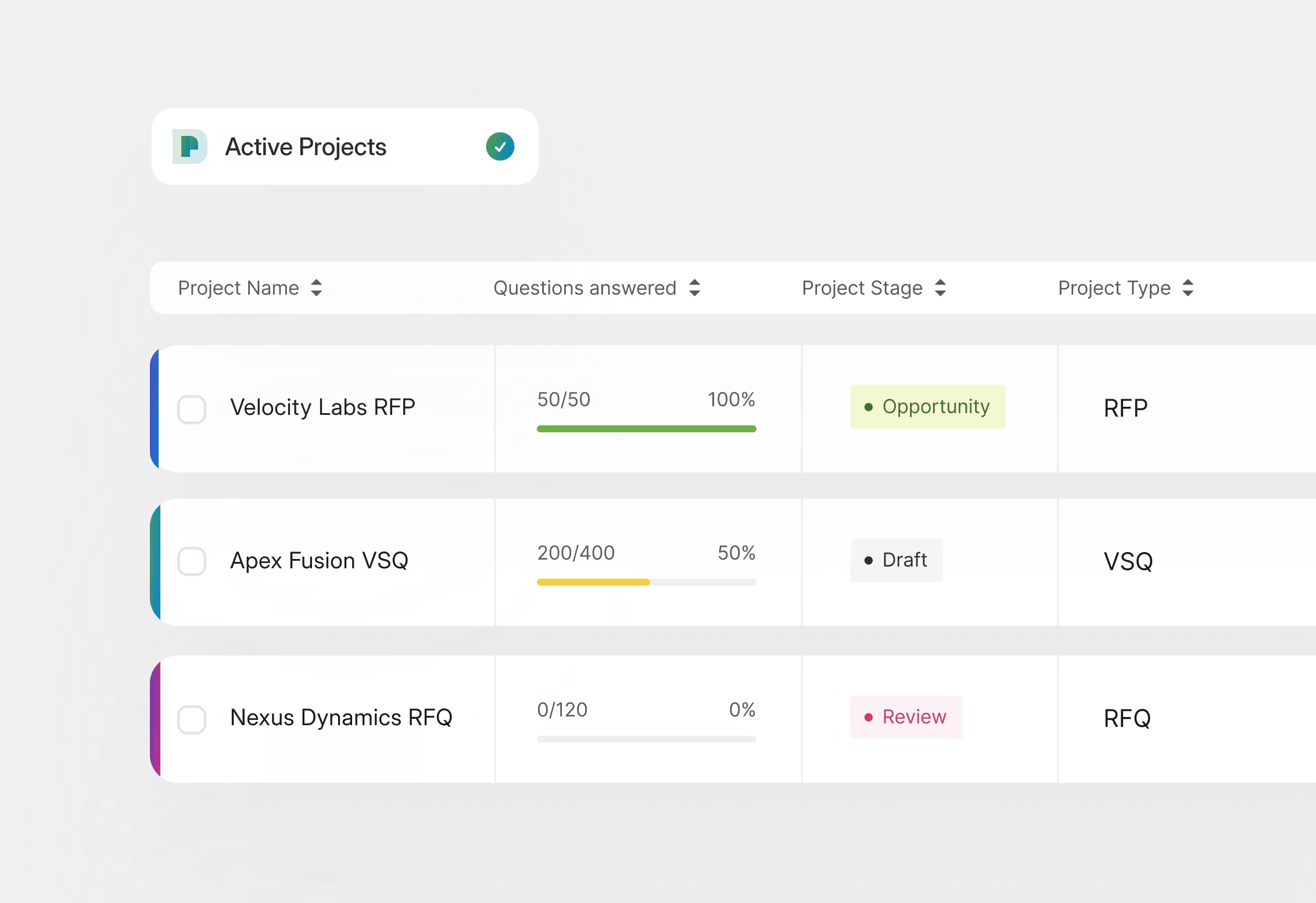
Collaboration is another area where it performs strongly. Reviewers consistently call out how easy it is to assign sections, route questions to SMEs, track progress, and maintain visibility across contributors. For mid-market and enterprise teams especially, which together represent nearly 88% of its customer base (50% mid-market and 38% enterprise), according to G2 Data, that workflow orchestration is critical.
Its AI capabilities also push it beyond being just a repository. Responsive AI drafts answers based on approved content, analyzes complex documents, and helps teams assess requirements quickly. For organizations handling 100+ page security questionnaires or vendor assessments, that’s a meaningful efficiency gain.
The ability to publish trust centers and securely share compliance documentation adds another strategic layer, particularly for software and IT services companies — industries that are heavily represented among its users. When teams say they’re trying to cut response time without sacrificing control, this is where Responsive feels purpose-built.
The fact that 90% of users across the category report that solutions meet their requirements aligns with how reviewers describe Responsive: comprehensive, reliable, and capable of handling complex enterprise workflows.
That said, its depth becomes especially valuable for teams with defined RFP workflows. Because it offers robust functionality across content management, collaboration, AI drafting, and compliance controls, reviewers on G2 observe that new users may need some onboarding time to fully understand how everything connects. Teams that invest in initial setup and internal enablement tend to see stronger long-term returns, particularly in structured mid-market and enterprise environments.
The interface prioritizes depth and control over simplicity. Some G2 reviewers note that for teams transitioning from basic document sharing or lightweight tools, it can take time to become comfortable navigating the full feature set. However, once workflows are configured and contributors understand where to find content, assign tasks, and track progress, the structure starts to work in their favor.
Responsive truly shines in structured, repeatable RFP environments where speed, governance, and cross-team coordination matter. If you’re managing frequent enterprise RFPs, complex security questionnaires, or multi-stakeholder approval chains, it offers the controls and intelligence needed to scale without losing accuracy.
For proposal teams, RevOps leaders, and enterprise sales organizations looking to reduce turnaround time and protect win rates, Responsive earns its reputation as one of the best RFP software solutions available today.
"I am a long-term and early adopter of Responsive's strategic response management software. What I like best is how much easier it is for us to manage our reliable content, answer complex RFPs, and regularly reuse that content so it doesn't get lost. I use it almost every day, and we couldn't manage our extensive projects without it. When I need assistance, their customer support is fantastic, treating our problems like their problems."
- Responsive review, Lauren D.
"Has too many buttons and sections. Overall, their UI needs work as it's quite busy, and most icons can be added to a single toolbar that should be collapsible, not spread across the entire screen. I think they have too many different views for most RFP purposes."
- Responsive review, Neer P.
Looking to manage the whole contract lifecycle? Explore the best contract lifecycle management software on G2.
G2 rating: 4.7/5⭐
Loopio has a reputation for being structured without feeling overwhelming — the kind of platform teams adopt and stick with. After digging into the data and user feedback, it’s not surprising that it holds a 4.7 out of 5 rating on G2 and consistently ranks among the best RFP software solutions in the category.
Loopio’s biggest strength to me is how well it balances usability with process control. Its questions library, knowledge base, and content library are among its highest-rated features in the G2 Grid Report, and reviewers frequently highlight how easy it is to locate, reuse, and maintain approved answers. I know how much that foundation matters. When you’re responding to recurring RFPs, RFIs, or vendor security questionnaires, structured content reuse isn’t just convenient; it directly reduces turnaround time and inconsistency.
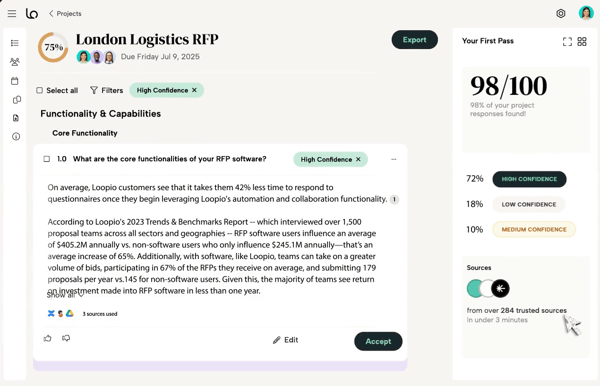
The ability to import questions from web portals or documents and auto-fill responses speeds things up further, especially for teams managing multiple submissions at once.
From what I saw, ease of use is where Loopio clearly differentiates itself. Satisfaction ratings for usability and setup are strong, and that aligns with its customer mix: 55% mid-market, 33% enterprise, and 12% small business. That tells me it scales well but doesn’t intimidate growing teams, formalizing their RFP process for the first time.
Collaboration features, including task assignments, deadline tracking, and integrations with Salesforce and Microsoft 365, make it easier for SMEs to contribute without heavy lift. I saw many G2 reviewers mention how quickly new users can get comfortable in the system, which is critical in a category where adoption often determines ROI.
The AI-driven insights and proposal readiness views add another layer of maturity. Beyond just filling answers, Loopio helps teams evaluate which opportunities deserve deeper investment. For industries like computer software, IT services, and financial services — all strongly represented in its user base — that visibility can influence win strategy, not just response mechanics.
From what I gathered, Loopio’s AI features add meaningful efficiency, particularly when auto-filling answers and summarizing content. That said, several G2 reviewers mention that the AI functionality is still evolving. Teams seeking highly nuanced, context-aware responses may find that generated responses occasionally miss tone, best practices for proposals, or customer-first language. So, Loopio’s AI features work best as a drafting accelerator for proposal responses rather than a fully finalized output tool, particularly when teams need highly nuanced, customer-specific language or tone.
Similarly, reviewers observe that the search is generally strong but occasionally requires a bit of refinement to get the most relevant results. G2 reviewers note that clear taxonomy and refined keywords help surface the most relevant answers quickly, especially as the library scales.
Overall, I see Loopio as particularly well-suited for mid-market and enterprise revenue teams that want a polished, structured RFP engine without adding unnecessary friction. If you’re looking to centralize content, streamline collaboration, and automate responses while keeping contributor adoption high, I’d consider Loopio one of the strongest options in the RFP software category.
"What I like best is how much time it saves once your library is in place. The content search and insert flow is really smooth, so I can find a solid past answer in seconds instead of digging through old files.
I also like the collaboration side, assigning questions to SMEs and seeing their updates in one place cuts down on email ping-pong. And the content stays consistent across bids, which makes reviews easier and reduces last-minute rework."
- Loopio review, Anoosha R.
"Search works well, but occasionally it takes time to find the most relevant response, especially in large libraries, and it still needs a large amount of manual effort."
- Loopio review, Aarti A.
G2 rating: 4.3/5⭐
When I think of Upland Qvidian, I think of a powerhouse built for teams that handle complex RFPs and high-stakes proposals day in and day out. It helps me centralize approved content, automate responses, and move faster without sacrificing accuracy or compliance.
For me, Qvidian feels purpose-built for organizations where RFPs aren’t occasional interruptions — they’re core to revenue. That enterprise focus shows up clearly in its customer mix: 57% enterprise, 30% mid-market, and 12% small business. In other words, this is a platform largely trusted by large, structured teams managing high-volume proposal cycles.
Its 4.5 out of 5 rating on G2 reflects that maturity, particularly among industries like financial services, IT services, insurance, and investment management, where compliance and precision matter.
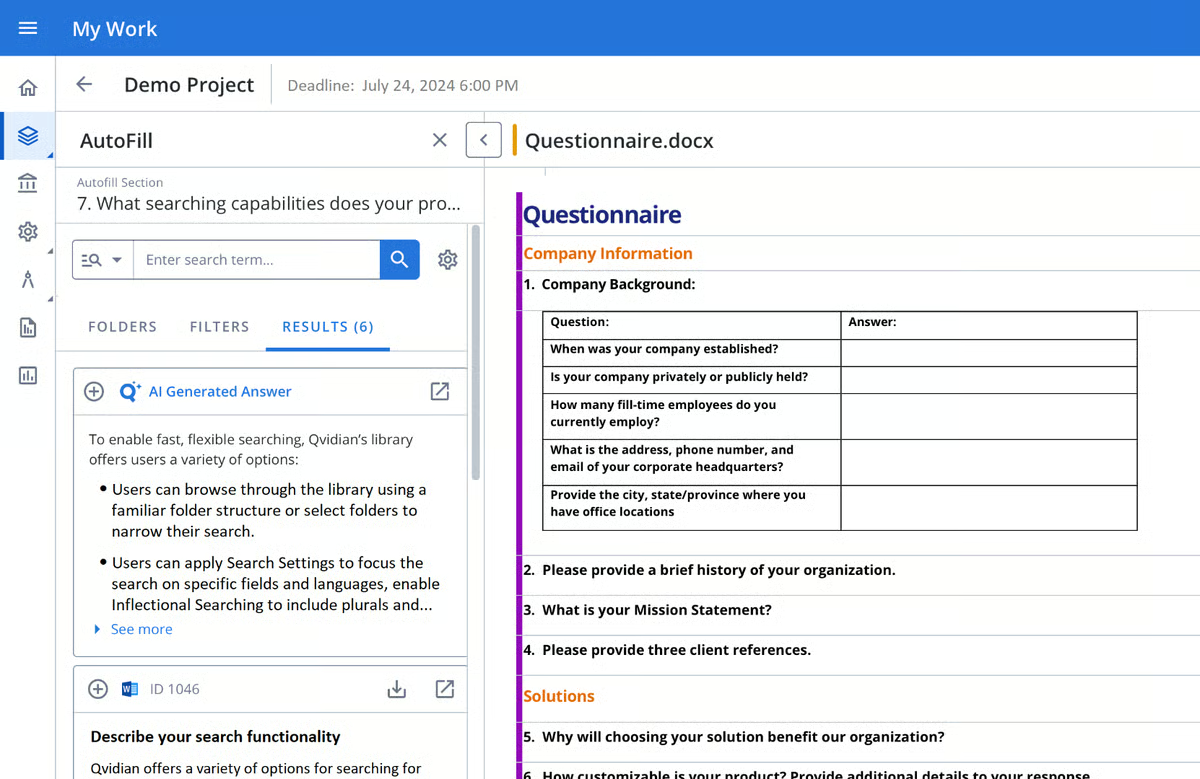
One of Qvidian’s biggest strengths, according to me, is its centralized content library. In the G2 Grid Report, its content library, knowledge base, and questions library are among its highest-rated features. That aligns with what I’d expect from an enterprise-grade RFP platform: deep content governance, customizable structure, and tight control over brand consistency.
When paired with AI-powered automation, including document parsing, automatic questionnaire handling, and AI Assist for drafting and revising responses, it reduces manual effort significantly. Instead of copying and pasting across Word documents, teams can automatically identify questions, suggest approved answers, and enforce formatting rules through professional templates.
Analytics is another area where I see Qvidian clearly differentiate itself. With more than 70 available reports and a customizable drag-and-drop reporting builder, I can track response efficiency, monitor contributor activity, and evaluate proposal performance over time.
For revenue teams juggling multiple enterprise deals, that level of visibility supports smarter strategic decisions. In my view, it’s one of the stronger examples in this category of connecting RFP management directly to win-rate optimization and operational intelligence.
From what I saw on G2 reviews, though, the platform’s depth and enterprise-level controls mean it can take a bit of exploration to feel fully intuitive. Reviewers describe the search as reliable overall, though some mention that getting the most relevant results can sometimes require refining queries or using consistent taxonomy as the content library scales
G2 reviewers also note that Qvidian’s AI capabilities are evolving and continue to improve. While the automation and AI Assist features add efficiency today, teams looking for increasingly advanced generative functionality may view it as an area with continued growth potential as the platform expands its AI roadmap.
All things considered, I’d recommend Qvidian for enterprise proposal teams that value structured workflows, governance, and centralized content management in their high-volume RFP processes.
"Content management is by far the most useful tool for us. The way content can be stored, reviewed, maintained, and updated has made our library 200% more effective. The team is always on hand to support in innovative ways in which we can continually improve our utilisation of the tool, and our bid team makes use of the tool every day."
- Upland Qvidian review, Dan C.
"I would like to see more AI capabilities in Upland Qvidian. Specifically, I think it could be improved by automatically suggesting high-scoring past responses based on the question, instead of manually searching. Also, features like quality scoring and automated first draft generation would be beneficial."
- Upland Qvidian review, Piers E.
G2 rating: 4.8/5⭐
Unlike legacy or standalone RFP software that mainly manages content libraries and approval workflows, Tribble's different. It isn’t just traditional RFP response management software like Responsive or Loopio. I think of the AI teammate for revenue teams. It helps draft RFP responses, RFIs, DDQs, and other sales-adjacent questionnaires by generating context-aware content pulled from CRM, internal tools, and knowledge bases. That positioning alone makes it one of the more interesting players in this category.
Tribble feels built for teams that want automation to do the heavy lifting. Instead of manually assembling answers, it automatically responds to RFPs and security questionnaires by drawing from your knowledge base and connected systems.
In the G2 Grid Report, automation is one of its highest-rated capabilities, along with RFx handling and knowledge base management. That aligns with what users describe: it’s fast, highly automated, and removes repetitive work from proposal and revenue teams. With a 4.8 out of 5 rating on G2, it’s clear that the market is responding positively to that AI-first approach.
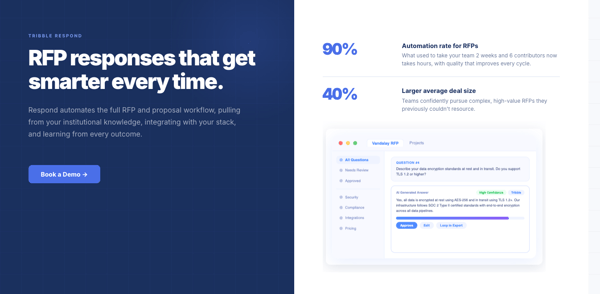
I’ve seen too many RFP tools struggle because only the proposal team uses them. Tribble, on the other hand, extends beyond traditional proposal workflows. Its Slack agent allows reps to ask questions and get instant, knowledge-backed responses without digging through documentation or pinging subject matter experts. For mid-market and enterprise teams, which make up 53% and 37% of its customer base, respectively, that kind of embedded enablement supports both speed and scalability.
What also stands out to me is how Tribble fits into broader revenue orchestration. It doesn’t stop at drafting responses. It analyzes past calls and account history to prepare demo briefings, helping reps walk into conversations with context. That’s a meaningful expansion beyond “just RFP software.” In industries like computer software and IT services, which are strongly represented among its users, context-aware intelligence can directly impact deal velocity and confidence in customer interactions.
On the other hand, I saw user feedback pointing out that Tribble’s AI delivers the strongest results when prompts are clear and context-rich. G2 reviewers note that refining queries or iterating briefly improves precision, especially for complex requests. Expanding integrations with additional knowledge sources can further enhance response depth and accuracy over time.
Also, for longer or highly detailed prompts, response times may vary slightly as the system processes a broader context. Teams using structured, focused inputs tend to see the most efficient performance during high-volume RFP cycles.
Overall, I see Tribble as one of the best RFP software solutions for revenue teams that want AI agents and automation embedded directly into their GTM stack. It’s particularly strong for mid-market and enterprise organizations looking to reduce manual RFP effort, scale knowledge access through Slack, and generate context-aware drafts without relying solely on static content libraries.
If your goal is to move faster, empower reps, and treat RFP responses as part of a broader revenue intelligence strategy, Tribble delivers a modern, AI-native approach that stands out in this category.
"I like that Tribble can pull in information from other sources to provide context, especially when I’m working on later-stage opportunities. Having the account history and background in one place is really helpful, because it lets me build on what’s already there without having to manually sift through a bunch of different places on my own."
- Tribble review, Maddy D.
"If I am not very specific about the source, it can occasionally return vague or inaccurate data. This means strong, precise prompting is important, and not every rep in our org is familiar with best practices for AI prompting yet."
- Tribble review, Shannon O.
G2 rating: 4.6/5⭐
If you're looking for a tool to manage RFPs from the procurement side like running RFx events, evaluating vendors, and streamlining approvals, I’d say Zip makes more sense than a traditional sales-focused RFP response platform. Zip is a procurement orchestration and intake-to-pay platform that helps organizations manage purchasing and sourcing processes end-to-end, from intake and approvals to sourcing, contracts, procurement, and payment workflows.
Instead of focusing on response automation for sales teams, it’s built for procurement and finance leaders who need visibility and control across sourcing and vendor management. Its 4.7 out of 5 rating on G2 reflects strong satisfaction, particularly among mid-market and enterprise customers, which together make up its user base (55% mid-market and 45% enterprise). That distribution makes sense for a platform handling structured procurement workflows.
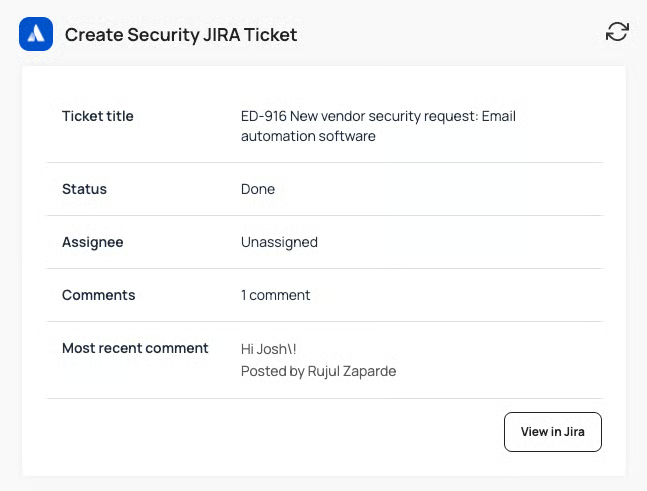
In the G2 Grid Report, collaboration, tracking, and export capabilities are among its highest-rated strengths. That aligns with what I see in the product: structured intake flows, centralized approval routing, and clear visibility into where every request stands. Procurement teams don’t just need to issue an RFx; they need to validate requests, ensure compliance, and move decisions through multiple stakeholders efficiently. Zip’s orchestration layer brings those moving parts together, reducing email-based approvals and disconnected spreadsheets.
Ease of use and ease of setup also score strongly, which is notable for a procurement platform. These systems can often feel heavy, but G2 reviewers frequently mention how intuitive the intake experience is for business users.
The embedded AI agents further extend that usability. Renewal assist agents, intake validation agents, DORA assessment agents, and adverse media agents automate repetitive checks and risk evaluations, allowing teams to enforce governance without adding manual overhead.
Based on G2 reviews, I saw some teams note that while Zip’s reporting capabilities are effective for standard visibility and tracking, organizations with highly customized analytics needs may want additional flexibility in how dashboards and reports are configured. For teams that rely heavily on tailored procurement metrics, planning for extended reporting use cases can help maximize value.
G2 feedback also suggests that certain teams would welcome continued expansion of specific feature areas like better custom integrations, particularly as procurement workflows evolve. Organizations with more specialized sourcing requirements may see opportunities for added functionality over time as the platform continues to mature.
All things considered, I see Zip as one of the best RFP software solutions on the procurement side of the equation. If your goal is to run structured RFx events, streamline vendor evaluations, enforce approvals, and connect sourcing decisions to broader intake-to-pay workflows, Zip delivers strong orchestration with embedded AI support.
"I find Zip easy to use and very friendly. The team is great too, which makes it even better. I also appreciate that I don't have to spend too much time teaching people in the company how to raise PO requests. Having Zip has allowed us to control our spend effectively, and it's been incredibly helpful in reducing our non-payroll expenses. It's impressive how we've been able to manage procure-to-pay processes across multiple territories with different currencies. The integration with Brex for generating virtual cards is another great feature. Our procurement is super efficient even with just me doing the job for 30% of my time."
- Zip review, Roy B.
"This is both a downside and a good side, but sometimes the customization of the tool is hard to do. When changes are made to customize the use of the tool, it is hard to know if those are compliant and how to track them. In addition, we have had segregation of duties issues in Zip, and that is how it was implemented, and we never knew we needed to change that."
- Zip review, Carly M.
G2 rating: 4.9/5⭐
If I’m looking for an AI-native RFP response platform that helps me generate accurate, context-aware drafts for RFPs, security questionnaires, and complex sales documents, similar to how Tribble leverages AI, Iris stands out as a strong, proposal-focused option.
What immediately caught my attention is how tightly Iris centers its value around first-draft acceleration and knowledge accuracy. It holds a 4.9 out of 5 rating on G2, and that level of satisfaction is reflected in its usability scores. Ease of use, ease of setup, and quality of support all rank exceptionally high in the Grid Report, which aligns with the fact that 42% of its users are small businesses and 48% are mid-market teams. This isn’t a heavyweight enterprise system that requires months of onboarding; it’s designed to get teams generating responses quickly.
Where Iris really differentiates itself is in how it treats knowledge. Instead of functioning as a static answer repository, it acts more like an AI-powered knowledge ledger. You can upload past RFPs, Q&A pairs, and documentation, integrate with your stack, and even scrape relevant online content.
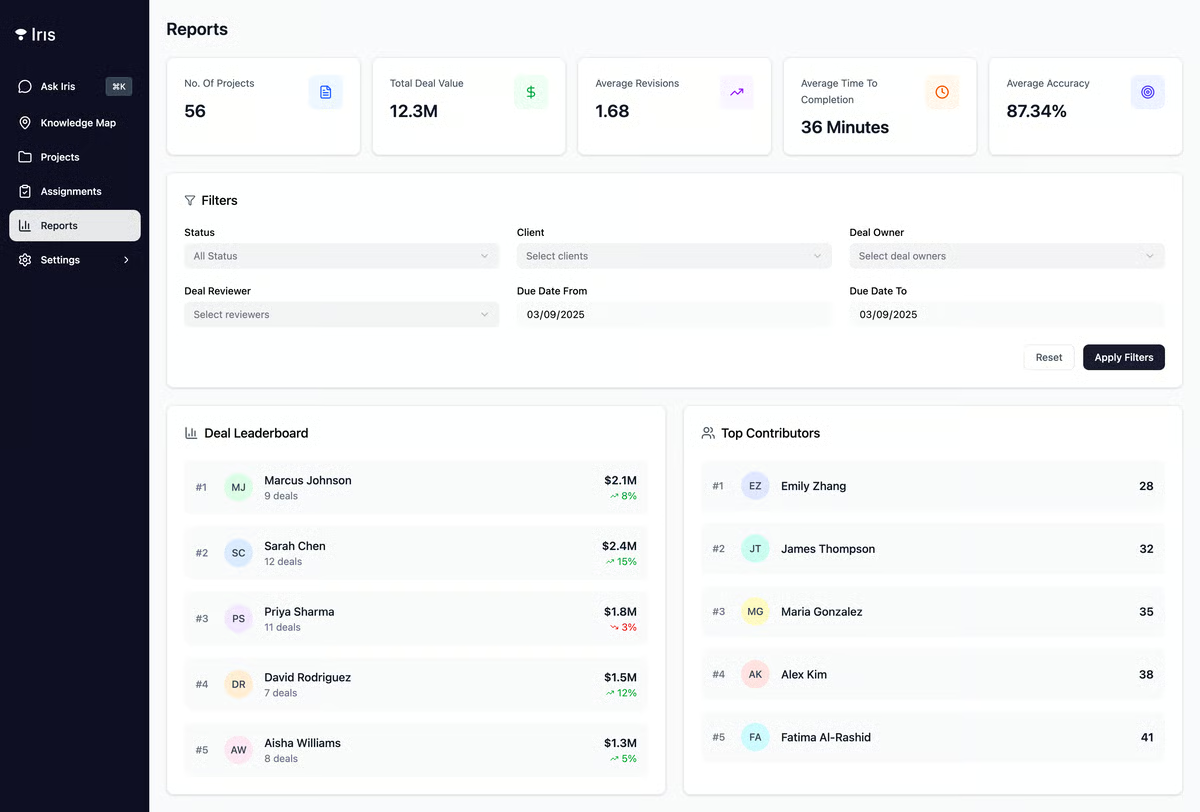
What stands out to me about Iris is how heavily it leans into first-draft generation and knowledge accuracy. G2 reviewers consistently point to strong automation and task execution capabilities, which suggests teams are seeing meaningful efficiency gains in practice. Instead of relying on static templates, Iris generates responses based on connected knowledge sources and allows teams to adjust tone and structure as needed. For organizations managing RFPs, RFIs, DDQs, and SOWs across sales, legal, and security, that centralized drafting workflow can reduce back-and-forth and shorten early-stage turnaround time.
I also see value in how Iris connects drafting with execution. Beyond generating responses, it supports project tracking, exports branded deliverables, and surfaces commitments made during the proposal process.
That continuity between pre-sale documentation and post-sale handoff is practical, especially in industries like software and financial services, where proposal commitments often translate directly into contractual or operational obligations. Rather than functioning as just a content generator, Iris operates more like an AI-enabled proposal workspace that keeps documentation, collaboration, and delivery aligned.
Based on G2 feedback, some users would welcome broader integration options and expanded mobile capabilities, particularly as teams look to connect proposal workflows more deeply with the rest of their tech stack. Organizations with highly integrated GTM environments may benefit from evaluating how Iris fits alongside existing systems and identifying any connectors that could enhance workflow continuity.
A few reviewers also mention occasional minor bugs or interface quirks. These don’t appear to disrupt day-to-day operations, but teams operating in high-volume environments may appreciate continued refinement as the platform evolves.
I see Iris as one of the best RFP software solutions for small and mid-market revenue teams that want to dramatically reduce first-draft time while still maintaining accuracy and strong contextual relevance across RFPs and security questionnaires.
"I like how easy it is to upload a questionnaire into Iris and use the auto-analyze AI tool to outline the specific questions versus answers sections. I also appreciate that you can export the finalized responses and that it provides files with all of the policies or reports attached. The ability to auto-annotate cells to identify if they are an answer cell, dropdown, section, or question makes it easy to import the questionnaire and start answering as soon as possible. Additionally, the initial setup was very easy, and the team was super helpful in getting us started."
- Iris review, Alex N.
"Can encounter technical glitches, but they're addressed promptly. Lacks certain integrations. No support for mobile functionality."
- Iris review, Verified G2 user.
G2 rating: 4.9/5⭐
AutoRFP.ai feels purpose-built for one thing: generating high-quality RFP responses quickly without forcing me to maintain a heavy, manually curated content library. Like Tribble and Iris, it’s AI-native, but the difference is focus. AutoRFP.ai is laser-focused on the core drafting experience, helping turn past responses and institutional knowledge into tailored, context-aware answers with minimal manual effort.
It holds a 4.9 out of 5 rating on G2, and what stands out in the Grid Report is strong satisfaction around ease of use and ease of setup. That’s important in an AI-first category.
With a customer mix split across 23% small business, 64% mid-market, and 18% enterprise, it’s clear AutoRFP.ai appeals to both growing teams and more mature organizations looking to speed up proposal cycles without adding operational complexity.
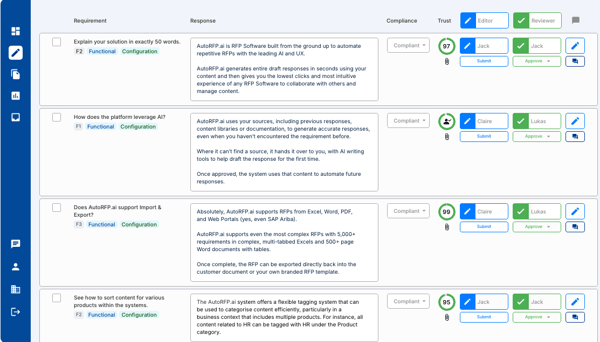
Where AutoRFP.ai differentiates itself is in how little friction it adds to the drafting process. Instead of building and maintaining a rigid Q&A database, it leverages generative AI to produce answers based on previous content and connected sources. For teams responding to RFPs, RFIs, and security questionnaires regularly, that approach can dramatically reduce first-draft time. It’s particularly appealing for organizations that want AI to do more of the heavy lifting upfront rather than functioning purely as a search-and-reuse system.
From what I’ve seen reflected in G2 feedback, users appreciate the straightforward workflow. The platform focuses on generating relevant drafts quickly, which aligns well with industries like computer software and IT services that often handle recurring questionnaires. The emphasis is less on complex multi-layered workflow orchestration and more on productivity. That clarity of purpose makes it easier to implement and adopt across sales and proposal teams.
Based on G2 feedback, some users mention that while AutoRFP.ai is powerful, new teams may benefit from structured onboarding to fully understand how to prompt the system effectively and configure workflows. Because the platform leans heavily into AI-driven drafting, users tend to get the best results once they’re familiar with how to guide the model and organize their source content.
A few reviewers also note that the interface can take a bit of exploration before it feels fully intuitive, particularly for teams transitioning from traditional, document-based RFP processes. As users become more comfortable navigating projects and refining prompts, the experience generally becomes smoother and more efficient over time.
Put simply, AutoRFP.ai is a solid fit for or small to mid-sized revenue teams that want to scale their RFP output quickly while keeping responses accurate and consistent.
"AutoRFP.ai has dramatically reduced the time our team spends responding to RFPs, due diligence questionnaires, and security assessments. The AI is fast, accurate, and reliably pulls from our approved library of past responses. Where we'd historically spend hours filling out monotonous questionnaires on repeat, but we can now comfortably meet any deadlines for these questionnaires and focus on the more important work of getting our product in front of prospects.
Overall, it turned what was once a slow, multi-department process into something we can confidently deliver at speed and scale."
- AutoRFP.ai review, Scott M.
"The learning curve is a little steep, but had I bothered to do any training at all instead of just diving in it might have been a little easier. But click all the things and see what happens works in AutoRFP."
- AutoRFP.ai review, Pete W.
Got questions? G2 has the answers.
For enterprise-grade RFP management, Responsive, Loopio, and Upland Qvidian are commonly shortlisted because they scale well across teams and support more complex workflows.
If template flexibility is the priority, Upland Qvidian and Responsive are often strong fits for structured, repeatable responses. Tribble can also work well for teams that prefer building responses from modular content blocks.
For automation, Responsive and Loopio are frequent choices for content reuse and workflow automation, while AutoRFP.ai and 1Up are typically positioned as AI-first options for generating faster first-draft responses.
SMB teams often look at lighter-weight options like AutoRFP.ai or 1Up for AI-assisted responses without heavy admin overhead. Tribble can also be a fit for smaller teams that want structured reuse and collaboration.
If you need visibility into ownership, deadlines, and progress, Responsive, Loopio, and Upland Qvidian are commonly evaluated for their dashboards, task management, and workflow tracking.
Most RFP tools support e-signature through integrations rather than fully native signing. Responsive, Loopio, and Upland Qvidian are often used alongside e-signature tools as part of a broader proposal-to-contract workflow.
Responsive and Loopio are frequently evaluated for CRM integrations that align RFP work with pipeline activity, and Upland Qvidian also supports enterprise CRM connectivity. Depending on your workflow, Zip may also be relevant when intake-to-approval processes need to connect into broader systems.
For win-rate reporting and performance insights, Responsive, Loopio, and Upland Qvidian are commonly considered. Iris may also be relevant for teams looking for insight-oriented workflows, depending on how analytics is implemented in your process.
For global response teams, Responsive, Loopio, and Upland Qvidian are often evaluated because they can support international collaboration and multilingual content management approaches.
If collaboration is a must-have, Loopio and Responsive are widely used for SME + reviewer workflows, while Tribble and 1Up can also suit teams that want structured collaboration with faster AI-assisted answering.
If there’s one thing I’ve learned from speaking with proposal managers, RevOps teams, and security stakeholders, it’s this: RFPs don’t just test your product, they test your process. The right RFP software won’t magically win deals for you, but it will remove friction, reduce chaos, and give your team back the time it should be spending on strategy instead of copy-paste.
Whether you need enterprise-grade governance like Qvidian, structured usability like Loopio, AI-native acceleration like Tribble or Iris, or focused drafting speed like AutoRFP.ai, the best solution ultimately depends on how your team operates today and how you plan to scale tomorrow.
And if you’re realizing that RFP volume isn’t slowing down anytime soon, it might be time to look beyond just drafting tools and explore full proposal management software that helps you systematize content, collaboration, analytics, and approvals end-to-end. Because at some point, responding faster isn’t enough; you need to respond smarter.
If RFP volume isn’t slowing down, it may be time to move beyond drafting tools and adopt proposal management software that helps your team respond smarter, not just faster.


Intelligent automation (IA) software adds a brain to your system, enabling it to learn,...
 by Sagar Joshi

I went down another rabbit hole of AI tools a few months ago. But it wasn’t for writing,...
 by Sudipto Paul

Recently updatedSummer 2026 Grid® Report · Published May 26, 2026 This guide was last...
 by Yashwathy Marudhachalam