.png?width=400&height=150&name=My%20project-1%20(1).png)


If you're evaluating the best bot platforms, you've likely moved beyond the question of whether automation is worth the investment. The challenge now is finding a platform that can qualify leads, resolve customer inquiries, and support meaningful customer interactions without creating more work for your team.
As I compared 20+ bot platforms using G2 Data, including customer satisfaction scores, feature ratings, review patterns, and deployment data, I found that the right solutions weren't necessarily the ones with the longest feature lists. The platforms that consistently earned positive feedback were the ones that maintained conversation quality, supported handoffs between bots and humans, and integrated naturally into existing sales, support, and operational workflows.
My top picks are Microsoft Copilot Studio, IBM watsonx Orchestrate, Qualified, Botpress, and Voiceflow, each selected for its ability to improve customer interactions, automate repetitive tasks, and support a range of use cases across customer service, sales, and conversational AI.
Whether you're a customer service leader trying to reduce ticket volume with intelligent automation, a product team building and deploying agents across multiple channels, or a mid-market SaaS company looking to qualify leads without adding headcount, you'll find a fit on this list.
These best bot platforms are top-rated in their category, according to the latest G2 Summer 2026 Grid Report. I’ve added their standout features and pricing information for an easy comparison.
Bot platforms allow businesses to design, deploy, and manage AI-driven virtual assistants across chat, voice, and social channels. They streamline interactions that would otherwise require manual effort, such as qualifying leads, resolving customer queries, scheduling demos, and guiding buyers through complex decisions.
What I noticed across the category is how quickly the gap has widened between platforms that treat conversation quality as a design principle and those that don't. That shift is becoming increasingly important as businesses move beyond basic chatbots and invest in more sophisticated conversational experiences. Recent research on the future of conversational AI highlights growing demand for context-aware, multi-channel assistants capable of handling increasingly complex interactions.
As I evaluated the market, I paid close attention to which tools offer genuine scalability and adaptability, not just extensive feature lists. That distinction matters even more as the conversation around AI chatbot hype vs. reality becomes increasingly grounded in buyers' experiences. It's worth noting that the conversational AI market is valued at $16.09 billion in 2026, growing at a 23% CAGR — which tells you there's real enterprise spend behind this category, not just experimentation.
After reviewing user feedback, digging into product capabilities, and considering how businesses of different sizes use them, I identified five platforms that truly stand out.
I started with G2’s Summer Grid Report, which ranks products based on verified user reviews and market presence. This helped me identify both established category leaders and emerging solutions that consistently perform well for customer support, lead qualification, and conversational AI use cases.
Next, I analyzed hundreds of verified G2 reviews to understand how these platforms perform in real-world environments. I focused on the factors buyers care about most, including conversation quality, ease of implementation, integrations with CRM and customer support systems, scalability, analytics, and the effectiveness of AI-powered automation. I also looked for recurring themes in user feedback to identify where products consistently excelled or fell short.
Because I wasn't able to test every platform firsthand, I validated my findings using G2 review data, feature satisfaction scores, product documentation, and AI-assisted review analysis. To provide additional context, I also spoke with fellow G2ers who work in conversational AI, customer support, and revenue operations to better understand implementation experiences and day-to-day platform performance.
All product screenshots featured in this article come from official vendor G2 pages and publicly available materials.
Not every bot platform is built for the same level of automation and intelligence. Some simply handle FAQs, while others offer advanced NLP, deep integrations, and real-time personalization.
Here’s what I prioritized when evaluating the best bot platforms:
The list below contains genuine user reviews from the Bot Platforms category. To be included in this category, a solution must:
*This data was pulled from G2 in 2026. Some reviews may have been edited for clarity.
Microsoft Copilot Studio is a low-code platform for building AI agents that can answer questions, automate tasks, retrieve information, and support users across customer-facing and internal workflows. What I found most impressive is how it blends conversational experiences for customer support, employee self-service, knowledge management, and process automation while keeping those interactions connected to business systems and data sources.
From the reviews I analyzed, users appreciated being able to build and deploy custom agents using natural language rather than code. G2 Data backs this up with ease of use at 90% and ease of setup at 88%, both above the category average, reflecting a platform that delivers on its accessibility promise in real deployments rather than just in demos.
The first thing that caught my attention was Microsoft ecosystem connectivity, which makes Copilot Studio versatile for organizations already invested in the Microsoft stack. G2 reviewers describe building agents that connect to Word, Outlook, Teams, Power BI, Power Apps, SharePoint, Azure Blob Storage, Azure Document Intelligence, and external databases, including Salesforce. That integration range, rather than any single feature, is what keeps Copilot Studio useful across departments, not scoped to one team's use case.
A recurring theme in G2 reviews was the platform's governance and permissions controls. Users in larger organizations valued the ability to manage access, enforce security policies, and align deployments with internal compliance requirements. For teams operating in regulated environments, those controls make it easier to introduce AI agents without creating additional governance concerns.
Another strength I found across several reviews was multi-agent orchestration. Users described creating specialized agents that handle different tasks and then route work among themselves based on context. This approach helps organizations distribute responsibilities across departments and workflows without relying on a single agent to manage every interaction.
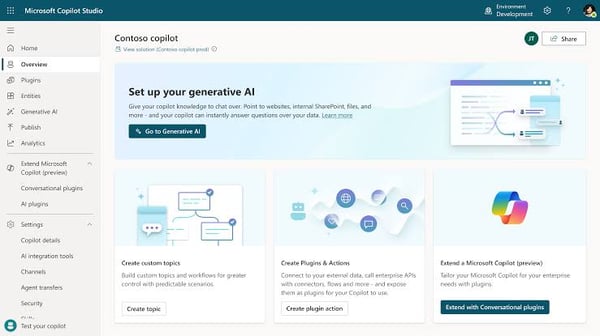
What also came through consistently in the reviews was the quality of responses generated from company knowledge. Users relied on Copilot Studio to retrieve information from internal documentation and business records, enabling agents to answer questions with greater context and accuracy. That capability reduces the need for employees and customers to search across multiple systems to find information themselves.
Workflow automation emerged as another major advantage. Through Power Automate integrations, users can trigger approvals, update records, route requests, and launch actions directly from conversations. This transforms agents from simple question-and-answer tools into automation layers that help reduce repetitive administrative work.
The platform also excels in testing and monitoring capabilities. Users appreciated the ability to validate agent responses during development and track performance after deployment. These tools help teams identify conversation gaps, refine responses, and continuously improve the user experience.
That said, some G2 reviewers noted that advanced configurations can require additional time and planning. The tradeoff is that Copilot Studio supports a broad range of integrations, automation paths, and deployment options. For organizations building more sophisticated AI workflows, that added complexity often comes with greater flexibility and long-term scalability.
G2 reviewers also mentioned that troubleshooting development issues can occasionally be more involved than expected because error messages do not always provide detailed guidance. This concern appeared most often among teams building complex implementations rather than standard conversational agents. For organizations deploying simpler support or knowledge-based assistants, the overall development experience remains much more straightforward.
Based on the review patterns I analyzed and Microsoft Copilot Studio’s native AI capabilities, I would recommend it for enterprises that want to build AI agents without abandoning the tools and workflows they already use. Between its low-code development experience, workflow automation capabilities, and enterprise governance controls, it offers a practical path to scaling conversational AI across multiple teams. With a 4.9/5 rating on G2 and an overall score of 86, Microsoft Copilot Studio reinforces its position as one of the most established bot platforms on the market.
“Building AI agents with Copilot Studio feels straightforward compared to many other platforms. I really like the automation capabilities and how easily it scales for enterprise use cases. The integration with Microsoft services also makes development and deployment much smoother.”
- Microsoft Copilot Studio review, Shivamm S.
“The testing site, or the staging area, is lacking in user experience and overall user-friendliness, and it could definitely be improved. When it throws an error, it doesn’t explain what caused it or why it’s considered an error, so I end up having to figure it out on my own.”
- Microsoft Copilot Studio review, Babu S.
Considering voice as part of your conversational AI strategy? Check out our picks for the best AI voice assistants and how they compare to chat-first bot platforms.
IBM watsonx Orchestrate is an AI-powered automation platform that helps teams build digital assistants capable of handling tasks, retrieving information, and coordinating work across business applications. What sets watsonx Orchestrate apart from traditional chatbots is that it's designed to turn requests into actions, helping employees automate repetitive work across multiple systems from a single interface.
What stood out immediately in the reviews I analyzed was the platform's no-code approach to automation. Users appreciated being able to create skills, workflows, and assistants without relying heavily on development teams. G2 Data shows 87% ease of use and 83% ease of setup, reflecting how the platform’s accessibility makes it easier for business users to automate processes themselves instead of waiting for technical resources to build every workflow from scratch.
Cross-platform orchestration is the capability that separates watsonx Orchestrate from single-system automation tools. Reviewers described being able to complete tasks across multiple enterprise applications without switching between interfaces — a single conversational request can trigger actions in Salesforce, SAP, ServiceNow, Slack, and Outlook simultaneously. For organizations managing large application portfolios, the orchestration layer removes the context-switching overhead that slows operational workflows and increases the risk of missed steps.
Natural language task execution emerged as another major advantage. Rather than navigating menus or remembering specific commands, users can interact with the assistant using conversational requests. This creates an intuitive experience for employees who want information, updates, or actions completed quickly, without having to learn new interfaces.
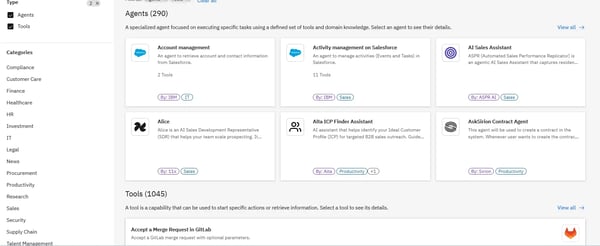
Several reviewers also highlighted the value of prebuilt skills and automation templates. These ready-made components allow teams to launch use cases faster and reduce the amount of configuration required during implementation. For organizations exploring AI-powered automation for the first time, that shorter path to deployment can help accelerate adoption.
Productivity gains appeared consistently throughout the feedback I analyzed. Users reported relying on watsonx Orchestrate to handle repetitive administrative work, gather information, schedule tasks, and coordinate actions across business systems. By reducing manual effort, teams can spend more time focusing on strategic work instead of routine operational tasks.
I also found strong feedback around the platform's proactive assistance capabilities. Rather than functioning as a simple command-response system, watsonx Orchestrate can recommend actions, surface relevant information, and guide users through workflows. This makes the experience feel more like working alongside a digital assistant than interacting with a traditional automation tool.
That said, some G2 reviewers noted that the interface can feel overwhelming during the initial onboarding process because of the number of available capabilities and configuration options. But as teams become more familiar with the environment, they gain access to a wider range of automation opportunities without needing to adopt additional tools.
Some reviewers also mentioned occasional delays in processing more complex workflows involving multiple connected systems. While this can add a few extra moments to certain tasks, it typically occurs when the platform is coordinating actions across multiple applications simultaneously. For organizations automating work that would otherwise require significant manual effort, many users considered that tradeoff worthwhile.
In a nutshell, I would recommend IBM watsonx Orchestrate for organizations looking to automate work across multiple systems without relying heavily on code. With a 4.4/5 rating on G2, the software’s combination of no-code automation, cross-platform orchestration, and AI-powered assistance makes it particularly valuable for teams focused on improving operational efficiency.
“The multi-agent setup is what got us. We build AI solutions for large enterprises in India, and the ability to chain agents for procurement and HR workflows without having to start from scratch was a big deal for us. The SAP and Workday integrations worked without too much hassle. Also, the audit trail feature -- our clients are always asking about compliance, so that helps a lot during sales conversations.”
- IBM watsonx Orchestrate review, Harsh C.
“One of the main challenges with IBM watsonx Orchestrate is that the initial setup and workflow configuration can be more complex than expected, especially for organizations trying to automate processes across multiple enterprise systems with different integration requirements.”
- IBM watsonx Orchestrate review, Arkajit D.
Qualified has established itself as a conversational sales and marketing platform built for B2B revenue teams that want to convert high-intent website visitors into the pipeline. It helps teams identify target accounts, qualify buyers, route conversations, and book meetings directly from the website, with Salesforce acting as the central source of truth.
Because it’s built directly into Salesforce, every visitor touchpoint, from lead qualification to pipeline tracking, syncs with the CRM. Reviewers often highlight this, noting that the integration keeps data consistent, eliminates duplicate workflows, and makes it easier for sales reps to focus on the right opportunities. It has a 99% G2 Satisfaction Score for the quality of its support.
What I like most about Qualified is its ability to personalize engagement at scale. The platform lets teams build highly customizable chat flows, creating account-based experiences tailored to each visitor’s stage and profile. This flexibility makes conversations feel less like generic pop-ups and more like targeted outreach. Reviewers consistently note how much this boosts engagement and smooths the buyer journey.
Lead qualification is another major advantage. Qualified’s AI-powered SDR bots can ask upfront questions, capture buyer intent, and identify whether a visitor is ready for sales engagement. This helps reps spend more time with qualified prospects rather than manually sorting through every website interaction.
Regarding lead routing, Qualified helps teams send high-value visitors to the right sales rep based on account ownership, territory, availability, or qualification criteria. Many reviewers confirm that for revenue teams managing inbound demand at scale, routing logic reduces handoff delays and keeps promising conversations moving.
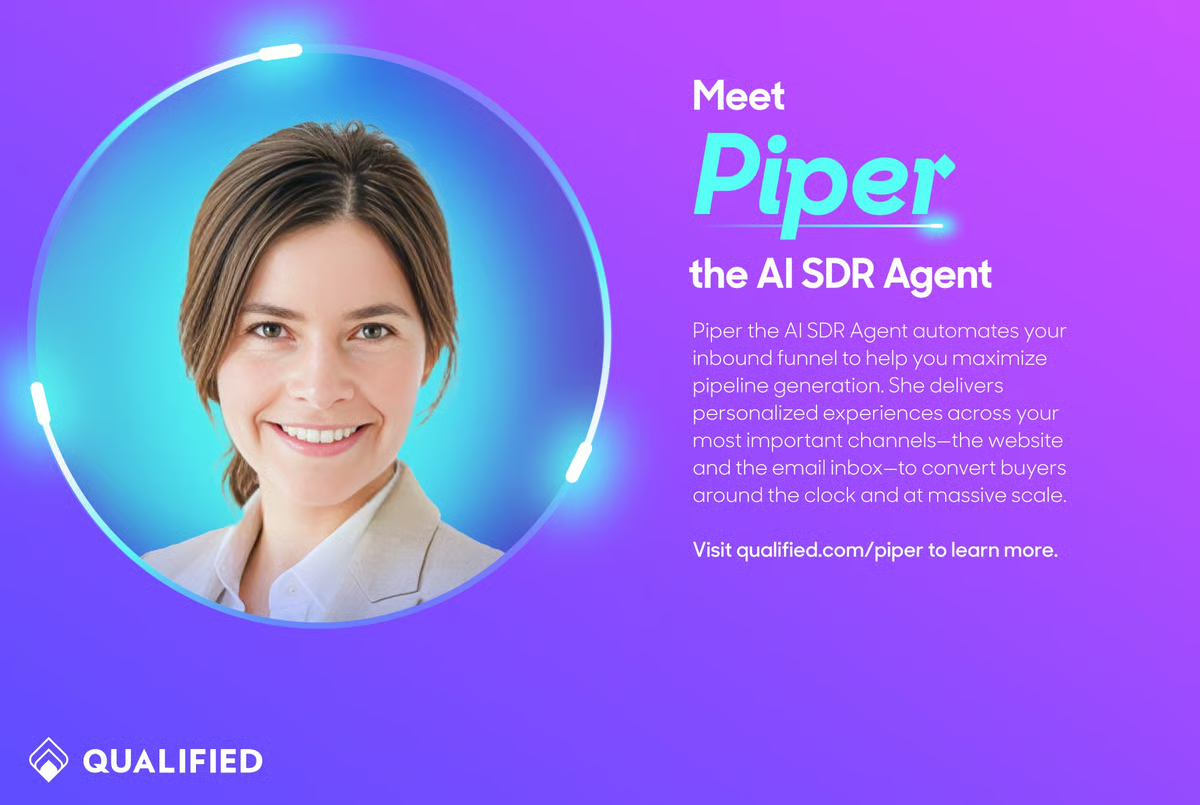
I also appreciated the focus on pipeline acceleration. Qualified makes it easy for visitors to book meetings instantly, integrates with reps’ calendars, and provides real-time insights into which accounts are visiting. Reviewers describe this as a major efficiency gain, noting that it reduces delays and helps reps strike while interest is high. Paired with detailed account intelligence, sales teams get a clear view of which prospects are active, what content they’re engaging with, and where to prioritize outreach.
For ABM-focused organizations, Qualified’s ability to surface target account activity and tailor conversations accordingly is a genuine differentiator. Combined with its clean, user-friendly interface, most teams find the platform both powerful and intuitive once it’s in motion.
The platform offers extensive configuration options, which some users noted can take more time to master during initial setup or when building advanced workflows. That said, many G2 reviewers say that investment pays off once the platform is up and running.
Qualified’s analytics are designed to support clear, day-to-day reporting needs, which many teams find helpful. Reviewers noted that more advanced marketers seeking deeper attribution or multi-touch insights often supplement with BI tools. This adds an extra step but allows organizations to pair straightforward in-platform reporting with the granular analysis they need.
Overall, Qualified is widely seen as a strong choice for B2B sales and marketing teams that want to engage high-value visitors in real time, qualify leads efficiently, and shorten sales cycles. It is currently rated 4.9/5 on G2 based on 1500+ reviews. For Salesforce users in particular, it offers a rare combination of native integration, personalization, and revenue acceleration that few competitors can match.
“The platform is robust and can fulfill all our company’s needs for chat and scheduling meetings with a variety of ways prospects can engage with our content (traditional chat, voice, AI SDRS, scheduling meetings within the chat, and buttons and forms). The support they offer is also best in class.”
- Qualified review, Erin M.
“The platform can be quite complex and difficult to navigate and edit unless you put a lot of time into learning it and/or you have a great rep to help you.”
- Qualified review, Routeware M.
Looking to extend your low-code strategy beyond bot building? Our guide to the best low-code development platforms covers where agent builders fit in the broader low-code landscape.
Botpress is often described as the open-source powerhouse of bot platforms, striking a balance between accessibility for non-developers and deep flexibility for technical teams.
What stood out to me is its visual drag-and-drop editor. Users appreciated being able to design conversation flows through a modular interface instead of manually coding every interaction. For teams with limited technical resources, this lowers the barrier to entry while still allowing more advanced users to expand functionality when needed. G2 Data shows 88% ease of use and 88% ease of setup, which is consistent with what non-technical users report in practice.
Beyond ease of use, Botpress shines in customization. Because it’s open source, teams can adapt it almost endlessly — from tweaking conversational logic to integrating custom APIs. One reviewer pointed out how helpful this is for future-proofing, since the platform’s model-agnostic approach allows businesses to switch between AI models as they evolve. G2 Data shows a 91% likelihood to recommend, reflecting how strongly that flexibility resonates with the platform's builder-oriented reviewer base.
Another strength is integration and scalability. Botpress offers out-of-the-box connectors for common business tools, but it’s also built for extensibility. Reviewers noted how easily they could integrate bots with CRMs, e-commerce systems, and other back-end services. The ability to deploy across multiple channels, from web and mobile to messaging apps and voice assistants, enables organizations to maintain consistent, human-like experiences wherever users engage.
I also noticed many positive sentiments around multi-channel deployment. Reviewers described launching agents across websites, mobile applications, messaging platforms, and voice channels while maintaining a consistent user experience. For businesses interacting with customers across multiple touchpoints, this helps create a more unified engagement strategy.
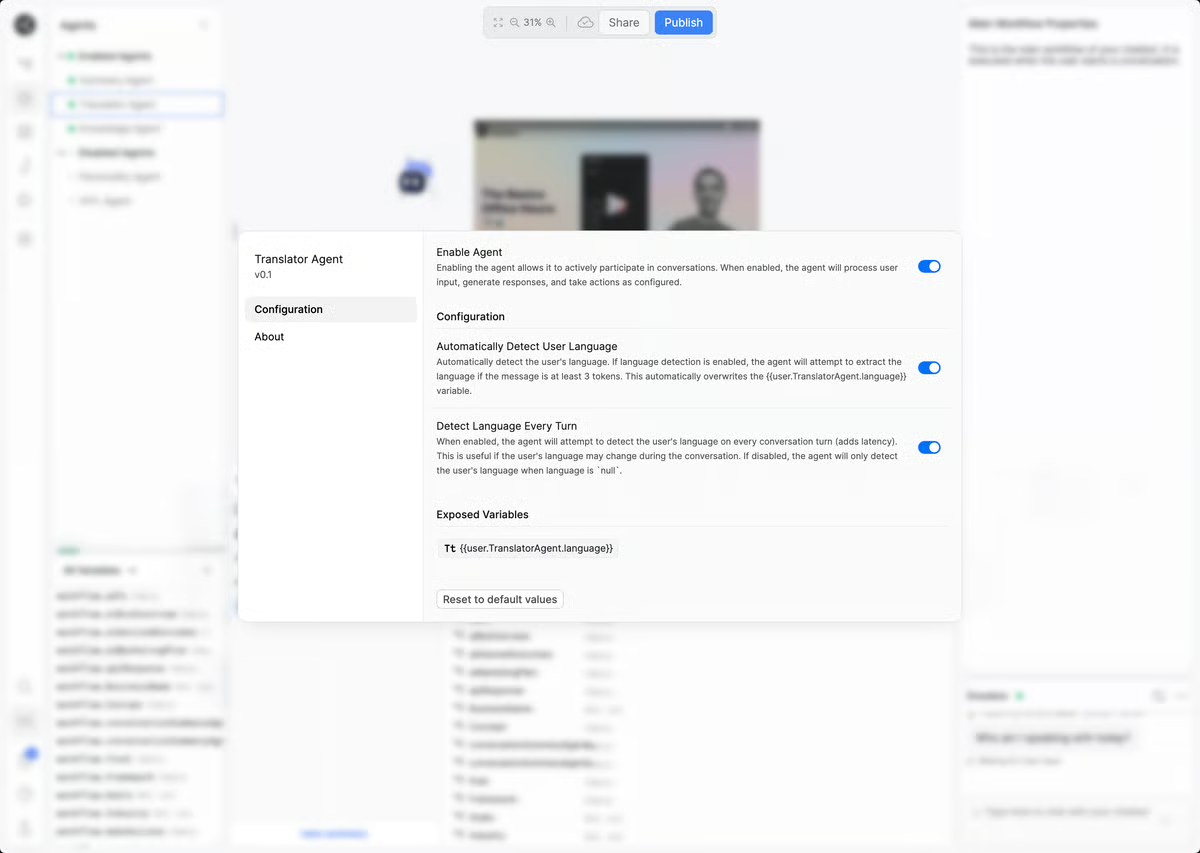
On the intelligence side, intent recognition and natural language understanding (NLU) surfaced repeatedly in the reviews I analyzed. Users appreciated the platform's ability to interpret natural language accurately and maintain context throughout conversations. This allows teams to build assistants that can handle more sophisticated interactions without relying heavily on rigid decision trees or scripted responses.
Community support is another differentiator. Botpress has a vibrant open-source community, with forums, documentation, and video guides that help users get unstuck quickly. Reviewers often mention how responsive the Botpress support team is, which reinforces the value of adopting a platform that blends professional support with grassroots innovation.
Botpress offers the flexibility of self-hosting and advanced configuration, which gives teams greater control over setup and scaling. Several reviewers noted that this can be trickier for beginners than fully managed SaaS alternatives, but the added effort enables greater customization and ownership of the deployment.
The platform offers a rich feature set with advanced capabilities that give developers deep control and flexibility. Some reviewers noted that this sophistication can feel complex for non-technical users, but it ensures technical teams can unlock powerful functionality beyond standard business workflows.
What makes Botpress stand out is how comprehensive and adaptable it feels. With a 4.5/5 rating on G2, the drag-and-drop simplicity layered on top of deep customization, future-proof model support, and strong integrations makes it a tool that can meet the needs of both small businesses testing conversational AI and enterprises scaling multi-channel engagement.
“What I like best about Botpress is its flexibility and powerful visual flow builder, which makes it easy to design intelligent, automated conversations without heavy coding. The ability to integrate with tools like WhatsApp, websites, and Make.com, along with AI-powered responses and knowledge base features, allows businesses to deliver fast, accurate, and scalable customer support while maintaining a human-like experience.”
- Botpress review, Muhammad T.
“It becomes a bit complex to visualize everything, and getting lost among the arrows happens in an instant. Graphically, as it becomes a bit more complex, you lose a bit. You must rightly break the bot into mini-bots that connect to the main one. Finally, it is a complex tool that requires some training due to the technical terms.”
- Botpress review, Demetrio T.
Voiceflow is a conversational AI platform that helps teams design, build, test, and deploy AI agents through a collaborative visual workspace. G2 Data shows a satisfaction score of 89, reflecting strong user sentiment among product teams, conversation designers, developers, and customer experience teams seeking to create AI-powered experiences without sacrificing collaboration during development.
The collaborative workspace is the feature surfaced most consistently in the reviews I analyzed. Users appreciated having designers, developers, product managers, and stakeholders working within the same environment rather than relying on disconnected tools and documentation.
Conversation design is another area where Voiceflow excels. Reviewers frequently highlighted how easy it is to map user journeys, structure interactions, and visualize conversational paths before deployment. That ability to design experiences upfront helps teams identify gaps, refine logic, and create more natural interactions before users ever engage with a live agent.
What also stood out was the platform's visual workflow architecture. Users liked being able to organize complex conversations through a structured interface that makes flows easy to understand and maintain. As AI projects grow, that visibility becomes increasingly valuable because teams can update and expand experiences without losing track of how conversations are connected.
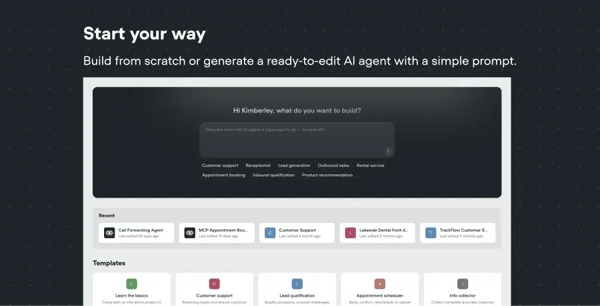
From my analysis, testing and iteration surfaced repeatedly. Reviewers often described using Voiceflow to experiment with conversation flows, validate responses, and make adjustments before launch. Faster iteration cycles help teams improve conversation quality while reducing the risk of deploying experiences that require significant rework later.
Knowledge base connectivity also received positive feedback. Teams use Voiceflow to connect AI agents to internal documentation, help centers, and business knowledge sources, enabling assistants to provide more accurate, context-aware responses. This capability helps reduce manual information searches while improving the overall usefulness of AI interactions.
Developer flexibility rounds out the platform's strengths. With a 91% likelihood-to-recommend score on G2 Data, Voiceflow is approachable for non-technical users. Reviewers appreciated that developers can extend functionality through APIs, integrations, and custom implementations as projects become more sophisticated. This balance allows teams to move quickly during design while maintaining the flexibility needed for production deployments.
As capable as the platform is, G2 reviewers noted that costs can increase as usage grows and projects become more complex. The trade-off is that Voiceflow provides a collaborative environment that supports multiple stakeholders and larger AI initiatives. For organizations building conversational experiences at scale, many users view that investment as part of the platform's broader value proposition.
Reviewers also mentioned that certain advanced use cases occasionally require custom implementations or creative workarounds to achieve highly specialized functionality. Rather than limiting what teams can build, this reflects Voiceflow's focus on conversational design first and custom development second. For most common AI agent and chatbot projects, users reported having the tools they needed available within the platform.
Overall, Voiceflow is a strong choice for organizations that want to bring designers, developers, and business teams together to create AI agents. Its combination of collaborative design tools, rapid iteration capabilities, and developer flexibility makes it particularly well-suited for teams focused on building high-quality conversational experiences.
“What I like best about Voiceflow is how easy it makes building conversational flows, even if you’re not deeply technical. I used it for a client project to design a simple chatbot flow, and the visual builder really helped me map everything clearly. Instead of writing complex code, I could just drag, connect, and organize the conversation step by step. It also made it easier to explain the flow to my client because everything was visible and structured. Testing the conversation inside the platform also saved time, since I could quickly see where changes were needed. For client work, that clarity and flexibility made a big difference.”
- Voiceflow review, Muzammil M.
“While Voiceflow is very powerful, a few areas could be improved. Some advanced features have a learning curve, especially for users new to conversational AI, and clearer in-app guidance would help. Some advanced features, such as API integrations, custom code steps, and variable management, need clearer in-app guidance. New users may find it difficult to structure API requests and handle responses without examples.”
- Voiceflow review, Sainath N.
| Software | G2 rating | Free plan and trial | Starting price of paid plans |
| Microsoft Copilot Studio | 4.4/5 | No free plan; 30-day free trial available | $18 per user, per month |
| IBM watsonx Orchestrate | 4.4/5 | No free plan; free trial available | $530 per month |
| Qualified | 4.9/5 | No free plan or trial available | Custom pricing |
| Botpress | 4.5/5 | Free plan and trial available | $150 per month |
| Voiceflow | 4.6/5 | No free plan; free trial available | Custom pricing |
Note: G2 ratings are based on user reviews and are subject to change.

Got more questions? G2 has the answers!
Qualified and Voiceflow are the strongest no-code options. Qualified automates lead qualification, meeting booking, and customer engagement, while Voiceflow lets teams build conversational AI visually without coding. Microsoft Copilot Studio is another good choice for organizations already using Microsoft 365.
Qualified, Microsoft Copilot Studio, Botpress, and IBM watsonx Orchestrate all support human handoffs while preserving conversation history. Qualified is particularly strong for Salesforce users because it transfers visitor context, account data, and conversation history directly to sales teams.
Voiceflow and Botpress are the best options. Both offer visual conversation builders and make it easy to refine bots using real conversation data. Microsoft Copilot Studio is another strong alternative for organizations already invested in Microsoft's ecosystem.
Botpress and Microsoft Copilot Studio provide the strongest monitoring capabilities. Both help teams identify performance issues, review conversations, and improve or roll back workflows before poor responses affect more users.
Qualified and Botpress are excellent choices for mid-market SaaS businesses. Qualified combines AI-powered lead qualification with Salesforce integration, while Botpress offers flexible automation and natural language understanding for customer support workflows.
Qualified and Botpress consistently receive strong feedback for conversation quality. Qualified delivers accurate responses through its AI SDR, while Botpress handles complex conversations with advanced natural language understanding. Voiceflow also helps maintain reliability with built-in LLM fallback support.
Voiceflow and Botpress stand out for creating natural conversations. Voiceflow uses LLM-powered conversational design and transcript-based improvements, while Botpress supports multi-turn interactions that reviewers describe as more human-like than traditional rule-based chatbots.
IBM watsonx Orchestrate offers the broadest integration ecosystem, while Qualified is the best Salesforce-native option. Microsoft Copilot Studio integrates deeply with Microsoft applications, making it a strong choice for organizations already using Microsoft 365.
Qualified is the highest-rated platform in this guide, with a 4.9/5 rating on G2. Its AI SDR capabilities, Salesforce-native architecture, and lead-qualification workflows make it an excellent choice for organizations that are automating customer engagement.
Qualified, Botpress, and Voiceflow consistently receive positive feedback from product teams. Reviewers highlight the quality of their conversations, flexibility, and ease of improving AI agents based on real customer interactions.
One thing that became clear while evaluating these platforms is that conversation quality matters more than automation volume. Teams aren't struggling to automate interactions anymore. They're struggling to automate them in ways that still feel helpful, contextual, and trustworthy to customers.
As you evaluate your options, focus less on the number of features and more on the moments where conversations break down today. Whether that's lead qualification, support deflection, handoffs between bots and humans, or maintaining consistent experiences across channels, the right platform should solve a specific operational challenge before it expands into everything else.
Looking ahead, I expect bot platforms to become increasingly measured by outcomes rather than capabilities. Buyers are already moving beyond questions about AI features and focusing on customer experience, conversation quality, and business impact. The platforms that can consistently deliver on those expectations will continue to set the pace for the category.
And if you want to explore beyond chatbots, take a look at conversational marketing software to see how automation and AI can extend across the entire buyer journey.
.png)

The best AI agent builder software makes it easy to prototype intelligent agents. Getting them...
 by Yashwathy Marudhachalam

Ask any developer what their day looks like, and they'll tell you the same thing. It's not...
 by Alveena Ali

Companies across industries are building and training machine learning models, but many still...
.png) by Shreya Mattoo
by Shreya Mattoo