



I evaluated 25+ tools using G2 Data and reviews to finalize the 8 best online appointment scheduling software. These are Microsoft 365, Calendly, Qualified, Jotform, GReminders, Cal.com, Waitwhile, and Square Point of Sale.
Every missed appointment was once a confirmed booking. The gap between the two is where revenue leaks. It starts with a reminder that failed to send and ends with a client who moved on.
The time cost of coordinating meetings and appointments adds up fast. According to Calendly's State of Meetings 2024 report, 43% of workers spend at least three hours a week just scheduling meetings. The right appointment scheduling software closes the gap between confirmed bookings and completed appointments. Dependable reminders, calendar sync, and booking pages that clients complete without help also give hours back to your week.
Every business needs something different from scheduling software. A solopreneur booking consultations and an enterprise sales team routing inbound pipeline need almost entirely different features. Choosing well starts with a clear picture of your own workflow, so you can match each tool to the work it must support.
I started with the G2 Fall 2026 Grid® Report for online appointment scheduling software, then used AI to analyze hundreds of verified G2 reviews. The analysis focused on themes including ease of setup, reminder reliability, integration depth, payment handling, and support quality. Each entry shows what the tool does well, where G2 reviewers flag friction, and which buyers it serves best.
* According to the G2 Fall 2026 Grid® Report, these appointment scheduling tools are top-rated in their category. I've included their strengths and pricing details to help you choose the right platform for your team.
The decision that actually matters here isn't which scheduling tool has the most features. It's whether the tool you're evaluating meets your business needs.
Solo practitioners and independent service providers need a tool that prevents double bookings and ends email back-and-forth without requiring admin support to run it. Multi-staff service businesses need something structurally different: shared availability management, location-level rules, and payment collection at the point of booking to keep operations smooth. Enterprise revenue teams need routing logic, CRM integration, and automated handoffs, so the scheduling layer has to function as pipeline infrastructure, not just a calendar sync.
That range shows up in the Fall 2026 Grid, where small businesses are the largest reviewer group for six of the eight products here, led by GReminders at 94% and Square Point of Sale at 92%, while Microsoft 365 and Qualified lean mid-market and enterprise.
What I use to separate a basic booking link from a scheduling system is a simple test: what happens after someone books? A booking link stops at confirmation. A scheduling system handles the surrounding workflow, including intake, reminders, payment, and CRM updates, without requiring a human to trigger each step. The further that automation extends before and after the appointment, the more the tool functions as operational infrastructure rather than a calendar tool.
My starting point was the G2 Fall 2026 Grid® Report for online appointment scheduling software, which ranks tools by market presence and satisfaction scores from verified reviewers. I used that ranking to build an initial longlist of 25+ tools before applying further criteria. Because the Grid blends the two, I call out where a product's placement leans more on market presence than on reviewer satisfaction.
From there, I used AI to analyze hundreds of verified G2 reviews across each shortlisted platform, assessing every tool against a consistent set of themes, including reminder reliability, integration depth, ease of setup, payment handling, and support responsiveness. I tracked recurring patterns across reviews rather than individual accounts, focusing on tools in active use across financial, healthcare, sales, and multi-location service businesses. G2 scores and ratings referenced throughout reflect data pulled from G2 in 2026.
Visuals and product references are sourced from G2 vendor listings and publicly available product documentation.
Evaluating scheduling software without a clear framework is guesswork. My criteria come from patterns in G2 review data, focused on what affects daily operations rather than feature counts. Each one reflects things you don't notice when operations run smoothly and those you can't ignore when something goes wrong. Based on my research and analysis, here's what you should look for when selecting the best appointment scheduling software.
Trade-offs run through every criterion. A tool that excels at automated reminders may offer limited team scheduling capability. A platform built for enterprise pipeline routing may require technical resources that most small businesses cannot justify. Evaluate each shortlisted tool closely against your own workflow before you select one. The list below contains genuine user reviews from G2's Online Appointment Scheduling category. To qualify for inclusion, a product must:
This data was pulled from G2 in 2026. Some reviews may have been edited for clarity.
An office manager who books client meetings in Outlook, joins them in Teams, and files notes in SharePoint rarely wants a fourth tool just for scheduling. Microsoft 365 is a productivity suite whose Bookings, Outlook, and Teams apps handle appointment scheduling inside the stack staff already open every day. Organizations standardized on Microsoft keep ending up here, and reviewers say the scheduling layer delivers most when that is already true.
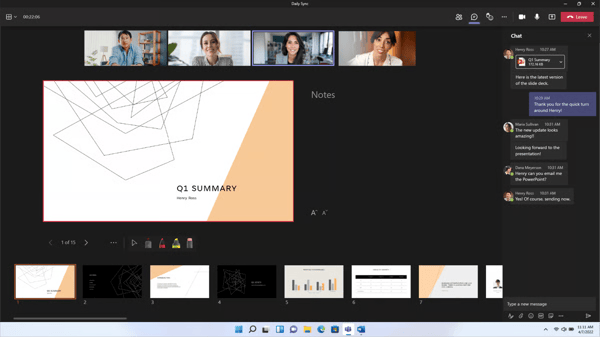
On the Fall 2026 Grid, Microsoft 365's G2 Score of 95 is the highest in the category, with a satisfaction score of 90 across 173 reviews. Microsoft 365 earns its scheduling case through how well its apps work together. Outlook, Teams, Microsoft Bookings, and SharePoint connect without separate configuration work, so every tool the team uses daily is already synchronized. G2 reviewers add time savers, such as sharing a SharePoint file inside a Teams chat and reaching the synced calendar on the go. I'd center the value on everyday time savings.
Reviewers appreciate the tool for simplifying operations and highlight several examples. For instance, some users say booking a Teams meeting from within Outlook takes a single click. They describe it as a one-step process in which confirmation, video link, and calendar block are handled automatically. The scheduling notification score sits at 90%, reflecting how quickly these confirmations reach both parties. If your team coordinates daily meetings through Outlook, this workflow removes every manual step between an invite and a confirmed booking.
What caught my attention is the 91% score for multi-calendar integration in G2 Data, a point above the 90% category average. Within Microsoft 365, users can see their colleagues' availability directly in Outlook without switching to a separate tool. For businesses coordinating meetings across multiple people, this built-in visibility removes a step that most scheduling tools require an external integration to address.
Copilot extends what Microsoft 365 does around scheduling. G2 reviewers reference AI assisting with meeting preparation, live document editing, and email search in the same tool. As a secondary strength, scheduling becomes an end-to-end workflow. G2 reviewers describe Copilot summarizing missed meetings, drafting follow-up emails, and building a dedicated meeting summary agent, so the appointment's aftermath gets handled inside the same platform.
With Microsoft 365, your scheduling workflow and document management can operate within the same environment. G2 reviewers report file sharing, co-authoring, and meeting coordination all running in one platform. Reviewers in IT services report spending noticeably less time hunting for files and information after consolidating onto Microsoft 365. That consolidation can improve efficiency.
Video conferencing in Microsoft 365 runs end-to-end within the same platform. Based on my evaluation, Teams can handle quick calls and full client meetings alike, with links embedding automatically in calendar invitations. The G2 video conferencing rating across reviews stands at 91%, above the 86% category average. I found that for reviewers, that native meeting infrastructure is a point of differentiation from other dedicated scheduling platforms.
While scheduling in Microsoft 365 connects natively within the Microsoft stack, integrating with non-Microsoft CRMs or external tools requires additional configuration work. G2 reviewers flag third-party integration complexity as a recurring friction point. How much it matters depends on your stack. If your tools already live in the Microsoft ecosystem, you may never hit this. If your scheduling must reach outside it, plan for initial setup work to bridge the gap.
Support responsiveness is a documented concern across G2, with multiple reviewers describing extended wait times and escalated issues that are closed without resolution. Businesses running time-sensitive scheduling operations, particularly when a booking failure needs same-day attention complain of poor support responses. However, G2 reviewers who flag these delays still rate the platform highly overall, attributing their continued use to the reliability of the scheduling infrastructure not requiring the support team’s involvement often. Quality of support scores 89% in G2 Data, below Calendly at 92% and Waitwhile at 96%.
Microsoft 365 fits organizations that want booking, meetings, documents, and follow-up in one place. Scheduling sits inside Outlook and Teams, the tools your staff already open every day, with Bookings and SharePoint close by. If your organization already runs on the Microsoft stack, I'd put Microsoft 365 near the top of your scheduling shortlist. G2 implementation data backs the fit, with average user adoption at 93%, the highest of the eight products here, and 85% of teams going live through an in-house team.
"The most helpful thing about Microsoft 365 is that everything is in one place. My calendar syncs with Teams, Bookings, and more. I have access to the information on the go too."
- Microsoft 365 review, Lisa S.
"Support can be quite slow and unaccommodating at times but usually its OK. They could do better by going above and beyond for smaller business owners."
- Microsoft 365 review, Aaron S.
If the appointments you're booking are interviews, there's a whole category built for that. Explore the best interview scheduling software for tools that handle panels, reschedules, and candidate comms without the workarounds.
A sales rep who trades three emails just to land one meeting has already lost part of the day, and a team doing that all week loses far more. Calendly is a scheduling platform built around booking links, calendar sync, and routing forms that confirm meetings without the back-and-forth. Sales teams, consultants, and client-facing professionals keep choosing it to take scheduling off their plate.
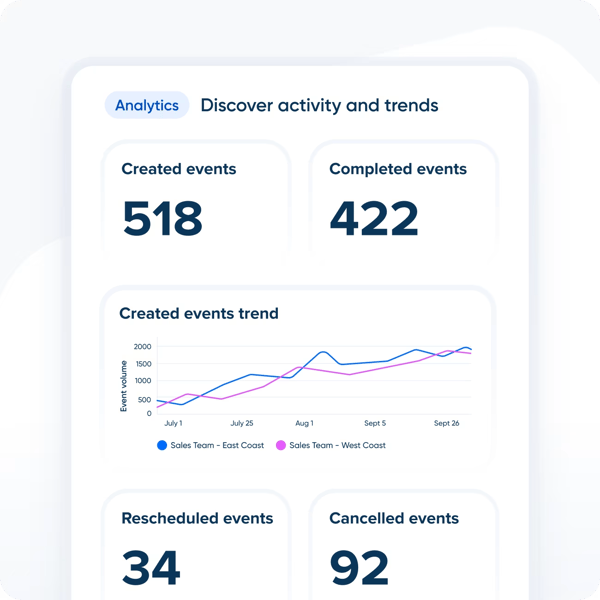
On the Fall 2026 Grid, Calendly has the largest review base by a wide margin at 2,064 reviews, with a satisfaction score of 99 and a G2 Score of 90. The booking link is Calendly's core mechanism. G2 reviews point to the same outcome again and again: share a link, the email ping-pong stops, and the meeting is confirmed automatically on both sides. With a links feature score of 93% on G2 Data, I can see how the mechanics work. G2 reviewers also calculate 10 to 15 minutes saved per meeting booked, and from my reading of the data, that efficiency compounds into hours of recovered admin time each week.
Across the G2 reviews I analyzed, calendar sync quality is a praise-worthy capability. The platform connects bidirectionally with Google Calendar, Outlook, and Apple Calendar, reflecting availability in real time and blocking taken slots automatically. Multi-calendar integration scores 92% on G2 Data, above the 90% category average, which reflects reviewers' appreciation of zero double-bookings.
Reminder automation is where Calendly earns its keep beyond booking. The platform sends confirmations as soon as a slot is reserved, then reminds your clients before the meeting. G2 reviewers tie reminders to fewer no-shows, including a healthcare front-office user who also cites fewer last-minute cancellations. The confirmations and reminders score reaches 94% across verified G2 accounts.
Global scheduling is where Calendly consistently delivers. The platform auto-detects the invitee's time zone and displays available slots in their local time, reducing chances of missed meetings. G2 reviews across geographies call this out specifically, with the time zone detection result landing at 94% across verified accounts. For global teams and international sales, I'd consider this one of Calendly's clearest practical advantages.
One thing I'd point to as Calendly's most underused capability is the routing form layer. G2 reviewers running sales operations note routing forms qualifying prospects before they reach the calendar, directing each booking to the right team member automatically. This eliminates the need for manual lead sorting. It earns the platform its core position in high-volume sales workflows beyond individual scheduling.
Availability control is Calendly's most quietly useful capability. Buffer times, daily meeting limits, and lead time requirements are all configurable without technical setup. G2 reviews flag these as key to preventing meeting exhaustion and protecting focused work time. Availability settings are rated at 94%, and blocked time settings at 93%, giving your scheduling setup a reliable foundation.
G2 reviewers flag routing forms, round-robin assignment, CRM integration, branding removal, and advanced intake fields as paid-plan features. People running inbound qualification, and agencies presenting Calendly as part of their own brand, reach the entry-tier ceiling before the feature set they need. Yet, G2 reviews at the entry tier keep crediting the booking link and calendar sync as fully functional.
Several G2 reviewers describe the admin backend as rigid when setting up complex team scheduling, including round-robin rules and multi-step automated workflows. Anyone coordinating multi-person calendars with layered rules meets the rigid setup first. Despite this, G2 reviews call round robin especially useful for merging several people's calendars into a single user-facing booking calendar.
Calendly suits sales and client-facing roles that live in booking links. Fast confirmations, reliable calendar sync, and routing forms keep high-volume meeting flow moving with little admin work. If a confirmed meeting in a few clicks is your priority, I'd put Calendly near the top of your shortlist. Calendly fits solo consultants and growing sales floors alike. G2 implementation data points to a quick rollout, with an average of 0.7 months to go live and 85% of teams launching through an in-house team. Small businesses make up 63% of its Grid reviewers and mid-market companies 28%.
"I like Calendly because it offers the best way to offer an appointment system for our clients. Clients can schedule their appointments very easily by selecting the assigned dates and times as well as the way they would like to meet, either in person, by phone, or videoconference. They get a confirmation email and a text message confirmation too."
- Calendly review, Carlos C.
"Nothing much, but if I have to put something out; the branding and customization options are quite limited on lower-tier plans. Also, while the UI is clean for the booker, the admin backend can feel a bit rigid when trying to set up complex team based "Round Robin" rules or multi-step automated workflows compared to newer, more flexible competitors."
- Calendly review, Aman J.
A visitor lands on your pricing page at 11 p.m., has a question, and leaves because no rep is online. Qualified is an AI-powered conversational platform that turns website visitors into booked meetings, routing chats straight to rep calendars inside Salesforce. B2B revenue teams running Salesforce as their system of record keep ending up here.
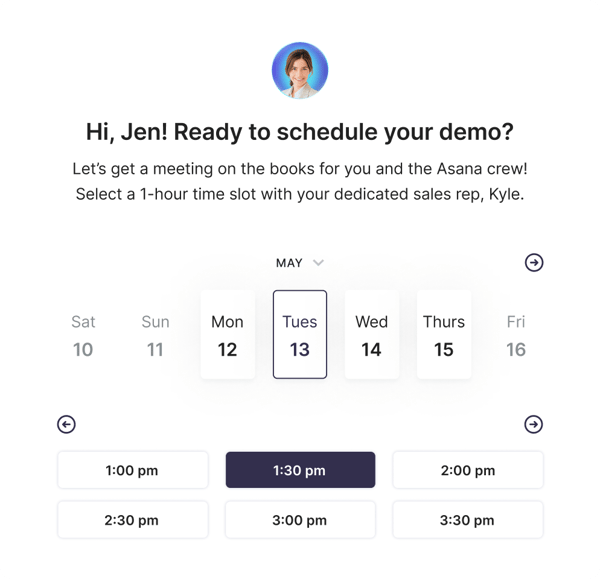
On the Fall 2026 Grid, Qualified's G2 Score of 90 ties Calendly for second place, backed by a satisfaction score of 98 and a Net Promoter Score of 98 across 479 reviews. Piper, the AI SDR, is where Qualified's differentiation lives. The agent qualifies leads, answers product questions, and books meetings onto rep calendars, running continuously across time zones. G2 reviewers appreciate the tool for transforming their top-of-funnel. Pipeline improvements that surfaced across G2 accounts I analyzed for this article: faster speed-to-lead, fewer prospects lost to after-hours lag.
Converting website visitors to booked meetings in real time is what Qualified was engineered for. The platform routes high-intent prospects to available reps the moment intent fires, surfacing calendar availability within your existing Salesforce workflow. The Qualified G2 Data includes users reporting meetings booked doubling after deployment. At 97% for website integration, the highest in the category, the booking mechanism holds reliably across verified G2 accounts.
The Salesforce integration is the core reason enterprise revenue teams choose Qualified. Routing rules, lead ownership, and CRM context all feed directly into how the platform qualifies and routes incoming visitors. G2 reviews flag the depth of this as a standout, and the scheduling notifications figure stands at 95%. Based on my assessment of the reviews, the CRM-first architecture can be termed as the tool’s clearest structural advantage.
Real-time visibility into which accounts are on the website and what they're engaging with runs through everything Qualified does. G2 reviewers recount moving from blind outbound to intent-driven engagement, with target account activity surfacing before any rep reaches out. This shifts how follow-up gets prioritized. If you run account-based marketing, that intelligence sits directly in your pipeline workflow.
Qualified scores 99% for quality of support on G2. Many reviewers who mention implementation name their Success Architect by first name, crediting them directly for on-time deployment, integration stability and measurable time-to-value. In my analysis of the reviews, the hands-on support model is the pattern that most distinguishes the platform from category peers.
As I dug into Qualified’s G2 reviews, I noticed users highly-rated the tool’s speed of iteration. Teams update chat flows, routing rules, and AI agent behavior within the platform without developer involvement. G2 reviewers report testing and deploying changes immediately when pipeline conditions shift. Availability settings, which govern how rep calendars surface inside conversations, score 96% on G2 Data, above the 93% category average.
Routing logic, CRM field mapping, and conversation flow configuration take time to get right. G2 reviews in RevOps roles flag the initial setup as needing solid coordination across sales, marketing, and technical teams. Organizations without dedicated CRM admin support will face the steepest ramp-up. Although G2 reviewers who leaned on their dedicated Success Architect actively involved during deployment say having that support made the difference in getting fully up and running.
Pipeline attribution tracking and chat performance analysis require manual work outside the platform. G2 reviewers mention building their own reporting to measure what Qualified contributes to the pipeline. For teams where ROI justification is an ongoing internal requirement, that gap creates recurring overhead. Regardless, G2 reviewers credit meeting volume and lead quality, and some cite pipeline influence tracking and closed-won revenue visibility.
Qualified pays off most for B2B revenue teams that run Salesforce as their system of record. Routing logic and lead context run deepest there, and HubSpot and Marketo connect natively for other stacks. Test your reporting needs early in the trial. If after-hours inbound meetings are the goal, I'd book Qualified among your first demos. G2 implementation data shows an average of 1.5 months to go live, with 24% of teams using the seller services team, and mid-market companies make up 72% of its Grid reviewers.
"The best part for me is Piper, the AI SDR Agent. It's not just a chatbot; it actually thinks and reasons to qualify leads 24/7. It's essentially automated our top-of-funnel by booking meetings even when our team is offline, and that has significantly increased our pipeline without adding more headcount."
- Qualified review, Levi H.
"There's a level of complexity to Qualified that causes some initial friction on setup. We have a lot of rules and workflow considerations when automating Qualified data flows to our automation and CRM platforms."
- Qualified review, Eric C.
If your scheduling problems come from your calendar, not your booking tool, check out my review of the best calendar apps to get the foundation right first.
Collecting client details, taking a deposit, and offering a time slot usually means three tools and three logins. Jotform is a no-code form builder that combines intake, payment collection, and appointment booking in a single embeddable form. Small service businesses and practices that need client information before a time is confirmed keep landing here.
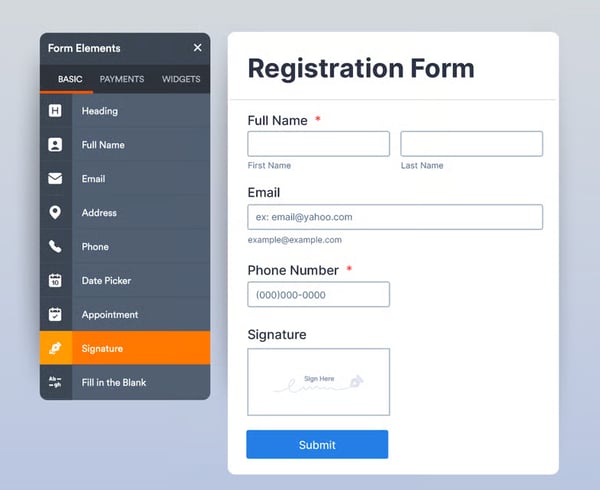
Jotform's Grid profile is a small-business one: a G2 Score of 74 from 121 reviews, with small businesses making up 76% of reviewers. Jotform's form builder is where the G2 review data concentrates most strongly. The drag-and-drop interface lets non-technical users build professional booking and intake forms in minutes, with templates covering the most common appointment scenarios. In my review of the G2 Data, ease of use comes in at 94%, and it’s the detail that surfaces most reliably. G2 reviewers across industries call form creation quick and easy.
Your appointment workflow doesn't end at the form submission. Jotform connects with Google Calendar to auto-create appointments and send confirmations; Stripe and PayPal handle payment at booking. G2 reviewers credit these connections with replacing multiple separate tools, with links scoring 91%, just above the 90% category average. The integration breadth positions Jotform as a scheduling and data collection layer alongside its form-building core.
Branding control is a differentiator in this category, and Jotform delivers it without requiring design expertise. G2 reviews detail adapting forms to match their exact brand, adding logos and customizing colors and layout. The branding score across G2 accounts comes in at 91%, above the 88% category average. I'd highlight this as meaningful in a scheduling context, where clients judge professionalism from the booking page first.
As per my evaluation of the appointment scheduling tools, I can see why Jotform’s AI builder separates it from standard form tools in G2 Data. Reviewers mention the AI drafting forms from prompts and resolving conditional logic mid-build. Across G2 reviews, the AI generates accurate forms from plain text and answers intent questions about conditional structure. For appointment workflows requiring intake logic before a booking confirms, this capability removes significant manual configuration work.
Payment collection at the point of booking is handled through native Stripe and PayPal integrations, collecting deposits or full amounts inside the booking form itself. G2 reviewers in service businesses name the payment-form combination as what replaced their previous systems. The payment acceptance score measures 84% across G2 accounts, below the 86% category average. What stayed with me from the data is how small operators describe this as their complete booking and revenue layer.
Embedding a booking form directly into a website turns Jotform into a scheduling tool for service businesses. Google Calendar integration auto-populates appointments on submission, with your client's intake data captured in the same interaction. G2 reviews in healthcare, education, and professional services call this the workflow that ended phone-based scheduling. Healthcare G2 reviews credit this with freeing front-desk staff from manual booking coordination.
Free plan caps on forms, monthly submissions, and payment transactions accelerate upgrade pressure, and G2 reviewers report hitting these limits earlier than expected once a booking workflow goes live. Sole traders and small nonprofits building their first client-facing booking system mention this repeatedly. Yet, G2 reviews who upgraded find the paid tiers as delivering consistent satisfaction.
According to some G2 reviewers, shared workspace access and multi-admin booking functionality are limited for use. For extensive usage, you will require an enterprise subscription, and lean teams where two or three users need shared form access encounter this ceiling without a proportionate feature increase to justify the plan jump. Even with that gap, G2 review data confirms that Jotform's core form building, payment collection, and appointment booking functions perform well across accounts.
The AI builder is the capability most buyers miss before signing up. It drafts conditional intake logic from plain-text prompts, which means the form that precedes your booking can be built and tested without manual field configuration. For intake-heavy workflows, that changes the setup timeline considerably. G2 implementation data shows an average of 0.6 months to go live, the shortest on this list after Square Point of Sale, and an estimated payback period of 5 months.
"Really easy to adapt to our branding, take payments and signed documents."
- Jotform review, Verified User in Primary/Secondary Education.
"Very low limit on signed forms per month."
- Jotform review, Verified User in Biotechnology.
For a financial advisor or health practitioner, one no-call no-show is a billable hour that does not come back. GReminders is a scheduling and reminder platform that sends text, email, and voice reminders from a single calendar entry and syncs with CRMs such as Redtail. Advisory firms and client-based practices that need reminders to run without manual work keep ending up here.
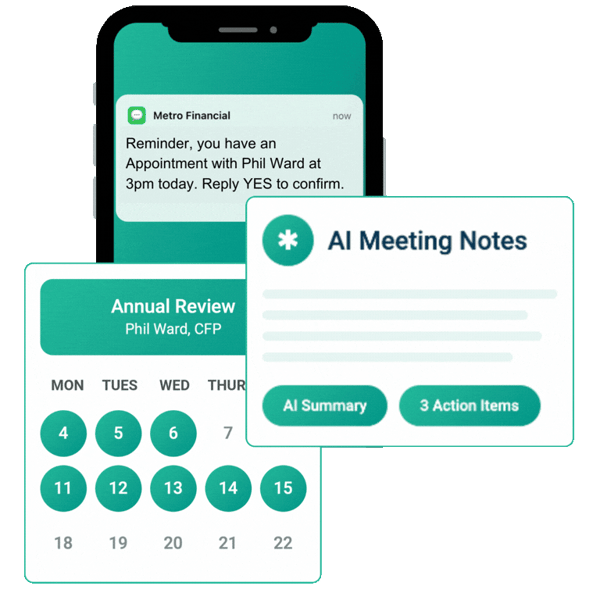
GReminders' Grid score of 73 comes from 438 reviews and a satisfaction score of 94, the third highest on this list, with small businesses making up 94% of reviewers. Automated reminders are the core function GReminders delivers, and the G2 Data puts concrete numbers on the outcome. G2 reviewers report no-shows dropping by half after deployment, with text, email, and voice reminders all firing automatically from a single calendar entry. The confirmations and reminders score holds at 94%, a point above the 93% category average. The figure that surfaces in G2 review data: financial services accounts describe no-call no-shows falling by over 50% after deployment.
The Redtail CRM integration is the feature that drives GReminders adoption in financial advisory firms. It pulls client data from Redtail, triggers workflows, and syncs calendar entries bidirectionally without manual data transfer. G2 reviews in financial services call this the deepest CRM integration in their tech stack. The integration depth, in my assessment, is central to GReminders' advisory practice value case.
The AI notetaker is where GReminders extends past scheduling and reminder automation into something qualitatively different for client-facing professionals. The tool transcribes meetings across Zoom, phone, and in-person formats, identifies speakers, and produces structured summaries that push directly to Redtail. G2 reviews highlight using their meeting summaries as the basis for post-meeting emails and workflow triggers. The accuracy is higher than that of previous standalone notetakers.
Something the G2 review data convinced me of early: the pre-meeting brief is GReminders' clearest value-add beyond reminders. The platform generates a contextual summary before each meeting, drawing from past emails, CRM notes, and meeting history. G2 reviewers convey walking into client meetings fully prepared without manual research. That level of readiness scales as client volume grows.
If your practice involves scheduling a large client base for annual reviews, the bulk send capability stands out. GReminders sends personalized meeting invitations to full client lists automatically, triggered by CRM tags or date-based rules, without requiring individual outreach. G2 reviewers describe replacing an admin-heavy review scheduling routine with a single automated campaign. Invitations land reliably too, with scheduling notifications scoring 93% in G2 data. Help during rollout is a clear part of what you get with GReminders. G2 reviewers describe named staff joining setup calls, fixing issues in real time, and providing hands-on onboarding. I'd point to responsiveness and follow-through as the habits that stand out, and quality of support rates 93% in G2 review data. The support record counts when setup takes real configuration time.
G2 reviewers flag the initial setup as steep, with reminder templates, CRM field mapping, and workflow triggers all needing dedicated configuration time. Financial advisors and health practitioners handling their own onboarding single out this phase as the highest point of friction in the platform's lifecycle. Despite that, G2 reviews describe the reminder automation running reliably in the background once setup is complete, with little need for ongoing intervention.
The booking page and admin interface are labeled as visually dated across multiple G2 reviews, with layout, navigation, and design all cited by reviewers whose clients encounter it as a first impression. Service professionals in industries where the booking experience reflects brand quality encounter this gap most directly. Some G2 reviewers even note it affects client perception before an appointment is confirmed. That said, the reminder delivery and automation accuracy are noted by G2 reviews as operating separately from how the interface presents.
The pre-meeting brief is what separates GReminders from every other reminder-focused platform in this category. Before each appointment, advisors receive a briefing assembled from the client's earlier correspondence, CRM records, and prior meetings. At scale, that preparation layer becomes a meaningful operational advantage for high-volume client practices. G2 implementation data shows average user adoption of 79%, above the 73% category average, and an average of 1.4 months to go live.
"I like how GReminders offers bulk send automation that integrates with our CRM, eliminating the need to call and email clients individually to schedule meetings. Their AI notetaking tool stands out for being more accurate than previous tools we've used, and it's effective at organizing conversations, identifying speakers, and capturing tasks and action items discussed. I also like the customizable fields in their meeting scheduling app, allowing us to tailor the tool directly to our needs. It's very easy to send in questions or requests and get responses promptly, which was a significant improvement over our previous experience with Microsoft Bookings where there was no contact person to reach.”
- GReminders review, David G.
"While the setup process wasn't particularly challenging, it did require quite a bit of effort at the beginning. Additionally, I'm not a fan of the interface's appearance and overall feel, it comes across as somewhat outdated to me."
- GReminders review, Joel M.
Still paying for a scheduler that mostly sends calendar invites? The best free appointment scheduling tools throw in payments, reminders, and real integrations, no upgrade required.
A technical team that wants to own its booking stack, data included, tends to find paid schedulers a poor fit. Cal.com is an open-source scheduling platform with an API-first design and a free plan that includes unlimited event types and Stripe payments. Developers and privacy-conscious organizations keep choosing it, and small businesses make up 89% of its Grid reviewers.
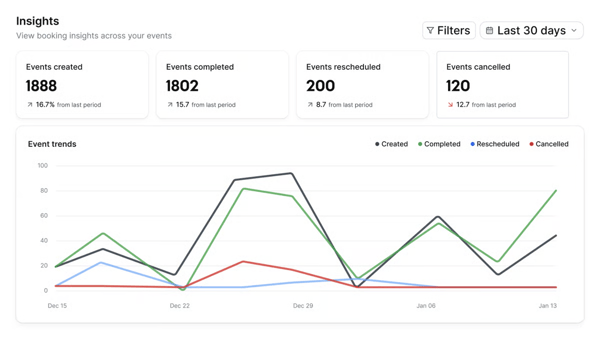
Cal.com's Grid placement rests on 138 reviews, a G2 Score of 70, and a satisfaction score of 81, with small businesses making up 89% of reviewers. Cal.com's free plan includes unlimited event types, calendar connections, and Stripe payments. G2 reviewers confirm the range and describe running a full scheduling workflow on the plan. Payment collection happens upfront through the Stripe integration, so clients pay at the moment of booking. Separate event types let you cover different meeting formats, including paid sessions, from one account.
The open-source architecture is where I'd start any evaluation of Cal.com for technical buyers. G2 reviewers specify transparency as a deciding factor, with European G2 reviewers specifically choosing the platform to keep scheduling data off third-party servers. The codebase is publicly accessible and self-hostable. For regulated industries and privacy-conscious organizations, that architecture changes the evaluation entirely.
I’ve noticed several reviewers say that Cal.com scales team and organization scheduling well. Round-robin distribution, collective scheduling, and department-level availability all run within one admin layer. G2 reviewers in higher-tier companies mention the visibility across shared calendars as a meaningful operational shift. What the G2 Data shows me confirms this: blocked time settings clock in at 92%, a point above the 91% category average, and centralized scheduling control compounds in value as headcount grows.
Customization depth is another persistent strength in Cal.com G2 feedback. The platform supports advanced availability rules, buffer settings, booking limits, and embed options that adapt to your specific scheduling context. G2 reviewers switching from paid platforms highlight getting more configuration flexibility at a lower cost. The open API extends this further for technical teams building Cal.com into a custom workflow.
Several reviewers appreciate the tool’s booking page quality. The interface loads quickly, the design is clean, and the client-facing checkout requires minimal steps. G2 reviews cite Cal.com's fast embed loading avoiding costing bookings due to page lag. The platform earns reliable day-to-day satisfaction for load speed and design clarity.
Cost control sits at the center of Cal.com's appeal. G2 reviewers praise transparent, predictable pricing and call the value exceptional for what the platform includes. Round-robin and routing workflows cover team scheduling needs. Integrations with Google Calendar, Zoom, and Notion work reliably day to day. On the basis of my evaluation, that case is the strongest differentiator for cost-conscious technical buyers.
Integration settings and advanced event configurations require more navigation than the booking experience suggests. G2 reviewers flag the documentation as insufficient for non-technical operators working through it independently. Still, the G2 reviewers who completed the setup frame the complexity as front-loaded rather than recurring, with the booking experience running cleanly once the initial work is done. Most say the time invested upfront was worth it for the control and customization gained.
G2 reviews talk about organization-wide admin controls and routing workflows gated behind higher-tier plans. These features sit behind the Teams and Organizations tiers. Developers building Cal.com into a broader workflow discover the admin architecture they need requires a plan upgrade before it’s accessible. Set against that, G2 reviewers on the free tier describe individual scheduling and availability functions as covering most single-user cases without hitting that ceiling. G2 reviewers across plan levels keep crediting the deep customization of meeting types, availability logic, and branding as the reason the platform holds its place.
Few platforms in this category offer Cal.com's combination: a fully open-source, self-hostable scheduling stack. For regulated industries where client data can’t touch third-party servers, that architectural option closes the evaluation before feature comparisons become relevant. G2 Data backs the cost case, with an estimated payback period of 3 months, the shortest of the eight products here, and an average of 0.8 months to go live.
"I love how detailed the personalization and customization options are on Cal.com, with lots of advanced functions for availability and booking limits. I appreciate that it integrates with Stripe for payment processing, making it easy to collect payments upfront. It's impressive that the robust features I'm using are included in the free plan, I only have to pay for payment processing. It feels like a very powerful tool, and it doesn't cost me anything except for paid session transactions."
- Cal.com review, Brittany C.
"The setup of Cal.com is overwhelming, which could be improved. The documentation for different integrations and event configurations needs better clarity, as it takes time to figure out how to use them effectively. Also, I think the user interface could be more refined, especially when managing multiple event types or settings. It could be smoother and better."
- Cal.com review, Vaishnav V.
A reception desk with walk-ins at the counter and booked appointments on the calendar usually ends up running two systems and a clipboard. Waitwhile is a queue management and appointment scheduling platform that runs a live walk-in waitlist next to a full booking calendar. Retail counters, labs, veterinary practices, and banks with steady walk-in traffic keep choosing it.
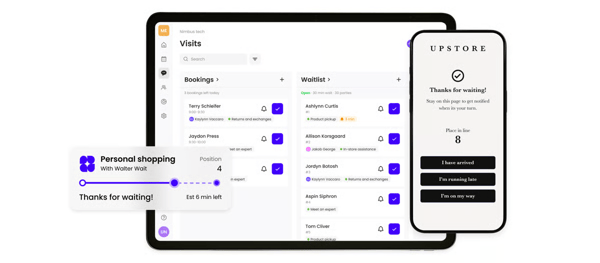
Waitwhile earns a satisfaction score of 82 and a Net Promoter Score of 92 on the Fall 2026 Grid, with a G2 Score of 68 from 182 reviews. Walk-in customers join a live queue by text or QR code, and booked clients hold confirmed slots in the same interface. I see in the G2 Data that one system cuts the extra work of running queues and bookings in two tools. In the G2 Data, scheduling notifications score 96%, a strong mark for the messages that go to walk-ins and booked clients.
Real-time queue updates make Waitwhile's customer experience distinctive. Customers receive texts as their position advances and can leave after joining, then return when it is their turn. G2 reviewers in healthcare labs and retail paint this as the feature that eliminated crowded waiting rooms. The same visibility extends to your staff, who see client status and queue position in one view.
One thing the G2 reviewers appreciated about the tool is its intuitive UI. Several G2 reviewers describe the UI experience as clean and easy to use. Staff at technology counters, veterinary practices, and government offices appreciate that training colleagues takes minutes and helps in handling their first customers. Such smooth adoption is rare in service operations software.
In-platform messaging lets staff text clients directly from the dashboard, flagging delays or answering questions. G2 reviews in retail and veterinary practices mention this as what replaced calling names across a crowded room, with one noting it’s especially useful at locations without parking, where customers wait in their cars instead. The communication rating across verified G2 accounts is 93%, above the 90% category average. The practicality this adds to daily operations is, across the Waitwhile accounts I reviewed, one of the platform's clearest strengths.
Operational data in Waitwhile functions as a workflow intelligence layer alongside the scheduling core. Wait time averages, daily visit totals, and service type breakdowns are generated automatically. The pattern I see in the Waitwhile G2 Data: analytics consistently surprise users coming from standard scheduling tools with how much visibility is included. G2 reviewers in retail and education identify attaching these metrics directly to KPIs.
If your business runs multiple staff members, service stations, or locations, Waitwhile manages all from one admin interface. Each resource has individual availability settings, appointment types, and color coding for quick visual differentiation. G2 reviews in veterinary practices, animal shelters, and banking institutions confirm using this to coordinate across teams. The scheduling architecture scales cleanly with the size of the operation.
G2 reviewers flag narrow customization, with requests for more color choices, checkbox options, resizable board columns, and editable text reminders. The requests come from retail and higher education workflows where people build intake forms and reminder messages around a specific service. However, G2 reviewers illustrate the core waitlist and appointment architecture as handling standard service operations reliably, without the workarounds simpler tools require.
G2 reviewers ask for more customer detail on the staff screen, such as the reason for a visit, device issue, IMEI, and warranty status. The requests come from retail and IT services workflows where staff handle device-related appointments. Even though G2 reviewers describe Waitwhile's customer records as organized, with appointment time and previous visits easy to review.
Put simply, Waitwhile runs a live queue in real time next to a full appointment calendar. Customers see their position move, and staff see the queue and calendar in one view. Reception desks, labs, and retail counters with steady walk-in traffic get the most from a live queue beside the calendar. If your day mixes drop-ins and bookings, I'd begin the evaluation here. Branding scores 94%, second only to Qualified, and average user adoption reaches 84%, the second highest on this list behind Microsoft 365.
"I like that Waitwhile helps in scheduling customers for appointments and sending them reminders, especially for appointments made far into the future. It's great for managing different resources and their availability, which is really useful since we have several people working in our company. Each resource can have their own appointment book, time, and even color, which makes it easy to differentiate them."
- Waitwhile review, Ana C.
"I wish there was more information regarding the customer's reason for an appointment, and making that visible to us, the employees."
- Waitwhile review, Kelvin S.
A stylist who books a client, takes a deposit, and rings up the final payment in three different apps gives up time between appointments. Square Point of Sale connects appointment booking, in-person payments, and client records in one ecosystem. Small service businesses such as salons, studios, and solo practices keep ending up here, with small businesses making up 92% of its Grid reviewers.
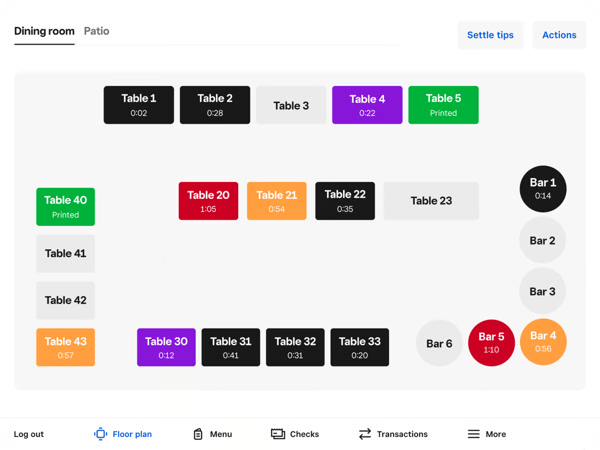
Deposits at booking give me the clearest reason to look at Square. G2 reviewers describe collecting deposits and prepayments at the moment a client books. If you lose revenue to no-shows, money taken upfront gives your booking real weight. The Square G2 Data shows deposits and prepayments in use at photography, winery, and beauty businesses.
Square charges a fee on each transaction, so costs rise and fall with revenue. What strikes me in the Square G2 Data is how clearly this pricing model serves solo service practitioners. G2 reviewers who switched from paid schedulers describe lower costs and one less monthly bill.
Client management in Square captures contact information, appointment history, and service preferences in a persistent profile. G2 reviewers value client details, history, and notes kept in one place, which matters for owners scheduling and communicating from the same device. The profile data compounds as the client relationship extends. For the service-business context I reviewed in the G2 Data, this longitudinal client record is where Square earns considerable loyalty.
The online booking capability is what I see G2 reviewers referencing for client-facing impact in Square. Clients pick a time and book without back-and-forth communication. Square hosts the booking page, links it from websites and social profiles, and sends confirmation automatically. G2 reviews detail this as what removed their reliance on phone or email for standard appointment booking.
Automated appointment reminders are sent via SMS and email without manual input once configured. Confirmations and reminders rank at 97% across G2 Data, the highest in the category and above the 93% average. G2 reviewers demonstrate clients receiving reminder texts before appointments, which saves owners from sending each one by hand. The reliability of this function keeps the calendar intact between booking and delivery.
Service customization covers appointment types, duration, and staff assignment with flexibility for diverse service offerings. G2 reviewers map out building full-service menus and controlling individual staff availability from a single interface. Availability settings are scored at 97%, the highest in the category. The combination of service customization and team management is, from what I've extracted from the Square G2 Data, the clearest case for multi-practitioner service businesses.
G2 reviewers flag gaps when connecting Square to outside calendars and accounting tools, including Google Calendar sync, Apple calendars, and QuickBooks Desktop add-ons. The gaps reach sole operators who manage their schedule from a personal calendar and owners who send sales data to accounting software. Even so, G2 reviewers describe the booking calendar and client records as organized and quick to check.
Marketing tools and certain admin functions are available on desktop only. G2 reviewers who are SMB owners running their business from a phone note the shift in layout when they do have to switch over, particularly when the task is time-sensitive. Though, this doesn’t affect how G2 reviews describe booking intake, confirmations, and payment processing as the core functions which are fully functional on mobile.
Stepping back, Square suits owners who run a service business from one app and want room to grow. Loyalty programs and marketing tools arrive on the Plus plan, and advanced reporting arrives on Premium. Tiered plans let a business add features as locations and staff grow. I'd start on the Free plan and upgrade when your needs call for more. Its Grid placement leans on 26 reviews and a satisfaction score of 72, the lowest on this list, with average user adoption of 50% and an estimated payback period of 11 months, so I'd treat it as a fit for small service businesses rather than a default pick. G2 implementation data does show the shortest rollout here, at 0.2 months on average to go live.
"What stands out most about Square Point of Sale for ROTHLEYS GROUP is how it balances simplicity with flexibility something that’s especially valuable if you’re operating different services. Staff can get up to speed quickly, which reduces training time and keeps operations running smoothly. Another strong point is its integrated ecosystem. Payments, reporting, inventory, and customer data all sit in one place. That makes it easier to track performance across sites and maintain consistency in how services are delivered and billed."
- Square Point of Sale review, Jean R.
"The only thing that would make Square Point of Sale even better is making the same things that's available on the desktop version available on the app. Being able to have access to things like marketing campaigns and newsletters from the app would make the overall experience so much easier on the go."
- Square Point of Sale review, Asiah D.
| Software | G2 rating | Free plan | Ideal for |
|---|---|---|---|
| Microsoft 365 | 4.6/5 | No free plan; trials available | Organizations already operating on Outlook and Teams |
| Calendly | 4.7/5 | Yes | Sales and client-facing teams automating high-volume meeting booking |
| Qualified | 4.9/5 | No free plan | B2B revenue teams converting inbound pipeline on Salesforce |
| Jotform | 4.6/5 | Yes | Service businesses needing form-first booking with upfront data collection |
| GReminders | 4.6/5 | Free trial | Professionals reducing no-shows through automated multi-channel reminders |
| Cal.com | 4.6/5 | Yes | Developer and technical teams wanting open-source scheduling |
| Waitwhile | 4.8/5 | Yes | Service businesses managing walk-in queues and scheduled appointments |
| Square Point of Sale | 4.6/5 | Yes | SMBs combining appointment scheduling with in-person payment processing |
G2 ratings are based on user reviews and are subject to change over time.
Got more questions? G2 has the answers!
Practice owners and office managers trust the tools that stay reliable without constant attention, and that shows up in review volume and recommendation scores. Calendly has the largest review base on the Fall 2026 Grid at 2,064 reviews and a satisfaction score of 99, which reviewers tie to booking links that clients complete without help. GReminders earns a satisfaction score of 94 from financial advisory and health practices, thanks to reminder automation that runs quietly once it is configured. Waitwhile posts a Net Promoter Score of 92 from reception and front-desk teams, which reviewers credit to an interface that staff learn in minutes.
A professional booking experience depends on a page that loads cleanly, respects time zones, and looks like the business behind it. Calendly scores 94% for time zone detection and 94% for availability settings, which reviewers say keeps client meetings free of double bookings. Qualified rates 95% for branding and 95% for links, the highest in the category on both, thanks to booking that happens inside website conversations. Waitwhile rates 94% for branding, with reviewers describing an intuitive interface that staff pick up within minutes.
Small business owners usually want one place to manage bookings, payments, and client details instead of juggling separate tools. Square Point of Sale fits that need, with small businesses making up 92% of its Grid reviewers and booking, deposits, and client records handled in one ecosystem. Jotform serves small teams too, at 76% small business reviewers, by combining intake forms, payments, and calendar sync in one embeddable form. Cal.com reaches 89% small business reviewers, thanks to a free plan with unlimited event types and Stripe payments.
Some buyers want scheduling to sit inside a larger operating layer instead of standing alone. Microsoft 365 covers that through Outlook, Teams, Bookings, and SharePoint working together without separate configuration. Qualified extends scheduling into pipeline infrastructure, with routing rules and lead ownership flowing from Salesforce into every booking. Square Point of Sale extends it into the point of sale, where reviewers describe payments, reporting, and customer data in one place.
Back-and-forth emails end when clients can pick a time without anyone replying. Calendly scores 93% for links, and reviewers describe sharing one link and having the meeting confirmed on both calendars, with some estimating 10 to 15 minutes saved per booking. Cal.com scores 90% for links and offers unlimited event types on its free plan, so each meeting format gets its own booking page. Microsoft 365 removes the exchange inside Outlook, where reviewers say booking a Teams meeting takes a single click.
Consolidation matters most when intake, payment, and reminders live in separate subscriptions. Jotform replaces that stack with one embeddable form that captures client data, collects payment through Stripe and PayPal, and syncs to Google Calendar. Square Point of Sale combines booking and in-person payments, and reviewers who switched from paid schedulers describe lower costs and one less monthly bill. GReminders brings reminders, Redtail CRM sync, and an AI notetaker together for client-facing practices.
Zapier workflows matter when booking answers need to reach a CRM, spreadsheet, or chat tool without custom code. Cal.com reviewers name Zapier among the integrations that save them time, and the platform scores 89% for multi-calendar integration and 90% for links on the Fall 2026 Grid. Waitwhile reviewers describe linking to other resources through its API or Zapier connections, and its 93% communication score fits the messages those workflows send. Jotform collects booking questions in a form builder that scores 94% for ease of use, which reviewers say non-technical staff can build without help.
Payment integration comes down to when money is collected, which processors are supported, and what processing costs. Square Point of Sale collects deposits and prepayments at booking and charges a fee per transaction, which reviewers say suits solo practitioners because costs rise and fall with revenue. Jotform collects deposits or full amounts through Stripe and PayPal inside the booking form, though its payment acceptance score of 84% sits below the 86% category average. Cal.com takes payment upfront through Stripe on its free plan, and one reviewer notes that processing fees are the only cost.
Enterprise reminder programs need delivery that stays consistent across locations and teams. Waitwhile scores 94% for confirmations and reminders and 96% for scheduling notifications, with 21% of its Grid reviewers at enterprises, and reviewers in banking and retail describe managing reservations across locations from one admin view. Qualified scores 95% for scheduling notifications with 24% enterprise reviewers, which reviewers tie to routing that books meetings without rep involvement. Microsoft 365 has the largest enterprise base at 27%, with a 90% scheduling notification score and confirmations that Outlook and Teams generate automatically.
Owners managing client meetings need reminders that fire without manual work and confirmations that clients actually act on. GReminders scores 94% for confirmations and reminders, and reviewers in financial services describe no-call no-shows falling by more than half after rollout. Calendly matches that 94% score, and reviewers tie its confirmations and reminders to fewer no-shows and fewer last-minute cancellations.
The scheduling category is splitting in a direction that matters for any buyer entering it today. Booking link tools remain effective for high-volume, low-complexity meeting workflows in sales and consulting. Alongside them, a growing cluster is folding scheduling into a business operating layer, adding intake, payment, notes, reminders, and client records into a single workflow. Buyers who entered looking for a booking page are leaving with a CRM-adjacent system, and the fastest-growing platforms are those that made that expansion feel natural.
Feature checklists have become less useful as an evaluation method. Two platforms can both offer reminders, while one sends a single SMS and the other ties multi-channel sequences to CRM triggers. What matters now is how deeply a feature integrates with the surrounding workflow. Buyers should test for data flow: where client data goes after a booking, what happens automatically, and what requires manual intervention.
My own read, watching this category closely in G2 reviews, is that the workflow layer around the appointment, pre-meeting briefs, automated post-visit notes, intake-linked reminders, and follow-up sequences, is where the clearest separation between platforms will keep showing up. These capabilities are migrating from premium add-ons into baseline expectations, and the platforms that have already built them in have a real head start. For buyers, that's worth weighing now: the deeper a platform is embedded in day-to-day workflow, the more it costs to switch away from later.
Need scheduling that goes beyond client bookings? My review of the best business scheduling software covers tools built for team coordination and internal resource planning too.