Recently updatedSummer 2026 Grid® Report · Published May 26, 2026
This guide was last updated on April 15, 2026. A newer report has since been published. The tools below reflect the scores from G2's Summer 2026 Grid® Report.
The 10 best AI chatbot tools, ranked
Based on verified G2 reviews and the latest Grid® placement.
Versatile across writing, coding and summarizing, with fast, beginner-friendly, structured output.
−
Disliked
Technical or research-heavy answers need fact-checking, and long chats lose depth.
2
Notion
★★★★★★★★★★4.6
+
Liked
Workspace-grounded AI answers from your own pages, docs and connected databases.
−
Disliked
Flexibility brings a learning curve and large databases can slow down.
3
Gemini
★★★★★★★★★★4.4
+
Liked
Deep Google Workspace integration with multimodal input and a large context window.
−
Disliked
Response depth varies, with occasional hallucinations and intrusive built-in guardrails.
4
Perplexity
★★★★★★★★★★4.5
+
Liked
Real-time web search returns sourced answers with clickable citations you can verify.
−
Disliked
Pro pricing and free-tier limits sting, and source quality sometimes varies.
5
Claude
★★★★★★★★★★4.6
+
Liked
Natural long-form writing and strong reasoning with reliable large-context instruction-following.
−
Disliked
Can be overly cautious or verbose, and token usage climbs on large tasks.
6
1min.AI
★★★★★★★★★★4.5
High Performer
+
Liked
One hub for many models, comparing outputs across text, image, audio and video.
−
Disliked
Multimedia credits need planning and the many features overwhelm at first.
7
indigitall
★★★★★★★★★★4.8
Easiest To Use
+
Liked
Unifies push, WhatsApp and AI agents with personalized, multilingual behavioral targeting.
−
Disliked
Implementation can take two months and feature depth overwhelms simple campaigns.
8
Podium
★★★★★★★★★★4.6
+
Liked
Centralizes text, call, webchat and reviews with AI that answers missed calls instantly.
−
Disliked
Pricing runs high for small teams and setup has a learning curve.
9
Tidio
★★★★★★★★★★4.6
+
Liked
Lyro AI resolves common questions and escalates to humans, with a generous free plan.
−
Disliked
Results depend on help-center content and pricing ramps at higher tiers.
10
Google Cloud Dialogflow
★★★★★★★★★★4.4
Contender
+
Liked
Visual flow designer and strong NLU build multichannel bots tied into Google Cloud.
−
Disliked
Steep state-machine learning curve and cost climbs at per-session enterprise scale.
*Liked and disliked highlights are summarized from verified G2 user reviews.
The tools below have also been exhaustively tested and evaluated, and continue to hold their place among the best AI chatbot software on G2.
AI chatbots now support a wide range of workflows, from handling real-time customer conversations and qualifying leads to answering internal knowledge questions and assisting with content creation.
However, not all AI chatbots are built for the same outcomes. Some platforms are optimized for high-volume customer support, others focus on internal productivity and knowledge retrieval, and a growing number are designed to drive revenue actions such as booking meetings, routing conversations, and managing follow-ups.
To make the landscape easier to evaluate, I compared the best AI chatbots and analyzed where each performs best, where limitations appear, and which types of workflows they’re best suited for.
This breakdown highlights how different tools support use cases ranging from always-on support and lead capture to workplace search and content generation.
10 best AI chatbots: My picks for 2026
ChatGPT: Best for all-purpose AI assistance A flexible, general-purpose AI chatbot for drafting, brainstorming, analysis, and everyday work across teams.
Notion: Best for workspace Q&A and knowledge search An AI chatbot embedded in your docs and wikis that answers questions using your workspace context and connected tools.
Gemini: Best for Google ecosystem help Google’s AI assistant for writing, planning, and research, with deep ties into Google apps and mobile experiences.
Sobot: Best for omnichannel customer service automation An AI-first contact center platform that supports AI agents, live chat, chatbot, voice, ticketing, and messaging channels.
Podium: Best for converting calls and leads into booked business A 24/7 AI “employee” designed to answer calls, respond instantly, and help schedule and capture revenue opportunities.
Tidio: Best for SMB support automation An AI support agent (Lyro) is designed to resolve common issues quickly, escalate when needed, and run 24/7.
indigitall: Best for engagement-focused conversational experiences An AI chatbot positioned for customer engagement and support across digital channels, including multilingual use cases.
Apollo.io: Best for sales AI inside outbound workflows Not a standalone chatbot — AI features embedded into Apollo for research, writing, list building, and conversation insights.
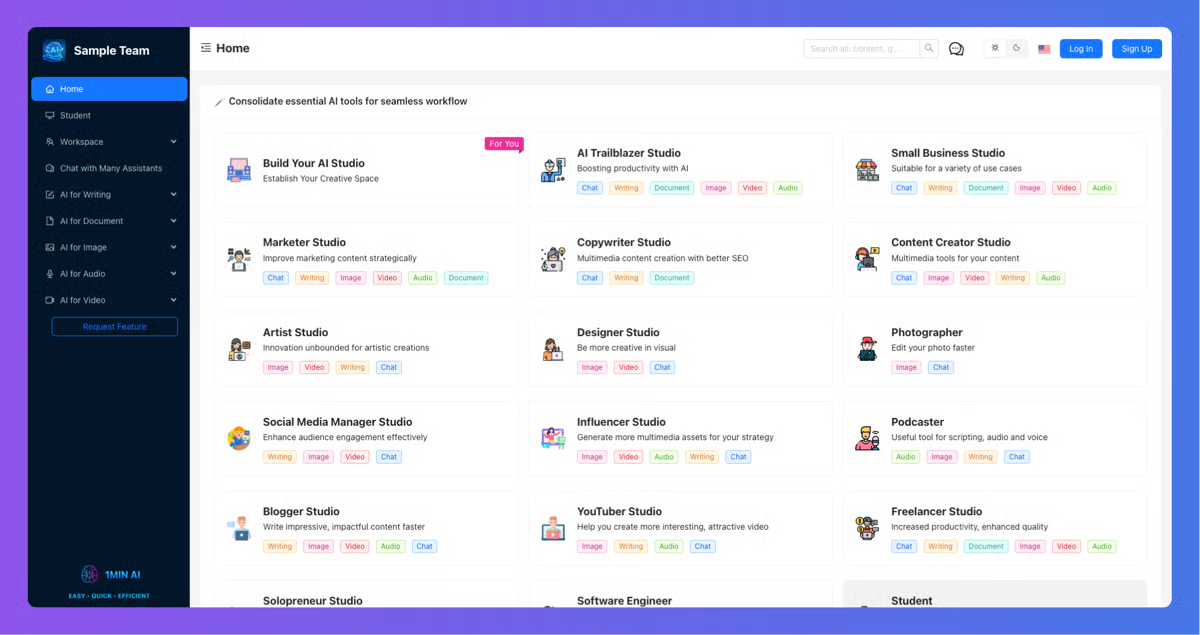
1min.AI: Best for “all-in-one” AI tool consolidation
A single workspace that bundles multiple AI capabilities (text, image, audio/video) to reduce tool sprawl.
Simplified: Best for AI chat + content workflows A lightweight AI chatbot experience paired with content creation workflows for marketing and creative teams.
According to G2’s Winter 2026 Grid Reports, these AI chatbots dominate their category.
Comparison of the best AI chatbots
Confused by all the details on the best AI chatbots? This comparison table simplifies the key aspects for you.
Best AI chatbot
G2 Data on company size
Top features
Pricing
ChatGPT
56% Small-business 25% Mid-market
Human-like text generation Multi-turn reasoning and context handling
Free plan exists. Advanced plans start at $8/user/mo.
Notion
62% Small-business 22% Mid-market
Workspace context Q&A Real-time transcription & info organization
Free plan exists. Advanced plans start at $10/user/mo.
Gemini
48% Small-business 30% Mid-market
Google apps integration AI-assisted writing and planning
Free plan available. Premium plans start at $3.99/mo.
Sobot
42% Small-business 42% Mid-market
Omnichannel support (chat, voice, ticketing) AI agent automation
Free trial available. Advanced plan pricing available on request.
Podium
59% Small-business 35% Mid-market
AI employee for calls & texts Revenue opportunity capture
Pricing available on request.
Tidio
90% Small-business 8% Mid-market
24/7 AI support agent Multi-channel customer support automation
Free trial available. Premium plans start at $24.17/user/mo.
Indigitall
35% Small-business 41% Mid-market
Customer engagement across digital channels Multilingual AI support
Pricing available on request.
Apollo.io
67% Small-business 28% Mid-market
AI-assisted sales research & writing Conversation insights & list building
Free plan available. Premium plans start at $49/user/mo.
1min.AI
81% Small-business 6% Mid-market
Consolidation of multiple AI models Supports text, image, audio/video tasks
Free plan available. Premium plans start at $6.50/user/mo.
Simplified
94% Small-business 4% Mid-market
AI chat + content creation workflows Lightweight interface for marketing teams
Free trial available. Premium plans start at $19/user/mo.
My 10 best AI chatbot picks for 2026
While comparing leading AI chatbot platforms, one thing became clear: “chatbot” now means much more than answering FAQs. The category is evolving quickly, and so are buyer expectations, as reflected in G2 data on AI chatbot buyer experience.
The best tools either:
Reliably automate customer conversations at scale
Deliver fast, context-aware assistance inside the tools your team already uses.
The broader market is scaling quickly, too. Experts project the AI chatbot market to reach $562.25 billion by 2034.
The right platform helps you reduce response times, increase conversion rates, and maintain consistent experiences across channels, whether that’s web chat, email, SMS, voice, or internal knowledge search.
If you’re searching for a solution that can automate support, capture leads, or turn internal information into instant answers, these AI chatbots stood out for their practicality, speed, and real-world impact.
For teams using chatbots not just to answer customers but to automate everyday work, it’s also worth comparing the best productivity bot software of 2026, especially if your priorities include task follow-ups, workflow automation, and reducing repetitive admin work.
G2 Community
What do G2 community experts say about AI Chatbots?
“If your goal is to reduce the time spent manually answering repetitive customer questions, I'd focus on three things first: Shopify integration, accurate FAQ handling, and smooth live escalation.”
“For qualified vs unqualified, we ended up using a mix of firmographic signals like company size and industry and intent signals like use case and timeline.”
To identify the top AI chatbot platforms, I evaluated how well each solution supports real-world conversational workflows, including answering questions, routing requests, to completing actions such as booking meetings and triggering follow-ups.
I also utilized AI to synthesize insights from user reviews and G2 Grid Reports, comparing platforms based on conversation quality, ability to handle multi-step interactions, action-taking capabilities, ease of setup, integration breadth, scalability, and alignment with key use cases such as customer support, sales, internal productivity, and marketing.
I curated this list to help you choose the right AI chatbot to automate conversations, improve response quality, and deliver better customer experiences, whether you’re launching conversational AI for the first time or scaling it across an established operation.
What makes the best AI chatbots worth it: My opinion
When evaluating the best AI chatbots, I focused on capabilities that move beyond novelty and actually drive outcomes
Conversation quality and containment: The best AI chatbots can handle multi-turn conversations, clarify intent, and resolve common issues without constant human intervention.
Action-oriented automation: Strong platforms don’t just answer questions. They book meetings, route conversations, update records, and trigger workflows when needed.
Omnichannel presence: Top chatbots meet users where they already communicate, on websites, messaging apps, email, SMS, and sometimes voice, while maintaining context across channels.
Knowledge grounding and accuracy: Reliable chatbots pull from approved content sources and stay aligned with up-to-date information, reducing hallucinations and inconsistencies.
Team alignment and visibility: The strongest tools allow teams to monitor performance, review conversations, adjust logic, and continuously improve without rebuilding everything from scratch.
Scalability and control: As usage grows, AI chatbots should offer guardrails, escalation paths, and analytics that support long-term reliability and trust.
The list below includes platforms that function as AI chatbots for customers or teams, or that deliver chatbot-like conversational experiences as a primary interface.
To qualify for inclusion, a product must:
Provide a conversational user interface that is configurable via system prompts, fine-tuning, and knowledge-base settings to improve accuracy while preserving human-like dialogue
Use a turn-based, conversation-first interface where interactions are primarily user-initiated
Restrict proactive behavior to in-session tool calls with explicit user confirmation; no background, open-ended, or cross-session autonomous activity
Provide a conversation-first interface for broad assistance across domains
Optimize for conversational assistance on simple to moderately complex tasks (e.g., information retrieval, drafting, summarization, structured Q&A, and light workflow orchestration via tools)
Operate in a controlled environment with governed access to knowledge bases, model context protocols (MCPs), and integrations to ensure reliable, auditable responses
Be powered by either stochastic generative models (e.g., LLMs) or intent-based NLU pipelines that select or generate responses during the session
Refrain from autonomous operation outside the active conversation (e.g., no unattended execution, agents continuing after session end, or actions without explicit, in-session approval)
Support configurable rules, scripts, or decision trees to constrain and guide conversations, even when LLMs are used to ensure predictable, policy-compliant flow
This data was pulled from G2 in 2026. Some reviews have been edited for clarity.
1. ChatGPT: Best for all-purpose AI assistance
G2 Rating: 4.6/5
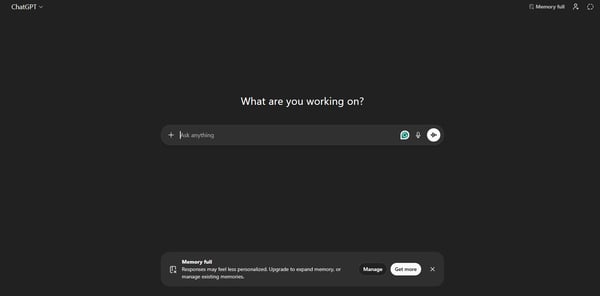
ChatGPT is widely regarded as a versatile AI assistant that has become a default choice for many individuals and teams. It’s used across writing, brainstorming, planning, and analysis tasks in both personal and professional settings.
According to G2 Data, it ranks as the second-easiest-to-use AI chatbot, and that ease of use consistently comes up in reviews. I frequently see G2 reviewers highlight how easily it fits into marketing, customer experience, product, and operations workflows without requiring a niche or highly technical setup.
One feature that I see getting a lot of praise is the beginner-friendly interface. Across multiple reviews, users mention how simple it is to get started. There’s no complicated onboarding process, and many describe the layout as clean and intuitive. From what I’ve seen, even less technical users adopt it quickly, which contributes to its broad appeal across teams.
Another standout capability, according to users, is its speed and responsiveness. I’ve read multiple reviewers mention how quickly they can generate outlines, summaries, or draft content. The fast turnaround helps eliminate blank-page paralysis and accelerates early-stage thinking. Looking at broader review trends, productivity gains are a recurring theme closely tied to response time.
The functionality around versatility across use cases stands out in reviews. G2 users often describe using it for content creation, resume refinement, interview prep, coding help, document summarization, and simplifying complex topics. There’s a lot of appreciation for how it adapts to different roles without forcing users into a single workflow. Many users note that this flexibility reduces the need for multiple specialized AI tools.
Something G2 reviewers seem to really appreciate is the clear, structured, and human-like output. Responses are generally organized logically, making them easier to refine instead of rewrite from scratch. The conversational tone also gets positive mentions, particularly for drafting client-facing or user-friendly communication.
I’ve also noticed consistent praise around brainstorming and first-draft support. Users frequently describe turning rough or partially formed ideas into structured outlines or workable drafts. While reviewers acknowledge that it doesn’t replace strategic thinking, many credit it with accelerating ideation and maintaining creative momentum.
Beyond content generation, a commonly appreciated element is its support for learning and its simplification of knowledge. According to feedback from G2 users, it helps break down complex topics and tailor explanations to different levels of understanding. This makes it useful not only as a writing assistant but also as a tool for upskilling and exploration.
When it comes to highly technical, research-heavy, or high-stakes work, many G2 users mention the importance of adding an extra layer of verification. While responses are typically confident and well-structured, reviewers note that occasional factual gaps or generalized answers can appear. For teams working in data-sensitive environments or producing externally published research, incorporating a fact-checking step into the workflow tends to produce the best results.
There’s also feedback around performance and context depth in more complex, extended workflows. Some users mention that very long conversations or highly layered prompts can occasionally require resetting or breaking tasks into smaller segments. From what I’ve seen in reviews, teams that structure projects into modular prompts or iterative sessions tend to get more consistent results, making the tool especially effective for structured drafting rather than continuous, multi-hour context threads.
Looking at the broader review landscape, ChatGPT is viewed very positively, with many users describing it as a reliable everyday assistant for drafting, problem-solving, and idea development
What I like about ChatGPT:
Its versatility across writing, brainstorming, coding help, and summarization really stands out, and G2 users often point to this flexibility as a reason they rely on it daily.
The speed and beginner-friendly interface make it easy to adopt without much friction, which G2 users frequently connect to noticeable productivity gains.
What G2 users like about ChatGPT:
"The most helpful thing about ChatGPT is using it for brainstorming and drafting social media plans. The biggest upsides are that it’s easy to use and simple to integrate into daily life. It also helps me apply what I learn from the new Learn feature to older models and supports my research on my custom website. I use it frequently throughout the week."
For highly technical or research-heavy tasks, responses sometimes need extra fact-checking, a consideration that becomes more relevant in data-sensitive or compliance-driven environments.
Very long or complex conversations can lose depth or require restructuring, a limitation G2 users mention when working on extended projects. This tends to surface most in large, multi-phase projects, where structured workflows or specialized tools may offer more consistency.
What G2 users dislike about ChatGPT:
“One of the least helpful aspects is that it sometimes stops responses in the middle and asks users to subscribe or wait to continue. This can interrupt workflow, especially when working on important tasks or tight deadlines.”
2. Notion: Best for workspace Q&A and knowledge search
G2 Rating: 4.6/5
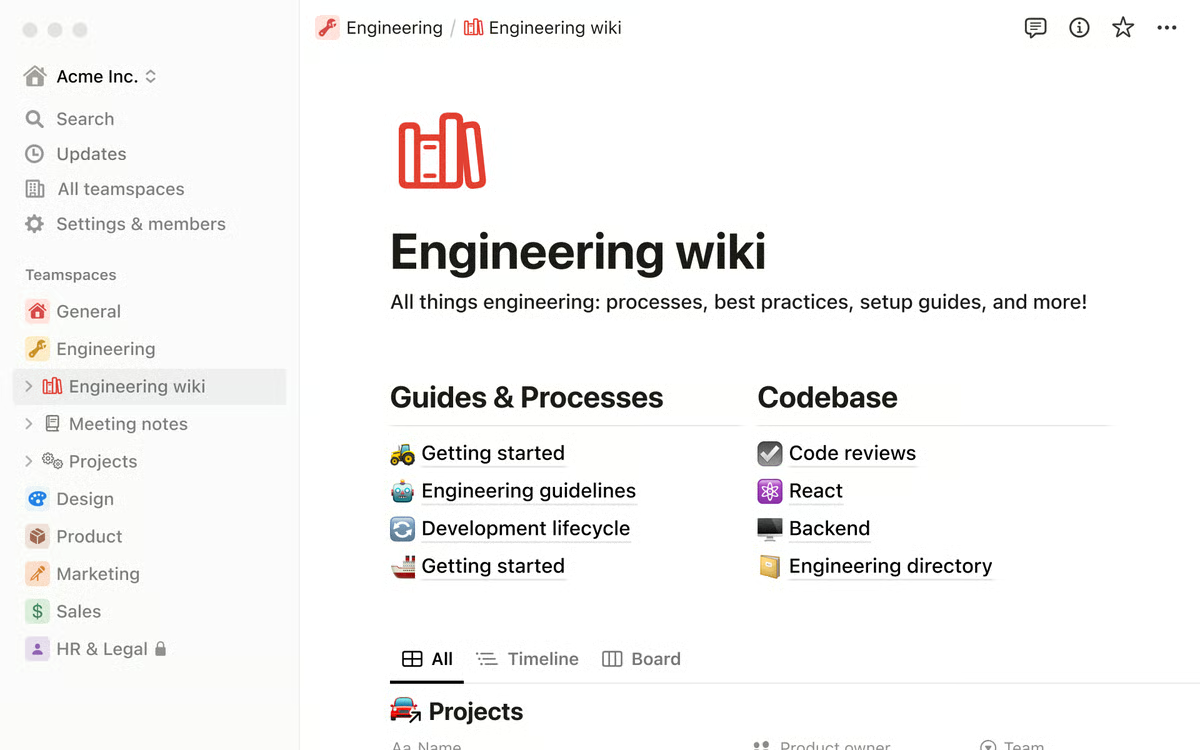
Notion is positioned as more than a standalone AI chatbot. It functions as an AI writing assistant and smart search layer embedded directly within the Notion workspace. Across multiple reviews, I’ve noticed that users appreciate responses that are grounded in their own pages and connected documentation, rather than purely generic outputs. This context-aware functionality stands out as a defining strength.
One feature that consistently receives praise is the platform’s flexibility and customization. G2 reviewers frequently highlight the ability to build pages, databases, dashboards, and workflows tailored to specific needs. Whether it’s a content calendar, project tracker, or internal wiki, users seem to value not being confined to rigid templates. That adaptability is often described as a core differentiator.
The all-in-one workspace structure is another commonly appreciated element. Instead of switching between separate apps for notes, tasks, and documentation, many users manage everything in one environment. I’ve noticed significant appreciation for how this reduces tool sprawl and centralizes work, making planning and execution feel more cohesive.
Notion’s AI also shines when it comes to writing and knowledge extraction. From what I’ve seen, reviewers use it to summarize calls, extract action items, refine drafts, and surface insights from long documents. The AI doesn’t feel detached from the workflow — users describe it as an intelligent layer built into their workspace.
The functionality around interconnected databases stands out strongly in reviews. Linking tasks to projects, documentation to dashboards, and multiple databases together creates visibility and reduces duplicate work. A consistent theme in G2 reviews that I’ve noticed is how this relational structure brings clarity, especially for cross-functional teams.
From a collaboration standpoint, many users highlight the real-time editing and commenting features. Shared workspaces, instant updates, and inline feedback tools make it easier to align across teams. I frequently see G2 reviewers mention that it supports a single source of truth, which strengthens internal coordination.
The availability of templates and scalable systems is also regularly mentioned. Pre-built templates provide structure for new users, while customizable hubs allow teams to standardize processes. Looking at broader review trends, users appreciate that the platform scales as workflows grow more complex, reducing the need to migrate to another system.
In many reviews, I’ve seen people point out that the flexibility that makes Notion powerful can feel expansive at first, especially without predefined structure or naming conventions. This setup tends to work particularly well for teams that are comfortable designing their own systems and investing time upfront to build organized workflows. Those preferring predefined frameworks may find the experience less guided. Once that foundation is in place, many reviewers describe the flexibility as a long-term strength.
Some G2 users note occasional slowdowns in very large databases or complex pages, along with limited offline functionality. From what I’ve gathered, this tends to work best for teams operating primarily in cloud-based environments and managing documentation, collaboration, and moderately complex database systems. Many reviewers suggest that with thoughtful structure and usage patterns, performance remains consistent for most day-to-day workflows.
According to G2 user feedback, Notion AI is viewed as a highly adaptable and intelligent workspace solution.
What I like about Notion:
The AI feels naturally embedded in the workspace, drawing on existing pages rather than producing generic responses — G2 users consistently highlight this context-aware experience.
Building custom dashboards, databases, and workflows is incredibly flexible, and that adaptability is often described by G2 users as a major differentiator.
What G2 users like about Notion:
"Notion is very flexible for how you wish to feed data into it. You can use it to record meetings, which is helpful. I love that once you feed data in, such as all the KB info you can possibly feed it, the AI chat works really well towards finding solutions to problems, how to address issues, etc."
The flexibility can feel expansive at first, but this tends to work well for teams that enjoy designing their own systems. G2 users often say it becomes a strength once structure is in place.
Larger databases may experience occasional slowdowns, though this seems to impact more complex setups, while documentation-focused or moderately scaled workspaces are less likely to encounter performance constraints..
What G2 users dislike about Notion:
"I really like Notion overall, but there are a few things that bug me. It can feel a bit slow or heavy at times, especially with larger pages or databases, and it definitely has a learning curve when you’re first setting it up. I also wish the mobile app felt a little more streamlined because it’s not as smooth to build or edit more complex pages on my phone."
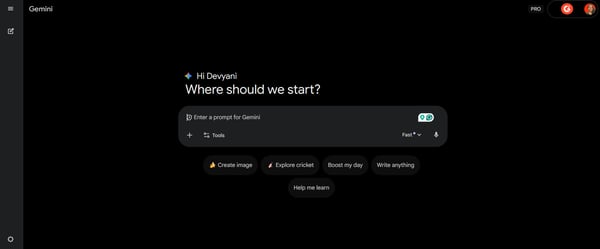
Gemini is positioned as Google’s AI assistant for writing, planning, and research, with a strong mobile-first orientation and deep ecosystem integration. Across multiple reviews, I’ve noticed users describe it as feeling embedded within their existing workflows rather than as a separate chatbot they need to open in another tab.
One standout capability, according to users, is its Google Workspace integration. I frequently see G2 reviewers highlight how seamlessly it connects with Gmail, Docs, Sheets, Drive, Calendar, and Google Search. This tight integration allows users to summarize emails, draft documents, and analyze files directly within their workflow. The functionality around Workspace connectivity stands out in reviews as a major productivity driver, especially for those already operating inside Google’s ecosystem.
There’s also a lot of appreciation for its multimodal capabilities. From what I’ve seen, users value being able to interact with text, PDFs, images, audio, video, and even camera input through Gemini Live. This expands its usefulness beyond standard text prompts. Many users on G2 point out that this flexibility supports research, visual analysis, and content review in ways that feel more dynamic than traditional AI chat tools.
Another commonly praised feature is the large context window for long-form analysis. I’ve read multiple reviewers mention uploading lengthy documents, transcripts, or books and processing them in one session. Looking at broader review trends, this capability is especially valued by research-heavy users who need summarization and synthesis at scale.
The image generation and visual content support also receive positive mentions. G2 users often call out its usefulness for creating diagrams, presentation visuals, and other creative assets. This visual layer seems to complement writing workflows, making it appealing to marketers, educators, and content creators who need both text and imagery support.
From a technical standpoint, the coding and debugging assistance stand out in reviews. Users describe using it for code generation, troubleshooting, explaining logic, and converting languages. Across multiple reviews, I’ve noticed appreciation for the structured and readable explanations it provides, which help both experienced developers and learners.
Feedback tends to focus on variability in response depth and occasional hallucinations. I’ve seen some users mention that similar prompts can sometimes produce slightly different levels of detail or accuracy. Based on review patterns, this tends to work best for teams that incorporate a light validation step into their workflow, particularly in research-heavy or high-stakes environments.
Many G2 reviewers suggest that when used as a drafting, summarization, or ideation assistan, with human oversight for final verification, it delivers the most consistent value.
There’s also feedback around intrusive suggestions and restrictive filters within Workspace. Some users mention that automatic prompts or built-in guardrails can occasionally interrupt the flow or make them feel cautious in certain contexts. Teams operating in regulated industries or shared enterprise environments often view these safeguards as aligned with broader governance needs.
All in all, Gemini is viewed as especially powerful for those deeply embedded in Google’s ecosystem.
What I like about Gemini:
The deep integration with Google Workspace really stands out — drafting in Docs, summarizing in Gmail, and analyzing files without switching tabs feels seamless, and G2 users consistently call this a productivity boost.
Multimodal support and the large context window make it powerful for long documents, visuals, and research-heavy tasks, something G2 users often praise for expanding what they can do in one session.
What G2 users like about Gemini:
"I love how effortlessly Gemini connects with my Google Workspace, summarizing my emails, drafting Docs, and organizing my Drive in seconds. My massive context window also lets me "read" entire books or analyze long videos all at once, providing deep insights that save me hours of manual work."
Response depth can vary at times, but this seems to work best for teams that already build in a quick validation step, a nuance G2 users frequently mention for research-heavy work.
The built-in guardrails and automatic suggestions can occasionally feel intrusive, while organizations operating in regulated or enterprise environments often find this level of control aligns with compliance and governance needs.
What G2 users dislike about Gemini:
"It can be inconsistent. Sometimes it nails exactly what I need; other times it misses the mark completely. The interface isn't as polished as some competitors, and I've noticed it occasionally gives different answers to the same question. Also, the conversation flow can feel a bit clunky compared to other AI assistants I've used."
4. Sobot: Best for omnichannel customer service automation
G2 Rating: 4.9/5
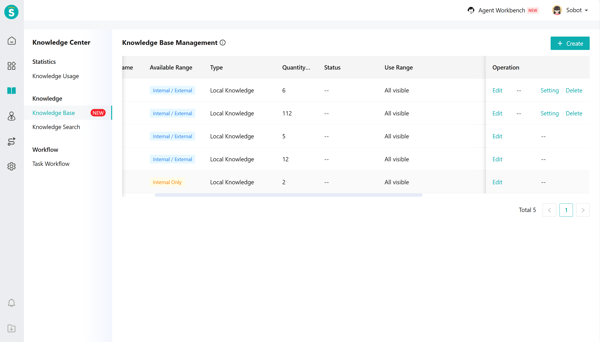
Sobot is positioned as an all-in-one AI contact center that combines AI agents, chatbots, live chat, voice, ticketing, and messaging channels into a single ecosystem. Across multiple reviews, I’ve noticed users describe it as particularly well-suited for teams handling high volumes of customer conversations across diverse touchpoints.
One feature that I see getting a lot of praise is its centralized omnichannel support. G2 users frequently highlight that it consolidates email, live chat, in-product messaging, WhatsApp, WeChat, and other channels into a single unified dashboard. I’ve noticed significant appreciation for this centralization, as it reduces the need to switch between tools and helps maintain visibility into every interaction.
The automation and intelligent routing capabilities also stand out in reviews. From what I’ve seen, users value the ability to automatically categorize and route inquiries to the appropriate agent. Many G2 users note that this reduces manual triage and improves response times, making support operations more efficient and structured.
Another commonly appreciated strength is its scalability during high-volume events. I’ve read multiple reviewers mention that the platform remains stable during traffic spikes, such as product launches or promotional campaigns. Looking at broader review trends, consistent system performance under pressure is a recurring theme.
There’s also strong positive feedback around the AI chatbot's efficiency. Users describe how routine or repetitive queries are resolved automatically, allowing human agents to focus on complex issues. The balance between automation and live support is often cited as a productivity enhancer for growing teams.
The functionality around real-time dashboards and performance analytics stands out in reviews as well. G2 users frequently mention gaining visibility into workload distribution, response times, customer satisfaction, and emerging trends. This centralized reporting appears to support better operational oversight and decision-making.
Once fully implemented, the platform’s reliable daily operations are another point of praise. Across multiple reviews, I’ve noticed users mention stable performance with minimal disruptions. It’s often described as a dependable system that supports collaboration across support, product, and growth teams.
Some users mention that advanced workflow configuration requires thoughtful setup. I’ve seen reviewers note that implementing detailed automation rules and specialized routing logic can take time. This tends to work especially well for organizations with a dedicated operations lead or support administrator who can intentionally design and optimize workflows.
There’s also feedback around reporting customization. While the built-in dashboards are frequently praised for day-to-day visibility, some users express interest in deeper customization or more advanced visualization capabilities for strategic forecasting. From what I’ve gathered, the existing analytics tend to work particularly well for operational monitoring and performance tracking, while teams with highly specialized BI or executive reporting needs may choose to complement it with additional reporting tools.
All in all, Sobot is viewed as a strong solution for high-volume, omnichannel customer support teams.
What I like about Sobot:
Bringing email, chat, WhatsApp, WeChat, and more into a single unified dashboard feels like a huge operational win. G2 users repeatedly highlight the centralized visibility it provides.
The automation and AI chatbot capabilities seem to genuinely reduce manual workload, and G2 users often connect this to faster response times and smoother high-volume support.
What G2 users like about Sobot:
"Sobot gives us a stable and unified layer for managing user conversations across email, chat, and in-product support. As a company building an AI-driven productivity tool, our users expect fast, accurate responses, Sobot’s workflow automation, routing logic, and performance insights let us maintain those expectations without overwhelming our team. I especially appreciate how easy it is to bring product, support, and growth teams into the same communication environment."
Advanced workflow configuration can take time to get right, but G2 users note it works especially well for teams with a dedicated admin who can design the system thoughtfully.
Reporting customization isn’t as deep as some teams might want, though G2 users mention the built-in dashboards work reliably for day-to-day operational tracking.
What G2 users dislike about Sobot:
"The setup took a bit longer than expected because we had to customize workflows for our industry. Once it was running, it was smooth, but the initial learning curve for some of our team members was noticeable. A few more ready-to-use templates for real estate would make onboarding faster."
Effortlessly turn meetings, interviews, and videos into accurate, searchable text using powerful AI transcription tools.
5. Podium: Best for converting calls and leads into booked business
G2 Rating: 4.6/5
Podium is positioned as a 24/7 conversational assistant designed to answer calls, manage customer communication, and book appointments with a strong focus on revenue capture. Across multiple reviews, I’ve noticed users describe it less as a basic chatbot and more as a digital front-desk assistant that ensures no inquiry goes unanswered.
One standout capability, according to users, is its 24/7 AI-powered lead capture and response. I frequently see G2 reviewers highlight how quickly the AI responds, even outside business hours. This constant availability appears to significantly reduce missed calls and unanswered messages, helping businesses engage leads the moment interest is expressed.
The revenue impact is another recurring theme in reviews. From what I’ve seen, users often report measurable improvements in sales, appointment show rates, after-hours bookings, and lead-to-sale conversion rates. Looking at broader review trends, the return on investment is described as tangible, tied directly to faster response times and automated scheduling.
There’s also a strong appreciation for its local business-focused design. G2 users commonly say the processes feel purpose-built for industries such as auto dealerships, HVAC, healthcare, retail, and home services. Appointment scheduling, quick-response expectations, and reputation management features align closely with real-world operational needs, rather than feeling generic.
The functionality around omnichannel communication stands out in reviews as well. Text messaging, calls, web chat, payments, reviews, and bulk messaging are centralized on a single platform. I’ve come across noticeable satisfaction around having all customer touchpoints in a unified dashboard, reducing the need to manage disconnected systems.
Another commonly appreciated element is its extensive ecosystem of integrations. Multiple reviewers mention compatibility with 200+ systems, including CRMs, DMS platforms, POS systems, and tools like Salesforce, HubSpot, QuickBooks, Shopify, and Zendesk. This interoperability appears to ease adoption and allow businesses to embed the solution into their existing workflows.
The automated review and reputation management features also receive consistent praise. G2 users often highlight how the platform automatically requests reviews, responds to Google feedback, and enhances online visibility. For businesses that rely heavily on ratings and local presence, this automation is described as a meaningful value driver.
A few G2 users mention that implementation can take several weeks, particularly when integrating with multiple existing systems. Such a setup process tends to work best for businesses planning structured onboarding and long-term deployment rather than seeking an instant plug-and-play tool. Teams that approach rollout strategically, with clear workflows and integration priorities, often report smoother adoption and stronger early results.
There’s also acknowledgment that the platform is primarily optimized for local and service-based businesses. Some reviewers note that highly complex enterprise or B2B workflows may require additional customization. Based on user feedback, this specialization tends to work especially well for revenue-driven, appointment-based organizations that rely on fast response times and local reputation management. For these businesses, the focused design aligns closely with day-to-day operational needs.
From a broad perspective, Podium’s AI Employee is viewed as a revenue-focused, always-on assistant that turns conversations into booked opportunities.
What I like about Podium:
The 24/7 AI lead capture feels like a true digital front desk, instantly responding to inquiries. G2 users frequently connect this to fewer missed opportunities and higher conversion rates.
Centralizing texts, calls, reviews, and payments in one dashboard makes operations feel cohesive, and G2 users often highlight the measurable revenue impact that comes with that visibility.
What G2 users like about Podium:
"Podium is extremely easy to use and quick to implement. AI agents and business operations automation save significant time by efficiently handling customer inquiries across channels. The unified inbox makes it simple to manage conversations, and the platform integrates well with existing workflows. Overall, it helps improve response times, customer experience, and operational efficiency without requiring heavy technical setup."
Implementation can take a few weeks, especially with multiple integrations, though G2 users say it pays off for larger teams that might need a multi-functional structured rollout.
The platform seems heavily optimized for local, service-based businesses, which works extremely well for that segment. G2 users note more complex enterprise workflows may need additional customization.
What G2 users dislike about Podium:
"Honestly, my biggest issue with Podium is that it can be a bit expensive and isn’t always the easiest to use from the start. While it performs its functions well, there is a bit of a learning curve, and it’s definitely not the most affordable choice out there. Still, once you become familiar with it, it proves to be a solid option overall."
Automate tasks, streamline processes, and enhance customer interactions with intelligent AI agents built for every business need.
6. Tidio: Best for SMB support automation
G2 Rating: 4.6/5
Tidio is positioned as an AI support agent designed to resolve common customer questions using existing help content, while escalating more complex cases to human agents. Across multiple reviews, I’ve noticed users describe it as automation-first but not automation-only, meaning it maintains a clear human fallback when needed.
One feature that consistently stands out in reviews is the all-in-one support suite. I frequently see G2 reviewers highlight how live chat, help desk, chatbot automation (Flows), and ticketing are consolidated within a single platform. This centralization appears to reduce operational complexity and eliminate the need to juggle multiple tools for conversation tracking and ticket management.
The functionality around AI automation and resolution rate receives significant attention. According to feedback I gathered from G2 users, Tidio can automatically resolve common inquiries by leveraging existing help center content. I’ve read multiple reviewers mention that when the AI is uncertain, it hands the conversation over to a human agent rather than forcing a response, a balance that users view as practical and risk-conscious.
The multichannel inbox is another commonly appreciated element. G2 users often call out that conversations from live chat, email, Instagram, Messenger, and WhatsApp flow into a single dashboard. From what I’ve seen, this visibility reduces missed messages and supports more consistent response management, particularly for growing teams.
For e-commerce-focused businesses, the Shopify integration and e-commerce tools stand out in reviews. Many users mention being able to preview carts, manage orders, process refunds, recommend products, and recover abandoned carts directly within the support interface. This direct connection between customer conversations and revenue-impacting actions is frequently highlighted as a differentiator.
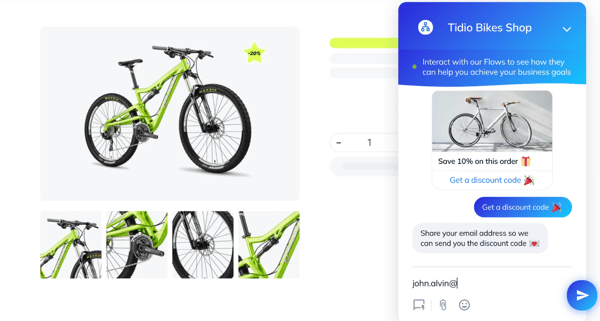
There’s also a lot of appreciation for the no-code chatbot builder. I’ve noticed G2 reviewers mention the drag-and-drop interface and 40+ templates as making automation accessible to non-technical users. This flexibility allows support and marketing teams to build and adjust workflows without developer involvement.
The generous free plan is another recurring positive theme. Across multiple reviews, users highlight that AI conversations are included in the free tier, lowering the barrier to entry for startups and small businesses. This allows teams to experiment with automation and multichannel support before committing to higher pricing tiers.
I’ve seen some users mention that outcomes can depend heavily on the quality and structure of existing help center content. Based on review trends, this setup tends to work especially well for teams that are willing to actively optimize their knowledge base and review AI conversations regularly. Organizations that treat Lyro as a continuously improving automation layer, rather than a fully hands-off solution, often report stronger, more consistent resolution rates over time.
There’s also feedback around pricing scalability at higher tiers. As usage increases, plans like the Plus tier can become more premium. From what I’ve gathered, this model tends to align best with growing ecommerce or support teams that are seeing clear ROI from automation, cart recovery, and revenue-linked workflows. For businesses that are actively converting conversations into sales or reducing agent workload, the expanded feature set often justifies the investment in scaling.
Looking at broader review trends, Tidio is viewed as a practical automation solution for modern support teams.
What I like about Tidio:
Having live chat, chatbot automation, ticketing, and email in one place makes support feel streamlined, and G2 users often praise how this reduces tool overload.
The AI resolving a large share of common questions, while still handing off to humans when unsure, feels like a smart balance, something G2 users frequently describe as practical and trustworthy.
What G2 users like about Tidio:
"Direct contact with potential customers visiting my product website and the ability to respond quickly thanks to the clear and intuitive Tidio panel. I also appreciate the automated responses, full conversation visibility within Tidio AI, and clear accountability - I can easily see who handled what and react immediately when needed."
Results seem to depend heavily on how well the help center content is structured, though G2 users say it works great for teams willing to actively optimize their knowledge base.
Pricing can scale up at higher tiers, but G2 users note it tends to make sense for growing ecommerce teams that are clearly seeing ROI from automation and cart recovery.
What G2 users dislike about Tidio:
"I don’t like how restrictive the free and lower-tier plans feel, especially the cap on monthly chatbot conversations. On top of that, the pricing ramps up quickly once you start adding multiple operators, which can get expensive for a growing small business — particularly when there are more affordable competitors out there."
7. indigitall: Best for engagement-focused conversational experiences
G2 Rating: 4.8/5
indigitall positions its AI chatbot within a broader customer engagement ecosystem rather than as a standalone automation tool. Across multiple reviews, I’ve noticed users describe it as a platform for orchestrating digital interactions across channels, particularly for brands operating in multilingual, multi-market environments.
I frequently see G2 reviewers highlight how it unifies push notifications, WhatsApp, AI agents, and other digital touchpoints in a single platform. This centralized approach appears to help teams maintain message consistency and reduce fragmented communication across systems.
The functionality around personalization and behavioral targeting also stands out in reviews. G2 users value the ability to create data-driven campaigns triggered by user actions, preferences, and lifecycle stages. A consistent theme in G2 feedback is that messaging feels more relevant and timely, which supports stronger engagement and improved conversions.
There’s also a strong appreciation for its advanced AI and generative chatbot capabilities. G2 users often call out how AI-powered bots efficiently automate interactions, while generative features enhance conversational depth. I’ve noticed significant praise for how this supports scalable automation, especially in multilingual environments where adaptability is critical.
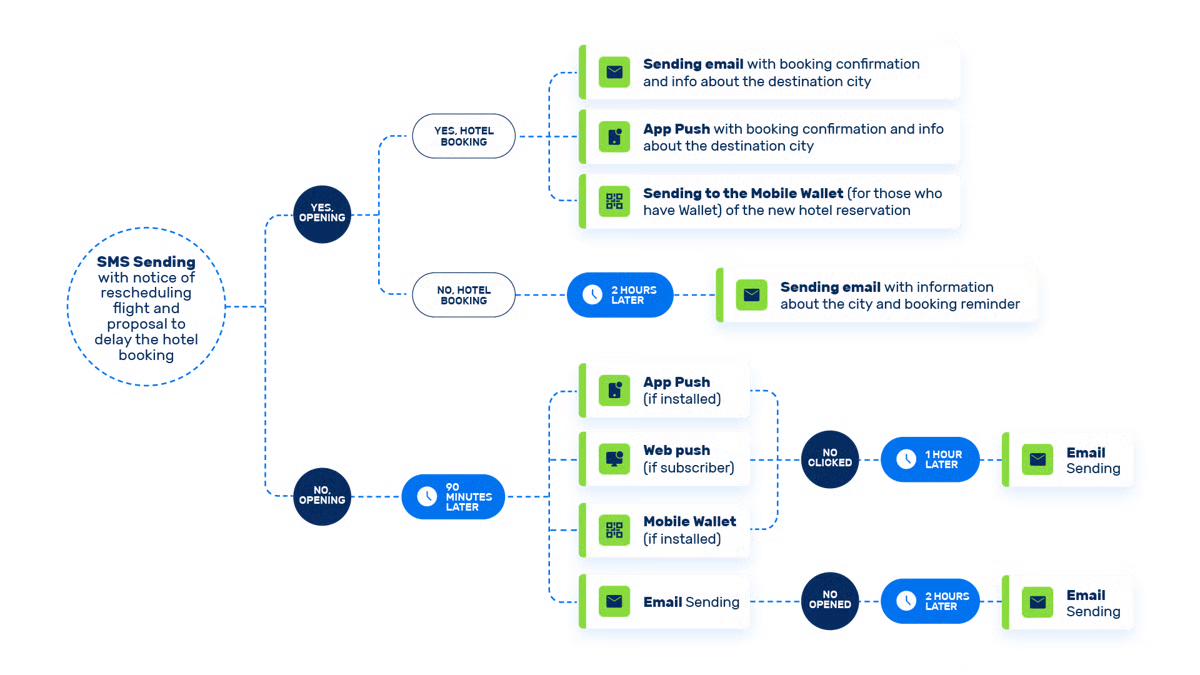
Another commonly appreciated element is its marketing automation and journey orchestration. Users describe building structured customer journeys that include scheduling, retargeting, and behavioral triggers. Looking at broader review trends, the platform is often viewed as more than a campaign tool; it functions as a lifecycle management system, guiding customers from awareness to conversion.
The robust analytics and A/B testing tools are also frequently mentioned. I’ve read multiple reviewers note the value of campaign tracking, audience insights, and performance measurement. Rather than relying on assumptions, users seem to appreciate having measurable data to continuously refine strategies.
Its ecosystem integrations also receive positive attention. Integrations with Salesforce, Shopify, Google Analytics, VTEX, and the WhatsApp Business Platform are commonly referenced in reviews. This interoperability appears to ease adoption and ensure smoother data flow within existing tech stacks.
That said, some users note that implementation timelines can stretch to around 2 months, particularly compared to lighter-weight marketing tools. From what G2 reviews mention, this structured onboarding process tends to work especially well for organizations that are planning a long-term omnichannel engagement strategy rather than launching quick, isolated campaigns. Teams that allocate time to integration, data alignment, and journey design often report smoother deployments and stronger long-term outcomes.
There’s also acknowledgment that the platform’s feature depth can feel expansive. Some reviewers note that businesses seeking very simple campaign execution may not need the full range of capabilities. Based on feedback patterns, this ecosystem tends to work particularly well for mid-market and enterprise brands with advanced personalization, multilingual, or multi-market engagement strategies. For these teams, the breadth of tools supports scalability and strategic orchestration rather than basic messaging.
Overall, based to feedback from G2 users, Indigitall is viewed as a powerful omnichannel engagement platform.
What I like about indigitall:
Bringing push notifications, WhatsApp, AI agents, and more into one platform makes engagement feel seamless, and G2 users often highlight the value of this centralized approach.
Personalization and behavioral targeting help messages feel timely and relevant, something G2 users frequently praise for boosting conversions.
What G2 users like about indigitall:
"I like the integration of logical flows in push notifications and segmentation because it ensures that the message reaches each user through the most effective channel. I also appreciate being able to segment by website events and send personalized communications. The AI that optimizes the sending time is excellent, as it analyzes the best time for the user to see the push notification. Additionally, Indigitall has been a great help in our client's digital strategy. The initial setup is simple and easy to learn."
Implementation can take a couple of months, but G2 users note it works well for teams planning a long-term, structured engagement strategy.
The feature set is very extensive, which can feel overwhelming for simpler campaigns, though G2 users say it’s ideal for mid-market and enterprise teams that need advanced, multilingual orchestration.
What G2 users dislike about indigitall:
"While the interface is intuitive for basic functions, the initial learning curve for advanced features could be smoother. More detailed documentation and video tutorials would be helpful. They should focus on high-level use cases that could be beneficial for new users, but also meet advanced needs."
8. Apollo.io: Best for sales AI inside outbound workflows
G2 Rating: 4.7/5
Apollo.io is a robust, all-in-one platform for sales intelligence, lead management, and outreach automation.
A consistent theme I’ve noticed is that users frequently praise the platform for its ability to combine lead discovery, deal management, and automated outreach in a single solution. In fact, according to G2 data, a significant portion of praise highlights its powerful search and filtering capabilities.
Automation of outreach tasks is another feature that stands out. Users often highlight the ease of setting up email sequences, LinkedIn requests, and follow-ups. Many note that automating these repetitive tasks saves time and ensures consistency, allowing sales teams to focus on high-priority prospects and strategic decision-making.
The extensive B2B database is frequently mentioned as a key advantage. With access to over 210 million contacts and 35 million companies, reviewers value the data's accuracy and comprehensiveness, noting that it reduces the need to source leads across multiple platforms.
The intuitive and clean user interface also receives consistent praise. Users appreciate how simple it is to search for leads, set up campaigns, and track performance analytics, which shortens onboarding time and supports efficient daily use.
Advanced filters and targeting options are commonly highlighted. Reviewers report that segmenting prospects by company size, industry, geography, or buyer persona yields more precise lead lists, leading to higher engagement and conversion rates.
Integrations with popular platforms like Salesforce, HubSpot, and LinkedIn are another strong point. Users note that syncing data across systems keeps workflows seamless and ensures deal pipelines remain up-to-date.
Email tracking and engagement metrics also receive attention. Several reviewers note that monitoring open rates, click-through rates, and response data enables teams to optimize campaigns in real time, thereby improving overall sales outcomes.
Bulk messaging, including email and SMS, is appreciated for helping teams scale outreach without sacrificing personalization. Users highlight that this feature supports both efficiency and quality in prospect engagement.
Contact data can occasionally be outdated or inaccurate, particularly in niche industries. From what I’ve seen in G2 Reviews, this tends to work best for sales teams that have processes in place to validate leads or supplement Apollo.io data with internal sources. Teams targeting broad B2B markets often find the database highly effective, while those in specialized verticals may need a light verification step to maximize accuracy.
Certain advanced features, such as call recording, power dialer, and reporting, can require a learning curve. These tools work especially well for teams that have dedicated onboarding time or experienced users who can adopt and configure them.
Considering all the feedback from G2 users, it’s clear that G2 users consistently value Apollo.io for its automation capabilities, comprehensive B2B database, and intuitive interface, making it a strong choice for sales teams looking to streamline lead generation and outreach.
What I like about Apollo.io:
Combining lead discovery, deal management, and automated outreach in a single platform feels really efficient, and G2 users often highlight how much time it saves.
The B2B database and advanced filters make finding the right prospects easier, something G2 users frequently praise for improving engagement and conversions.
What G2 users like about Apollo.io:
"I have been using Apollo.io for the past three years as part of my sales work, and it has been extremely helpful in my daily tasks, such as finding emails, phone numbers, and managing campaigns. I really enjoy using it and would recommend it to all companies. The integration with all my mailboxes is seamless, and the platform is user-friendly. The customer support team is also very approachable and helpful. I use Apollo.io frequently, and I find it easy to implement for any company."
Contact data can sometimes be outdated, but G2 users note it works well for teams that validate leads or supplement with internal sources.
Advanced tools like call recording and power dialers can take time to master, though G2 users say they pay off when teams invest in proper onboarding.
What G2 users dislike about Apollo.io:
"With all the information provided, there is a learning curve for sure, but customer support helps. I'm just not sure that, even though you have the contact information of the person you're looking for, this is any better than printing out a list of companies and simply cold-calling to find all the information. You end up with the same results of no sales for whatever reason or no responses from emails, both personally or AI-generated."
9. 1min.AI: Best for “all-in-one” AI tool consolidation
G2 Rating: 4.5/5
1min.AI is positioned as an all-in-one AI platform designed to handle multiple content formats, text, images, audio, and video, while reducing subscription fatigue and tool sprawl. Across multiple reviews, I’ve noticed users describe it as a single hub for experimentation and content creation, eliminating the need to juggle multiple apps or subscriptions.
One feature that consistently stands out in reviews is its all-in-one AI workspace. Users frequently highlight that 1min.AI centralizes access to models such as GPT, Claude, Gemini, LLaMA, and Mistral, making it easier to manage AI tasks without switching platforms. From what I’ve seen, this consolidation is particularly appreciated for saving time and streamlining workflows.
The multi-model chat functionality is another commonly praised element. Many G2 reviewers mention the “Chat with Many Assistants” feature, which allows side-by-side comparisons of outputs from different AI engines. I’ve noticed significant appreciation for this capability, especially when drafting content, conducting research, or testing code, as it helps users quickly identify the most effective results.
Users also frequently call out the intuitive and fast interface. I’ve noticed that the clean dashboard and easy navigation between text, image, audio, and video projects reduce the learning curve and accelerate task completion. Many reviews describe this as a key factor in making the platform approachable despite its broad functionality.
The flexible credit system with rollover is another strength highlighted in feedback. According to users, purchasing credits that carry over if unused reduces waste and enables better planning for larger tasks. G2 reviewers often note that this flexibility helps manage workloads across multiple content types.
The platform’s multimedia support is consistently appreciated as well. Users report that being able to generate images, audio, video, and text within a single environment makes 1min.AI versatile for both creative projects and business use. This eliminates the friction of exporting or converting files between separate tools.
Cost and accessibility are also highlighted. Many reviewers highlight the transparent pricing: the free plan allows experimentation, and the PRO and BUSINESS plans are easy to understand with no hidden fees. This clarity appears to support adoption by both individuals and small teams.
Credit limits for multimedia-heavy tasks require careful planning. Based on what reviewers share, this tends to work particularly well for individuals and small teams who appreciate the flexible rollover system and are able to schedule projects strategically across text, image, audio, and video workflows. Many note that the allocation system supports efficient use without unexpected overages.
Some reviewers point out that the variety of tools can feel overwhelming at first, especially when deciding which model or workflow to use. From what I’ve seen, this setup tends to work best for users who enjoy exploring multiple AI engines and want a platform that consolidates experimentation, testing, and content creation in a single environment. Once familiar with the interface, reviewers describe this versatility as a significant advantage.
Overall, based to feedback from G2 users, 1min.AI is viewed as a practical, cost-efficient all-in-one AI environment.
What I like about 1min.AI:
Having text, image, audio, and video tools all in one platform makes content creation seamless, and G2 users often highlight how much time this centralization saves.
The ability to compare outputs across multiple AI models side by side is really useful, something G2 users frequently praise for speeding up research and drafting.
What G2 users like about 1min.AI:
"What I like best about 1min.AI is how it brings multiple powerful AI tools together in one intuitive platform. Instead of switching between different apps or subscriptions, I can access advanced models like GPT, Claude, Gemini, and more from a single dashboard, which dramatically simplifies my workflow and saves time when creating content, generating images, or working on multimedia tasks. The interface is clean and easy to use, and having text, image, audio, and video AI features all in one place makes this tool incredibly versatile and efficient. Overall, it’s a great way to streamline AI-assisted work without juggling multiple services."
Credit limits for multimedia-heavy tasks require careful planning, but G2 users note that the flexible rollover system works well for individuals and small teams.
The sheer number of features and AI models can feel overwhelming at first, though G2 users say it becomes a major advantage once you get familiar with the interface.
What G2 users dislike about 1min.AI:
"It has rather too many features, and sometimes there is a lack of harmony among them. For example, it is easier to use the Multichat tool for text analysis than it is to use the Document tool."
10. Simplified: Best for AI chat + content workflows
G2 Rating: 4.6/5
Simplified is positioned as an AI-powered platform designed to streamline content creation, marketing workflows, and collaboration.
I’ve noticed users describe it as an all-in-one workspace that combines writing, design, video, and social media publishing, rather than just a single-purpose tool.
I frequently see G2 reviewers highlight the ability to manage AI writing, graphic design, video creation, and team collaboration in one place. This consolidation appears to reduce tool sprawl and make content production far more efficient, especially for teams juggling social media, blogs, and visuals.
The user-friendly interface is another commonly praised element. From what I’ve seen, users appreciate the intuitive navigation, which allows teams to quickly access tools, leverage templates, and produce content without prior design or technical expertise. This ease of use seems to accelerate adoption and onboarding.
Many reviewers mention the value of pre-built templates, AI writing, and AI-generated images for quickly producing professional-looking content. Across reviews, this capability is seen as reducing repetitive work and speeding up content workflows.
The platform’s collaboration and workflow management features are frequently highlighted. I’ve read multiple reviewers mention how multiple users can edit, comment, and manage projects simultaneously, which helps teams stay aligned on deadlines and deliverables. Real-time collaboration appears especially useful for iterative review cycles.
From a social media perspective, the integrated publishing tools also receive positive attention. Users commonly note that being able to create, schedule, and post content directly from the platform reduces context switching and simplifies workflows, saving both time and effort.
Some users mention limitations of the free plan and AI credits. Based on what reviewers share, this tends to work particularly well for teams and individuals who plan to scale usage strategically or are comfortable moving to paid tiers to access full functionality. Many note that paid plans unlock the platform’s full AI capabilities, making it especially suitable for high-volume content production.
There’s also feedback around performance with large files and advanced tasks. Some reviewers note occasional sluggishness when handling complex projects or highly nuanced instructions. From what I’ve seen, this setup works best for marketing teams focusing on typical content creation workflows, social media, and iterative projects, while advanced design or highly technical content may benefit from smaller, modular projects or manual fine-tuning.
Overall, based to feedback from G2 users, Simplified is viewed as a practical, efficient, and scalable solution for content-driven marketing teams.
What I like about Simplified:
Being able to handle writing, design, video, and social media publishing on a single platform makes content workflows smoother, and G2 users frequently highlight how much it reduces tool sprawl.
AI-powered templates and time-saving tools help teams produce professional content quickly, something G2 users often praise for speeding up campaigns.
What G2 users like about Simplified:
"I use Simplified to create marketing content designs and visuals efficiently, and it saves me time in my day-to-day work life with easy and quick designs. It plans social media posts and helps me get my work done faster with its many tools. I really like the user interface's simplicity, which makes it easy to use. I appreciate that it helps me create content, writing, and videos, providing everything in one place. I love being able to access things easily."
The free plan and limited AI credits can be restrictive, but G2 users note it works well for teams willing to scale strategically with paid tiers.
Performance can slow down with large files or complex tasks, though G2 users say it’s fine for typical content workflows and iterative projects.
What G2 users dislike about Simplified:
"One thing I do not like much about Simplified is that the free version has limited credits, especially for AI features. Sometimes credits finish quickly, so you have to wait or manage usage carefully. Also, the AI image generator works fine for basic visuals, but the results are not always perfect and may need manual adjustments. For simple educational content, it is okay, but for more specific visuals, some extra editing is required. Overall, it works well for basic content creation, but advanced features are mostly part of the paid plan, which may not suit everyone."
AI chatbot software: Frequently asked questions (FAQs)
Have more questions? Find the answers below.
Q1. Which AI chatbot is best for consolidating multiple AI functions in one place?
For teams juggling multiple tasks, 1min.AI serves as a central AI chatbot hub, handling writing, analysis, and productivity in one platform. It keeps everything in one place and speeds up daily workflows.
Q2. Which AI chatbot is best for omnichannel customer service automation?
Sobot is an AI chatbot built to manage customer support across live chat, voice, tickets, and AI interactions. It ensures consistent service across multiple channels and reduces response delays.
Q3. Which AI chatbot is best for content creation + chat workflows?
Simplified combines AI chat with content creation tools, helping teams brainstorm, draft, and publish faster, all from a single platform.
Q4. Which AI chatbot fits best if your team lives in Google tools?
If your workflow revolves around Gmail, Docs, or Calendar, Gemini is a natural choice. Its AI chatbot helps with writing, planning, and mobile productivity inside the Google ecosystem.
Q5. Which AI chatbot is best for internal knowledge Q&A?
Notion’s AI chatbot excels at searching your workspace and answering questions with context from your own pages. For deeper insights, ChatGPT can provide additional guidance and generate summaries from notes.
Q6. Which AI chatbot is best for general-purpose work across teams?
ChatGPT is a flexible AI chatbot capable of brainstorming, writing, and planning for almost any team task. Its adaptability makes it useful for everyday work across industries.
Q7. Which AI chatbot is best for engagement-focused conversational experiences?
Indigitall is designed for interactive campaigns, surveys, and messaging. Its AI chatbot keeps audiences engaged with personalized conversations at scale.
Q8. Which AI chatbot is best for sales outreach inside outbound workflows?
Apollo.io’s AI chatbot helps automate prospecting, email sequences, and follow-ups, saving sales teams hours while ensuring consistent outreach.
Q9. Which AI chatbot is best for lead conversion and scheduling?
Podium is an AI chatbot that converts inbound calls and leads into booked appointments 24/7. It ensures no opportunity is missed, even outside working hours.
Q10. Which AI chatbot is best for SMB customer support automation?
Tidio offers an AI chatbot that automates common customer questions while escalating complex issues. It’s simple to set up and helps small teams deliver fast, reliable support.
Choose a chatbot that drives outcomes, not just conversations
Without clear ownership, knowledge grounding, and an escalation strategy, chatbots become another tool that creates noise instead of value.
The best AI chatbot for 2026 is the one that matches your real workflow: support deflection, lead conversion, internal knowledge, or content acceleration, and then improves measurably over time.
Devyani Mehta is a content marketing specialist at G2. She has worked with several SaaS startups in India, which has helped her gain diverse industry experience. At G2, she shares her insights on complex cybersecurity concepts like
web application firewalls,
RASP, and
SSPM. Outside work, she enjoys traveling, cafe hopping, and volunteering in the education sector. Connect with her on
LinkedIn.
.png?width=400&height=150&name=Untitled%20design%20(56).png)


.png)



.png)