

ACCELQ is one of the highest-rated AI tools for developers, earning a 4.8/5 rating for codeless test automation, AI test generation, self-healing tests, and natural language automation. Here are the other top AI tools developers should consider:
Every developer tool seems to have AI in it now. Some of it is genuinely useful. Some of it feels like a button added to keep up with the market.
That's what made this shortlist harder than I expected. I didn't want to pick tools just because they can generate code, explain an error, or summarize a workflow. I wanted to know where the AI actually removes friction: when you're stuck in a messy codebase, staring at a failed test, cleaning up slow database queries, or chasing down a production issue before it turns into something worse.

So I looked at 8 AI tools for developers through a practical lens — what they're best at, what they cost, what users say on G2, whether there's a free trial, and how their AI features hold up inside real engineering work. This list is for teams that don't need another flashy add-on. They need development software that earns its place in the stack.
This shortlist covers 8 AI tools for developers, comparing G2 ratings, starting prices, best use cases, AI features, and free trial availability to help teams quickly choose the right tool for coding, testing, automation, monitoring, APIs, and AI traffic management.
| AI tool for developers | G2 rating | Starting price | Best for | AI features | Free trial |
| 1. IntelliJ IDEA | 4.6/5 | $19.90 | Java development productivity | Code explanations, AI documentation, Junie coding agent | Yes |
| 2. DbVisualizer | 4.7/5 | $199/year | Database query management | SQL generation, schema explanations, and error troubleshooting | Yes |
| 3. ACCELQ | 4.8/5 | Custom | Codeless test automation | AI test generation, self-healing tests, and codeless automation | Yes |
| 4. QA Wolf | 4.8/5 | Custom | Managed QA coverage | Test automation, bug reporting, and AI test mapping | Yes |
| 5. UiPath Agentic Automation | 4.6/5 | $25/month | Agentic workflow automation | AI agents, workflow orchestration, and Human oversight | Yes |
| 6. Sentry | 4.5/5 | $29/month | Production error monitoring | AI debugging, root-cause analysis, and AI code review | Yes |
| 7. Postman | 4.6/5 | $12/month | API development collaboration | AI test scripts, API documentation, and request debugging | Yes, enterprise free trial |
| 8. Kong Gateway | 4.4/5 | $12/month | API traffic control | AI gateway, LLM routing, and AI observability | Yes |
Note: The details here reflect the most current capabilities as of June 2026, but may change over time.
To keep the evaluation fair, I shortlisted AI-enabled tools from the G2 Summer Grid® Report 2026 across Integrated Development Environments (IDE), software testing tools, DevOps software, and API development tools. I evaluated them using G2 Score, customer satisfaction, market presence, verified user sentiment, and cross-checked vendor documentation for AI capabilities, integrations, developer workflows, and code-facing functionality. Product images were sourced from the respective vendors to reflect the 2026 developer software landscape.
After evaluating AI tools across these developer categories, I narrowed the list using the following criteria:
Curious how developers are actually using AI in their day-to-day workflows? Explore AI coding assistants in 2026 to discover the latest G2 data, adoption trends, and productivity insights.
IntelliJ IDEA stood out because reviewers consistently linked its smart coding features to faster Java development. The strongest AI-related theme was not just one assistant feature, but the way users described code completion, suggestions, inspections, and error detection as part of their daily workflow. That matters to developers because it helps them navigate large codebases with less guesswork.
One thing I noticed is that reviewers liked how IntelliJ IDEA helps them write code with more confidence. Its suggestions do not just fill in text; they help developers spot what should come next based on the project they are working on. G2 reviewers mentioned smart completion, quick fixes, and error detection as tools that reduce small mistakes before they slow down the work. That is useful in Java because a single missing import, a wrong method call, or a simple syntax issue can break the flow. IntelliJ IDEA also performed well in the satisfaction ratings you shared, including 94% for meeting requirements, 91% for ease of setup, and 89% for ease of use.
The other strength I saw was how IntelliJ IDEA helps developers understand code without leaving their workspace. Reviewers mentioned AI-related help like JetBrains AI assistant, GitHub Copilot support, and code-aware answers inside the IDE. The value here is not just faster typing. It is being able to ask questions, get context, and make sense of unfamiliar code while staying inside the project. For developers working in large Java codebases, this can make debugging and maintenance feel less slow and less frustrating.
I did notice one practical drawback in the reviews: some users said the IDE can feel heavy, especially during startup, indexing, or when working on large projects. Even with that tradeoff, reviewers still seemed to value it because the smart coding, debugging tools, and Java-focused workflow made their day-to-day development work easier.
of users who used AI for debugging, defect handling, flaky-test reduction, or failure analysis found that it improved test stability, made debugging clearer, or helped identify issues faster.
Source: G2 Summer Grid® Report 2026 for Software Testing Tools
DbVisualizer stood out as a strong fit for developers who spend a lot of time writing, testing, and revisiting database queries. The AI-specific feedback was connected to saving time inside a real SQL workflow. That matched the satisfaction data, too, where DbVisualizer scored 92% for ease of use and 93% for meeting requirements.
The clearest AI-related strength I saw was how DbVisualizer helps users work through queries faster. One reviewer called out the “new AI feature” as “really helpful” and said they had “saved many hours thanks to it.” What made that comment stand out was the context around it: the same reviewer also talked about running multiple queries across tabs and using query history to find past work. For developers, that matters because database work often means testing ideas, checking old queries, and making small changes until the result is right.
I also noticed that reviewers valued how DbVisualizer keeps query work organized. One user said the SQL history made it easy to find recent queries, while another liked being able to separate work across multiple tabs. This is not just a convenience feature. When developers are checking data, debugging an issue, or comparing results across databases, losing track of query versions can slow everything down. DbVisualizer helps keep that work in one place, which makes the process feel more controlled.
The one limitation I noticed was around autocomplete, with some users wanting stronger help while writing SQL. Even so, DbVisualizer still feels useful for developers because its query history, tabs, and reliable database access help them stay organized when they are testing and refining queries.
of users who connected AI-supported testing to CI/CD, release, deployment, or production-readiness workflows found that it helped accelerate releases, reduce risk, or increase deployment confidence.
Source: G2 Summer Grid® Report 2026 for Software Testing Tools
In my analysis of the G2 reviews, ACCELQ stood out because users kept linking its AI-powered, codeless testing approach with faster automation work. It scored 97% for ease of use and 93% for meeting requirements, which fits the way reviewers described it as approachable for QA and development teams. For developers, the main value is that testing can move faster without requiring custom code for every test.
The clearest strength I saw was how ACCELQ helps more people create automated tests. Reviewers liked that its no-code, natural-language approach made test cases easier to build, read, and maintain. One reviewer said their team had struggled because automation work mostly fell to two engineers, but ACCELQ helped non-developers contribute with less hand-holding. That matters for developers because it reduces the testing bottleneck and lets engineers spend less time being the only people who can support automation.
Another point that came through in the G2 reviews was lower test maintenance. Users mentioned reusable test logic, AI-powered automation, and self-healing capabilities as reasons the platform helped them keep tests working as applications changed. This is important because broken automated tests can slow releases just as much as missing tests. When test assets are easier to update, developers and QA teams can spend more time checking product quality and less time repairing scripts.
ACCELQ also showed strong satisfaction around support, with a 95% quality of support score, and reviewers often described it as useful for web, API, and functional testing. The one limitation I noticed was that advanced scenarios can take time to learn, especially for teams moving from older script-based tools. Still, the product remains useful because its codeless test design provides teams with a practical way to scale automation once they become comfortable with the platform.
of users who used AI through low-code, no-code, natural-language, or plain-English testing workflows found that it enabled broader team contribution or reduced dependency on developers.
Source: G2 Summer Grid® Report 2026 for Software Testing Tools
In my analysis of the reviews, QA Wolf stood out for teams that want automated test coverage without building the whole QA process themselves. Reviewers often pointed to its managed QA support and regression testing help as the main reasons it saved time. The data support that pattern, with QA Wolf scoring 98% for ease of doing business with and 94% for ease of setup.
The clearest AI-related strength I saw was around autonomous test execution. QA Wolf’s highest-rated AI feature was autonomous task execution at 83%, and that matched how G2 reviewers talked about the product. Users said QA Wolf helped run regression tests, catch bugs earlier, and cover key user flows without making their internal teams own every testing step. For developers, this matters because automated coverage is only useful if it actually runs often and gives the team clear signals before release.
The second strength I noticed was how QA Wolf reduces the burden of maintaining QA coverage. Reviewers described the product as helping to write, manage, update, and triage tests, which made it feel more like a managed QA partner than a tool they had to operate on their own. One reviewer said QA Wolf took away the headache of setting up a QA department, writing and maintaining a test suite, and dealing with flaky tests. For engineering teams, that means they can maintain high release confidence without pulling developers away from product work every time a test breaks.
QA Wolf also came across as easy to adopt, with reviewers often praising its support, communication, and simple workflow. The one practical limitation I noticed was that connecting QA Wolf to existing systems, such as CI/CD or ticketing workflows, still requires coordination from the engineering team. Even so, reviewers found it useful because, once the process was in place, QA Wolf helped them scale testing coverage and reduce the manual work of regression testing.
What made UiPath Agentic Automation stand out was the way reviewers talked about handling work that is too complex for simple rules. They described their AI agents as helpful for workflows that need context, decisions, and fewer manual handoffs. That fits the satisfaction data as well, with 93% for ease of use, 93% for meeting requirements, and 91% for the quality of support.
The clearest strength I saw was how UiPath helps automate work that does not always follow a fixed path. G2 Reviewers liked that the agents could handle tasks involving decision-making, exceptions, documents, and unstructured information, rather than needing a rule for every case. One reviewer said it helped reduce “complex rule-based workflows,” while another said it could adapt to context instead of relying on rigid logic. For developers and automation teams, this matters because real business processes are often messy, and building rules for every edge case can take a lot of time.
Another strong point was how UiPath brings AI agents into existing automation workflows. Reviewers talked about combining AI agents with RPA bots, business systems, and human-in-the-loop steps inside one process. That helps teams use AI without throwing away the automation work they already have. For developers, the value is practical: they can build smarter workflows while still connecting to existing systems, approvals, and enterprise processes.UiPath Agentic Automation also came across as useful for teams already familiar with the UiPath ecosystem, especially because reviewers liked its agent creation, orchestration, and low-code workflow design.
The one limitation I noticed was around understanding agent behavior when something goes wrong. Some users said troubleshooting complex agent decisions can take extra effort because the reasoning is not always easy to see. Even so, the product remains valuable for teams that need AI-driven automation in workflows where standard rules are not enough.
of users who used AI around API testing, debugging, or API documentation found that it made API validation easier, faster, more organized, or more confidence-building.
Sentry earned its place for me because the reviews showed how closely it supports real production debugging. Its value was clearest when reviewers talked about using AI assistance and MCP connections to understand errors faster. The product also has a 92% for meeting requirements and 92% for ease of setup.
The clearest strength I saw was Sentry’s AI assistant helping developers turn production data into something easier to act on. One reviewer said they used the AI assistant to build dashboards from scratch and debug issues, and that it saved them hours of tedious work. That matters because production monitoring can create a lot of noise. When AI helps shape that data into a dashboard or points a developer toward the issue, the team can spend less time sorting through signals and more time fixing the problem.
Another strong point was how Sentry connects error context to AI-assisted debugging workflows. G2 reviewers mentioned the MCP and Claude connections as useful because they could bring logs, traces, and error details into the debugging process without having to start from a blank page. One reviewer said that being able to clearly delegate context to Claude made debugging and building context much easier. For developers, that is useful because the hardest part of fixing a production bug is often not the code change itself, but understanding what broke, where it happened, and how often users are affected.
Sentry also came across as strong for core production monitoring, with reviewers often praising its detailed error traces, alerts, and visibility into real user issues. The one limitation I noticed was that some users wanted clearer guidance for advanced MCP or AI integrations. Even with that learning curve, Sentry remains valuable because its main strength is providing developers with the context they need to find and fix production errors faster.
Recommended reading: Looking for an AI coding assistant instead of a broader developer platform? Explore our review of the best AI code generators.
Postman stood out to me because the reviews showed how much developers rely on it to build, test, and share APIs in one place. Its AI value came through most clearly in comments about Postbot and AI-assisted test generation. The data backs up its fit for this list, with API testing rated at 95%, visibility at 90%, and scalability at 89%.
The biggest strength I saw was test script generation. G2 reviewers said Postbot helped them create scripts from simple prompts, add pre-request and post-response logic, and reduce repetitive setup work when testing APIs. One reviewer said the AI-assisted test generation had already caught edge cases they might have missed manually. For developers, that matters because writing API tests can be slow and easy to put off, especially when teams are moving fast.
Another strong point was how Postman helps teams keep API work understandable for everyone involved. Reviewers often talked about shared collections, documentation, environments, and mock servers as ways to keep frontend and backend teams aligned. This is important because API issues are not always caused by bad code; sometimes they happen because teams are working from different versions of a request or payload. Postman gives developers a shared workspace where testing, examples, and documentation stay closer together.
Postman also came across as a strong everyday API tool, especially because reviewers liked its familiar interface and broad testing workflow. The one limitation I noticed was that Postbot still needs improvement for some users, especially when they expect more accurate or complete responses. Even with that, Postman remains useful because its core testing and collaboration features already support the way developers debug, validate, and share APIs.
of users who used AI for integration, orchestration, AI agents, or connecting systems found that it simplified connectivity, centralized workflows, or helped manage integrations at scale.
Source: G2 Summer Grid® Report 2026 for API Development
Kong Gateway stood out to me because the reviews showed how much developers use it to control, secure, and monitor API traffic from one place. Its value came through in comments about AI Gateway, LLM connections, prompt controls, and AI-driven traffic insights. The screenshot data fits that story, with 90% for ease of use, 90% for scalability, and 87% for data security.
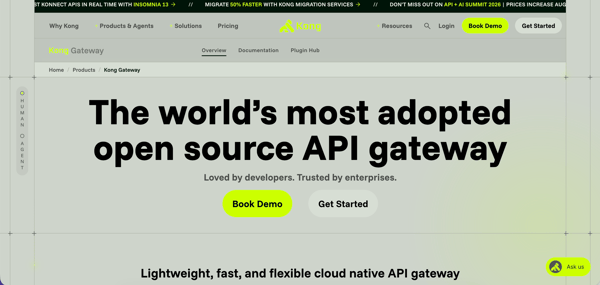
The biggest strength I saw was how Kong Gateway helps teams manage AI and LLM traffic with more control. Reviewers mentioned AI Gateway capabilities like LLM connections, prompt compression, semantic caching, prompt guardrails, and intelligent routing. One reviewer said these features help reduce token usage, block unsafe content, and route requests to the right AI model. For developers, that's helpful because AI features still need the same control layer as APIs: routing, security, cost management, and clear rules for what gets sent where.
Another strong point was the way Kong helps teams understand and manage traffic patterns without adding more tools. One reviewer said the newer AI-driven insights in Konnect were “early but useful,” especially for traffic patterns and anomaly detection. That is a practical benefit for engineering teams because API problems often show up as usage spikes, strange traffic, or unexpected behavior before they become full-outages. Better visibility helps developers react faster and keep services stable.
Kong Gateway also came across as strong for teams that like flexible, configuration-driven control over APIs. The one limitation I noticed was that it can feel too DevOps-centric for teams that want a more guided interface. Even so, reviewers still found it valuable because its gateway layer lets developers apply routing, authentication, rate limits, and traffic policies without rewriting each backend service.
of users who used AI for analytics, monitoring, governance, observability, or API visibility found that it improved insight, tracking, governance, security, or confidence in API operations.
Source: G2 Summer Grid® Report 2026 for API Development
You choose the right AI tools by matching them to your biggest bottleneck, not by picking the most popular one. There is no single best tool. The best choice depends on where you lose the most time. Start there, and most of the decision gets easier.
First, find the slow part of your day. Some people lose time writing boilerplate. Some lose it on big refactors. Some lose it in code review. The right tool fixes your specific problem. A tool that writes code fast won't help if your real bottleneck is review. So name the problem first. Then look for tools that solve it.
AI coding tools fall into a few groups. Each one does a different job.
Most teams don't need one tool. They need one from each layer they care about
You don't have to choose a single tool. The strongest setups layer a few tools, each doing one job well. An editor assistant while you write. A repo agent for big changes. A review tool before merging. The goal is no gaps and no overlap. Each tool has a clear role. When roles are clear, your speed increases without compromising code quality.
Price is part of the fit. Some tools charge per seat. Others charge by usage, which means you pay based on how much you use them. Heavy users can get a surprise bill. Before you commit, do the math for your real workload. A cheap tool that you use all day can cost more than a pricey one you use now and then.
Where your code goes matters. Some tools train on your code. Some don't. Some offer zero data retention, which means your code is never stored. Some can run fully on your own servers. If you work in finance, healthcare, or defense, this isn't optional. Pick a tool that meets your rules first. Then judge it on features.
Don't trust the demo. Try the tool on your own code for a week. Watch how often you accept its output. Watch how often you fix it. Track whether your entire workflow got faster, not just a single moment. A tool that needs constant correction is slowing you down, even if it feels fast in the moment.
AI tools slow you down when the work needs judgment they don't have. That happens when you have to check code you don't trust, guide them through code they don't know, or fix problems they cause. The tools write code fast. The real cost shows up later, in the parts of the job that were never about typing speed.
Bad code is easy to catch. You spot the error and move on. The hard cases are different. The code compiles. It reads cleanly. It looks fine at a glance. But it misses an edge case or breaks something else. Checking that code carefully can take longer than writing it yourself. And the more you trust the tool, the easier it is to miss.
On a small, normal task, the assistant works great. In a large or unusual codebase, you have to provide context. You explain your rules. You fix its wrong guesses. You prompt it again when it drifts. For new logic or anything that needs inside knowledge the model has never seen, this back-and-forth can cost more than just writing the code. The tool helps most when the task is simple.
Some costs show up late. AI changes can add bugs that don't break anything during your session. They show up a few pull requests later, after the context is gone. The time you saved on Tuesday gets spent on Friday. It rarely feels connected to the tool that caused it. This is why "Did it save me time today?" is the wrong question. What matters is the whole workflow, including the cleanup.
Agent tools that run multi-step tasks are great when they work on the first try. They are frustrating when they don't. A failed run is not free. You re-prompt. You wait. On usage-based pricing, you pay for the failed tries, too. When an agent needs three attempts to do something you could do by hand, you lose the advantage. Knowing when to take over is a skill in itself.
Sometimes you reach for the tool when you don't need it. Renaming a variable. Writing a line you already had in your head. Opening a chat to ask something a quick search would answer faster. Each one is small. But the habit of routing everything through AI adds friction all day.
None of this means you should avoid AI tools. It means you should know where they help. They are great for routine, well-defined work and for tasks you can check fast. They cost you when the work needs judgment, deep context, or correctness you can't verify at a glance. The developers who get the most from these tools don't use them for everything. They know where to keep their hands on the wheel.
Got questions? G2 has the answers.
The best AI tool for coding depends on the developer’s workflow, but IntelliJ IDEA is a strong choice for everyday coding productivity, especially for Java developers. It supports AI-powered code completion, code explanations, documentation, smart suggestions, and debugging inside the IDE, making it useful for writing, reviewing, and understanding code faster.
An AI coding assistant is a software tool that uses artificial intelligence to help developers write, understand, debug, and improve code faster. It can suggest code completions, explain functions, generate documentation, detect errors, assist with refactoring, and support tasks like API testing, SQL generation, and software test automation.
Yes, AI tools can write code for you, including code snippets, functions, test scripts, SQL queries, and API logic. However, developers should still review, test, and refine the output because AI-generated code can contain errors, security issues, or missing context. Tools like IntelliJ IDEA, Postman, and DbVisualizer are best used as AI coding assistants that speed up development rather than fully replace human developers.
Yes, AI coding tools are generally safe to use when developers follow proper security practices. Teams should review AI-generated code, avoid sharing sensitive source code or credentials, check for security vulnerabilities, and choose tools with clear policies on data privacy, compliance, and code handling. AI assistants can improve developer productivity, but they should be used with human review, testing, and secure development workflows.
Developers can use AI coding tools without leaking code by avoiding sensitive data in prompts, disabling training on private code where possible, using enterprise-grade AI tools with strong privacy controls, and reviewing vendor data policies before adoption. Teams should also use access controls, secure IDE integrations, private repositories, and code scanning to protect source code, API keys, credentials, and proprietary logic.
The best AI tool for debugging code depends on where the issue occurs, but Sentry is a strong choice for production debugging because it helps developers monitor errors, analyze root causes, and understand real user issues more quickly. For IDE-based debugging and code fixes, IntelliJ IDEA is also useful because it offers smart error detection, code explanations, and AI-powered suggestions inside the developer workflow.
The best AI tools for code review help developers find bugs, understand errors, and improve code quality before release. Based on this list, Sentry is useful for AI code review, debugging, and root cause analysis, while IntelliJ IDEA helps review code in the IDE with smart inspections, code explanations, quick fixes, and AI-powered suggestions.
For Python developers, the best AI tool depends on the task: IntelliJ IDEA is useful for AI-assisted coding, code explanations, debugging, and documentation through JetBrains AI features, while DbVisualizer helps with AI-assisted SQL generation and database troubleshooting. Python teams can also use Postman for API testing, Sentry for production error monitoring, and ACCELQ or QA Wolf for AI-powered test automation.
An AI code editor is the coding environment where developers write and manage code, while an AI coding assistant is the AI feature or tool that helps with tasks like code completion, debugging, documentation, refactoring, and code review. In simple terms, the editor is the workspace, and the AI assistant is the helper inside or connected to that workspace.
AI tools improve developer productivity by reducing repetitive work and helping teams move faster across coding, testing, debugging, documentation, and deployment workflows. They can suggest code, explain errors, generate tests, write API scripts, troubleshoot SQL queries, detect production issues, and support code review, allowing developers to spend more time solving complex engineering problems instead of manual, time-consuming tasks.
The best AI tool for developers is not always the one with the longest feature list. It is the one that removes the problem your team keeps running into. If your releases are slowed down by testing, start with ACCELQ or QA Wolf. If your team spends too much time debugging production issues, Sentry may be the better first move. If database work or API collaboration is where work gets stuck, DbVisualizer, Postman, or Kong Gateway may be more useful than another coding assistant.
Before adding any AI developer tool to your stack, pick one workflow to improve, test the tool with real code or real team processes, and look for measurable time saved. The right choice should make development feel lighter, not give your team another platform to manage.
Compare the best AI coding assistants on G2 and choose the right tool for your 2026 development workflow.


TL;DR: Best AI Tools for Education in 2026 According to G2 reviews, SchoolStatus is the...
by Aditi Rai

TL;DR: Best AI tools for product managers in 2026 The top AI tool for product managers is ...
by Aditi Rai

TL;DR: What is the best CRM software that integrates with QuickBooks? My pick is Method CRM...
 by Harshita Tewari