

What if I told you that you could craft stunning presentations, eye-catching websites, and impactful social media content without overspending on stock photos?
Over the years, I’ve relied on free stock photo websites as a treasure trove of powerful, high-resolution images. Whether you’re a solopreneur, blogger, or marketing manager, these platforms can help you create professional-looking visuals without draining your budget.

In this guide, I’m sharing the top free stock photo websites I explored for 2026. I’ll walk you through their standout features, what makes each one unique, and how they compare side by side. Instead of wondering whether you can afford that perfect image, you’ll be able to find the right royalty-free picture for any creative project with confidence.
For access to a massive library of photos, vector graphics, and seamless integrations with design tools.
*The software list is arranged alphabetically. These tools offer free trials, free forever options, or freemium models.
If you feel overwhelmed by the wealth of information about free stock photos, this comparison table will help you with all the important aspects:
| Best free stock photo websites | G2 Rating | Free plan | Paid plan |
| Dreamstime | 4.3 /5 ⭐ | Yes | From $25.00/month |
| Depositphotos | 4.4 /5 ⭐ | Yes | From $9.90/month |
| JumpStory | 4.3/5 ⭐ | 7-day free trial | From $29.00/month |
| Storyblocks | 4.6 /5 ⭐ | 7-day free trial | From $15/month |
| Vecteezy | 4.7 /5 ⭐ | Yes | From $4.50/month |
| VistaCreate | 4.5 /5 ⭐ | Yes | From $10.00/month |
*All pricing details mentioned in the article are based on publicly available data at the time of publication and are subject to change.
As someone who creates content regularly, I’ve seen firsthand how essential high-quality visuals have become, and the industry reflects that demand. The stock photography market is worth $5.09 billion in 2025 and is projected to reach $7.27 billion by 2030, growing at a 7.4% CAGR. With that kind of momentum, it’s no surprise that creators, marketers, and businesses are constantly searching for better imagery.
But despite that growth, you don’t always need a paid subscription to access great photos. Over time, I’ve tested and bookmarked dozens of free stock photo websites, and a handful consistently stand out for their quality, licensing flexibility, and ease of use.
These are the 6 free stock photo platforms I genuinely recommend, the ones I reach for when I need high-resolution, royalty-free images without the hassle. Whether you’re building a presentation, drafting a blog, designing social posts, or experimenting with a new side project, these sites offer plenty of visual inspiration without touching your budget.
To build this list, I started by analyzing G2 data and shortlisting the top-rated tools in the Free Stock Photos category. I focused on platforms that not only score well on G2 but also show consistent performance across user satisfaction, content quality, and overall reliability.
From there, I reviewed each product’s key features and scanned recent, verified user feedback to understand what people genuinely appreciate, and where they experience friction. This helped me identify which platforms stand out for image quality, ease of use, licensing clarity, and creative flexibility.
Because this list focuses on free stock photo options, I paid special attention to what each tool actually offers at no cost: whether the free tier includes high-resolution downloads, how much content you can access, and whether limitations like watermarks, attribution requirements, or download caps might influence your experience.
The screenshots featured in this article may come from the vendor’s G2 listing or other publicly available materials.
The list below contains user reviews from the best stock photo websites category page. It’s important to note that in the context of this list, vendors offering a free trial are also considered free. To be included in this category, a solution must:
*This data was pulled from G2 in 2025. Some reviews may have been edited for clarity.
Dreamstime is a thriving marketplace where you can explore a wide collection of royalty-free images, illustrations, and vectors alongside budget-friendly subscription plans. You can find hidden gems from a global community of artists with a focus on unique cultural perspectives and fresh content. Dreamstime caters to free and paid users, offering flexibility for all.
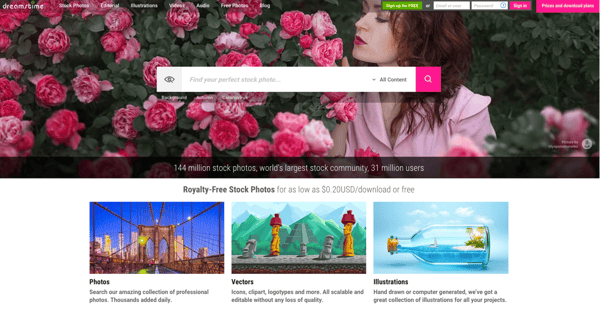
| Pros of Dreamstime | Cons of Dreamstime |
| Unique photo content from a global community of artists | Limited free downloads |
| Stores all your downloads, even unused ones | Watermarks on images |
| Thriving marketplace with a vast collection of royalty-free images | Limitations for commercial projects with the free plan |
“I've evolved my company through multiple LLCs, and Dreamstime has consistently provided the most well-rounded photos and visuals compared to any other company I've tried in over 10 years. Incredibly, they've saved all my downloads in my dashboard over the years, even the unused ones! This allows me to browse and discover hidden gems I might have overlooked easily. Dreamstime's new reusable monthly payment plan is simply unbeatable in terms of affordability, ease of use, and long-term value."
- Dreamstime Review, Gabrielle L.
“I wish there were a way to search the categories/limit search results to a specific category. That functionality seems obvious since all images are already sorted into categories and subcategories in the database.”
- Dreamstime Review, Tara O.
Ready to put your visuals to work? Pair your new stock photos with the best email marketing software to create beautiful, high-converting campaigns that stand out in your subscribers’ inboxes.
Depositphotos goes beyond just stock photos. It accommodates a vast collection of royalty-free images, vectors, illustrations, and even HD videos. Depositphotos stands out with its built-in AI image generator. Simply describe your desired image, and the AI tool will create it in seconds. This lets you find exactly what you need for your project, including unique, AI-generated content.
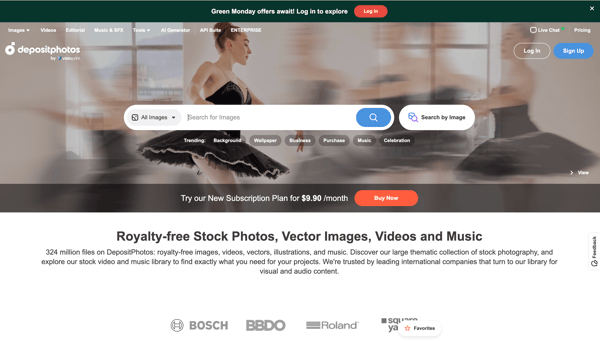
| Pros of Depositphotos | Cons of Depositphotos |
| Extensive library of royalty-free photos and HD videos | Repetitive images within specific categories |
| Exclusive AI-image-generated content | Limited control over AI-generated results |
| Easy to navigate and search for content | Download limits in the free plan |
“Depositphotos has a vast and user-friendly collection of royalty-free images, vectors, illustrations, and even HD videos, making it a valuable resource for graphic designers, video editors, and all kinds of creatives. The platform also provides users with AI tools like a background remover and image generator.”
- Depositphotos Review, Baljyot S.
“While fresh content is always appreciated, there have been instances where we've encountered repeated images within specific categories. More frequent updates introducing new options would be beneficial.”
- Depositphotos Review, Natali H.
If you’re planning to use your new stock photos on social media, here’s a guide to creating content that actually gets reach and engagement
JumpStory stands out for its focus on truly authentic, human-centered imagery, photos that capture real moments, real emotions, and real experiences. Instead of over-processed stock visuals, JumpStory gives you access to relatable lifestyle, travel, landscape, and city photography that actually feels natural.
Beyond its rich library, JumpStory includes time-saving creative tools like AI Text Match for instant image recommendations, one-click background removal, built-in editing, and even a personal assistant that finds the right visuals for you. With unlimited downloads, simple licensing, and features like JumpStories (a fusion of photography and film), it’s a powerful all-in-one platform for marketers, designers, and creators who want impactful visuals without the stock-photo feel.
| Pros of JumpStory | Cons of JumpStory |
| The Personal Assistant feature helps locate specific images on request | Occasional irrelevant or low-accuracy search results |
| Large library of authentic, human-centered images updated frequently | Some users report generic or lower-quality photos in niche categories |
| Easy-to-use interface with convenient features like image archiving | Smaller inventory compared to larger stock photo marketplaces |
"I was lucky enough to get a lifetime deal, which means I get away from the hooks of their competitors. Its vast array of photos that just don’t look like stock pictures is probably one of the biggest selling points. I also really like the AI that they are incorporating, which really helps them stand out from the crowd."
- JumpStory Review, Alex C.
"Missing an add-in for PowerPoint for easy access to images."
- JumpStory Review, Jens P.
Now that you’ve found high-quality stock photos, here are my favorite free graphic design tools to help you turn those visuals into polished content.
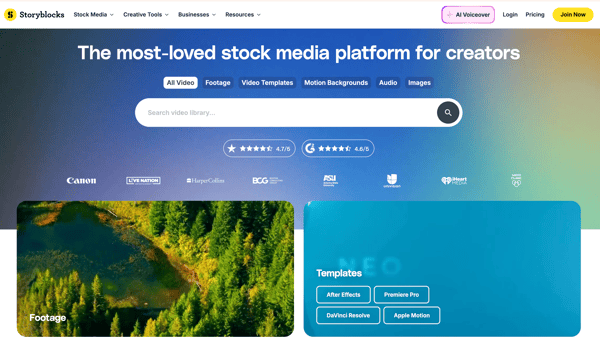
Storyblocks is a game-changer for photo content seekers. It offers a huge library of royalty-free stock photos, videos, and audio files under one roof. The platform features a user-friendly search function along with tools for organizing and managing downloaded assets. All stock footage on Storyblocks is professionally produced and available in various resolutions to suit different project needs. According to G2 Data, it ranks as the 1st easiest to use tool.
| Pros of Storyblocks | Cons of Storyblocks |
| Massive library with a wide variety of high-quality assets | Download limitations |
| User-friendly search function | Overwhelming choices for users with specific needs |
| Simplified workflow processes | Slow loading times for video previews |
“Storyblocks is my go-to for images and video for my presentations. I'm a dentist and lecturer nationwide, always looking for high-quality images and videos. The Maker feature is especially easy to use and produces fantastic results. Downloads are easy, and customer support is very responsive. I'd highly recommend Storyblocks to anyone looking for content for presentations!”
- Storyblocks Review, Dr. Charlie W.
“The only thing that I find challenging about Storyblocks is when browsing on the website, video images have a hard time popping up or are slow to load. It's the only time I've found searching for something quickly challenging.”
- Storyblocks Review, Ned S.
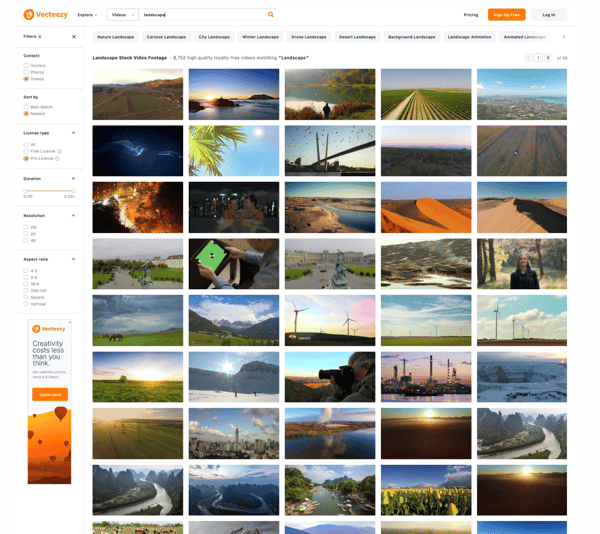
Vecteezy is more than just a free stock photo site; it's a creative playground offering a massive library of royalty-free images, vector graphics, and videos. Beyond the usual suspects, you’ll find unique vector illustrations, seamless patterns, and stunning video footage. Plus, Vecteezy integrates with design software for a seamless workflow, making it a one-stop shop for all your creative needs. According to G2 Data, it is ranked as the highest-rated tool for this category.
| Pros of Vecteezy | Cons of Vecteezy |
| Vast collection of royalty-free images, vector graphics, and video footage | Free downloads on Vecteezy come with watermarks |
| User-friendly and straightforward to navigate | Content may have limitations for commercial use |
| Seamless integration with design software | The free plan has download limits |
“As a beginner in laser cutting and engraving, I tried Vecteezy for some free files to test my new Atomstack A20 Max. I'm very impressed with the vast amount of different vectors available and the ease of downloading them. Having read that these Vecteezy files are compatible with LightBurn, I'm eager to test my new laser in just a few minutes!”
- Vecteezy Review, Paul G.
“Limited free downloads: While a good range of free content exists, the most unique and high-quality assets are typically behind a paywall.”
- Vecteezy Review, Mar N.
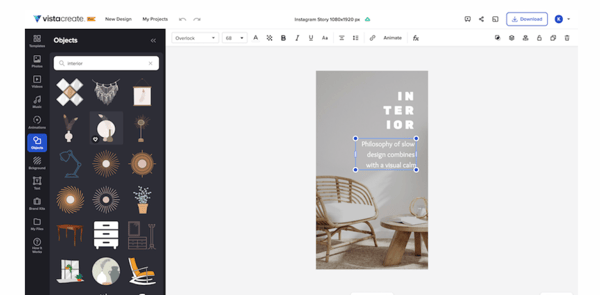
Vistacreate is a graphic design powerhouse for any industry or occasion, catering to beginners! You can select from 150K+ professionally designed templates already preformatted and customizable for social media posts, presentations, marketing materials, and more. No design skills are necessary! Access millions of free photos, videos, and graphics, or upload your own. According to G2 Data, it is used by 78% of small businesses.
| Pros of VistaCreate | Cons of VistaCreate |
| Intuitive interface and drag-and-drop functionality | Inconsistent background removal tool |
| Pre-designed template powerhouse | Occasional issues with template exports |
| High customization options | Restricted free plan |
“One of the outstanding features of VistaCreate is the extensive library of templates. Whether I need designs for social media posts, business cards, flyers, or even logos, VistaCreate has you covered. The templates are not only plentiful but also visually stunning and customizable. You can modify colors, fonts, and images to match your brand or personal style with just a few clicks. It's like having a professional designer at your fingertips!”
- VistaCreate Review, Aman S.
“The background removal tool can be inconsistent at times. Images with complex color palettes may not produce optimal results. Additionally, there have been occasional issues encountered during template export.”
- VistaCreate Review, Pradeep K.

License restrictions vary between websites. Free stock photos are great for personal projects, but they may have restrictions for commercial use, like ads or packaging. There are also times when you may need to credit the photographer. Always check the license to be sure about free image sites!
Many free stock photo sites provide you with stunning, high-resolution images. You'll find several professional-looking pictures perfect for websites, presentations, and social media.
Apart from the ones mentioned above, some others include Freepik, Unsplash, Pexels, and Pixabay.
Some free stock photos are safe for commercial use, but licensing terms vary by platform. Tools like Vecteezy, Dreamstime, and Depositphotos offer free images with specific license conditions, such as attribution requirements or restrictions on redistribution. Always review the license before using images in ads or branded content.
Several of the top free stock photo platforms also offer videos, vectors, and illustrations to support more creative projects.
Quick takeaway: For videos, choose Storyblocks. For vectors and illustrations, choose Vecteezy.
The two terms sound similar, but they refer to different things.
Free stock photos are images that cost nothing to download and use. However, the licensing varies by platform; some photos require attribution, some have limits on commercial use, and others come with flexible permissions. For example, Dreamstime and Vecteezy both offer free images, but their usage rights differ.
Royalty-free images, on the other hand, refer to a type of license, not the price. With a royalty-free license, you pay once (or access it through a subscription) and can use the image multiple times without additional fees. Platforms like Depositphotos and Storyblocks primarily operate on royalty-free licensing.
Free stock photos are a budget-friendly dream, but there are catches. Some images might be overused, leading to a less unique look. Often, finding very specific content can take time and effort. Commercially, restrictions are common - you might need a paid license for ads or packaging. Licenses can be complex, too - some require crediting the photographer, while others may limit modifications.
Free libraries tend to have fewer niche, industry-specific, or lifestyle images. Platforms such as Vecteezy and Dreamstime offer a solid range of free visuals, but paid plans typically unlock more diversity and updated content.
Marketers typically look for commercial-use licenses and easy customization. While free libraries can work for basic needs, platforms like Storyblocks and Depositphotos are often preferred when scaling campaigns or running ads.
Don't let limited budgets clip your creative wings. Free stock image sites provide a vast library of high-quality images to elevate your projects. While there might be restrictions on super-specific needs or commercial use, the sheer variety and budget-friendly nature make them a fantastic starting point. So dive in and explore your visual storytelling magic!
I hope this list of the best free stock photo sites takes you one step closer to finding the right solution!
Here’s a guide to the best free photo editing software to get you started with the next steps!
Edited by Monishka Agrawal
This article was originally published in 2024. It has been updated with new information.


Let me tell you a secret: I’m no graphic designer, but I’ve managed to pull off some pretty...
 by Soundarya Jayaraman

A few years ago, while juggling multiple roles at a startup, I found myself designing posters,...
 by Harshita Tewari

You design something that looks perfect on your screen, then it falls apart everywhere else....
 by Holly Landis