


I believe it’s time to move beyond age-old pie charts and scatter plots when presenting data. Presentations today reflect a team’s vision, effort, and commitment to achieving business goals, often within tight timelines, such as a fiscal quarter.
I have noticed that many organizations instinctively invest in traditional, subscription-based tools. While they get the job done, recurring costs can add up quickly. That’s where free presentation software becomes a practical alternative. These tools help professionals create polished, data-driven decks and deliver presentations with confidence, without stretching the budget.
Before jumping into slide creation, I recommend taking time to research, outline key points, and select the right free tools for your needs. This approach helps streamline the process without monthly or annual subscription fees.
Let’s explore the 8 best free presentation software options that offer intuitive interfaces and rich visual elements to empower teams and elevate presentations.
*The software list is arranged alphabetically. These tools offer free trials, free forever options, or freemium models.

Here is a collated summary of all the tangible parameters of the best free presentation software, which you can go through at a glance before airing more opinions.
| Best free presentation software | G2 Rating | Free plan | Paid plan |
| AI Studios | 4.3/5 | Free trial available | $24/user/month |
| Canva | 4.7/5 | Free trial available | $15/user/month |
| Google Workspace | 4.6/5 | Free trial available | $6/month |
| Mentimeter | 4.7/5 | Free trial available | $11.99/month |
| Microsoft 365 | 4.6/5 | Free trial available | $6/user/month |
| Prezi | 4.2/5 | Free trial available | $15/user/month |
| Simplified | 4.6/5 | Free trial available | $29/user/month |
| Synthesia | 4.7/5 | Free trial available | $29/month |
*All pricing details mentioned in the article are based on publicly available data at the time of publication and are subject to change.
Creating clear, engaging presentations has become essential across classrooms, boardrooms, and remote meetings. As teams rely more on visual storytelling, demand for presentation tools continues to rise. In fact, the presentation software market is expected to grow $36.41 billion by 2034, expanding at an impressive CAGR of approximately 16.6%.
What stood out to me while reviewing this category is that polished, professional presentations don’t always require a paid subscription. Several presentation tools offer free plans or trials that cover core needs like slide creation, templates, collaboration, and sharing, making them accessible to students, educators, and business teams alike.
In this list, I’ve rounded up the eight best free presentation software options based on real user feedback, ease of use, and the overall value of their free offerings. I’ll highlight what each tool does best, where it may fall short, and who it’s best suited for, so you can build impactful presentations without incurring additional costs.
To build this list, I started with G2 Data, shortlisting top-rated tools based on their G2 scores and consistent performance in the presentation software category.
From there, I reviewed product features and recent, verified user feedback to confirm that these tools deliver real value and to understand where each one stands out, whether that’s slide design flexibility, template quality, collaboration features, or ease of sharing and presenting.
The goal was simple: to determine whether these presentation tools live up to their claims, what each one is best suited for, and whether there’s a free plan or free trial available that can be use with minimal risk. Since this is a free-focused list, I paid close attention to what you can actually do without paying, such as slide limits, access to templates and design tools, collaboration restrictions, and export or branding limitations that might prompt an upgrade.
The screenshots featured in this article may be a mix of those taken from the vendor’s G2 page or from publicly available materials.
Whether you're creating an instructional onboarding deck or showing off your latest metrics in a team meeting, there is a free presentation solution to fit your needs and wants.
The list below contains real user reviews from the best Presentation Software category. It’s important to note that in the context of this list, vendors that offer a free trial are also considered to be free.
To be included in this category, software must:
This data was pulled from G2 in 2025. Some reviews may have been edited for clarity and accuracy.
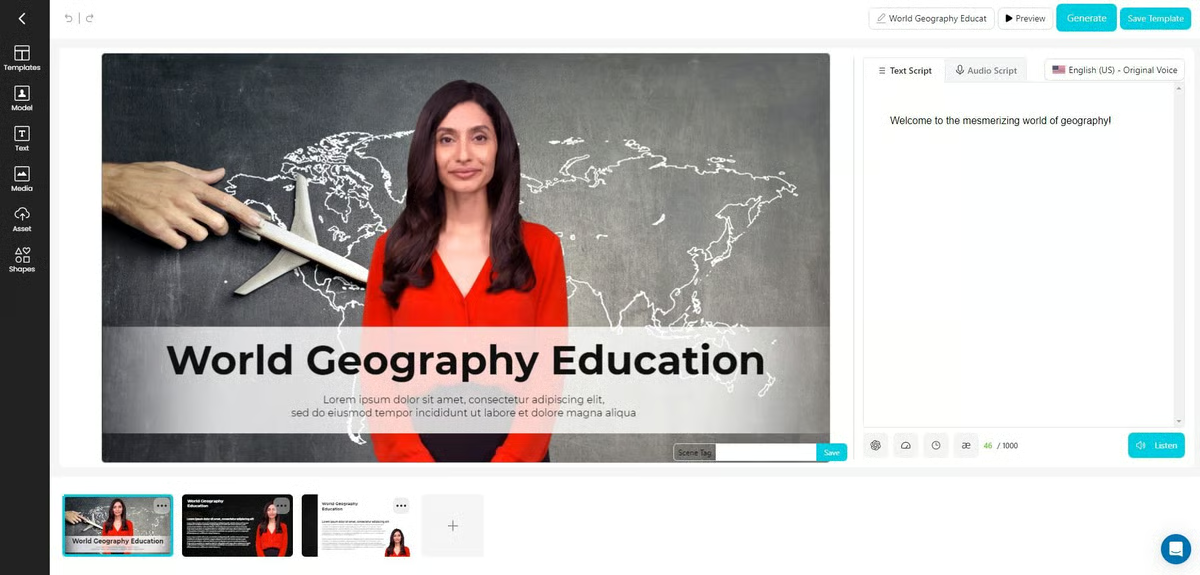
AI Studios is an AI-powered video creation platform that transforms text, documents, and URLs into engaging videos within minutes. It helps marketers, educators, and businesses create professional video content without complex editing by using lifelike AI avatars and text-to-speech in multiple languages.
With features like multi-avatar scenes, customizable gestures, and support for global audiences, AI Studios simplifies video production while enabling users to repurpose written content into polished, editable videos at scale.
| Pros of AI Studios | Cons of AI Studios |
| Very easy to use for fast video creation | Limited customization of avatar gestures and expressions |
| Quickly produces realistic AI-generated videos | Slow rendering and performance issues, especially for large videos |
| Speeds up content production for teams and individuals | Avatar realism features like lip-sync and effects need improvement |
"Robust outcomes from using it, it seems intuitive and easy to use right from the start".
- AI Studios review, Jenny D.
"Although it renders videos very fast, it struggles with long videos because we had to split and render our full video in sections and later join them. Additionally, the voices are robotic; they don't sound human".
- AI Studios review, Robert K.
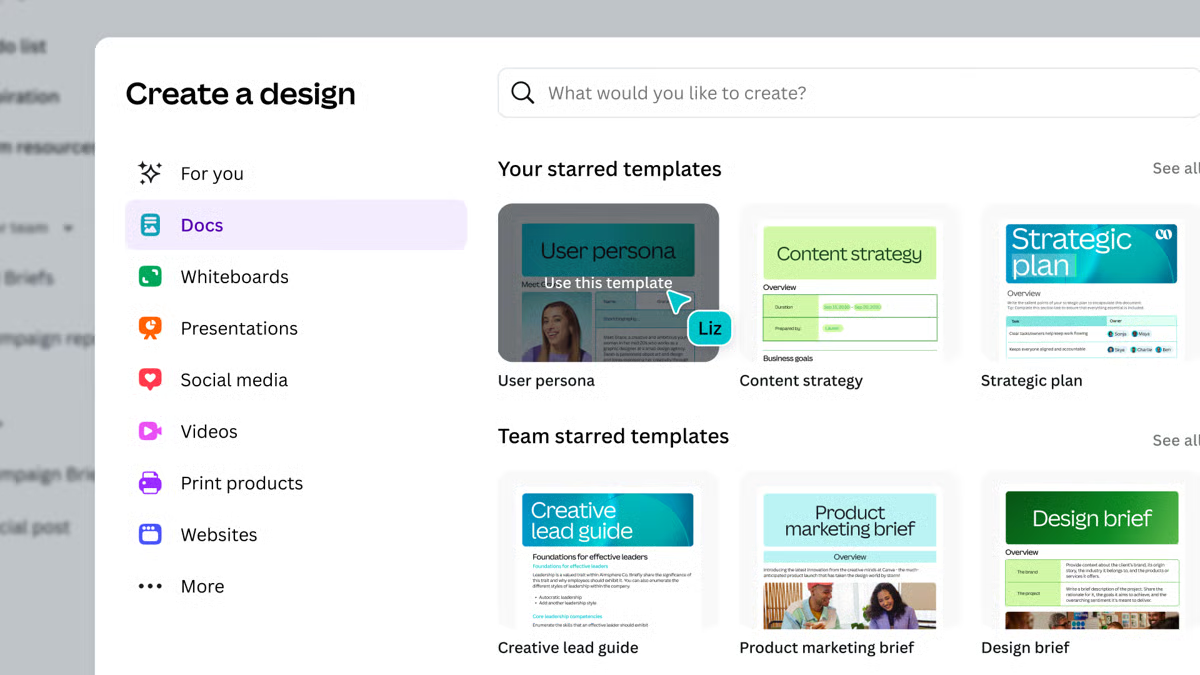
Canva is an AI-powered visual design and collaboration platform that enables users to create a wide range of content, including presentations, social media graphics, videos, documents, websites, and infographics. It offers pre-designed templates along with a large library of stock images, videos, audio, and fonts to support fast, consistent content creation. According to G2 Data, it ranks as the 3rd easiest-to-use software.
Available on web, iOS, and Android, Canva makes it easy for individuals and teams to design, collaborate, and produce visual content at scale without advanced design skills.
| Pros of Canva | Cons of Canva |
| Extremely easy to use with a beginner-friendly interface | Limited advanced design and printing features |
| Massive library of ready-made templates | Customization options can feel restrictive for complex designs |
| Wide range of tools for everyday visual content | Not ideal for detailed multi-page or data-heavy designs |
"What I like most about Canva is how easy and fast it is to create clean visuals without being a designer. As a developer, I don't want to spend too much time on design, and Canva helps me quickly put together presentations, diagrams, and simple graphics. The read-made templates, icons, and layouts save a lot of time, especially when I need something presentable on short notice."
- Canva review, Vamshi B.
"One thing that really challenges me about this tool is how it manages precise layouts, especially when I'm working on technical designs like a bill book or a detailed price list for my dad's business. As an engineer, I prefer everything to be pixel-perfect, but Canva often snaps elements into positions I don't want, which can be quite annoying. It sometimes feels like the software is trying to be overly helpful, but in reality, it just makes it difficult to move a line by even the smallest amount when that's exactly what I need".
- Canva review, Sree K.
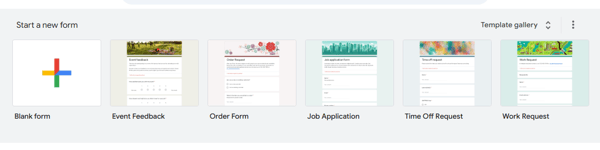
Google Slides, a part of Google Workspace, is a comprehensive presentation and visual collaboration platform that provides in-depth integrations to elevate your presentation decks. Users can create professional-grade presentations and creative illustrations and sync them in real time with other collaboration apps like G-Drive or G-docs to keep teams updated and informed of all edits and changes.
It also auto-saves slides and temporarily stores chart values at random shutoffs, so you don't have to begin from ground level every time.
| Pros of Google Workspace | Cons of Google Workspace |
| Easy user management to provide and revoke access | Complex data maintenance |
| Increased productivity and team collaboration | No offline access; internet connection is mandatory |
| In-app integrations with Google Meet, Google Calendar, and Google Docs | Limited flexibility and customization options for expensive users. |
What G2 users like about Google Workspace:
"Google Slides is my favorite thing about Google Workspace. The option for all team members to edit in real-time helps us increase productivity and save time in repeated reviews and editing.
The next best thing is Gmail, which helps us to have our business email while it is being handled by Gmail in silos, but the receiver never gets to know it's actually Gmail."
- Google Workspace review, Adarsh S.
"A few downsides to using Google Workspace, which can be a deciding factor for many people, are that it only works online. No internet access directly means no workspace. However, I am bothered by the current support for mobile devices. I am able to view sheets, docs, and slides easily with just a click. However, to edit even a bit of data, I need to download the app."
- Google Workspace review, Megha R.
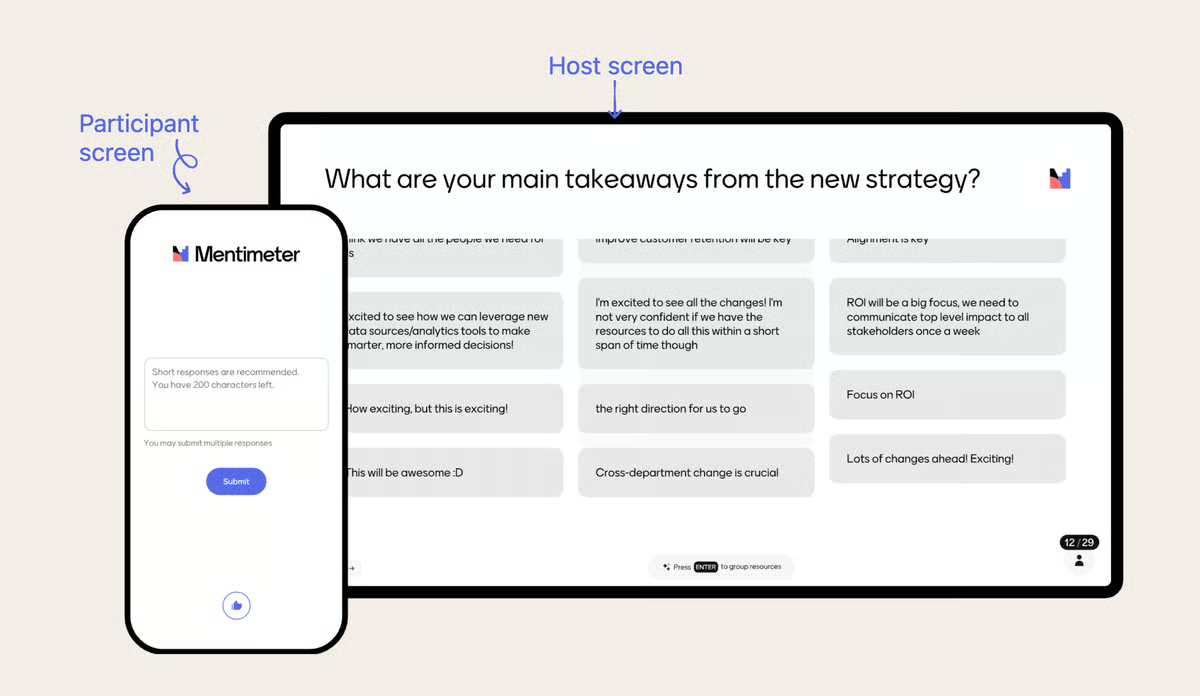
Mentimeter is an audience engagement platform with tools to build interactive presentations, compile data from live polls, and collect insights about user participation. The Mentimeter free plan offers unlimited audiences and presentations. It offers conversational intelligence and adds presentation notes to outbound sales calls and marketing workflows.
| Pros of Mentimeter | Cons of Mentimeter |
| Audience engagement without any interruption | Weak PowerPoint integration |
| Interactive engagement for people to opine on topics | PowerPoint limitations and compatibility issues |
| Collecting live feedback from presentations | Confusing access permissions |
“Any presentation created with Mentimeter looks professional and presentable. Mentimeter takes care of the design aspect for you. It's straightforward and extremely easy to use. It's also flexible - I've used Mentimeter for live surveys, quizzes, and training. They've got excellent customer support, too. ”
- Mentimeter review, Haley S.
“At times, Mentimeter can feel a bit overly simplistic or repetitive. Most Mentimeter presentations tend to look very similar, and the engagement tools are limited to a degree.”
- Mentimeter review, Stephanie H.
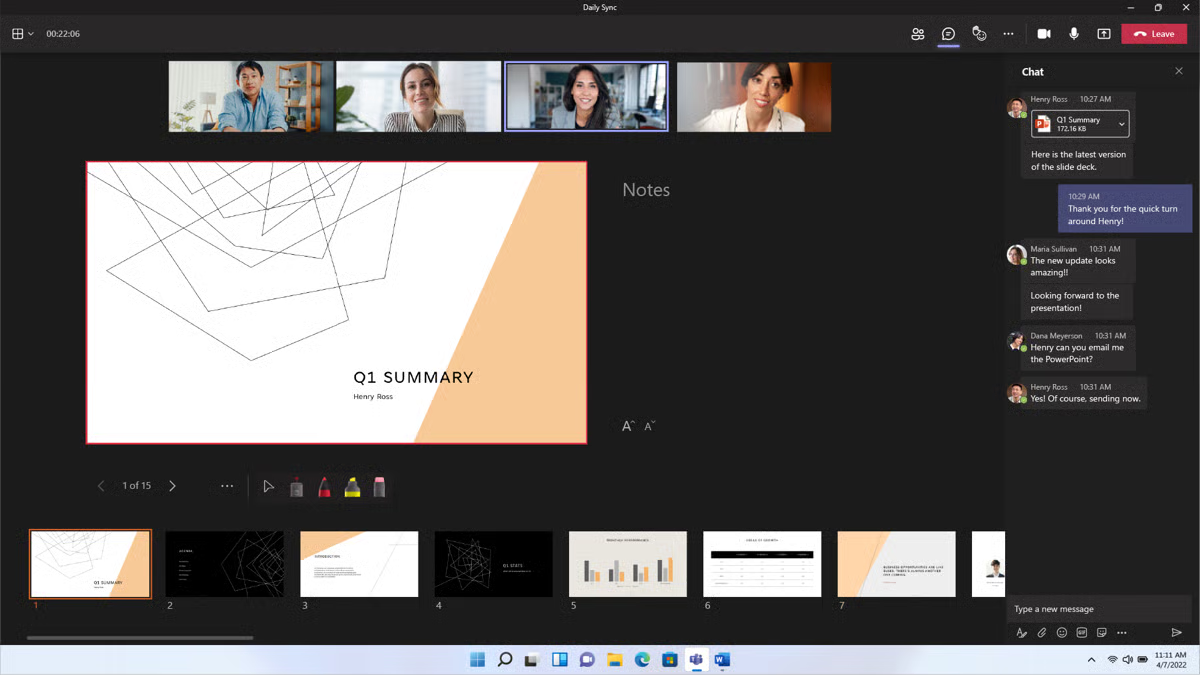
Microsoft 365 offers an all-in-one slideshow and presentation-making platform called PowerPoint. This software entails numerous data analysis and visualization features to represent your data pictorially. With the addition of Microsoft PowerPoint, users can build efficient decks with captivating graphical data. It also contains built-in design repositories, transitions, audio and video playback features, and advanced flowcharts and graphs to summarize and extract data dependencies for presentations. According to G2 Data, it ranks as the 4th easiest-to-use software.
| Pros of Microsoft 365 | Cons of Microsoft 365 |
| Integrated suite of productivity, collaboration, and security | Steep learning curve |
| Best cloud infrastructure and document retrieval | Prebuilt project limitations |
| Easy and intuitive user interface | Disconnected applications of the suite |
"I can confidently say it's a powerful and versatile productivity suite that has significantly enhanced my workflow. SO here are some features I personally liked, which include a wide range of applications, including Word, Excel, PowerPoint, Outlook, Teams, OneDrive, and more, which make it a comprehensive suite. As it is a cloud-based system, it is easy to store the data, which is easy to use. Also, it ensures automatic updates to the latest versions, keeping users equipped with the most recent features."
- Microsoft 365 review, Muskan A.
"While Microsoft 365 offers an extensive range of features, the subscription cost can be a bit steep for individual users or small businesses. The user interface across different applications could be more consistent for a smoother user experience. Additionally, occasional syncing issues between the desktop and cloud versions have been a minor inconvenience. It would be great to see more streamlined solutions for offline access and better customization options for the interface to cater to individual preferences.
- Microsoft 365 review, Felipe V.
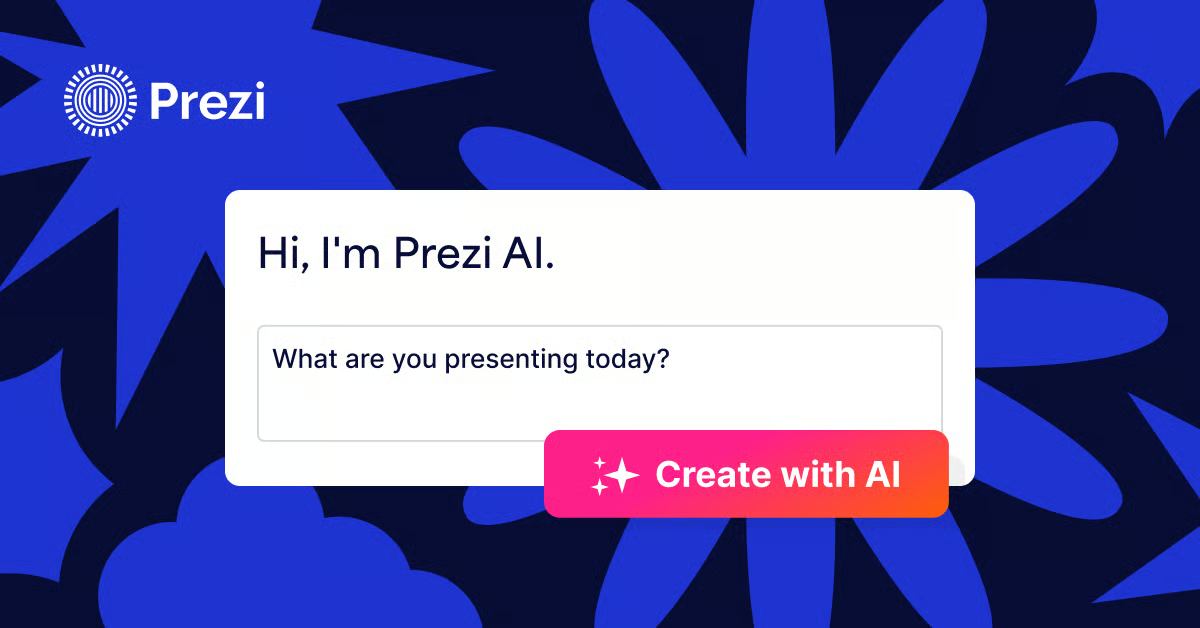
Prezi is an AI-powered presentation tool designed to help users create more engaging and visually dynamic presentations. Instead of traditional slide-by-slide layouts, it uses a zooming canvas that lets presenters move smoothly between big-picture ideas and detailed content, creating a more interactive storytelling experience. With AI-assisted presentation creation from prompts or uploaded files, Prezi speeds up design while suggesting layouts and visuals tailored to the topic.
Used by professionals, educators, and students, Prezi helps turn ideas into memorable presentations that keep audiences focused and engaged.
| Pros of Prezi | Cons of Prezi |
| Creates dynamic, visually engaging presentations | Steep learning curve compared to traditional slide tools |
| Flexible, non-linear presentation style for storytelling | Interface issues with editing and PDF conversions |
| Large library of high-quality templates | Limited customization compared to PowerPoint or Google Slides |
"It changes the way you think about presenting. Instead of moving slide by slide, it lets you build a story visually and zoom into ideas when needed. This makes presentations feel more interactive and engaging, especially when presenting complex topics. The templates are modern, and even simple content appears polished without requiring hours of design work. I also like that it works well for both live presentations and recorded ones".
- Prezi review, Ankit C.
"Prezi takes some time to get used to, especially for users coming from traditional slide tools. Overusing Zoom effects can be distracting if not done carefully. Performance can occasionally feel slower with larger presentations, and offline editing options are more limited compared to standard slide software".
- Prezi review, Vishal J.
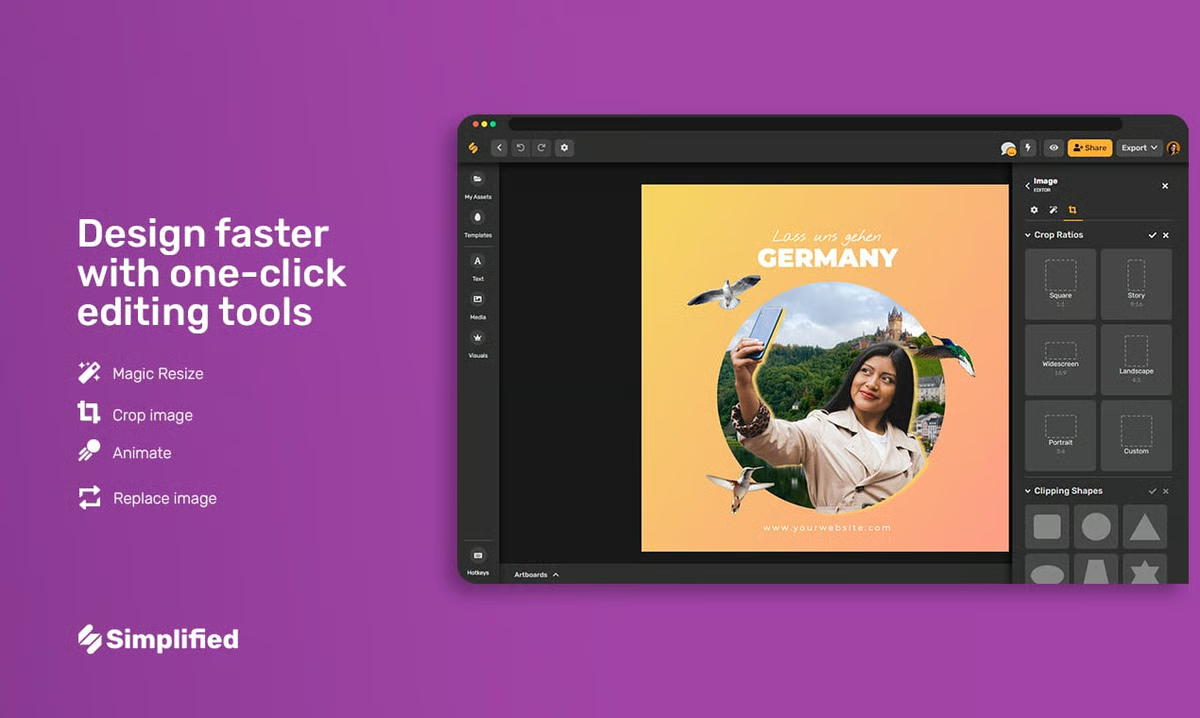
Simplified is an easy-to-use presentation software offering a variety of templates, design tools, and collaboration features. Ideal for teams, it enables the quick creation of visually appealing presentations, infographics, and social media graphics. Simplified streamlines the design process, making it accessible for users of all skill levels. According to G2 Data, it ranks as the 6th easiest-to-use software.
Simplified offers image trace and edit options for you to tailor your deck visuals before clubbing them together for slideshows.
| Pros of Simplified | Cons of Simplified |
| Multiple brand kits | Usage limitations |
| In-app publishing | Insufficient slide credits |
| Ease of use and content creation | Limited flexibility and customization options for experienced users |
What G2 users like about Simplified:
"The dashboard and user interface are so cool and easy. I like the look and feel while working with it. The features and suggestions are helpful. Text-to-image and Video features give good results. Brainstorming blog topics and blog content is easy."
- Simplified review, Sheeba T.
"Sometimes the option for generating sections automates itself to 2, even when I only want 1 option to save up on monthly credits. This is an issue the development team can look into.
- Simplified review, Millicent K.
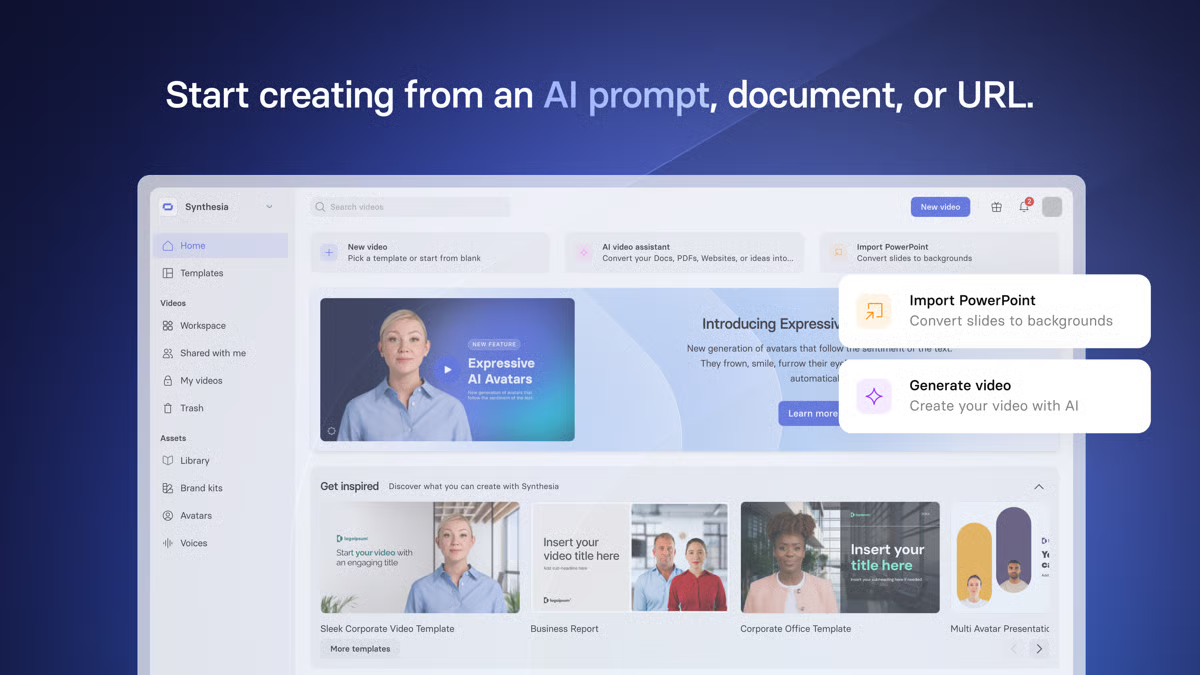
Synthesia is a presentation software that enables you to generate powerful, AI-supported videos and animations to represent information in a contextual manner. The tool offers real-time video rendering, image creation, image annotation, AI scriptwriting, and conversational intelligence to convert your documents into attractive creatives, voice clips, and screen narrations.
| Pros of Synthesia | Cons of Synthesia |
| Quality of videos and realistic avatar creation | Sudden upgrade pop-ups |
| Video creation and ease of use | Avatar limitations in certain areas |
| Multi-scene recognition in real-time | Voiceover limitations |
What G2 users like about Synthesia:
"The app is very easy to use. We started working on videos within minutes. We're using this for internal training right now, which in the real world, video production like this would've taken days, if not weeks, and a lot of coordination. We'll be working on a lot more content for both internal use and potentially for outbound sales and content production. I had a question I couldn't find an answer to, and customer support was very fast and provided a great workaround solution."
- Synthesia review, Nick W.
"I wanted to create a YouTube ad. And while I was able to do all the editing I wanted in the video, one thing was missing... I couldn't change the transitions of each slide/scene. So I can't use the video I created for this purpose of running it as an ad, but the ease of use was really good. Plus, the team shared they will add this feature to their roadmap."
- Synthesia review, Ivan I.
Most of the best presentation software can integrate different multimedia elements, such as images, videos, animations, and dynamic transitions. Depending on the business's requirements, you can add your multimedia elements and create efficient presentations.
There is always a set limit on how many presentations you can make with the free version. To extend that credit, you need to go for a premium plan.
Presentation software allows real-time editing and commenting, making it easier for teams to work together efficiently and optimize team productivity.
Yes, you can integrate this software with popular tools like Google Drive, Dropbox, and various CRM platforms to streamline project workflows and data management.
Cloud-based presentation tools prioritize accessibility, collaboration, and ease of use, while desktop software focuses more on advanced control and offline reliability.
For teams, classrooms, and remote users, cloud-based tools are often more convenient. For complex or offline-heavy presentations, desktop software still has an edge.
Yes, templates and themes are a core feature of most modern presentation tools.
Free versions usually include a solid template selection, with premium designs reserved for paid plans.
Yes, most presentation tools support animations and transitions, though complexity varies.
Advanced animation controls are more common in paid tiers.
The best choice depends on teaching style and classroom needs:
Many educators combine one collaboration-focused tool with one design or interactivity tool for the best results.
Before you deliver project metrics to senior leadership the next time, take a step back and scrutinize your deck, refine it, and make it up to organizational standards. Remember, a major lever to brand growth is how well your department can explain its cause and earn funding for its projects from external stakeholders.
This task requires a careful examination of everything you speak or present in your pitch. I hope this list of the best free top presentation software was of some help!
Learn how to make your presentations interactive and pitch business ideas to your team in an engaging and personalized way.
This article was originally written in 2024 by Alexandra Vazquez. It has been updated with new information based on findings from testing and evaluation of the latest list of top G2 products.


I researched the best presentation software and shortlisted Google Slides, Canva, Microsoft...
 by Soundarya Jayaraman

We’ve all sat through boring presentations with unprepared or uncharismatic speakers, wishing...
 by Holly Landis

Like you, I too have watched the first five minutes of countless corporate meetings disappear...
.png) by Devyani Mehta
by Devyani Mehta