

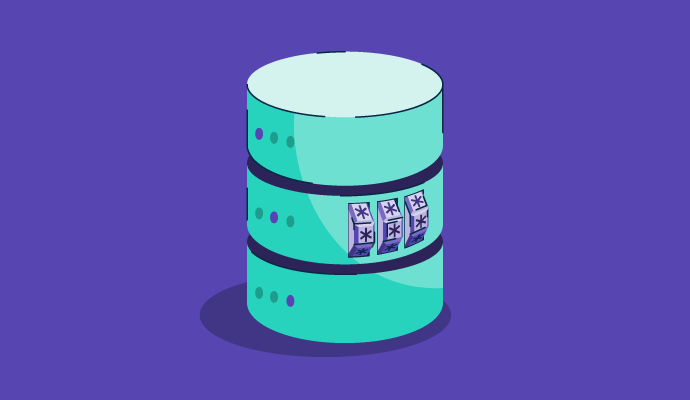
If your organization stores sensitive or personally identifiable data, such as financial records, healthcare information, or employee credentials, it’s not enough to simply lock your systems down. You need a way to render that data useless if it falls into the wrong hands.
Database encryption does exactly that.
Database encryption is the process of converting readable data into ciphertext using cryptographic algorithms to protect it from unauthorized access. It secures both data at rest and data in transit, ensuring only users with the correct decryption key can access the original information.
Many businesses use encryption software, which remains popular with all kinds of organizations for protecting confidential information and securing data while reducing the possibility of breaches or leaks.
The importance of database encryption goes beyond its technical function. It plays a central role in your organization’s risk posture, resilience, and legal accountability. It's the line between a security incident and a crisis. Here's why it matters:
Example scenario: A misconfigured cloud storage bucket exposes customer records publicly. If the records are stored as plaintext, it's a full-blown breach. If they’re encrypted and the keys are stored separately, those records are inaccessible, rendering the incident containable and far less damaging.
In database encryption, a unique cryptographic key is generated to secure the data. This key is typically a random sequence of characters or numbers that serves as a secret code for encrypting and decrypting information. The strength and complexity of the key directly influence the database security.
Once the key is generated, it is used to encrypt plain-text data into ciphertext. This process involves applying a mathematical algorithm to the data, transforming it into a scrambled format that is indecipherable to unauthorized individuals.
The encrypted data is then stored in the database. It resides in a protected state, inaccessible to anyone without the correct decryption key. The database system may employ additional security measures, such as access controls and data integrity checks, to further safeguard the encrypted data.
When authorized users need to access the data, the decryption process is initiated. The database system retrieves the encrypted data, applies the decryption algorithm using the correct key, and transforms the ciphertext back into its original plain-text format. This ensures that only authorized individuals with the appropriate keys can view and utilize the sensitive information.
Database encryption can be classified in two key ways:
Here we'll focus on the state-based classification: encryption at rest vs. in transit.
Data at rest encryption safeguards data while it’s “resting” on a hard drive, in a database, in cloud storage, or across physical storage devices. It shields data even if the storage is compromised or accessed without permission.
There are several forms of at-rest encryption:
Unlike data at rest, data in transit (or data in motion) encryption oversees data as it moves between devices and networks through the internet or across private networks, for example. This type of encryption is critical because data is very vulnerable during transmission; unauthorized users can easily intercept and compromise it as it travels.
To guard against these threats, several encryption protocols are commonly applied:
Now, let’s delve into how encryption functions internally, comparing symmetric and asymmetric methods.
Beyond when data is encrypted (at rest or in transit), it’s also important to understand how encryption works, specifically, the structure of the cryptographic keys used.
All database encryption relies on either symmetric or asymmetric encryption (or a combination of both). These approaches differ in terms of performance, complexity, and their application in real-world systems.
Symmetric encryption uses one shared key to both encrypt and decrypt data. This key must be securely distributed to any party that needs to access the information. Think of it as a locked box with one key: the sender locks the box (encrypts the data), and the recipient uses the same key to unlock it (decrypts the data).
Symmetric encryption keys are one of the following:
Since only one key is involved, symmetric database encryption is quick to execute. Many industries, like financial services, government entities, healthcare, and pharmaceuticals, use this technique.
Unlike symmetric encryption, asymmetric encryption involves using a pair of keys: a public key for encryption and a separate private key for decoding. This method is also referred to as public-key cryptography or public-key encryption.
The public key used to encrypt data is accessible to everyone and can be shared broadly, whereas the private key used to decrypt the message should only be accessible to the individual accessing the information. The key pairs are mathematically linked and work together to encrypt and decrypt data as needed.
Asymmetric encryption is more complex than symmetric encryption, but it is often regarded as more secure due to its key-pair setup.
Database encryption can be implemented at various levels, offering different scopes of data protection to meet the needs of different data set types.
Column-level encryption lets users encrypt specific columns within a database table rather than the entire database. This technique benefits databases that contain a mix of sensitive and non-sensitive information. For example, you could encrypt the social security numbers (SSNs) column if a database includes this information and an appointment date.
File-level encryption secures entire files or databases at the storage level. This method encrypts data files on disk, ensuring that data remains protected regardless of the application or database system used to access it.
Field-level database encryption scrambles data in specific fields to provide more granular options than column-level database encryption. This methods protects sensitive information (e.g., credit card numbers, account numbers, SSNs) that may be dispersed through a database rather than organized into one column.
Microsoft, IBM, and Oracle apply TDE to encrypt database files and safeguard data at rest (data, log files, and backups), meaning sensitive data stored in tables and tablespaces can be kept private.
FDE takes care of data at the hardware level by encrypting data on a disk drive. It’s designed to preserve information on a device in the event of loss or theft. While it reduces the likelihood of unauthorized access if the device goes missing, it’s not built to handle data in transit.
Database encryption provides numerous benefits to organizations by allowing them to quickly protect and store sensitive information. The primary advantages of database encryption include the following aspects.
Most importantly, database encryption watches over sensitive data at all times to protect sensitive and confidential information from unauthorized access. It also adds an extra level of armor by rendering data unusable and unreadable without the proper encryption keys.
Database encryption technology assists in reinforcing data integrity by keeping it safe with encryption keys, making it more challenging to alter. The data remains confidential even if unauthorized eyes access it unless they have the keys to decode it accordingly. It’s protected from easy alteration, which supports data integrity.
Data protection is more than just a nice-to-have. In many regions and industries, strict data protections like the Health Insurance Portability and Accountability Act (HIPAA) and the European Union’s General Data Protection Regulation (GDPR) are in place. Organizations are not only obligated to protect individuals’ data because it’s the right thing to do, but they also face significant fines and legal consequences when they don’t comply.
In a world where breaches make headlines, encryption signals that your organization takes data security seriously. Customers, investors, and partners are more likely to trust companies that implement robust encryption policies.
| Benefits of database encryption | Challenges of database encryption |
| Protects sensitive data even if a breach occurs | Can introduce performance overhead (CPU, latency) |
| Supports compliance (e.g., HIPAA, GDPR, PCI-DSS) | Requires secure and complex key management |
| Reduces the impact of ransomware and insider threats | May slow down backup and disaster recovery processes |
| Builds trust with customers and stakeholders | Does not protect against misconfigurations or app-level threats |
Data encryption is crucial for protecting sensitive information, but it comes with some challenges. Understanding its limitations helps you plan more effectively, implement solutions more intelligently, and avoid surprises down the line.
Encryption can slow down your system because it involves complex calculations. If your database handles a lot of requests, this can strain your CPU and affect performance. It’s important to assess how encryption will impact your system and balance security with speed.
Losing your encryption keys can be a major problem. Without the correct key, you can't access the encrypted data, similar to losing a crucial password. Managing multiple keys can be complex and requires careful handling.
Encrypted backups can take longer to restore in a disaster situation. The decryption process adds time and can put extra pressure on your system when you need it to recover quickly.
Encryption alone doesn’t protect against attacks at the application level or insider threats. If someone gains administrative access to your database, they might still retrieve readable data unless additional security measures are in place.
Implementing encryption is just the beginning; managing it well is what keeps your data safe. Key best practices include:
Encryption software protects the confidentiality and integrity of data. Many companies use it to mitigate their liability in the event of data breaches or inadvertent exposure. It converts raw, normal data into unintelligible, virtually unusable data.
G2 assists businesses in finding tools that help safeguard personally identifiable information (PII) and protected health information (PHI), which are often collected by employers and healthcare organizations.
To qualify for inclusion in the Encryption category, a product must:
Below are the top five encryption software programs from G2’s Winter 2026 Grid® Report. Some reviews may be edited for clarity.
Progress MOVEit is a managed file transfer software that provides security, centralized access controls, file encryption, and activity tracking for a holistic file transfer solution. MOVEit offers on-premise and as-a-service in-the-cloud solutions to help meet the needs of various organizations and their architectural preferences. Bankers and financial professionals, government employees, healthcare teams, and insurance providers use it to securely transfer files back and forth.
“What I like about MoveIT Automation is its versatility and its simplicity. Whether you're managing file transfers between servers, synchronizing data between systems, or scheduling routine tasks, this platform provides a flexible and customizable solution. Its drag-and-drop interface makes it easy to create and modify workflows, allowing me to tailor automation processes to my needs without extensive programming knowledge.”
- Progress MOVEit review, Carson F.
“I would love to see a more modern interface and faster loading times on certain pages. A simplified dashboard with clearer navigation would make the experience even better. Other than that, the tool has been very dependable for our daily operations.”
- Progress MOVEit review, Jerome R.
Microsoft BitLocker is a Windows full-volume security feature that safeguards documents and passwords through data encryption. It uses an advanced encryption standard (AES) algorithm with key lengths of 128 or 256 bits.
“What I like most about Microsoft BitLocker is that it provides a high level of data security through full disk encryption. It’s easy to set up and doesn’t require extra effort from the user. For individuals who want to protect their personal or work data from unauthorized access, BitLocker is a highly useful and convenient tool. Security is a top priority for me, and BitLocker does exactly that; it gives peace of mind and confidence that my information is safe.”
- Microsoft BitLocker review, Emran M.
“With the Pre-Boot pin, it's difficult to deploy with AutoPilot. Organisations can be heavily reliant upon Microsoft's unofficial support to get functions working.”
- Microsoft BitLocker review, Mitchell B.
Keeper Password Manager is a security tool that protects login credentials, files, and sensitive records using zero-knowledge encryption. It also offers breach monitoring, secure file storage, and role-based access controls for teams and enterprises.
“It is *very* secure, and it is actually surprisingly user-friendly in terms of storing and organizing passwords and multiple logins under one site/account. I also like that it is a standalone desktop application AND can function pretty similarly as a browser plug-in/extension.”
- Keeper Password Manager review, Casey W.
“The only challenge I’ve encountered with Keeper Password Manager is distinguishing between locally managed accounts and those provisioned through Azure. It can be a bit confusing at times, as I need to remember to select the correct directory to locate the accounts I’m looking for.”
- Keeper Password Manager review, Sam F.
Virtru Secure Share is a secure file-sharing solution that encrypts sensitive documents before they're uploaded or sent. Built on the trusted data format, it allows users to control who can access files, set expiration dates, and revoke access at any time.
“I appreciate Virtru Secure Share for making it much easier to send reports and member-level files to health plans. I find its integration with Gmail particularly useful, as it streamlines my workflow and enhances productivity. The simplicity of the setup process is another highlight for me, although there are some add-ins that may cause minor hiccups. Overall, the seamless integration and ease of use are significant factors that would influence my decision to choose Virtru Secure Share again.”
- Virtru Secure Share review, Alex F.
“I find the process of using Virtru Secure Share a bit cumbersome as it requires going through three separate screens to send an email, which I feel could be streamlined into a single screen. Additionally, there isn't a particular feature that stands out to me, and I'm not highly compelled to purchase it again, rating my likelihood to recommend it to others at a five out of ten.”
- Virtru Secure Share review, Lucas A.
Signal is an end-to-end encrypted messaging app that protects conversations. Messages, calls, and file transfers are encrypted by default and can only be accessed by the sender and recipient. Signal is open source and designed for maximum privacy with minimal metadata collection.
“Signal is just like WhatsApp, but more secure; this makes it ideal for communicating with clients about projects, knowing that it's encrypted and private. There are worries around WhatsApp since Meta bought it - Signal gives us peace of mind. It's also available on desktop and works seamlessly for both calls and messages. It also has a screen share option like Zoom, which is great.”
- Signal review, CountingStars D.
“Video chat is still a bit laggy and unreliable. It's probably the area that needs the most improvement. Group video chats in particular.”
- Signal review, Peter S.

Got more questions? We have the answers.
It depends on your data sensitivity, compliance needs, and technical constraints. TDE works well for broad, low-effort encryption across the entire database, while column-level encryption is better for targeting specific sensitive fields. Most secure environments use both for layered protection.
No. Encryption protects data at rest or in transit, but it doesn’t defend against poor access controls, insider threats, or application-level vulnerabilities. It should be part of a broader security strategy, not your only line of defense.
Use column-level encryption when you need fine-grained control over specific data points. TDE is ideal for full-database encryption with minimal changes to application code.
If keys are lost and unrecoverable, encrypted data is permanently inaccessible. Key management is critical: backups, rotation, and secure storage must be part of any encryption plan.
Yes, especially when encrypting large volumes or using complex algorithms. You can reduce the impact by encrypting only what’s necessary, using hardware acceleration, and optimizing queries around encrypted fields.
TDE and TLS are standard in most cloud environments. For added control, use client-side or field-level encryption with customer-managed keys. Cloud-native KMS tools also help simplify secure key handling.
Whether you're safeguarding customer data, ensuring regulatory compliance, or planning for worst-case scenarios, choosing the right database encryption strategy is essential to building a resilient security posture.
But encryption on its own won’t cover every gap. To be truly effective, it must be combined with secure key management, tight access controls, and a clear understanding of how encryption impacts performance. From granular column-level encryption to full-disk and cloud-native solutions, your approach should align with your data sensitivity, infrastructure, and compliance obligations.
Ready to take action? Explore G2’s curated list of the 7 best encryption software to compare features, user reviews, and find a solution that fits your needs.
This article was originally published in 2024. It has been updated with new information.


I tested several tools to find the best encryption software. These are Progress MOVEit,...
.png) by Shreya Mattoo
by Shreya Mattoo
Data needs security, and security needs encryption.
 by Sagar Joshi

There’s no shortage of sensitive data circulating online today — from Social Security numbers...
 by Mara Calvello