


A well-designed website makes all the difference between recognition and anonymity. This applies to entrepreneurs, small business owners, and freelancers. However, professional web design can be costly and complex, making it challenging to create your online presence.
Don’t fret. We’re lucky enough to live in a time when free software is easily accessible and just as good as paid versions.
Our guide shows you how to get your hands on free web design software to eliminate financial barriers and simplify your web design process. These tools enable web design for everyone, regardless of their technical expertise.

Look at the leading solutions, their key features, pros and cons, and their G2 reviews.
Anima: Best for responsive design handoff from design to code
For turning design files into developer-ready responsive layouts and prototypes.
ElementsKit: Best for modular website building in WordPress
For drag-and-drop sections, widgets, and flexible styling within WordPress sites.
Framer: Best for interactive, code-powered web prototypes
For visually rich layouts with real interactive behavior and real-time previews.
Iteration X: Best for iterative web product design workflows
For structured versioning, design iterations, and collaborative refinement cycles.
Readymag: Best for creative, magazine-style web layouts
For storytelling sites, scroll-based effects, and visually expressive pages.
Vev: Best for dynamic, interactive web experiences
For live content, animations, and rich responsive designs without heavy dev.
Webydo: Best for code-free professional website creation
For designer-first layouts, precise control, and CMS integration without coding.
Xara Web Designer+: Best for all-in-one drag-and-drop web design
For easy visual page building, templates, and fast publishing.
*The software list is arranged alphabetically. These tools offer free trials, free forever options, or freemium models.
Overwhelmed by all the details on free web design software? This comparison table simplifies the key aspects for you.
| Best free web design software | G2 rating | Free plan | Paid plan |
| Anima | 4.3/5 ⭐ | Available with limited features |
Starting at $19/seat/month
|
| ElementsKit | 4.4/5 ⭐ | Available with unlimited access to essential features |
Starting at $ 35
|
| Framer | 4.5/5 ⭐ | Available with limited features |
Starting at $20/user/month
|
| Readymag | 4.2/5 ⭐ | Available with limited features |
Starting at $14/user/month
|
| Vev | 4.4/5 ⭐ | Available for unlimited users |
Available on request
|
| Webydo | 4/5 ⭐ | 14-day free trial available |
Starting at $12/month
|
| Xara Web Designer+ | 4.5/5 ⭐ | Unlimited free trial |
Starting at $12/month
|
*All pricing details mentioned in the article are based on publicly available data at the time of publication and are subject to change.
The importance of effective web design has never been clearer, as businesses and creators alike work to build engaging digital experiences that capture attention, boost conversions, and drive growth. In fact, the global web design services market was valued at $61.23 billion in 2025, underscoring the growing importance of digital presence for organizations of all sizes.
Whether you’re launching a personal portfolio, building a small business site, or refreshing a brand’s online presence, web design tools are essential for creating layouts that look great and function smoothly.
Many free web design platforms and tools offer robust features, allowing users to design, prototype, and customize responsive sites, often without writing a single line of code.
In practice, the right free web design software can help you visualize concepts, implement professional layouts, and launch polished websites without stretching your budget.
To build this list, I began with G2 data, shortlisting top-rated tools based on their G2 scores and consistent performance in the free web design software category.
From there, I reviewed product specs and recent, verified user feedback to confirm that these products deliver real value and to understand where each one stands out.
The goal was simple: to see whether these tools are as good as they claim, what each one is best for, and whether there’s a free version or free trial you can try with minimal risk. And because this is a free-focused list, I paid extra attention to what you can actually do without paying, such as whether the free tier includes core features, how long the free trial lasts, and what limitations might prompt you to upgrade.
The screenshots featured in this article may be a mix of those taken from the vendor’s G2 page or from publicly available materials.
The product list below contains real user reviews from the best free web design software category page. It’s important to note that in the context of this list, vendors offering a free trial are also considered free.
To be included in this category, a solution must:
This data was pulled from G2 in 2026. Some reviews may have been edited for clarity and accuracy.
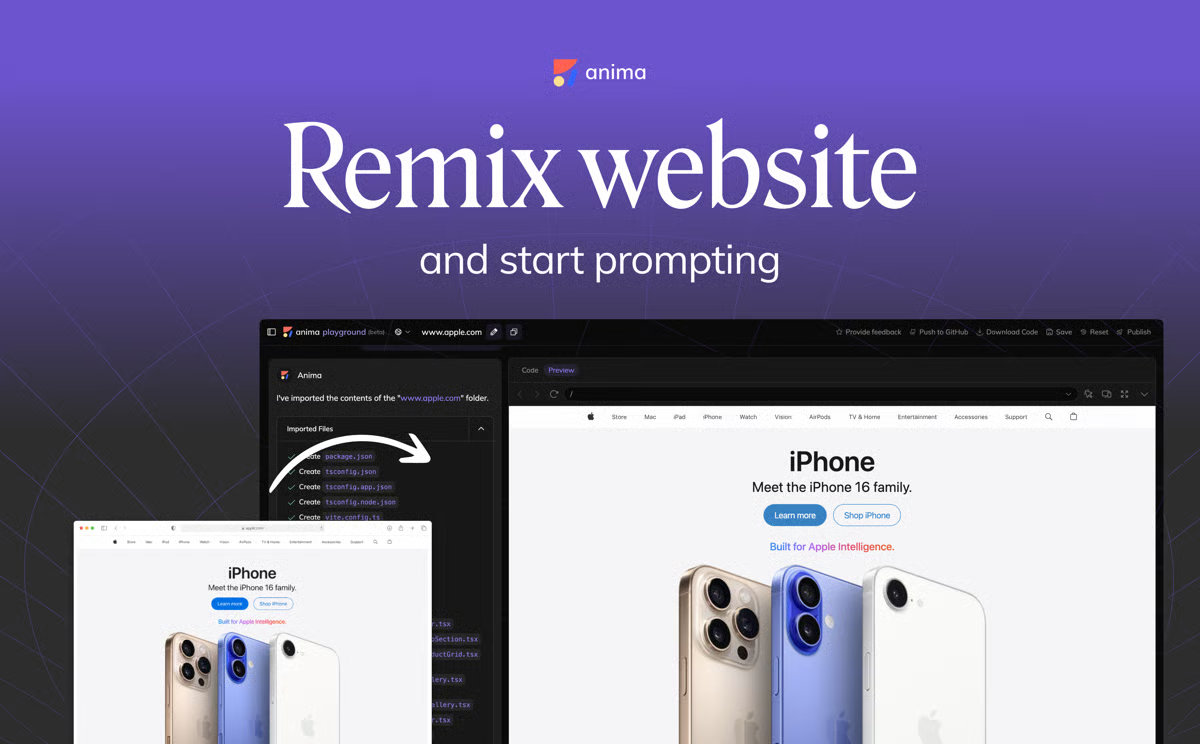
Anima bridges the gap between design and web development by converting design prototypes into responsive, high-quality code. As per G2 Data, approximately 50% users praise it's content library with design elements, templates and short codes. Users can rely on the app to create dynamic, interactive prototypes directly within popular design platforms, such as Figma and Sketch.
The free plan is available for all users and provides access to limited features, making it ideal for testing the tool.
| Pros of Anima | Cons of Anima |
| Converts design prototypes into clean, responsive code |
Focuses more on code output than on advanced design features
|
| Offers live preview and code export options |
Primarily designed to work within selected design tools, which limits its functionality
|
| Creates responsive design across devices | Limited code customization options |
“Anima is the best tool for converting Figma designs to code that I have seen. Most other services take shortcuts to produce code that may work at first but is impossible to bring to production or to modify. So far, the code quality is extremely high. It is very readable and simple code, great for modifying or adding features to. Genuinely impressed by how great it is.”
- Anima review, Sahil B.
“One aspect I find lacking is the level of animation control options available. It would be great to have more flexibility and customization when it comes to animating elements and interactions within the generated code.”
- Anima review, Namo Y.
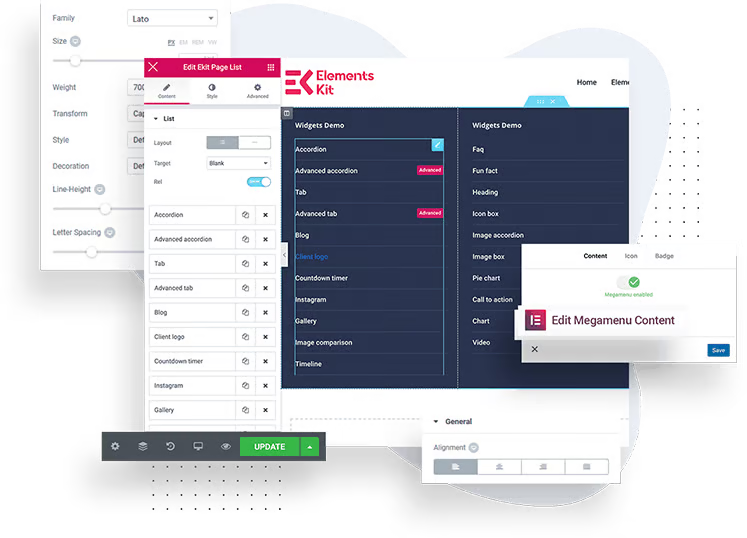
ElementsKit is a comprehensive add-on package for Elementor users looking to extend their web design capabilities. Packed with a variety of widgets, modules, and page-building options, ElementsKit simplifies the process of creating stunning, feature-rich websites. Its modular approach allows designers to pick and choose the tools they need for a customized and efficient workflow.
The free plan gives you access to pre-made templates, custom add-ons, and other essential features.
| Pros of ElementsKit | Cons of ElementsKit |
| Includes 500+ premade homepages and section layouts | Compatibility issues with other plugins |
| Toolkit customization |
Requires frequent updates to maintain compatibility with the latest Elementor versions
|
| Accessible to both beginners and experienced users |
Too many overwhelming features and customizations for new users
|
“Elementskit provides you with 85+ beautiful widgets and add-ons to help you with your design and development process. You may also design better headers and footers using this plugin. Many pre-made templates are available, which can help you save time while designing blocks, sections, and pages.”
- ElementsKit review, Alex C.
“When it comes to optimization, it takes a bit more loading time, and when you insert a design to your page, it also inserts all the images in the dummy design, which puts an extra load on your server. Those images are high in number, and that makes it hard to delete them one by one.”
- ElementsKit review, Bhavya D.
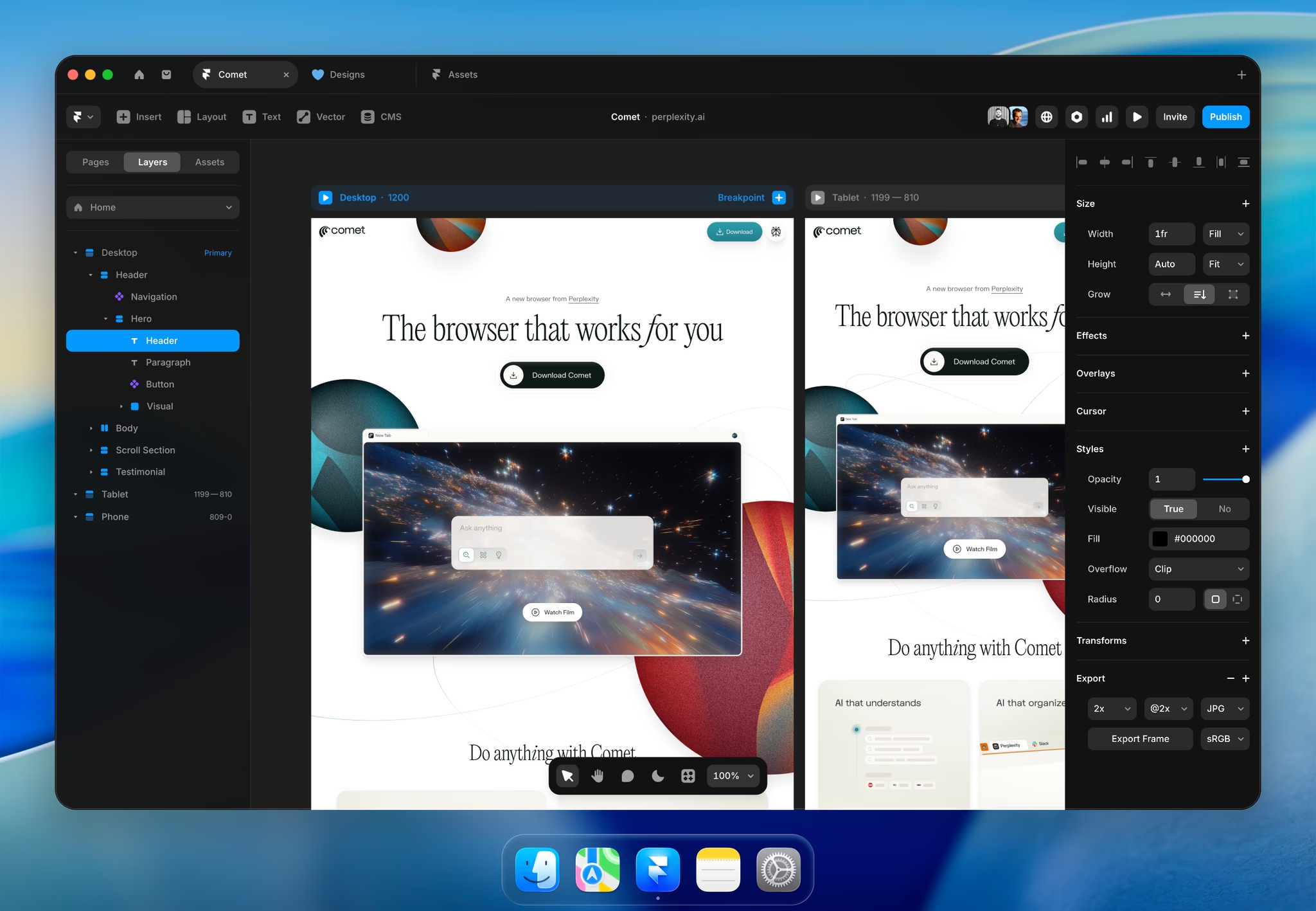
Framer’s intuitive platform enables interactive design and prototyping. Combining the power of code with a visually-driven interface, Framer caters to both designers and developers. In fact, according to G2 Data, almost 75% users praise its SEO and e-commerce capabilities. With integrated tools for animation, prototyping, and high-fidelity mockups, Framer ensures that your web projects are not only visually appealing but also functionally sound.
The free forever plan gives you custom fonts, a code editor, and a design canvas.
| Pros of Framer | Cons of Framer |
| Intuitive design editor ideal for less experienced users | Animation tools challenging for new users |
| Extensive design tools and elements, such as animations and interactions |
May require high-performance hardware for optimal use
|
| Flexibility of adding custom code, if needed |
Certain limitations in customization compared to other tools
|
“I am a product designer, and I use Framer for my portfolio website on a daily basis. I can easily create and edit pages and publish them with a click of a button, making it super easy to use. I can easily import and integrate my designs from Figma, and since it works like Figma or other simple design tools only, the transition and learning are super quick. The user interface is clean, and everything is easily accessible.”
- Framer review, Ayush S.
“Framers no-code editor is constantly growing. This means that there are bugs and support issues at this stage. One of the main annoyances that I've experienced with others is that when you submit a template to the marketplace and are rejected, you're given a checklist of possibilities as to why you were denied rather than a small list of reasons. While I understand Framer is still new and they get dozens of templates daily, it's slightly annoying to resubmit, potentially wait two weeks, then get the same email of rejection without any direction.”
- Framer review, Dylan C.
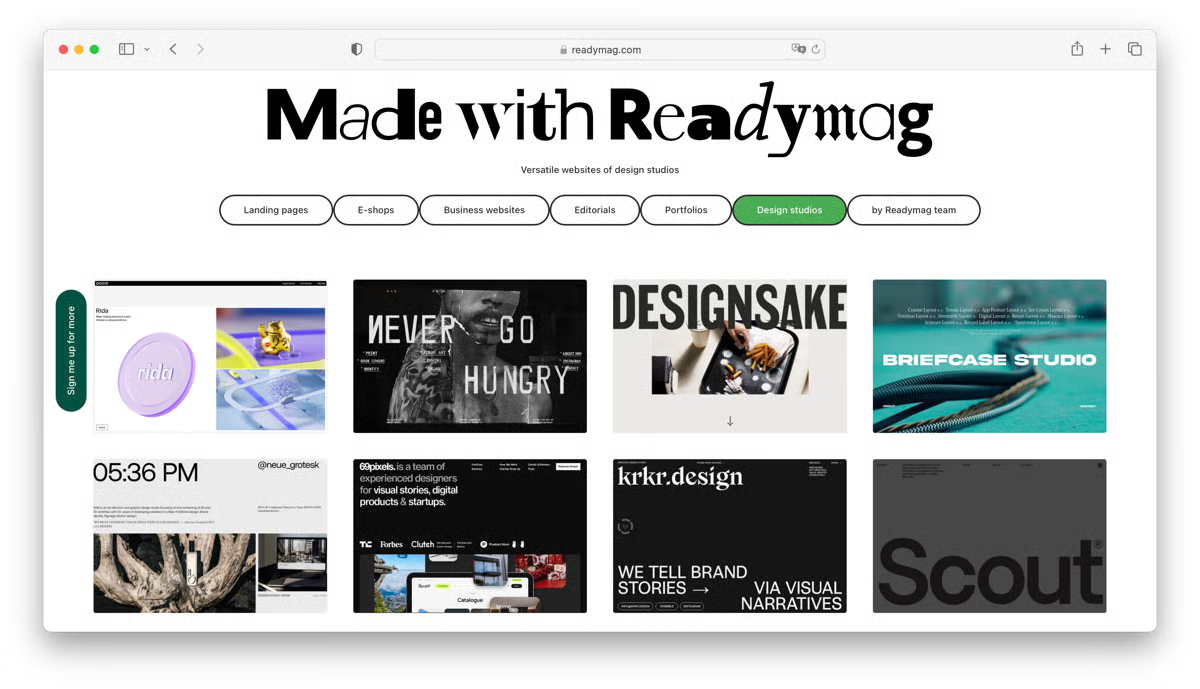
Readymag empowers users to create striking interactive websites with minimal effort. Its emphasis on design freedom and creativity makes it a favorite among users who want to craft unique, custom websites without being constrained by traditional templates. The platform is ideal for creating everything from personal portfolios to creative agency sites, offering flexibility and aesthetic control.
Users can test out the free plan, which is good for one website and up to 10 web pages.
| Pros of Readymag | Cons of Readymag |
| Easy drag-and-drop interface |
Issues with exporting designs to different formats
|
| Provides a wide variety of templates to jumpstart projects | Requires code for complex design |
| Uses interactive widgets and elements | Dependent on the Internet for full functionality |
“I really enjoy that Readymag makes it easy to create any kind of website, from a landing page to a huge website with a complex sitemap. It also has a very friendly support team and community that helps you to bring any crazy idea to life. I can hardly imagine what is impossible to create with Readymag – a super tool!”
- Readymag review, Natalia L.
“Readymag is great for so many things, but for anything complex or intricate in functionality, it lacks. Such functionality requires custom code, and it's the same story as any no/low code building platform.”
- Readymag review, Abb-d C.
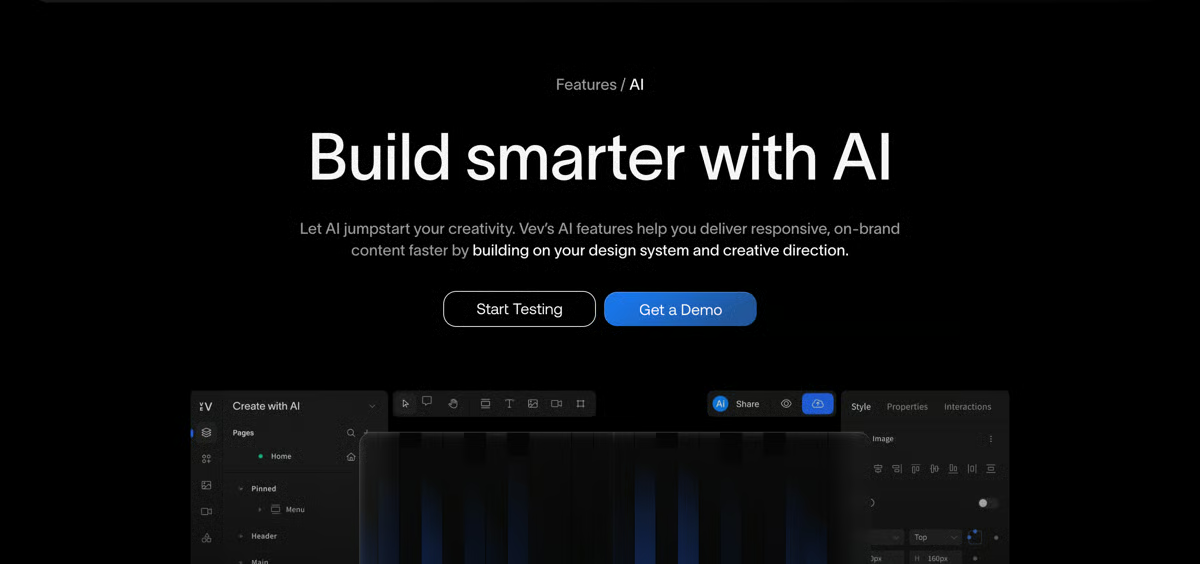
Vev’s innovative and free web design platform is designed for creators who want to build visually stunning websites with ease. It features a modern, drag-and-drop interface, allowing users to create responsive websites without needing to write code. For this same reason, G2 Data suggests that it is used by 62% small businesses. With real-time collaboration features, Vev makes it easy for teams to work together on web projects.
The free starter plan has unlimited users and gives you access to a code editor and templates, making it easy to design a website for free.
| Pros of Vev | Cons of Vev |
| No coding required for complex projects |
Specialized web design functionalities limited to higher-tiers
|
| Real-time collaboration for team projects | Fewer third-party integrations |
| Consistent user experience for different devices | Certain editing features slow loading time |
“I like the unique functionalities, which are easy to implement in Vev compared with coding from scratch. Mouse move parallax, scroll speed, horizontal scroll, scrolly-telling, video scroll, isometric view – such powerful and enriching features make the websites more unique, so they stand out. Another thing is easy implementation of embed stuff – 3D, for instance. Free standard hosting is also beneficial.”
- Vev review, Gerard S.
“I wish we were able to add in custom fonts prior to paying for the site as a whole. Sometimes clients want to be able to see their designs come to life fully, and that is usually before the next milestone is met contract-wise, so I usually end up having to pay for the site while it's being developed.”
- Vev review, Dj S.
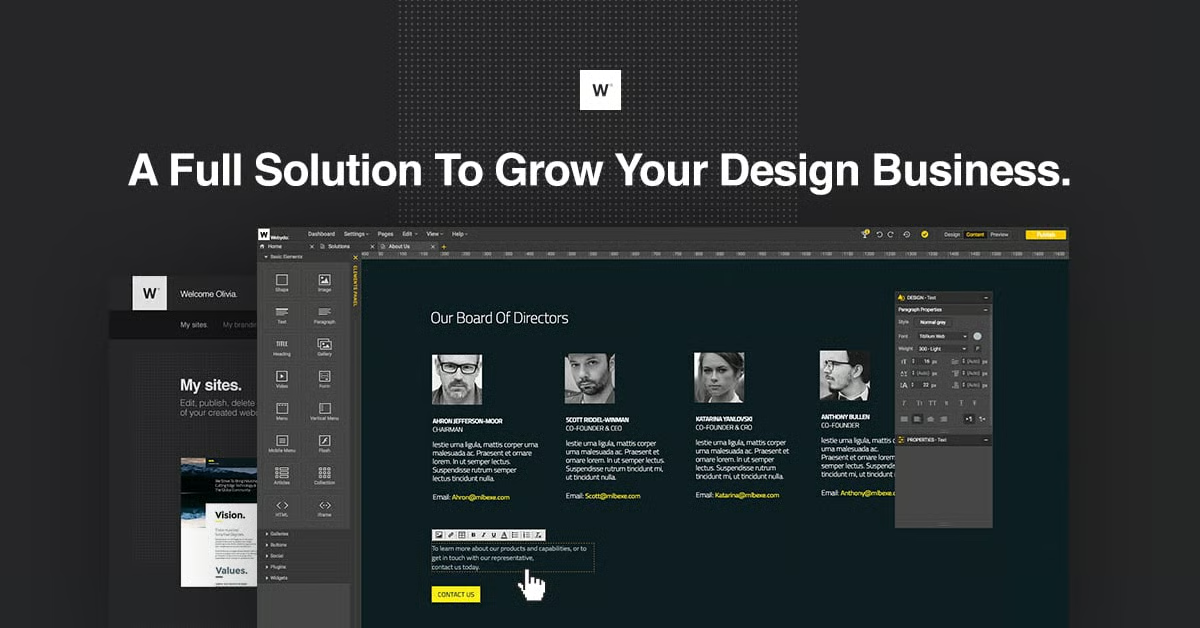
Webydo supports no-code website creation and management. It offers a rich set of tools that covers everything from responsive design to e-commerce integration. Webydo focuses on providing a high degree of design accuracy and control for pixel-perfect websites.
The platform offers a 14-day free trial to test out a plethora of web building features.
| Pros of Webydo | Cons of Webydo |
| Built-in e-commerce features |
Occasional performance and stability issues with complex projects
|
| Custom template generators |
Running complex design projects demands significant system resources
|
| No-code website building |
Advanced features like custom code and customization are restricted to higher-tiers
|
“Webydo is a good tool for quickly creating beautiful web pages. With just a few clicks, you can create some lovely-looking websites. There is no need to even have any of your own images, as they provide you with some (although, of course, you can change the images with your own ones if you want). The interface is very easy to use and gives you plenty of control. You can even quickly create features such as blogs, forums, and even online shops.”
- Webydo review, Michelle W.
“Cloud-based system, so if you have a slow connection, things take too long. Also, working in Chrome has bugs, but they are aware of them and continue to fix them. I'm not sure how search engines view Webydo sites. If that is important to you, I will look into that more before totally committing.”
- Webydo review, Chris A.
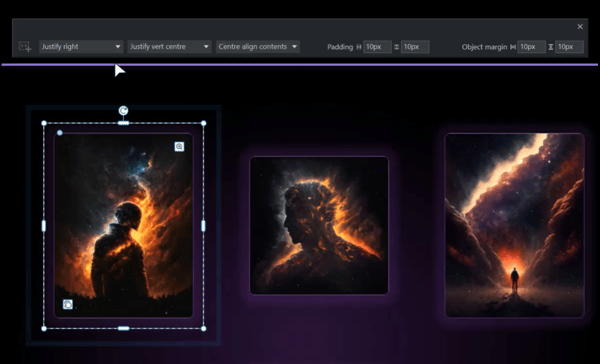
Xara Web Designer+ combines all-in-one functionality with user-friendly features, making it suitable for all skill levels. It provides complete creative freedom through a suite of tools ranging from vector graphic design to web page layout. The software also supports advanced web functionalities like animation and dynamic content to produce stunning, interactive designs.
The free trial allows users to make unlimited websites with fast and responsive designs. It also has a built-in graphics editor.
| Pros of Xara Web Designer+ | Cons of Xara Web Designer+ |
| Combines vector graphic design, photo editing, and web design tools | Steep learning curve |
| Offers integration with Google Drive, Dropbox, and OneDrive | Additional costs for advanced services |
| Supports animations and dynamic content |
Lacks some advanced features that power users need
|
“They offer you multiple templates, and you can fully customize them. These templates have a very professional look, and they are responsive. The interface is modern-looking and very intuitive. If you don't happen to have any knowledge of HTML, the app will help you with that.”
- Xara Web Designer+ review, Gary C.
“Xara Web Designer+ can't handle more complex programming and dynamic features like animation. It isn't efficient when it comes to content management and updating pages frequently in short times.”
- Xara Web Designer+ review, Emma M.
Have more questions? Find more answers below.
Most free tools restrict advanced publishing features, such as custom domains, CMS access, or export options, rather than design capabilities. You can usually build full layouts and interactions, but scaling or launching a production site often requires upgrading.
Free tools generally handle responsiveness well, particularly in terms of layout adjustments and breakpoints. Anima helps translate responsive designs into clean, usable code, while Framer offers visual breakpoint controls suitable for modern web layouts.
Yes, but primarily for concept work, prototypes, or MVPs. Tools like Framer and Vev are effective for presenting interactive ideas to clients, while final delivery usually needs paid features for branding and hosting control.
ElementsKit is a strong option for WordPress users, offering modular widgets and templates that integrate with Elementor. It’s best for designers who want flexibility without building custom components from scratch.
Most free plans support basic to moderate interactivity, including hover effects, transitions, and simple animations. Vev and Framer enable dynamic storytelling, although complex logic-based interactions are often limited.
Collaboration features vary widely. Creative-focused tools like Readymag are better suited for solo designers or small teams.
Free versions are suitable for early-stage projects but may limit performance optimization, SEO controls, or content scaling. Using tools like Anima can help future-proof projects by enabling cleaner handoff to development teams.
The best choice depends on workflow goals: Anima for design-to-code handoffs, ElementsKit for WordPress builds, Framer for interactive prototypes, and Readymag for visually driven layouts.
Ultimately, the best free web design software is the one that aligns with how you work and what you’re trying to build.
Take time to experiment with a few platforms and see which tools feel intuitive while still giving you enough creative control. Focus on factors such as ease of use, customization depth, scalability, and any limitations that might impact your long-term goals.
With the right tool and a clear vision, you can create a professional, high-impact website that truly represents your brand. I hope this list helps you narrow your options and move one step closer to the right solution.
Explore the best free website builders that deliver powerful features without the commitment of a paid plan.
This article was originally published in 2024. It has been updated with new information.


I evaluated the seven best PCB design software options that stood out across G2 Grid data,...
.png) by Devyani Mehta
by Devyani Mehta

Capturing moments or creating them? The power is in your hands Capturing and sharing images...
by Devyani Mehta
Rome wasn’t built in a day, and neither are Pinterest-worthy homes.
by Devyani Mehta