Rome wasn’t built in a day, and neither are Pinterest-worthy homes.
Whether you’re decorating your first rental or designing your forever space, turning ideas into reality takes planning, creativity, and the right starting point.
With endless inspiration but limited clarity on execution, it’s easy to feel overwhelmed by layouts, furniture choices, and design decisions. Fortunately, platforms such as architectural rendering and design software make interior design more efficient and enjoyable.
From architectural rendering tools to beginner-friendly design platforms, these solutions make it easy to explore styles, test layouts, and bring your vision to life —proving that great interior design doesn’t have to be expensive to be effective.
Look at the leading solutions, their key features, pros and cons, and their G2 reviews.
5 best free interior design tools of 2026: My picks
-
D5 Render: Best for high-quality real-time rendering
For beautiful lighting, materials, and photoreal visuals that elevate interior design presentations.
-
Planner 5D: Best for drag-and-drop interior layouts
For accessible design building, furniture customization, and photoreal snapshots.
-
RoomSketcher: Best for professional floor plans with visuals
For detailed 2D & 3D layouts, interior snapshots, and client-ready visual plans.
-
SketchUp: Best for versatile 3D modeling and design
For customizable structures, precision tools, and expansive extension libraries.
-
SmartDraw: Best for quick diagrams and architectural schematics
For flowcharts, floor plans, and integrated templates built for design clarity.
*The software list is arranged alphabetically. These tools offer free trials, free forever options, or freemium models.
Comparison of the best free interior design tools
Overwhelmed by all the details on free interior design tools? This comparison table simplifies the key aspects for you.
| Best free interior design tools |
G2 Rating |
Free plan |
|
| D5 Render |
4.8/5 |
Free plan available. |
Starting at $30/mo |
| Planner 5D |
4.7/5 |
Free plan available. |
Starting at $4.99/mo |
| RoomSketcher |
4.5/5 |
Free plan available. |
Starting at $12/mo |
| SketchUp |
4.5/6 |
Free plan available. |
Available on request |
| SmartDraw |
4.5/5 |
Free plan available. |
Starting at $10.75/mo |
*All pricing details mentioned in the article are based on publicly available data at the time of publication and are subject to change.
5 best free interior design tools I recommend
The global interior design software market is expected to continue expanding in 2026, as homeowners, designers, and DIY decorators increasingly rely on digital tools to visualize and plan their spaces. The interior design software market was projected to reach over $6.63 billion by 2025.
Whether you’re reimagining a rental apartment, remodeling your forever home, or helping clients bring their vision to life, design tools are now key to planning layouts, exploring styles, and making smart decisions.
The right free interior design software can help you turn inspiration into actionable plans, collaborate with others, and refine ideas long before any physical work begins — making it possible to design beautifully without breaking the bank.
How did I find and evaluate these free interior design tools?
To build this list, I began with G2 data, shortlisting top-rated tools based on their G2 scores and consistent performance in the free architectural rendering and design software categories.
From there, I reviewed product specs and recent, verified user feedback to confirm that these products deliver real value and to understand where each one stands out.
The goal was simple: to see whether these tools are as good as they claim, what each one is best for, and whether there’s a free version or free trial you can try with minimal risk. And because this is a free-focused list, I paid extra attention to what you can actually do without paying, such as whether the free tier includes core features, how long the free trial lasts, and what limitations might prompt you to upgrade.
The screenshots featured in this article may be a mix of those taken from the vendor’s G2 page or from publicly available materials.
This data was pulled from G2 in 2026. Some reviews may have been edited for clarity and accuracy.
1. D5 Render: Best for high-quality real-time rendering
Category: Architecture Software
D5 Render allows users to create immersive interiors for residential spaces, commercial interiors, and architectural visualizations. It offers advanced rendering technology with intuitive tools that improve the design process, enabling enthusiasts to bring their vision to life with unparalleled realism. The software offers a free plan perfect for beginners and individual use.

Pros and cons of D5 Render: My take
|
|
|
| Real-time rendering with impressive realism |
Occasional glitches and longer render times
|
| Great for presentation-ready visuals |
Limited assets compared to some competitors
|
| Fast iterations and adjustments |
Some users want stronger indoor realism tools
|
What G2 users like about :
"D5 Render has become my preferred tool for interior and exterior renderings. It seamlessly translates architectural designs into visually stunning and lifelike representations at an impressive pace. It streamlines the workflow and allows for quick iterations and adjustments, making the entire design process more dynamic and efficient."
- D5 Render review, Artan J.
What G2 users dislike about D5 Render:
"It is the long rendering times and occasional software glitches. In addition, the limited number of assets it provides. It would be great if they included path tracing capabilities for more realistic results indoors."
- D5 Render review, Betsegaw A
2. Planner 5D: Best for drag-and-drop interior layouts
Category: Other Real Estate Software
Planner 5D is a user-friendly tool for designing living spaces like apartments and offices. The software lets you experience your dream interior through virtual reality (VR), bringing your designs to life. Whether redecorating, reorganizing, or decorating a new house, the tool makes the designing process efficient. The software has a free app version with VR mode.
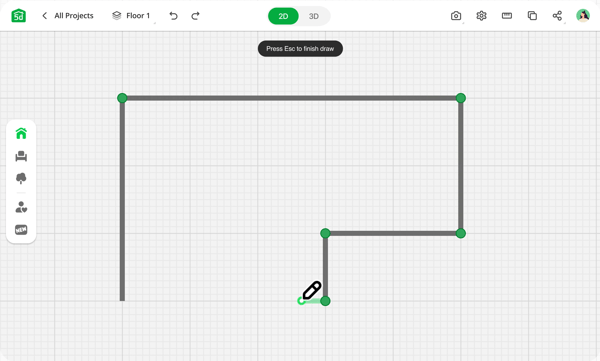
Pros and cons of Planner 5D: My take
|
|
|
| Very easy to use |
|
| Large object/decor library |
Free-tier limitations can feel strict
|
| Great visualization options (2D/3D/AR) |
Pricing friction for hobby users
|
What G2 users like about Planner 5D:
“What I like best about Planner 5D is its vast library of pre-made models, furniture, and decor items that make it easy to create realistic designs quickly. The drag-and-drop interface is intuitive, and the ability to view designs in both 2D and 3D is beneficial. Additionally, it offers an augmented reality feature, a great way to see how a design will look in real life. The software is an excellent tool for anyone looking to design and visualize their dream home.”
- Planner 5D review, KJ H.
What G2 users dislike about Planner 5D:
“It is annoying how you have to pay to use everything, so maybe the devs could use ads to support it or make the limit less strict. An ad while a project loads would help to lower the cost so that they could update the pricing limit.”
- Planner 5D review, Joseph P.
3. RoomSketcher: Best for professional floor plans with visuals
Category: Architecture Software
RoomSketcher is a robust and user-friendly software for creating floor plans and home designs. The app is handy for real estate and home design professionals who must generate floor plans and 3D visualizations for their clients. The application has a free plan.
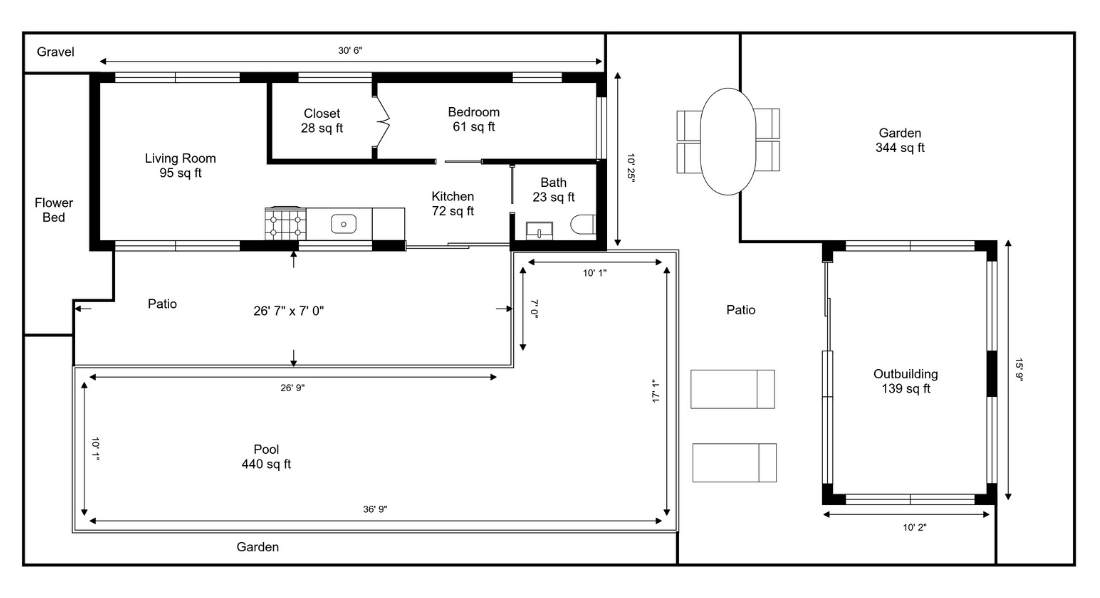
Pros and cons of RoomSketcher: My take
|
|
|
| Great for professional floor plan outputs |
Elevation checks can feel clunky mid-process
|
| Blueprint upload + tracing |
Workflow may require extra “snapshot” steps
|
| Strong support experience (per reviews) |
Some users want more live wall-view options
|
What G2 users like about RoomSketcher:
“RoomSketcher has many user-friendly features and options. Some of my favorites are the blueprint upload option to trace floorplans, the floorplan generators and 360° view generators, the options of adding your logos and disclaimers on plans, and the adding measurement tools. Also, the customer support is prompt and thorough.”
- RoomSketcher review, Nicole F.
What G2 users dislike about RoomSketcher:
“I wish I could look at the elevation view of each wall without taking a picture. Taking a picture at the end is great so I can include it in the client's file, but having to take pictures throughout just to check the progress of the design makes the process a little lengthy."
- RoomSketcher review, Claire E.
4. SketchUp: Best for versatile 3D modeling and design
Category: Architectural Rendering Software
SketchUp is a user-friendly 3D modeling software that empowers architects and designers to transform their concepts into reality. The software is suitable for designing projects of any size, from the smallest to the most extensive, and offers a range of tools to support you throughout the design process, ensuring that your ideas come to life. The software has a free version.
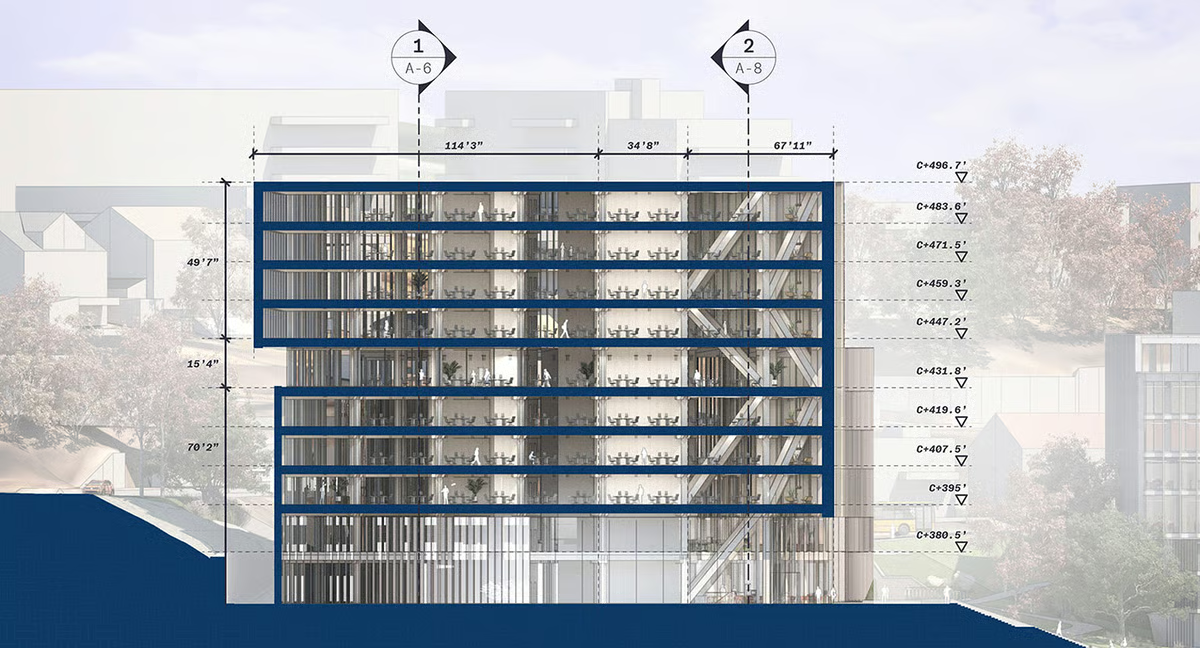
Pros and cons of SketchUp: My take
| Pros of SketchUp |
|
| Intuitive modeling (push/pull) |
Not BIM/parametric by default
|
| Excellent extension ecosystem |
Can create face/orientation issues if sloppy
|
| Great for conceptual + detailed models |
Concept models may not transition cleanly to BIM
|
What G2 users like about SketchUp:
"SketchUp's ease of use is unrivaled in my experience with various 3D modeling software. The push/pull nature of the modeling is easy to teach to people and can lead to quick modeling in experienced hands. Setting up scenes for review and rendering in another software is a breeze, without the need to fiddle around with complicated controls. The program's support for extensions is an excellent feature for more advanced users, who can install various scripts and extra tools tailored to their field, such as tools to creating topographic maps or for layout wall and roof framing in architectural design. Sketchup's commitment to providing a free version for hobbyist and student users is a welcome sight in today's rampant subscription paywalls.”
- SketchUp review, Sergio C.
What G2 users dislike about SketchUp:
“Does not have parametric and data-driven features (BIM). Not a solids-based modeler, so issues can occur with reversed faces if not modeled carefully. If used for conceptual design, over-modeling makes transitioning to BIM difficult (vertical faces become walls, horizontal faces become floors or roofs, etc).”
- SketchUp review, Eric B.
5. SmartDraw: Best for quick diagrams and architectural schematics
Category: Diagramming Software
SmartDraw is a diagramming software that offers a blend of simplicity and power and can be used across industries. It provides thousands of diagram templates and integrates with Google Workspace™, MS Office®, the Atlassian stack, and other similar platforms. The platform is free to use online.
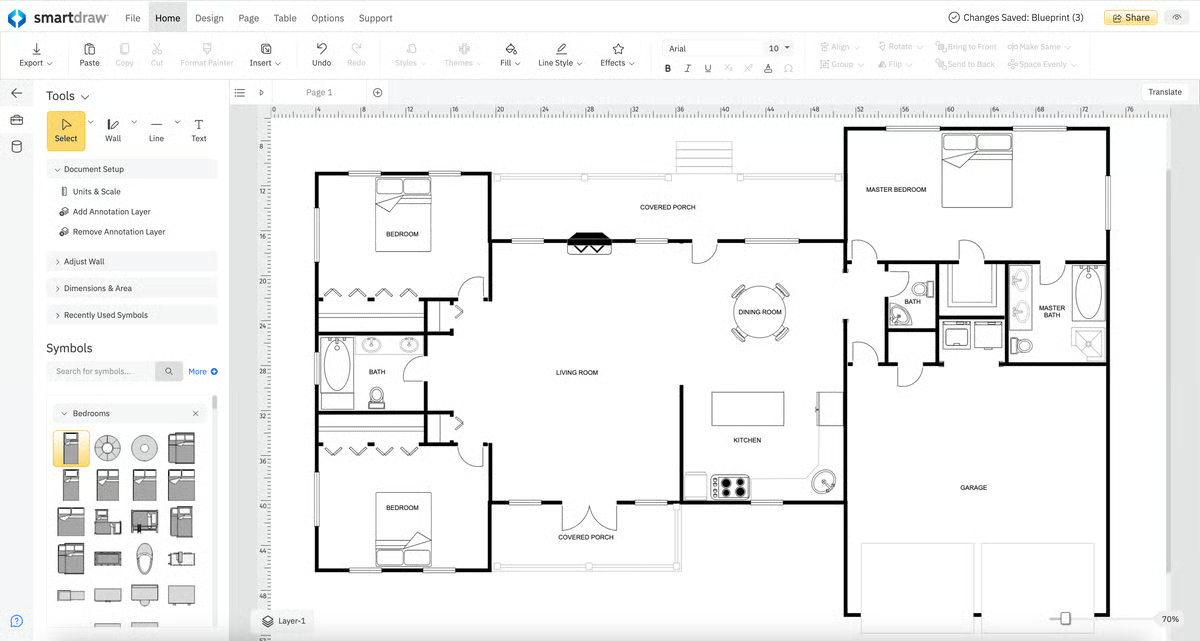
Pros and cons of SmartDraw: My take
|
|
|
| Huge template library |
UI navigation can feel inefficient
|
| Useful for plans + diagrams + proposals |
Some actions require extra tab switching
|
| Good for communicating layouts |
Might not satisfy 3D visualization needs
|
What G2 users like about SmartDraw:
“SmartDraw has come in handy for both business and personal uses. The program does a great job with general business charts and related features, making it ideal for presentations and proposals. We also used the program to redesign our garage layout and convert a room in our home to a formal dining room.”
- SmartDraw review, Mike M.
What G2 users dislike about SmartDraw:
“Switching back and forth between the home and design tabs is complicated. Adding a shape and moving it forward and back would be more efficient if those two options were also on the same tab.”
- SmartDraw review, Ralph A.
Free interior design tools: Frequently asked questions (FAQs)
Q1. What’s the best free interior design tool for photorealistic rendering?
D5 Render is the strongest pick if your goal is realism — think true-to-life lighting, shadows, reflections, and materials that make a room feel “done,” even before you buy a single item. It’s especially useful when you’re creating presentation-ready visuals (for a client deck, a remodel proposal, or even a before/after concept).
Q2. What’s the best free interior design app for beginners?
Planner 5D is one of the easiest tools to start with because it’s built for fast wins: you can drag-and-drop furniture, swap layouts quickly, and view your design in 2D and 3D without needing prior design software experience. It’s ideal for first-time decorators, renters, and DIY projects where you want to experiment freely.
Q3. What’s the best free tool for professional floor plans?
RoomSketcher is your best bet when you need floor plans that look polished and client-ready. If your goal is more schematic than visual (like clean layouts for internal planning or team documentation), SmartDraw can also work well.
Q4. What’s the most versatile free 3D modeling tool?
SketchUp is the most flexible option on this list because it gives you deeper control over structure and modeling. It’s a strong choice for everything from basic room mockups to detailed architectural concepts. SketchUp also plays nicely in a “two-tool setup” with D5 Render: model in SketchUp, then render in D5 for realism and lighting polish.
Q5. What’s the best free tool for creating clean floor plan diagrams quickly?
SmartDraw is ideal if you want to create clear, shareable floor plan diagrams without investing time in full 3D design. It’s especially helpful for planning moves, mapping layouts, communicating ideas to contractors, or including simple visuals in proposals and presentations.
Your home makeover era starts now
Creating a warm, welcoming home isn’t about copying a neighbor’s layout or chasing every Pinterest trend — it’s about building a space that fits your routine, style, and comfort.
My best advice? Start with the layout before you shop. Use free interior design tools to test furniture placement, room flow, and measurements before making any purchases. It’s the easiest way to avoid costly mistakes (like buying a couch that blocks your doorway or a dining table that turns your kitchen into an obstacle course).
Once the layout feels right, everything else gets easier — you can confidently layer in color, lighting, textures, and decor that make the space feel intentional rather than random.
Fashionable, sustainable homes begin with a strong foundation. Explore the best free floorplan software to build your aesthetic from the ground up.
This article was originally published in 2024. It has been updated with new information.
.png?width=400&height=150&name=Untitled%20design%20(56).png)

.png "free interior design software")
.png)

.png)
.jpg)

.png)