


Are you tired of sorting through receipts, paper logs, and complex spreadsheets to track business miles? The struggle is all too common.
Whether it’s client meetings, job sites, or business trips, anyone can easily lose count of the miles used for work. And when tax season rolls around, the hassle of retrieving your driving history turns into a real headache. For businesses, failing to maintain accurate records can lead to overpaying deductions, increased administrative workload, and potential tax compliance issues.
Fortunately, there’s a simple, cost-effective solution in the form of free mileage tracker apps. These on-the-go digital tools simplify tracking miles so you can be 100% confident in the accuracy of your reporting.
I’ve compiled a list of the six best free mileage tracker apps for you. Compare the features, pros and cons, and user reviews from G2 to pick the right one for your needs.
*The software list is arranged alphabetically. These tools offer free trials, free forever options, or freemium models.
If you feel overwhelmed by the wealth of information about free mileage tracking software, this comparison table will help you with all the essential aspects.
| Best free mileage tracker |
G2 Rating | Free plan | Paid plan |
| Cardata | 4.3/5 ⭐ | Free plan available | Available on request |
| Everlance | 4.4/5 ⭐ | Available for up to 15 users | Starting at $8.99/user/month |
| MileIQ | 4.2/5 ⭐ | Available for individual users | Starting at $8/user/month |
| Navan | 4.7/5 ⭐ | Free plan available | Available on request |
| TripLog | 4.6/5 ⭐ | Available with limited features | Starting at $6.80/user/month |
| Zoho Expense | 4.5/5 ⭐ | Available (+free 14-day trial for paid plans) | Starting at $8/user/month |
*All pricing details mentioned in the article are based on publicly available data at the time of publication and are subject to change.
Tracking mileage accurately is essential for businesses, freelancers, and employees who need to manage travel expenses and stay compliant with tax and reimbursement requirements. As work becomes more mobile, mileage tracking apps are seeing rapid adoption. In fact, the mileage tracker app market is projected to grow at a CAGR of 14.5% from 2026 to 2033, reaching $3.5 billion by 2033.
What stood out to me while reviewing this category is that reliable mileage tracking doesn’t have to come at a cost. Many apps now offer free plans that handle core needs, such as automatic trip detection, distance tracking, basic reporting, and export options, making them practical for individuals and small teams.
In this list, I’ve rounded up the top six best free mileage tracker apps based on real user feedback, ease of use, and the value of their free features. I’ll walk through what each app does best, its limitations, and which types of users it’s most suitable for, so you can track mileage confidently without overspending.
To build this list, I started with G2 Data, shortlisting top-rated tools based on their G2 scores and consistent performance in the mileage tracking software category.
From there, I reviewed product features and recent, verified user feedback to confirm that these apps deliver practical value and to understand where each one stands out, whether that’s automatic trip detection, GPS accuracy, ease of use, or reporting and export options.
My focus was on identifying mileage tracker apps that are reliable in real-world use and accessible without a heavy upfront commitment. Since this list emphasizes free options, I paid close attention to what you can actually do without paying, including trip limits, access to core tracking features, report exports, and any restrictions that might require an upgrade.
The screenshots featured in this article may be a mix of those taken from the vendor’s G2 page or from publicly available materials.
The list below contains real user reviews from our free mileage tracking software category page. Please note that in the context of this list, software that requires payment after a free trial is considered free.
To be included in this category, a solution must:
*This data was pulled from G2 in 2026. Some reviews may have been edited for clarity.
Cardata is a vehicle reimbursement platform built for businesses with employees who use their personal vehicles for work. It combines mileage tracking, compliance verification, and detailed reporting to help organizations reimburse drivers fairly and in a tax-efficient way. Cardata supports multiple reimbursement programs, including FAVR, tax-free car allowances, and cents-per-mile models, with calculations tailored to employee location and role.
With mobile trip tracking for drivers and centralized reporting for managers, Cardata simplifies vehicle reimbursements while helping companies stay IRS-compliant and control costs. According to G2 Data, it ranks as the 2nd easiest to use tool.
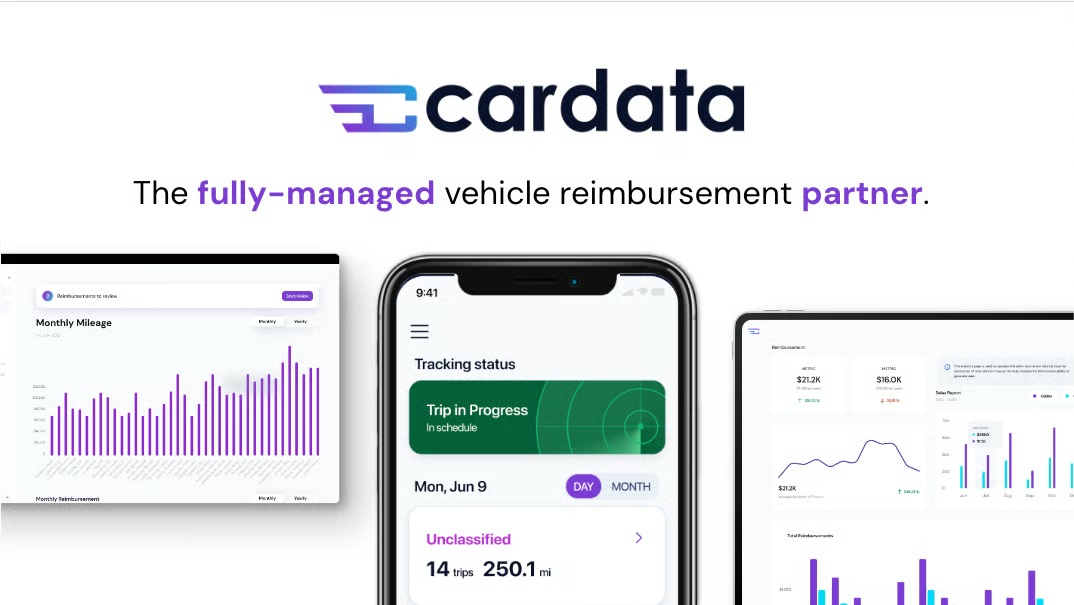
| Pros of Cardata | Cons of Cardata |
| Automatic, GPS-based mileage tracking with minimal manual effort | Manual entry can feel slow and inefficient when needed |
| Easy setup and user-friendly mobile experience | Occasional mileage tracking inaccuracies |
| Responsive and helpful customer support | Battery drain can affect consistent tracking |
Very good with tracking — when it is on. That is not always the case.
- Cardata Review, Nina M.
I don't like that I'm constantly being logged out randomly
- Cardata Review, Rose O.
Need more than mileage logs? See how modern travel management platforms help plan, book, and manage full-scale corporate travel.
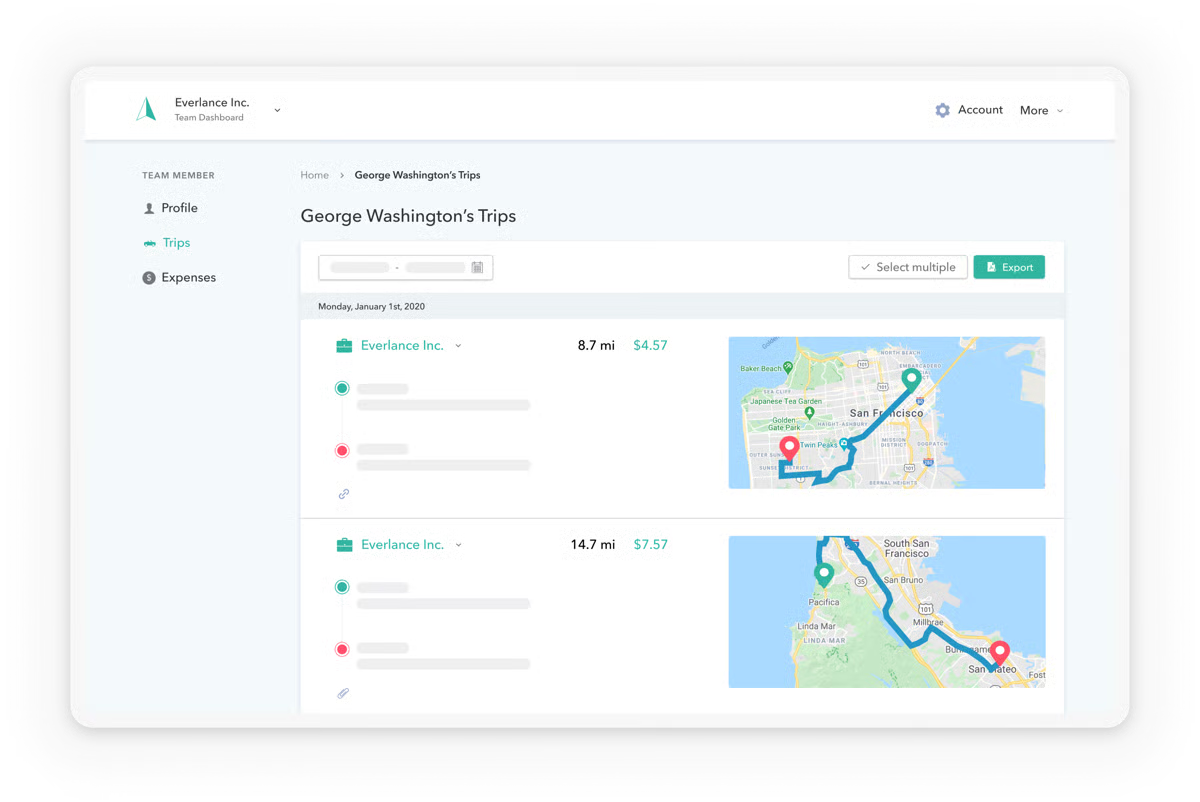
Freelancers, independent contractors, and small business owners all agree that Everlance makes travel accounting easier. Everlance automatically tracks mileage through GPS and categorizes trips as they happen. Users can also capture expenses, upload receipts, and generate IRS-compliant reports to uncomplicate filing and reimbursement processes.
Up to 15 users can use the free plan, which offers automatic trip detection for up to 30 trips per month, among other core features. According to G2 Data, it ranks as the 4th easiest to use tool.
|
Pros of Everlance
|
Cons of Everlance
|
| Requires minimal setup, making it easy to use and navigate for all | Advanced features are limited to higher tiers |
| Offers phone, chat support, and live user training | Higher costs for some optional add-ons, like license and insurance validation |
| Syncs with bank and credit cards for seamless expense tracking | High battery consumption due to continuous GPS tracking |
“I like how it tracks all my movements during the day. It's always available. Easy to use. The best thing about it is I can just get in my car and drive, and it does all the work!”
- Everlance Review, Bianca P.
“Sometimes the tracking classification is logged and accurate, and sometimes it is missed. The user needs to check after each trip.”
- Everlance Review, Frank Y.
Professionals across industries use MileIQ for its compliant mileage logs, intuitive interface, and automatic recording. MileIQ allows users to classify trips as business or personal with a single swipe. They can quickly generate IRS-compliant reports to guarantee hassle-free tax filings and reimbursements.
|
Pros of MileIQ
|
Cons of MileIQ
|
| Automatic trip detection and logging | Does not sync with other expense-tracking systems |
| Delivers highly accurate mileage tracking | Personalized support and simple invoicing limited to paid users |
| Provides consolidated mileage reports and a reporting dashboard | May not be cost-effective for smaller teams |
“We love that MileIQ just tracks our mileage for us simply by having the app on our phone. You can designate business hours so it automatically classifies mileage that's business-related, and you can designate trips that weren't as well. At the end of the month, my employees just submit their reports. I print a log of our files and issue a check for reimbursement. It's super simple, easy to navigate, and understandable even for employees who aren't that tech-savvy. We're totally digging it – two thumbs up!”
- MileIQ Review, Philo H.
“Uses GPS and battery. Data owned and used by Microsoft. Not sure I trust Microsoft with my location data. I prefer just making a mileage log using an online mileage log generator tool.”
- MileIQ Review, Justin T.
Navan is an all-in-one travel and expense management platform designed to simplify business travel while giving companies greater visibility and control over spend. It allows employees to book, manage, and change travel plans easily, while automatically capturing expenses and receipts in one system. With real-time reporting, policy enforcement, and spend insights, Navan helps finance teams, travel managers, and employees reduce manual work, control costs, and manage business travel more efficiently.
According to G2 Data, Navan ranks #1 for ease of use among Mileage Tracker Apps.
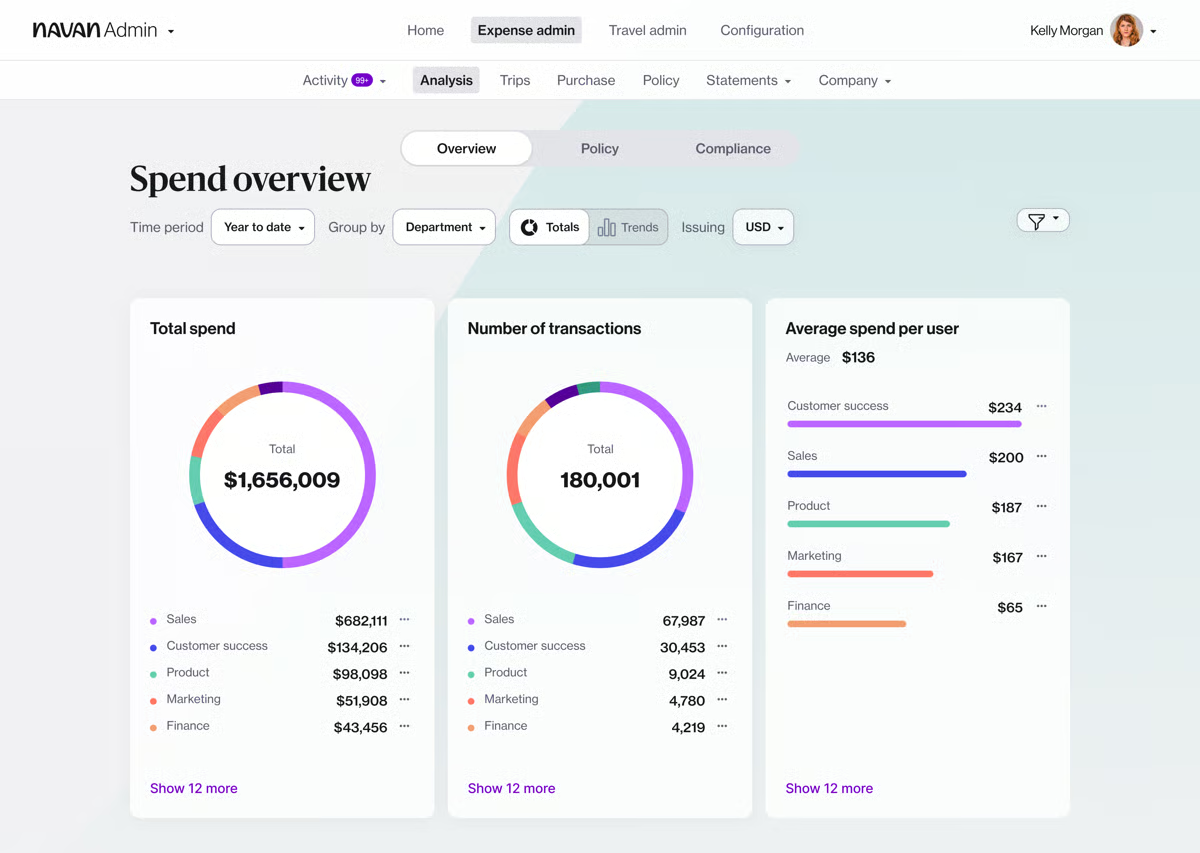
| Pros of Navan | Cons of Navan |
| Fast and intuitive travel booking experience | Limited hotel options and nonrefundable booking policies |
| Reduces friction in everyday travel planning | Difficulty modifying hotel reservations |
| Convenient all-in-one platform for business travel management | Approval and receipt management can feel cumbersome |
What I like best about Navan is how easy it makes booking travel. The interface feels modern and intuitive, and it’s simple to compare flights, hotels, and rental cars in one place. The real-time pricing and clear policy indicators are very helpful and clear. Navan was to be implemented across our organisation, and the setup was straightforward. The support team has been very responsive whenever questions come up. Our team uses it exclusively for booking travel. I also appreciate how well it integrates with other tools we rely on, like Slack, keeping travel, approvals, and reporting all in one seamless workflow.
- Navan Review, Hannah L.
Navan distinguishes itself by offering a smooth integration of travel booking and expense management via the Navan card. Whenever an employee books travel or incurs a related expense, the transaction is instantly matched with the digital receipt and categorized in the appropriate expense account, such as Accommodations or Transportation, all in real-time. This process removes about 90% of the manual effort for both the finance team and the employee, since the transaction data is already compliant with company policy and can be directly exported to our ERP system.
- Navan Review, Nikita V.
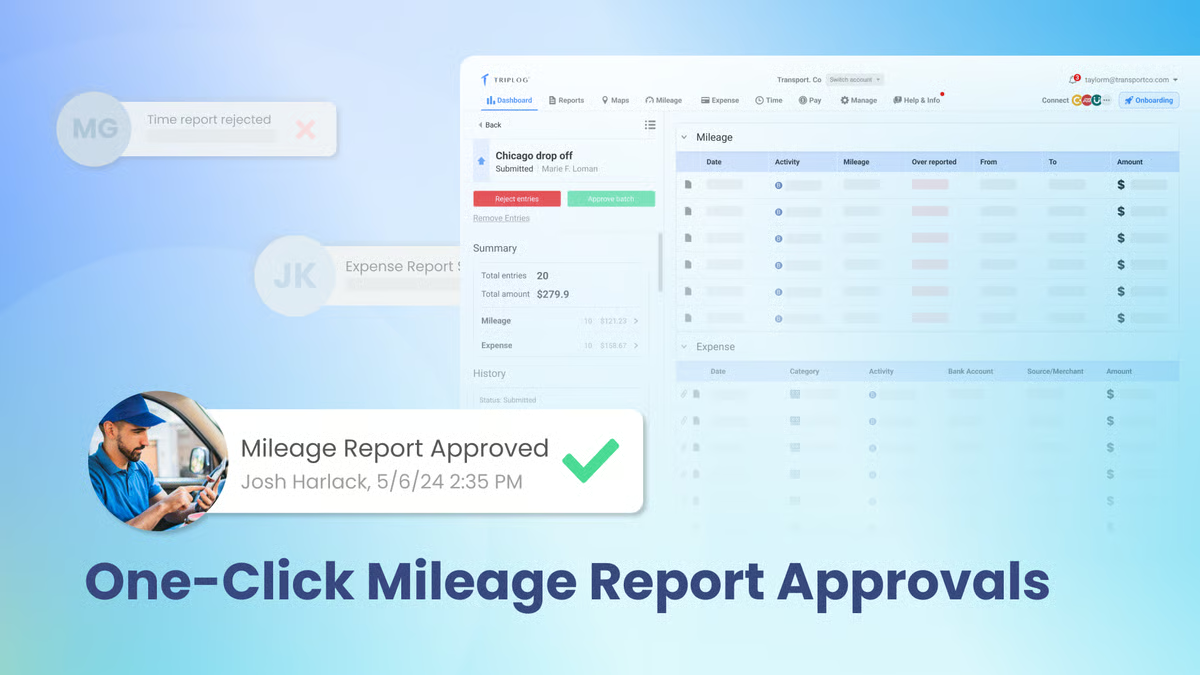
TripLog’s a feature-rich mileage tracking app that helps out businesses and individuals who need comprehensive mileage and expense tracking. With auto tracking, manual log options, and support for multiple vehicles, TripLog provides flexibility and accuracy. The app also integrates with various accounting and payroll systems, making it a valuable tool for business expense management.
|
Pros of TripLog
|
Cons of TripLog
|
| Allows custom mileage policies and a detailed admin console | Advanced features are limited to paid plans only |
| Generates customized reports to meet specific business needs | Less intuitive interface than other automatic distance trackers |
| Integrates with popular accounting and payroll systems like QuickBooks and Xero | High learning curve |
“TripLogs automated mileage tracking and receipt capturing have significantly increased the efficiency of our staff. I am happy with its useful features. We no longer waste time manually recording mileage and expenses. We also appreciate the platform flexibility, which lets us tailor it to meet our particular needs.”
- TripLog Review, Michael H.
“Our automatic payment was not automatic last time, which caused our account to appear past due. I had to pay our account manually, and then the system said autopay was on. I received support from the team, but I'm not sure if the backend issue was fully addressed or caught. I hope this won't be recurring.”
- TripLog Review, Isa Z.
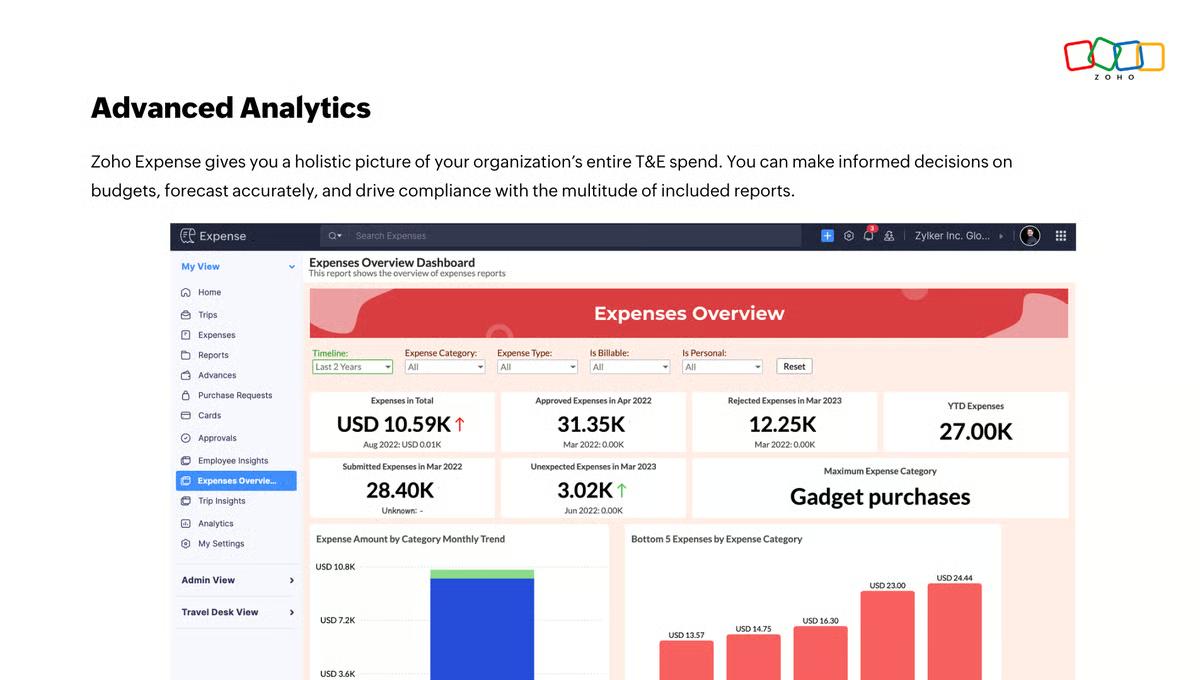
Zoho Expense’s comprehensive expense management software simplifies tracking business expenses, including mileage. It offers automated expense recording, seamless integration with other Zoho applications, and GPS mileage tracking.
The free forever plan allows up to three users and offers critical features like mileage expenses, multi-currency support, and accounting integrations. The paid plans also offer a 14-day free trial to test additional features.
|
Pros of Zoho Expense
|
Cons of Zoho Expense
|
| Covers all facets of expense tracking beyond mileage | Advanced customization options are not helpful for all users |
| Reduces manual effort with automated workflows | Limited storage space for the free plan |
| Has intuitive web and mobile apps | Mobile app is slower than the desktop version |
“The mileage feature allows me to track all my driving and allows me to come back and decide which account to charge for my driving. I forward all my invoices to the email provided, and they show up for me to address later.”
- Zoho Expense Review, Matthew C.
“It would be helpful to have a way to track mileage for company vehicles without it necessarily being an expense, since the IRS requires tracking mileage regardless of whether you take the actual cost or standard mileage. As of now, the way to do this is to set the $ field to 0. It would also be helpful if the mile tracker automatically added starting and ending points.”
- Zoho Expense Review, Shelisa T.

Have more questions? Find more answers below.
When choosing a free mileage tracker app, look for features like automatic trip detection, manual trip entry and editing, real-time tracking, comprehensive reporting, trip categorization, and useful integrations with accounting and enterprise resource planning (ERP) systems.
Reputable mileage tracker apps prioritize data security and use encryption to safeguard your information. However, it's on you to review the app's privacy policy and security features before use to ensure data protection.
Many of these free apps offer international functionality, allowing you to log trips in different countries. However, it's important to check specific app features and settings to ensure they accommodate international usage and comply with local regulations.
Yes, many free mileage tracker apps have limitations compared to their premium versions. Common restrictions include a cap on the number of trips logged per month, limited features, and reduced integration options.
In most cases, yes. GPS-based mileage trackers are more accurate and less time-consuming than manual tracking, especially for frequent drivers. They automatically record trips in the background, reducing missed or forgotten miles.
Tools like Everlance, MileIQ, and TripLog use GPS tracking to capture trips automatically, while manual entry (often available in Zoho Expense) works better for occasional drivers who log mileage infrequently.
User trust often comes from accuracy, IRS compliance, and ease of use.
Yes, many free mileage tracker apps support automatic trip tracking, but usually with limits.
Free plans are typically sufficient for light to moderate usage.
For independent contractors:
These tools balance automation with simplicity.
Yes, this is a core feature of most mileage tracking apps.
Many do, at least at a basic level.
Apps like MileIQ, Everlance, and TripLog generate mileage logs that include date, distance, purpose, and location, which align with IRS requirements. However, advanced audit-ready reports or long-term storage may require paid plans.
Some do, but often with restrictions.
Free plans may limit the number of vehicles or users before requiring an upgrade.
This feature is most useful for small businesses or contractors managing more than one car.
I believe having the right mileage tracking app makes a real difference, whether you’re traveling for board meetings or managing a fleet of delivery drivers. These tools help simplify operations, reduce administrative work, streamline reimbursements, and improve overall efficiency.
Remember to use any free trials or demo versions of these apps to confirm they meet your expectations and requirements.
I hope this list brings you one step closer to finding the right mileage tracking solution.
Integrate the best accounting software with your free mileage tracker app to automate expense reports, calculate tax deductions, and gain financial insights.
This article was originally published in 2024. It has been updated with new information.


I know how delayed reimbursements can affect employee travel experiences and overall morale....
.png) by Shreya Mattoo
by Shreya Mattoo

I've always loved to travel. Whether it's planning weekend escapes, stretching PTO into...
.png) by Tanuja Bahirat
by Tanuja Bahirat

There’s a reason accountability has the word “account” in it.
.jpg) by Aayushi Sanghavi
by Aayushi Sanghavi