


Are you still spending time searching for documents scattered across different systems instead of focusing on your core work? I have seen how easily this can slow teams down and create unnecessary friction.
Free knowledge base software helps bring information into one place. Whether it’s engineering leaders centralizing documentation, customer success teams finding answers more quickly, or startups streamlining internal processes, a shared source of truth can make everyday work more efficient.
To make the selection process easier, I have created this guide to the best free knowledge base software available today. It highlights key features, strengths, and limitations without requiring a big investment. Each option offers either a free trial or a free plan, giving you the flexibility to evaluate what best fits your needs.
*The software list is arranged alphabetically. These tools offer free trials, free forever options, or freemium models.
Still can’t decide which knowledge base platform is best for your team? Compare their prices and G2 ratings to better understand whether these free tools are worth testing.
| Best free knowledge base software |
G2 Rating | Free plan | Paid plan |
| ClikUp | 4.7/5 ⭐ | Yes, feature-limited | Starting at $7/month |
| Confluence | 4.1/5 ⭐ | Yes, user-limited | Starting at $9.73/month |
| Document360 | 4.7/5 ⭐ | 14-day free trial available | Available on request |
| Guru | 4.7/5 ⭐ | 30-day free trial available | Starting at $25/user/month |
| Helpjuice | 4.7/5 ⭐ | 14-day free trial available | $249/month |
| Notion | 4.6/5 ⭐ | Yes, feature-limited | Starting at $10/month |
| Slab | 4.6/5⭐ | Yes, feature-limited | Starting at $6.67/month |
| Slack | 4.5/5⭐ | Yes, feature-limited | Starting at $6.67/month |
| Slite | 4.6/5⭐ | Free trial available | Starting at $8/month |
*All pricing details mentioned in the article are based on publicly available data at the time of publication and are subject to change.
The demand for knowledge base software continues to rise as teams seek more effective ways to document information, share expertise, and eliminate repetitive questions throughout the organization. From onboarding guides and internal documentation to customer-facing help centers, managing knowledge manually quickly becomes inefficient.
Knowledge base tools help centralize information, improve self-service, and ensure teams and users can find accurate answers when they need them. This growing reliance on structured knowledge systems is reflected in market growth, with the knowledge management software industry projected to expand from $33.5 billion in 2025 to $97.73 billion by 2035, growing at a CAGR of 11.3%.
From my experience, you don’t need a paid platform to start building and maintaining a reliable knowledge base. I’ve come across several free knowledge base tools that offer solid core functionality, from content creation and search to version control and basic customization.
That’s why I have curated this list of the free knowledge base software I recommend. These tools are well-suited for organizing internal documentation, launching a simple help center, and testing knowledge management workflows before determining whether a paid upgrade is worthwhile.
To build this list, I started with G2 Data, shortlisting highly rated tools that consistently perform well in the knowledge base software category and offer a free plan or free trial.
From there, I reviewed each product’s feature set and recent, verified user feedback to understand how effectively these tools help teams create, organize, and share knowledge. I focused on essentials like content creation, search functionality, customization, access controls, and ease of maintenance.
I focused on understanding how practical these tools are for everyday knowledge sharing, whether teams can easily create and maintain help content, how intuitive the search experience is, and where each platform is most effective. Because this list centers on free options, I also evaluated the trade-offs that come with no-cost plans, including limits on users, storage, customization, and access to advanced functionality, so there are no surprises when you start using them.
The screenshots featured in this article may be a mix of those taken from the vendor’s G2 page or from publicly available materials.
Knowledge base software enables businesses to create a centralized information repository by combining various sources, including internal communication tools and email systems. Organizations use these platforms to create a self-serve digital library, which acts as a single source of truth for all team members. Businesses can fully control who uses, accesses, and edits the information in knowledge base systems.
The list below features real user reviews from the best free knowledge base software category page on G2. Please note that vendors offering a free trial are also included in this list. To be a part of this category, a solution must:
*This data was pulled from G2 in 2025. Some reviews may have been edited for clarity.
ClickUp is an all-in-one productivity platform that helps you manage resources, knowledge sharing, and projects. Users can visualize tasks using workflows and views like lists, boards, and timelines. The platform makes automating repetitive tasks, collaborating with peers, and tracking progress easy. Other features include task assignment, goal setting, document sharing, and time tracking.
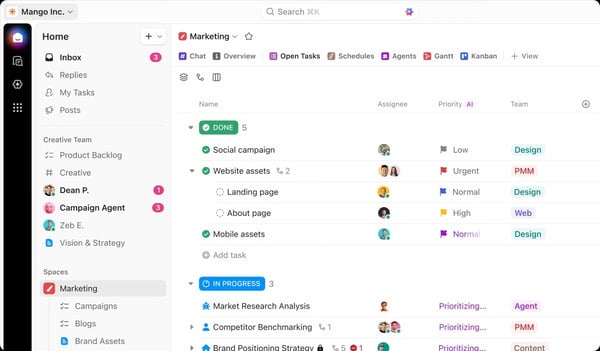
|
Pros of ClickUp
|
Cons of ClickUp
|
| Offers a variety of customizable views | Can be slow or buggy with complex projects |
| Automation for saving time and reducing manual effort | Overkill for users needing basic task management |
| Real-time collaboration tools for enhanced communication | Advanced features and higher storage limits are available only in paid plans |
"I love ClickUp! I use it for everything in my business, from managing my sales pipeline to CRM sales cycle, team communications, and production schedule. The ability to customize everything makes ClickUp flexible, allowing you to make each space your own. I also like that I can invite guests and use this feature to allow my customers to see their products move through the stages of production in real-time, and the Gantt chart allows me to bring everything together for a full production planning overview."
- ClickUp Review, Joseph N.
"The downside to ClickUp is the lack of complex custom calculations. ClickUp could level up if it could build Excel functionality into its custom columns. The dashboards would be much better, and how much could be done in creating a list would increase significantly."
- ClickUp Review, Aaron F.
Confluence is a remote-friendly collaborative workspace that helps teams create and share knowledge across teams. Its AI-enabled Pages feature allows you to take notes or plan projects using templates. Teams can also capture free-flowing thoughts with whiteboards and visualize work using databases. What’s more, spaces inside Confluence make it effortless for you to create and manage structured pages for different teams.
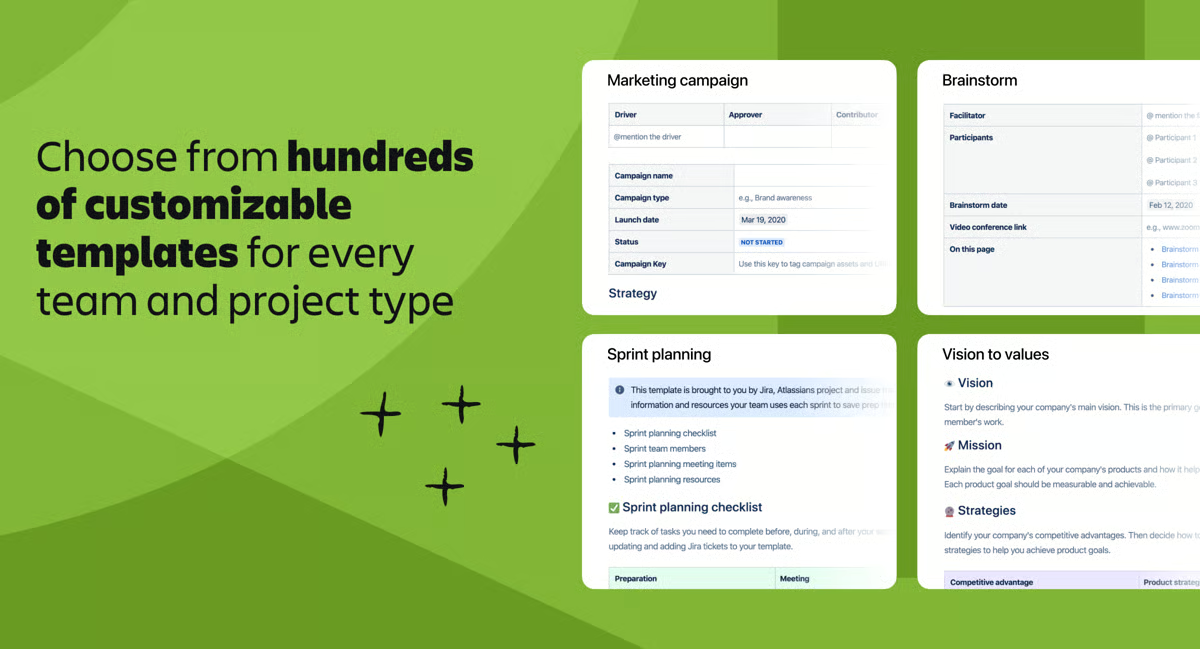
| Pros of Confluence | Cons of Confluence |
| Real-time editing, comments, and @mentions | Can be occasionally slow |
| Robust structure for organizing content | It can be expensive for a larger team |
| Seamless integration with Atlassian products | Limited formatting and styling options |
"Confluence allows the team to create, organize, and store information in one location, making it easy to access and share knowledge. It integrates well with other Atlassian products like Jira, Trello, and Bitbucket, as well as with various third-party apps and tools. People often use it when they do work and get connected with the tasks. It provides a user-friendly interface, making its implementation easy for our system."
- Confluence Review, Ashwini B.
"The grouping feature needs some improvement; it takes some experimentation to figure out how to group/organize a bunch of similar pages."
- Confluence Review, Shree Nandan D.
Document360 allows companies to create, manage, and share self-service knowledge bases for their internal teams and customers. Users can easily author, categorize, and organize articles using Document360’s robust content management system (CMS). The collaborative features allow multiple team members to work on documents simultaneously, making the content creation process more efficient. Other features include a What You See Is What You Get (WYSIWYG) editor, rich analytics, AI-powered suggestions, and workflows.
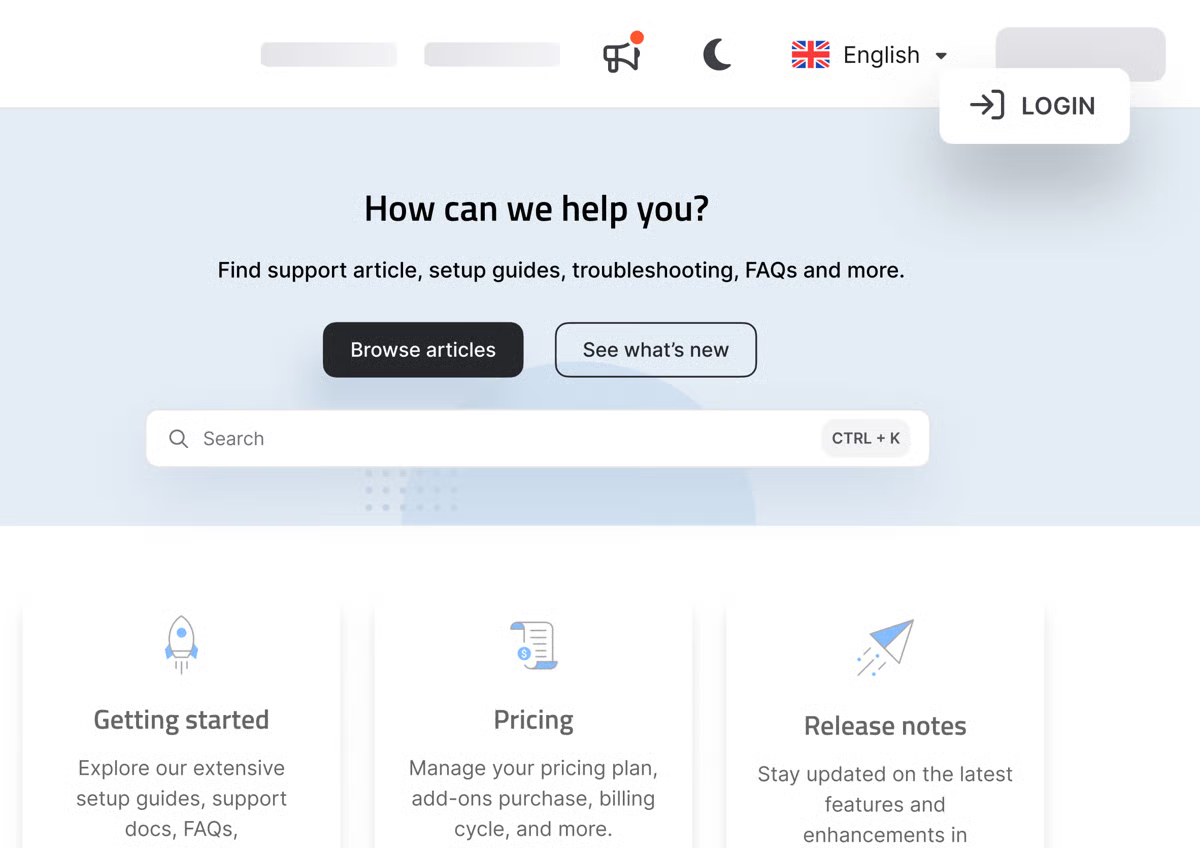
| Pros of Document360 | Cons of Document360 |
| Search capabilities for information retrieval | It can be relatively expensive for small teams |
| Supports detailed versioning | Requires internet for most functions |
| Customizable interface and detailed analytics | Complex user permission and roles management |
"Document360 is easy to use and lets us write new articles quickly. The site allows our customers to find the documentation they are looking for and leave feedback on articles. We have found the 'eddy' search bar very useful when finding the right information. Our article writers also use the 'AI writer' feature, making our documentation standard even better. Document360 is always bringing out new features to its platform, and when you raise a feature request, it's likely it will be included in the product in a few months! I enjoy using Document360 and would definitely recommend it."
- Document360 Review, Alice I.
"Some of the features available through Document360 are only available via add-ins and not by default, meaning the overall cost can increase depending on your needs."
- Document360 Review, Brianne B.
Guru is an advanced knowledge management platform that simplifies how teams capture, share, and access information. Businesses appreciate Guru's centralized knowledge hub, real-time information, and instant access to critical data. This platform also features collaborative authoring and engagement analytics, both crucial for creating and measuring team efficiency and productivity.
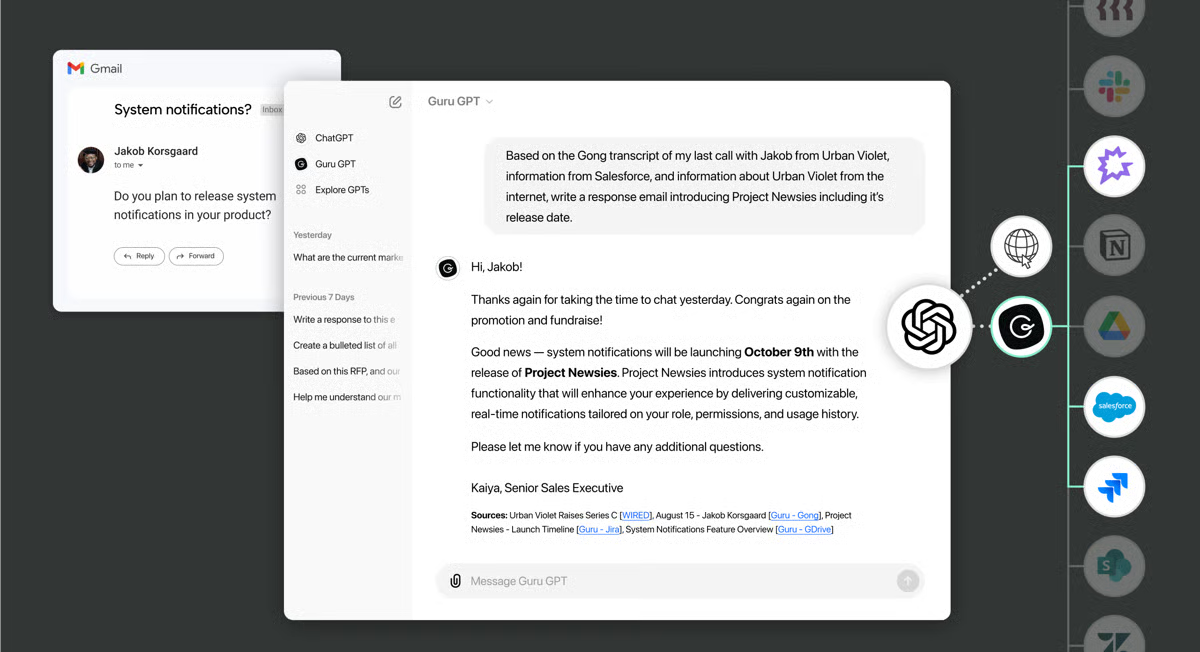
| Pros of Guru | Cons of Guru |
| Easy-to-access single source of truth | New users may need time to adapt to the features |
| AI-powered content verification in collaboration with subject matter experts | Limited customization options |
| Powerful insights on who uses information and how | Integrating Guru with other tools may pose challenges |
"Guru makes it easy to find quality knowledge cards quickly and is very user-friendly. It is easy to update existing info and create new cards, and its SEO capabilities within our organization are great. I have been a daily user of this wonderful program for nearly 3 years. It allows me and my entire customer support team to provide better, more personalized, quality care to our clients at a growing volume photography software company."
- Guru Review, Peter H.
"Some inconsistencies when accessing Guru resources from other pages, as sometimes it will pop up within the app, and some other times it will open a new tab in the browser, can be inconvenient, but it's nothing experience-breaking."
- Guru Review, Sebastian B.
Related: Read about other knowledge base software for contact center.
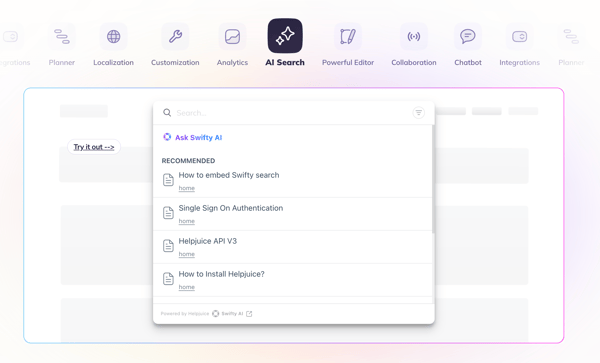
Helpjuice is an AI-powered knowledge base platform built to centralize and scale knowledge across organizations. It allows teams to create, upload, and manage content in multiple formats using an easy-to-use editor, making information accessible for employee training, customer onboarding, and self-service. With a powerful, Google-like search experience and advanced knowledge management features, Helpjuice helps teams find answers quickly, eliminate information silos, and share knowledge internally and externally.
| Pros of Helpjuice | Cons of Helpjuice |
| User-friendly interface for easy documentation management | Editing and formatting can be difficult without technical help |
| Excellent customer support with quick and helpful responses | Steep learning curve, especially with the new editor |
| Convenient dashboard with version control | Missing or buggy features, including multi-language support |
"Helpjuice has been a game-changer for our support team. The AI-powered search and chatbot have empowered our customers to find answers independently, significantly reducing case volume and freeing up valuable time for our team. The setup and implementation were remarkably straightforward, allowing us to get up and running quickly with minimal hassle. Highly recommend for any team looking to streamline support!"
- Helpjuice Reviews, Steve G.
"We signed up to help juice over a month ago and had the migration team import articles for us. Since then, I consistently keep running into bugs that cause me to lose my work and lose formatting changes that I have made. I have reported these to the team and shared loom recordings, the team acknowledged there were bugs but told me they're unlikely to get looked at by the dev team for atleast a few weeks (let alone fixed) because the are focusing on a sprint to get new features out.
This is very disappointing and very frustrating, as we are a week out from launch, and I haven't been given any workarounds or even been told that the bugs have been passed on to the dev team".
- Helpjuice Reviews, Joanna W.
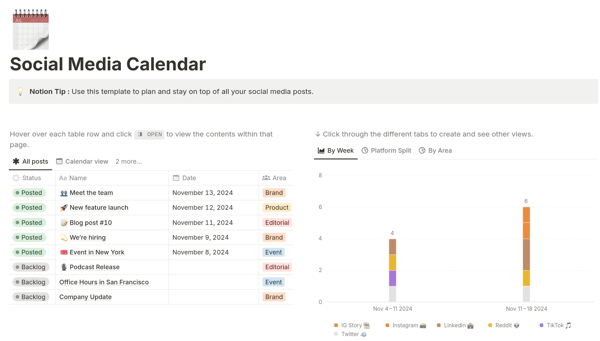
Notion offers an AI-powered workspace to help businesses organize workflows with note-taking, task management, and database functions. The unique block-based content structure lets users customize pages, to-do lists, checklists, and even Kanban boards. This intuitive platform supports remote collaboration with project management capabilities and real-time editing and commenting features.
| Pros of Notion | Cons of Notion |
| Easy customization with a block-based structure | Can be slow when handling large databases |
| Reduces the need for multiple tools | Limited offline functionality |
| Collaborative features like real-time editing and comments | Advanced features can be costly for large companies |
"Notion is seriously a game-changer! Since I was introduced to it by my ex-colleague, I’ve been using it for everything, from work projects to personal to-do lists, and it’s just so flexible and easy to use. You can literally customize it any way you want, which is perfect for organizing my chaotic brain (my neurodivergent colleagues swear by it, too). Plus, it’s all in one place. No more jumping between apps for notes, tasks, and databases. Additionally, it integrates with other apps like Slack and Glean, making searching for documentation feel like real-life magic.
I also love how you can collaborate with your team in real time. It makes working on projects together so smooth. Plus, all the templates available are a huge time-saver.
I had to create separate meetings for multiple teams in my org to tell them how to use the basics of Notion so they could drop their outdated Excel sheets and move over to the great side. In all fairness, they still have yet to discover the full functionality of Notion, but they seem sold already. If you haven’t tried Notion yet, you’re seriously missing out."
- Notion Review, Hannah H.
"The fact that it has no integrated chat feature or ability to embed video conferencing makes the entire work conversation incomplete. I have to move to Slack to complete the integration, but like there is a pull-out chat/dialogue box for AI features, there should be a chatbox for just text-based chat inputs specific to each page that has visibility to every player who can access the page. It would make the entire experience complete."
- Notion Review, Tarun B.
Check out the best free project management software my team tested and scale up your productivity for free.
Slab is a modern knowledge management platform loved by both technical and non-technical users for its user interface. Besides helping you create visually appealing documents, the platform offers features like real-time co-authoring, comments, and mentions to facilitate collaboration. Users can also integrate Slab with tools like Slack, Google Drive, and GitHub.

| Pros of Slab | Cons of Slab |
| Supports rich text formatting, markdown, and media embeds | Pricing can be on the higher side |
| Clean and intuitive user interface | Lacks extensive customization options |
| Provides insights into content usage and engagement | Mobile app experience sometimes lacks functionality |
"Slab natively integrates markdown docs from Github, meaning technical docs that should live in your repository get surfaced in the same place. Likewise, the search runs across Slab and other sources like Slack and Google Drive. In effect, Slab operates with the understanding that there will always be other sources of knowledge in your organization and tries to solve the "whole" problem.
Additionally, I think they've chosen a good line in the sand about what type of content should be stored in Slab documents. It's not a light CRM; it won't replace your financial model. It's the place for Wikis, collaboration, discussion, documentation, etc. I suspect this clarity of purpose is part of what allows the app to be so fast and searchable."
- Slab Review, Andrew B.
"I wish there were a way to more easily track documentation requests from other team members. Almost like a ticketing system or similar, on what could be updated and where. And a more enhanced view of expired verification posts with more filtering. (like saved filter views, so you can quickly jump back to your items to update.)"
- Slab Review, Cameron M.
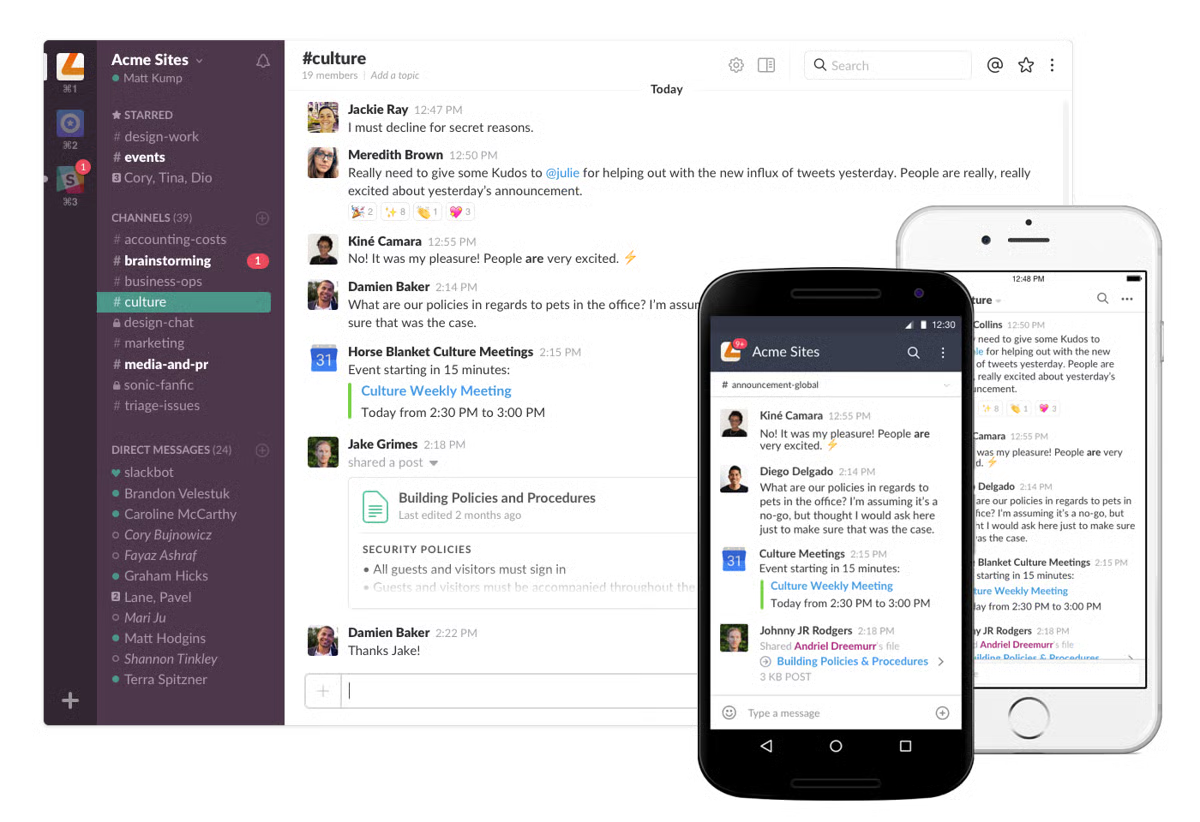
Slack is a team communication platform that brings conversations, files, and tools into one shared workspace. It enables real-time collaboration through channels, direct messages, calls, and chat, while keeping a searchable history of conversations and shared files. With integrations for thousands of apps and workflows, Slack helps teams stay aligned, reduce context switching, and get work done faster, whether they’re in the office or working remotely. According to G2 Data, it ranks as the 1st easiest to use tool.
| Pros of Slack | Cons of Slack |
| Easy-to-use interface that supports fast team communication | Channel overload makes it hard to track important messages |
| Strong collaboration features for remote and distributed teams | Limited features in lower plans, including message history limits |
| Wide range of integrations that improve workflows | Search functionality can be unreliable for finding past messages |
"Slack makes team communication fast, organized, and easy to follow. Channels help keep conversations focused by topic or project, reducing email clutter and making information easy to find later. I especially like the integrations with tools like Notion, Google Drive, and calendars, which keep updates and work context in one place".
- Slack Reviews, M. Umair M.
"There isn't much that I dislike about Slack. However, sometimes when i start a huddle, the app becomes a bit laggy. Occasionally, notifications are also delayed, and I receive them late. Other than these minor issues, everything work well for me".
- Slack Reviews, Sanket P.
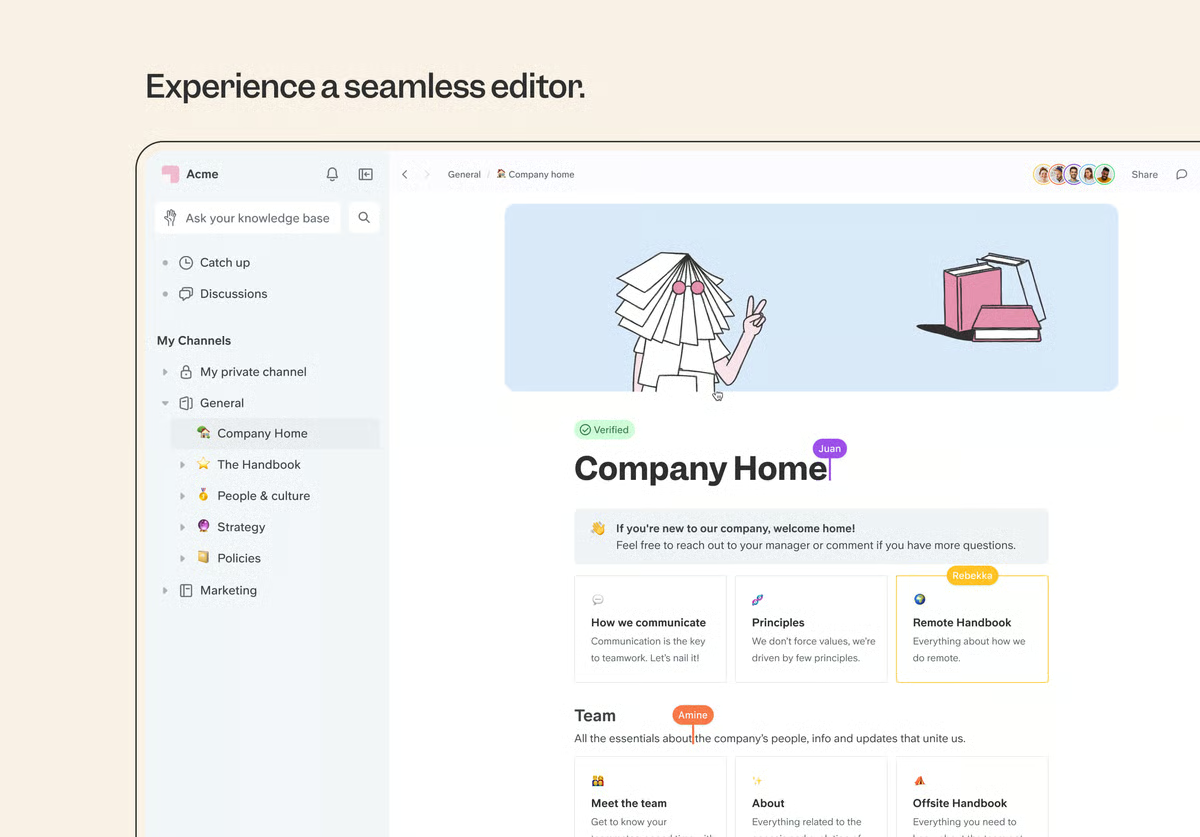
Slite is a collaborative documentation and knowledge management platform that enables teams to write, edit, and access documents in real-time. The search functionality allows you to access information, while version control features track and revert changes effortlessly.
Additionally, Slite offers customizable templates, making it easier for teams to standardize documentation practices across projects. This knowledge base tool is ideal for teams looking to simplify their knowledge management processes and improve internal communication.
| Pros of Slite | Cons of Slite |
| Real-time document editing for collaboration | May restrict the size of files you can upload |
| Version control for tracking changes and returning to previous content versions | The notification system can sometimes be overwhelming |
| A wide range of templates for standardizing documentation practices | Limited file format options for document exports |
"Slite is a super easy-to-use platform, encompassing all of the great features you would see in any intranet program, but with many extra features and connections to other programs and tools you may already use. I love that they keep adding features to the platform. It's already super convenient with all of its plugins and usability connecting with so many different platforms. It's super easy to make any sort of documentation or articles explaining anything on a company's intranet with Slite! This is where all of my company-wide tutorials live."
- Slite Review, Jesse T.
"Although the collaborative elements are great (tagging, shared docs, access controls, etc.), I'd still like to see even more - checklists are pointless when you can't easily assign ownership or due dates to them or see them in a centralized place, for example."
- Slite Review, James H.

According to G2 data, Confluence, Notion, and ClickUp are the best free knowledge base software solutions for internal communications, customer service, and help desk support functions.
Consider looking at the following factors while evaluating knowledge base solutions:
Free knowledge base tools usually come with limits around the number of users, articles, storage, customization, and integrations. Advanced features like analytics, permissions, approval workflows, and branding are often locked behind paid plans.
For example, Confluence and Document360 offer strong capabilities but restrict usage in their free tiers. Tools like Notion and Slite are flexible but may lack enterprise-grade controls unless you upgrade.
Yes, many free tools support both internal and external documentation, but not always equally well.
Small teams benefit most from tools that are easy to set up, collaborative, and flexible.
These tools allow small teams to document processes without heavy admin overhead.
Yes, basic search is almost always included in free knowledge base tools.
I see free knowledge base platforms as a practical way to make information more accessible and help teams work more efficiently. These tools offer built-in content management features that let you organize and share helpful information from a single place. I recommend trying and evaluating a few free options before investing in a full-scale online knowledge base system.
Want customer service reps to find answers to frequently asked questions? Explore the best contact center knowledge base software for improving the quality of customer service interactions.
Edited by Monishka Agrawal
This article was originally published in 2024. It has been updated with new information.


"Wait, didn’t we already document that?" If I had a dollar for every time I’ve heard or said...
 by Soundarya Jayaraman

The best enterprise search software becomes critical when teams know the information exists...
 by Disha G

Published: January 2026 · Last updated: April 2026 I’ve been there: staring at a blank Notion...
by Sudipto Paul