.png?width=400&height=150&name=Untitled%20design%20(56).png)


I evaluated 20+ tools to find the 9 best data extraction software in 2026. These include Apify, Oxylabs, Fivetran, Bright Data, Boomi Data Integration, IBM StreamSets, Coupler.io, Decodo (formerly Smartproxy), and Octoparse.
Data is the lifeblood of modern decision-making, but let’s face it, extracting meaningful information from vast amounts of unstructured or scattered data is no easy feat.
I've been there — struggling with clunky processes, endless copy-pasting, and tools that overpromised but underdelivered. Across the G2 reviews I analyzed, the same frustrations come up. Buyers want something that cuts the manual work and saves hours.
I began my search with one goal: to find the best data extraction software that is powerful yet usable, fits into existing systems, and returns accurate results without heavy cleanup.
My journey wasn’t just about trial and error. I worked from the evidence. I read detailed G2 reviews, cross-referenced Grid Reports, and compared features like automation, customization, and scalability. The result is a list of the best data extraction software built for different needs, whether you are handling business intelligence, customer insights, or large-scale dataset organization.
And one of the first questions I worked through was which is the best data extraction software for enterprises. That focus pointed me toward scalable, reliable, and compliance-friendly tools that hold up under heavy data workflows.
If you are tired of inefficient processes and want tools that earn their place, this list is for you. Here are the options that stood out across the user feedback and Grid data I analyzed.
*These data extraction software tools are top-rated in their category, according to G2's Summer 2026 Grid Reports. I’ve also added their starting monthly prices for paid plans to make comparisons easier for you.
Data extraction software turns scattered, messy sources (web pages, PDFs, databases) into clean, structured data a team can actually work with, replacing manual collection with automated capture.
Here is the backdrop behind the category: the problem is not only that enterprise data is messy; it is that the messy data pile is now too large to handle manually. Roughly 74% of enterprise IT leaders now manage more than 5PB of unstructured data, and 56% cite classifying and tagging it as their top challenge for AI-readiness. As that share grows, automated extraction is the only practical way to keep up, which is what the tools I analyzed are built for.
If you’ve been researching top tools for scraping and extracting web data, this section is where you’ll find the most versatile, compliant, and automation-ready options.
I shortlisted the top tools using the latest G2 Grid Report for Data Extraction Software. From there, I analyzed verified G2 reviews, G2 Scores, user sentiment, product positioning, public pricing information, vendor pages, and available feature documentation.
To work through the reviews at scale, I also used AI to surface patterns and analyze user sentiment about the top solutions, market preferences, and common challenges.
To ensure my evaluation is exhaustive enough, I analyzed each tool on how well it handles structured and unstructured data, automates repetitive collection, and holds up on large datasets, based on what verified G2 reviewers report.
By combining that review analysis with Grid Reports and official documentation, I compiled this list to help you choose the right tool for your needs.
All product screenshots featured in this article come from official vendor G2 pages and publicly available materials.
When selecting a data extraction software, I prioritize a few key features:
Many of these platforms now reach beyond extraction into end-to-end pipelines, so if workflow automation is on your list, weigh it alongside the criteria above.
The list below contains genuine user reviews from G2's best Data Extraction software category page. To qualify for inclusion in the category, a product must:
If you’re interested in process optimization, you might also be wondering about top tools for combining data extraction with workflow automation, as modern platforms often go beyond extraction and help build end-to-end pipelines.
This data has been pulled from G2 in 2026. Some reviews have been edited for clarity.
For teams that would rather build and run their own scraping tools than work inside a fixed tool, Apify offers a vast ecosystem for developers. It stretches from a quick one-off pull to continuous, large-scale extraction, and lets you start with a prebuilt scraper or write your own from scratch.
What stands out in the G2 Data I analyzed is how highly users rate the experience. Apify holds a 4.7 out of 5 across more than 500 reviews and the highest G2 Satisfaction score (98 on 100) of any tool in this category. The people behind those ratings are mostly developers and small teams in software, IT, and marketing, which tells you who Apify is built for: small businesses writing and running the scrapers themselves.
The capability I'd point to first is Apify's library of ready-made Actors, the prebuilt scrapers that handle jobs like price tracking, lead mining, and competitor research without building anything yourself. G2 reviewers return to this more than any other point, often describing how prebuilt Actors had them collecting data as soon as they started.
Past the ready-made library, Apify is a place to build and deploy your own scrapers in code, with an SDK, an API-first design, and the open-source Crawlee library underneath. G2 reviews I analyzed mentioned that they publish the Actors they write to the same marketplace and reuse them across projects. The payoff is room to grow: start on a prebuilt Actor, then move to custom logic when a target site needs it, without switching tools.
I keep coming back to one theme in the reviews: web scraping speed across a wide range of sites and APIs, pulling large volumes without the long waits reviewers describe elsewhere. Several reviewers mention accurate, low-maintenance runs are the real signal here, more than any single benchmark.
Apify fits into a stack rather than sitting beside it. Reviewers most frequently praise how it exports and connects, pushing scraped data to tools like Google Drive, AWS S3, and Dropbox, or straight into their own apps through the API. This was the single most common theme across the reviews I analyzed. For anyone who needs extracted data to land where analysis already happens, that connectivity decides whether the tool earns a place.
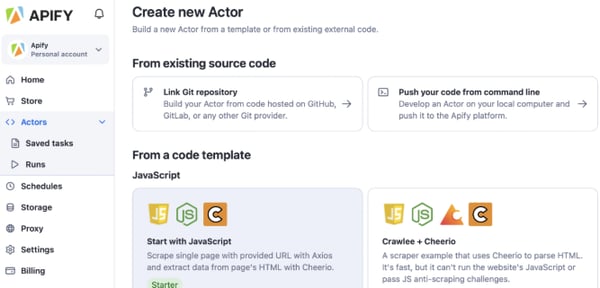
For recurring work, I'd point a team to Apify's scheduling and automation. Actors that run on a set cadence, webhooks that trigger the next step, and integrations that move results onward without anyone watching. It turns scraping from a manual task into a background job, which many reviewers attribute to the time savings.
Where Apify earns trust over time is observability. Detailed run logs and visual dashboards show how a scrape is progressing and where it stalled. G2 reviewers describe using these to catch and fix a broken run quickly rather than finding bad data later. For a buyer running many jobs at once, seeing inside each one is what keeps a large operation manageable.
Apify rewards teams with some technical comfort, and its documentation and community Actors help newcomers find their footing. That said, reviewers new to web scraping note the platform can take time to learn, particularly when they move from ready-made Actors to building custom ones. The ramp is real for non-developers, but it flattens once the core concepts click, and teams with developer resources tend not to feel it.
On price, I'd read Apify as pay-for-what-you-run. Its compute-unit model keeps small or occasional projects inexpensive, and the free tier lets you try before committing. Where reviewers raise it is at scale, the per-Actor charges and credit use can climb on heavy, continuous scraping, and a few reviewers note credits still get spent when an Actor run fails. For steady, scoped workloads the model stays predictable; for always-on, high-volume extraction, it is worth modeling the monthly cost up front.
For developers and data teams who want to own how data collection works, Apify is one of the few platforms that scales from a single prebuilt Actor to a custom, automated pipeline without changing tools.
"The absolute best thing is their massive library of pre-built "Actors". Instead of wasting time writing custom scrapers from scratch and fighting IP blocks, you just pick an Actor from their store, plug in your target URLs or keywords, and get clean, structured data back in seconds. Also, their built-in proxy management is top-notch and handles all the heavy lifting behind the scenes seamlessly."
- Apify review, Jhonny G.
"While Apify is a powerful platform, there are a few areas that could be improved. The learning curve can be steep for beginners, especially when working with custom Actors or advanced configurations. Some users may need time to fully understand the workflow and platform structure. It would also be helpful to have more beginner-friendly guides or simplified templates for common use cases to reduce setup time.
Overall, these are not major issues, but improving onboarding and simplifying some advanced workflows would make the platform even more accessible."
- Apify review, Maisert K.
Organize data with the best master data management tools.
When the targets are the hard ones, sites with serious anti-bot defenses, Oxylabs is the proxy network G2 reviewers reach for. It pairs a large, ethically sourced IP pool with a maintenance-free Web Scraper API, aimed at teams that need data off protected sites without babysitting the collection.
Oxylabs sits at a 4.5 out of 5 rating across more than 400 G2 reviews and beyond the rating, G2 Data puts user adoption among the higher rates here (70%, eight points above average) and payback in less than six months. The reviewers are mostly software, IT, and market-research teams running proxies at steady volume.
Reliability is what I'd weigh first: a proxy network with high IP quality and a success rate that holds up against sites built to block bots. G2 reviewers describe steady performance and smooth rotation, with few availability gaps even on difficult targets.
Underneath that is scale. Oxylabs runs a large set of residential proxies, addresses tied to real home internet connections that look like everyday people browsing, across many countries. Several reviewers say they lean on this to collect data as if from a specific country or city and to spread requests out enough to avoid blocks. That reach matters when a project needs region-specific data, and it is more than smaller providers can offer.
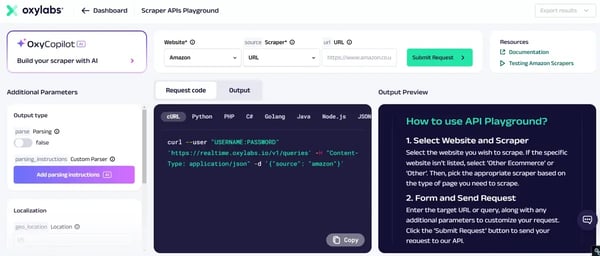
For teams that would rather not build and maintain their own scrapers, the Web Scraper API is the piece reviewers single out. This service does the work for you, sending the requests, switching addresses, and turning raw pages into clean, structured data. Its newer OxyCopilot assistant writes scraping code from a plain prompt, though from what I read in reviews, users praise the service itself far more than the AI add-on so far. Either way, it cuts how much code a team has to own.
Setup is where new users relax. Reviewers repeatedly describe getting started quickly, with clear step-by-step docs and little technical lift to connect Oxylabs to their stack. I kept seeing easy to set up from several reviewers new to proxies, not just seasoned engineers.
Support comes up almost as often as the proxies themselves. G2 reviewers describe fast, knowledgeable responses and, on larger plans, a dedicated account or relationship manager who helps tune setups. I'd read this as a real differentiator for teams without deep in-house scraping expertise.
Where Oxylabs proves itself is under heavy use. Many reviewers running large or time-sensitive jobs describe quick responses and data arriving almost in real time, pulled from servers around the world. For competitive, market, or online-retail research that goes stale fast, that speed at high volume is what keeps the data useful, and what justifies the platform for high-volume teams.
On cost, I'd place Oxylabs at the premium end, and reviews back that up too. It charges by the gigabyte of data you pull, at rates above budget providers, and lighter users note even the smaller plans feel pricey for occasional work. The trade is quality, you are paying for high-success, ethically sourced addresses rather than a cheap pool that fails more often. For steady, high-volume scraping the rate is easy to justify.
Oxylabs keeps its dashboard clean and its reporting accurate, which suits most users. Some reviewers, though, wish more self-serve depth, including granular cost and usage analytics, and per-site or per-region performance reporting, without routing it through their account team. For teams that live in dashboards and audit their own usage, it is worth confirming the reporting covers what you need.
Overall, Oxylabs's ethically sourced IPs and Leader-level satisfaction are why it holds a place near the top of this list for teams scraping the web's harder targets, particularly in regulated or data-sensitive work.
"I'm at home on the couch. I just needed to get this off my plate. Oxylabs was pretty easy to set up. I didn't hit any major walls, and it's working as expected, as we're getting information from various sources into our warehouse. I liked how many pre-built connectors it had because then I wouldn't have to be a genius to figure out how to get it to work. I was happy it didn't blow anything up during the last large sync, and it does auto update, which is helpful since we're a small team."
- Oxylabs review, Dave S.
"What I dislike about Oxylabs is mainly the pricing and accessibility. The plans can be quite expensive, especially for smaller teams or individual users, which makes it harder to justify for lighter use cases. The setup and configuration can also feel a bit complex at first, with a learning curve for new users who are not very technical."
- Oxylabs review, Muhammad S.
Fivetran takes the part of analytics nobody wants to own, the pipelines that move data from apps into a warehouse, and runs it for you. It is a fully managed ELT service (extract, load, transform) aimed at mid-market data teams that want their sources synced and query-ready without building or babysitting the plumbing.
It holds 4.3 out of 5 rating across 790+ G2 reviews, and the reviewer base skews toward mid-market data teams (60%) from software, IT, and financial-services industries. According to G2’s 2026 dataset, Fivetran performs especially well in cloud extraction (89%), data structuring (87%), and diverse extraction points (86%), validating its reputation as one of the most dependable tools for managing automated pipelines across hybrid infrastructures.
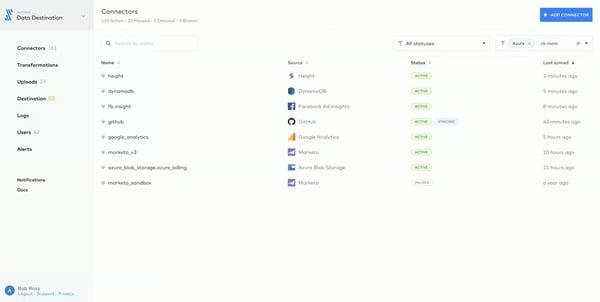
I kept seeing integration as a common appreciation. Several mention that most of the tools they need are supported by Fivetran, and it points to its biggest draw: a connector library of hundreds of prebuilt links to sources like Salesforce, Google Analytics, PostgreSQL, and other databases. Reviewers note the list keeps growing on a steady cadence. For a team wiring up many sources, that breadth is what saves the integration work.
What those connectors feed is the core job, i.e., syncing data from many sources into one warehouse, so analysis runs off a single, current copy instead of scattered exports. G2 reviewers describe pointing Fivetran at their apps and databases and getting query-ready data in destinations like Snowflake or BigQuery. For teams worn down by manual transfers, that consolidation is the payoff.
I'd weigh the cloud-managed service model heavily. Fivetran runs the pipelines, so there are no servers to maintain or breakages to chase at 2 a.m. Reviewers frame this as the reason they chose it. For a lean team without data engineers to spare, handing off that upkeep is often the whole case.
A standout for keeping pipelines healthy is automated schema handling. When a source adds or changes a column, Fivetran adapts the destination to match instead of breaking. Reviewers value not having to patch pipelines by hand every time an app updates. For data that changes shape often, that automation removes a steady maintenance chore.
Getting started is quick by category standards, its strongest satisfaction score at 92% for ease of setup. Reviewers describe a plug-and-play start, connecting a source and seeing data flow in minutes rather than days, with little code to get going.
I'd read the recurring set it and forget it tone as the real endorsement. Once running, Fivetran mostly runs itself, with dependable scheduled syncs that keep the warehouse current and alerting that flags problems when they appear. For pipelines that have to stay fresh without a babysitter, that consistency is what earns trust.
On cost, I'd go in clear-eyed with pricing. Fivetran bills by data volume (monthly active rows), and a few reviewers describe the bill as hard to predict and steep as volume grows. The flip side is that you are paying for fully managed pipelines you would otherwise staff and run. For steady, well-scoped volumes, the value lands.
Fivetran's library covers most mainstream systems, which is why edge cases stand out when they appear. Niche sources, uncommon endpoints, or source-specific permissions can still take extra setup, and some teams may need a custom connector rather than an out-of-the-box option. For common stacks, this rarely gets in the way, and the Connector SDK gives technical teams a practical fallback when the catalog doesn’t cover the exact source they need.
For mid-market data teams that would rather analyze data than maintain pipelines, Fivetran is the closest thing to set-and-forget ingestion in this category. The connector breadth and hands-off automation are why it stays a default pick
"I use Fivetran for end-to-end data integration and love how easy it is to get data into our warehouse for analytics, especially as a small data team. It takes little effort, which is crucial for us. I appreciate the wide list of connectors they offer, which really expands our integration capabilities. HIPAA compliance is imperative for us as a healthcare company, and Fivetran meets this need. I also found the initial setup to be very easy."
- Fivetran review, Satya Prateek B.
"Fivetran is an expensive product, more so when data volume keeps increasing. The program faces inefficiency in matters of flexibility, where complex data pipelines face some challenges. The app lacks proper debugging capabilities for some connectors, and it calls for advanced support."
- Fivetran review, Luciana S.
Bright Data is built for teams that collect public web data at serious scale and need to do it cleanly. It brings proxies, ready-made datasets, and scraping tools together in one platform, with a compliance-first posture aimed at research, market intelligence, and regulated industry work.
Bright Data holds a 4.7 out of 5 rating across more than 300 reviews, and what stands out in the numbers is who rates it and how: the reviewer base leans on IT, research, and higher-education teams, the kind running demanding, accuracy-sensitive collection, and support satisfaction sits at 95%, above the category average. That mix tells you Bright Data is trusted for hard data work, not casual scraping.
What stands out first to me is the scale of the network. Bright Data's Datacenter Proxy Network alone spans over 770,000 IP addresses across 98 countries, so collection can run from almost any region. For large projects like web scraping and data mining, that reach lets you gather region-specific data without stitching together multiple providers.
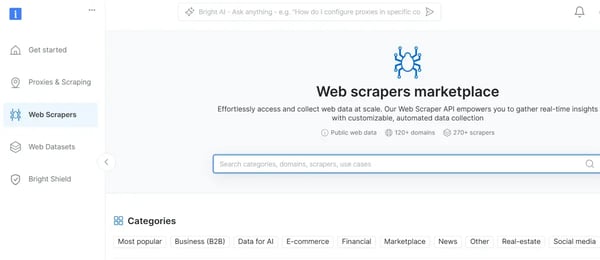
Coverage is only half of it. G2 reviewers describe Bright Data as an all-in-one platform with proxies, ready-made datasets, and scraper APIs under one roof, so a team can collect, structure, and deliver data in one place. G2 Data puts its data structuring at 91%, its highest-rated capability, which fits the accuracy reviewers in research and market intelligence rely on.
The strength I'd put at the top, because reviewers raise it more than anything else, is support. They describe a responsive 24/7 team and, on larger plans, a dedicated account manager who helps tune setups, in line with that 95% support score. For teams routing critical collection through someone else's network, help on call turns a powerful platform into a dependable one.
For teams that want to get specific, Bright Data offers granular control over how collection runs. Several G2 reviewers describe setting scraping parameters and targeting to their exact needs without hitting platform limits. Where many tools force a choice between simplicity and control, this one leans toward control, which is what keeps it flexible enough for unusual jobs.
Getting started is lighter than the platform's depth suggests. Reviewers describe connecting Bright Data to their applications in a few lines of code, in whatever language they work in, and several call it plug-and-play. Newer access methods, including a model context protocol (MCP) endpoint for AI agents, extend that to automated, agent-driven collection.
The same breadth that makes Bright Data powerful is what newcomers find hardest. Some reviewers describe that so many products and settings can be tough to tell which to use at first, and a few note the documentation doesn't always keep pace with the platform's depth. It eases once you settle on the one or two tools your work needs, and the support team is quick to point the way.
I'd also point to performance under heavy load. A few reviewers note proxies can occasionally drop or slow down during peak, large-volume jobs. That comes with a constantly rotating network built to avoid blocks, and Bright Data's diagnostic tools help spot and resolve disruptions quickly. For most workloads, it is a blip; for latency-critical, always-on collection, it is worth pressure-testing during a trial.
For teams doing large-scale, compliance-sensitive collection, particularly in research, market intelligence, and regulated fields, Bright Data is one of the most capable and best-supported platforms in this category.
"What I like best about Bright Data is the breadth of features and how powerful the platform is for large-scale web data collection. It offers a wide range of proxy options and data collection tools, which makes it really useful for many different research and development needs, especially for my research project, where I need to extract privacy policies and webforms. Another great advantage is that it integrates well with technical workflows and offers a lot of flexibility in handling complex scraping or crawling tasks. I also appreciate that customer support is responsive and helpful when problems arise. Overall, it is a feature-rich platform that is especially valuable for users who need reliability, scale, and strong integration options."
- Bright Data review, Wendy Q.
"The product has lots of different features, and it can be difficult to tell what to use. The docs are not great, or were not great when I used them before. LLMs don't seem to have a good handle on how to use them. The marketing pages say things that might be good for prospecting, but they can be confusing as an existing customer; they sound like maybe you'd missed a specific product, but turns out it's just what you'd already been using."
- Bright Data review, Harry W.
Boomi Data Integration rebranded from Rivery after acquiring it in 2024, and is built to let teams move and reshape data without a dedicated engineering crew. Boomi is a no-code ELT (extract, load, transform) platform, which you connect to a source, load it into a warehouse, and transform it on the way, with custom SQL or Python on hand for the harder jobs.
Under either name, it reviews well. On G2, it holds 4.7 out of 5 rating across 120+ reviews, with ease of use and support both at 96%, above the category average. The base is spread across mid-size, small, and enterprises and leans on IT, financial services, and software teams.
From my read of user feedback, what comes through most is how quickly non-specialists get a pipeline running. It provides no-code building for quick, standard pipelines, with the option to drop into custom SQL or Python when a transformation gets intricate. Reviewers describe non-tech teammates building working pipelines while engineers handle the edge cases in the same tool.
Connecting sources is also fast. Boomi Data Integration ships with 200+ prebuilt connectors to apps, databases, and warehouses, from Salesforce and Shopify to Snowflake, BigQuery, and PostgreSQL. G2 reviewers describe wiring up marketing platforms and databases in minutes rather than building integrations by hand.
What I'd highlight next is the core job it does well: ELT into a warehouse. Loading raw data into Snowflake, BigQuery, or Redshift and transforming it there into analysis-ready tables is smooth. Reviewers describe it as managing target schemas and incremental loads for them, the work a data engineer would otherwise script. G2 Data puts its data structuring at 95%, in line with that reputation for clean, query-ready output.
A newer addition is GenAI-assisted pipeline building, which generates and speeds up pipeline setup to cut repetitive configuration. While it shows up more in the recent feature set than in older reviews, it points the tool toward the AI-assisted direction the category is moving. For teams eyeing that shift, it is worth a look in a trial.
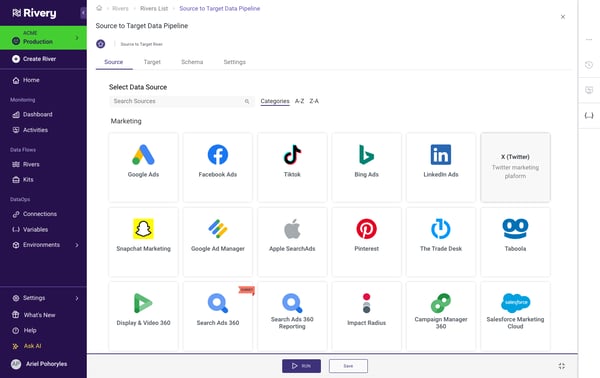
Many G2 reviewers describe the setup as quick and low-maintenance. There is little infrastructure to manage. They mention getting a pipeline live in minutes with connectors that stay updated for them, which the 96% ease-of-use G2 score backs up.
I'd also point to support as a reason teams stay. Many users describe a responsive, professional team that helps work through setups and sources, in line with the 96% G2 support score. For a tool a non-specialist team is leaning on, help that answers quickly turns a capable platform into a dependable one.
The no-code basics are quick, but the depth has a ramp. Reviewers newer to ELT describe a learning curve when they move past standard pipelines into custom transformations, variables, and parameters. That flexibility is the point for power users, and the basics stay approachable, but a team leaning on the advanced features should expect some early ramp-up, which support and the growing knowledge base help shorten.
Documentation is the other gap reviewers name: advanced features and some connectors could use fuller guides, and a few ask for clearer, more specific error messages when a load fails. Boomi keeps expanding the knowledge base and support fills gaps quickly, but teams working with harder configurations may hit thin spots. For straightforward pipelines, this rarely bites; for complex builds, it is worth knowing the docs are still catching up.
For teams that want full-featured ELT without hiring a data-engineering function, Boomi Data Integration strikes a rare balance. It's no-code enough for non-specialists, deep enough for the hard jobs.
"What we like most about Boomi Data Integration is how it simplifies and speeds up connecting different systems across our organization. It lets us quickly build, deploy, and manage integrations for critical business processes such as sales orders, customer data, and billing, without requiring heavy development effort. With Boomi Data Integration, we can handle high volumes of transactions while still maintaining clear visibility into process execution, which supports faster troubleshooting and stronger operational control."
- Boomi Data Integration review, Takkellapati S.
""Sometimes, when I connect to different data sources, documentation is missing, or alternatively, not all the fields I need from the report are available, and then I have to think of another solution."
- Boomi Data Integration review, Loren S.
Discover the best data mapping tools to enhance data accuracy.
IBM StreamSets is built for the messy enterprise data movement: pipelines that have to keep running as sources, schemas, and formats shift underneath them. It is a data-pipeline platform aimed at large organizations moving data across hybrid and multi-cloud systems in real time.
StreamSets holds a 4.0 out of 5 rating across more than 100 reviews and it has the most enterprise-heavy base here, with 51% of reviewers coming from enterprises with over 1,000 employees.
I'd start with the visual pipeline builder. It's a drag-and-drop canvas for designing data flows without hand-coding each step. G2 reviewers describe standing up ingestion pipelines quickly once they know the tool, connecting sources to destinations on one screen. For teams building many pipelines, that visual approach is the productivity draw.
What sets it apart from simpler loaders is handling both streaming and batch in one platform. Many mention they run real-time processing alongside scheduled batch jobs, often citing event-stream and Kafka-style workloads. For an enterprise that needs data moving continuously, not just on a nightly schedule, that real-time capability is the core reason to choose it.
What I'd flag as its signature idea is data drift handling. These are pipelines designed to keep flowing when a source changes its schema or format instead of breaking. This comes through more in IBM's documentation than in day-to-day reviews, but it is the engineering reason the platform exists, and it matters most for teams whose sources change often.
The platform connects a wide range of sources and destinations, from databases to cloud stores to streaming systems, which reviewers lean on to bring disparate enterprise systems into one flow.
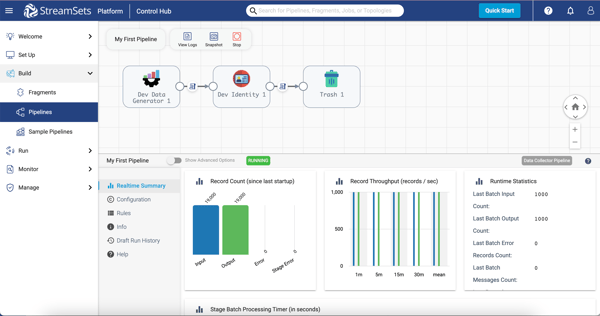
I'd point to scale as the real differentiator: StreamSets is built to run large, complex pipelines across hybrid and multi-cloud environments, which is why its base skews so heavily enterprise. Reviewers in large organizations describe it handling volumes and topologies that lighter tools can't. For a company operating at that scale, the platform's depth is the point.
Since the IBM acquisition, reviewers increasingly note its fit with the broader IBM stack, including watsonx for AI and analytics workflows. For organizations already invested in IBM, that integration, plus enterprise support channels and governance, is part of the case.
The clearest caveat is support, especially for teams that don't already have StreamSets expertise in-house. G2 reviewers mention uneven responses on more complex issues, which matters because pipeline problems often need technical troubleshooting, not generic help-desk answers. Larger accounts may have access to IBM’s enterprise support channels, but I’d still confirm what response level your tier includes before making StreamSets a core part of your data stack.
StreamSets is powerful, but that power comes with onboarding time. Reviewers, including positive ones, describe a learning curve, a less beginner-friendly interface, and occasional UI slowdowns when pipelines get large or complex. I wouldn’t treat it as a plug-and-play tool for a lean or junior data team. But for experienced data engineers who need control over more complex data movement, the same depth is what makes StreamSets valuable once the team gets fluent.
For large enterprises that need real-time, drift-resistant pipelines across complex infrastructure and that value IBM's backing and scale, StreamSets earns its place despite the ramp.
"I like that IBM StreamSets excels at simplifying data integration workflows. Its visual pipeline design makes it intuitive, allowing almost anyone to build, deploy, and test. I appreciate the wide range of connectors it supports for real-time data and batch processing. It's an all-in-one solution for ETL transformations and various kinds of data handling."
- IBM StreamSets review, Sravya A.
"It can be tricky to get started directly with Streamsets, especially if you are at a beginner level. Like if you don't have any experience prior about data engineering. You need a deeper level of understanding to use some advanced features, but I think the documentation is helpful sometimes, but not always. Also the pricing seems steep for small teams."
- IBM StreamSets review, Abhishek D.
Coupler.io is built for the people who live in spreadsheets. It's a no-code tool that pulls data from business apps into Google Sheets, Excel, and BI dashboards, then keeps it refreshed on a schedule.
It holds a 4.8 out of 5 rating across 100+ reviews on G2, with users rating its support, ease of use, and meets-requirements all at 96%, well above category average. Tellingly, its single biggest user group is non-profit organizations, and 70% of reviewers are from small businesses with fewer than 50 employees. It is aimed at lean, reporting-driven teams that need live data in a dashboard without an engineer or a heavy ETL stack.
What I'd put first is what reviewers say most: it makes reporting faster. They describe replacing hours of manual copy-paste with automated pulls, so the numbers in a dashboard are current without anyone rebuilding them.
The reach is in the sources. Coupler.io connects dozens of business apps, from CRMs and marketing platforms to financial tools and APIs, into one place. Reviewers lean on it to centralize data that otherwise lives in a dozen logins. For anyone stitching reports together by hand, that consolidation is the draw. G2 Data puts its consolidation at 96%, its top score, fitting for a tool whose whole job is pulling scattered sources together.
On the other end, it delivers where people actually work, like Google Sheets, Excel, BigQuery, and BI tools like Power BI and Looker. Reviewers describe piping live data straight into the spreadsheet or dashboard they already use, rather than exporting and importing.
I'd point to the no-code ETL as the reason non-specialists can run it: reviewers with little coding experience describe transforming and combining data inside the platform, no developer required. For a marketer or accountant who needs clean data but doesn't write SQL, that accessibility is what makes the tool usable solo.
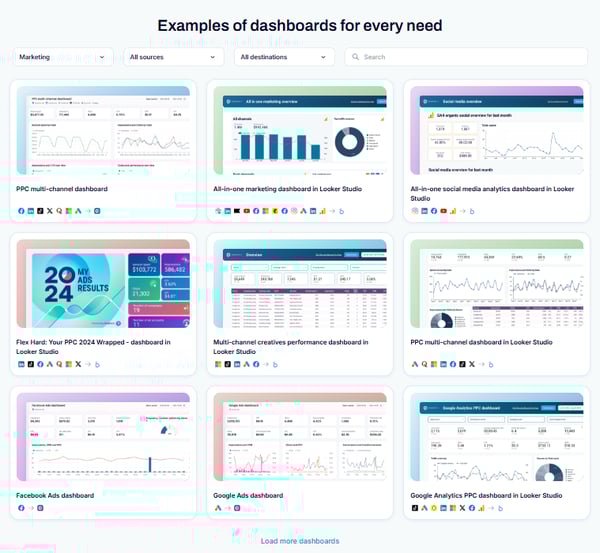
Customizable dashboard templates round it out for me. Reviewers say they use prebuilt templates to stand up interactive reporting dashboards quickly, pulling from several sources into one view. For a team that wants a working dashboard this week rather than a BI project, those templates shorten the path from data to decision.
Scheduling is the quiet workhorse. Several G2 reviewers set automated refreshes or trigger manual runs when they need live numbers, keeping reports current on their own cadence. One describes staff running it several times a day during busy periods. For reporting that has to stay fresh without manual effort, that control over timing is what keeps it reliable.
Coupler.io is built for moving and reporting data, not for heavy transformation, and reviewers who push it there feel the ceiling. A few G2 reviewers describe a learning curve with data schemas and complex models, and others want more advanced manipulation than the lightweight tools offer. For standard reporting, it stays quick and accessible, and you can extend it with BI tools or scripts; for deep transformation, a fuller ETL platform fits better.
Most mainstream sources are covered, but the edges show occasionally. Some reviewers found a specific connector missing, hit an English-only interface, or saw an advanced feature sit on a higher tier. For common stacks this rarely bites. For anything niche, it is worth checking the connector list and plan tiers against your exact sources before committing.
For lean, reporting-driven teams, marketers, analysts, accountants, and the many non-profits that rely on it, Coupler.io turns scattered data into live dashboards without an engineer or a heavy ETL stack. It is not built for deep transformation, but for getting clean, current data into a spreadsheet or BI tool, few tools are this quick or this affordable.
"We use Coupler.io to help us when scheduling a large event each year. Coupler.io helps us integrate our database (Airtable) with Google Sheets in order to check for errors and ensure we don't have any meeting conflicts. We have multiple employees running the software multiple times a day, and the sync is seamless. Coupler.io saves us time and lets us breathe easy, knowing that during our event, people will be where they need to be—and when they need to be there—because Coupler.io has error-checked their schedules."
- Coupler.io review, Hannah P.
"While their prebuilt Power BI dashboards save a ton of time on setup, you still have to do some work to swap out different data sources or just remove some of the presets if you don't want to use the exact combination the dashboard comes with."
- Coupler.io review, Drew C.
Decodo, the proxy network formerly known as Smartproxy, is the value pick of this group. It pairs residential and ISP proxies with a ready-made web scraper, aimed at small teams and freelancers who want reliable data collection without enterprise pricing or a steep setup.
It holds a 4.6 out of 5 rating across more than 550 G2 reviews, with a base that is almost entirely small businesses and freelancers (95%). Its feature scores sit mid-pack, around 85 to 88%, but the draw is the balance: premium-feeling proxies and standout support at entry-level prices.
I'd start where reviewers do, with proxy quality. Decodo's IPs hold up reliably even on sites with strict anti-bot defenses, and G2 reviewers describe scraping tough targets without constant blocks. For a smaller team that can't babysit a flaky pool, that dependability is the foundation on which everything else rests.
The standout, raised more than anything else I saw, is support. Reviewers describe a fast, courteous team that resolves issues almost immediately, in line with the 95% support score on G2, well above the category. For non-specialists leaning on a proxy network, help that actually answers quickly is what makes the tool feel safe to depend on.
Setup is quick and the dashboard is genuinely liked. Most reviewers point to an interface that is easy to navigate and configure, backed by G2's 95% ease-of-use and ease-of-setup scores. There is little ramp to get running. For a team that wants proxies working today, that low-friction start is a plus.
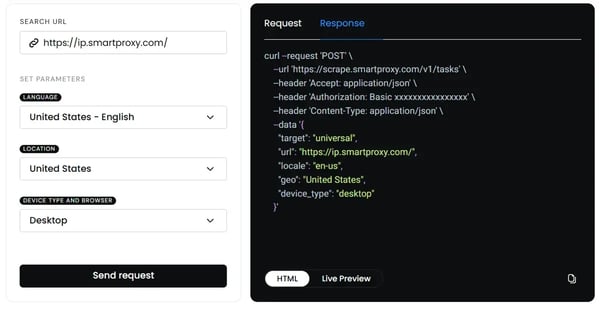
For non-coders, the ready-made web scraper removes the need to build custom scrapers. Many describe running scraping tasks, including browser actions like click, wait, and scroll, and headless or full-JavaScript requests, without writing code.
On performance, reviewers describe fast, stable connections drawn from a large IP pool, with consistent speeds that hold up across jobs. Bulk options let several scraping tasks run at once. Freelancers and small teams juggling multiple projects appreciate that throughput.
Output flexibility rounds it out. G2 reviewers value pulling results in HTML, JSON, or table form and dropping them straight into their tools and reports, which cuts reformatting time. Integration is described as straightforward.
Decodo is one of the better values here, so the friction isn't the price level, it's the plans. Reviewers say the pricing page and tiers can be hard to parse, and a few dislike having to buy three IPs when they need one. The value is strong once you land on the right plan, and support helps you choose, but expect to spend a few minutes figuring out which tier fits before you buy.
The IP pool covers mainstream regions well, but it is smaller than the premium networks. A few G2 reviewers wanted more granular location targeting or coverage of niche geographies, and occasionally couldn't get a specific location. For common targets, this rarely matters, but for work that depends on hard-to-find regions, it is worth checking the coverage before committing.
Overall, the platform is engineered for small teams and freelancers who want reliable proxies and genuinely helpful support without enterprise pricing.
"The best thing about Decodo is the quality of its proxy IPs. Before switching, I was using ProxyCheap, but the issue with their proxies was that I constantly ran into CAPTCHA challenges and issues with websites protected by Cloudflare. I then checked the IP reputation and found that the proxy IP I was provided had a very high spam and fraud score (I think it was 68). I then searched on X for a better proxy provider for my use case and saw people suggesting Decodo. So I bought the cheapest package, which was $10 for 3 proxies (even though I only wanted one). I checked the spam and fraud score, and it was much better at just 13. So yeah, it does help if you want a clean IP for websites or account creation."
- Decodo (formerly Smartproxy) review, Jeet S.
"They offer many services with several customizations and sometimes it gets hard for me to navigate but I think this is not a big deal as those customization are very saught after even if it's a bit intimidating to setup at first."
- Decodo (formerly Smartproxy) review, Smail O.
Octoparse is a no-code web scraper built so people who don't write code can still pull data off a website. You point and click on the page to build a scraper, or start from a ready-made template, and Octoparse handles the extraction, in the cloud and on a schedule if you want.
It holds a 4.8 out of 5 rating on G2, and the category's top feature scores, data structuring at 98%, with consolidation and diverse extraction points both at 97%, visualization at 96%, and data cleaning at 95%. Support sits at 97% too. The base is mostly small software, marketing, and research teams, and the through-line in reviews is how far non-coders get on their own.
What I'd put first is the point-and-click builder. Several G2 reviewers describe clicking the fields they want on a page and getting a working scraper, no code involved. That visual approach is a plus for someone who needs data off a site but doesn't program.
Backing that up are 500+ preset templates that are ready-made scrapers for popular sites, so common jobs start with a fill-in-the-blank rather than a build. Many reviewers lean on these to skip setup entirely for sites Octoparse already covers.
What I noticed is the ease is real, not marketing. Reviewers with no coding background describe getting productive quickly, which the 97% ease-of-setup and ease-of-admin G2 scores reflect. That low barrier is what lets a small team without technical staff own scraping instead of outsourcing it.
I'd lean on cloud extraction and scheduling for anything recurring. Reviewers run scrapers in Octoparse's cloud on a set schedule, with IP rotation, instead of tying up their own machine. Anyone tracking data that goes stale, prices, listings, stock levels, gets it refreshed on its own without babysitting the job.
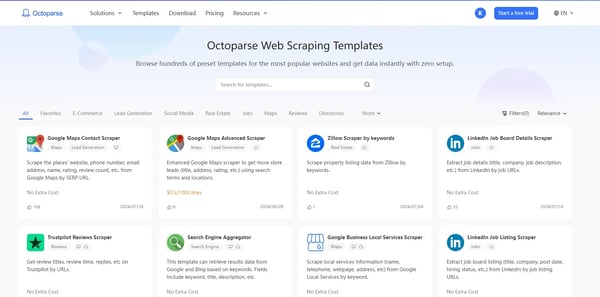
I'd also point out the output quality as quiet strength. G2 Data puts Octoparse's data structuring at 98%, the highest in this category, and reviewers describe clean, well-organized results even from paginated or scrolling pages. Clean output the first time spares the cleanup that usually eats the hour after a scrape.
Support rounds out the case. Reviewers describe a responsive, helpful team, in line with the 97% G2 support score, well above the category average. When a scraper hits a wall on a tricky site, someone who answers quickly is what keeps a non-technical user from giving up.
The templates and point-and-click flow work smoothly on standard sites, but it gets harder on tough ones. Reviewers note that complex or dynamic pages take manual tuning, that a few sites block it, and that the AI auto-detect doesn't always get it right. None of this stops a determined user, and the docs and support help, but for heavily protected or unusual targets, expect to roll up your sleeves rather than rely on one-click capture.
The free tier is a try-before-you-buy, not a full version. Reviewers note it caps what you can do, and cloud extraction, higher volumes, and some advanced features sit on paid plans. For light, occasional scraping the free or entry tier is fine; for serious or scheduled work, price the plan you'll actually need, because the capabilities you want may be a tier or two up.
For non-coders who want to pull web data themselves, freelancers, marketers, researchers, and small teams, Octoparse is the tool that most lives up to the no-code promise, and its top-of-category data quality shows it is accurate as well as easy. For standard scraping jobs, few tools get a beginner to clean data faster.
"What I appreciate most is how flexible and adaptable Octoparse is. I’m a creative producer, and the kinds of info I need to collect change constantly - sometimes it’s contact lists, sometimes niche content references, and sometimes market research across totally different industries. Octoparse handles all of it surprisingly well
Before this, I honestly avoided web scraping because I couldn’t find a solution that didn’t require technical skills or coding. But Octoparse made it feel doable. The interface is clear, and most things can be set up visually without any background in programming. I don’t use it on a daily basis, but I’m increasingly finding use cases where Octoparse can be really helpful in my work."
- Octoparse review, Arsya K.
"Octoparse can improve its AI assistant, as it often doesn’t work as expected and struggles with more complex tasks. I also experience cloud extraction issues from time to time, and the overall performance can feel slow during large-scale scraping. Improving reliability and speed would make the tool much better."
- Octoparse review, Mayur K.
| Tool | G2 rating | Free plan or trial |
| Apify | 4.7/5 | Free plan |
| Oxylabs | 4.5/5 | Free trial |
| Fivetran | 4.3/5 | Free plan |
| Bright Data | 4.7/5 | Free trial |
| Boomi Data Integration | 4.7/5 | Free trial (30 days) |
| IBM StreamSets | 4.0/5 | Free trial (30 days) |
| Coupler.io | 4.8/5 | Free plan |
| Decodo (formerly Smartproxy) | 4.6/5 | Free trial |
| Octoparse | 4.8/5 | Free plan |
Octoparse is the top no-code choice: its point-and-click builder and 500+ preset templates let non-developers scrape sites without code, and it holds 4.8 out of 5 on G2. Apify adds ready-made "Actors" you configure rather than build, and Coupler.io handles no-code pulls into spreadsheets. All three suit teams without engineering time to spare.
Bright Data, Oxylabs, and Apify are the developer favorites for tough, bot-blocking sites. Bright Data and Oxylabs pair large proxy networks with scraper APIs that handle anti-bot defenses, while Apify offers a code-first platform with an SDK and the Crawlee library. Each returns clean, structured output from sites that reject simpler scrapers.
For price and contact data without code, Octoparse and Apify lead. Octoparse's templates target common e-commerce and directory sites, extracting listings and details in a few clicks; Apify's marketplace has ready-made scrapers for pricing, leads, and more. For pre-collected data, Bright Data sells ready-made datasets you can pull without scraping at all.
Bright Data, Oxylabs, and Decodo handle Cloudflare and CAPTCHAs without manual work. Bright Data's Web Unlocker and Oxylabs' Web Scraper API automatically solve CAPTCHAs, rotate IPs, and manage headers to clear anti-bot systems; Decodo and Apify offer similar unblocking. These tools return the page data while managing the blocking behind the scenes.
Bright Data, Oxylabs, and Decodo rotate residential proxies, IPs tied to real home connections, to spread requests and avoid blocks on big scraping runs. Bright Data and Oxylabs run the largest pools and pair rotation with automatic unblocking; Decodo is the budget option, offering solid residential proxies at lower entry pricing for smaller-scale runs.
Coupler.io connects to Google Sheets, Excel, and BI tools, syncing on a schedule, with consolidation scoring 96% on G2. For a data warehouse, Fivetran and Boomi Data Integration load sources into Snowflake, BigQuery, or Redshift automatically. Apify also exports scraped results to Google Drive, S3, or your own app through its API.
Layout changes are the top cause of broken scrapers, and tools handle them differently. Apify's AI adapts scrapers when page structure shifts, and Octoparse's auto-detect helps, though reviewers note it is not perfect on complex sites. For database pipelines, IBM StreamSets is built to keep flowing when a source's schema or format changes.
It depends on the pricing model. Consumption-based tools, Bright Data and Oxylabs by the gigabyte, Fivetran by data volume, can climb sharply as scraping scales, so model your usage first. Decodo is the most affordable for steady volume, and Apify, Octoparse, and Coupler.io offer free tiers to test cost before committing.
By G2 reviews, Octoparse and Coupler.io rate highest at 4.8 out of 5, with Apify and Bright Data close behind at 4.7. Apify also holds the category's highest satisfaction score. For developers building automated web and document pipelines, Apify, Bright Data, and Fivetran come up most for reliability at scale.
Several lineup tools have free tiers. Octoparse offers a free plan for small no-code scraping; Apify and Coupler.io include limited free tiers; and Decodo and Bright Data provide free trials. Open-source libraries also allow manual scraping where a site's terms permit. Free tiers suit small jobs; large or scheduled runs need a paid plan.
After evaluating the nine best data extraction tools through the G2 reviews, Grid Reports, and documentation I analyzed, one pattern stands out: the right choice depends on the kind of work you do, not on a single universal winner.
The real split is between accessibility and scale.
If you are a non-coder, a nonprofit, or a lean reporting team, the no-code, template-driven tools get you to clean data fastest. If you are collecting at high volume or off sites with strong anti-bot defenses, the proxy networks and large-scale scraping platforms are built for it. And if your goal is moving structured data into a warehouse, the managed ELT and pipeline tools automate that end to end.
Weigh three things before you commit: the sources you need to reach, how much data you will move, and your budget. Then put your shortlist to the test. Most of these tools offer a free plan or trial, so you can run them on your own data before paying for anything.
Once your extraction is dependable, the next steps are usually cleaning the data and moving it where it is needed. For those stages, G2's data quality tools and ETL tools pick up where this list leaves off.
.png)

I see e-commerce teams constantly trying to comprehend the changes in conversion rates, dips...
 by Hasitha Varre

I evaluated 20+ tools using G2 Data and reviews to finalize the 7 best collaborative...
 by Somya Jain

Between meetings, project updates, brainstorming sessions, and everyday tasks, important...
.png) by Tanuja Bahirat
by Tanuja Bahirat