


This guide was last updated on May 20, 2026. A newer report has since been published. The tools below reflect the scores from G2's Summer 2026 Grid® Report.
Based on verified G2 reviews and the latest Grid® placement.
*Liked and disliked highlights are summarized from verified G2 user reviews.
The tools below have also been exhaustively tested and evaluated, and continue to hold their place among the best AI Writing Assistants on G2.
I have used enough AI tools to know that choosing the best AI writing generators isn’t about which one produces the most text. It’s about which one actually fits into your workflow without creating more editing work later. Some tools are great at polishing messy drafts, others help structure ideas, and a few are built to generate marketing-ready content or rewrite existing copy with minimal effort.
For this list, I evaluated each tool through the lens of a content marketer, looking at how well they support tasks like writing blog sections, refining paragraphs, generating social posts, and reducing manual editing effort. Instead of relying on surface-level features, I leaned heavily on G2 Grid Reports and verified user reviews to understand what consistently works in real-world usage and where tools fall short.
The AI writing generators that stood out were Grammarly, Notion, Gemini, GravityWrite, QuillBot, Apollo.io, Constant Contact, and Wordtune. What became clear while testing is that AI writing generators don’t replace writing; they remove friction. The right tool is the one that helps you move from idea to usable draft faster, without stripping away control over the final output.
*These are the top-rated products in the AI Writing Generators category, according to G2's Spring 2026 Grid Reports. Some also offer a free plan. I’ve also added the starting price of their paid pricing to make comparisons easier for you.
For me, writing was never just about getting words on a page; it was the time spent structuring, refining, and adapting content that slowed everything down. That’s where I started relying on the best AI writing generators, not to replace writing, but to make each step of the process more efficient.
At a basic level, AI writing tools generate and improve text based on prompts, whether it’s blog content, marketing copy, emails, or summaries. What’s driving their rapid adoption is how easily they plug into everyday workflows. The global AI text generator market reflects this shift, growing from $392.0 million in 2022 to a projected $1,402.3 million by 2030 at a CAGR of 17.3%, fueled by increasing use across content, marketing, and business applications.
What makes these tools stand out is how differently they respond to the same inputs. Prompts like “Write a blog outline for [keyword],” “Rewrite this paragraph in a more engaging tone,” or “Summarize this content into key takeaways” yield very different results across tools. Some focus on clarity and correctness, others on structured content generation, and a few are designed to work directly within broader workflows, such as documents, meetings, or design.
That’s exactly what stood out to me while evaluating these tools. Each one supports a different stage of the writing process, whether it’s refining clarity, generating structured drafts, rewriting content, or organizing ideas within a workflow. Instead of trying to handle everything at once, they reduce the friction in the parts of writing that usually take the most time. That’s what makes them genuinely impactful for consistent, everyday content creation.
“Writing corporate emails is taking longer than it probably should, not because the content is hard, but because getting the tone right across different situations is time-consuming.”
Read full thread →I started with G2’s Grid Reports to build a shortlist of the best AI writing generators based on G2 Score, user satisfaction, and overall market presence.
Next, I analyzed G2 reviews at scale to identify consistent patterns in how these tools perform in real-world writing workflows. I focused on what users repeatedly highlighted, where they found the most value, where tools fell short, and what actually impacts day-to-day content creation. This included feedback on output quality, ease of use, customization, integrations, and how well each tool supports tasks like drafting, rewriting, and summarizing.
I also looked at how these tools respond to common writing prompts such as generating blog outlines, improving tone, rewriting content, and summarizing information. This helped me understand not just what features each tool offers, but how effectively those features translate into usable content.
Finally, I paired this research with practical insights from real usage scenarios and validated those findings against verified G2 reviews to ensure consistency and reliability.
The screenshots in this article are sourced from G2 vendor profiles and publicly available product documentation.
Here’s the lens I used to separate “pretty good” AI writing tools from the ones that actually make writing faster and more consistent.
These criteria guided my evaluation, but not every tool needs to excel in every category. Each one stands out for different strengths depending on how you approach writing and what part of the process you want to optimize.
The list below contains genuine user reviews from the AI writing generator category. To be included in this category, a solution must:
*This data was pulled from G2 in 2026. Some reviews may have been edited for clarity.
If there is one AI writing assistant that has become nearly invisible in how well it integrates into daily work, it is Grammarly. Recognized as a leader in the AI writing assistant category on G2, Grammarly is the tool most professionals turn to when they want their writing to sound polished, consistent, and error-free across every platform they use.
The browser extension is really what makes Grammarly stick. It works silently in the background across Chrome, Outlook, Slack, Google Docs, and even customer support platforms, catching errors and suggesting improvements without requiring any copy-pasting. It also runs as a desktop app and a mobile keyboard, so corrections follow users wherever they write. According to G2 Data, 96% of reviewers rate the grammar check capabilities positively, and 92% highlight tone check as a key differentiator. Ease of setup and ease of use both score at 95% on G2, confirming that getting started requires virtually no learning curve.
What sets Grammarly apart from the pack is its real-time clarity and tone detection. It does not just flag mistakes; it suggests alternative phrasing, adjusts sentence structure, and flags whether the tone is appropriate for the context, whether that is a formal board email or a casual Slack message. G2 Data shows that 93% of users find the sentence formatting valuable, one of the highest ratings in the category for this feature.
A pattern I kept noticing in the reviews was how users described Grammarly as a confidence builder. Multiple reviewers called it a second set of eyes, noting that it suggests better word choices, simplifies overly complex sentences, and helps them feel less anxious about hitting send. For professionals writing in English as a second language, this came up as a major value driver again and again.
One feature that G2 reviewers called out specifically is the rephrasing capability. Rather than just flagging what is wrong, Grammarly offers multiple ways to rewrite a sentence, letting users pick the version that sounds most natural for their context. Reviewers described using this to present the same idea in formal, casual, or professional registers without having to rethink the sentence from scratch. For teams that write client-facing communication across different audiences, this goes beyond correction into genuine writing assistance.
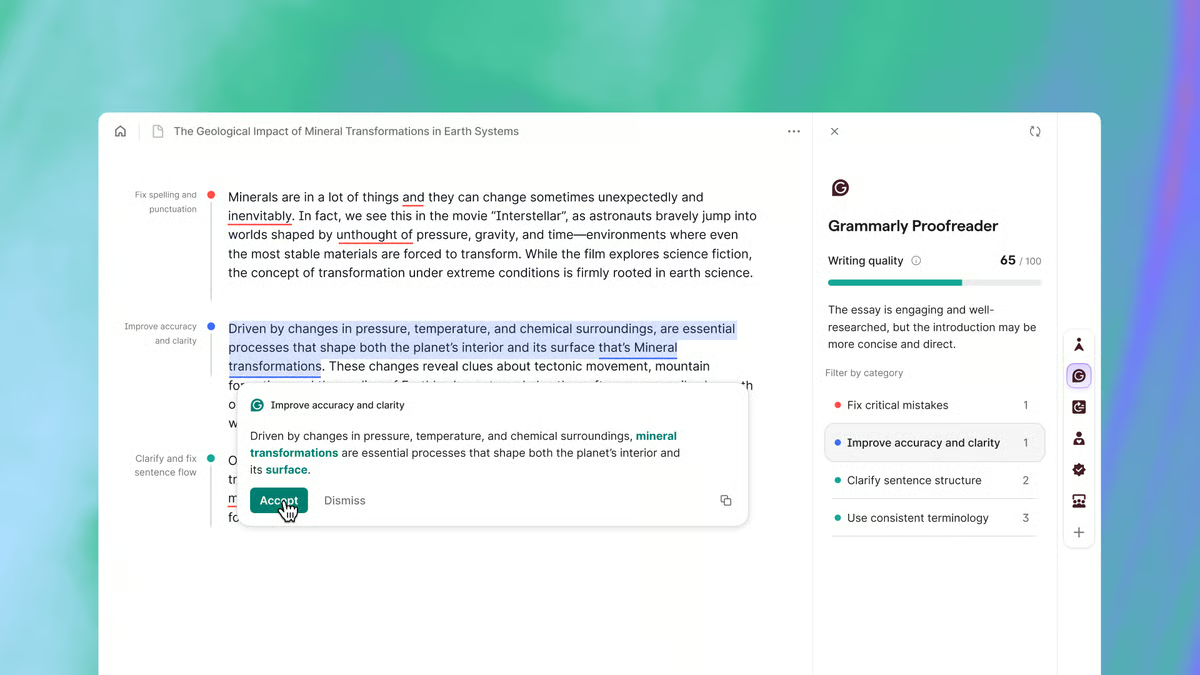
Where Grammarly gets the heaviest daily use is in professional email and business communication. Reviewers across industries described relying on it for client emails, internal reports, proposals, and cross-team messages where clarity and professionalism directly affect outcomes. Several users noted that Grammarly has essentially replaced the need for a human editor on routine business writing, freeing up time for higher-value work. For professionals who write dozens of emails and messages a day, this is the use case where the ROI shows up fastest.
Grammarly also covers plagiarism detection and style editing, with G2 feature scores of 86% and 89%, respectively. The plagiarism checker helps verify originality before publishing, and the style editor helps maintain consistency across team output. These features round out Grammarly's position as a comprehensive writing quality layer rather than just a grammar checker.
The free version covers basic grammar and spelling well, but many of the features that make Grammarly genuinely powerful, like tone analysis, engagement scoring, and plagiarism detection, are only available on premium. For individuals or small teams evaluating the tool for the first time, the free tier may not fully showcase what Grammarly can do, and upgrading is often where the real value starts.
Grammarly is designed to work quietly in the background, and for the most part, it does. That said, several G2 reviewers mentioned that the floating green icon and pop-up overlay can become a distraction during fast-paced drafting. It sometimes appears over text or shifts position unpredictably, which breaks concentration rather than supporting it. For users who prefer to write first and edit later, adjusting the extension settings or toggling it off during initial drafts tends to help.
That said, Grammarly's strengths are hard to argue with. For teams that rely on email, reports, and cross-platform communication, and want a writing assistant that requires zero onboarding, it remains the most trusted choice in the category.
“I really like how Grammarly just kind of plugs in so that I don't have to think about it. It automatically suggests things, which makes my writing process smoother. Also, the initial setup of Grammarly was very easy.”
- Grammarly review, Grisselle E.
“My biggest challenge is around language preference. The suggestions should not align with just Indian or British English. There should be an option in the extension to align preferences to American English, which will help avoid unnecessary corrections. The interface can also be a bit distracting sometimes. The floating widget occasionally appears in inconvenient spots on the screen and needs to be manually moved, which is a hassle, especially when working on longer documents. Also, the free version is extremely limited when it comes to clarity and sentence structure suggestions, and should be increased to at least 10 per day.”
- Grammarly review, Soumyaa J.
Need help turning meetings into usable content? Check out the best AI meeting assistants.
Once a team adopts Notion, it tends to become the center of gravity for everything: notes, projects, databases, documentation, and increasingly, AI-assisted writing. According to G2 Data, 93% of reviewers would recommend Notion, and that number makes sense once you see how deeply teams embed it into their daily workflows.
The flexibility is what keeps coming up in G2 reviews more than anything else. Users described building interconnected workspaces for editorial calendars, knowledge bases, and task boards, all linked through relations and rollups that keep cross-functional teams aligned. But what makes Notion different from a generic project management tool is how naturally writing lives alongside all of that structure. You can go from a content brief to a draft to a published page without ever leaving the platform. According to G2 Data, 87% of reviewers value the content generation capabilities, and 86% rate idea recommendation positively.
Notion AI is embedded directly inside the workspace, not bolted on as a sidebar or pop-up. Reviewers described using it to draft blog posts, summarize long documents, organize research, and automate repetitive documentation tasks right inside the pages they already work in. G2 Data shows 85% of users rate AI text generation positively, and 87% value summarization. For content teams that want AI assistance without context-switching, this tight integration was a recurring reason reviewers stayed in Notion rather than standalone writing tools.
The template library and quick-start structures deserve their own mention. Reviewers described using pre-built templates for project trackers, editorial calendars, team wikis, and onboarding docs to get productive immediately, without having to design everything from scratch. For teams that want structure without spending days setting it up, this was a practical accelerator that came up again and again. The templates are also customizable enough that teams can adapt them over time as workflows mature.
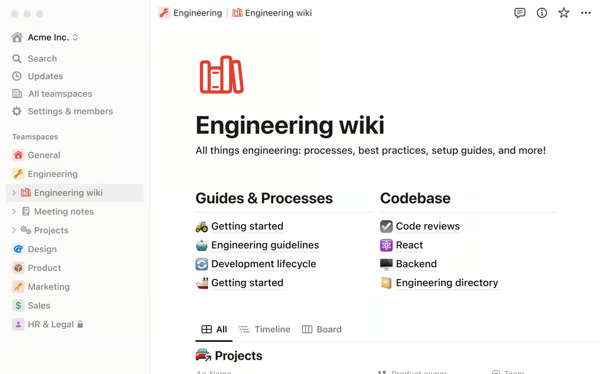
Collaboration runs deep inside Notion. Teams share pages, leave inline comments, tag members, and co-edit documents in real time, which eliminates version confusion and the email chains that slow editorial workflows down. One reviewer described replacing their entire email-based approval process with shared Notion pages, significantly reducing turnaround time. For cross-functional teams managing briefs, feedback loops, and editorial handoffs, this was one of the most frequently praised capabilities.
The database and project-tracking tools are where Notion starts to feel like more than a writing assistant. Users described building Kanban boards for content pipelines, table views for tracking deliverables, calendar views for publishing schedules, and filtered dashboards for team performance. According to G2 Data, 75% of Notion's user base comes from small businesses with 50 or fewer employees, but the depth of the database functionality means it scales comfortably into mid-market teams that run entire operations inside the platform.
Notion also handles meeting notes and transcription in a way that feeds directly into the content workflow. Reviewers described the platform as automatically capturing discussion points during meetings, eliminating the need to record or write them down separately. Those notes then live in the same workspace as project pages and content drafts, so follow-ups, action items, and decisions stay connected rather than scattered across separate apps.
Notion gives teams a lot of freedom to build deep page hierarchies, but that freedom can make things hard to find later. G2 reviewers mentioned that pages nested inside pages inside pages create a structure where important documents get buried, and the built-in search does not always surface what you are looking for, especially with older files or content spread across multiple workspaces. That said, teams that establish clear naming conventions and keep their nesting structure shallow tend to avoid this entirely, and Notion's recent improvements to search and navigation show the team is actively closing this gap.
The learning curve is the other side of Notion's flexibility. Because the platform can be shaped into almost anything, new users often do not know where to start. Reviewers described spending their first few days just figuring out how to structure pages, set up database properties, and understand permission layers. For teams onboarding new members, investing time upfront to create standardized templates and page hierarchies pays off quickly, but that initial ramp-up period is something to plan for rather than discover mid-project.
Notion adapts to how teams work rather than forcing a specific workflow. For content teams that want writing, planning, collaboration, and AI assistance living in one connected space, it continues to be one of the most versatile platforms in the category.
“I love how simple Notion is and how neatly it organizes pages. The AI implementation with transcribing meetings is hands down the best thing. The initial setup of Notion was very easy.”
- Notion review, Daylan W.
“There's a lot of redundancy and repetition, especially when creating a database, because it has all of the steps or parts on a single page. It would be nice if it were a little bit more succinct.”
- Notion review, Andrea C.
Want to turn AI-generated drafts into scheduled posts? Compare the best social media management tools.
For teams that live inside Gmail, Google Docs, Drive, and Calendar, Gemini feels less like a separate AI tool and more like an intelligence layer woven into the workspace they already use. It holds a strong position in the AI writing assistant category on G2, with 92% of reviewers indicating the product is headed in the right direction.
The Google Workspace integration is really the headline here. G2 reviewers described pulling context from Gmail threads, summarizing long documents in Drive, drafting replies in Docs, and surfacing relevant files, all without leaving the Google environment. According to G2 Data, 89% of reviewers rate idea recommendation positively, and 85% value content generation, which confirms that Gemini is more than a novelty add-on to the workspace.
Gemini also stands apart because of its multimodal capabilities. Unlike many text-only writing assistants, it processes text, images, video, and code in a single conversation. Reviewers used it for cross-format research, chart analysis, and even image generation for proposals and creative briefs. G2 Data shows 89% rate of AI text generation positively, and 89% value summarization, placing it among the stronger generative AI performers.
Reviewers also talked a lot about how fast and accessible Gemini is. The interface is simple to navigate, responses come back quickly, even on mobile, and the initial setup is essentially just logging into a Google account. Several users described it as the AI tool with the lowest friction to start using, particularly for teams that are already inside Google Workspace. According to G2 Data, 93% of reviewers rate ease of setup positively, and 93% highlight ease of use, which backs up what the reviews are saying.
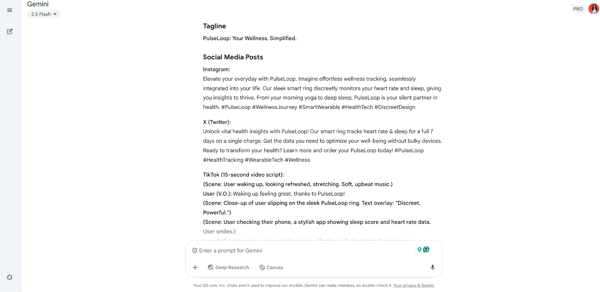
I was struck by how often code generation surfaced in the reviews. Users in technical and data roles described using Gemini for Python scripts, SQL queries, and ML experimentation, calling the output clean and usable. The translation capabilities also stood out, particularly for business communication, where reviewers highlighted nuanced, context-aware translations across languages.
The image generation capability is another area where Gemini adds unexpected value. Reviewers described using it to create visuals for proposals, creative briefs, and social media content directly within the conversation, without needing a separate design tool. While it is not a replacement for dedicated design software, the ability to go from a text prompt to a usable visual inside the same interface where writing happens was a practical bonus that multiple reviewers highlighted.
Gemini's free tier also earned positive mentions for how much it includes without a paid commitment. Reviewers described accessing the core AI capabilities, including summarization, drafting, and research assistance, without hitting the kind of usage caps that other tools impose on free plans. For teams evaluating AI writing assistants without committing budget upfront, this lower barrier to entry was repeatedly cited as a reason to start with Gemini.
Gemini occasionally delivers responses that sound confident but turn out to be inaccurate, a pattern commonly called hallucination. Reviewers mentioned the need to verify output against other sources, especially for complex queries. For teams creating high-stakes content, building a verification step into the workflow is a smart practice.
The safety filters can also feel overly cautious at times, refusing to engage with harmless creative or technical prompts. A few reviewers described this as interrupting brainstorming or iterative copy sessions. For teams needing a more permissive creative partner, this is worth knowing upfront.
Gemini is a strong choice for teams embedded in the Google ecosystem. Its ability to connect the dots across Gmail, Drive, Docs, and Calendar, combined with multimodal intelligence, makes it a uniquely integrated assistant that gets smarter the more you use Google's tools.
“Gemini has become my go-to academic tool for everything. As a student, I use it extensively for brainstorming project ideas, simplifying complex concepts, and outlining reports. It's incredibly versatile. For my creative tasks, it's a huge time-saver; I use it to generate ideas for photo editing compositions, script outlines for video projects, and even prompt generation for AI image tools when I need specific design assets. Its ability to process and generate natural language across so many use cases is unmatched. The free app integration makes it super accessible.”
- Gemini review, Honey S.
“There are a few times when Gemini doesn't give the precise or right answer, and when asked again, it gives the same answer repeatedly. Also, when using it with VS Code or for coding, if it's a small code, then it works perfectly, but for a big piece of code, more than 500 lines, it takes a lot of time to review. Maybe that's because of my license, as I am not sure.”
- Gemini review, Hemant R.
Looking beyond writing tools? Explore the most popular AI tools across categories.
Speed is the word that shows up most in G2 reviews for GravityWrite. This is a platform built for people who need content produced fast, from blog posts and social media captions to video scripts and product descriptions, without a complicated setup or learning curve. It holds a solid position in the AI Writing Assistant category on G2, with 96% of reviewers saying the product is headed in the right direction.
The content generation speed is genuinely impressive. Reviewers described entering a short topic or idea and receiving a well-structured draft within seconds. According to G2 Data, 90% rate the idea recommendation feature positively, and 91% value content generation, which tells me the output quality holds up alongside the speed. Whether it is a blog article, an email, an ad copy, or a YouTube script, the turnaround consistently surprised users.
The template library is another major draw. GravityWrite offers niche-specific templates for blog outlines, social media posts, resume building, video scripts, children's storybooks, and even logo design prompts. G2 Data shows a 92% rate of AI-generated text and 90% value summarization. The breadth of templates helps users skip the blank-page problem entirely, which is exactly what the platform is designed for.
GravityWrite has carved out a particular strength in the blog and SEO content workflow. Reviewers in digital marketing and content roles described using it specifically for blog outlines, keyword-aware drafts, and structured long-form posts that support their SEO strategy. For content teams that publish regularly and need to move from topic idea to publishable draft without a separate SEO tool, this focus on blog-ready output was a recurring reason reviewers chose GravityWrite over more general-purpose AI writers.
The output quality is also worth calling out. Reviewers consistently described the generated content as well-structured, clear, and close to ready for publishing with only light editing. For a tool that prioritizes speed, the fact that drafts come back organized with logical flow and proper formatting, rather than just a wall of text, was a recurring positive. Several users noted they could take a GravityWrite draft and publish it after a quick review pass, which is not something every fast-generation tool delivers.
The range of content types GravityWrite handles is broader than most tools in this category. Reviewers described using a single platform for blog posts, social media captions, email campaigns, ad copies, product descriptions, YouTube scripts, and even resume content. That versatility means teams do not need separate tools for each content format, and the consistent interface across all these use cases keeps the workflow simple.
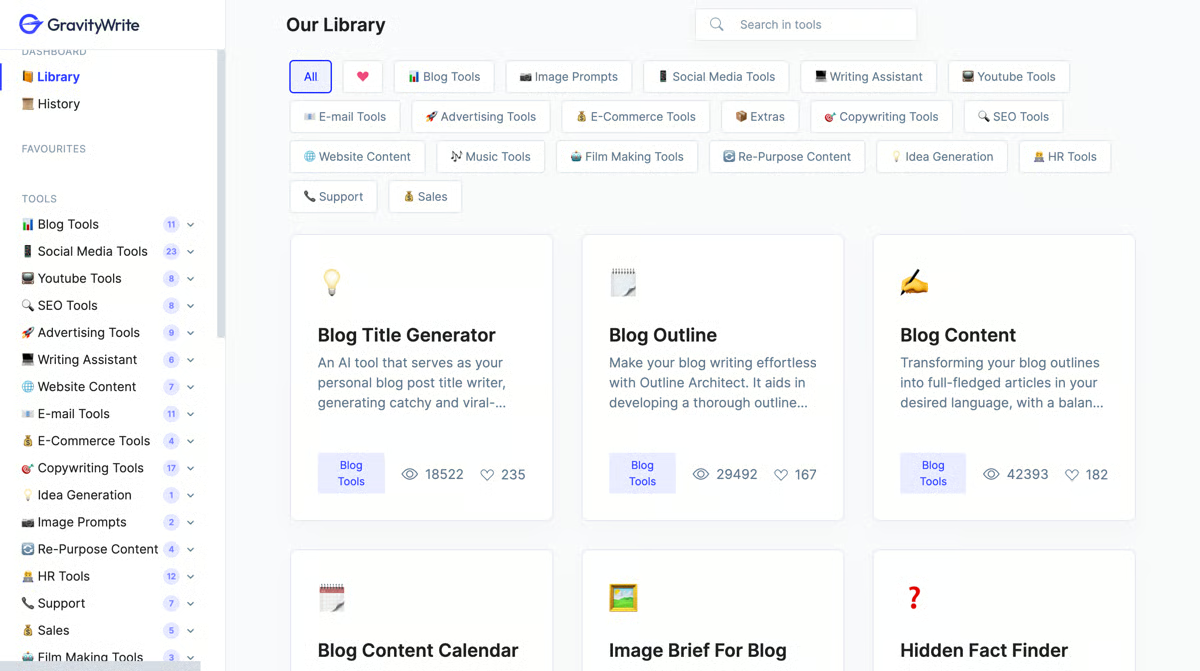
GravityWrite is clearly built with solo operators and lean teams in mind. According to G2 Data, 97% of its user base comes from companies with 50 or fewer employees, which explains the design philosophy: no onboarding calls, no complex permission structures, no feature bloat. You sign up, pick a template, and start producing. Reviewers consistently described the interface as something they could hand to a non-technical teammate and have them create content within minutes.
Generated content can start to feel generic with repeated use on similar topics. Longer outputs or frequent generation in the same subject area need manual editing to match a specific voice. For teams with strong editorial standards, GravityWrite works best as a first-draft engine rather than a final product.
The free plan's monthly word cap runs out quickly for regular users, and paid plans can feel steep for students or very small teams. For anyone exploring the tool, the limited free tier may not give enough runway to fully evaluate what it can do.
GravityWrite delivers where it matters most: getting usable content produced quickly. For small businesses, freelancers, and individual creators who need to move from idea to publish without a complicated tool, it is a smart addition to the stack.
“I use GravityWrite for blog writing, and it provides AI-detect-free text with great content quality. I like its easy-to-use large feature set, which saves time while ensuring quality content.”
- GravityWrite review, Sahil C.
“I think the subscription amount is very high, especially for students. It would be more helpful if it were under 1000.”
- GravityWrite review, Aditya R.QuillBot occupies a distinct lane in the AI writing assistant space. It is not trying to draft your next blog post or manage a content pipeline. Its entire focus is on making existing text sound better, clearer, and more professional without losing the original meaning, and the G2 reviews reflect that focus clearly.
The paraphrasing engine is the centerpiece. Users switch between Standard, Fluency, Formal, Creative, and other modes depending on whether they need straightforward clarity, polished professionalism, or a livelier tone. According to G2 Data, 92% of reviewers rate grammar check positively, and 90% value sentence formatting, placing QuillBot among the strongest refinement tools in the category.
Beyond paraphrasing, QuillBot pulls double duty as a grammar checker. Users described it as going past basic spellchecking to suggest structural improvements, better word choices, and smoother phrasing. G2 Data shows 86% rate of AI text generation and 87% value summarization, which confirms the platform's usefulness extends well beyond its core rewriting function.
Plagiarism detection and AI content detection were recurring themes, particularly from users in academic, editorial, and content marketing roles. Publishers and newsrooms specifically cited the AI detection capability as valuable for maintaining editorial quality control across freelance and intern submissions.
Integration is where QuillBot becomes especially practical. The Chrome extension, Google Docs plugin, and Microsoft Word integration let paraphrasing and grammar checking happen directly inside the writing environment, no tab-switching or copy-pasting needed. Ease of use scores 97% on G2, the highest for this metric in the comparison, and ease of setup sits at 94%.
The citation generator and summarization tools add meaningful utility for students and professionals. The citation feature formats references for research papers, while summarization condenses long articles into concise bullet points. For anyone juggling academic writing, proposals, and documentation, these extras are a welcome bonus.
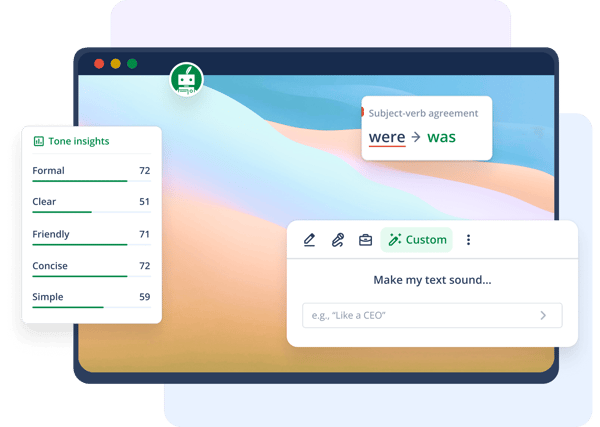
QuillBot also delivers significant value for non-native English speakers and multilingual professionals. Reviewers described using it to polish writing that was technically correct but sounded awkward or overly formal, and the paraphrasing modes help bridge the gap between grammatically accurate and naturally fluent. For teams with members writing in English as a second language, this capability was cited as one of the most practical daily benefits.
Paraphrased output can sometimes feel unnatural or lose nuance with complex, technical, or style-dependent sentences. Reviewers mentioned needing to manually tweak rephrased text to ensure it sounds authentic. For users working on polished or brand-specific content, QuillBot works best as a refinement partner rather than the last word.
The free version imposes word limits per session and locks advanced writing modes behind a premium. For users who work on longer documents or need frequent access to the full range of modes, these restrictions can interrupt the flow and push toward an upgrade.
QuillBot fills a specific and valuable gap. For content writers, students, editors, and marketers who need a reliable paraphrasing and refinement tool that lives inside their daily writing environment, it is a focused and effective choice.
“This is a great piece of easy-to-use software that is full of features like paraphrasing and also an AI checker. The app extensions and integration are also useful, and there are premium options. Virtually no training is needed.”
- QuillBot review, Martin B.
“Sometimes, the paraphrasing slightly changes the original tone or meaning, especially in technical or design-specific content. I also find the free version limiting, with restrictions on word count and features. While it’s very useful, I still need to review outputs and make adjustments before sharing with clients.”
- QuillBot review, Muzammil M.Apollo.io is not a traditional writing assistant in the way Grammarly or Notion is. It is a sales intelligence and outreach platform that includes one of the most effective AI-powered email writing engines for B2B teams. What makes it relevant here is how it turns raw prospect data into personalized, automated outreach at scale, all from a single dashboard. According to G2 Data, 93% of reviewers would recommend it, and 97% say the product is headed in the right direction, which signals serious momentum.
The platform's all-in-one nature is what G2 reviewers praise most. Users described sourcing leads, building lists, launching email sequences, and monitoring open and click-through rates without ever switching tools. G2 Data shows ease of setup at 92%, and reviewers confirm that teams can get their first campaigns live within 48 hours of signing up, which is fast for a platform this feature-rich.
Where Apollo.io really shines is its database filtering. Users described over 60 filters covering job title, department headcount, company size, industry, funding rounds, and technology stack, allowing hyper-targeted prospect lists to be built in seconds. Multiple reviewers found this to be significantly more cost-effective than more expensive alternatives. The Chrome extension for LinkedIn was also a recurring highlight; users pull verified contact details directly during social research without breaking their flow.
Data verification is another area that earned consistent praise. Apollo.io's verified email toggle ensures outreach lands in the right inboxes, directly protecting domain reputation and reducing bounce rates. The email warm-up feature helps new sending domains avoid spam folders when ramping up volume. For sales teams scaling outbound operations, these safeguards were cited as critical.
The email sequencing and automation capabilities tie everything together. G2 reviewers described building multichannel sequences, scheduling follow-ups, tracking engagement, and iterating on messaging from the same place where leads are sourced. Automated list-building that refreshes as new matching contacts enter the database was repeatedly called a productivity multiplier for BDR teams.
Contact data accuracy can be inconsistent, particularly for smaller companies or non-US markets. Reviewers mentioned outdated email addresses, incorrect job titles, or contacts who had already moved on. For teams running large-volume outbound campaigns, building a data hygiene check into the workflow helps protect deliverability.
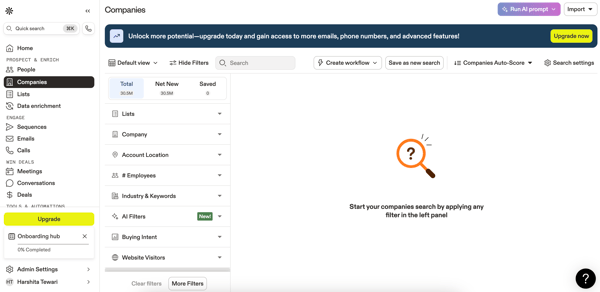
The sheer volume of features, from sequences and filters to CRM integrations and analytics, can also make the interface overwhelming for first-time users. Several reviewers described needing time with tutorials and documentation before navigating nested menus comfortably. For teams onboarding junior reps, some initial ramp-up should be expected.
Apollo.io's value proposition is hard to beat: a unified operating system for outbound prospecting, verified data, and automated outreach at a price point that consistently surprises reviewers. For teams that need to move from lead identification to personalized messaging quickly, it is a strong fit.
“The platform is a powerhouse for finding and converting high-quality leads, and it puts the repetitive parts of outbound sales on autopilot. I’m especially impressed by the depth of the database, which makes it easy to filter prospects using very specific criteria, such as job role and company size.”
- Apollo.io review, Al W.
“The one demerit I always find in Apollo.io is that the data accuracy is a bit inconsistent for smaller companies. Sometimes the email bounce rates are also higher than expected, which impacts the execution and efficiency.”
- Apollo.io review, Sandeep N.Constant Contact is the kind of platform that does not try to be everything. It focuses on email marketing and does it in a way that feels approachable, especially for small businesses and solo marketers who need to send professional campaigns without a steep learning curve. It holds a steady position in the AI writing assistant category on G2, and its strength lies in simplicity.
The email editor is where most reviewers start, and for good reason. G2 users describe it as clean and intuitive, with modern, mobile-responsive templates that produce professional-looking campaigns without coding or design skills. According to G2 Data, 87% of reviewers rate the grammar check feature positively, and 86% value content generation, which reflects the quality of the copy assistance built into the campaign builder. Multiple reviewers specifically mentioned the email and mobile preview feature, which shows exactly how messages will render across different inbox providers and devices before sending. For marketing teams working under tight deadlines, this reliability saves significant back-and-forth.
Contact segmentation is another area where Constant Contact delivers quietly but effectively. Reviewers described organizing subscribers into targeted groups based on behavior, interests, and engagement history, which makes messaging more relevant and reduces the spray-and-pray problem. The platform also lets subscribers self-manage their preferences, which keeps lists cleaner and reduces manual maintenance over time.
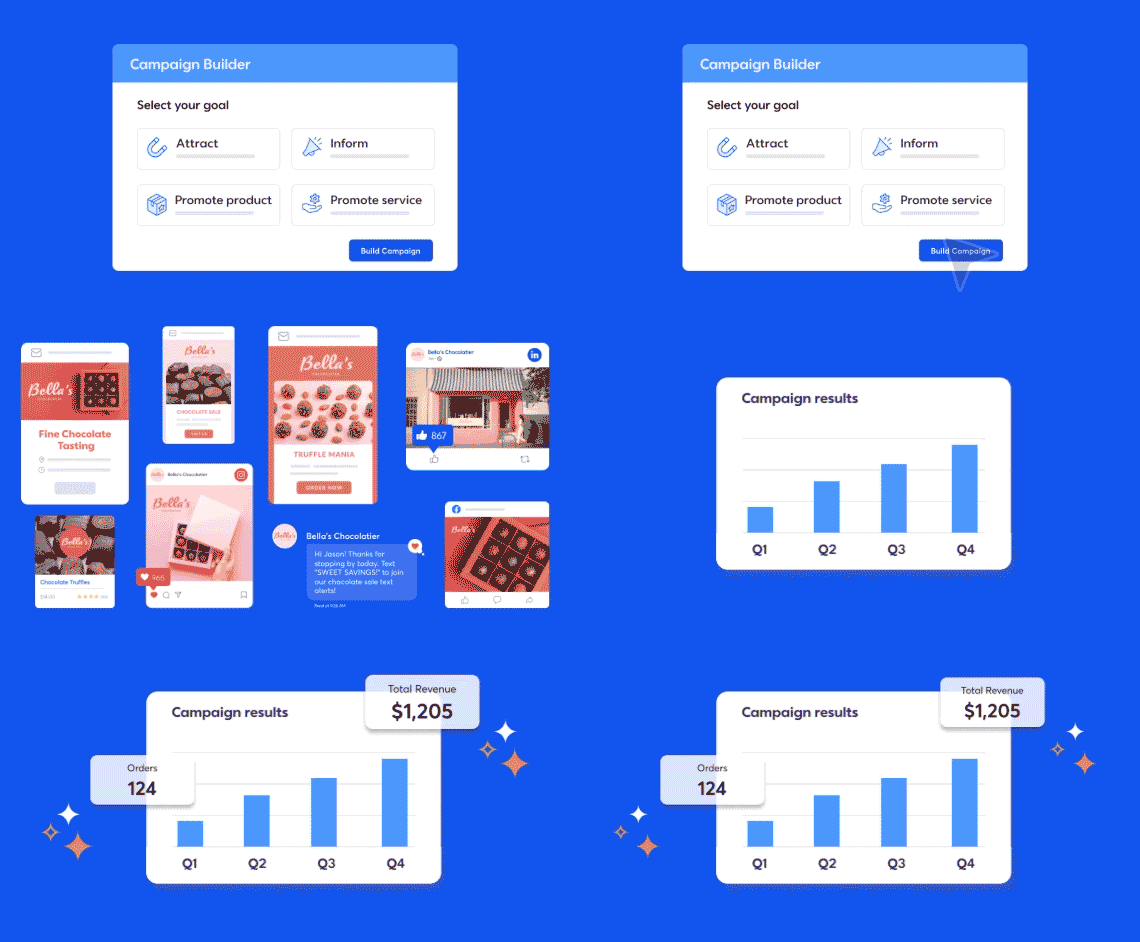
The automation tools round things out well. Users described setting up onboarding journeys, event reminders, and re-engagement sequences that run in the background once configured. For small businesses that cannot dedicate someone full-time to email marketing, this set-it-and-forget-it capability was cited as a major time-saver.
Reporting is straightforward and actionable. G2 reviewers praised the dashboard for clear open rates, click-through data, and engagement metrics. Several users mentioned the heat map analysis as particularly useful for understanding how subscribers interact with creative assets. These are not vanity metrics; reviewers described using them to prove campaign ROI to stakeholders and make smarter decisions about future sends.
Pricing was a recurring positive. Multiple G2 reviews specifically compared Constant Contact favorably to competitors on cost, noting it delivers solid email marketing functionality at a price point accessible to small businesses and entrepreneurs. According to G2 Data, 80% of the Constant Contact user base comes from small businesses with 50 or fewer employees, which aligns with the platform's focus on accessibility. For teams exploring email marketing for the first time, the lower barrier to entry was repeatedly highlighted.
Event promotion and RSVP management also earned consistent praise. Reviewers described using Constant Contact to create event invitations, track registrations, send reminders, and follow up with attendees, all from the same platform they use for email campaigns. For businesses that regularly host webinars, workshops, or community events, having event marketing built into the email platform eliminates the need for a separate event tool.
The design customization options can feel limited when trying to push beyond standard template layouts. Reviewers who need to match very specific branding guidelines or create highly tailored designs sometimes found the editor a bit rigid. For teams with strict brand standards, this may mean spending extra time on template adjustments.
Pricing also scales as contact lists grow, and some features are locked behind higher-tier plans. For businesses expanding their subscriber base quickly, costs can increase faster than expected. Evaluating which tier provides the right feature set upfront helps avoid surprises.
Constant Contact delivers where it matters for small and mid-sized teams: reliable email delivery, easy campaign creation, and clear performance tracking without the complexity of enterprise tools.
“I like how quickly Constant Contact enables me to distribute information to a large number of people. I think they have improved their design elements and the ability to edit the designs within an email campaign. The analytics it provides for audience engagement and email sends are helpful as well. It helps my emails look professional, and it helps me understand how emails are performing and which audience members are engaging or not.”
- Constant Contact review, Briana G.
“I think there are a lot of tabs on the side that can sometimes be confusing. I also wish there were some setting you could turn on that would show you who edited what, like which user. I also wish it could tell you, like "you haven't used this list in 6 months, do you want to delete it?" I also feel like adding contacts is not as smooth as it could e I am always clicking around, and I feel like every time it shows stuff up in a different way.”
- Constant Contact review, Olivia M.Wordtune is the tool you reach for when a sentence does not sound quite right and you need it polished in seconds. It does not try to generate articles from scratch or manage your editorial calendar. Instead, it focuses on one thing and does it well: making existing writing clearer, more natural, and more professional.
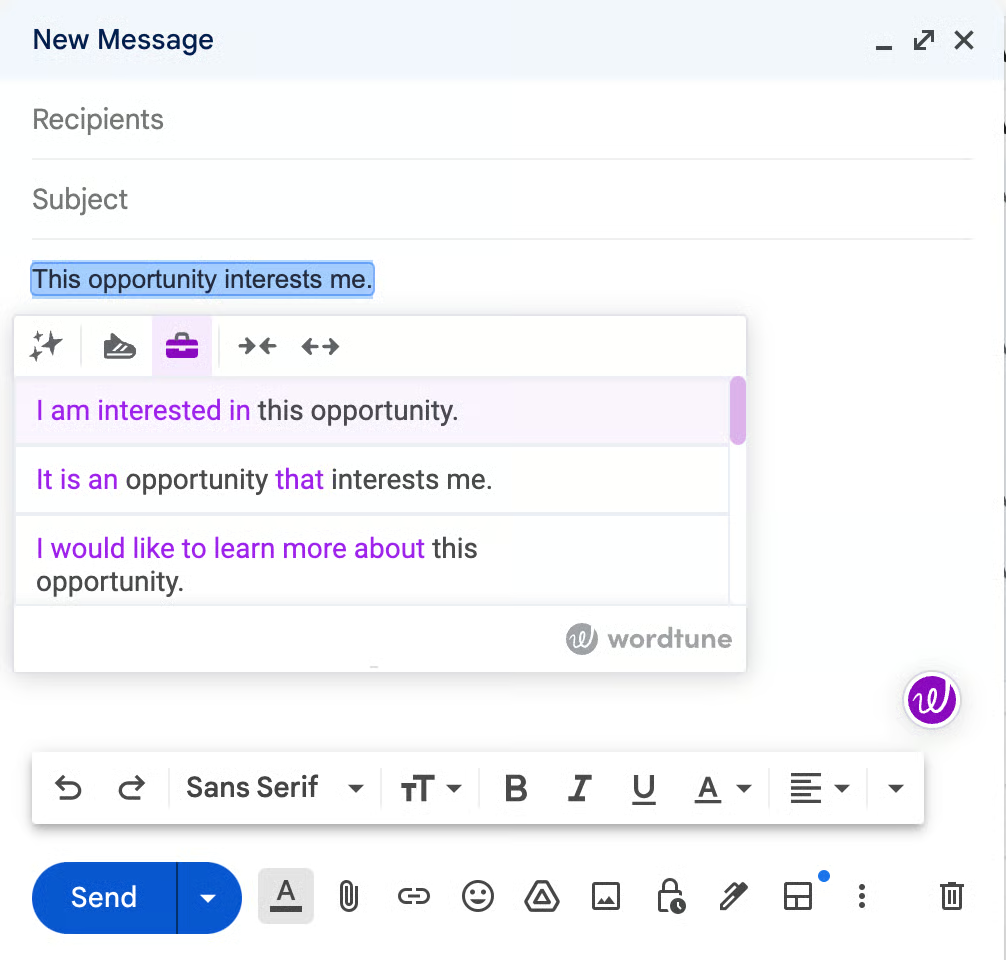
The sentence rewriting engine is the core draw. You highlight a sentence, and Wordtune instantly offers several alternative versions, each preserving the original meaning while adjusting structure, flow, or word choice. It is not a single suggestion; it is a menu of options, so you pick the phrasing that fits your voice. Reviewers described this as the single feature that keeps them coming back, and it is easy to see why.
Tone and style adjustment add another dimension. Wordtune lets users shift between formal, casual, concise, and creative modes depending on the communication context. According to G2 Data, 93% of reviewers rate the grammar check feature positively, and 92% value tone check, which puts Wordtune on par with much larger platforms for writing quality signals. G2 reviewers in corporate, academic, and freelance roles described using these modes to adapt the same content for different audiences throughout the day, from a board-level report to a casual Slack thread. For anyone who writes across multiple registers, this flexibility saves real time.
The Chrome extension is lightweight and works inside Google Docs, Gmail, Microsoft Word, and across any browser-based text field. Reviewers consistently praised this because it means refinement happens where writing occurs, without copy-pasting into a separate tool. G2 Data shows ease of setup at 96%, and ease of use sits at 94%, confirming that getting started is essentially frictionless.
Beyond rewriting, Wordtune also catches grammar and spelling issues alongside its rephrasing suggestions. G2 Data shows 90% of reviewers rate AI text generation positively, and 89% value content generation, which tells me the platform's usefulness goes well beyond its core paraphrasing function. For users who want both correction and enhancement in a single pass, this dual function reduces the need for a separate grammar checker.
What stood out in the reviews was how many users described Wordtune as something that makes their professional communication better. Consultants, marketers, and client-facing professionals specifically mentioned using it to refine emails, proposals, and reports so they sound more confident and polished. For non-native English speakers, this professional polish was called transformative.
Wordtune's summarization capability also earned positive mentions. Reviewers described using it to condense long articles, research papers, and meeting notes into concise summaries, which saves time when digesting large volumes of information. For professionals who need to review multiple sources quickly and extract key takeaways, this feature adds meaningful utility beyond sentence-level rewriting.
Wordtune handles everyday business writing well, but reviewers working in technical, legal, or highly specialized fields mentioned that the tool does not always pick up on industry-specific phrasing or the precise tone a particular audience expects. In those contexts, the output can feel slightly off, and getting the right result takes more manual input than it would for a standard email or report. For teams operating in niche domains, a quick review pass tends to close the gap.
The free version is also quite restrictive, with a limited number of daily uses and advanced modes locked behind a premium. For users who rely on Wordtune throughout the workday, that daily cap can push toward a paid upgrade sooner than expected.
Wordtune fills a precise gap. It is built for refinement, not generation. For content writers, academics, consultants, and marketers who need a reliable sentence-level polish embedded in their daily workflow, it is a focused and effective choice.
“Rewriting and rephrasing in Wordtune is of high quality. It adjusts the tone of the sentences automatically. Overall, Wordtune is super easy to install and start using. There are a lot of features available, like grammar, spelling checks, and sentence clarity. Their support team usually responds quickly. Wordtune seamlessly integrates with Google and Microsoft apps. I use Wordtune daily for my writing tasks and general documentation.”
- Wordtune review, Nyjil N.
“Sometimes I find that Wordtune is not understanding the message I'm looking to deliver or communicate clearly, and it requires a little more input from my end.”
- Wordtune review, Enzo L.Have more questions? Find more answers below.
For content marketing and SEO, the best AI writing generators are the ones that can handle structured long-form content and optimization workflows. Tools like Notion, Gemini, and Microsoft Copilot are useful for drafting blog outlines and expanding them into full articles, while GravityWrite is better suited for fast SEO-focused copy generation. However, most outputs still need refinement for depth and originality.
If your focus is rewriting and improving existing content, Grammarly and QuillBot stand out. Grammarly works best for clarity, tone, and correctness, especially in professional writing, while QuillBot is more effective for paraphrasing and restructuring text. Prompts like “Rewrite this paragraph in a more engaging tone” or “Simplify this content without losing meaning” tend to work well with both.
The best results usually come from clear, task-specific prompts. For example, prompts like “Write a 1000-word SEO blog with headings on [topic]” work well in tools like Gemini or Notion, while “Generate 5 LinkedIn post variations for [topic]” is effective for tools like GravityWrite or Canva. For editing tasks, “Improve clarity and tone of this paragraph” performs consistently across Grammarly and QuillBot.
For workflow integration, Notion, Microsoft Copilot, and Zoom Workplace stand out. Notion combines writing with project management and documentation, Copilot works directly within Microsoft 365 apps like Word and Outlook, and Zoom Workplace helps turn meetings into summaries and actionable content. These tools are less about standalone writing and more about embedding writing into everyday work.
For business use cases, tools like Microsoft Copilot and Zoom Workplace are more aligned with productivity than standalone content creation. They help generate emails, summarize meetings, and create internal documentation. Grammarly also plays a role here by ensuring communication stays clear and professional across teams.
Yes, especially tools like GravityWrite and Canva, which are designed for short-form, high-engagement content. Prompts like “Create Instagram captions for [product]” or “Write 3 ad copy variations for [campaign]” tend to generate usable outputs quickly. These tools focus more on speed and variation than on deep, long-form content.
AI writing generators can struggle with maintaining a consistent tone across long-form content and may produce generic outputs if prompts are too vague. Even tools like Gemini or Microsoft Copilot require clear instructions to avoid repetition or shallow content. Most workflows still need human editing to ensure accuracy, originality, and brand voice alignment.
Beginner-friendly tools like Canva and GravityWrite offer guided templates and simple interfaces for quick content creation. More advanced users may prefer Notion, Gemini, or Microsoft Copilot, which offer greater flexibility and control but require more structured prompting to get the best results.
What stood out to me while evaluating the best AI writing generators is that they don’t magically improve writing; they make a solid process more efficient. The output is only as good as the direction you give. When the input is unclear, the results tend to be generic. When the intent is well-defined, the output becomes far more structured and usable.
These tools work best as collaborators, not shortcuts. Whether it’s refining clarity, rewriting content, generating ideas, or organizing drafts within your workflow, their real value comes from supporting different stages of writing rather than replacing it altogether.
If you’re planning to rely on AI writing tools consistently, it’s worth investing time in understanding how to guide them effectively and what quality output looks like for your needs. That’s what determines whether they actually save time or just shift the effort into editing.
If you’re still narrowing down what fits your workflow, you can always revisit this guide to compare your options. The right tool isn’t the one that does everything; it’s the one that makes your writing process smoother and more reliable over time.
Check out how AI project management tools are helping teams streamline planning, automate workflows, and keep content production moving faster from idea to execution.


TL;DR: AI Writing Assistants in 2026 As of June 2026, the AI writing category lists 1,227...
 by Tian Lin
How do you know if what you're reading was written by a person or a machine? \n
 by Alyssa Towns

I know how critical consistent lead flow is once you’re past the experimentation phase and...
 by Harshita Tewari