Using the best brand asset management software becomes critical the moment brand operations begin to scale. Marketing teams quickly run into familiar friction: assets scattered across folders, outdated versions circulating in campaigns, and approval cycles slowing down distribution across regions and partners.
To restore control, organizations adopt brand asset management and digital asset management platforms that centralize content, enforce governance, and streamline how assets move across teams. The market reflects that urgency. The digital asset management category reached $5.3 billion in 2023 and continues expanding as companies formalize brand infrastructure and content workflows.
My evaluation focuses on how well these platforms support real brand workflows. Conclusions come from sustained exposure to teams running real brand workflows and from large-scale analysis of user review patterns. Strong platforms separate themselves through depth of permissioning, governance controls, search reliability, and how well assets move across teams without friction.
Weaker tools tend to slow distribution, bend brand rules, or leak manual work back into email and shared drives. The high stakes show up later. Brand inconsistency compounds quietly. Rework increases. Once asset trust erodes, rebuilding governance is expensive and slow.
With these analyses, I break tools down by the problems teams are actually trying to solve. Across reviews, Canva is commonly picked for teams prioritizing fast design and self-serve asset creation. Bynder shows up for organizations focused on enterprise-grade brand governance. Canto is often chosen by teams needing straightforward asset organization without heavy process overhead. Frontify is often used when brand guidelines and assets must live together. Aprimo is commonly picked for teams managing assets within broader marketing operations. The aim is decisive clarity grounded in real usage patterns.
*These brand asset management software are top-rated in their category based on G2’s latest Grid Report and market reputation. I’ve included their strengths and ideal use cases to help you choose the right solution for your team’s creative workflows and digital asset operations.
Brand asset management software helps teams turn scattered logos, templates, images, videos, and guidelines into a single, organized system that everyone can trust. The right platform doesn’t just store files; it makes sure the correct assets are easy to find, consistently used, and always aligned with the brand, no matter who’s creating or sharing content.
What I’ve seen is that the strongest brand asset management tools go well beyond basic file storage. They give clear context around each asset: where it should be used, which version is approved, who owns it, and when it needs updating. Features like version control, permissioning, usage guidelines, and smart search reduce guesswork and prevent outdated or off-brand materials from slipping into campaigns.
This isn’t only a need for large, global brands. G2 Data shows adoption is well distributed across small teams, mid-market companies, and enterprises. Marketing teams, creative teams, sales, and even external partners rely on these platforms to stay aligned. Most modern tools are quick to adopt, which means teams spend less time hunting for assets and more time actually using them.
In the end, good brand asset management software delivers what every brand-driven organization needs: visibility into what assets exist, control over how they’re used, and confidence that every touchpoint reflects the brand correctly, without friction, confusion, or constant rework.
I used G2’s Grid Reports to shortlist the top brand asset management software based on real user satisfaction scores and market presence across small, mid-market, and enterprise teams.
I then used AI to analyze hundreds of verified G2 reviews and extracted recurring feedback patterns around what matters most in brand and marketing workflows, such as asset discoverability, metadata and tagging accuracy, version control, approval workflows, permission management, integrations with design and marketing tools, and how easily creative, marketing, and sales teams can collaborate around shared brand assets. This helped me identify which platforms genuinely improve brand consistency and operational efficiency, and which start creating friction as asset libraries and teams scale.
Since I haven’t personally used all of these platforms, I cross-checked my findings with insights from marketing leaders, brand managers, creative operations, and content teams who actively rely on brand asset management systems in their day-to-day work. The visuals and product references included in this article are sourced from G2 vendor listings and publicly available product documentation.
The best brand asset management software isn’t defined by how many assets it can store, but by how well it prevents brand mistakes, speeds up execution, and reduces internal friction. Here’s what I prioritized when evaluating the strongest platforms in this category.
Based on these criteria, I narrowed the list to platforms that consistently improve speed, consistency, and collaboration across brand-driven teams. Not every tool excels at everything, so the right choice depends on whether your priority is tighter governance, faster execution, broader distribution, or long-term scalability.
Below, you’ll find authentic user feedback from the Brand Asset Management Software category. To appear in this category, a tool must:
This evaluation framework reflects aggregated user feedback and workflow analysis from G2 in 2026. Some reviews may be edited for clarity.
For years, Canva has been mostly known as the tool non-designers quietly relied on to move faster. Today, it plays a central role in how many teams create, store, and reuse visual work at scale without relying on traditional design workflows.
Looking at who uses Canva helps explain that shift. According to G2 reviewer demographics, 67% of Canva users come from small businesses, while mid-market teams account for 27% and enterprise organizations represent 6%. This distribution aligns with review sentiment, where Canva is frequently described as helping teams maintain visual consistency and produce branded content quickly.
Users frequently describe Canva as easy to navigate and quick to pick up. The interface is described as intuitive even for users with no design background, supported by drag-and-drop editing and searchable templates. This reduces the friction typically associated with producing visual assets across marketing, education, and internal communications teams.
Canva also functions as a centralized design archive for many teams. Users frequently mention keeping their full history of presentations, social graphics, and documents in one place, making it easy to reuse and adapt existing assets. For teams producing recurring content, this continuity helps reduce rework and speeds up turnaround.
Automation and AI-assisted workflows further reinforce Canva’s focus on speed. Autonomous task execution scores above category averages, reflecting how often users rely on features like Magic Design, Magic Write, background removal, and automated image editing. These tools help teams move from idea to finished asset quickly without requiring advanced design skills.
Content expiration, filtering, and brand kits allow teams to maintain consistency across assets while still enabling broad participation. While not positioned as a full enterprise DAM, users value these controls for keeping everyday content organized and on-brand.
Teams regularly highlight reduced dependence on external designers, faster campaign execution, and smoother collaboration across distributed teams. Many users frame Canva as a way to make visual communication accessible where it otherwise wouldn’t be feasible.
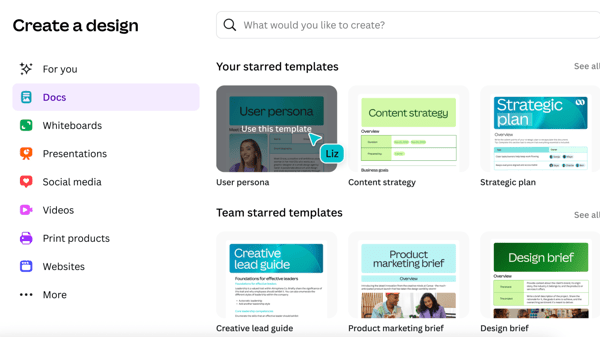
Canva holds a 93% G2 Satisfaction Score and a 99% G2 Market Presence score, reflecting both strong user approval and broad adoption. Review sentiment reinforces that these scores are driven by reliability, ease of use, and repeat daily usage rather than niche or experimental features.
Advanced design precision is one area where Canva’s capabilities are more limited, particularly for teams that require pixel-level control, complex layering, or highly detailed typography adjustments. At the same time, this streamlined design environment contributes to broader usability, suggesting the platform prioritizes speed and accessibility for teams producing content quickly.
Canva’s some advanced workflows still rely on complementary tools. Scenarios such as social scheduling or specialized print exports may require stepping outside Canva for end-to-end execution. Its strong native connections to tools like Google Drive and social platforms support everyday collaboration.
Overall, Canva is a strong fit for teams that value speed, accessibility, and shared ownership of brand assets. Based on consistent review patterns, it works especially well for organizations that need professional-looking output without complex design overhead. For teams scaling brand-safe content creation across non-designers, Canva remains a practical and widely trusted option.
"As someone working in a nonprofit community health organization, Canva has been a game-changer. What I appreciate most is its ease of use; even with limited design experience, I can create professional-looking flyers, infographics, reports, and social media posts with just a few clicks. The drag-and-drop interface is incredibly intuitive, which means I can spend more time on outreach and less time figuring out design tools.
Ease of implementation was seamless for our team. We were able to get up and running in a matter of minutes, and the onboarding materials provided clear guidance.
Canva’s integration with platforms like Google Drive, Dropbox, and social media channels has saved us hours of back-and-forth when collaborating on projects. In terms of features, Canva offers templates for community health education, editable charts for reports, real-time collaboration, and a huge library of free stock images (including medical and wellness content), to name a few. We use it daily, whether we’re designing outreach flyers, updating our program calendar, or crafting slides for a grant presentation."
- Canva review, Christian L.
“One thing I think Canva could improve is giving a little more freedom when it comes to fine-tuning designs. Sometimes, when I’m working on very detailed branding or email layouts, having extra control over certain design elements would help me get everything just right without losing the tool’s easy-to-use vibe.
Also, better live collaboration features would be a game-changer for fast-moving projects. Being able to get quick feedback and make changes together in real time would really speed things up and keep everyone on the same page. These tweaks would help Canva stay simple but still meet the needs of designers working on serious marketing campaigns.”
- Canva review, Grecia L.
Managing brand assets is one piece, publishing them effectively is another. Explore the best web content management systems to bring your content to life.
Bynder commonly appears among mid-market and enterprise teams looking to move beyond shared drives and entry-level design tools. Review patterns consistently describe it as a platform built around control, scale, and structure rather than creative experimentation. It positions asset management as an operational system, not a design workspace.
Search and discoverability play a central role in how teams use Bynder. Filtering and metadata-driven search score above category averages, and reviewers repeatedly highlight how these tools make large, complex libraries usable. For teams managing thousands of assets across brands or regions, this significantly reduces time spent hunting for files.
Users describe being able to grant internal teams, agencies, and external partners precise levels of access without exposing entire libraries. Bynder’s permission framework allows administrators to define access by role, user group, or asset type. This level of control supports clearer ownership and reduces the risk of outdated or unapproved assets being used.
Onboarding and customer support also come through strongly in reviews. Teams migrating from legacy DAMs or fragmented storage systems often point to structured onboarding and dedicated customer success support as critical to a smooth transition. Once implemented, Bynder is frequently described as a stable, long-term system rather than a quick setup tool.
Bynder also supports clearer governance across departments. Reviewers mention improved visibility into asset usage, better enforcement of brand rules, and more consistent application of templates and guidelines. This is especially valuable for organizations operating across multiple regions or business units.
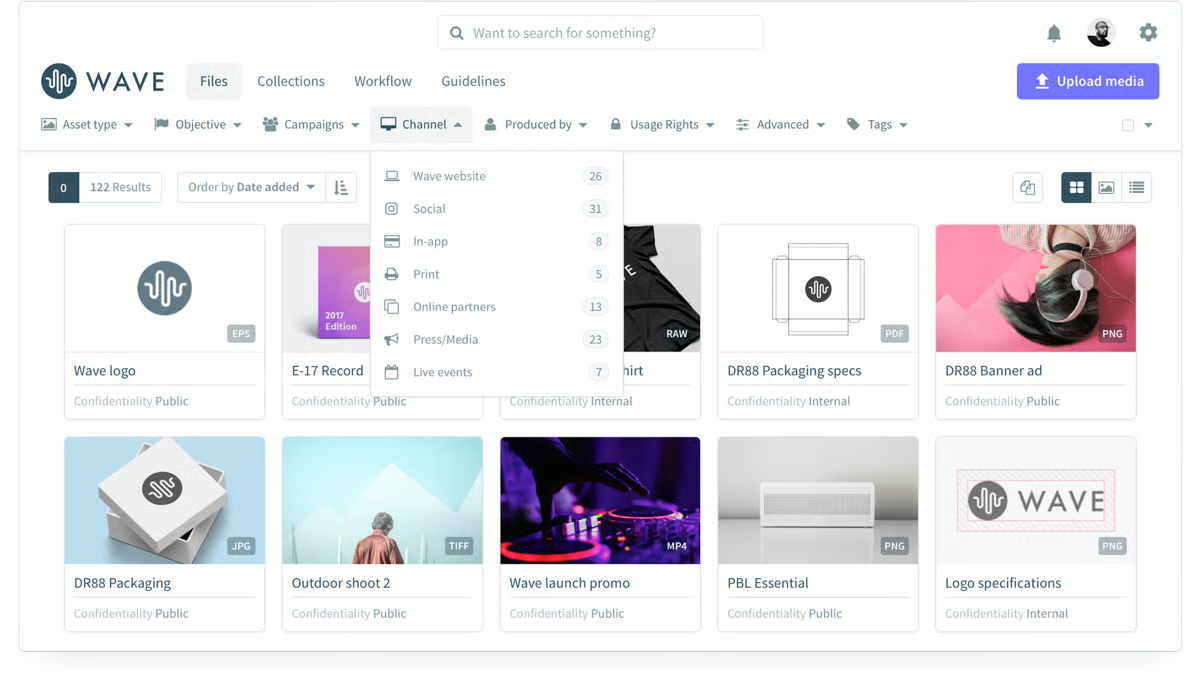
Teams report less asset duplication, faster access to approved materials, and smoother collaboration with agencies and partners. Many reviews frame Bynder as the point where asset management shifts from reactive cleanup to intentional, scalable governance. Features like centralized asset libraries, structured metadata, and controlled distribution workflows help teams maintain that consistency as content volume grows.
Advanced planning and decision-support features score lower relative to category averages, reflecting that Bynder is focused more on managing finished assets than supporting upstream creative planning. This distinction matters most for teams looking to combine ideation and execution in one tool.
Some reviews also mention that processes involving multilingual sites, deeply nested metadata, or large-scale migrations can require careful setup and internal alignment. Users generally describe this as part of operating a highly structured system rather than a mismatch with Bynder’s core purpose.
The user mix reinforces this positioning. Nearly 40% of Bynder’s customers come from enterprise organizations, with most of the remaining base in the mid-market. That distribution aligns with how reviewers describe adopting the platform once asset sprawl, access risk, and brand consistency become operational priorities, supported by a 99 G2 Satisfaction Score and strong market presence signals.
Bynder is a strong fit for organizations that need enterprise-grade control over brand assets at scale. Based on consistent review feedback, it works best for teams managing large libraries, multiple stakeholders, and strict access requirements. For organizations where brand governance and long-term consistency matter, Bynder stands out as a dependable system of record for asset management.
"Bynder has changed our digital asset management process in a great way because of the comprehensive and user-friendly platform. We can streamline our brand guidelines and assets in a single source of truth with the intuitive system.
The landing page builder is quite simple, and the ability to easily edit brand guidelines keeps our team on the same page. Enabling SSO and using third-party login is secure and meets all of our internal security standards. We are looking forward to seeing a major enhancement in avoiding fragmented systems and enhancing operational effectiveness."
- Bynder review, Joshua T.
“We thought there was an easy solution to bring assets and metadata over from our previous DAM, but that ended up being more work than uploading project by project, so getting our assets into the tool took longer than anticipated.
I wish Bynder could convert to different file types on the fly so everyone can get what they need immediately without us creating and managing several file types for every asset.
I also wish there were automation on the notification of expired assets to make the maintenance and compliance easier.”
- Bynder review, Suzanne B.
Once your assets are organized, the next step is putting them to work. Check out the best marketing automation tools to scale your campaigns.
What consistently comes through in reviews is how well Canto handles permissions and access control. Asset permissions, collaboration, and access requests are its highest-rated capabilities, reflecting how clearly teams can define who can view, edit, or distribute assets. This matters most when files move across departments, agencies, or external partners without losing oversight.
Many teams describe Canto as the place where final versions live. Clearly separating approved assets from drafts or outdated files, it helps reduce confusion and version sprawl. Reviewers frequently mention greater confidence that everyone is working from the same source of truth.
Search and organization are other areas where Canto delivers strong value. Teams rely heavily on custom metadata fields to filter and locate assets across large libraries that often span years of content. Once assets are structured, reviewers note that finding the right file becomes significantly faster and more predictable.
Version control and asset relationships further reinforce Canto’s role as a centralized hub. Users describe being able to track updates, understand how assets relate to one another, and reference usage history without relying on external documentation. This visibility supports better coordination across creative, marketing, and communications teams.
External sharing is handled in a controlled and intentional way. Public and private portals allow teams to distribute assets without making them openly searchable, which is especially relevant for partner-facing or education-focused workflows. Reviewers mention fewer one-off requests and less email back-and-forth as stakeholders gain self-serve access.
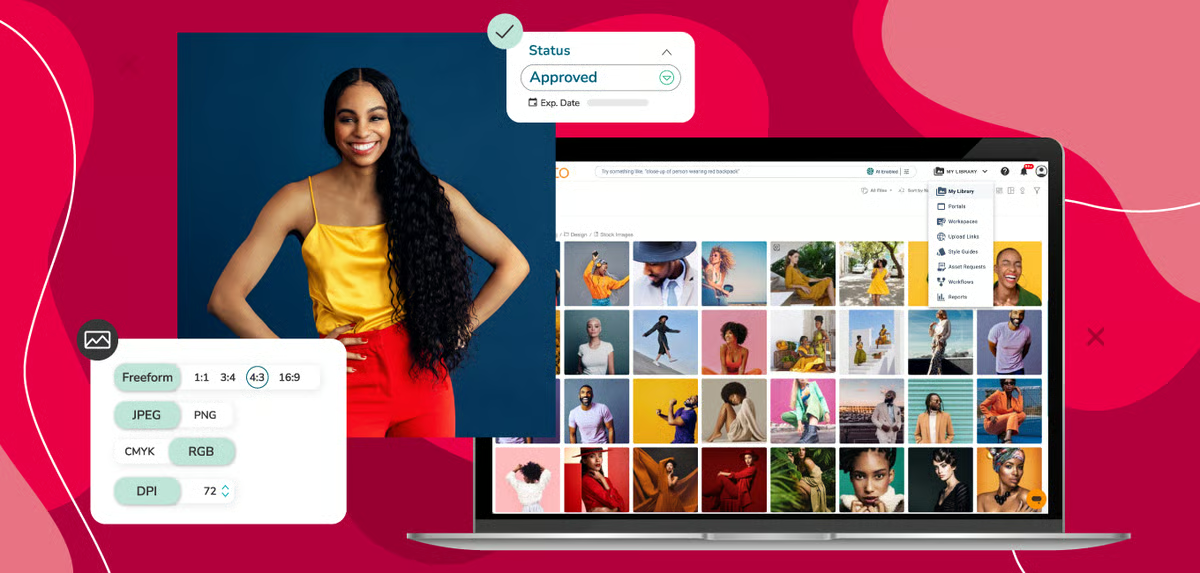
Existing workflows are supported through Canto’s integrations. Connections with tools like Adobe Creative Cloud and Slack allow teams to reference, share, and update assets without abandoning familiar environments. This keeps Canto embedded in daily work rather than operating as a separate repository.
The platform places a stronger emphasis on managing and organizing approved assets rather than supporting advanced creative production capabilities such as video editing, autonomous task execution, or multi-step planning. This scope may be more noticeable for teams running creation-heavy workflows, who often rely on Canto for deeper creative tooling. However, this focused approach helps maintain a streamlined environment for asset governance and organization, enabling teams to manage, distribute, and access finalized assets efficiently without the complexity of production-oriented features.
Some reviews mention an initial investment in establishing naming and tagging conventions for a structured approach to organizing assets through metadata and defined organizational models. This investment supports long-term clarity and discoverability, helping teams maintain consistent organization and making it easier to locate and manage assets as the library grows.
From a business perspective, the impact described across reviews is consistent. Teams report time savings from centralized storage, fewer errors caused by outdated assets, and smoother collaboration across distributed teams. Replacing shared drives and ad-hoc tools helps reduce operational clutter and establishes clearer ownership.
Mid-market organizations make up about 46% of Canto’s user base, with enterprises close behind at 25%. Supported by a G2 Satisfaction score of 79 and a Market Presence score of 64, Canto shows up as a dependable system for teams prioritizing control and organization over creative breadth.
Overall, Canto is a strong fit for teams that value consistency, secure sharing, and structured asset management. Based on review patterns, it works best for marketing, creative, and communications teams managing growing libraries with multiple stakeholders. For organizations that want reliability and clarity around brand assets, Canto provides a stable foundation without unnecessary complexity.
“I find Canto incredibly easy to use, making the initial setup a breeze. The ease of use is significant for me, as I engage in marketing and badge creation, specifically appreciating how Canto helps in creating clear and clean badge templates. I utilize the badge template tool frequently, and it aligns perfectly with my needs, offering a seamless experience without any complications. The user-friendly interface gets a perfect 10/10 from me, demonstrating how intuitive and accessible it is for both novice and seasoned users. Moreover, my satisfaction with Canto is so high that I would wholeheartedly recommend it to friends and colleagues, giving it a likelihood of 10 to be recommended. Canto simplifies the process significantly, delivering both in terms of performance and user satisfaction."
- Canto review, Christopher K.
“The only area of Canto that I find slightly inconvenient is the need to create albums within folders, rather than being able to drop files directly into a folder. That said, I understand this structure supports better organization, so I wouldn't necessarily change it. Another thing that would be helpful is when you delete files, if you are able to just delete a version versus the whole item.”
- Canto review, Nikeeta E.
Your brand assets power your social presence. See the best social media management tools to schedule, manage, and optimize your content.
Ansira’s Brand-to-Local Growth Platform is most often evaluated by organizations managing marketing across locations, partners, or regions. Review patterns consistently describe it as a system designed to reduce coordination overhead while keeping local execution aligned with central brand direction. The platform emphasizes operational clarity over hands-on micromanagement.
The platform is frequently applied in environments where coordination spans many teams or locations. Collaboration, customizable brand guidelines, and templates are rated at the top of their categories, and reviewers reinforce how these tools keep teams aligned once campaigns are in motion. Many users describe a noticeable reduction in manual planning and check-ins after workflows are established.
Teams running PPC, local marketing, or recurring campaigns often describe workflows that continue running without frequent intervention. This allows teams to focus more on outcomes and performance rather than day-to-day task management across locations. Automated scheduling and templated campaign structures help maintain consistency while reducing manual coordination across distributed teams.
Built-in templates and guardrails help maintain brand consistency across contributors. Reviewers note that these controls help multiple contributors work quickly without drifting off brand, even when campaigns are executed by different partners or locations. This is especially valuable in environments where consistency matters more than creative variation.
From a usability perspective, the platform is oriented toward operational visibility. Users mention clearer insight into task status, approvals, and execution progress across distributed teams. That visibility helps reduce coordination gaps and supports smoother handoffs between central teams and local operators.
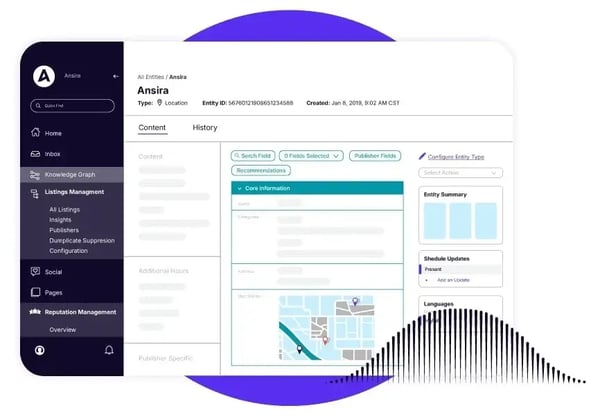
G2 reviewers describe having one place to manage assets, campaigns, and execution rules rather than relying on disconnected tools. This centralization supports repeatable execution across regions without requiring constant oversight. It also gives teams clearer visibility into how campaigns are deployed and adapted across different locations and partners.
With an overall G2 score of 63 and a G2 Satisfaction score of 66, Ansira shows steady usage among teams focused on execution rather than experimentation. About 83% of users come from small businesses, aligning with review feedback around centralized control and reduced operational effort.
Advanced options like smart lists and client-specific targeting offer flexibility, but users note that they may require occasional re-orientation when revisited after time away. That depth enables teams to create highly tailored segmentation and targeting strategies, which is especially useful for organizations managing complex client portfolios or detailed campaign criteria.
Ansira's pricing and feature depth may feel like more than necessary for teams managing a limited number of channels, particularly when lighter, narrower-scope tools appear to offer comparable coverage at lower cost, though organizations managing complex, multi-channel programs consistently find the broader capability set justifies the investment.
Taken together, Ansira is a strong fit for brands that need consistent, automated execution across distributed teams. Based on review patterns, it works best for organizations prioritizing governance, repeatability, and centralized oversight in local marketing. For teams managing many locations or partners without adding coordination burden, Ansira presents a structured and dependable approach.
“I was having a tough time with projects, but Ansira made things a lot easier not just for me, but my team as well. It helped me collaborate with my team so that productivity wasn't affected."
- Ansira review, Ahmad T.
“I feel the customer service has a lot of room for improvement. Not that my queries weren't resolved, but they could've taken less time.”
- Ansira review, Saad L.
When quick adoption and everyday use matter most in a DAM, Brandfolder aligns well without adding training or technical burden. Review feedback consistently points to a platform designed around visual clarity and controlled distribution, particularly for marketing teams working with internal stakeholders and external partners.
Teams often point to how easily assets can be found and reused in Brandfolder. Reviews highlight how browsing and reuse feel natural across teams, supported by the snapshot tile layout and category-based structure. Clear visual cues make it easier for non-designers and external users to identify the right assets quickly.
Asset permissions and access controls are often mentioned as helping teams distribute content safely without exposing full libraries. Customizable external links with password protection and expiration settings are repeatedly described as helpful for partner and vendor workflows.
Search flexibility supports day-to-day usability. Labels, tags, and custom fields give teams multiple ways to locate assets based on how their work is organized. Reviewers note that this flexibility improves reuse and reduces time spent searching across campaigns. As asset libraries grow, this structured metadata helps teams keep content discoverable without adding manual complexity to workflows.
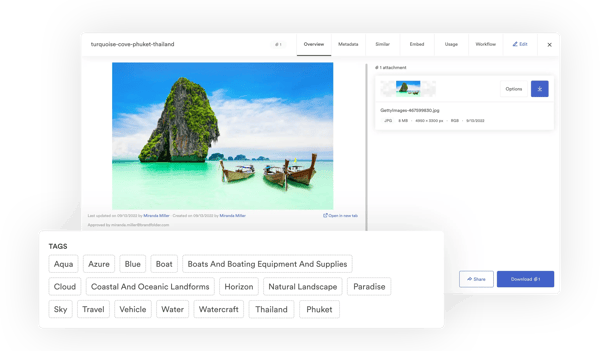
Users often acknowledge quick reactions to bugs or platform questions, which helps maintain confidence once Brandfolder becomes part of daily workflows. This is especially important when assets are shared across departments or with external collaborators. Responsive support also helps teams resolve issues quickly, so asset distribution and campaign timelines remain uninterrupted.
Automation is implemented with a narrower scope aligned to specific workflows. Brandfolder emphasizes manual organization and clear structure rather than adaptive learning or proactive recommendations. Teams that prefer hands-on oversight tend to align well with this approach.
Preview-heavy, tile-based views can take longer to load in content-dense environments, particularly for teams managing very large, image-heavy libraries where rendering multiple assets simultaneously places greater demand on load times. However, the tile-based layout prioritizes visual familiarity and recognition, and with an ease of use rating of 84%, the interface remains straightforward to navigate for most users. Brandfolder holds an overall G2 score of 58, a G2 market presence score of 67, and a G2 satisfaction score of 49. Its strongest-rated features, asset permissions (84%), access requests (82%), and collaboration (82%), closely match what users emphasize most in reviews.
Brandfolder fits naturally into teams that treat brand assets as shared infrastructure rather than creative workspaces. Review patterns suggest it works best where visibility, permissioned access, and dependable distribution matter more than experimentation. For marketing teams coordinating across internal groups and external partners, it provides a clear and structured foundation.
“ I find Brandfolder's visual interface and ease of sorting and browsing assets incredibly valuable. The intuitive and easy setup process made onboarding straightforward with excellent support assistance. I particularly love being able to share assets easily both within and outside our organization, which greatly enhances our workflow efficiency and asset distribution. The ability to customize shareable links and manage access through passwords and expiration settings adds to the utility.”
- Brandfolder review, Chris S.
“There are many different ways to search Brandfolder, which can be intimidating for new users since there's not much direction on labels, tags, sections, and pins. It is also quite tedious to add each asset to the correct area of each of these categories.”
- Brandfolder review, Abagail C.
What stands out most about Dash is how effectively it removes friction between designers and everyone else. Reviewers consistently describe a shift where teammates no longer need to interrupt designers for logos, images, or brand files. Assets are easy to find, export, and reuse, which keeps creative workflows focused and reduces day-to-day back-and-forth.
Asset organization plays a central role in how teams use Dash. Filtering is its highest-rated feature on G2 at 90%, scoring above the category average. Reviewers also frequently mention how intuitive navigation feels, even for teams unfamiliar with DAM tools, making everyday asset discovery faster.
The left-hand sidebar, which allows visibility into multiple folders at once, is often cited as a feature that improves speed and orientation. This layout helps users move between projects without losing context.
Collaboration and asset permissions both score 88% on G2, reinforcing how easily teams can share files while maintaining order. Reviewers describe fewer questions around ownership and fewer instances of outdated assets being reused.
Reviews frequently reference a smooth onboarding and early support experience. Teams mention structured introductory conversations followed by fast, straightforward implementation. This approach is especially helpful for organizations adopting their first DAM or moving away from loosely organized folders.
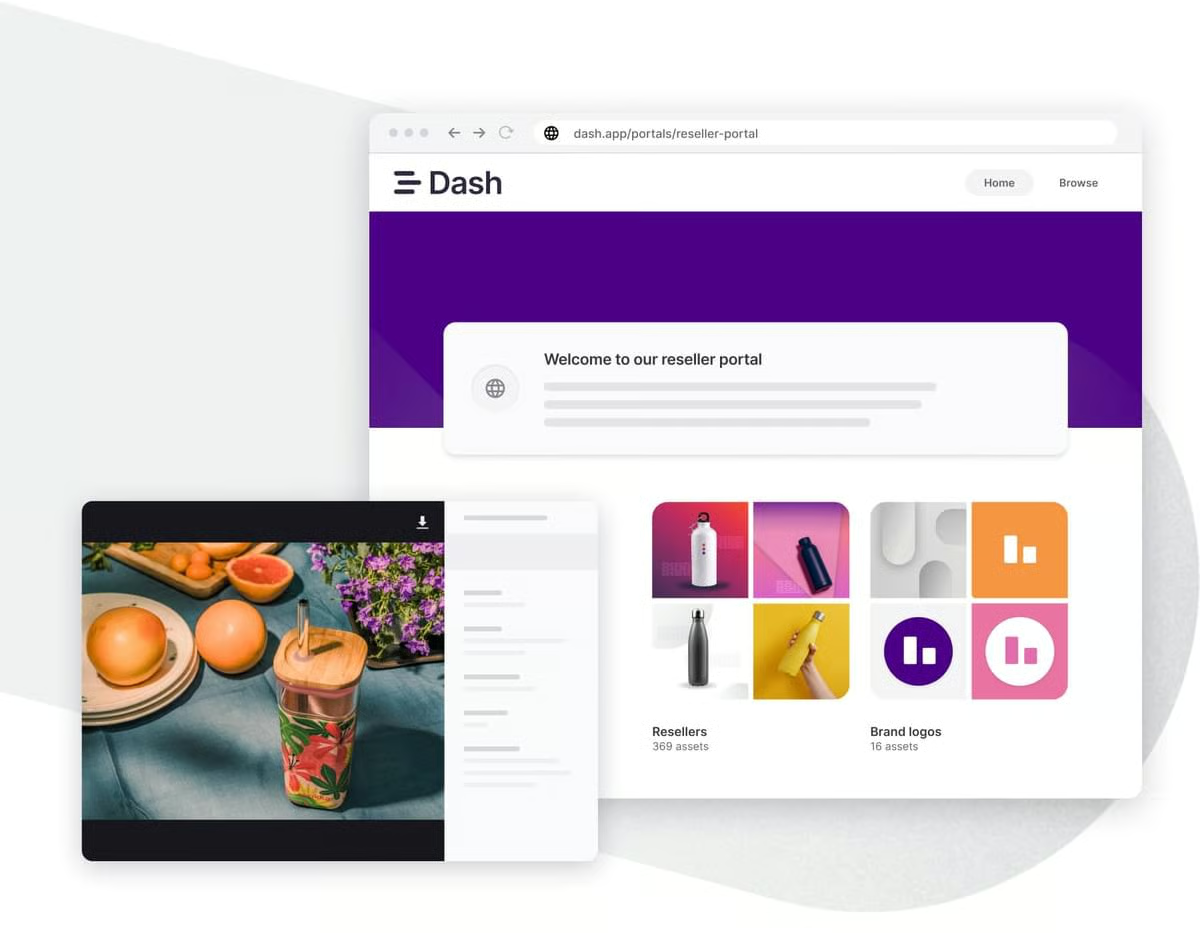
The interface is consistently described as clean and dependable, with a layout that reduces the learning curve typically associated with enterprise-grade design and content tools. This ease of adoption means non-designers and marketing generalists can use the system with confidence, without requiring extensive training or ongoing technical support to produce consistent, on-brand outputs.
Dash has limited advanced image editing and automated production pipelines within the platform, meaning creative adjustments need to be handled outside the system before assets are uploaded. For organizations focused primarily on asset storage, retrieval, and distribution, however, this scope keeps the platform fast, accessible, and well-suited to brand governance at scale.
Folder-level management and bulk actions become more time-intensive to navigate as asset libraries grow in size and complexity. Teams managing large, frequently updated content libraries across multiple categories are most likely to encounter this. The structured approach to library management supports long-term consistency and accessibility, making it easier for larger teams to maintain clarity and governance as usage scales.
Adoption patterns reinforce Dash’s positioning. With a G2 Satisfaction score of 73 and a user base made up primarily of small (46%) and mid-market teams (50%), Dash shows up as a practical choice for organizations seeking structure without enterprise overhead.
Dash is a strong fit for teams that want an affordable, transparent DAM their entire organization can use. Based on consistent review feedback, it works especially well for design-led teams focused on reducing friction and improving access to brand assets. For organizations prioritizing clarity, collaboration, and everyday usability, Dash remains a dependable option.
“Dash is a very competent system and in many ways is a step up from our previous DAM (digital asset management) system, which was Brandfolder. The monthly spend for this solution is extremely competitive, and I like the model of including all features across all plans and basing the cost solely on monthly download activity.
The tagging/metadata system is extremely flexible, and we were able to import all of our previous metadata into several custom fields, organized by categories such as Product Name, Collection, and Color for each product. Overall, we are very happy. There are a few features that we are looking for that Dash does not currently have, and we hope that they consider implementing.”
- Dash review, Jeremy P.
“It would be nice if you could share a folder externally without having to add it to a collection. But really, there's nothing I don't like!”
- Dash review, Carlsson E.
Frontify most often appears in organizations where brand consistency is treated as an operational requirement rather than a design preference. It is commonly adopted by large, multi-team companies that need a structured way to manage guidelines, design systems, and approved assets across regions and partners. This shared system helps align designers, marketers, and regional teams around the same standards.
Frontify holds a G2 market presence score of 61, indicating strong adoption among larger organizations. Its G2 satisfaction score (34) and overall G2 score (47) suggest that long-term value is most closely tied to teams using it as a central brand system rather than a lightweight DAM.
Brand guidelines, assets, and documentation live together in one Frontify environment. The guidelines experience is frequently highlighted as a core capability, replacing static PDFs with a living, visual system that teams can rely on. Updates roll out instantly, ensuring everyone works from the same standards at the same time.
Brand guideline customization is frequently mentioned in user feedback. Teams describe being able to tailor layouts, sections, and components to match complex brand requirements. High G2 ratings for brand guidelines reinforce how well this works for organizations managing multiple brands or detailed design systems.
Frontify also brings structure to asset management. Logos, templates, and marketing visuals live in a single environment that’s easy to reference across projects. Reviewers mention fewer clarification cycles between brand, marketing, and external teams because expectations are clearly documented inside the platform.
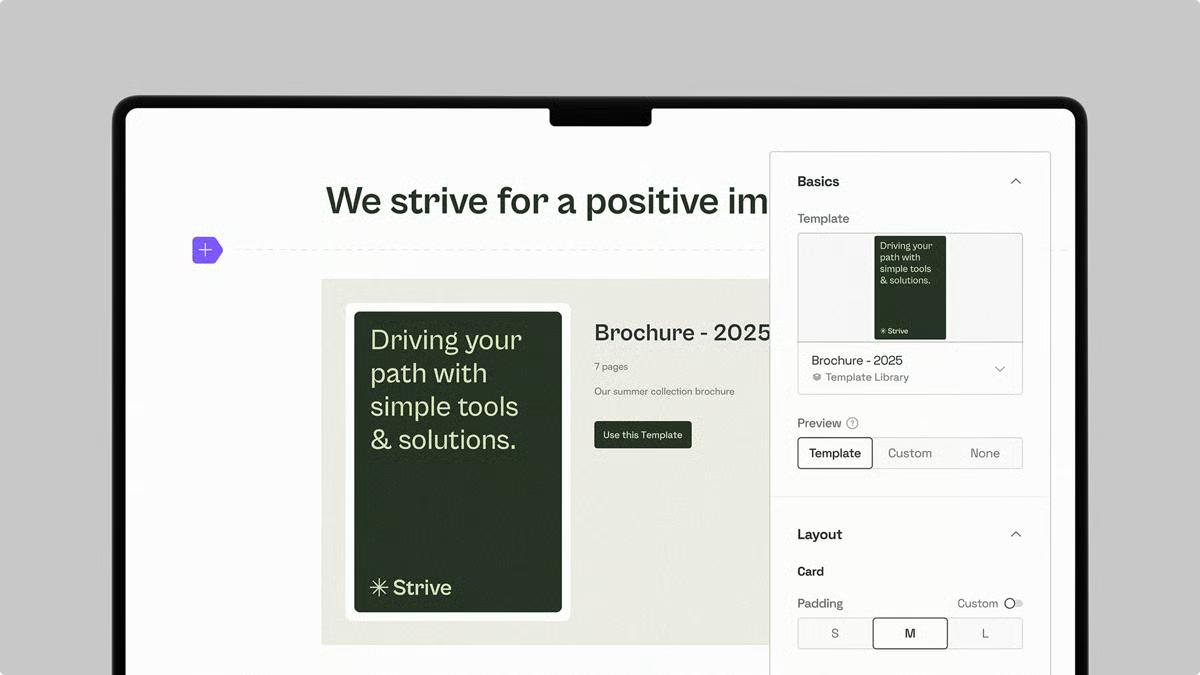
Teams describe knowing exactly who can view, edit, or distribute assets, which is especially important when working with agencies or distributed contributors. This clarity reduces reliance on informal sharing and minimizes uncertainty around approved usage.
By combining guidelines, assets, and portals in one place, Frontify becomes a shared reference point rather than a standalone repository. This helps reduce dependency on individual brand experts and makes standards easier to adopt across regions.
With a broad feature set and distinct areas for different tasks, new users may need additional time to understand how navigation is organized and where specific actions are located. Once familiar with the structure, however, the platform's organized layout supports efficient day-to-day navigation, making Frontify a comprehensive long-term solution for brand management at scale.
Frontify's editing experience is more limited in creative flexibility, prioritizing controlled, template-driven production over freeform design. Teams accustomed to highly flexible design tools may find this a more structured environment than they are used to. However, this governance-first approach ensures that every asset produced within the platform remains aligned with approved standards, reducing brand risk without adding manual review overhead.
Frontify fits best when brand standards need to be documented, shared, and enforced across many stakeholders. Review patterns show it working most effectively as a single source of truth for guidelines and approved assets. For organizations where consistency and governance drive brand operations, Frontify plays a foundational role rather than a supporting one.
“ I use Frontify on a Daily basis as a content creator, and having a one-stop shop for all assets, it's probably the best thing about this tool. Absolute time-saver, it's super easy to search and navigate, and a friendly interface that makes it simple for anyone to use, even if you're not a creator. I've had a few questions at some point, and the customer support was super fast in responding to me as well as fast in helping me provide a solution.”
- Frontify review, Ligya B.
“New parts of Frontify are being added all the time, so sometimes existing ways of working break because of that, and we have to figure out a different way to do this. The custom template feature sometimes has issues, and we have run into several complaints from people who say that things occasionally stop working.”
- Frontify review, Olivia H.
Check out the best design systems software, like Frontify, which also helps with branding.
In the course of reviewing brand asset management platforms, Papirfly repeatedly comes across as a solution built with strong brand governance in mind. Users describe it as a system built to keep assets consistent, approved, and controlled across teams operating at scale. This framing comes through clearly in how organizations rely on it as part of day-to-day brand operations.
Asset organization is one of Papirfly’s strongest areas. Assets are structured by tags, campaigns, and media types, which helps teams surface the latest approved materials without manual sorting. Reviewers frequently mention greater confidence that distributed teams are accessing the correct versions.
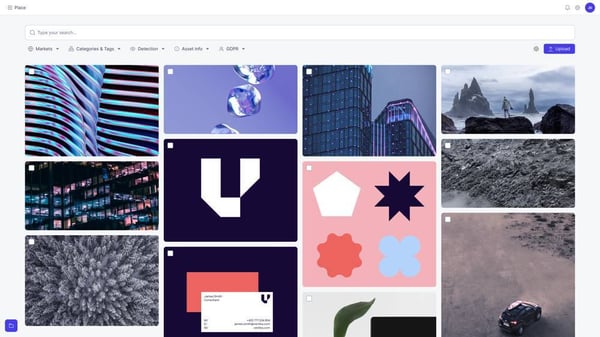
On G2, templates are rated at 90%, well above the category average of 81%. Users reinforce that these templates help standardize output across regions, partners, and departments without requiring repeated design intervention. This makes it easier for distributed teams to produce on-brand materials while still adapting content for local needs.
Customizable brand rules and permissions allow organizations to define how assets are used, shared, and adapted across different audiences. This setup not only helps reduce brand drift as more teams contribute to content creation, but also ensures that brand standards remain consistent even as content production expands across regions, teams, and partners.
Service and support are also highlighted positively across reviews. Users mention quick response times, professional guidance, and hands-on account management. This level of support is especially valued when Papirfly is tied into workflows like co-op approvals, dealership compliance, or regulated submissions.
G2 reviewers describe it as a managed brand portal that teams rely on daily to distribute approved assets and enforce brand standards. The platform is commonly used across marketing, creative, and brand teams that need a centralized, permission-controlled environment for asset access and distribution. This makes it particularly relevant in environments where consistency and compliance are operational priorities.
Papirfly's creative production capabilities are scoped toward governance and brand control rather than advanced video editing or AI-driven asset discovery. However, this focused scope delivers a structured and reliable environment that scales effectively across large, distributed teams.
The platform’s asset browsing is limited to structured, taxonomy-driven navigation, which may not accommodate teams that frequently search by visual context or creative feel. For teams where governed access and consistent retrieval of approved assets are the priority, the structured approach supports accuracy and compliance across the library at scale.
The distribution of users aligns closely with this focus. Papirfly’s user base skews toward enterprise (44%) and mid-market (35%) organizations, aligning with its focus on permissions, compliance, and standardization. Review sentiment consistently reflects adoption once brand governance becomes a formal operational requirement.
When brand consistency and usage rights drive the buying decision, Papirfly typically sits near the top of the shortlist. Based on review patterns, it works best for enterprises managing regulated, partner-driven, or multi-region brand environments. For teams prioritizing long-term governance over creative experimentation, Papirfly serves as a dependable system of record for brand assets.
“First and foremost, I love their customer service. Our account manager, Peter, is always happy to help us add users, walk us through features, and work with us to ensure we're satisfied. As far as the platform goes, our team loves having a singular platform that is sorted by tags, campaigns, and even media types. We love all the different categories in the login that show the most up-to-date assets. Overall, it's a very comprehensive platform that is easy to use.”
- Papirfly review, Fey S.
“The back-end user interface (and partially the 'Produce' area) could be more streamlined. Some actions require multiple clicks and occasional second-guessing (e.g., the 'Request for Approval' button in Produce is quite hidden, represented by a small tick icon that many users find unclear). Making frequently used functions more accessible and intuitive would enhance the user experience.”
- Papirfly review, Clara C.
Acquia DAM (Widen) shows up most often in larger marketing organizations where asset sprawl is already an active operational issue. Reviews consistently describe it as a platform built around governance, consistency, and access control rather than lightweight creative workflows. That framing shapes how teams rely on it day to day.
External sharing workflows are supported through detailed permission settings. Reviewers frequently highlight asset permissions and portals as core capabilities that give teams confidence when sharing content outside the organization. Creating distinct, access-controlled views for agencies, vendors, or sales teams helps maintain order without introducing unnecessary friction.
Teams describe using them as a structured way to distribute approved assets while keeping clear visibility into who can access what. For organizations managing sensitive brand, legal, or packaging materials, this level of control functions as an everyday safeguard rather than an administrative task.
G2 Data reflects how this positioning plays out in practice. Acquia DAM holds a G2 market presence score of 62 and an overall G2 score of 42, with a satisfaction score of 22. These signals suggest the platform is most effective when adopted as a governed system of record rather than a general-purpose creative tool.
Acquia DAM also performs well as a long-term system of record for digital assets. Content expiration, filtering, and centralized storage support consistent asset hygiene over time. Users describe replacing a mix of shared drives and disconnected tools with a single governed environment for brand and marketing materials.
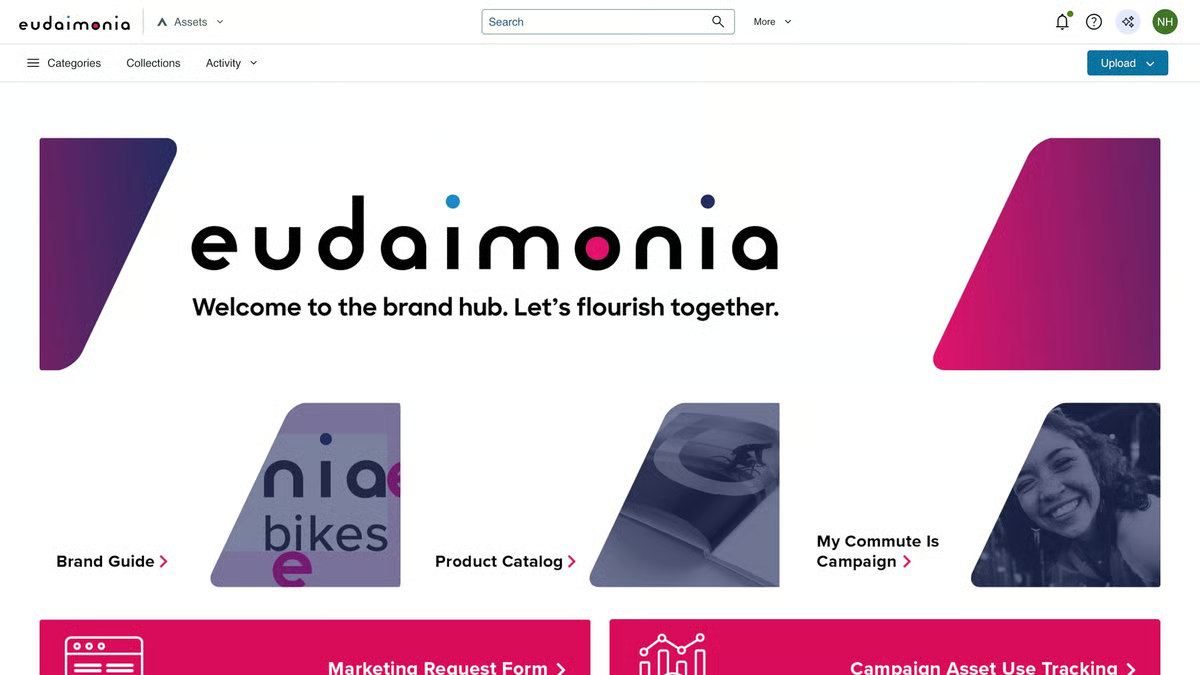
While the platform supports complex configurations, navigation feels approachable once teams are inside the system. Admin users often note that the experience becomes more manageable after setup, supported by responsive customer support. Over time, this familiarity helps teams handle asset governance and distribution with greater confidence.
G2 reviewers mention timely responses and practical guidance, particularly when working through technical configuration or security-related requirements. This support helps teams stay confident as Acquia DAM becomes embedded in operational workflows. Consistent support also helps organizations maintain stability as more departments rely on the platform for daily asset access and distribution.
Simultaneous advanced configuration adjustments across multiple administrators can have a more limited scope within the backend environment. This may be more noticeable for teams managing complex setups where several administrative changes occur at the same time. At the same time, the platform’s controlled backend structure helps maintain stability and supports consistent governance across the system.
The platform offers more limited in-platform asset creation and design capabilities compared to its asset storage and governance functionality. This may be more noticeable for creative teams that regularly perform design edits or content production within the same system. However, the platform’s strong focus on asset management helps support structured organization and consistent brand control across teams.
The platform’s user base aligns closely with this focus. Nearly half of Acquia DAM’s users come from enterprise organizations, with another 41% from the mid-market. That distribution aligns with how reviewers describe adopting the platform once access control, consistency, and asset governance become operational priorities.
Acquia DAM consistently delivers clarity at scale. Teams report spending less time managing access, fewer inconsistencies in asset usage, and stronger trust with external partners through branded portals. For organizations operating in complex environments, it serves as a reliable foundation for structured, governed asset management over time.
“ I like the portals in Acquia DAM (Widen) the most and the way they allow different views for different people. Our marketers frequently use these portals to share assets, and we've even mirrored a desktop version of our sales enablement app using them. The ability to set up varied user views is crucial for us because it helps maintain necessary restrictions on asset removal, enhancing our workflow and security measures. These features potentially make Acquia DAM (Widen) a powerful tool if leveraged fully. “
- Acquia DAM (Widen) review, Heather G.
“ I think portal design capabilities need to be expanded. The different ways we can tailor-make our portals have not changed since at least 2021, when I worked with Widen last. I would love to be able to upload assets directly into certain portal design areas, rather than create an element in Illustrator, upload to the DAM, then place it in the portal. I would love to see Acquia expand its accepted openface fonts in the Templates app to support Adobe Fonts.“
- Acquia DAM (Widen) review, Sam A.
Aprimo typically enters the conversation when marketing teams reach a point where shared drives, lightweight DAMs, and manual approvals stop scaling. It’s designed for organizations where operational discipline becomes just as important as speed, particularly in environments with high content volume and formal processes. That focus shows up clearly in how the platform is structured and how reviewers describe using it day to day.
Workflow automation is where Aprimo earns the most confidence. Reviews frequently describe approvals, routing, and campaign handoffs moving forward with minimal manual intervention once workflows are established. This helps teams maintain momentum across complex campaigns without relying on constant follow-ups.
Search, filters, and smart tagging help teams work through large libraries without friction, turning asset volume into something usable instead of overwhelming. Reviewers consistently mention being able to surface large sets of relevant assets quickly, complete with previews, file details, and channel context.
Teams describe measurable reductions in production time, fewer errors tied to version control, and faster campaign launches as approvals move out of email and into structured workflows. Usage tracking also adds visibility that helps leadership understand how assets are being used across campaigns.
Aprimo's configuration depth means that advanced setup, including workflows, permissions, and integrations, requires significant time and internal expertise to implement fully, which can extend the initial deployment period for teams without dedicated admin resources. Although for teams with clearly defined processes and established ownership models, this level of control supports highly precise governance and workflow management that scales reliably across large organizations.
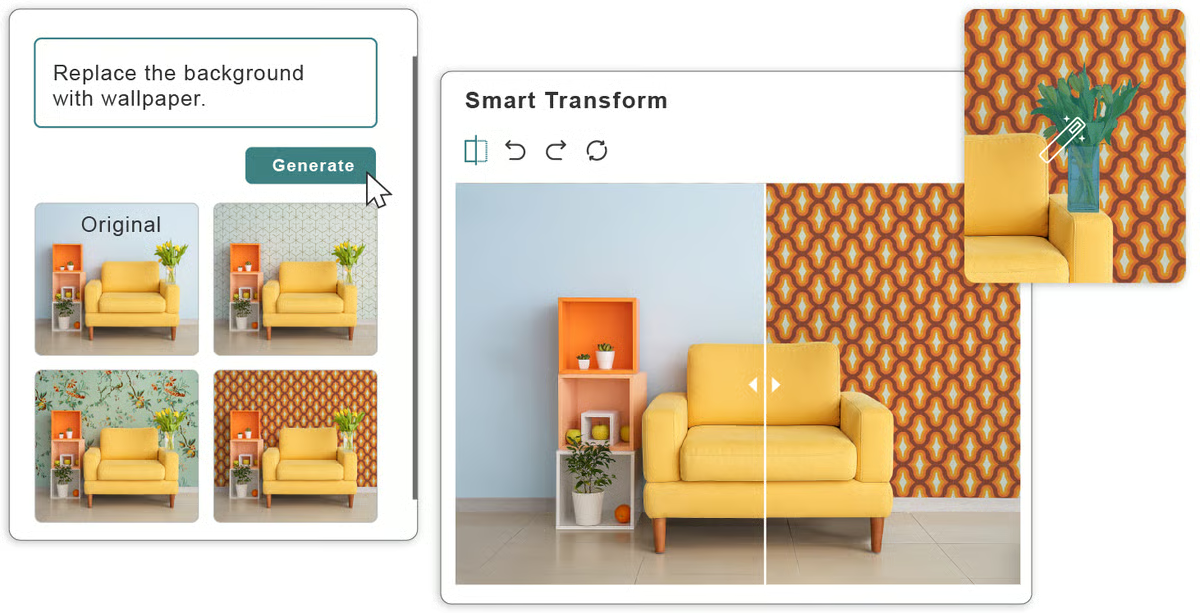
The reporting dashboards cover core operational metrics but do not support highly customized or advanced analytics within the platform. This mostly affects organizations where complex, multi-dimensional reporting is a regular operational requirement rather than an occasional need. However, the built-in dashboards provide sufficient coverage to support workflow oversight and performance tracking without additional configuration.
Aprimo holds a G2 market presence score of 48, an overall G2 score of 39, and a satisfaction score of 30. Together, these signals suggest the platform delivers the most value when adopted as an operational system rather than a lightweight asset repository.
Aprimo is most often adopted by mid-market and enterprise organizations where automation, governance, and structured execution are already operational priorities. Reviews consistently frame the platform as most relevant once content operations become a shared, cross-team responsibility.
Overall, Aprimo proves most effective in environments where structure, scale, and consistency directly affect go-to-market performance. For marketing teams managing high volumes of content, approvals, and brand-critical assets, it functions less like a standalone DAM and more like an operational backbone that keeps execution moving with control and clarity.
“I've been using Aprimo daily for the past eight months as part of our marketing and content team, and the feature I appreciate most is the AI-powered smart tagging combined with the automatically cropped image variants. Whenever we upload a new asset, like the lifestyle photos for our health awareness campaigns.
Aprimo instantly analyzes it and adds relevant tags (person, smile, food, indoor, etc.) without us having to manually label everything. It makes searching our growing library so much faster. Even better, it generates ready-to-use crops in different aspect ratios (16:9, 3:2, square, etc.) and resolutions right there on the asset page. We no longer have to open Photoshop just to create social media versions or website banners. The whole team can grab exactly what they need in seconds, and it keeps everything consistent across channels. “
- Aprimo review, Williams P.
“The initial setup of Aprimo wasn't instant and took some time to configure and onboard the team. It would be helpful if the notification system could be clearer and faster, as my teammates often miss them. Also, having fewer clicks to move an asset through approval would make coordination smoother.“
- Aprimo review, Saad M.
|
Software
|
G2 Rating
|
Free plan
|
Ideal for
|
|
Canva
|
4.7/5
|
Yes
|
Teams creating brand assets quickly without design expertise
|
|
Bynder
|
4.5/5
|
No
|
Enterprises governing large, complex brand asset libraries
|
|
Canto
|
4.4/5
|
No
|
Teams managing permissioned, structured asset libraries
|
|
Ansira Brand-to-Local Growth Platform
|
4.9/5
|
No
|
Brands coordinating localized marketing across locations
|
|
Brandfolder
|
4.4/5
|
No
|
Marketing teams sharing assets with controlled access
|
|
Dash
|
4.6/5
|
No
|
Small teams needing a simple, affordable DAM
|
|
Frontify
|
4.5/5
|
No
|
Enterprises managing brand guidelines and approved assets
|
|
Papirfly
|
4.5/5
|
No
|
Enterprises enforcing brand consistency and approvals
|
|
Acquia DAM (Widen)
|
4.5/5
|
No
|
Large organizations managing governed asset access
|
|
Aprimo
|
4.3/5
|
No
|
Marketing teams automating workflows and asset governance
|
Got more questions? G2 has the answers!
If speed and self-serve creation matter most, Canva is commonly chosen for lightweight brand control. Brandfolder is often evaluated when teams need centralized access across internal and external stakeholders. Bynder is typically selected when governance, permissions, and global distribution requirements increase.
Bynder, Aprimo, and Acquia DAM (Widen) are frequently shortlisted by enterprise buyers. Review patterns highlight their strength in permissioning, auditability, and handling large asset volumes across regions and business units.
Tools like Frontify and Papirfly are commonly chosen when brand guidelines are as critical as asset storage. Full DAM platforms focus more on distribution, metadata, and integrations, while guideline-first tools emphasize consistency and brand education.
Brandfolder and Bynder are often picked when sales teams and external partners need controlled access to approved assets. Reviews frequently mention easier discovery and fewer off-brand materials reaching the field.
Integrations often determine adoption. Tools that connect cleanly with CMS, CRM, creative suites, and marketing platforms tend to reduce manual handoffs. Aprimo and Acquia DAM are commonly noted for broader ecosystem integration.
Yes, but capability varies. Platforms like Bynder and Papirfly are commonly selected for distributed teams because they allow localization while preserving central brand control.
The biggest risk is recreating folder chaos inside a new system. Review patterns suggest teams succeed faster with tools that enforce metadata, versioning, and clear approval states rather than pure storage upgrades.
Some tools focus on lightweight review loops, while others support multi-step approvals with legal and compliance involvement. Aprimo and Bynder are often mentioned when structured approval governance is required.
Yes. Sales, partners, agencies, and customer success teams frequently rely on DAM systems. Platforms with strong access controls and sharing features tend to see broader adoption outside marketing.
Teams with complex operations often prefer DAM connected to planning, workflow, and execution systems. Others prioritize simplicity and faster rollout with standalone platforms. The right choice depends on how tightly asset management needs to connect to day-to-day execution.
Decisions around managing brand assets rarely fail loudly at first. They show up in small delays, unclear ownership, and quiet erosion of trust in what is approved and current. Over time, those frictions compound. Teams spend more time checking versions, chasing approvals, and correcting off-brand usage than moving work forward. At scale, that drag becomes structural, not situational.
What separates strong outcomes is how well the system supports daily execution. When governance, access, and discovery are clear, assets move with confidence across regions and roles. Cognitive load drops because teams know where to go, what they can use, and who owns decisions.
This is why brand asset management software should be treated as an operating model choice. The right platform reinforces how brand decisions are made, enforced, and trusted across the organization. A poor fit forces teams into compensating processes that slow delivery and weaken consistency. A confident choice comes from aligning the system to how teams actually create, approve, and distribute assets under real pressure.
If the software reduces friction and protects brand intent in everyday workflows, it will continue to pay off as scale and complexity increase.
Want more control over creative assets? Explore leading digital asset management tools on G2 to centralize media and keep assets on-brand.


If you’ve ever looked at a brand like Nike or Adidas and thought, “I want to be the one...
.png) by Devyani Mehta
by Devyani Mehta

When it comes to the art and magic of branding, few do it better than Disney.
 by Digge Zetterberg Odh

The eight best design systems softwarefor 2026 are Canva, Visme, zeroheight, UXPin, InVision,...
/DarshayitaThakur-OrangeBG.webp) by Darshayita Thakur
by Darshayita Thakur