


Managing email can be overwhelming — cluttered inboxes, limited storage, poor organization tools, and apps that don’t integrate well with calendars or other productivity software can slow you down.
Without a capable email client, staying on top of messages and workflows can feel impossible.
Paid email clients are powerful, but they can also be expensive or more than many users need. That’s where free email client platforms come in. They offer robust features to organize your inbox, streamline communication, and integrate with the tools you already use, without incurring any costs.

After reviewing G2 data, I’ve compiled a list of the top free email clients for Windows and Apple devices. This guide is for anyone seeking a reliable, feature-rich email solution that enhances productivity without breaking the bank.
Front: Best for shared inbox collaboration
For team inboxes, internal communication, and multi-channel management
Helpwise: Best for support-focused email management
For shared mailboxes, automation, and team productivity
Mailbird: Best for unified email management
For multiple account integration, productivity tools, and app extensions
Microsoft 365: Best for business-standard email and collaboration
For Outlook email, Teams integration, and cloud storage
Missive: Best for collaborative email and chat in one app
For team workflows, shared inboxes, and task management
Outlook4Gmail: Best for Gmail and Outlook syncing
For calendar sync, contact management, and Gmail integration
Shift: Best for managing multiple accounts in one place
For email, apps, and workflows across Google Workspace and other platforms
Spike: Best for chat-like email experience
For conversational email, collaborative notes, and task management
Zoom Workplace: Best for email plus communication suite
For Zoom email, calendar, chat, and integrated meetings
*The software list is arranged alphabetically. These tools offer free trials, free forever options, or freemium models.
If you feel overwhelmed by the wealth of information about the best email apps, check out our comparison table, which will help you with all the important aspects.
| Best free email clients | G2 Rating | Free plan | Paid plan |
| Front | 4.7/5 ⭐ | Free 14-day trial |
Starting at $25/user/month
|
| Helpwise | 4.6/5 ⭐ | Free 7-day trial |
Starting at $12 per user/ month
|
| Mailbird | 3.6/5 ⭐ | Available with limited features |
Starting at $2.28/user/month
|
| Microsoft 365 | 4.6/5 ⭐ | Free 30-day trial |
Starting at $6/user/month
|
| Missive | 4.6/5 ⭐ | Available for limited users |
Starting at $14/user/month
|
| Outlook4Gmail | 4.2/5 ⭐ | Free 7-day trial |
$28.98 per license
|
| Shift | 4.4/5 ⭐ | Free 14-day trial |
Starting at $149/year
|
| Spike | 4.6/5 ⭐ | Available with limited features |
Starting at $5/user/month
|
| Zoom Workplace | 4.5/5 ⭐ | Available for one user |
Starting at $13.33/user/month
|
The global email client software market continues to grow steadily, as email remains a cornerstone of personal and professional communication. The market is projected to reach nearly $9.9 billion by 2032, reflecting growing demand for powerful, secure, and productivity-boosting email tools.
Even as web-based email services like Gmail and Outlook dominate usage statistics, dedicated email client platforms offer features such as unified inboxes, advanced organization tools, offline access, and customization that help users stay on top of their communications.
And from what I’ve seen, “best” doesn’t always mean “paid.” Many free email client platforms I’ve evaluated deliver powerful email management, let you connect multiple accounts, and help you stay productive without stretching your budget.
Below is a list of the best free email client platforms I recommend. Tools that combine usability, features, and ease of setup for everyday email processes.
To build this list, I began with G2 data, shortlisting top-rated tools based on their G2 scores and consistent performance in the free email client software category.
From there, I reviewed product specs and recent, verified user feedback to confirm that these products deliver real value and to understand where each one stands out.
The goal was simple: to see whether these tools are as good as they claim, what each one is best for, and whether there’s a free version or free trial you can try with minimal risk. And because this is a free-focused list, I paid extra attention to what you can actually do without paying — such as whether the free tier includes core features, how long the free trial lasts, and what limitations might prompt you to upgrade.
The screenshots featured in this article may be a combination of those taken from the vendor’s G2 page and publicly available materials.
The product list below contains real user reviews from the best free email client software category page. It’s important to note that in the context of this list, vendors offering a free trial are also considered free.
To be included in this category, a solution must:
*This data was pulled from G2 in 2025. Some reviews may have been edited for clarity.
Front combines the familiarity of email with the efficiency of a shared inbox to make it ideal for teams that want to manage emails, messages, and client communication in one place. Its interactive interface and powerful features make it useful for managing multiple communication channels. In fact, according to G2 Data, around 74% of reviewers noted that outbound communications are well-segmented and personalized.
Front offers unlimited access to all paid features through a 14-day free trial. After that, customers can choose to upgrade to a plan that best suits their needs.
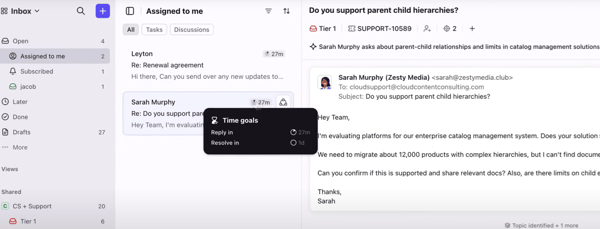
| Pros of Front |
Cons of Front
|
| Faster teamwork through shared inbox |
Learning curve for its advanced features
|
| Omnichannel messaging |
May not be suitable for small businesses with limited resources
|
| Integrates with almost 100 third-party tools |
May lack the specializations available in dedicated platforms
|
“Front's got a great way of unifying text, email, and customer data into one platform accessible to an entire team. It just improves your communications and makes the "Mother of all Inboxes" seem manageable and easy to use. I use this platform every day. It integrates with a variety of tools I already use, such as Gmail and Pipedrive, and does so seamlessly. It was easily implemented into my workflow. The user interface is clean and simple to use. I've never even had to contact customer support for integration. It's just that simple.”
- Front Review, Carlos M.
“The way the email chain flows can be confusing. Sometimes, it seems the latest email in a chain does not show at the top, and you have to look through the whole chain to find the latest email response. I believe there are other ways to group email chains, but I have not been able to understand how the different options work.”
- Front Review, Susan T.
Helpwise facilitates business communications. As a powerful shared inbox tool, Helpwise suits teams looking to enhance collaboration and efficiency. G2 Data mentions that 33% of reviewers noted that it quickly consolidates multiple email accounts into one viewable platform. Whether you’re a small business or a large enterprise, Helpwise can manage your emails effectively without any cost barriers.
All paid plans for Helpwise include a complimentary 7-day trial, offering unlimited access to all features.
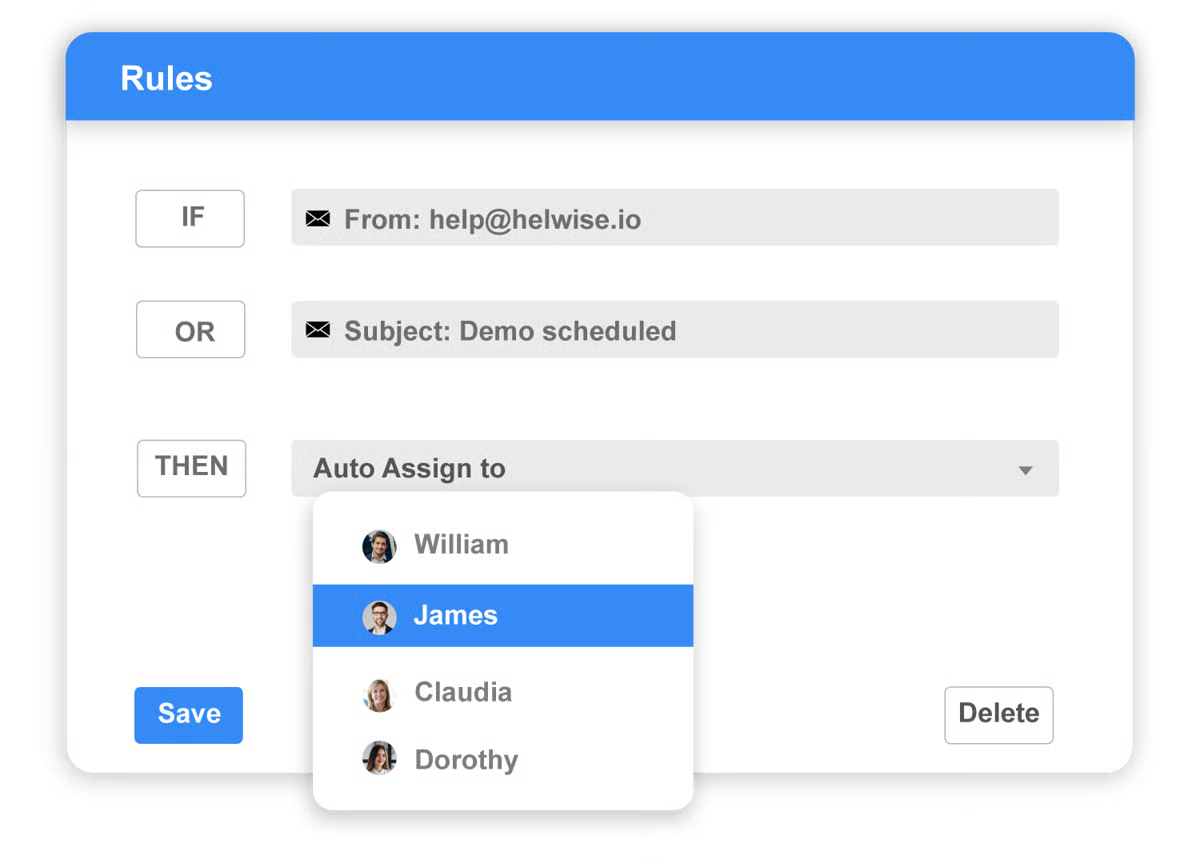
| Pros of Helpwise |
Cons of Helpwise
|
| Strong collaboration features like internal notes and @mentions |
Features are possibly overwhelming for smaller teams
|
| Offers automation settings for faster workflows |
Complex, time-consuming setup for certain integrations
|
| Supports advanced analytics to track performance |
Increased costs for add-ons
|
“Being a company that is constantly in contact with clients, Helpwise represents the appropriate solution for us. The combination of email client, help center, support chat (web), and the many available integrations makes Helpwise an indispensable tool for our organization. It's easy to use, easy to implement, has excellent customer support, and easy integration, making us use it every day.”
- Helpwise Review, Carlos R.
“Inability to view all channels on one screen was a deal-breaker for me. What is the point of giving users channels if you cannot view them all on one screen? You literally have to use a drop-down option to navigate from customer service, sales, etc., without being able to see the other. It also has no ticker to see how many messages are there. This renders the whole "shared inbox" experience useless for us. This is the only software in this space that I have seen that completely negates the idea of shared inboxes. Sure, if you only have one shared inbox, that would work, but for most companies, it will not.”
- Helpwise Review, Anatole N.
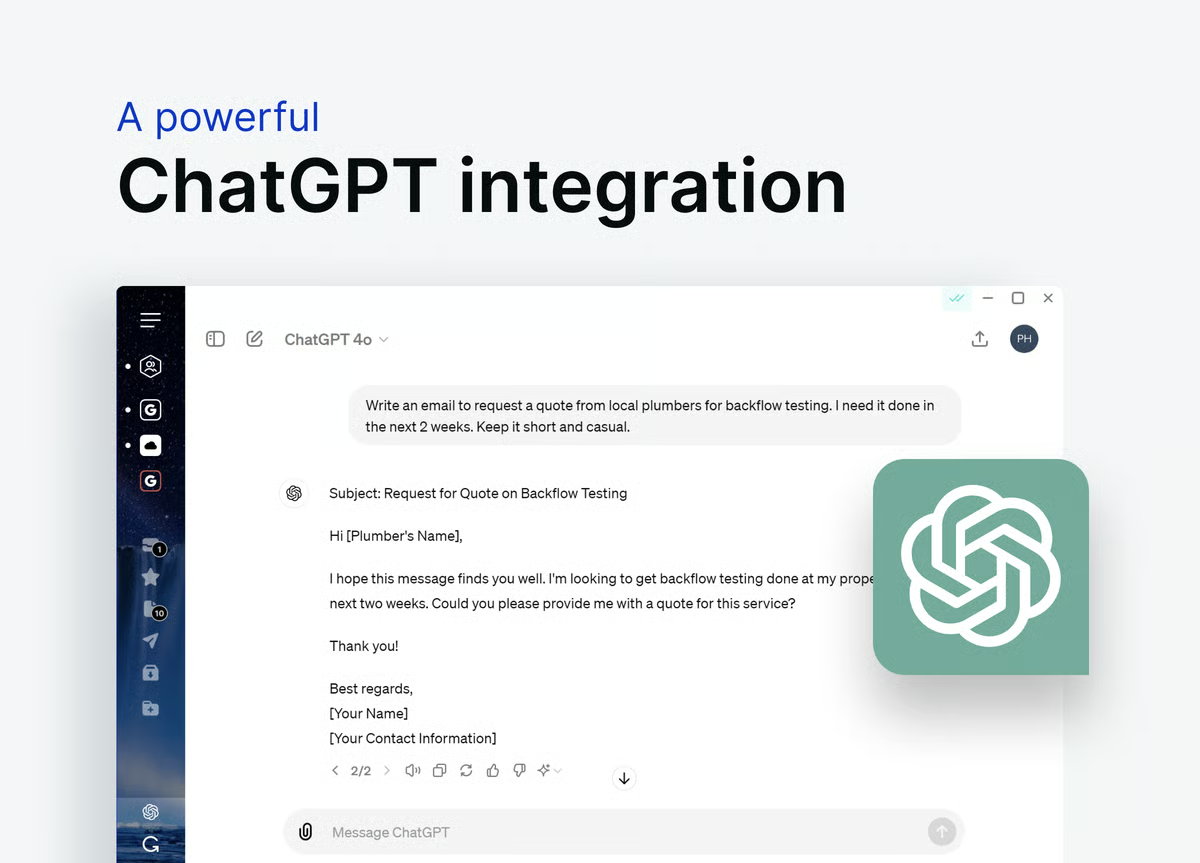
Mailbird offers a sleek, intuitive interface combined with powerful functionality. It caters to users who crave customization and a feature-rich email experience. Designed to enhance your email management and productivity, Mailbird consolidates all your communication into a single inbox.
The free plan offers a solid foundation for power users, providing access to up to three email accounts, customizations, and some basic integrations.
| Pros of Mailbird |
Cons of Mailbird
|
| Offers a fast and responsive UI |
Only supports Windows devices for now (Mailbird for MacOS is in progress)
|
| Supports emails from multiple accounts through a unified inbox |
Limited customer support options for free users
|
| Allows users to snooze emails for later |
Some advanced integrations and features limited to paid plans
|
“Mailbird is a reliable email client. I find it easy to use my many Gmail accounts to have them all in one unified space. It's fast and has a host of features, such as Evernote and Facebook integration. I use these many times daily, and having them integrated is a productivity booster. Customer support is prompt and very helpful.”
- Mailbird Review, Bill D.
“Weirdly, too many integrations. I like that they have them, but I found for me that using the extra stuff was harder than opening native apps. Also, I have an issue about once a quarter where it stops sending emails when I reply to them, and I have to remove the profile and re-add it.”
- Mailbird Review, Brady P.
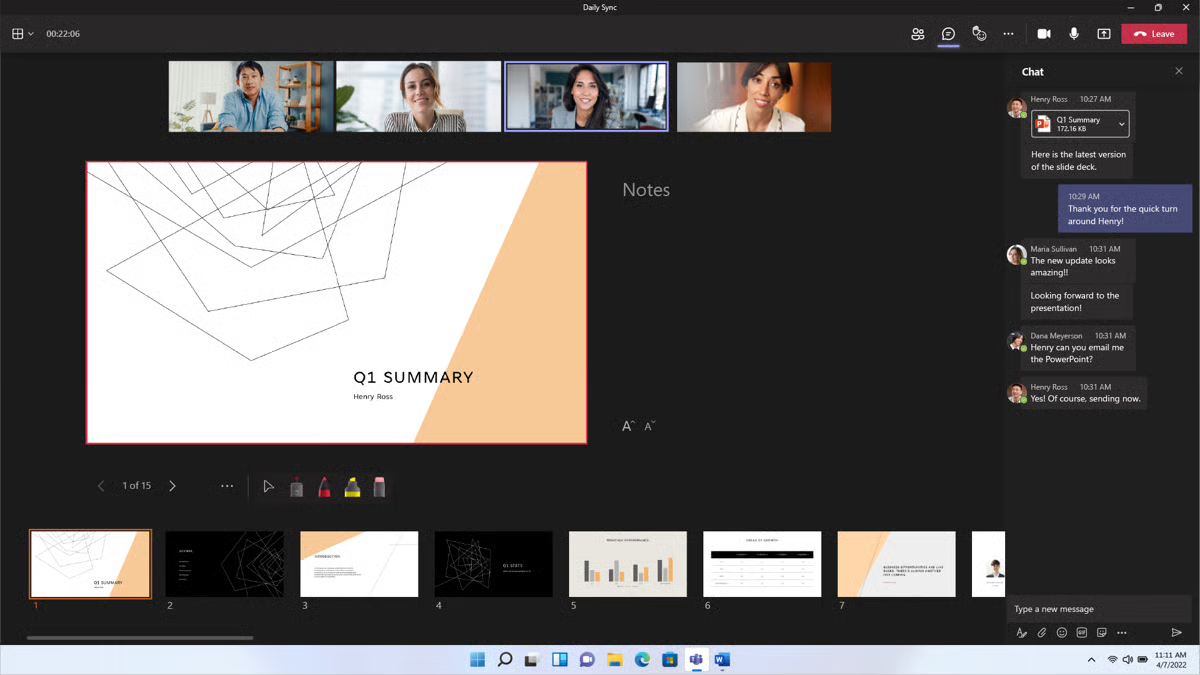
Microsoft 365 has tailored its comprehensive suite for both personal and professional use. At its core sits the highly acclaimed Outlook, which perfectly integrates email, calendar, contacts, and tasks into one cohesive application. This integration makes Microsoft 365 a standout choice for individuals and teams, enhancing their email management and productivity.
Business users can sign up for a 30-day free trial of Microsoft 365, which provides access to a 50 GB inbox, custom business email, and other premium features. One free account with 15 GB inbox storage and an extra 5 GB cloud storage are available.
| Pros of Microsoft 365 |
Cons of Microsoft 365
|
| Highly accessible across devices |
Ads with the free version
|
| Robust spam and malware protection for emails |
Primarily cloud-based, requiring a stable internet connection at all times
|
| Extra 5 GB of free cloud storage through OneDrive |
Demands advanced system resources
|
“Office 365 is being used by everyone in my organization for basic office, email, and cloud documentation products. Being cloud-based, upgrades are easy and quick, back-end management has been simplified on a large scale, and all of our work is kept under good safekeeping. Logging in and using Office 365 is very easy, and among other things, it helps keep tasks organized and improves communication between teams.”
- Microsoft 365 Review, Petar P.
“I face some issues whenever I try to send multiple emails at once to a group of people. The outlook freezes and does not respond at all. It is somewhat more costly than its competitor, Google Workspace. Communication between external applications and internal communication becomes so hectic, and it creates an issue in the syncing of data.”
- Microsoft 365 Review, Ayush B.
Here's a deep dive into Outlook vs. Gmail to see which email platform comes out on top in 2026.
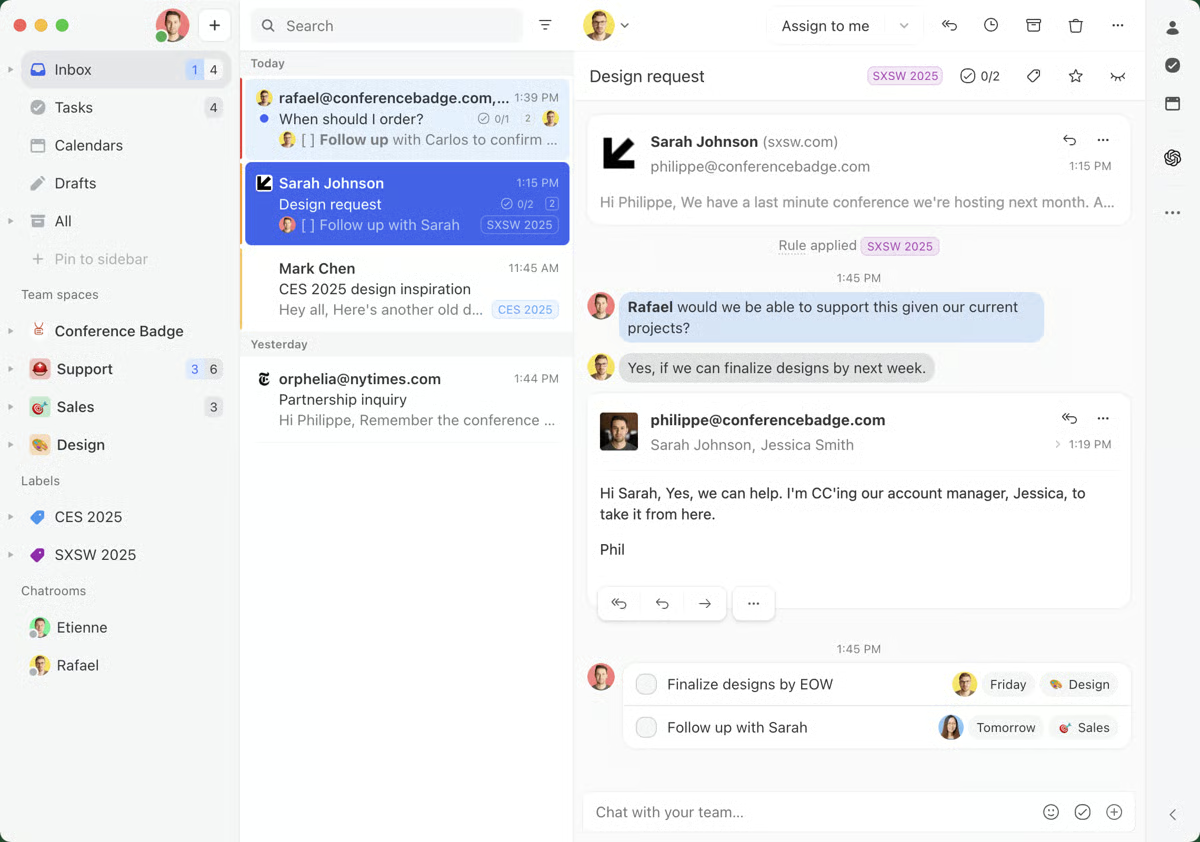
Missive helps teams collaborate and increase productivity. It combines email with chat, shared writing, and task management, making it an all-in-one solution for modern workspaces.
In fact, G2 data suggests that 41% of reviewers noted that the software incorporates multiple digital communication channels. Teams that struggle with communication find Missive’s unified tool to be a massive assist.
The free plan is limited to three users and five shared accounts per user. However, a free 30-day trial is also available to test out unlimited features.
| Pros of Missive |
Cons of Missive
|
| Clean design and powerful search functionalities |
Could improve search functionality, especially for finding attachments
|
| Highly responsive and helpful support team |
Difficulty separating or unmerging conversations
|
| Easily integrates with various apps, such as Asana and ClickUp. |
Difficult setup for new users
|
“One of the features I like most about Missive is being able to collaborate with others through chats on threads. This helps ensure tasks are completed promptly. The layout of Missive is very clean and organized. The organization part of Missive is great. Integrating other apps into the system was easy, and it makes it easy to access the other apps from one place.”
- Missive Review, Roy R.
“We wish the search was better. You could search for attachments (e.g., pdf) by typing their name in the search bar, and their long-term customers could still have slightly better pricing packages.”
- Missive Review, Elpidoforos M.
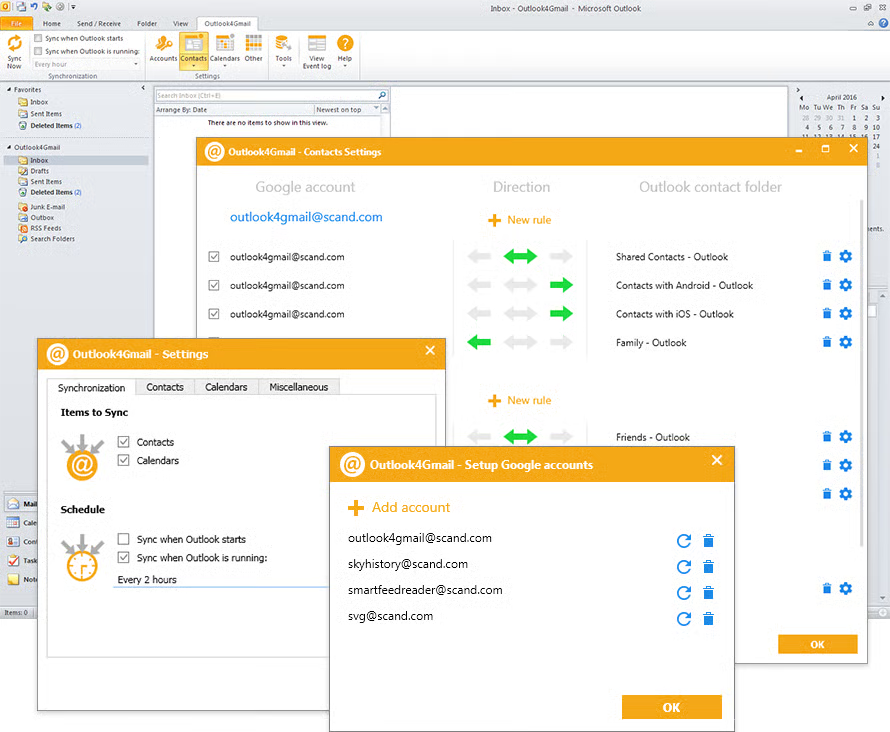
Outlook4Gmail seamlessly integrates Gmail accounts with Microsoft Outlook. It stands out for its ability to unify these widely used email platforms, effortlessly synchronizing all emails, contacts, and calendar events.
The free 7-day trial has no limitations, so users can experience the platform's core functionalities at no cost.
| Pros of Outlook4Gmail |
Cons of Outlook4Gmail
|
| Unified look by syncing Google calendars, contacts, and tasks directly with Outlook |
Potential compatibility issues with certain versions of Outlook or specific configurations
|
| Automatic synchronization at regular intervals |
May face performance issues when handling large datasets
|
| Supports multiple Google accounts, making it easy to manage personal and professional data |
Highly dependent on Google and Outlook's ongoing support and updates
|
“I love the integration between Outlook and Gmail so that I can see all my emails and content in one place and yet still have it separated and categorized the way I need it to be. This allows me to keep up with business and personal life at the same time and easily, so I don't miss out on anything.”
- Outlook4Gmail Review, April M.
“At times, there are some issues with the email not working well. Sometimes, the email is not received by customers, or they are routed to the junk folder. So extra effort is made to cover these shortcomings.”
- Outlook4Gmail Review, Dr. Vipin R.
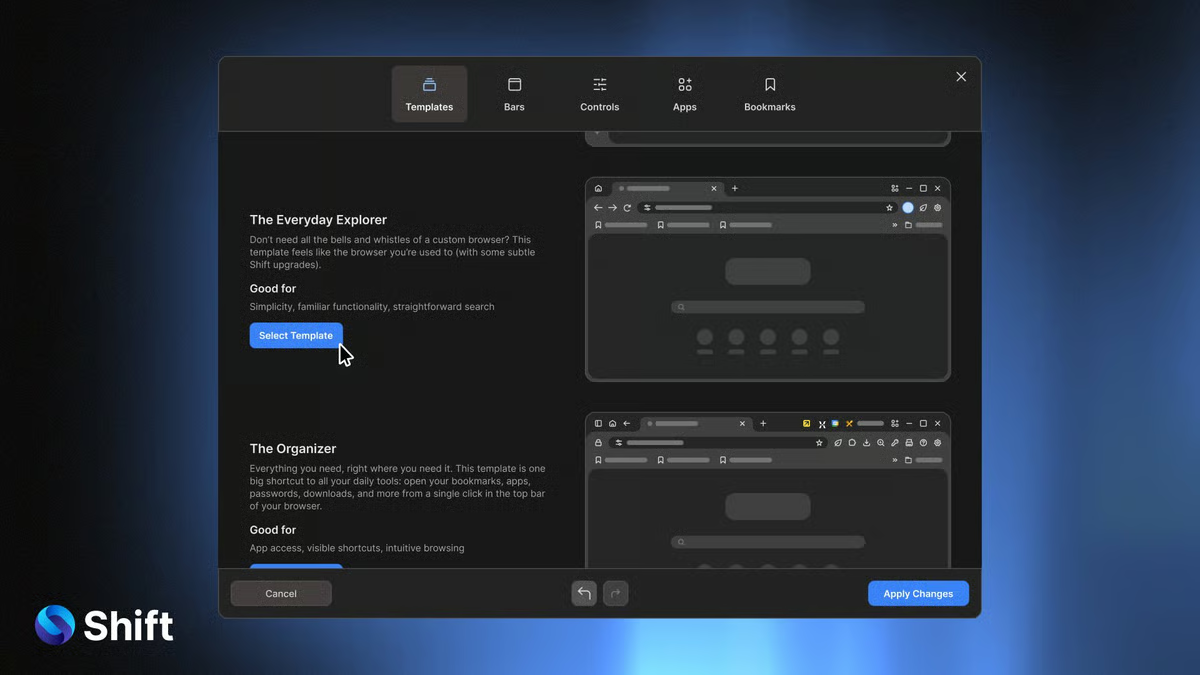
Shift modernizes email management by consolidating multiple email accounts, apps, and workflows into a single, seamless desktop app. This mail app is tailored for individuals and teams that juggle several email accounts and applications, offering a centralized workspace that enhances productivity and organization.
Shift’s 14-day free trial supports up to two accounts on Windows, Linux, and Mac.
| Pros of Shift |
Cons of Shift
|
| Sends real-time desktop notifications across all operating systems, including Android and iOS |
Performance lags when managing multiple accounts
|
| Supports unified search to find emails and files from all linked accounts |
Complex setup for novice users
|
| Allows custom notification muting |
Can be resource-intensive, which hampers performance
|
“We have a portfolio of companies, each with its own set of software as a service (SaaS) products and email addresses. We use Shift to be able to access all of them quickly without having to manage logging in and out of different tools. It also pulls all of my calendars together in one view. Even as a single email client, I find it useful as I can jump between email, Slack, WhatsApp, and Trello in one place.”
- Shift Review, Adib B.
“Sometimes there are glitches, like when I'm using one of my email accounts and move to a social media account, and the social media account co-opts the icon for the email account.”
- Shift Review, Matthew F.
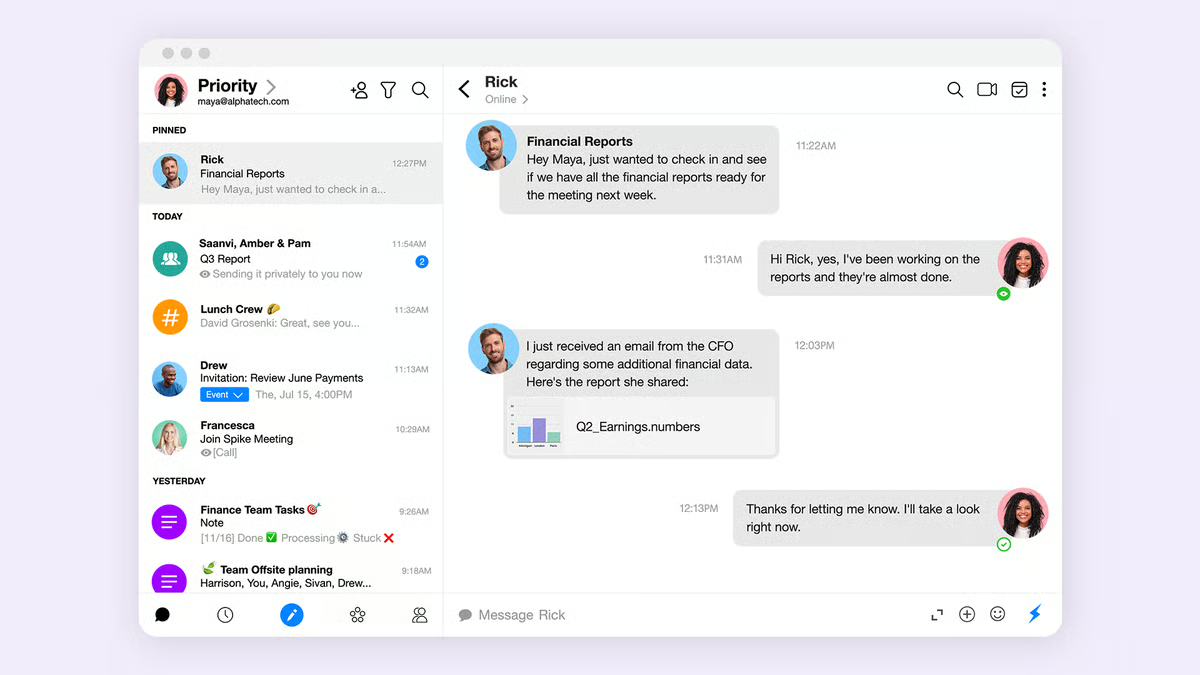
Spike’s real-time collaboration transforms emails into a chat-like interface, making them accessible and easy to prioritize. By eliminating the formality of traditional emails and integrating real-time messaging, Spike gives email conversations a modern and efficient spin, perfect for both personal and team use.
The free forever plan allows users to access a smart inbox with Spike Magic AI to craft messages and summaries.
| Pros of Spike |
Cons of Spike
|
| Allows teams to collaborate in real-time |
Limited customization options compared to more traditional email apps
|
| Combines emails, chats, notes, and tasks in one place |
Limited storage for the free version
|
| Offers end-to-end encryption to protect emails and data |
Somewhat dependent on Spike’s ecosystem
|
“Gathering emails and chats in one place is perfect for me to perform my work very efficiently. I don’t need to move between tabs to answer chats. I never get confused about where I answered them or have so many open applications that I did not answer all the chats. Since I have Spike as part of my work, I have felt more organized in my chats and emails. The unification of these processes is quite simple and so organized that in a matter of seconds, it integrates very well.”
- Spike Review, Max J.
“What I did not primarily like about Spike is the user interface (UI), which is not built for beginners, as it gets very complicated. Also, the dashboard needs a lot of work as it is dull and unattractive, and the tools present are hard to get. When I tried to integrate the calendar, there were some technical faults that needed correction. The pricing is high, and Spike lacks neutral networks that can speed up the contracting process. Messaging is another problem. I face a lot of delays, and sometimes messages aren’t delivered. The customer support was not good.”
- Spike Review, Bobby S.
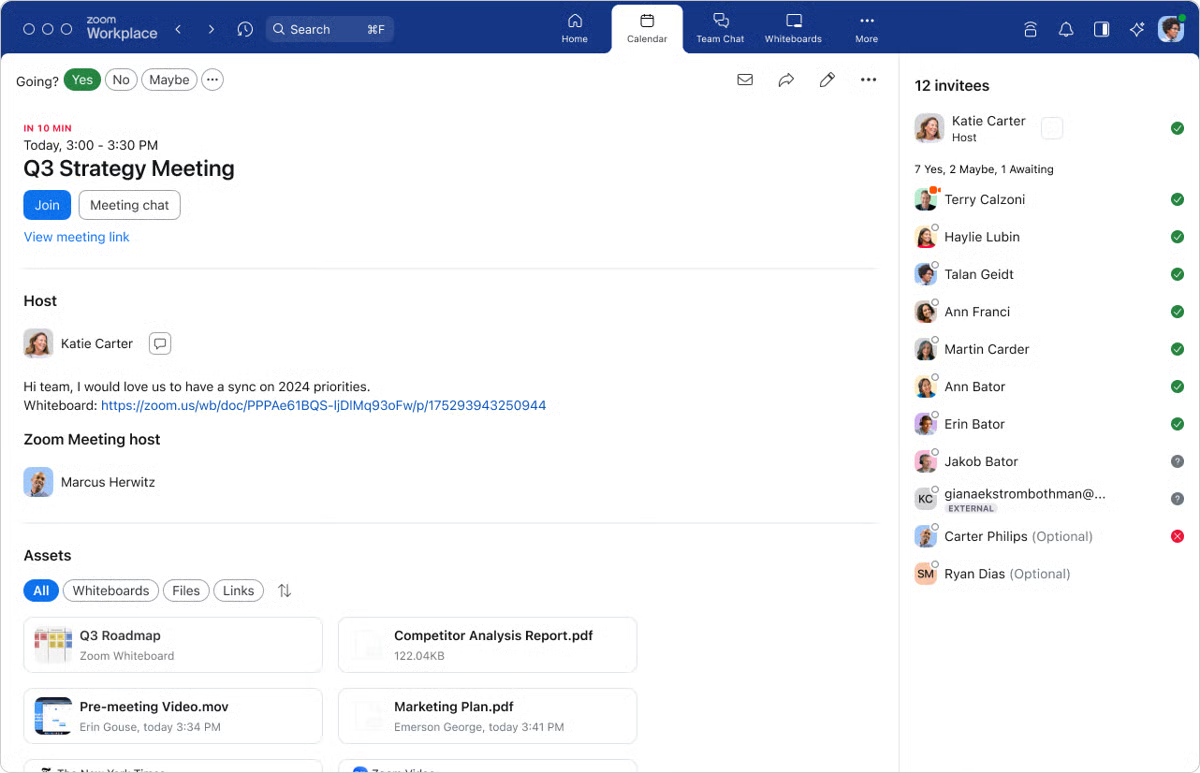
Zoom Workplace soars beyond basic email apps. As a unified communication hub designed to improve team collaboration, it offers a robust email service with threaded conversations, search functionality, and calendar integration. According to G2 Data, approximately 6,003 reviewers highlighted the ability to share PowerPoints, images, and other file types with ease through Zoom Workplace. It also shines in its integration with Zoom Meetings and Chat.
The basic plan is free for one user and allows sending and receiving emails, as well as supporting threaded conversations and search functionality.
| Pros of Zoom Workplace |
Cons of Zoom Workplace
|
| Integrates with Zoom meetings, chat, and calendar |
May lack specialized functions like in dedicated email solutions
|
| Intuitive interface for easy navigation |
Offers limited customization
|
| Powered by AI Companion |
Must pay for some advanced features
|
“Zoom simplifies the process of inviting users by eliminating the need for manual email communication. It seamlessly integrates with our personal calendar, preventing meeting overlaps and accurately reflecting all scheduled meetings based on their respective times.”
- Zoom Workplace Review, Andrews S.
“What bothers me about Zoom is that I can only send invites from one email address. Most of us deal in a world where it's necessary to use different email addresses and calendars for different things.”
- Zoom Workplace Review, Jason A.

Have more questions? Find more answers below.
Factors such as interface design, ease of navigation, customization options, and performance all contribute to the overall experience. Reading user reviews, trying out different email clients, and considering your specific needs will help you find the best fit for your workflow.
When researching a free email client, consider factors such as ease of use, compatibility, support for multiple accounts, synchronization capabilities, and security measures. You can also look for additional components, such as calendar integration, contact management, and customizable templates.
The security of free email clients largely depends on the developer's practices. Reputable clients typically offer encryption for data in transit and at rest, spam and phishing filters, two-factor authentication, and secure password storage. However, you also play a role: to protect your data, choose trusted providers, regularly update your software, and review their privacy policies.
Yes, you can migrate your data by adding your email account to the new client and syncing it. Most email clients provide step-by-step instructions for setting up accounts, and many support automatic configuration. To avoid data loss, always back up your data before you start the migration.
In addition to the solutions mentioned above, explore Mozilla Thunderbird and eM Client. Thunderbird’s open-source platform supports multiple accounts, making it a flexible choice for businesses. eM Client also provides a range of features and a user-friendly interface with comprehensive functionality.
Choosing the best free email client really comes down to knowing your priorities.
Be honest with yourself about what matters most. Whether it’s powerful features that make daily communication easier, strong security to protect sensitive data, or a clean, intuitive interface that makes email effortless. Once you’re clear on your needs, spotting the right app becomes much easier.
I suggest using this list as a starting point and trusting your workflow. The perfect free email client for you is out there. You just need to pick the one that fits the way you work.
Discover the right way to use email automation and take your business processes and workflows to the next level.
Edited by Aisha West
This article was originally published in 2024. It has been updated with new information.


I evaluated 15+ tools to find the 10best email management softwarein 2026. These include...
.png) by Devyani Mehta
by Devyani Mehta

I evaluated 7+ tools to find the best free video conferencing software for remote teams. These...
 by Krithika Sathyamoorthy

Ping! Another meeting invite lands in your inbox. You cringe, remembering the last video call...
 by Soundarya Jayaraman