Most hosting platforms look reliable at launch. The real differences appear later, during traffic spikes, migrations, outages, or the moments when support responsiveness directly affects uptime.
Finding the best cloud web hosting platform is less about flashy features and more about how consistently the infrastructure holds up as operational pressure increases. Teams need platforms that stay stable while scaling, remain manageable during change, and reduce friction when things go wrong.
To identify which platforms actually deliver on that, I analyzed aggregated verified G2 user reviews using AI-assisted review analysis, along with feedback from teams running these tools in live production environments. In this guide, I break down the cloud web hosting platforms that stand out for reliability, scalability, operational control, and long-term usability.
*These cloud web hosting platforms are top-rated in their category based on G2’s Winter 2026 Grid® Report. I’ve highlighted where each platform stands out and its pricing to help you choose a reliable tool.
Cloud web hosting provides the infrastructure layer that turns code, content, and applications into something reliably accessible to users. The right platform does more than put a site online; it stabilizes performance, absorbs traffic spikes, and keeps systems running without constant manual intervention.
What separates strong cloud web hosting platforms from weak ones is how they behave once the easy part is over. Early-stage workloads rarely expose a platform's limits. The real signals, in my analysis, come from how a platform handles growth, whether through load balancing traffic, isolating performance issues, automating backups, or managing deployments without introducing new risk at each step. Teams that start with the wrong platform often don't feel it until they're too deep to switch easily.
Cloud hosting is not a niche purchase; G2 adoption spans small teams, mid-market companies, and enterprises alike. What they share is the same core expectation: a platform that reduces uncertainty rather than adding to it
I started with G2’s Winter 2026 Grid® Reports to shortlist the leading cloud web hosting platforms based on verified user satisfaction scores and market presence across small teams, mid-market companies, and enterprise environments.
From there, I used AI-assisted analysis on hundreds of verified G2 reviews to surface recurring patterns around what actually matters in production hosting. The goal was to separate platforms that quietly support growth from those that introduce friction as traffic, complexity, or expectations increase.
The process allowed me to cross-check platform strengths and limitations based on real-world usage signals rather than vendor claims, focusing on reliability, performance, scalability, and operational consistency at different stages of growth.
After analyzing hundreds of verified G2 user reviews and examining how teams run and scale production environments, I identified a consistent set of deciding factors. These shaped the criteria below.
Based on these criteria, I narrowed the list to cloud web hosting platforms that offer clear operational visibility, dependable performance, and the ability to scale workloads without adding unnecessary complexity. Not every platform is built for the same use case, so the right choice depends on how your team works, whether that means hands-off management, developer-led control, application-focused deployments, or more structured, enterprise-grade environments.
Below, you’ll find authentic user reviews from the Cloud Web Hosting category. To be included in this category, a platform must:
This data was pulled from G2 in 2026. Some reviews may have been edited for clarity.
Cloudways is a managed cloud web hosting platform that prioritizes performance, security, and operational control while removing infrastructure management from the team's workload. It is commonly described as a layer that sits between shared hosting and self-managed cloud servers, offering a more streamlined way to run WordPress and PHP-based applications.
What struck me most while going through the review data is how consistently support comes up, not as a backup option, but as an active part of how teams manage deployments. Cloudways simplifies website and application management without stripping away essential controls, with servers, applications, SSL certificates, and domains all managed from a single interface. SSL certificates are deployed and maintained cleanly across hosted sites, reflected in a 95% free SSL score on G2.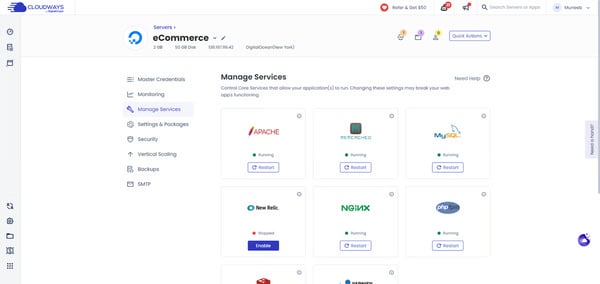
Teams use Cloudways to improve page speed and handle traffic fluctuations more predictably than traditional shared hosting. Built-in caching and optimized server configurations contribute to faster load times, particularly for WordPress sites.
G2 user reviews frequently describe support interactions as technically grounded, with staff engaging directly on configuration and application-level issues. This reduces resolution time when deployments stall or site changes introduce risk. For teams managing revenue-impacting websites, dependable support reduces disruption during critical moments.
Managed firewalls, controlled access, and automated updates reduce the need for external tooling, keeping protection built-in rather than optional. For smaller teams, this lowers the operational burden of maintaining baseline security standards across multiple sites. Data security is rated at 93% on G2, consistent with how reviewers describe these protections as a reliable part of the standard setup.
The interface emphasizes clarity over density, allowing teams to manage multiple websites without navigating deeply nested settings. This approach reduces the time needed to get productive, particularly for users who want VPS-level control without relying on the command line. G2 review data suggests this balance enables teams to stay self-sufficient while scaling sites as traffic or client needs change.
One pattern I kept coming back to across the reviews was how teams describe the deployment workflow, specifically how much confidence it gives them before anything touches a live environment. G2 user reviews mention managing staging versions of live sites and pushing changes to production in a single step, reducing the risk that comes with deploying directly to live environments.
Domain and DNS management are built around standard site configurations. Teams running complex subdomain structures pointing to different folders will need more upfront planning, and this surfaces most for agencies managing multiple distinct properties under a single domain. Even so, Cloudways supports deployment across five major cloud providers, including AWS, Google Cloud, and DigitalOcean, giving teams real flexibility in where and how their sites are hosted, regardless of DNS complexity.
Standard support is routed through automated assistance before reaching a live engineer. Teams that prefer direct human contact may need additional steps to get there, particularly on non-premium plans. However, every Cloudways plan includes real-time server monitoring with automated alerts, which catches many common issues before they need a support ticket at all.
Cloudways stands out as a focused managed cloud hosting platform built around performance, security, and operational efficiency. The platform suits small teams, agencies, and digital professionals who need reliable site performance without taking on infrastructure management.
“As a Digital Marketing Specialist, I manage multiple campaigns and high-traffic sites, so server reliability is non-negotiable for me. What I love most about Cloudways is the balance between power and simplicity. It gives me the granular control of a VPS without the headache of command-line management.
However, the standout feature is undoubtedly the support team. In this industry, 'support' often means reading a script, but the Cloudways team consists of actual engineers. I recently faced a tricky technical hurdle regarding a specific WordPress theme upload and database configuration that was stalling a project. Their support team didn't just send me a link to a generic article; they dove into the issue and guided me through a fix quickly. That level of technical expertise saves me hours of downtime.”
- Cloudways review, SAID B.
“SSL errors could benefit from being more specific. The error messages just need more detail or some how-tos to help you understand the exact issue.”
- Cloudways review, Ella C.
Google Cloud Storage runs on Google's global infrastructure and sits closer to a developer and data infrastructure tool than a traditional managed hosting platform. Within the cloud web hosting category, it is evaluated both as a standalone storage layer and as part of larger cloud architecture decisions, making it a better fit for technical and data-oriented teams than those looking for a plug-and-play hosting setup. It is commonly used for application assets, backup and archival, static site hosting, and data pipelines feeding into analytics services like BigQuery.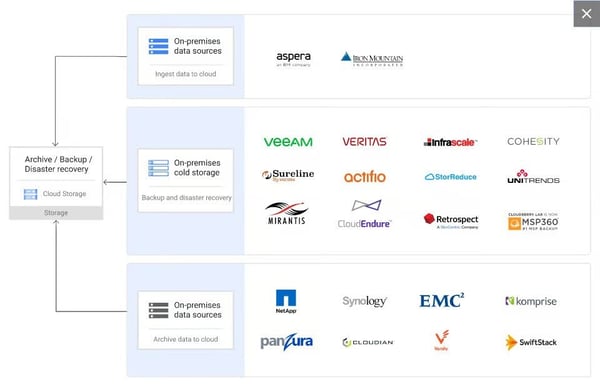
Storage capacity scales without provisioning. What I found across G2 reviews is that teams consistently describe this elastic behavior as one of the most practical advantages — usage grows or shrinks without manual intervention. Ease of use is rated at 90% on G2, consistent with reviewers' descriptions of storage management as low-friction once the environment is configured. For applications handling user-generated content or log archives, automatic scaling removes a planning bottleneck that typically slows teams managing variable data volumes.
Integration with Google's broader service ecosystem is where I noticed the strongest differentiation in G2 feedback. Teams describe straightforward connections with BigQuery, Compute Engine, Cloud Dataflow, and Google Workspace as removing the friction that typically appears when moving data between storage and processing layers. The platform consistently delivers on core storage and integration expectations, 93% of G2 reviewers confirm it meets requirements, one of the strongest scores in the category.
From what I evaluated across teams using Google Cloud Storage in data pipeline and archival workflows, the security layer rarely comes up as something they had to configure — it was already in place, which is exactly what teams handling sensitive data need before they can move on to the actual work.
Storage tiering gives teams a practical way to control long-term costs without manual oversight. Objects move automatically between Standard, Nearline, Coldline, and Archive classes based on access patterns and lifecycle rules. Teams managing archival datasets, backup repositories, or infrequently accessed logs find this especially useful for keeping storage spend proportional to actual usage rather than applying flat rates across all tiers.
Data durability and availability underpin the platform's reliability positioning. G2 reviewers cite automatic redundancy across multiple data centers and consistent uptime, describing the environment as dependable for both production applications and backup workloads. Ease of doing business with is rated at 86% on G2, reflecting the reliability of the service relationship reviewers describe over time.
Pricing becomes more complex as workloads scale across regions and storage classes. Teams running high-volume data transfers or frequently accessing cold-tier data may see costs accumulate in ways the base pricing page does not make obvious. Although Google Cloud Storage's 11-nines durability guarantee and automatic redundancy across multiple data centers mean teams get enterprise-grade reliability built into every storage class, including the lowest-cost tiers. Teams that map usage patterns against lifecycle rules early get cost behavior that stays proportional to actual data access from the start.
Getting productive on Google Cloud Storage requires familiarity with GCP concepts, bucket structures, IAM roles, and broader console navigation. Teams new to the Google Cloud environment will find the initial setup more involved than simpler managed hosting alternatives. Once set up, the platform connects natively with BigQuery, Compute Engine, and Dataflow, and those integrations hold up without additional configuration overhead. This reduces the setup work required for future data workflows, once the environment is in place.
Google Cloud Storage fits teams that need reliable, scalable object storage backed by Google's global infrastructure and deep ecosystem integrations. It performs best when used as part of a broader GCP architecture, not as an isolated hosting solution. For developer and data-oriented teams already operating within the Google Cloud ecosystem, it offers a dependable and cost-efficient foundation for storage at any scale.
"I love the Google bucket that gave me access to launch my simple static website with a smaller amount and an extra extraordinary cloud server. My websites are never down, even during high volumes of traffic."
- Google Cloud Storage review, Jason M.
"Setting up bucket, directory, and file permissions is not the easiest. I often have to do research to find the correct permissions that are not what I typically use."
- Google Cloud Storage review, Orlando M.
When I reviewed G2 feedback on WordPress.com, what stood out was how consistently it is adopted by teams that prioritize publishing speed and operational simplicity. It combines hosting, security, updates, and CMS capabilities into a single managed environment, removing the need for hands-on infrastructure work. Within the category, it is commonly associated with speed to launch and administrative simplicity rather than deep system-level control.
One of the most consistent strengths highlighted in reviews is how quickly teams can move from setup to publishing. The onboarding flow, templates, and guided configuration reduce the time required to get a site live. Ease of setup (82%) indicates that routine changes, publishing pages, updating content, or managing users fit smoothly into daily workflows. This supports teams that need predictable execution without ongoing technical involvement.
G2 review data frequently references the breadth of themes and plugins that support branding, layout changes, and feature expansion. Customization remains approachable even as sites grow more complex, with review sentiment suggesting the process is manageable without technical expertise. Theme and plugin management scores 84% for ease of use on G2, reflecting how consistently reviewers describe the experience as accessible regardless of technical background.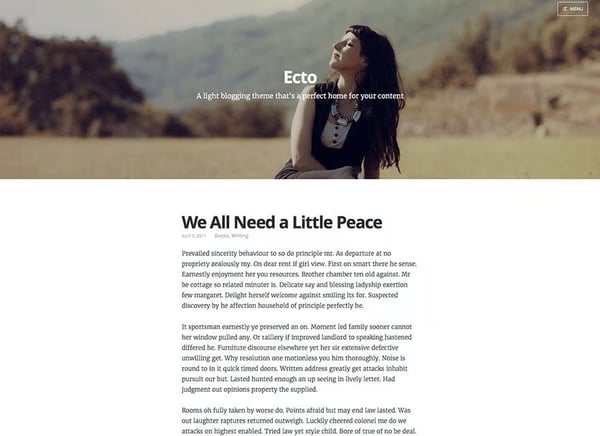
Collaboration and access control support role-based permissions that allow contributors, editors, and administrators to work within defined boundaries. G2 “Meets requirements” score is rated at 89%, signaling that core CMS needs, content management, publishing workflows, and access control are reliably met. This makes the platform suitable for organizations where contributors, editors, and administrators work within defined boundaries without shared technical ownership.
Third-party integrations connect smoothly with tools already in use across content, analytics, and marketing workflows. G2 reviewers describe the process of linking external apps and plugins as low-friction, with connections to analytics platforms and campaign tools fitting naturally into standard publishing operations.
Hosting, security updates, and maintenance are handled as part of the service, removing the backend upkeep that typically falls on internal teams. G2 reviewers consistently frame this as what lets content teams stay focused on publishing rather than platform management. For teams without dedicated technical resources, this structure supports consistency and reliability.
The plugin ecosystem supports site growth without requiring a platform change. As content volumes, audience segments, or feature requirements expand, teams extend functionality through plugins rather than migrating to a more complex environment. G2 reviewers describe this as a practical advantage for sites that start simple and grow in scope, keeping the same publishing environment without rebuilding around new tools.
Customization depth on WordPress.com is more structured than on self-hosted WordPress. Teams seeking advanced design control or custom integrations will find options more contained within the managed environment, and this matters most for developers building bespoke functionality. However, WordPress.com handles all hosting, security updates, and performance management automatically, keeping the site fast and secure without any ongoing maintenance overhead.
Plugin updates do not apply automatically, requiring teams to monitor and apply them manually to avoid compatibility breaks across the site. For teams running a larger number of active plugins, coordinating updates adds a layer of ongoing maintenance. Core security and system-level updates are handled automatically by the platform, keeping the most critical maintenance layer covered without any manual intervention.
WordPress.com is built for those who want to publish, manage, and scale content without managing infrastructure. Based on G2 reviews, it is particularly relevant for marketers, content teams, and small to mid-sized organizations that value speed, ease of use, and centralized control. While advanced customization scenarios may point elsewhere, WordPress.com remains a dependable choice for no-code website creation and content publishing.
“ I use WordPress.com to build and manage my website, and I really like how it helps organize my site and track campaigns without any technical stress. I appreciate how flexible and user-friendly WordPress.com is, and the themes and plugins make customizing my site easy. The initial setup was very easy, and creating my website, choosing my theme, and getting basic features running took just a few minutes, with clear guidance through each step. I also use WordPress.com with tools like Rank Math Pro and Google Analytics, which make it easier to manage my website and marketing, measure performance, and optimize my efforts.”
- WordPress.com review, Amin A.
"The frequent updates for plugins can feel overwhelming, as they demand ongoing attention to maintain both compatibility and security.”
- WordPress.com review, Sabri S.
HostArmada is commonly described as a cloud web hosting service built around reliability, hands-on assistance, and low work overload. It is most often adopted by small teams managing a limited number of websites that want hosting tasks handled without deep technical involvement.
What I found consistently while reading through the reviews is that support is not just rated highly, it actively shapes how teams experience the platform from day one. Support teams resolve migration, troubleshooting, and configuration issues without extended back-and-forth, reducing reliance on in-house technical expertise for smaller teams.
G2 review data shows that site transfers are typically handled with minimal user involvement, supported by proactive communication from support teams. Users frequently mention moving multiple websites smoothly and without disruption. This makes it easier to consolidate client or personal sites under a single hosting provider.
Security is treated as a baseline capability rather than an add-on. Free SSL is rated at 98%, reflecting that encrypted connections are automatically enabled across hosted domains. This reduces manual configuration effort, particularly for users managing several sites. For small teams, this lowers the ongoing maintenance load tied to basic security hygiene.
Stability is one of those things that rarely gets noticed when it works, and while analyzing the review data, I found that HostArmada users almost never mention it as a concern. Uptime and server stability come up consistently in G2 reviews, with users describing server behavior as predictable and requiring no active management rather than something that demands constant attention.
Performance perception is closely tied to responsiveness under normal traffic conditions. G2 Reviews reference fast page loads and steady server behavior, supported by caching that meets common needs. Caching is rated at 94%, indicating solid performance for typical hosting volumes, even if it is not positioned as a differentiator. This reinforces the platform’s emphasis on consistency over advanced tuning.
The platform uses cPanel, which G2 reviewers point to as a practical advantage for teams already familiar with it. Day-to-day tasks like managing domains, email, files, and databases sit within an interface most hosting users have worked with before. This reduces the time needed to get comfortable with the environment, particularly for agencies onboarding new clients or moving sites from other providers. For small teams without dedicated technical staff, working within a known interface keeps operations straightforward from day one.
Renewal pricing is structured at a higher rate than introductory plans, with no discount applied at the point of renewal. Teams on fixed hosting budgets will need to account for this shift when planning long-term costs, particularly as portfolios grow. However, HostArmada includes free daily backups, free SSL, and free website migration on all plans, features that many providers charge separately for and that offset a meaningful portion of the renewal cost difference. This keeps the effective per-site operating cost lower than the headline renewal rate suggests.
Despite the strengths above, G2 users highlight that stack configuration options are more limited than fully self-managed alternatives. Docker container hosting is not available, and the default server stack offers less flexibility for teams that need custom environments or non-standard software combinations. The existing stack reliably covers WordPress and common shared hosting workloads, and support handles custom configuration requests directly for setups outside the defaults. So teams get consistent performance without the configuration drift that comes with more flexible environments.
HostArmada aligns best with small businesses, freelancers, and agencies that value responsive support, stable hosting, and minimal operational effort. Its adoption profile and satisfaction signals reinforce relevance for teams managing modest site portfolios rather than scaling infrastructure aggressively. Within cloud web hosting, HostArmada remains a focused and dependable option where hands-on support carries more weight than raw infrastructure scale.
“HostArmada really stands out for its fast and reliable support - any issue I’ve encountered was resolved within minutes via live chat. The hosting panel is modern and intuitive, and cPanel includes all the features I need for smooth day-to-day website management. Communication is always clear and quick, and the pricing feels very fair for the level of quality and performance provided.”
- HostArmada review, Marina K.
"One downside is that some advanced features require higher-tier plans, which might not be ideal for beginners on a tight budget. Additionally, while the interface is good, it can feel slightly limited for users who want more granular control over configurations.”
- HostArmada review, Antonio Jose B.
DreamHost focuses on simplifying setup, administration, and ongoing site management in shared hosting environments.
A defining strength is how efficiently teams can launch new websites. G2 review data highlights streamlined onboarding flows and a control panel designed to minimize setup steps, allowing sites to go live quickly. Ease of setup is rated at 90%, reinforcing that initial deployment typically fits well into time-sensitive workflows. This is especially relevant for agencies and small teams managing multiple launches.
Routine tasks such as domain management, subdomain creation, and site-level changes are handled through a clear interface. Day-to-day administration scores 88% on G2, reflecting how consistently reviewers describe the control panel as straightforward to navigate without deep hosting expertise.
Support quality plays a central role in the overall experience. Quality of support is rated at 86%, with review feedback frequently highlighting responsive assistance during migrations and troubleshooting. Teams commonly describe support interactions as practical and follow-through oriented, particularly for WordPress site moves. This support posture is especially relevant in shared hosting contexts where internal technical resources may be limited.
What I found across DreamHost reviews is that the balance between flexibility and control is what keeps teams on the platform long-term. DNS settings, software versions, and site configurations are all adjustable without the complexity of full server management.
Reliability is most often discussed in terms of consistency. G2 reviews reference stable uptime and consistent server behavior under standard traffic conditions, supporting client-facing and content-driven sites. Performance management does not introduce additional workflow friction, with G2 reviewers describing day-to-day operations as predictable and low-maintenance. For many shared hosting scenarios, this level of reliability is the primary requirement.
Shared plans include unlimited bandwidth and free managed email accounts, removing two cost lines that many hosting providers charge separately for. Teams running multiple websites under one plan can set up email accounts per site without additional tooling or billing overhead. For small agencies and non-technical users managing several client properties, this bundling simplifies both operations and monthly cost planning.
A few recurring themes in G2 reviews suggest that shared hosting environments prioritize pooled resources, which may be less aligned for teams requiring dedicated performance isolation or granular server-level control. However, shared plans include unlimited bandwidth and free managed email as standard, which keeps the cost footprint predictable across multiple sites, with unlimited bandwidth and managed email absorbed as standard rather than metered separately as workloads grow.
Costs have evolved over time in line with broader hosting market trends, which may require periodic reassessment for multi-site or long-running deployments. Still, G2 review patterns mention that increases have remained modest relative to the market, and the platform's feature set continues to justify the cost for most teams already using it. DreamHost also offers a 97-day money-back guarantee, one of the longest in the category, giving teams enough runway to assess long-term cost fit under real operating conditions before committing at standard rates.
While more advanced infrastructure requirements may point elsewhere, DreamHost remains a dependable option within cloud web hosting for teams where ease of management takes priority over infrastructure control.
“I absolutely love DreamHost; they are unmatched in terms of stability and ease of use. At the same time, the pricing is incredibly affordable. Before using DreamHost, I had used many different cloud and VPS providers from various countries, but with DreamHost, I have finally found the absolute peace of mind that I spent years searching for without success."
- DreamHost review, Ste P.
"I know everything comes with a cost. But DreamHost services are somewhat costly for starting companies.”
- DreamHost review, Rajat K.
As WordPress deployments grow in scope, WP Engine emphasizes reliability and security through managed hosting workflows. It is commonly used by teams that want WordPress sites to operate as stable production systems without maintaining infrastructure layers internally. The platform emphasizes managed workflows, standardized environments, and expert intervention when needed.
As I went through the WP Engine reviews, one thing stood out clearly: the support interactions reviewers describe do not read like standard ticket resolutions. G2 review data frequently highlights detailed, situation-specific responses rather than scripted assistance, with the experience scoring 94% for quality of support on G2.
What I kept finding as I read through reviews from larger WordPress teams is how central multi-site management is to their decision to stay on the platform. Administrative efficiency across multiple sites is another defining capability, with data showing teams managing large WordPress portfolios through centralized controls that simplify updates, environment management, and deployments.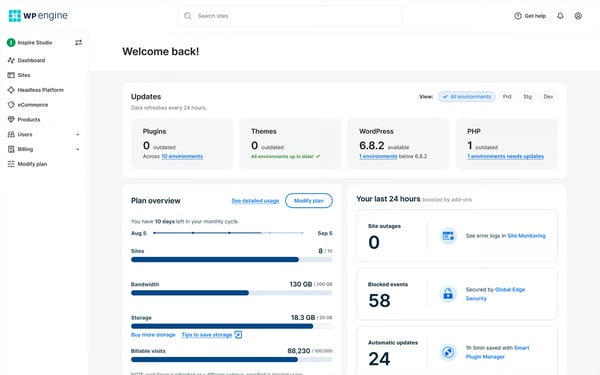
Security and reliability are built into the standard offering rather than configured separately. G2 reviews frequently reference managed updates, malware scanning, automated backups, and consistently low downtime as part of the standard experience. This positioning supports teams operating in environments where WordPress sites are frequent targets.
Usability remains accessible despite the platform’s technical depth. Ease of use holds a 91% rating, suggesting that advanced capabilities remain manageable through a structured dashboard. G2 reviewers often describe day-to-day tasks as quick to pick up, even for users new to the dashboard. This balance supports both technical teams and operational users working within WordPress-specific workflows.
Environment setup and replication further reinforce execution speed. Ease of setup is rated at 92%, and reviewers regularly describe migrations, site cloning, and environment creation as streamlined. These workflows reduce friction when launching new properties or maintaining staging and production parity. For teams managing many sites, this consistency supports repeatable execution.
Review feedback consistently frames WP Engine as a long-term infrastructure partner rather than a transactional hosting vendor.G2 reviewers describe predictable service interactions and dependable account engagement as what sets the provider relationship apart over time. This matters most for teams treating WordPress hosting as mission-critical, where continuity and trust in the provider carry as much weight as technical performance.
While overall feedback is strong, G2 reviewers note that email hosting is not included within the platform's WordPress-focused offering. Teams that expect a single provider to cover both site hosting and business email will need to manage those through a separate service, and this is most relevant for smaller teams consolidating tools. However, WP Engine includes access to the Genesis Framework and a library of premium StudioPress themes at no extra cost, adding design and development resources that most managed hosting providers do not offer. Adding design and development resources to the standard plan that teams would otherwise source and pay for separately.
Navigating very large site portfolios within the management interface can require more deliberate organization as the number of environments grows. Teams managing well over a hundred sites describe the experience as workable but less streamlined at that scale. G2 reviewers point out that site copying, cloning, and bulk plugin updates remain straightforward regardless of portfolio size, which keeps routine operations efficient even at scale.
WP Engine fits teams that treat WordPress as core infrastructure rather than a side project. This usage pattern highlights its role as a specialist platform, chosen for WordPress-specific reliability and support over broader, all-purpose infrastructure options.
“WP Engine has a seamless customer service that is always ready to help on a 24/7 schedule. They never hesitate to offer help.
It has an intuitive dashboard that promotes high-speed reporting and insights.”
- WP Engine review, Gomez R.
“It is very technical and confusing for someone without a developer background.”
- WP Engine review, Kara V.
Hostinger is a cloud web hosting platform built around simplicity, speed, and accessibility. The platform combines domain management, SSL, email, backups, and hosting into a single dashboard, reducing the number of tools teams need to manage from day one.
I noticed Hostinger’s hPanel comes up repeatedly in G2 reviews, with users describing it as cleaner and more intuitive than traditional cPanel setups. That first-session experience shapes long-term platform perception and likely contributes to its 92% ease-of-setup rating, helping teams launch sites faster without extended configuration or technical friction.
Server speed and uptime reliability come up across multiple recent G2 reviews. Teams mention fast page loads, SSD-backed infrastructure, and stable server behavior under normal operating loads. For small business sites, portfolio pages, and content-driven properties, this level of performance meets day-to-day reliability expectations without requiring additional optimization work on the team's side.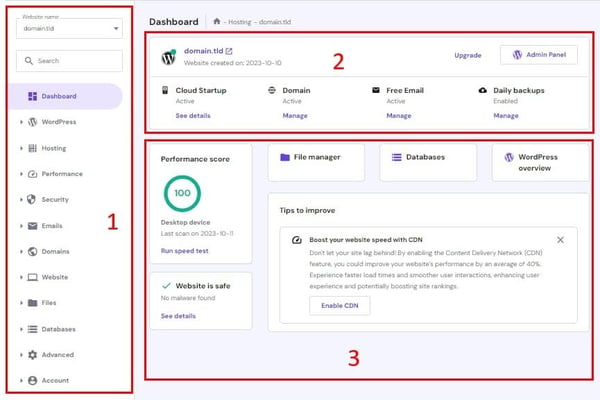
WordPress integration helps in smooth installation, fast backend performance, and straightforward site management within the CMS. For teams running WordPress as their primary publishing or commerce environment, this alignment reduces friction across the full site management workflow.
Bundled features across plans reduce the need for additional tooling. Free SSL is rated at 92%, and G2 reviewers frequently reference SSL, backups, domain management, and email as included rather than separately purchased. For cost-conscious teams, this bundling makes the effective value of each plan higher than the headline price suggests.
As per the recurring pattern in G2 feedback, security is one of those things Hostinger handles quietly — reviewers don't flag it as a standout feature because it never becomes a problem, which is exactly the point for small teams handling client sites or basic transactional workflow.
Live chat and ticketing handle standard hosting questions with helpful, prompt responses, and most issues are resolved without extended back-and-forth. Documented guidance alongside chat support covers most day-to-day troubleshooting needs for non-technical users. The support experience scores 88% for quality of support on G2.
G2 reviewers do point to one area worth noting around support accessibility: phone support is not available, which creates friction for teams dealing with urgent or time-sensitive hosting issues that need fast human escalation. Users managing business-critical sites describe the chat-only path as slower than needed during urgent incidents. The documented knowledge base and live chat cover the full range of standard hosting questions, with response times that keep most day-to-day issues moving at the pace non-critical incidents require, without a phone queue.
Renewal pricing shifts to a higher rate after the introductory period ends. Teams on longer initial contracts who planned budgets around first-term pricing will need to reassess costs at renewal, and this gap is more noticeable for cost-sensitive teams managing several sites simultaneously. G2 users mention that bundled features across plans, including SSL, backups, and domain management, keep the overall value competitive relative to what comparable plans charge at standard rates. This absorbs cost lines that competing providers bill separately and makes the effective renewal cost competitive against what comparable hosting configurations actually total.
Hostinger fits individuals, freelancers, and small teams that prioritize fast setup, straightforward site management, and accessible pricing for standard hosting workloads. The platform's ease of use and bundled feature set make it a practical starting point for teams without dedicated technical resources. For straightforward cloud hosting where launch speed and daily simplicity take priority, Hostinger is a practical and cost-accessible starting point.
"Hostinger Kodee AI support is very good, and it makes the technical work go much faster. I don’t need to edit everything manually because Kodee can do it for me, which makes things very easy. Also, if Kodee can’t solve something, it connects me to manual support, which is very fast. Offers come frequently as well. Their UI for editing DNS records is clean and very easy to use, and the web builder is very good too."
— Hostinger review, Amar Singh C.
"Hostinger could improve by providing clearer technical details when choosing a hosting plan. More transparent information about feature limitations and resource limits would help developers make better decisions before deployment."
— Hostinger review, Yudhawan A.
Designed for modern application teams, Railway is a platform that minimizes infrastructure overhead by abstracting servers, networking, and scaling into a managed workflow. It is commonly associated with modern development workflows where speed, simplicity, and reliability take priority over granular infrastructure control. Within the cloud web hosting category, the emphasis is clearly on execution rather than enterprise breadth.
What stood out consistently across Railway's G2 reviews is how little friction teams experience between deployment and production. Ease of setup is rated at 97%, and reviewers frequently describe being able to push code and get applications running without spending excessive time configuring infrastructure. Deployments, setup, and scaling are largely handled automatically in the background, reducing the manual work typically associated with hosting environments.
The interface surfaces services, logs, environment variables, and deployments in a clear, accessible layout, scoring 97% for ease of use on G2. This organization reduces friction during debugging and routine changes, keeping operational context close to the code.
Infrastructure abstraction is central to how teams work on Railway. Container setup, networking, availability, and scaling are handled automatically, removing the need to manage virtual machines or orchestration layers directly. Meets requirements score is rated at 94% on G2, reflecting how consistently the platform delivers on core deployment and scaling expectations without manual intervention.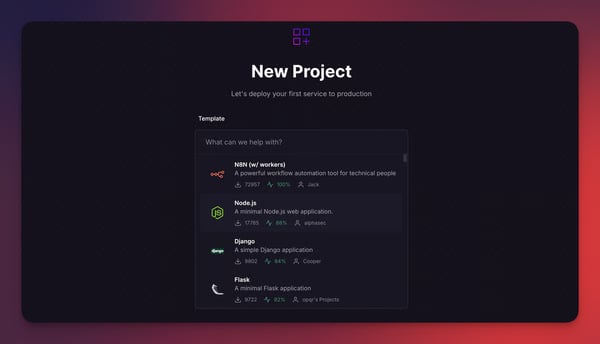
Operational reliability is frequently mentioned alongside performance. Services spin up quickly and remain stable once deployed, supporting confidence during active development and production use. Teams describe stable, consistent behavior under normal workloads rather than ongoing adjustment. This reliability supports sustained delivery without maintenance overhead.
Railway is consistently described as simpler and more cost-predictable than AWS or GCP. It reduces the operational and financial overhead of managing multiple cloud services without requiring a dedicated infrastructure function. This is something early-stage and product-focused teams cite as a meaningful advantage.
Environment variables, secrets, and configuration management are handled within the same dashboard as deployments, removing the need for separate tooling to manage sensitive values across staging and production. G2 reviewers describe this as a practical efficiency gain, particularly for small teams where configuration drift between environments has historically introduced bugs at the point of deployment.
Interactions with support and the broader community are described as responsive and technically informed. Issues are typically addressed without long resolution cycles. This reinforces Railway’s developer-centric orientation rather than a ticket-driven support model.
Access control capabilities are streamlined, which may require additional consideration for teams with complex permission structures or strict governance requirements. G2 reviewers note that the platform's core infrastructure handling, including automated scaling and availability, remains dependable regardless of team size. This keeps deployment speed intact as team headcount and permission requirements change.
Cost visibility is oriented toward straightforward usage patterns rather than detailed spend breakdowns. Teams running larger or more distributed services may find it harder to predict and track spending as projects scale in scope. That said, the railway's infrastructure handles container setup, networking, and scaling automatically, which removes the cost and overhead of managing those layers separately on platforms like AWS or GCP. The total platform cost is lower even where per-service spend visibility is limited.
Overall, Railway fits teams that prioritize fast deployment, clean developer workflows, and minimal infrastructure management. Its strengths align most closely with startups and small product teams building and iterating on modern applications. For cloud web hosting centered on developer productivity and execution speed, Railway remains a focused platform built around fast, reliable delivery.
“Railway provides an extremely simple and intuitive platform for deploying applications and services. The setup process is very fast, and developers can deploy projects directly from Git repositories with minimal configuration. The user interface is clean and easy to navigate, which makes it straightforward to manage deployments, services, and environment variables. What I like most is that it does all the heavy lifting—spinning up machines, adding them to the network, checking out the code, deploying it, installing dependencies, and more. Overall, it’s just amazing.”
- Railway review, Sanket O.
“ For beginners, sometimes there is an issue of container crashing, but you get good at handling it in some time.”
- Railway review, Akshat S.
Positioned around hands-on service, RoseHosting operates as a managed cloud and VPS hosting provider for teams that value direct access to experienced engineers.
What became clear to me while reading through the RoseHosting reviews is that support here operates differently; reviewers are not describing a helpdesk, they are describing engineers who take ownership. G2 users consistently point to fast response times and senior-level technical expertise, with issues handled end-to-end without repeated escalation or handoffs. This compresses the time between issue and fix, reducing operational disruption, reflected in the quality of support rated at 99%.
Routine hosting tasks are commonly described as accessible even for non-technical users, with G2 reviewers pointing to a clear control panel for managing services, billing, and support interactions. Day-to-day operations like adding services, tracking tickets, and handling account changes sit within an interface that does not require command-line familiarity. For teams without dedicated infrastructure staff, this keeps operational control in-house without adding technical burden.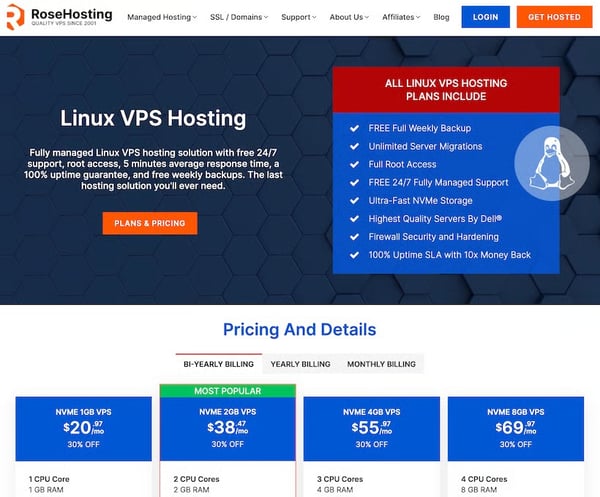
Setup and provisioning workflows are frequently highlighted as guided and predictable. Ease of setup stands at 96%, indicating that launching new services rarely becomes a bottleneck. Review data references assisted configurations for applications such as NextCloud or Drupal, where setup is handled collaboratively. This lowers friction for teams deploying more complex software stacks.
G2 users describe stable performance for VPS-hosted workloads under continuous use. Hosting environments are referenced as consistently available without requiring manual oversight or corrective action. For teams running production websites and business-critical applications, this stability reduces operational risk over time.
Operational responsiveness extends beyond issue resolution. Ease of doing business with is rated at 100% on G2, and reviewers consistently mention clear communication and dependable follow-through as defining qualities of the service relationship. Users often note that ticket-based support handles most needs without requiring live escalation, which keeps day-to-day operations predictable and low-friction for long-term hosting arrangements.
What I kept finding while studying the review data is that satisfaction here runs deeper than ratings; teams are not just happy with the support, they are actively building their operations around it. G2 reviews frequently reference access to senior engineers capable of handling integrations and custom configurations, allowing teams to focus on their applications rather than infrastructure mechanics.
Some G2 reviewers mention that service scope and resource requirements for specific applications are not always clearly outlined before a plan is selected. Teams deploying less common software stacks or compute-heavy applications are most likely to encounter a plan adjustment shortly after launch. RoseHosting includes free unlimited website migration on all plans, meaning the onboarding process itself carries no additional risk regardless of the application being moved. The transition into the correct plan adds no operational disruption regardless of the application being moved.
Pricing sits higher than unmanaged VPS alternatives, and teams optimizing purely for cost will find cheaper options in the market. This gap is most relevant for smaller teams or early-stage projects where infrastructure budgets are tightly controlled. RoseHosting backs all plans with a 100% uptime SLA, with every component, server, storage, and network built redundantly, making infrastructure reliability a guaranteed constant rather than a variable.
RoseHosting aligns most closely with small businesses, indicating strong relevance for smaller teams that depend on reliability and expert intervention. The absence of enterprise adoption reinforces its role as a specialist provider. For cloud web hosting where technical depth and responsiveness take precedence over automation, RoseHosting remains a reliable and specialist option.
“Definitely the responsiveness of the sales and tech teams. I am not a tech person, but they were pretty clear in answering my questions. I asked them to set up several instances of NextCloud across subdomains, plus another instance of Drupal and integration between Drupal and NextCloud. I stopped using the live chat because their response time on the ticketing system is quick enough for me.
I am using my instances constantly and may average 3 tickets per day as I figure things out. As I said, I am not a tech person, so I don't want to deal with command lines. Things have been easy so far.”
- RoseHosting review, Paul L.
“I didn't realize when I started that what I wanted in NextCloud, it required more CPUs. Would have been nice to have that resource requirement list prior to signing up since NextCloud is offered as a service. It wasn't much of an upgrade, and the support team did it almost immediately, and I was on my way. I don't think it was a bait and switch or anything like that, but if I knew the resource requirements, I would have picked the correct package.”
- RoseHosting review, Paul L.
SiteGround is a managed web hosting platform built around WordPress performance, reliable infrastructure, and hands-on support. The platform combines an intuitive proprietary dashboard, built-in staging tools, daily backups, and CDN services into a single managed offering.
One thing I could not overlook in the review data was how often backup reliability comes up unprompted, not as a feature teams tested, but as something that quietly saved them. Daily backups with partial restoration options are rated at 98% on G2, with reviewers describing the restore process as straightforward and accessible without requiring technical intervention.
G2 users describe instant or near-instant chat connections with knowledgeable staff who engage directly on technical issues rather than routing through scripted responses. G2 reviewers across different plan tiers highlight that support quality has held up consistently, even as the platform has grown. For teams without in-house technical expertise, this accessibility directly reduces downtime during critical moments.
While going through the SiteGround reviews, I found that the staging workflow kept coming up as a genuine operational advantage. G2 review patterns highlight duplicating sites, testing updates, and pushing changes to production as straightforward within the dashboard. This workflow reduces the risk of breaking live sites during routine changes for teams managing multiple WordPress properties or testing plugin updates before deployment. The built-in staging environment removes the need for additional tooling to maintain safe, parallel development workflows.
CDN integration and SSL certificate management are handled within the platform without requiring third-party services. Free SSL scores 98% on G2 — among the highest in the category, and reviewers consistently describe both the SSL setup and CDN configuration as accessible through the standard dashboard without additional overhead.
The dashboard keeps operational complexity low without stripping away control over key hosting settings, with the intuitive control panel scoring 80% on G2. Clear information architecture, accessible domain and user management, and straightforward controls for routine hosting tasks reduce the time needed to get comfortable with the platform for non-technical users and teams onboarding new staff.
What I kept finding in SiteGround's review data is that the WordPress-specific depth is what separates it from general managed hosting. Built-in caching, PHP version management, and WordPress-optimized server configurations keep sites performant without requiring teams to configure anything beyond the defaults. This depth of CMS-level optimization supports consistent site behavior under real traffic conditions for teams running WordPress as a production environment rather than a testing ground.
G2 feedback points to one consistent pattern: pricing follows a promotional model where introductory rates are significantly lower than renewal rates. Teams that selected SiteGround based on first-term pricing will face a meaningful cost increase at renewal. However, SiteGround includes a free CDN and free email hosting on all plans, services that many competitors charge separately for and that improve the effective value at the standard renewal rate. This removes two cost lines that most competing providers bill separately for teams already relying on both services.
Across G2 reviews, performance expectations occasionally fall short of the platform's positioning. Teams running plugin-heavy or high-customization WordPress sites are most likely to find that meaningful speed gains require optimization beyond the default configuration. The built-in caching, CDN, and WordPress-optimized server settings handle most day-to-day performance requirements reliably out of the box. Thus, giving standard content sites a consistent performance baseline without additional tuning from the team.
SiteGround fits freelancers, agencies, and small businesses running WordPress as a production environment, where reliability, backup confidence, and expert support outweigh cost as the primary decision factor. It is a stronger match for teams that need a dependable, low-maintenance hosting partner than for those optimizing for infrastructure control or the lowest available price.
"SiteGround makes it easy to build and host WordPress websites, and the overall experience feels seamless. My sites also feel secure when they’re running on it."
— SiteGround review, Tonja H.
"I frequently run out of space, and upgrading is often expensive, so I have to sort through my files often."
— SiteGround review, Constanze (Conny) H.
|
Software |
G2 Rating |
Free plan |
Best for |
|
Cloudways |
4.7/5 |
Yes. Free trial available |
Managed cloud hosting with flexibility across multiple cloud providers |
|
Google Cloud Storage |
4.6/5 |
Yes |
Teams building on GCP who need scalable object storage with native Google integrations |
|
WordPress.com |
4.4/5 |
Yes. Free plan available |
Low-maintenance WordPress hosting for content-focused teams |
|
HostArmada |
4.9/5 |
No |
Reliability-focused cloud hosting with strong support |
|
DreamHost |
4.0/5 |
No |
Developer-friendly hosting with transparent operations |
|
WP Engine |
4.6/5 |
No |
Performance-critical WordPress sites with high traffic demands |
|
Hostinger |
4.4/5 |
No |
Individuals and small teams who need fast setup and bundled hosting at an accessible price. |
|
Railway |
4.8/5 |
Yes. Free plan available |
Application-driven deployments and modern developer workflows |
|
RoseHosting |
4.9/5 |
No |
Managed VPS hosting with customization and root access |
|
SiteGround |
4.2/5 |
No |
Freelancers and agencies who need WordPress-optimized hosting with reliable support and built-in staging tools |
*These cloud web hosting platforms are top-rated in their category based on G2’s Winter 2026 Grid® Report. Each offers tiered plans or custom pricing, with details available directly from the provider.
Got more questions? G2 has the answers!
For performance and uptime consistency, WP Engine and Cloudways are most often highlighted in review patterns. They tend to show stronger stability under load, proactive monitoring, and clearer recovery behavior when issues occur.
If scalability is a priority, Cloudways and Railway stand out. Cloudways is commonly chosen for scaling across underlying cloud providers, while Railway is favored by teams that want application-level scaling without managing infrastructure manually.
WP Engine, SiteGround, and HostArmada have built-in security controls, as per G2 reviews. These platforms are usually selected when teams want managed protection layers rather than configuring everything themselves.
For CI/CD-heavy workflows, Railway, DreamHost, and Cloudways are the most commonly referenced. Railway fits modern deployment pipelines, while DreamHost and Cloudways are often used when teams want CI/CD flexibility with more traditional hosting models.
Platforms like WP Engine, SiteGround, and WordPress.com are frequently chosen when global delivery matters. Review patterns emphasize more consistent international performance when CDN capabilities are tightly integrated rather than bolted on.
For e-commerce workloads, WP Engine, Cloudways, and HostArmada are commonly selected. Teams prioritize predictable performance during traffic spikes, fast recovery, and managed security over maximum infrastructure control.
Cloudways, HostArmada, and RoseHosting are often mentioned for clearer backup visibility and recovery paths. Review feedback suggests teams value simple restores and automation more than advanced configuration options.
For clearer pricing structures, DreamHost and Railway tend to be referenced more positively. These platforms are often chosen by teams that want predictable costs and fewer billing surprises as usage grows.
Support quality comes up most often for HostArmada, SiteGround, and WP Engine. Teams evaluating these platforms typically focus on response speed during incidents and the ability to reach knowledgeable support staff, not just account managers.
For compliance and data residency needs, WP Engine, RoseHosting, and Google Cloud Storage are most often evaluated. WP Engine and RoseHosting offer clearer region controls and managed configurations that support regulated environments. Google Cloud Storage adds built-in IAM controls, audit logging, and encryption at rest and in transit as standard features, making it a practical fit for teams handling sensitive data within the GCP ecosystem.
A few shifts are reshaping how teams evaluate cloud web hosting heading into the next 12 to 24 months. Managed hosting is absorbing more of what used to require dedicated technical staff, which is raising the baseline expectation: platforms that still require significant manual intervention to stay stable are losing ground to those that handle it by default.
Pricing transparency is becoming a harder requirement. As infrastructure costs face more scrutiny at the budget level, platforms with unclear usage-based billing are creating friction that didn't exist when engineering owned the decision alone. Buyers are increasingly asking what costs look like at 3x current traffic, not just today.
The other shift worth watching is support. As deployments grow more complex, the gap between platforms with genuinely knowledgeable support and those running scripted responses is widening. Teams that have experienced a poorly handled incident tend to weigh support quality much higher in their next evaluation than in their first.
Taken together, these shifts favor platforms that are transparent about how they operate, predictable in cost as usage grows, and staffed to handle complexity when it surfaces. That's the lens worth applying before committing.
Want simpler website hosting? Explore top shared hosting platforms on G2 to keep sites stable, affordable, and easy to manage.

As a cloud architect, IT director, infrastructure manager, or migration lead, by the time...
 by Disha G

Cloud costs have a sneaky way of ballooning. One month, the bill looks normal, and the next,...
 by Soundarya Jayaraman

When evaluating the best cloud management platforms, the decision is not about feature...
by Disha G